一 概述
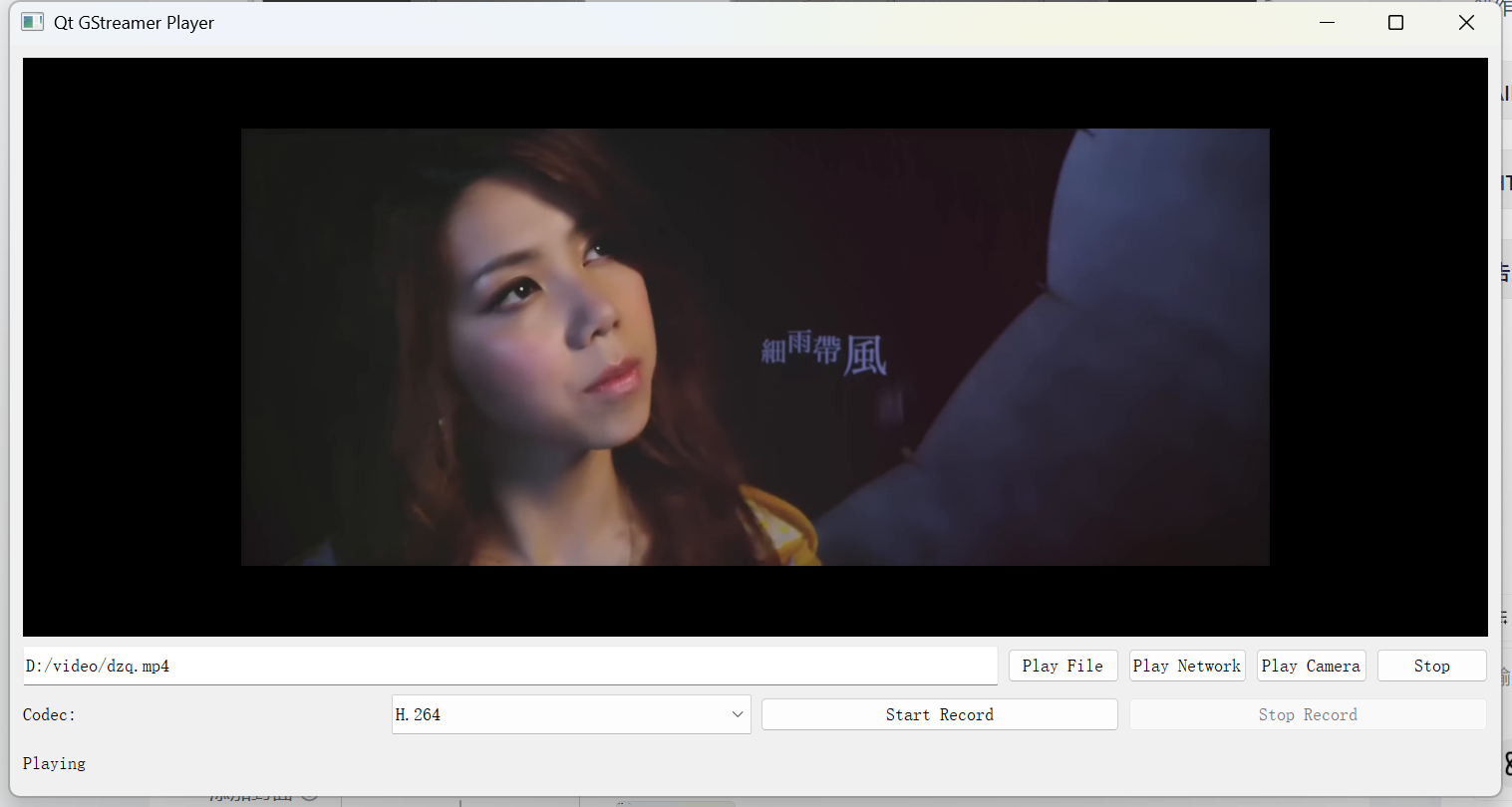
本文章实现了在qt环境下,使用gstreamer接口实现了播放功能。包括本地文件播放和网络流播放。该文章展示了两种方式实现播放功能,1-命令行方式 2-代码方式。
二 命令行方式
1.播放本地文件
使用 uridecodebin插件 播放
gst-launch-1.0.exe uridecodebin uri=file:///D:/video/11.264 ! videoconvert ! video/x-raw,format=RGB ! autovideosink
使用 filesrc插件 播放
gst-launch-1.0.exe filesrc location=D:/video/dzq.mp4 ! qtdemux name=demuxer ! decodebin ! queue ! videoconvert ! video/x-raw,format=RGB ! autovideosink
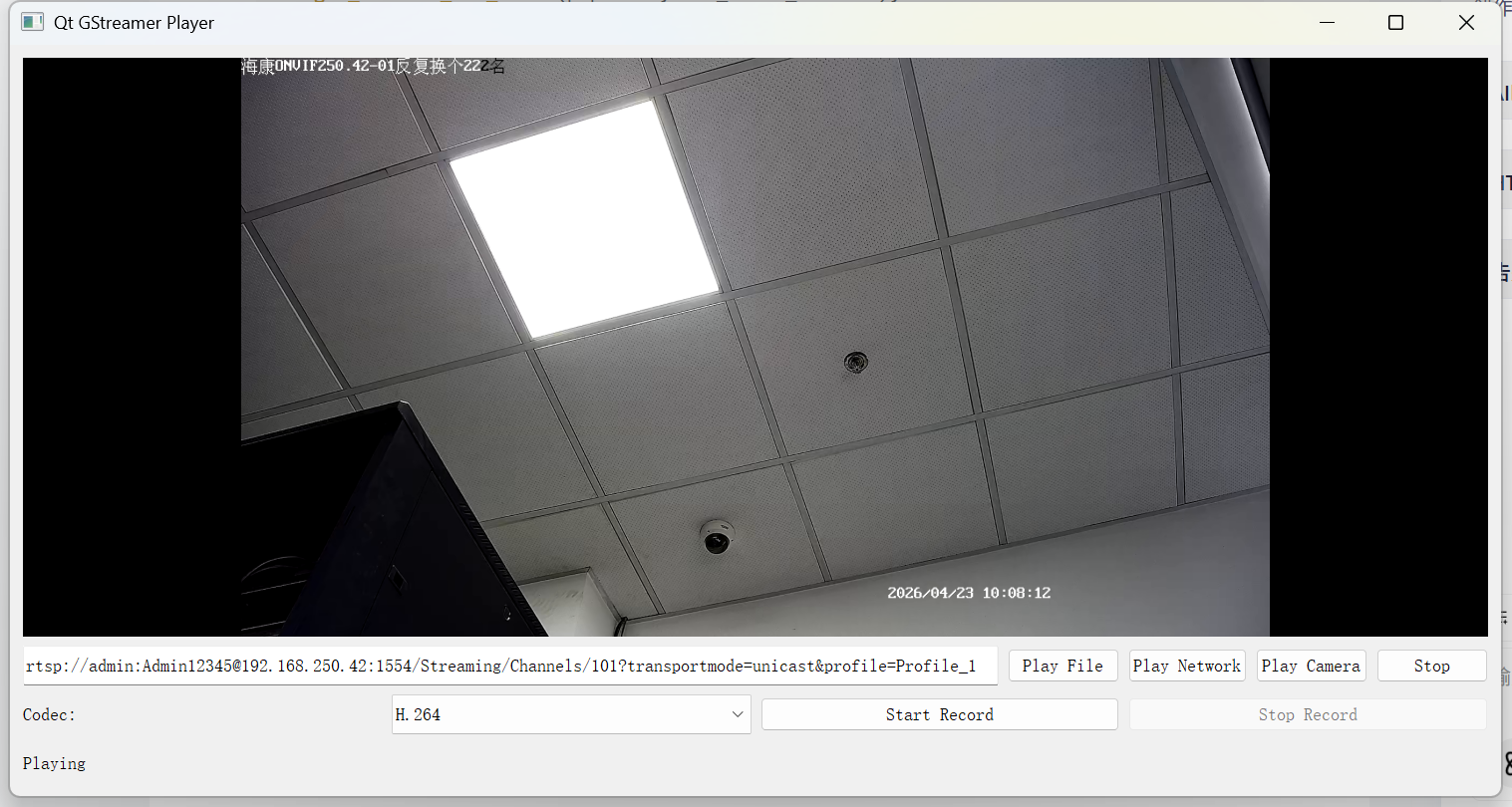
2.播放网络流
使用 uridecodebin插件 播放
gst-launch-1.0.exe uridecodebin uri="rtsp://admin:Admin12345@192.168.250.42:1554/Streaming/Channels/101?transportmode=unicast&profile=Profile_1" ! videoconvert ! video/x-raw,format=RGB ! autovideosink
三 代码方式
1.播放本地文件
cpp
bool GstPipelineManager::playLocalFile(const QString filename)
{
    stop();
    QString sourceDesc = QString("filesrc location=%1").arg(filename);
#if 0
    sourceDesc = QString("uridecodebin uri=file:///%1").arg(filename);
#endif
    QString suffix = ".264";
    if(filename.mid(filename.size()-4) == ".264"){
        suffix = ".264";
    }else if(filename.mid(filename.size()-4) == ".265"){
        suffix = ".265";
    }else if(filename.mid(filename.size()-4) == ".mp4"){
        suffix = ".mp4";
    }
    return buildPlayPipelineEx(sourceDesc,suffix);
}
cpp
bool GstPipelineManager::buildPlayPipelineEx(const QString &sourceDesc, QString suffix)
{
    GError *error = nullptr;

    // 构建播放管道: Source -> Convert -> Appsink (用于Qt绘制)
    QString pipelineStr = QString("%1 ! videoconvert ! video/x-raw,format=RGB ! appsink name=videosink emit-signals=true sync=false")
                              .arg(sourceDesc);
#if 1
    if(suffix == ".264"){
        pipelineStr = QString("%1 ! h264parse ! avdec_h264 ! queue ! videoconvert ! video/x-raw,format=RGB ! appsink name=videosink emit-signals=true  max-buffers=1 drop=true")
                .arg(sourceDesc);
    }else if(suffix == ".265"){
        pipelineStr = QString("%1 ! h265parse ! avdec_h265 ! queue ! videoconvert ! video/x-raw,format=RGB ! appsink name=videosink emit-signals=true  max-buffers=1 drop=true")
                .arg(sourceDesc);
    }else if(suffix == ".mp4"){
        //emit-signals=true sync=false max-buffers=1 drop=true
        pipelineStr = QString("%1 ! qtdemux name=demuxer "
                              "! decodebin ! queue ! videoconvert ! video/x-raw,format=RGB ! appsink name=videosink emit-signals=true  max-buffers=1 drop=true "
                              )
                .arg(sourceDesc);
    }else {
        emit errorOccurred("不支持的文件格式");
        return false;
    }
#else
    pipelineStr = QString(
        "%1 ! videoconvert ! video/x-raw,format=RGB ! appsink name=videosink  max-buffers=1 drop=true"
    ).arg(sourceDesc);
#endif
    qDebug() << "pipelineStr:" << pipelineStr;
    pipeline = gst_parse_launch(pipelineStr.toStdString().data(), &error);
    if (error) {
        emit errorOccurred(QString("Pipeline Error: %1").arg(error->message));
        g_error_free(error);
        return false;
    }

    videoSink = gst_bin_get_by_name(GST_BIN(pipeline), "videosink");
    if (!videoSink) {
        emit errorOccurred("Failed to get videosink");
        return false;
    }

    // 设置 appsink 回调以获取帧数据
    GstAppSinkCallbacks callbacks = {nullptr, nullptr, onNewSampleFromAppsinkEx};
    gst_app_sink_set_callbacks(GST_APP_SINK(videoSink), &callbacks, this, nullptr);

    // 启动管道
    GstStateChangeReturn ret = gst_element_set_state(pipeline, GST_STATE_PLAYING);
    if (ret == GST_STATE_CHANGE_FAILURE) {
        emit errorOccurred("Failed to start pipeline");
        GstBus *bus = gst_element_get_bus(pipeline);
        GstMessage *msg = gst_bus_timed_pop_filtered(bus, GST_CLOCK_TIME_NONE, GST_MESSAGE_ERROR);
        if (msg != NULL) {
            GError *err = NULL;
            gchar *debug_info = NULL;
            gst_message_parse_error(msg, &err, &debug_info);
            g_printerr("Error from element %s: %s\n", GST_OBJECT_NAME(msg->src), err->message);
            g_printerr("Debugging info: %s\n", debug_info ? debug_info : "none");
        }
        gst_object_unref(videoSink);
        gst_object_unref(pipeline);
        pipeline = nullptr;
        videoSink = nullptr;
        return false;
    }

    // 必须等启动完成才能出画面
//    gst_element_get_state(pipeline, nullptr, nullptr, GST_CLOCK_TIME_NONE);
    emit stateChanged("Playing");
    return true;
}
2.播放网络流
cpp
bool GstPipelineManager::playNetworkStream(const QString &url) {
    stop();
    // 使用 uridecodebin 自动处理 RTSP/RTMP 等协议
    QString sourceDesc = QString("uridecodebin uri=%1").arg(url);
    return buildPlayPipeline(sourceDesc, false);
}
cpp
bool GstPipelineManager::buildPlayPipeline(const QString &sourceDesc, bool isCamera) {
    GError *error = nullptr;

    // 构建播放管道: Source -> Convert -> Appsink (用于Qt绘制)
    QString pipelineStr = QString("%1 ! videoconvert ! video/x-raw,format=RGB ! appsink name=videosink emit-signals=true sync=false")
                              .arg(sourceDesc);

    qDebug() << "pipelineStr:" << pipelineStr;
    pipeline = gst_parse_launch(pipelineStr.toUtf8().constData(), &error);
    if (error) {
        emit errorOccurred(QString("Pipeline Error: %1").arg(error->message));
        g_error_free(error);
        return false;
    }

    videoSink = gst_bin_get_by_name(GST_BIN(pipeline), "videosink");
    if (!videoSink) {
        emit errorOccurred("Failed to get videosink");
        return false;
    }


    // 设置 appsink 回调以获取帧数据
    GstAppSinkCallbacks callbacks = {nullptr, nullptr, onNewSampleFromAppsink};
    gst_app_sink_set_callbacks(GST_APP_SINK(videoSink), &callbacks, this, nullptr);

    gst_element_set_state(pipeline, GST_STATE_PLAYING);
    emit stateChanged("Playing");
    return true;
}
cpp
GstFlowReturn GstPipelineManager::onNewSampleFromAppsink(GstAppSink *appsink, gpointer user_data) {
    GstPipelineManager *self = static_cast<GstPipelineManager*>(user_data);
    if (!self->frameCallback) return GST_FLOW_ERROR;

    GstSample *sample = gst_app_sink_pull_sample(appsink);
    if (!sample) return GST_FLOW_ERROR;

    GstBuffer *buffer = gst_sample_get_buffer(sample);
    GstCaps *caps = gst_sample_get_caps(sample);

    if (buffer && caps) {
        GstMapInfo map;
        if (gst_buffer_map(buffer, &map, GST_MAP_READ)) {
            GstStructure *s = gst_caps_get_structure(caps, 0);
            int width, height;
            if (gst_structure_get_int(s, "width", &width) && gst_structure_get_int(s, "height", &height)) {
                self->frameCallback(map.data, width, height, self->callbackUserData);
            }
            gst_buffer_unmap(buffer, &map);
        }
    }
    gst_sample_unref(sample);

    return GST_FLOW_OK;
}
四 效果图
播放网络流
播放本地文件