Y:\git_RK3576_Linux6.1\buildroot\package\weston\S49weston
Y:\git_RK3576_Linux6.1\buildroot\output\rockchip_rk3576\target\etc\init.d\S49weston
20260423给万象奥科的开发板HD-RK3576-PI适配瑞芯微原厂的Buildroot时使用weston-screenshooter截屏
2026/4/23 9:08
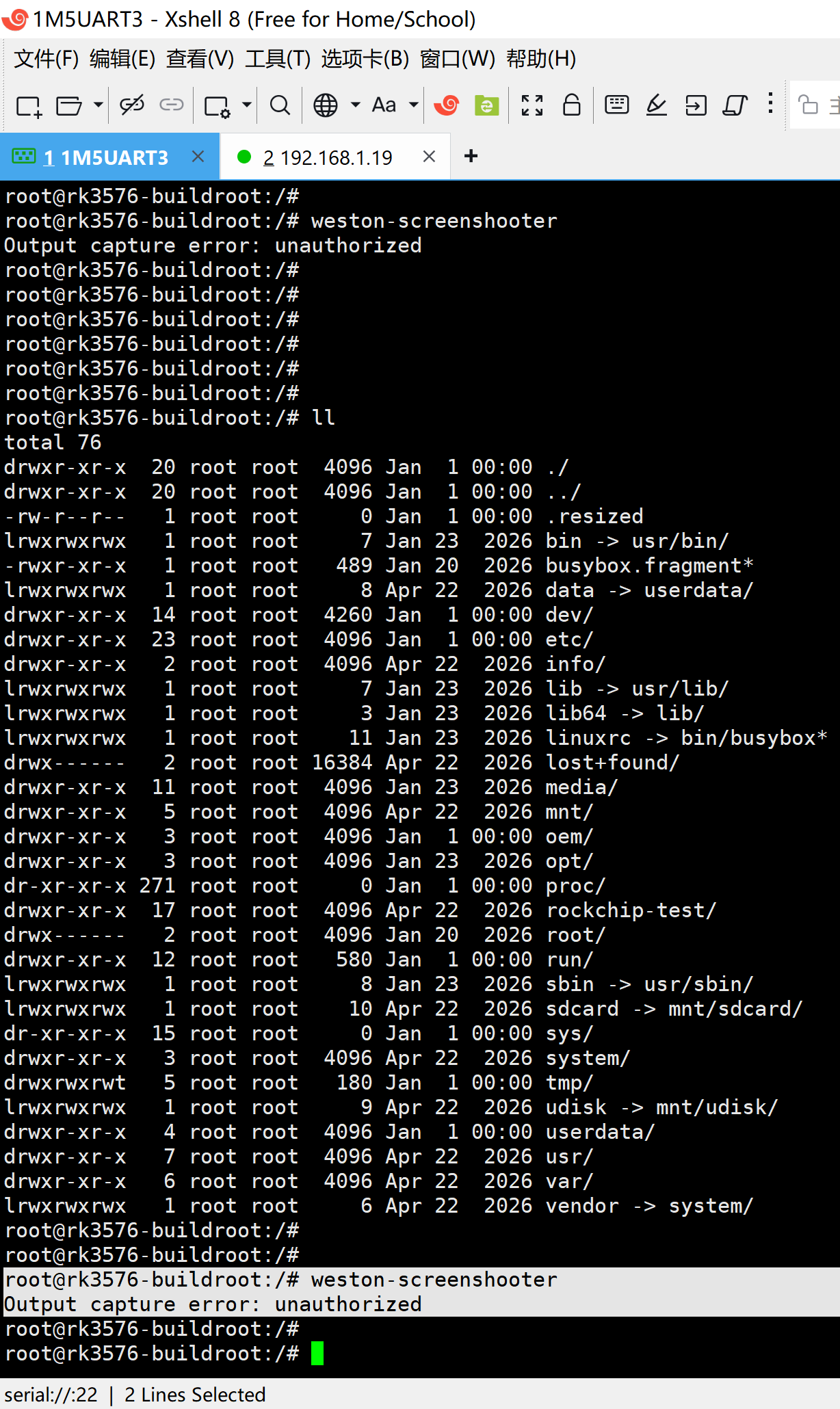
1、RK3576的buildroot使用weston-screenshooter截屏的经典异常问题!
root@rk3576-buildroot:/#
root@rk3576-buildroot:/#
root@rk3576-buildroot:/# weston-screenshooter
Output capture error: unauthorized
root@rk3576-buildroot:/#
2、RK3588的buildroot也出现过这个问题:
find . -name S49weston
【如果没有编译,就修改这里】
./buildroot/package/weston/S49weston
【如果已经编译了,就修改这里】
./buildroot/output/rockchip_rk3588/target/etc/init.d/S49weston
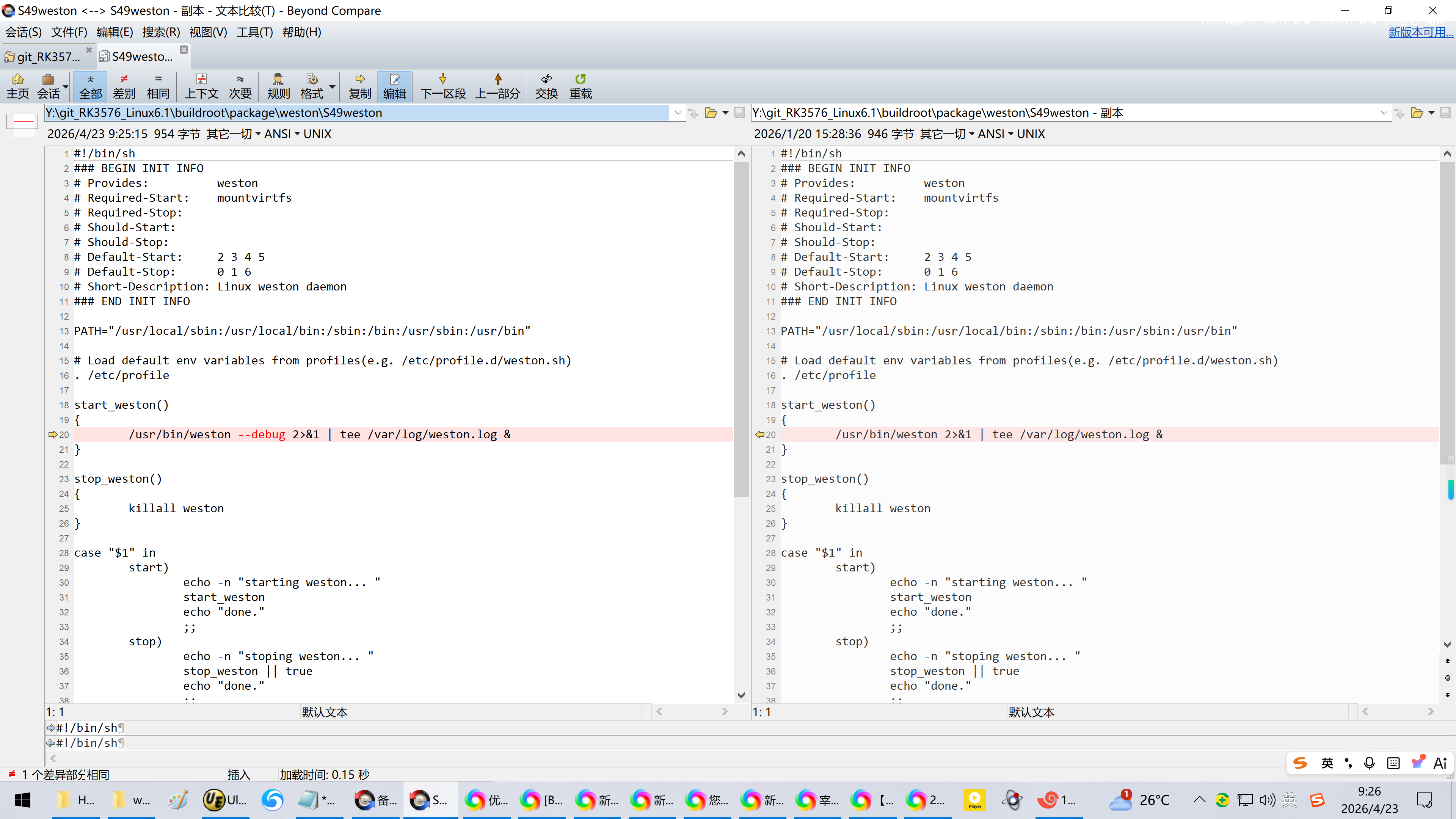
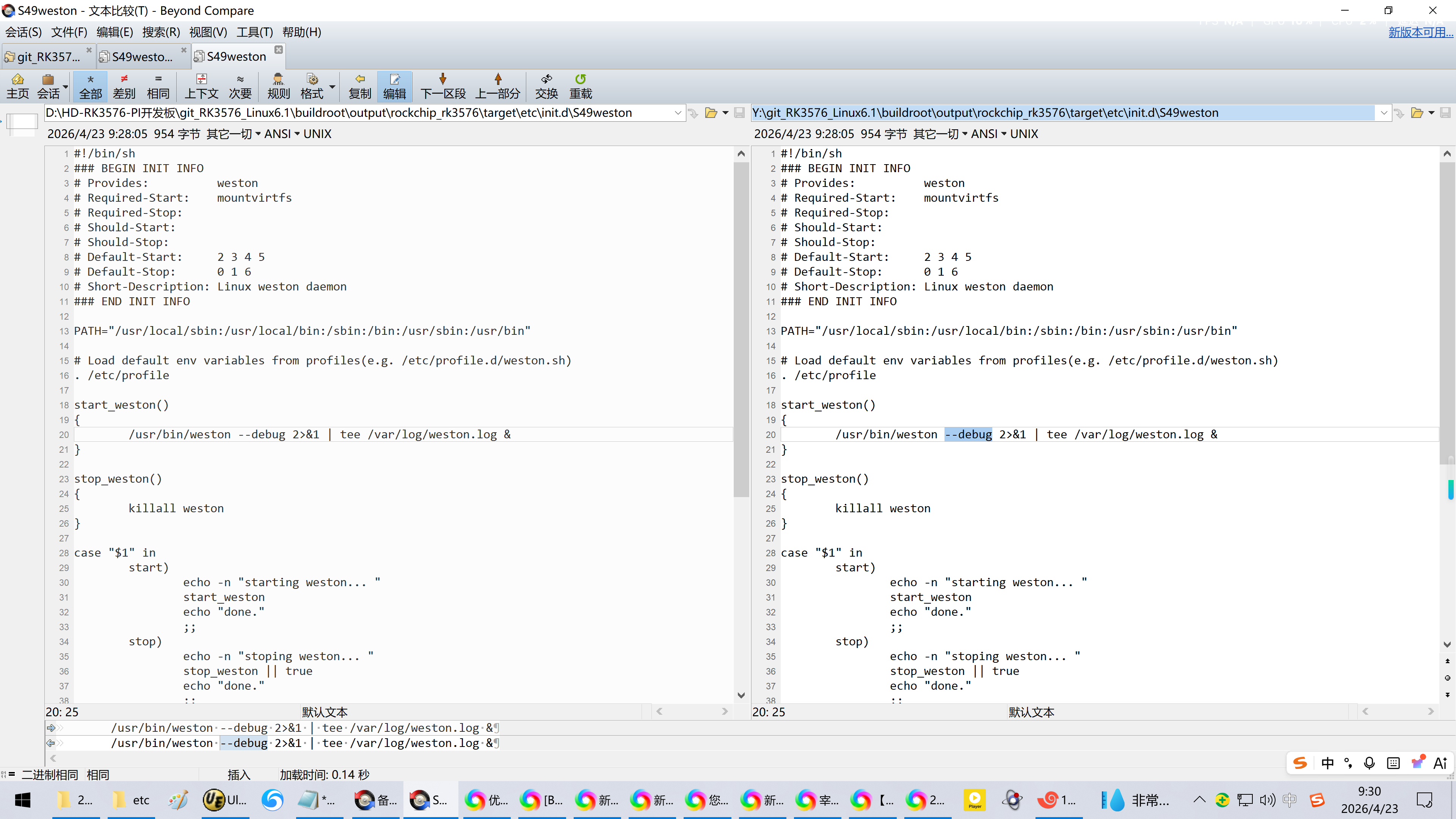
3、修正
Y:\git_RK3576_Linux6.1\buildroot\package\weston\S49weston
Y:\git_RK3576_Linux6.1\buildroot\output\rockchip_rk3576\target\etc\init.d\S49weston
#!/bin/sh
BEGIN INIT INFO
Provides: weston
Required-Start: mountvirtfs
Required-Stop:
Should-Start:
Should-Stop:
Default-Start: 2 3 4 5
Default-Stop: 0 1 6
Short-Description: Linux weston daemon
END INIT INFO
PATH="/usr/local/sbin:/usr/local/bin:/sbin:/bin:/usr/sbin:/usr/bin"
Load default env variables from profiles(e.g. /etc/profile.d/weston.sh)
. /etc/profile
start_weston()
{
/usr/bin/weston --debug 2>&1 | tee /var/log/weston.log &
}
stop_weston()
{
killall weston
}
case "$1" in
start)
echo -n "starting weston... "
start_weston
echo "done."
;;
stop)
echo -n "stoping weston... "
stop_weston || true
echo "done."
;;
restart|reload)
echo -n "stoping weston... "
stop_weston
while pgrep -x weston; do
sleep .1
done
echo "done."
echo -n "starting weston... "
start_weston
echo "done."
;;
*)
echo "Usage: $0 {start|stop|restart}"
exit 1
esac
exit 0
参考资料:
https://blog.csdn.net/wb4916/article/details/156204044?spm=1011.2415.3001.5331
20251223给飞凌OK3588-C开发板适配Rockchip原厂的Buildroot【linux-6.1】系统时使用weston-screenshooter截屏【修改直接编译进IMG固件】
https://kira-96.github.io/notes/weston-screenshot/
weston桌面系统截屏方法
forlinx开发板使用的yocto系统也类似,修改/lib/systemd/system/weston.service,在weston后添加--debug选项。
$ vi /lib/systemd/system/weston.service
修改如下
ExecStart=/usr/bin/weston --debug --log={XDG_RUNTIME_DIR}/weston.log OPTARGS
https://blog.csdn.net/qq_40177571/article/details/124989542
vim /lib/systemd/system/weston.service
//修改如下所示:
ExecStart=/usr/bin/weston --debug --log=${