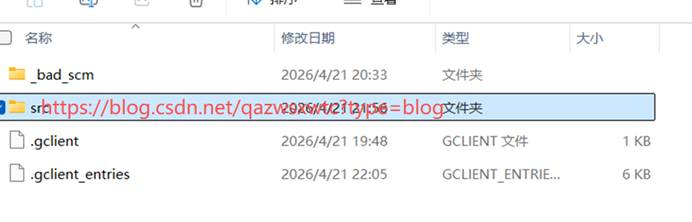
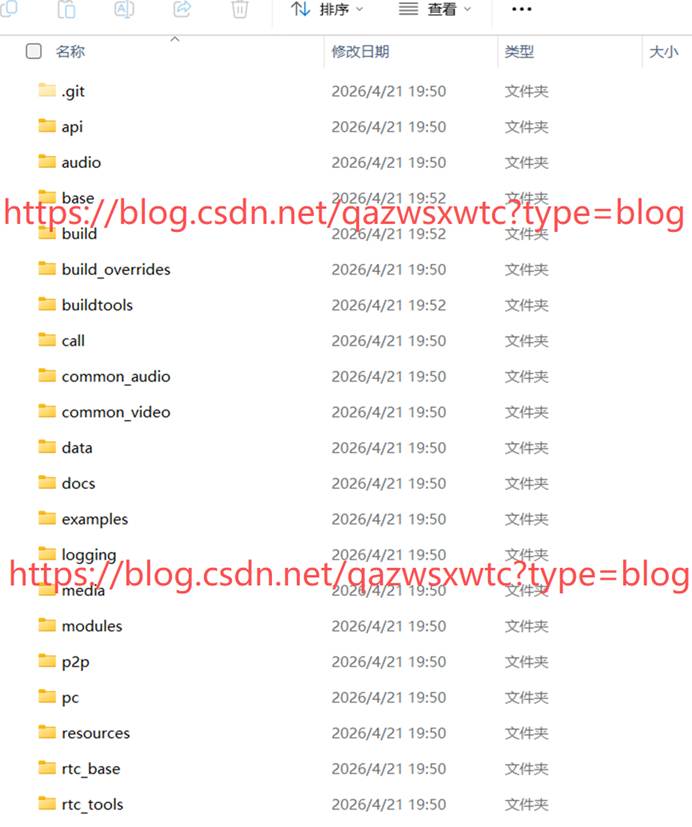
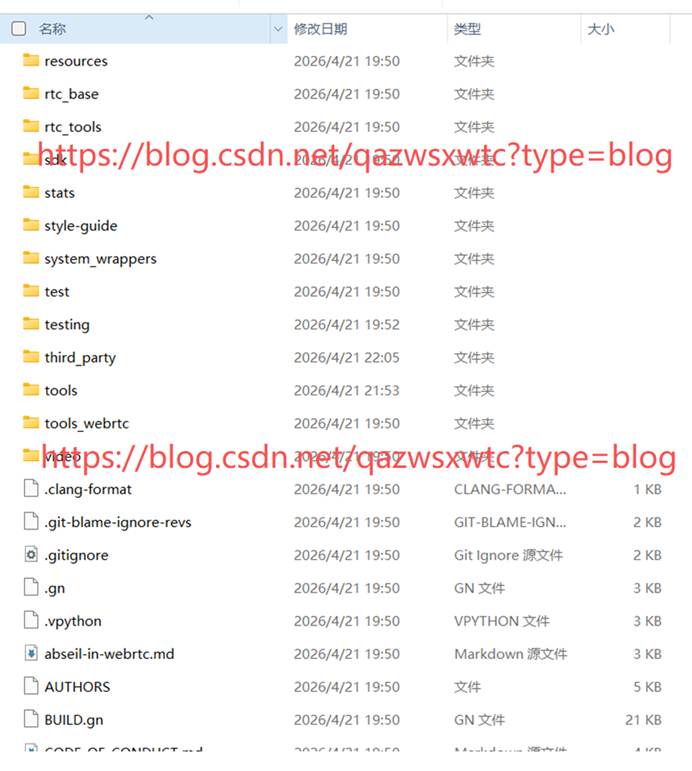
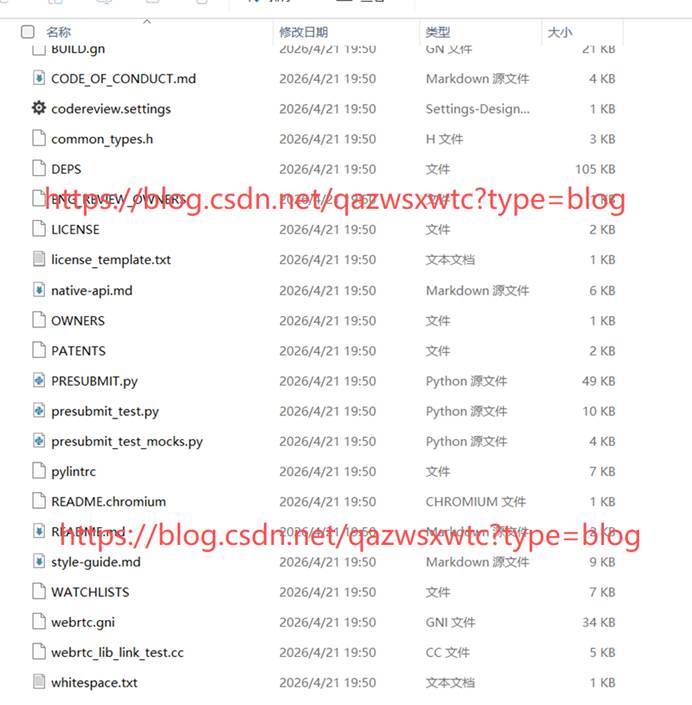
本文只介绍源码下载,具体编译另外再介绍,该操作2026年4月21星期二亲测可正常下载
一、准备环境
1.1 软件准备:
1.1.1Python
Python2.7 https://www.python.org/ftp/python/2.7.16/
Python 3.9 https://www.python.org/ftp/python/3.9.13/
Python 3.11 https://www.python.org/ftp/python/3.11.9/
安装的时候,一定要选择加入path
Python2.7 设置环境变量 scripts也有加进去
根据需要尝试用哪个Python版本,后面会具体讲到。
建议用python2.7, 因为现在声网下载的最新版本不支持高版本PY3
1.1.2 Git
官网:https://git-scm.com/download/win
阿里镜像https://mirrors.aliyun.com/
清华镜像:https://mirrors.tuna.tsinghua.edu.cn
如果官网下载慢,可以从镜像网站下载,
1.2 depot_tools
1.2.1 环境设置:
国内下载地址:
声网: git clone https://webrtc.bj2.agoralab.co/webrtc-mirror/depot_tools.git
Gitee: git clone https://gitee.com/qazwsxwtc/depot_tools.git
gitcode: git clone https://gitcode.com/qazwsxwtc/depot_tools.git //这个地址下的,包含我下载下来的cipd.exe, 以及git.bat(需要重新设置git安装路径)
国外:
这个是旧版本:https://storage.googleapis.com/chrome-infra/depot_tools.zip
最新版本:https://chromium.googlesource.com/chromium/tools/depot_tools.git
1.2.2 配置环境变量
把depot_tools的目录,如"D:\newwebrtc\depot_tools" 放入环境变量path中
1.2.3 验证安装
打开命令行窗口(CMD或者powershell)
分别输入: ninja --version
gn -- version
gclient -- version
一般前面两个(ninja和gn)都没有什么问题。 到gclient的时候就会卡在,或者在下载cipd
1.3 cipd下载
这个必须从外网下载,或者从以下下载,具体就是不知道你的是哪个对应的版本
在运行gclient -- version 的会提示在哪里下载(地址如下:)
https://chrome-infra-packages.appspot.com/client?platform=windows-amd64\&version=latest(最新版本
使用网站下载的文件为:为cipd.exe
如果使用gclient -- version 更新,外网下载的为.cipd_client.exe
该文件需要放在 depot_tools目录下,
分别放两个 .cipd_client.exe 和cipd.exe 暂时我没有研究具体调用哪个
1.4 设置禁止启动gclient 自动更新 和启动关联,具体部分如下
DEPOT_TOOLS_UPDATE = 0
DEPOT_TOOLS_WIN_TOOLCHAIN = 0
PYTHON_BAT_RUNNER = 0
VPYTHON_BYPASS = manually managed python not supported by chrome operations (这个不知道为啥这么长,也没纠结,先上)
1.5 检验gclient安装是否成功
1.5.1 再次命令行运行gclient -- version
如果没有反应,证明没有安装成功 ,则进入1.6,不然解决相关问题
1.5.2 进入 depot_tools运行 python gclient.py
编译问题:并不是所有的都有该问题
我在2026年4月21号下载Google最新的depot_tools,在编译gclient.py的时候发现最新的源码有个bug。
就是编译的时候,会报: No module named 'httplib2.socks', 这个典型为Google公司程序员的手误, 因为根本就没有'httplib2.socks这个库文件,应该修改import 'httplib2.socks' 为 import sockets'。
Google最新的depot_tools应该是正在开发AI,导致的程序员手误导致的python编译bug。因为我看到了MCP 、agent和skills目录。 不过我搭建该环境无法显示gclient版本,我还是用的旧版本
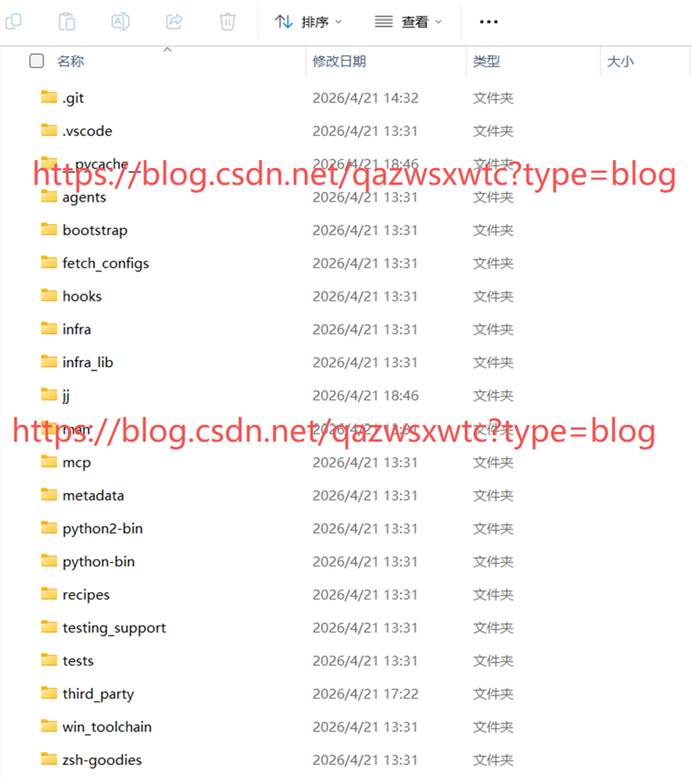
正常编译后,即可进入步骤2.7
1.5.3 再次运行 gclient --version
直到看到gclient的版本为止,当前版本为0.7
出现了版本,证明安装正常。可以进行同步了
二 、源码下载
Google官方地址:https://webrtc.googlesource.com/src.git
国内镜像:
声网:https://webrtc.bj2.agoralab.co/webrtc-mirror/src.git (可用,我从上面下载源码)https://webrtc.bj2.agoralab.co/webrtc-mirror/src.git@65e8d9facab05de13634d777702b2c93288f8849
带上@具体版本编号,没带可能下载不下来。
清华镜像:https://mirrors.tuna.tsinghua.edu.cn/git/webrtc/src.git(没试过是否可用)
2.1 .gclient文件
A,自动生成
另外找一个目录,命令行进入该目录,运行fetch --nohooks webrtc, 可以自动生成.gclient文件, 文件中的下载地址为Google官方地址
B,手动生成:
在新目录中新建 .gclient文件,然后打开该文件,赋值粘贴以下内容,并保存
solutions = [
  {
    "url": "https://webrtc.bj2.agoralab.co/webrtc-mirror/src.git@65e8d9facab05de13634d777702b2c93288f8849",
    "managed": False,
    "name": "src",
    "deps_file": "DEPS",
	"safesync_url": "",
    "custom_deps": {},
  },
]
target_os = ["win"]
2.1 gclient sync 同步源码
a, 同步并自动执行钩子(默认)
gclient syncb, 同步但跳过钩子(后续手动跑)
gclient sync --nohooksc, 手动执行所有钩子
gclient runhooksd, 强制同步并执行钩子(无论是否成功)
gclient sync --force2.2.1 运行 gclient sync 遇到问题
在新建包含.gclient的目录,使用CMD运行 gclient sync
运行此步会出现以下错误:(我们安装了git,可一直没有与depot_tools关联,需要处理关联)
File "D:\newwebrtc\depot_tools\metrics.py", line 267, in print_notice_and_exit yield File "D:\newwebrtc\depot_tools\gclient.py", line 3182, in <module> sys.exit(main(sys.argv1:)) File "D:\newwebrtc\depot_tools\gclient.py", line 3168, in main return dispatcher.execute(OptionParser(), argv) File "D:\newwebrtc\depot_tools\subcommand.py", line 252, in execute return command(parser, args1:) File "D:\newwebrtc\depot_tools\gclient.py", line 2725, in CMDsync ret = client.RunOnDeps('update', args) File "D:\newwebrtc\depot_tools\gclient.py", line 1762, in RunOnDeps work_queue.flush(revision_overrides, command, args, options=self._options, File "D:\newwebrtc\depot_tools\gclient_utils.py", line 906, in flush reraise(e0, e1, e2) File "D:\newwebrtc\depot_tools\gclient_utils.py", line 64, in reraise raise value File "D:\newwebrtc\depot_tools\gclient_utils.py", line 983, in run self.item.run(*self.args, **self.kwargs) File "D:\newwebrtc\depot_tools\gclient.py", line 932, in run self._got_revision = self._used_scm.RunCommand(command, options, args, File "D:\newwebrtc\depot_tools\gclient_scm.py", line 132, in RunCommand return getattr(self, command)(options, args, file_list) File "D:\newwebrtc\depot_tools\gclient_scm.py", line 516, in update mirror = self._GetMirror(url, options, revision_ref) File "D:\newwebrtc\depot_tools\gclient_scm.py", line 957, in _GetMirror if not self.cache_dir: File "D:\newwebrtc\depot_tools\gclient_scm.py", line 218, in cache_dir return git_cache.Mirror.GetCachePath() File "
D:\newwebrtc\depot_tools\git_cache.py", line 301, in GetCachePath cachepath = subprocess.check_output( File "C:\Users\Lenovo\AppData\Local\Programs\Python\Python39\lib\subprocess.py", line 424, in check_output return run(*popenargs, stdout=PIPE, timeout=timeout, check=True, File "C:\Users\Lenovo\AppData\Local\Programs\Python\Python39\lib\subprocess.py", line 505, in run with Popen(*popenargs, **kwargs) as process: File "C:\Users\Lenovo\AppData\Local\Programs\Python\Python39\lib\subprocess.py", line 951, in init self._execute_child(args, executable, preexec_fn, close_fds, File "C:\Users\Lenovo\AppData\Local\Programs\Python\Python39\lib\subprocess.py", line 1420, in _execute_child hp, ht, pid, tid = _winapi.CreateProcess(executable, args, FileNotFoundError: WinError 2 系统找不到指定的文件。
写一个git.bat脚本文件, 如下源码, 加入你的git路径
@echo off
setlocal
set PATH=%'C:\Program Files\Git\cmd\%PATH%  #这里写你本地的git路径
把git.bat 放到 depot_tools目录下
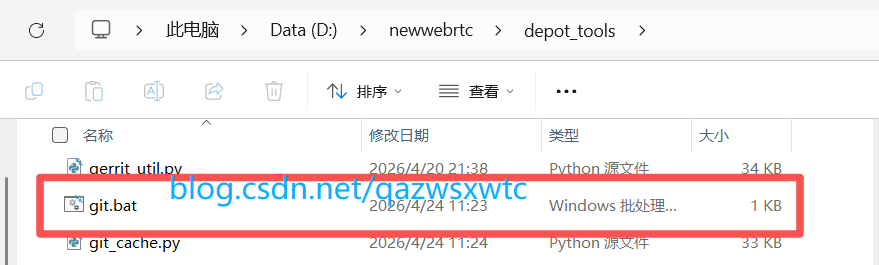
此时 depot_tools就与本地的git关联上了。
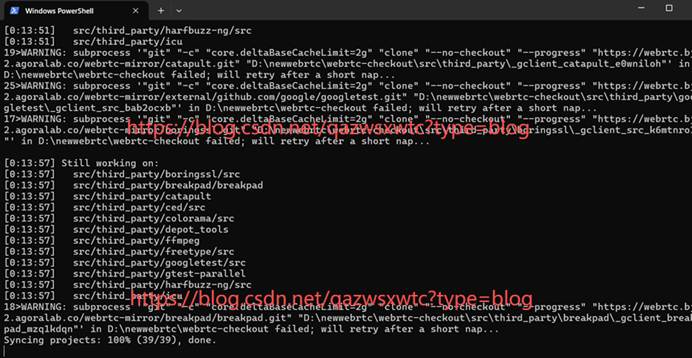
2.2.2再 运行gclient sync 源码正常下载
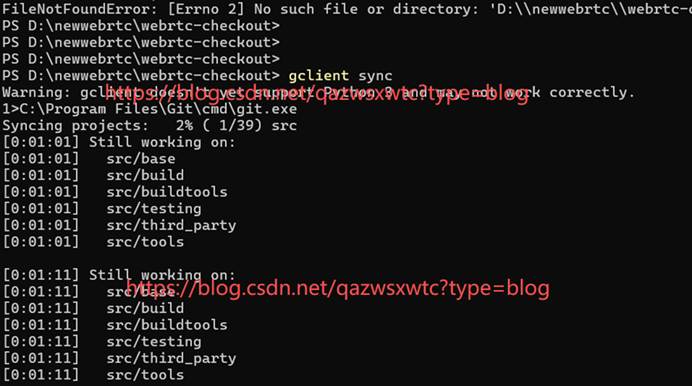
再次运行gclient sync, 如果有中断,就重新运行或者加参数
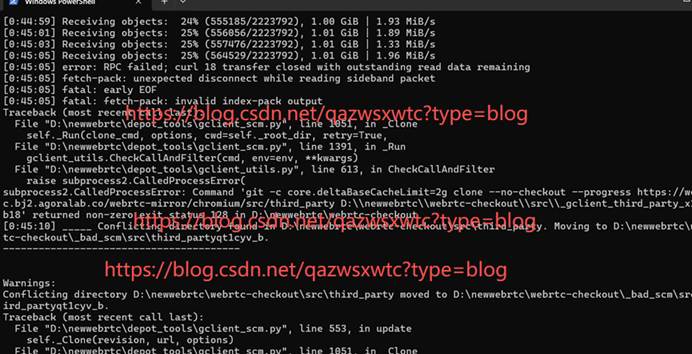
我中断的一次, 第一次用了约45分钟, 接着运行,第二次用了约14分钟
a,第一次中断
b,第二次重新运行
c,源码下载结束
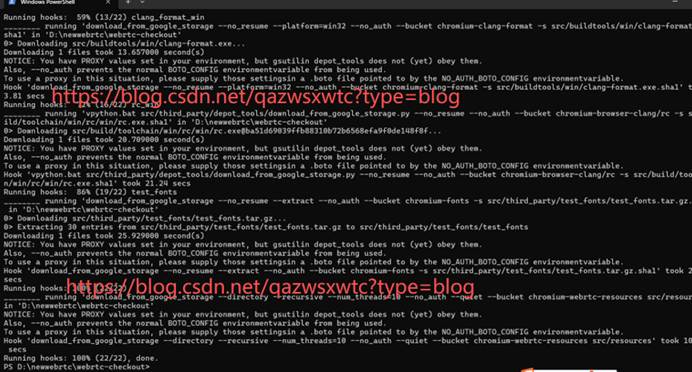
2.3 gclient sync同步编译工具链文件
源码下载完成后,继续等待就会下载工具链, 工具链只能从Google官网下载,建议XX
2.4 下载的源码和编译工具目录