milvus向量库使用的时候,需要先本地安装,使用windows安装milvus需要使用docker
使用管理员身份打开powershell,执行
Invoke-WebRequest https://raw.githubusercontent.com/milvus-io/milvus/refs/heads/master/scripts/standalone_embed.bat -OutFile standalone.bat生成好文件standalone.bat
继续执行
.\standalone.bat start当看到类似 **Start successfully.**的提示,就表示启动成功了。
输入docker ps,就可以看见milvus-standalone进程
其中python代码里连接方式如下
client = MilvusClient(uri="http://localhost:19530",
            token="root:Milvus" )
其中如果报错
(base) PS D:\> .\standalone.bat start
Error response from daemon: Ports are not available: exposing port TCP 0.0.0.0:2379 -> 127.0.0.1:0: listen tcp 0.0.0.0:2379: bind: An attempt was made to access a socket in a way forbidden by its access permissions.
Error: failed to start containers: milvus-standalone
Start failed.
重启电脑即可
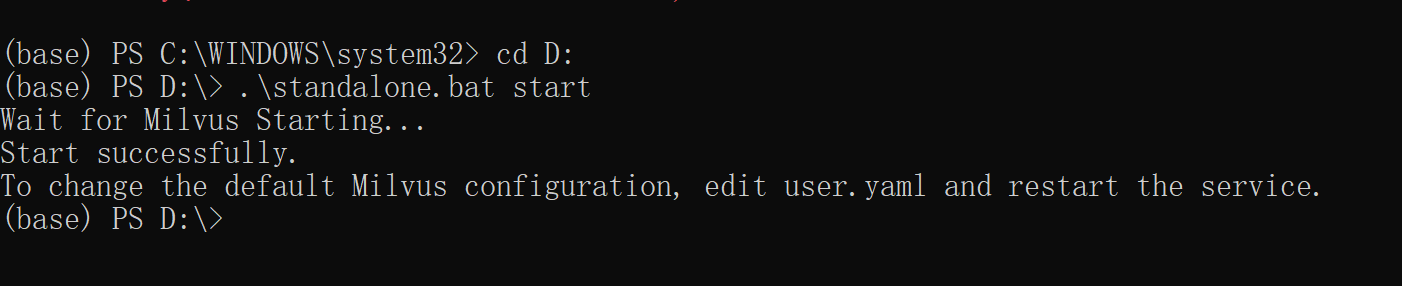
使用docker 安装miluvus之后,启动就比较快了
日志如下:
启动 2026-04-25 16:44:31启动结束 2026-04-25 16:44:31
加载模型 2026-04-25 16:44:31
后面加载模型时候一直报错
embed_model = SentenceTransformer("all-MiniLM-L6-v2")报错内容
'(MaxRetryError("HTTPSConnectionPool(host='huggingface.co', port=443): Max retries exceeded with url: /sentence-transformers/all-MiniLM-L6-v2/resolve/main/modules.json (Caused by ConnectTimeoutError(<HTTPSConnection(host='huggingface.co', port=443) at 0x2043accaab0>, 'Connection to huggingface.co timed out. (connect timeout=10)'))"), '(Request ID: c314c2ba-9ac0-4790-905a-96832e0122c9)')' thrown while requesting HEAD https://huggingface.co/sentence-transformers/all-MiniLM-L6-v2/resolve/main/./modules.json
Retrying in 1s Retry 1/5.
这个是因为网络原因,需要使用外网,或者加上
os.environ['HF_ENDPOINT'] = 'https://hf-mirror.com'表示连接的是国内镜像源
在对向量库进行增删改查的时候,需要先创建集合,类似mysql里的表
def create_collection_if_not_exists():
    print("创建collection")
    if client.has_collection(COLLECTION_NAME):
        return

    schema = client.create_schema(auto_id=True)
    schema.add_field(field_name="id",datatype=DataType.INT64, is_primary=True)
    schema.add_field(field_name="module", datatype=DataType.VARCHAR, max_length=1000)
    schema.add_field(field_name="section", datatype=DataType.VARCHAR, max_length=200)
    schema.add_field(field_name="content", datatype=DataType.VARCHAR, max_length=65535)
    schema.add_field(field_name="vector", datatype=DataType.FLOAT_VECTOR, dim=384)

    # 创建索引,必须创建
    index_params = client.prepare_index_params()
    index_params.add_index(
        field_name="vector",
        metric_type="COSINE",
        index_type="IVF_FLAT",
        params={"nlist": 128})

    # 这里是重点
    client.create_collection(
        collection_name=COLLECTION_NAME,
        schema=schema,
        index_params=index_params
    )

    print("集合创建成功")
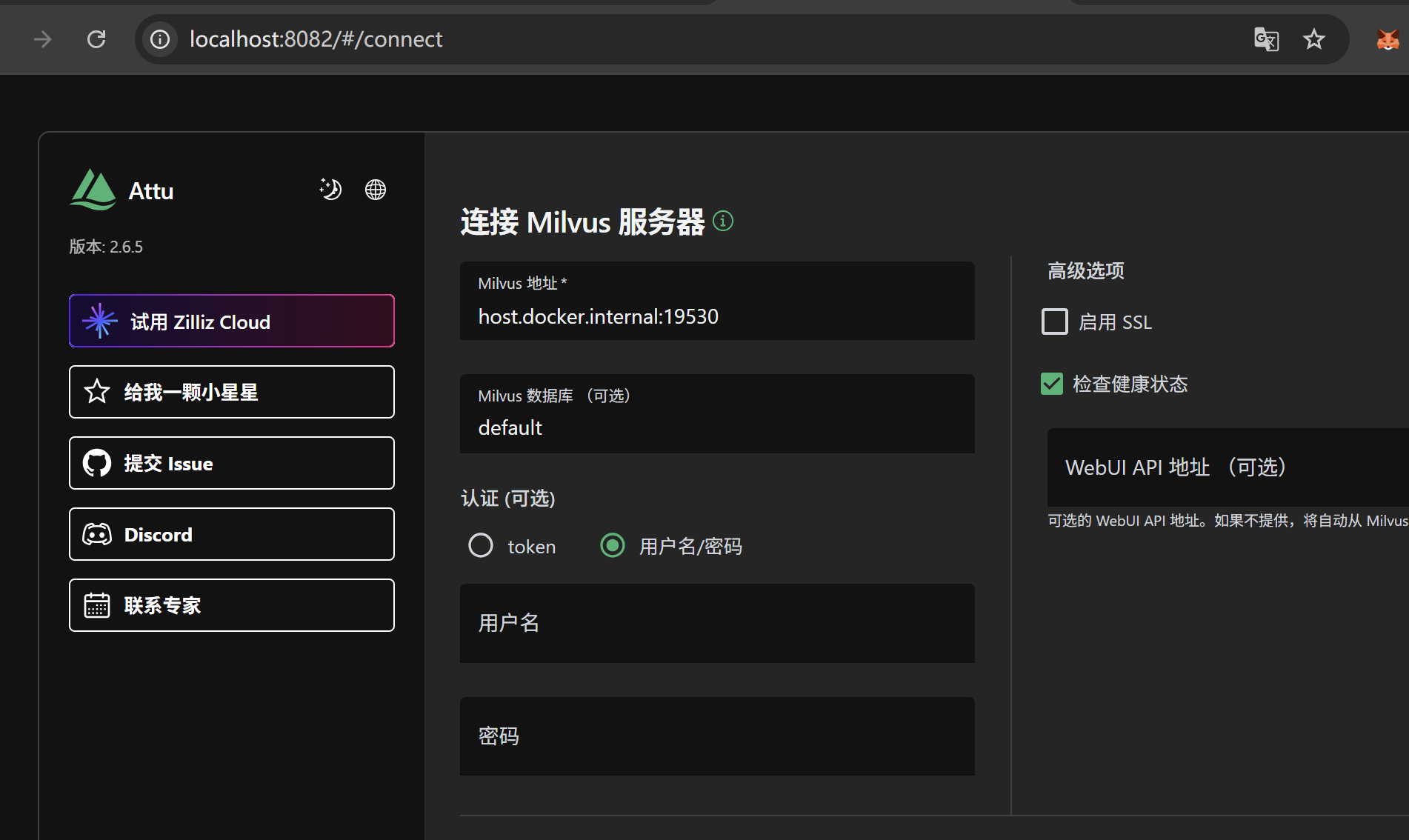
另外浏览器端访问milvus的方式
docker run -d -p 8082:3000 \
-e MILVUS_URL=host.docker.internal:19530 \
zilliz/attu:latest
使用浏览器访问localhost:8082