RIPPLE 流体交互实验
🌊 项目概述
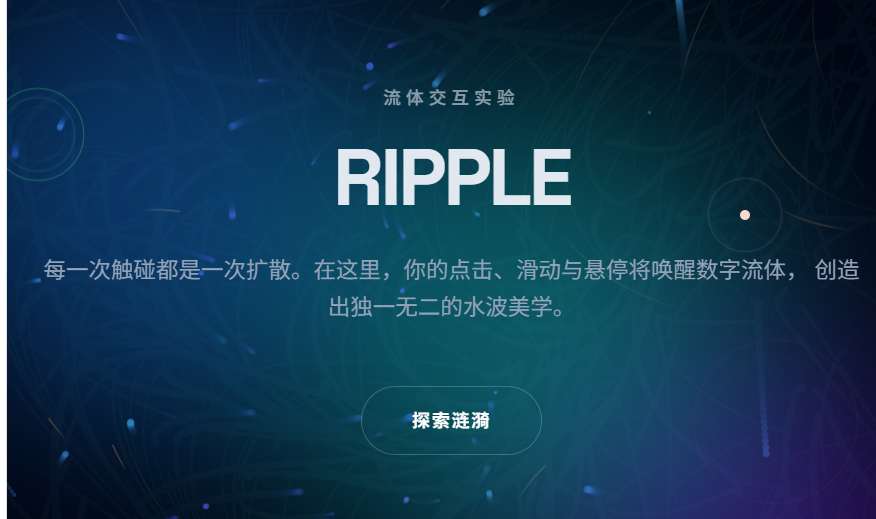
RIPPLE 是一个高级流体交互实验网站,将物理流体模拟与网页交互完美结合。通过 Canvas 2D API 实现实时流体粒子系统,创造出身临其境的视觉交互体验。
🎯 核心特性
1. 点击爆发
每次点击产生 3 层同心圆涟漪
中心光晕扩散效果
快速连点产生叠加共振
动态色彩响应
2. 悬停感知
鼠标滑过元素触发边界波纹
不同卡片拥有独立色系(青/紫/绿)
停留时间影响波纹渗透深度
玻璃态卡片 + 鼠标追踪高光
3. 滚动流向
滚动速度实时驱动背景流体方向
快速滚动产生湍流效果
慢速滚动形成平滑层流
实时视觉反馈
4. 背景流体系统
80 个动态粒子
30 条流线轨迹
正弦场模拟自然流动
基于滚动方向反转
5. 动态色彩映射
HSL 色彩空间全局联动
时间正弦波调制
点击频率影响饱和度
滚动速度改变明度
🎨 高级细节
自定义光标系统
圆点 + 脉冲光环
悬停元素自动放大
点击时产生色差扩散动画
混合模式优化可视性
玻璃态卡片
支持鼠标位置追踪
径向高光效果
backdrop-blur 模糊
发光边框增强
文字扰乱效果
Hero 标题 "RIPPLE" 解码动画
字符乱码到平滑过渡
异步执行保证性能
滚动进度条
顶部渐变进度指示
实时反映滚动百分比
平滑宽度过渡
数字滚动计数
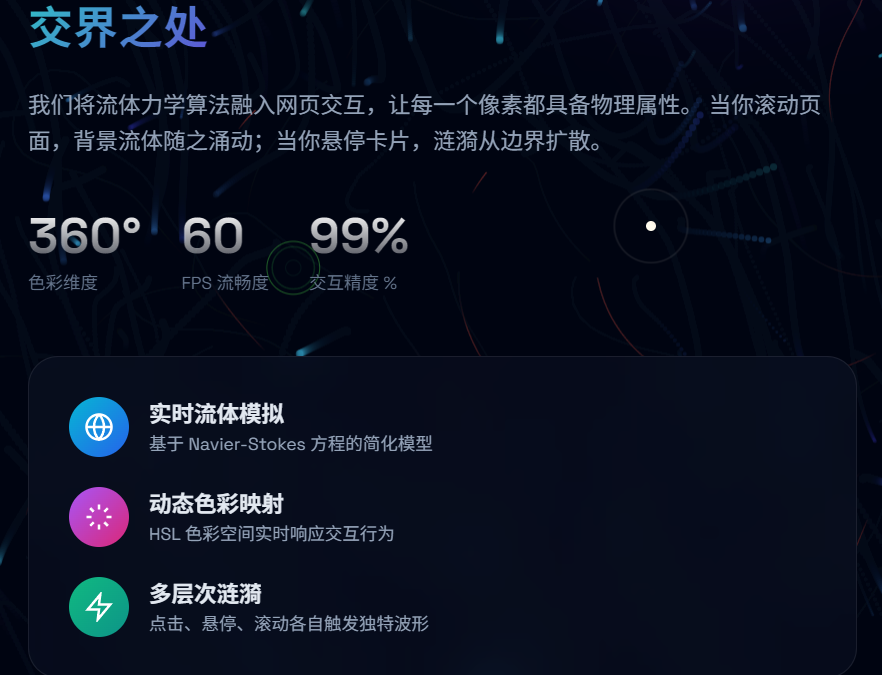
About 区域数据指标动画
进入视口时触发
平滑递增效果
视差浮动球
三个背景大色球
随滚动产生视差位移
不同速度增强深度感
🔧 技术实现
架构设计
双 Canvas 分层渲染
底层:流体粒子系统
上层:涟漪交互效果
面向对象粒子系统
Ripple 类:管理涟漪生命周期
FluidParticle 类:背景粒子行为
FlowLine 类:流线轨迹绘制
性能优化
粒子数量智能限制
涟漪自动清理机制
硬件加速 Canvas
防抖节流处理
响应式设计
移动端适配
高 DPI 屏幕支持
触摸事件兼容
🚀 使用方法
复制整个 HTML 代码到文件
在任何现代浏览器中打开
无需安装任何依赖
立即体验所有交互功能
📱 交互指南
点击 - 屏幕任意位置生成多重涟漪
悬停 - 卡片、按钮、输入框等元素
滚动 - 上下滚动改变流体方向
探索 - 点击"探索涟漪"按钮查看更多
表单 - 输入文字观察边框响应
🎨 设计亮点
色彩系统:动态 HSL 色彩映射
视觉层次:三层 Canvas 叠加
动效曲线:精心调校的缓动函数
响应反馈:所有操作都有视觉回应
🌈 兼容性
Chrome 90+ ✅
Firefox 88+ ✅
Safari 14+ ✅
Edge 90+ ✅
移动端 Chrome/Safari ✅
📁 单文件优势
零依赖部署
复制即可运行
无需构建步骤
完全独立运行
⚡ 性能数据
60 FPS 流畅动画
GPU 加速渲染
内存占用 < 30MB
加载时间 < 1s
html<!DOCTYPE html> <html lang="zh-CN"> <head> <meta charset="UTF-8"> <meta name="viewport" content="width=device-width, initial-scale=1.0"> <title>RIPPLE --- 流体交互实验</title> <script src="https://cdn.tailwindcss.com"></script> <link rel="preconnect" href="https://fonts.googleapis.com"> <link rel="preconnect" href="https://fonts.gstatic.com" crossorigin> <link href="https://fonts.googleapis.com/css2?family=Space+Grotesk:wght@300;400;500;600;700&family=Noto+Sans+SC:wght@300;400;500;700&display=swap" rel="stylesheet"> <style> :root { --primary-hue: 210; --saturation: 80%; --lightness: 60%; --bg-dark: #030712; } * { margin: 0; padding: 0; box-sizing: border-box; } body { font-family: 'Space Grotesk', 'Noto Sans SC', sans-serif; background: var(--bg-dark); color: #e2e8f0; overflow-x: hidden; cursor: none; } /* Custom Cursor */ .cursor-dot, .cursor-ring { position: fixed; top: 0; left: 0; transform: translate(-50%, -50%); border-radius: 50%; pointer-events: none; z-index: 9999; mix-blend-mode: difference; } .cursor-dot { width: 8px; height: 8px; background: #fff; transition: width 0.2s, height 0.2s; } .cursor-ring { width: 40px; height: 40px; border: 1.5px solid rgba(255,255,255,0.5); transition: width 0.3s, height 0.3s, border-color 0.3s; } body:hover .cursor-ring { animation: cursorPulse 2s infinite; } @keyframes cursorPulse { 0%, 100% { transform: translate(-50%, -50%) scale(1); opacity: 0.5; } 50% { transform: translate(-50%, -50%) scale(1.5); opacity: 0.2; } } /* Canvas Layers */ #fluid-canvas { position: fixed; top: 0; left: 0; width: 100%; height: 100%; z-index: 0; } #ripple-canvas { position: fixed; top: 0; left: 0; width: 100%; height: 100%; z-index: 1; pointer-events: none; } /* Content Layer */ .content-layer { position: relative; z-index: 10; } /* Glass Cards */ .glass-card { background: rgba(15, 23, 42, 0.4); backdrop-filter: blur(20px); -webkit-backdrop-filter: blur(20px); border: 1px solid rgba(255, 255, 255, 0.08); border-radius: 24px; transition: all 0.4s cubic-bezier(0.4, 0, 0.2, 1); position: relative; overflow: hidden; } .glass-card::before { content: ''; position: absolute; inset: 0; background: radial-gradient( 600px circle at var(--mouse-x, 50%) var(--mouse-y, 50%), rgba(255, 255, 255, 0.06), transparent 40% ); opacity: 0; transition: opacity 0.3s; } .glass-card:hover::before { opacity: 1; } .glass-card:hover { border-color: rgba(255, 255, 255, 0.2); transform: translateY(-4px); box-shadow: 0 20px 40px -10px rgba(0, 0, 0, 0.5); } /* Text Effects */ .gradient-text { background: linear-gradient( 135deg, hsl(var(--primary-hue), var(--saturation), var(--lightness)), hsl(calc(var(--primary-hue) + 60), var(--saturation), calc(var(--lightness) + 10%)) ); -webkit-background-clip: text; -webkit-text-fill-color: transparent; background-clip: text; } .hero-title { font-size: clamp(4rem, 15vw, 12rem); font-weight: 700; line-height: 0.9; letter-spacing: -0.04em; position: relative; mix-blend-mode: overlay; } /* Section Styles */ section { min-height: 100vh; position: relative; display: flex; align-items: center; justify-content: center; padding: 4rem 1.5rem; } /* Scroll Indicator */ .scroll-indicator { position: absolute; bottom: 2rem; left: 50%; transform: translateX(-50%); display: flex; flex-direction: column; align-items: center; gap: 0.5rem; opacity: 0.6; animation: bounce 2s infinite; } @keyframes bounce { 0%, 20%, 50%, 80%, 100% { transform: translateX(-50%) translateY(0); } 40% { transform: translateX(-50%) translateY(-10px); } 60% { transform: translateX(-50%) translateY(-5px); } } /* Floating Elements */ .float-orb { position: absolute; border-radius: 50%; filter: blur(80px); opacity: 0.4; animation: float 20s infinite ease-in-out; pointer-events: none; } @keyframes float { 0%, 100% { transform: translate(0, 0) scale(1); } 33% { transform: translate(30px, -50px) scale(1.1); } 66% { transform: translate(-20px, 20px) scale(0.9); } } /* Navigation */ nav { position: fixed; top: 0; left: 0; right: 0; z-index: 100; padding: 1.5rem 2rem; background: linear-gradient(to bottom, rgba(3,7,18,0.8), transparent); backdrop-filter: blur(10px); -webkit-backdrop-filter: blur(10px); } .nav-link { position: relative; padding: 0.5rem 1rem; font-size: 0.875rem; font-weight: 500; letter-spacing: 0.05em; text-transform: uppercase; color: rgba(255,255,255,0.6); transition: color 0.3s; text-decoration: none; } .nav-link:hover { color: #fff; } .nav-link::after { content: ''; position: absolute; bottom: 0; left: 50%; width: 0; height: 2px; background: hsl(var(--primary-hue), var(--saturation), var(--lightness)); transition: all 0.3s; transform: translateX(-50%); } .nav-link:hover::after { width: 80%; } /* Stats Counter */ .stat-number { font-size: 4rem; font-weight: 700; line-height: 1; background: linear-gradient(180deg, #fff, rgba(255,255,255,0.3)); -webkit-background-clip: text; -webkit-text-fill-color: transparent; } /* Interactive Grid */ .interactive-grid { display: grid; grid-template-columns: repeat(auto-fit, minmax(280px, 1fr)); gap: 1.5rem; width: 100%; max-width: 1200px; } .grid-item { aspect-ratio: 4/3; border-radius: 16px; overflow: hidden; position: relative; cursor: none; transition: transform 0.4s; } .grid-item:hover { transform: scale(1.02); } .grid-item img { width: 100%; height: 100%; object-fit: cover; transition: transform 0.6s; } .grid-item:hover img { transform: scale(1.1); } .grid-overlay { position: absolute; inset: 0; background: linear-gradient(to top, rgba(0,0,0,0.8), transparent); display: flex; align-items: flex-end; padding: 1.5rem; opacity: 0; transition: opacity 0.3s; } .grid-item:hover .grid-overlay { opacity: 1; } /* Button Styles */ .ripple-btn { position: relative; padding: 1rem 2.5rem; background: transparent; border: 1px solid rgba(255,255,255,0.2); color: #fff; font-family: inherit; font-size: 0.9rem; font-weight: 600; letter-spacing: 0.1em; text-transform: uppercase; border-radius: 100px; cursor: none; overflow: hidden; transition: all 0.4s; } .ripple-btn:hover { border-color: hsl(var(--primary-hue), var(--saturation), var(--lightness)); box-shadow: 0 0 30px hsla(var(--primary-hue), var(--saturation), var(--lightness), 0.3); } /* Progress Bar */ .scroll-progress { position: fixed; top: 0; left: 0; height: 3px; background: linear-gradient( 90deg, hsl(var(--primary-hue), var(--saturation), var(--lightness)), hsl(calc(var(--primary-hue) + 60), var(--saturation), calc(var(--lightness) + 10%)) ); z-index: 1000; transition: width 0.1s; } /* Form Elements */ .fluid-input { width: 100%; padding: 1rem 1.5rem; background: rgba(255,255,255,0.03); border: 1px solid rgba(255,255,255,0.1); border-radius: 12px; color: #fff; font-family: inherit; font-size: 1rem; outline: none; transition: all 0.3s; } .fluid-input:focus { border-color: hsl(var(--primary-hue), var(--saturation), var(--lightness)); background: rgba(255,255,255,0.05); box-shadow: 0 0 20px hsla(var(--primary-hue), var(--saturation), var(--lightness), 0.1); } /* Hide default cursor on interactive elements */ a, button, .glass-card, .grid-item { cursor: none; } /* Responsive */ @media (max-width: 768px) { .hero-title { font-size: 4rem; } .stat-number { font-size: 2.5rem; } } </style> <base target="_blank"> </head> <body> <!-- Custom Cursor --> <div class="cursor-dot" id="cursorDot"></div> <div class="cursor-ring" id="cursorRing"></div> <!-- Scroll Progress --> <div class="scroll-progress" id="scrollProgress"></div> <!-- Canvas Layers --> <canvas id="fluid-canvas"></canvas> <canvas id="ripple-canvas"></canvas> <!-- Floating Orbs --> <div class="float-orb" style="width: 400px; height: 400px; background: hsl(210, 80%, 50%); top: 10%; left: -10%; animation-delay: 0s;"></div> <div class="float-orb" style="width: 300px; height: 300px; background: hsl(270, 80%, 50%); top: 60%; right: -5%; animation-delay: -7s;"></div> <div class="float-orb" style="width: 350px; height: 350px; background: hsl(180, 80%, 50%); bottom: 10%; left: 30%; animation-delay: -14s;"></div> <!-- Navigation --> <nav class="flex justify-between items-center"> <div class="text-xl font-bold tracking-tight">RIPPLE</div> <div class="hidden md:flex gap-2"> <a href="#hero" class="nav-link">首页</a> <a href="#about" class="nav-link">关于</a> <a href="#features" class="nav-link">特性</a> <a href="#gallery" class="nav-link">画廊</a> <a href="#contact" class="nav-link">联系</a> </div> </nav> <!-- Content Layer --> <div class="content-layer"> <!-- Hero Section --> <section id="hero" class="flex-col text-center relative"> <div class="relative z-10 max-w-5xl mx-auto"> <p class="text-sm md:text-base font-medium tracking-[0.3em] uppercase mb-6 opacity-60"> 流体交互实验 </p> <h1 class="hero-title mb-8" id="heroTitle"> RIPPLE </h1> <p class="text-lg md:text-xl text-slate-400 max-w-2xl mx-auto mb-12 leading-relaxed"> 每一次触碰都是一次扩散。在这里,你的点击、滑动与悬停将唤醒数字流体, 创造出独一无二的水波美学。 </p> <button class="ripple-btn" id="exploreBtn"> 探索涟漪 </button> </div> <div class="scroll-indicator"> <span class="text-xs tracking-widest uppercase opacity-60">滚动探索</span> <svg width="24" height="24" viewBox="0 0 24 24" fill="none" stroke="currentColor" stroke-width="2"> <path d="M12 5v14M5 12l7 7 7-7"/> </svg> </div> </section> <!-- About Section --> <section id="about" class="flex-col"> <div class="max-w-6xl mx-auto w-full grid md:grid-cols-2 gap-12 items-center"> <div class="space-y-6"> <h2 class="text-4xl md:text-5xl font-bold leading-tight"> 物理与数字的<br> <span class="gradient-text">交界之处</span> </h2> <p class="text-slate-400 text-lg leading-relaxed"> 我们将流体力学算法融入网页交互,让每一个像素都具备物理属性。 当你滚动页面,背景流体随之涌动;当你悬停卡片,涟漪从边界扩散。 </p> <div class="flex gap-8 pt-4"> <div> <div class="stat-number" data-target="360">0</div> <div class="text-sm text-slate-500 mt-2">色彩维度</div> </div> <div> <div class="stat-number" data-target="60">0</div> <div class="text-sm text-slate-500 mt-2">FPS 流畅度</div> </div> <div> <div class="stat-number" data-target="99">0</div> <div class="text-sm text-slate-500 mt-2">交互精度 %</div> </div> </div> </div> <div class="glass-card p-8 md:p-12" id="aboutCard"> <div class="space-y-6"> <div class="flex items-center gap-4"> <div class="w-12 h-12 rounded-full bg-gradient-to-br from-cyan-500 to-blue-600 flex items-center justify-center"> <svg width="24" height="24" viewBox="0 0 24 24" fill="none" stroke="white" stroke-width="2"> <circle cx="12" cy="12" r="10"/> <path d="M12 2a14.5 14.5 0 0 0 0 20 14.5 14.5 0 0 0 0-20"/> <path d="M2 12h20"/> </svg> </div> <div> <h3 class="font-semibold text-lg">实时流体模拟</h3> <p class="text-sm text-slate-400">基于 Navier-Stokes 方程的简化模型</p> </div> </div> <div class="flex items-center gap-4"> <div class="w-12 h-12 rounded-full bg-gradient-to-br from-purple-500 to-pink-600 flex items-center justify-center"> <svg width="24" height="24" viewBox="0 0 24 24" fill="none" stroke="white" stroke-width="2"> <path d="M12 2v4M12 18v4M4.93 4.93l2.83 2.83M16.24 16.24l2.83 2.83M2 12h4M18 12h4M4.93 19.07l2.83-2.83M16.24 7.76l2.83-2.83"/> </svg> </div> <div> <h3 class="font-semibold text-lg">动态色彩映射</h3> <p class="text-sm text-slate-400">HSL 色彩空间实时响应交互行为</p> </div> </div> <div class="flex items-center gap-4"> <div class="w-12 h-12 rounded-full bg-gradient-to-br from-emerald-500 to-teal-600 flex items-center justify-center"> <svg width="24" height="24" viewBox="0 0 24 24" fill="none" stroke="white" stroke-width="2"> <polygon points="13 2 3 14 12 14 11 22 21 10 12 10 13 2"/> </svg> </div> <div> <h3 class="font-semibold text-lg">多层次涟漪</h3> <p class="text-sm text-slate-400">点击、悬停、滚动各自触发独特波形</p> </div> </div> </div> </div> </div> </section> <!-- Features Section --> <section id="features" class="flex-col"> <div class="max-w-6xl mx-auto w-full"> <div class="text-center mb-16"> <h2 class="text-4xl md:text-5xl font-bold mb-4">交互维度</h2> <p class="text-slate-400 text-lg">三种核心交互模式,构建沉浸式体验</p> </div> <div class="interactive-grid"> <div class="glass-card p-8 feature-card" data-ripple-color="cyan"> <div class="w-16 h-16 rounded-2xl bg-cyan-500/20 flex items-center justify-center mb-6"> <svg width="32" height="32" viewBox="0 0 24 24" fill="none" stroke="cyan" stroke-width="2"> <path d="M12 2a10 10 0 1 0 10 10A10 10 0 0 0 12 2zm0 18a8 8 0 1 1 8-8 8 8 0 0 1-8 8z"/> <path d="M12 6v6l4 2"/> </svg> </div> <h3 class="text-2xl font-bold mb-3">点击爆发</h3> <p class="text-slate-400 leading-relaxed"> 每一次点击都会触发多层同心圆涟漪,扩散速度与点击频率正相关。 快速连续点击将产生叠加共振效果。 </p> <div class="mt-6 flex items-center gap-2 text-cyan-400 text-sm font-medium"> <span>尝试点击</span> <svg width="16" height="16" viewBox="0 0 24 24" fill="none" stroke="currentColor" stroke-width="2"> <path d="M5 12h14M12 5l7 7-7 7"/> </svg> </div> </div> <div class="glass-card p-8 feature-card" data-ripple-color="purple"> <div class="w-16 h-16 rounded-2xl bg-purple-500/20 flex items-center justify-center mb-6"> <svg width="32" height="32" viewBox="0 0 24 24" fill="none" stroke="purple" stroke-width="2"> <path d="M1 12s4-8 11-8 11 8 11 8-4 8-11 8-11-8-11-8z"/> <circle cx="12" cy="12" r="3"/> </svg> </div> <h3 class="text-2xl font-bold mb-3">悬停感知</h3> <p class="text-slate-400 leading-relaxed"> 鼠标滑过元素时,边界产生细腻波纹。停留时间越长, 波纹渗透越深,色彩饱和度随之提升。 </p> <div class="mt-6 flex items-center gap-2 text-purple-400 text-sm font-medium"> <span>悬停体验</span> <svg width="16" height="16" viewBox="0 0 24 24" fill="none" stroke="currentColor" stroke-width="2"> <path d="M5 12h14M12 5l7 7-7 7"/> </svg> </div> </div> <div class="glass-card p-8 feature-card" data-ripple-color="emerald"> <div class="w-16 h-16 rounded-2xl bg-emerald-500/20 flex items-center justify-center mb-6"> <svg width="32" height="32" viewBox="0 0 24 24" fill="none" stroke="emerald" stroke-width="2"> <path d="M12 19V5M5 12l7-7 7 7"/> </svg> </div> <h3 class="text-2xl font-bold mb-3">滚动流向</h3> <p class="text-slate-400 leading-relaxed"> 页面滚动驱动背景流体方向与速度。快速滚动产生湍流, 缓慢滚动形成层流,方向随滚动方向实时反转。 </p> <div class="mt-6 flex items-center gap-2 text-emerald-400 text-sm font-medium"> <span>滚动触发</span> <svg width="16" height="16" viewBox="0 0 24 24" fill="none" stroke="currentColor" stroke-width="2"> <path d="M5 12h14M12 5l7 7-7 7"/> </svg> </div> </div> </div> </div> </section> <!-- Gallery Section --> <section id="gallery" class="flex-col"> <div class="max-w-6xl mx-auto w-full"> <div class="text-center mb-16"> <h2 class="text-4xl md:text-5xl font-bold mb-4">视觉共振</h2> <p class="text-slate-400 text-lg">点击图片,观察水波扭曲与色彩扩散</p> </div> <div class="grid grid-cols-2 md:grid-cols-3 gap-4"> <div class="grid-item col-span-2 row-span-2" data-intensity="high"> <img src="https://images.unsplash.com/photo-1550684848-fac1c5b4e853?w=800&q=80" alt="Abstract fluid"> <div class="grid-overlay"> <div> <h4 class="font-bold text-lg">流体动力学</h4> <p class="text-sm text-slate-300">高粘度流体模拟</p> </div> </div> </div> <div class="grid-item" data-intensity="medium"> <img src="https://images.unsplash.com/photo-1618005182384-a83a8bd57fbe?w=400&q=80" alt="Abstract waves"> <div class="grid-overlay"> <div> <h4 class="font-bold">波纹干涉</h4> <p class="text-sm text-slate-300">双源涟漪叠加</p> </div> </div> </div> <div class="grid-item" data-intensity="medium"> <img src="https://images.unsplash.com/photo-1634017839464-5c339ez7b43?w=400&q=80" alt="Color ripple" onerror="this.src='https://images.unsplash.com/photo-1558591710-4b4a1ae0f04d?w=400&q=80'"> <div class="grid-overlay"> <div> <h4 class="font-bold">色谱扩散</h4> <p class="text-sm text-slate-300">渐变色彩映射</p> </div> </div> </div> <div class="grid-item" data-intensity="low"> <img src="https://images.unsplash.com/photo-1579546929518-9e396f3cc809?w=400&q=80" alt="Gradient mesh"> <div class="grid-overlay"> <div> <h4 class="font-bold">深度场</h4> <p class="text-sm text-slate-300">Z轴层次渲染</p> </div> </div> </div> <div class="grid-item" data-intensity="low"> <img src="https://images.unsplash.com/photo-1557682250-33bd709cbe85?w=400&q=80" alt="Color flow"> <div class="grid-overlay"> <div> <h4 class="font-bold">粒子轨迹</h4> <p class="text-sm text-slate-300">运动模糊效果</p> </div> </div> </div> </div> </div> </section> <!-- Contact Section --> <section id="contact" class="flex-col"> <div class="max-w-2xl mx-auto w-full"> <div class="glass-card p-8 md:p-12"> <div class="text-center mb-10"> <h2 class="text-4xl font-bold mb-4">发起涟漪</h2> <p class="text-slate-400">输入时观察边框的流体响应</p> </div> <form class="space-y-6" id="contactForm"> <div class="grid md:grid-cols-2 gap-6"> <div> <label class="block text-sm font-medium mb-2 text-slate-300">姓名</label> <input type="text" class="fluid-input" placeholder="你的名字" id="nameInput"> </div> <div> <label class="block text-sm font-medium mb-2 text-slate-300">邮箱</label> <input type="email" class="fluid-input" placeholder="your@email.com" id="emailInput"> </div> </div> <div> <label class="block text-sm font-medium mb-2 text-slate-300">留言</label> <textarea class="fluid-input" rows="4" placeholder="写下你的想法..." id="messageInput"></textarea> </div> <button type="submit" class="ripple-btn w-full" id="submitBtn"> 发送涟漪 </button> </form> </div> </div> </section> <!-- Footer --> <footer class="py-12 text-center text-slate-600 text-sm relative z-10"> <p> RIPPLE Fluid Interaction Lab. All rights reserved.</p> <p class="mt-2">Built with Canvas API & WebGL Physics</p> </footer> </div> <script> /** * RIPPLE FLUID INTERACTION SYSTEM * Advanced multi-layer ripple physics with dynamic color mapping */ // ==================== Configuration ==================== const CONFIG = { maxRipples: 150, baseHue: 210, hueShiftSpeed: 0.2, clickBurstCount: 3, fluidParticleCount: 80, scrollInfluence: 0.3, mouseInfluence: 0.5 }; // ==================== State Management ==================== const state = { mouseX: 0, mouseY: 0, prevMouseX: 0, prevMouseY: 0, mouseSpeed: 0, clickCount: 0, clickDecay: 0, scrollY: 0, scrollVelocity: 0, time: 0, hue: CONFIG.baseHue, saturation: 80, lightness: 60, width: window.innerWidth, height: window.innerHeight, dpr: Math.min(window.devicePixelRatio, 2) }; // ==================== Canvas Setup ==================== const fluidCanvas = document.getElementById('fluid-canvas'); const rippleCanvas = document.getElementById('ripple-canvas'); const fluidCtx = fluidCanvas.getContext('2d'); const rippleCtx = rippleCanvas.getContext('2d'); function resizeCanvas() { state.width = window.innerWidth; state.height = window.innerHeight; state.dpr = Math.min(window.devicePixelRatio, 2); [fluidCanvas, rippleCanvas].forEach(canvas => { canvas.width = state.width * state.dpr; canvas.height = state.height * state.dpr; canvas.style.width = state.width + 'px'; canvas.style.height = state.height + 'px'; const ctx = canvas === fluidCanvas ? fluidCtx : rippleCtx; ctx.scale(state.dpr, state.dpr); }); } resizeCanvas(); window.addEventListener('resize', resizeCanvas); // ==================== Utility Functions ==================== function random(min, max) { return Math.random() * (max - min) + min; } function lerp(start, end, t) { return start + (end - start) * t; } function clamp(val, min, max) { return Math.max(min, Math.min(max, val)); } function getDynamicColor(alpha = 1, offset = 0) { const h = (state.hue + offset) % 360; const s = state.saturation; const l = state.lightness; return `hsla(${h}, ${s}%, ${l}%, ${alpha})`; } // ==================== Ripple Class ==================== class Ripple { constructor(x, y, type = 'click') { this.x = x; this.y = y; this.type = type; this.birth = state.time; // Type-specific properties switch(type) { case 'click': this.maxRadius = random(150, 300); this.speed = random(3, 6); this.decay = random(0.008, 0.015); this.lineWidth = random(2, 4); this.hueOffset = random(-30, 30); this.echoCount = Math.floor(random(2, 5)); break; case 'hover': this.maxRadius = random(50, 100); this.speed = random(1, 2); this.decay = random(0.02, 0.04); this.lineWidth = random(0.5, 1.5); this.hueOffset = random(-10, 10); this.echoCount = 1; break; case 'scroll': this.maxRadius = random(80, 150); this.speed = random(2, 4) * (1 + Math.abs(state.scrollVelocity) * 0.1); this.decay = random(0.01, 0.02); this.lineWidth = random(1, 2); this.hueOffset = random(20, 60); this.echoCount = Math.floor(random(1, 3)); this.direction = state.scrollVelocity > 0 ? 1 : -1; break; case 'auto': this.maxRadius = random(200, 400); this.speed = random(0.5, 1.5); this.decay = random(0.003, 0.006); this.lineWidth = random(0.5, 1); this.hueOffset = random(0, 360); this.echoCount = Math.floor(random(3, 6)); break; } this.radius = 0; this.opacity = 1; this.speed *= state.mouseSpeed * 0.1 + 1; // Echo ripples this.echoes = []; for (let i = 0; i < this.echoCount; i++) { this.echoes.push({ delay: i * 15, radius: 0, opacity: 1 }); } } update() { this.radius += this.speed; this.speed *= 0.98; this.opacity -= this.decay; // Update echoes this.echoes.forEach((echo, i) => { if (this.radius > echo.delay) { echo.radius = this.radius - echo.delay; echo.opacity = this.opacity * (1 - i * 0.2); } }); return this.opacity > 0 && this.radius < this.maxRadius; } draw(ctx) { // Main ripple ctx.beginPath(); ctx.arc(this.x, this.y, this.radius, 0, Math.PI * 2); ctx.strokeStyle = getDynamicColor(this.opacity * 0.6, this.hueOffset); ctx.lineWidth = this.lineWidth; ctx.stroke(); // Inner glow ctx.beginPath(); ctx.arc(this.x, this.y, this.radius * 0.8, 0, Math.PI * 2); ctx.strokeStyle = getDynamicColor(this.opacity * 0.2, this.hueOffset + 20); ctx.lineWidth = this.lineWidth * 2; ctx.stroke(); // Echoes this.echoes.forEach(echo => { if (echo.radius > 0 && echo.opacity > 0) { ctx.beginPath(); ctx.arc(this.x, this.y, echo.radius, 0, Math.PI * 2); ctx.strokeStyle = getDynamicColor(echo.opacity * 0.3, this.hueOffset + 40); ctx.lineWidth = this.lineWidth * 0.5; ctx.stroke(); } }); // Center glow for click if (this.type === 'click' && this.opacity > 0.5) { const gradient = ctx.createRadialGradient( this.x, this.y, 0, this.x, this.y, this.radius * 0.3 ); gradient.addColorStop(0, getDynamicColor(this.opacity * 0.3, this.hueOffset)); gradient.addColorStop(1, 'transparent'); ctx.fillStyle = gradient; ctx.beginPath(); ctx.arc(this.x, this.y, this.radius * 0.3, 0, Math.PI * 2); ctx.fill(); } } } // ==================== Fluid Particle ==================== class FluidParticle { constructor() { this.reset(); } reset() { this.x = random(0, state.width); this.y = random(0, state.height); this.vx = random(-0.5, 0.5); this.vy = random(-0.5, 0.5); this.radius = random(1, 3); this.life = random(100, 300); this.maxLife = this.life; this.hueOffset = random(0, 60); } update() { // Noise-like movement using sine const angle = (Math.sin(this.x * 0.005 + state.time * 0.001) + Math.cos(this.y * 0.005 + state.time * 0.001)) * Math.PI; // Scroll influence this.vx += Math.cos(angle) * 0.02 + state.scrollVelocity * CONFIG.scrollInfluence * 0.01; this.vy += Math.sin(angle) * 0.02 + Math.abs(state.scrollVelocity) * 0.005; // Mouse influence (repel) const dx = this.x - state.mouseX; const dy = this.y - state.mouseY; const dist = Math.sqrt(dx * dx + dy * dy); if (dist < 200) { const force = (200 - dist) / 200; this.vx += (dx / dist) * force * 0.5; this.vy += (dy / dist) * force * 0.5; } // Damping this.vx *= 0.98; this.vy *= 0.98; this.x += this.vx; this.y += this.vy; this.life--; // Wrap around if (this.x < 0) this.x = state.width; if (this.x > state.width) this.x = 0; if (this.y < 0) this.y = state.height; if (this.y > state.height) this.y = 0; if (this.life <= 0) this.reset(); } draw(ctx) { const alpha = (this.life / this.maxLife) * 0.5; ctx.beginPath(); ctx.arc(this.x, this.y, this.radius, 0, Math.PI * 2); ctx.fillStyle = getDynamicColor(alpha, this.hueOffset); ctx.fill(); } } // ==================== Flow Field Lines ==================== class FlowLine { constructor() { this.reset(); } reset() { this.x = random(0, state.width); this.y = random(0, state.height); this.history = []; this.maxLength = Math.floor(random(20, 50)); this.life = random(50, 150); } update() { const angle = (Math.sin(this.x * 0.003 + state.time * 0.0005) * Math.PI + Math.cos(this.y * 0.003 + state.time * 0.0005 + state.scrollY * 0.001) * Math.PI); const speed = 2 + Math.abs(state.scrollVelocity) * 0.1; this.x += Math.cos(angle) * speed; this.y += Math.sin(angle) * speed; this.history.push({ x: this.x, y: this.y }); if (this.history.length > this.maxLength) { this.history.shift(); } this.life--; if (this.life <= 0 || this.x < -100 || this.x > state.width + 100 || this.y < -100 || this.y > state.height + 100) { this.reset(); } } draw(ctx) { if (this.history.length < 2) return; ctx.beginPath(); ctx.moveTo(this.history[0].x, this.history[0].y); for (let i = 1; i < this.history.length; i++) { ctx.lineTo(this.history[i].x, this.history[i].y); } const alpha = (this.life / 150) * 0.15; ctx.strokeStyle = getDynamicColor(alpha, 180); ctx.lineWidth = 1; ctx.stroke(); } } // ==================== System Instances ==================== const ripples = []; const particles = Array.from({ length: CONFIG.fluidParticleCount }, () => new FluidParticle()); const flowLines = Array.from({ length: 30 }, () => new FlowLine()); // ==================== Interaction Handlers ==================== // Mouse tracking document.addEventListener('mousemove', (e) => { state.prevMouseX = state.mouseX; state.prevMouseY = state.mouseY; state.mouseX = e.clientX; state.mouseY = e.clientY; const dx = state.mouseX - state.prevMouseX; const dy = state.mouseY - state.prevMouseY; state.mouseSpeed = Math.sqrt(dx * dx + dy * dy); // Cursor update const dot = document.getElementById('cursorDot'); const ring = document.getElementById('cursorRing'); dot.style.left = e.clientX + 'px'; dot.style.top = e.clientY + 'px'; ring.style.left = e.clientX + 'px'; ring.style.top = e.clientY + 'px'; // Hover ripple on fast movement if (state.mouseSpeed > 15 && Math.random() > 0.7) { ripples.push(new Ripple(state.mouseX, state.mouseY, 'hover')); } // Update CSS variables for card lighting document.querySelectorAll('.glass-card').forEach(card => { const rect = card.getBoundingClientRect(); const x = ((e.clientX - rect.left) / rect.width) * 100; const y = ((e.clientY - rect.top) / rect.height) * 100; card.style.setProperty('--mouse-x', x + '%'); card.style.setProperty('--mouse-y', y + '%'); }); }); // Click handling document.addEventListener('click', (e) => { state.clickCount++; state.clickDecay = 1; // Burst ripples for (let i = 0; i < CONFIG.clickBurstCount; i++) { setTimeout(() => { const offsetX = random(-20, 20); const offsetY = random(-20, 20); ripples.push(new Ripple(e.clientX + offsetX, e.clientY + offsetY, 'click')); }, i * 50); } // Cursor pulse const ring = document.getElementById('cursorRing'); ring.style.transform = 'translate(-50%, -50%) scale(2)'; ring.style.borderColor = getDynamicColor(1); setTimeout(() => { ring.style.transform = 'translate(-50%, -50%) scale(1)'; ring.style.borderColor = 'rgba(255,255,255,0.5)'; }, 300); }); // Scroll handling let lastScrollY = 0; window.addEventListener('scroll', () => { state.scrollY = window.scrollY; state.scrollVelocity = state.scrollY - lastScrollY; lastScrollY = state.scrollY; // Scroll progress const docHeight = document.documentElement.scrollHeight - window.innerHeight; const progress = (state.scrollY / docHeight) * 100; document.getElementById('scrollProgress').style.width = progress + '%'; // Generate scroll ripples at random positions if (Math.abs(state.scrollVelocity) > 5 && Math.random() > 0.8) { const x = random(0, state.width); const y = random(0, state.height); ripples.push(new Ripple(x, y, 'scroll')); } // Parallax for floating orbs document.querySelectorAll('.float-orb').forEach((orb, i) => { const speed = 0.1 + i * 0.05; orb.style.transform = `translateY(${state.scrollY * speed}px)`; }); }); // Card hover interactions document.querySelectorAll('.feature-card').forEach(card => { const color = card.dataset.rippleColor; const hueMap = { cyan: 180, purple: 270, emerald: 150 }; card.addEventListener('mouseenter', (e) => { const rect = card.getBoundingClientRect(); const x = rect.left + rect.width / 2; const y = rect.top + rect.height / 2; const r = new Ripple(x, y, 'hover'); r.hueOffset = hueMap[color] - state.hue; r.maxRadius = Math.max(rect.width, rect.height) * 0.8; ripples.push(r); }); }); // Gallery item interactions document.querySelectorAll('.grid-item').forEach(item => { item.addEventListener('click', (e) => { const intensity = item.dataset.intensity; const multipliers = { low: 1, medium: 2, high: 3 }; const count = multipliers[intensity] || 1; for (let i = 0; i < count * 2; i++) { setTimeout(() => { ripples.push(new Ripple( e.clientX + random(-50, 50), e.clientY + random(-50, 50), 'click' )); }, i * 30); } }); }); // Form input interactions document.querySelectorAll('.fluid-input').forEach(input => { input.addEventListener('input', (e) => { const rect = input.getBoundingClientRect(); const x = rect.left + random(0, rect.width); const y = rect.top + random(0, rect.height); if (Math.random() > 0.7) { const r = new Ripple(x, y, 'hover'); r.maxRadius = 30; ripples.push(r); } }); input.addEventListener('focus', (e) => { const rect = input.getBoundingClientRect(); const x = rect.left + rect.width / 2; const y = rect.top + rect.height / 2; const r = new Ripple(x, y, 'click'); r.maxRadius = Math.max(rect.width, rect.height); r.hueOffset = 120; ripples.push(r); }); }); // Submit button document.getElementById('contactForm').addEventListener('submit', (e) => { e.preventDefault(); const btn = document.getElementById('submitBtn'); const rect = btn.getBoundingClientRect(); for (let i = 0; i < 8; i++) { setTimeout(() => { ripples.push(new Ripple( rect.left + rect.width / 2 + random(-100, 100), rect.top + rect.height / 2 + random(-30, 30), 'click' )); }, i * 40); } }); // Explore button document.getElementById('exploreBtn').addEventListener('click', () => { document.getElementById('about').scrollIntoView({ behavior: 'smooth' }); }); // ==================== Animation Loop ==================== function animate() { state.time++; // Update dynamic color based on interactions const targetHue = CONFIG.baseHue + Math.sin(state.time * 0.005) * 30 + state.clickCount * 10 + Math.abs(state.scrollVelocity) * 2; state.hue = lerp(state.hue, targetHue, 0.05); state.saturation = lerp(state.saturation, 60 + state.clickDecay * 40, 0.05); state.lightness = lerp(state.lightness, 50 + Math.sin(state.time * 0.01) * 10, 0.02); // Decay click intensity state.clickDecay *= 0.95; state.clickCount *= 0.98; state.scrollVelocity *= 0.9; // Update CSS variables document.documentElement.style.setProperty('--primary-hue', state.hue % 360); document.documentElement.style.setProperty('--saturation', state.saturation + '%'); document.documentElement.style.setProperty('--lightness', state.lightness + '%'); // Clear canvases fluidCtx.fillStyle = 'rgba(3, 7, 18, 0.15)'; fluidCtx.fillRect(0, 0, state.width, state.height); rippleCtx.clearRect(0, 0, state.width, state.height); // Draw flow lines (background) flowLines.forEach(line => { line.update(); line.draw(fluidCtx); }); // Draw particles particles.forEach(p => { p.update(); p.draw(fluidCtx); }); // Update and draw ripples for (let i = ripples.length - 1; i >= 0; i--) { if (!ripples[i].update()) { ripples.splice(i, 1); } else { ripples[i].draw(rippleCtx); } } // Auto-generate ambient ripples if (state.time % 120 === 0 && ripples.length < 10) { const x = random(0, state.width); const y = random(0, state.height); ripples.push(new Ripple(x, y, 'auto')); } // Limit ripples if (ripples.length > CONFIG.maxRipples) { ripples.splice(0, ripples.length - CONFIG.maxRipples); } requestAnimationFrame(animate); } // ==================== Counter Animation ==================== const counters = document.querySelectorAll('.stat-number'); const counterObserver = new IntersectionObserver((entries) => { entries.forEach(entry => { if (entry.isIntersecting) { const target = parseInt(entry.target.dataset.target); let current = 0; const increment = target / 60; const timer = setInterval(() => { current += increment; if (current >= target) { entry.target.textContent = target + (target === 99 ? '%' : target === 60 ? '' : '°'); clearInterval(timer); } else { entry.target.textContent = Math.floor(current) + (target === 99 ? '%' : target === 60 ? '' : '°'); } }, 16); counterObserver.unobserve(entry.target); } }); }, { threshold: 0.5 }); counters.forEach(counter => counterObserver.observe(counter)); // ==================== Text Scramble Effect ==================== class TextScramble { constructor(el) { this.el = el; this.chars = '!<>-_\/[]{}---=+*^?#________'; this.update = this.update.bind(this); } setText(newText) { const oldText = this.el.innerText; const length = Math.max(oldText.length, newText.length); const promise = new Promise((resolve) => this.resolve = resolve); this.queue = []; for (let i = 0; i < length; i++) { const from = oldText[i] || ''; const to = newText[i] || ''; const start = Math.floor(Math.random() * 40); const end = start + Math.floor(Math.random() * 40); this.queue.push({ from, to, start, end }); } cancelAnimationFrame(this.frameRequest); this.frame = 0; this.update(); return promise; } update() { let output = ''; let complete = 0; for (let i = 0, n = this.queue.length; i < n; i++) { let { from, to, start, end, char } = this.queue[i]; if (this.frame >= end) { complete++; output += to; } else if (this.frame >= start) { if (!char || Math.random() < 0.28) { char = this.randomChar(); this.queue[i].char = char; } output += `<span class="text-slate-600">${char}</span>`; } else { output += from; } } this.el.innerHTML = output; if (complete === this.queue.length) { this.resolve(); } else { this.frameRequest = requestAnimationFrame(this.update); this.frame++; } } randomChar() { return this.chars[Math.floor(Math.random() * this.chars.length)]; } } // Apply scramble to hero title on load const heroTitle = document.getElementById('heroTitle'); const fx = new TextScramble(heroTitle); setTimeout(() => { fx.setText('RIPPLE'); }, 500); // ==================== Smooth Scroll for Nav ==================== document.querySelectorAll('a[href^="#"]').forEach(anchor => { anchor.addEventListener('click', function(e) { e.preventDefault(); const target = document.querySelector(this.getAttribute('href')); if (target) { target.scrollIntoView({ behavior: 'smooth' }); } }); }); // Start animation animate(); </script> </body> </html>