python-base gammer learning2: python base programming
- 1:introduction
- [2:computer setting development environment & Jupyter Notebook](#2:computer setting development environment & Jupyter Notebook)
-
- [(1):computer setting development environment](#(1):computer setting development environment)
- [(2):Jupyter Notebook](#(2):Jupyter Notebook)
- [is used for comments](#is used for comments)
- [3: python (1)-base](#3: python (1)-base)
-
- [(1):Features of python](#(1):Features of python)
- (2):Variables
- [(3):Basic Data Types](#(3):Basic Data Types)
- (4):Operators
- [4: python (2)-loop](#4: python (2)-loop)
-
- [(1):control structures](#(1):control structures)
- [(2): Loops : for and while](#(2): Loops : for and while)
- [4: python (3)-Data Structures](#4: python (3)-Data Structures)
- [5: python (4)-Advanced feature & Philosophy](#5: python (4)-Advanced feature & Philosophy)
-
- [(1):Advanced feature](#(1):Advanced feature)
- (2):Philosophy
- [6: Simple Practice Examples (Python)](#6: Simple Practice Examples (Python))
-
- [🧩 Example 1: Odd or Even (if statement)](#🧩 Example 1: Odd or Even (if statement))
-
- [✅ Solution](#✅ Solution)
- [🧩 Example 2: Sum with a Loop (for)](#🧩 Example 2: Sum with a Loop (for))
-
- [✅ Solution](#✅ Solution)
- [🧩 Example 3: String Processing](#🧩 Example 3: String Processing)
-
- [✅ Solution](#✅ Solution)
- [🧩 Example 4: Function (Basic)](#🧩 Example 4: Function (Basic))
-
- [✅ Solution](#✅ Solution)
- [🧩 Example 5: List Processing](#🧩 Example 5: List Processing)
-
- [✅ Solution](#✅ Solution)
- [🧩 Example 6: Dictionary (Counting)](#🧩 Example 6: Dictionary (Counting))
-
- [✅ Solution](#✅ Solution)
- [🧩 Example 7: Simple Class (OOP)](#🧩 Example 7: Simple Class (OOP))
-
- [✅ Solution](#✅ Solution)
- [🧩 Example 8: File Writing](#🧩 Example 8: File Writing)
-
- [✅ Solution](#✅ Solution)
- [🎯 Quick Summary (for exams)](#🎯 Quick Summary (for exams))
1:introduction
people should constantly improve themselves.
I ofter use Python in my work and studies , However I have not systematically learned Python grammear before.
this is something I wangt to change
I aim to learn Python grammar thoroughly and gain a deeper understanding of it
2:computer setting development environment & Jupyter Notebook
(1):computer setting development environment
It is ver important to ensure that your computer settings and development environment are properly configured .
If the setup is in corret or complicated , Python may not work properly , and errors may occur
Therefore we need to make sure that our computer setings and development environment are correctly prepared
System Requirements
- win : 10 /11
- python 3.x
(2):Jupyter Notebook
- Write code >>> Shift + Enter to run
- Use print() to display output
is used for comments
3: python (1)-base
(1):Features of python
- simple and readable syntax
- Interpreted language(no compilation needed)
- Use indentation instead of {}
- Dynamically typed (no type declaration required)
- supports object-oriented and functional programming
- Rich ecosystem (NumPy,pandas , AI libraries)
(2):Variables
- Naming : letters , numbers, underscore
- case - sensitive
- No type declaration needed
- Undefined variables cause errors
(3):Basic Data Types
- None (no value) Vaid
- int (integer)
- bool (True=1 / False=1)
- float(real number)
- str(string):strings are immutable
(4):Operators
- { + - * / } basic operations
- // floor division
- % remainder
- ** exponent
4: python (2)-loop
(1):control structures
if statement : Uses indentation instead of brackets
c
if statement :
    return ...
elif statement :
    return ...
else:
    return ...
(2): Loops : for and while
(1)for with range() :
c
for i in range(n):(2)while loop
bash
while statement :(3)keywords:
break >> exit loop
continue >> skip iteration
4: python (3)-Data Structures
(1):List
- mutable , flexible
- supports slicing
c
append()
insert()
pop()
remove()
(2):Tuple
- immutable
- used for ()
(3):Dictionary
- key-value structure
c
{'a':1, 'b':2}(4):Set
- No duplicates, unordered
5: python (4)-Advanced feature & Philosophy
(1):Advanced feature
List Comprehension
- Concise way to create lists
c
[e*e for e in x](2):Philosophy
- readability is important
- simple is better than complex
- Explicit is better than implicit
6: Simple Practice Examples (Python)
🧩 Example 1: Odd or Even (if statement)
Task:
Check whether a number is odd or even.
✅ Solution
python
x = 7

if x % 2 == 0:
    print("even")
else:
    print("odd")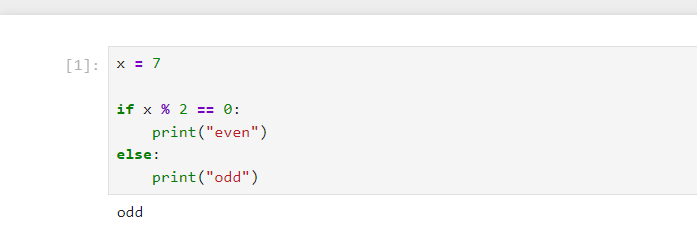
🧩 Example 2: Sum with a Loop (for)
Task:
Calculate the sum from 1 to 10.
✅ Solution
python
total = 0

for i in range(1, 11):
    total += i

print(total)  # 55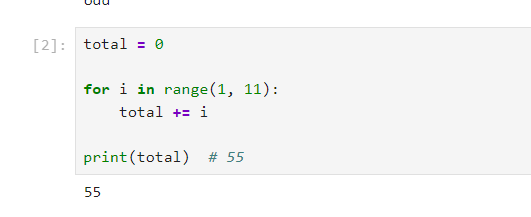
🧩 Example 3: String Processing
Task:
Count how many times "a" appears in a string.
✅ Solution
python
s = "banana"

count = 0
for c in s:
    if c == "a":
        count += 1

print(count)  # 3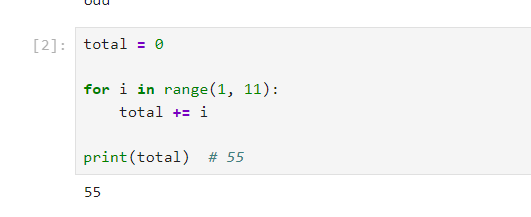
🧩 Example 4: Function (Basic)
Task:
Create a function that returns the square of a number.
✅ Solution
python
def square(x):
    return x * x

print(square(5))  # 25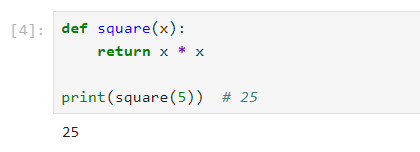
🧩 Example 5: List Processing
Task:
Multiply all elements in a list by 2.
✅ Solution
python
x = [1, 2, 3, 4]

y = []
for n in x:
    y.append(n * 2)

print(y)  # [2, 4, 6, 8]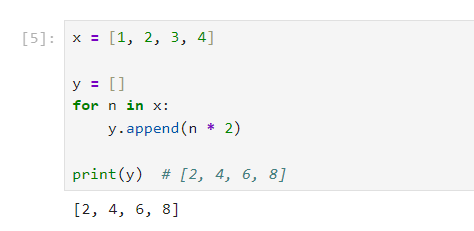
👉 Short version (list comprehension):
python
y = [n * 2 for n in x]🧩 Example 6: Dictionary (Counting)
Task:
Count how many times each number appears.
✅ Solution
python
nums = [1, 2, 1, 3, 2, 1]

d = {}

for n in nums:
    if n not in d:
        d[n] = 1
    else:
        d[n] += 1

print(d)
# {1: 3, 2: 2, 3: 1}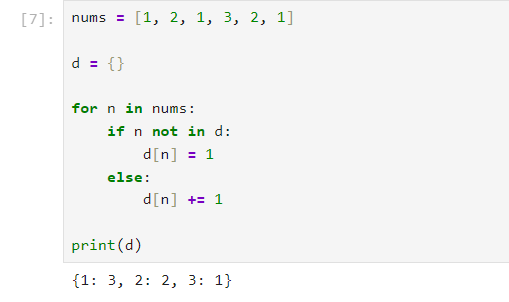
🧩 Example 7: Simple Class (OOP)
Task:
Create a Student class and print the name.
✅ Solution
python
class Student:
    def __init__(self, name):
        self.name = name

    def show(self):
        print(self.name)

s = Student("Tom")
s.show()
🧩 Example 8: File Writing
Task:
Write a line into a file.
✅ Solution
python
with open("test.txt", "w", encoding="utf-8") as f:
    f.write("Hello Python")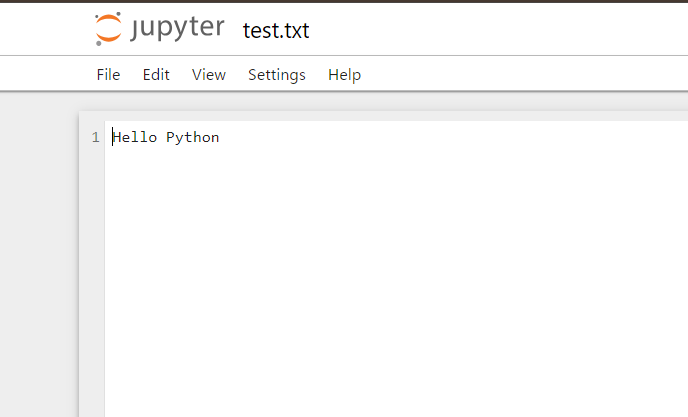
🎯 Quick Summary (for exams)
- if → condition
- for → loop
- def → function
- list → multiple values
- dict → counting
- class → objects