
进度条---命令行版本
前置知识
1.回车换行
\r:回车,将光标移动到当前行的开头。\n:换行,将光标移动到下一行的相同位置(通常是下一行开头)。
在终端中,单独使用
\r可以实现在同一行覆盖输出,常用于进度条或倒计时。
2.缓冲区问题

在这个程序中,如果不带\n,会发现,先休眠3s,再输出hello bit ,但我们知道程序都是从上到下执行的,那在这3s,printf去哪里了呢?答案是缓冲区。显示器都是按行刷新的,不带\n无法刷新,最后程序结束。会自动刷新缓冲区,从而输出结果。
在Linux中,一切皆文件。
在 Linux 中,一切皆文件:
stdin→ 键盘stdout→ 显示器stderr→ 显示器(错误输出)
那怎么直接刷新输出结果呢?
用fflush
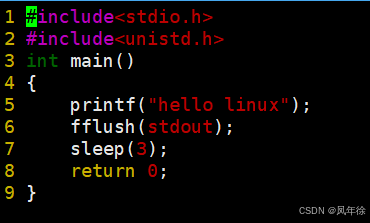
3.理解显示
关键点:显示器只认字符!任何图形、进度条等最终都要转化为字符序列输出。
4.简单倒计时程序
c
  1 #include<stdio.h>
  2 #include<unistd.h>
  3 int main()
  4 {
  5     int n=10;
  6     while(n>=0)
  7     {
  8         printf("%-2d\r",n);//\r是为了回车,让光标回到其实位置。-是向左对其。
  9         fflush(stdout);
 10         sleep(1);
 11         n--;
 12     }
 13
 14    return 0;
 15 }
该程序目的是实现原地倒计时,效果如下
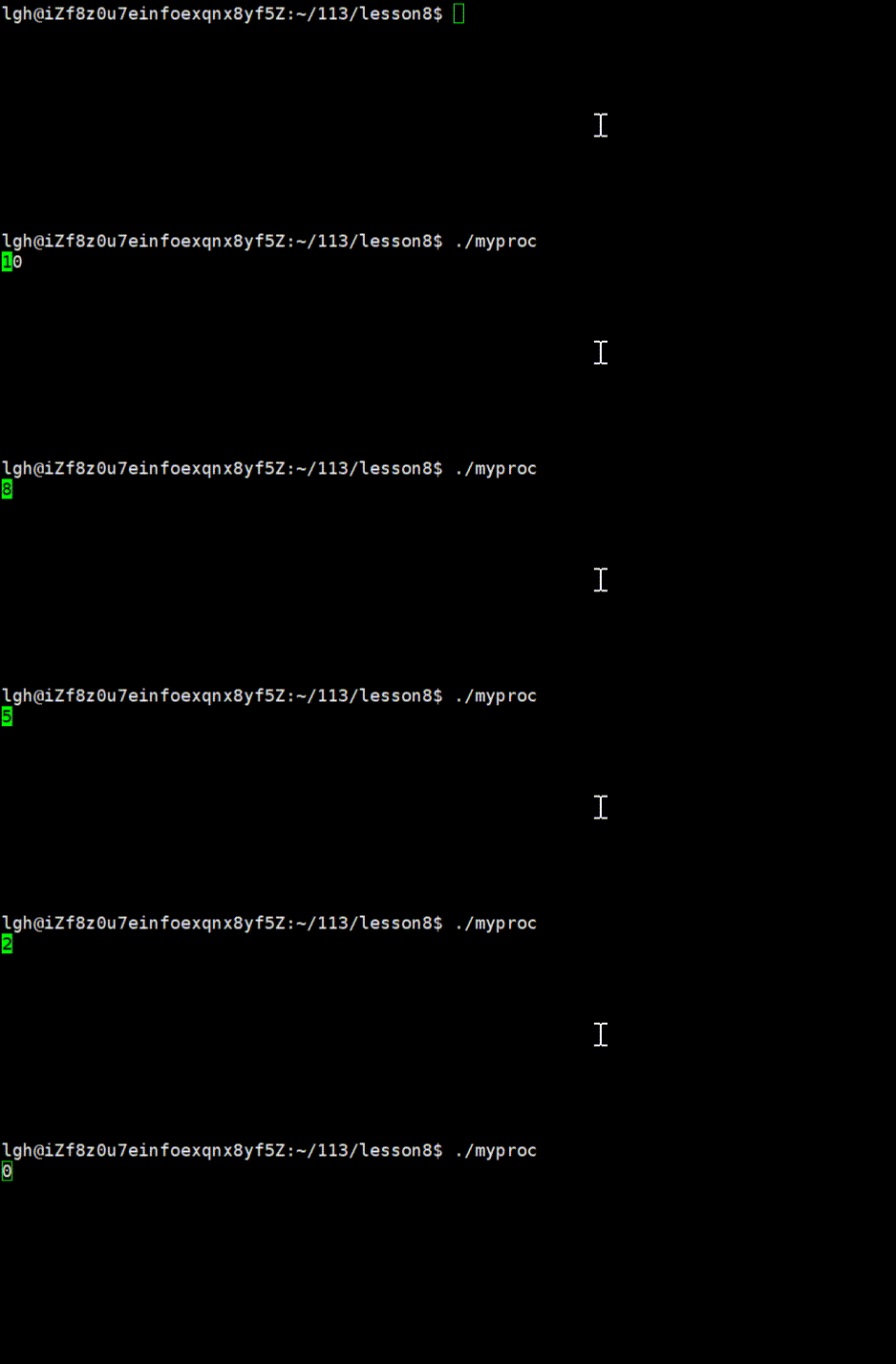
进度条
版本一:基础进度条
1.创建相关目录,及其文件
创建processbar目录,创建.h .c文件 还有main.c文件 以及makefile

Makefile内容
makefile
 1 SRC=$(wildcard *.c)
  2 OBJ=$(SRC:.c=.o)
  3 BIN=processbar
  4
  5 $(BIN):$(OBJ)
  6     gcc -o $@ $^
  7 %.o:%.c
  8     gcc -c $<
  9 .PHONY:
 10 clean:
 11     rm -f $(OBJ) $(BIN)
2.process.c
c
  1 #include"process.h"
  2 #include<unistd.h>
  3 #include<string.h>
  4 #define NUM 101
  5 #define STYLE '='
  6 void process_v1()
  7 {
  8     char buffer[NUM];
  9     memset(buffer,0,sizeof(buffer));
 10     const char *lable="|/-\\";
 11     int len=strlen(lable);
 12     int cnt=0;
 13     while(cnt<=100)
 14     {
 15         printf("[%s][%%%d][%c]\r",buffer,cnt,lable[cnt%len]);
 16         fflush(stdout);
 17         cnt[buffer]=STYLE;
 18         cnt++;
 19         usleep(50000);
 20     }
 21     printf("\n");
 22 }
 23
3.process.h
c
 1 #pragma once
  2
  3 #include<stdio.h>
  4
  5 void process_v1();
4.main.c
c
  1 #include"process.h"
  2 int main()
  3 {
  4     process_v1();
  5     return 0;
  6 }
演示效果
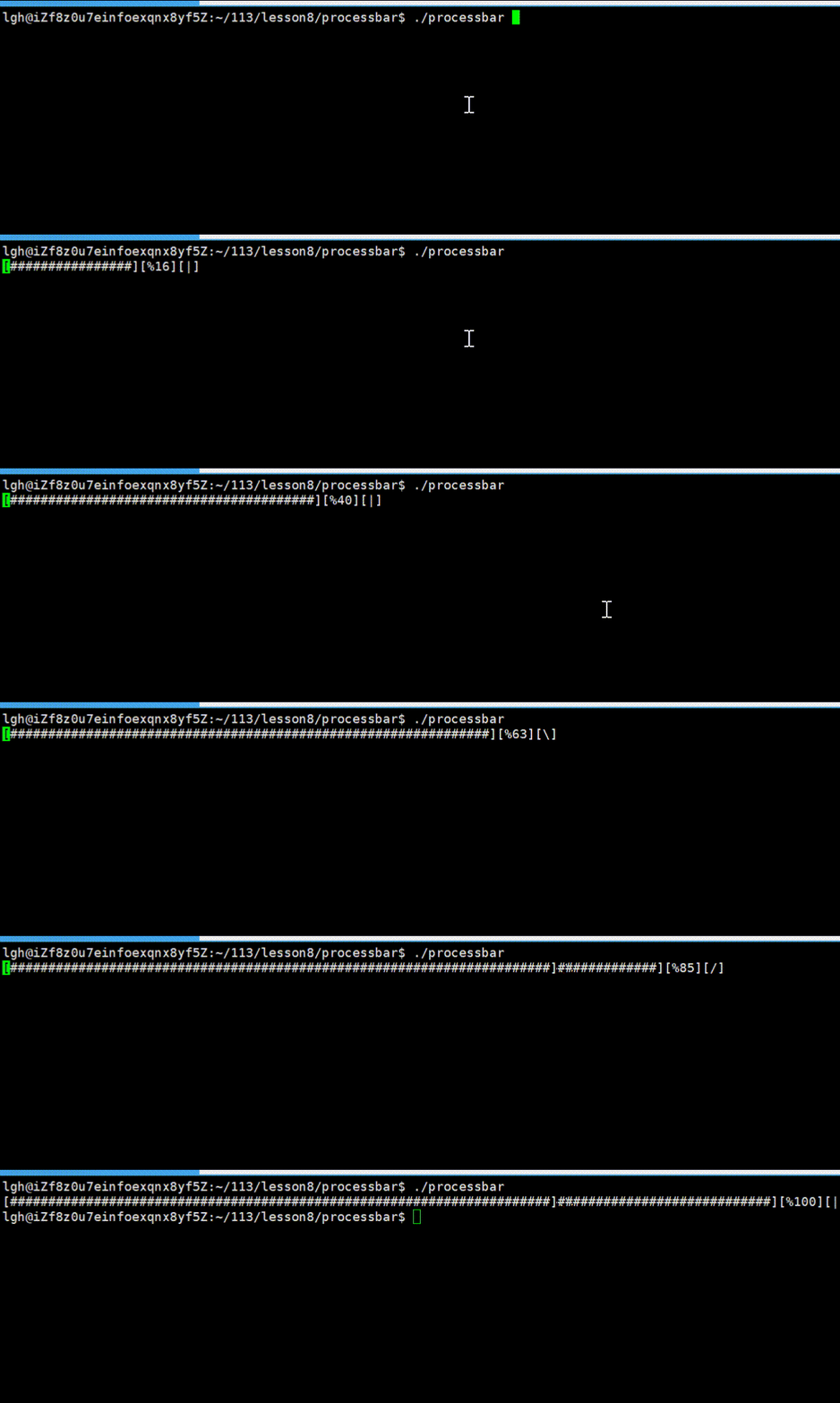
这个版本只用于演示进度条的基本原理,在实际开发中无法与下载、拷贝等任务结合使用。请看下一版本。
版本二:结合下载场景的动态进度条
这个版本将进度条与一个模拟的下载任务结合,每次下载一点数据就刷新一次进度条。
main.c
c
 1 #include"process.h"
  2 #include<stdio.h>
  3
  4 double total =1024.0;
  5 double speed =1.0;
  6
  7 void DownLoad()
  8 {
  9     double current = 0;
 10     while(current <= total)
 11     {
 12         FlushProcess(total,current);
 13         //下载代码
 14         usleep(10000);//充当下载数据
 15         current += speed;
 16     }
 17     printf("\ndownload %.21fMB Done\n",total);
 18 }
 19
 20 int main()
 21 {
 22     DownLoad();
 23 //  process_v1();
 24     return 0;
 25 }
process.c
c
  1 #include"process.h"
  2 #include<unistd.h>
  3 #include<string.h>
  4 #define NUM 101
  5 #define STYLE '='
  6 void FlushProcess(double total,double current)
  7 {
  8
  9     char buffer[NUM];
 10     memset(buffer,0,sizeof(buffer));
 11     const char *lable="|/-\\";
 12     int len=strlen(lable);
 13
 14     static int cnt=0;
 15     //不需要自己循环,填充#
 16     int num=(int)(current*100/total);
 17     for(int i=0;i<num;i++)
 18     {
 19         buffer[i]=STYLE;
 20     }
 21     double rate =current/total;
 22     cnt %=len;
 23     printf("[%-100s][%1.f%%][%c]\r",buffer,rate*100,lable[cnt]);
 24     cnt++;
 25     fflush(stdout);
 26 }
 27 void process_v1()
 28 {
 29     char buffer[NUM];
 30     memset(buffer,0,sizeof(buffer));
 31     const char *lable="|/-\\";
 32     int len=strlen(lable);
 33     int cnt=0;
 34     while(cnt<=100)
 35     {
 36         printf("[%s][%%%d][%c]\r",buffer,cnt,lable[cnt%len]);
 37         fflush(stdout);
 38         cnt[buffer]=STYLE;
 39         cnt++;
 40         usleep(50000);
 41     }
 42     printf("\n");
 43 }
 44
process.h
c
  1 #pragma once
  2
  3 #include<stdio.h>
  4
  5 void FlushProcess(double total,double current);
  6 void DownLoad();
  7 void process_v1();
Makefile
makefile
 1 SRC=$(wildcard *.c)
  2 OBJ=$(SRC:.c=.o)
  3 BIN=processbar
  4
  5 $(BIN):$(OBJ)
  6     gcc -o $@ $^
  7 %.o:%.c
  8     gcc -c $< -std=c99
  9 .PHONY:
 10 clean:
 11     rm -f $(OBJ) $(BIN)
最终结果演示

为了降低代码耦合度,也可以这样写
main.c
c
  1 #include"process.h"
  2 #include<stdio.h>
  3
  4 double total =1024.0;
  5 double speed =1.0;
  6
  7 typedef void (*callback_t)(double total,double current);//定义回调函数
  8
  9 void DownLoad(callback_t cb)
 10 {
 11     double current = 0;
 12     while(current <= total)
 13     {
 14         cb(total,current);
 15         //下载代码
 16         usleep(10000);//充当下载数据
 17         current += speed;
 18     }
 19     printf("\ndownload %.21fMB Done\n",total);
 20 }
 21
 22 int main()
 23 {
 24     DownLoad(FlushProcess);
 25 //  process_v1();
 26     return 0;
 27 }