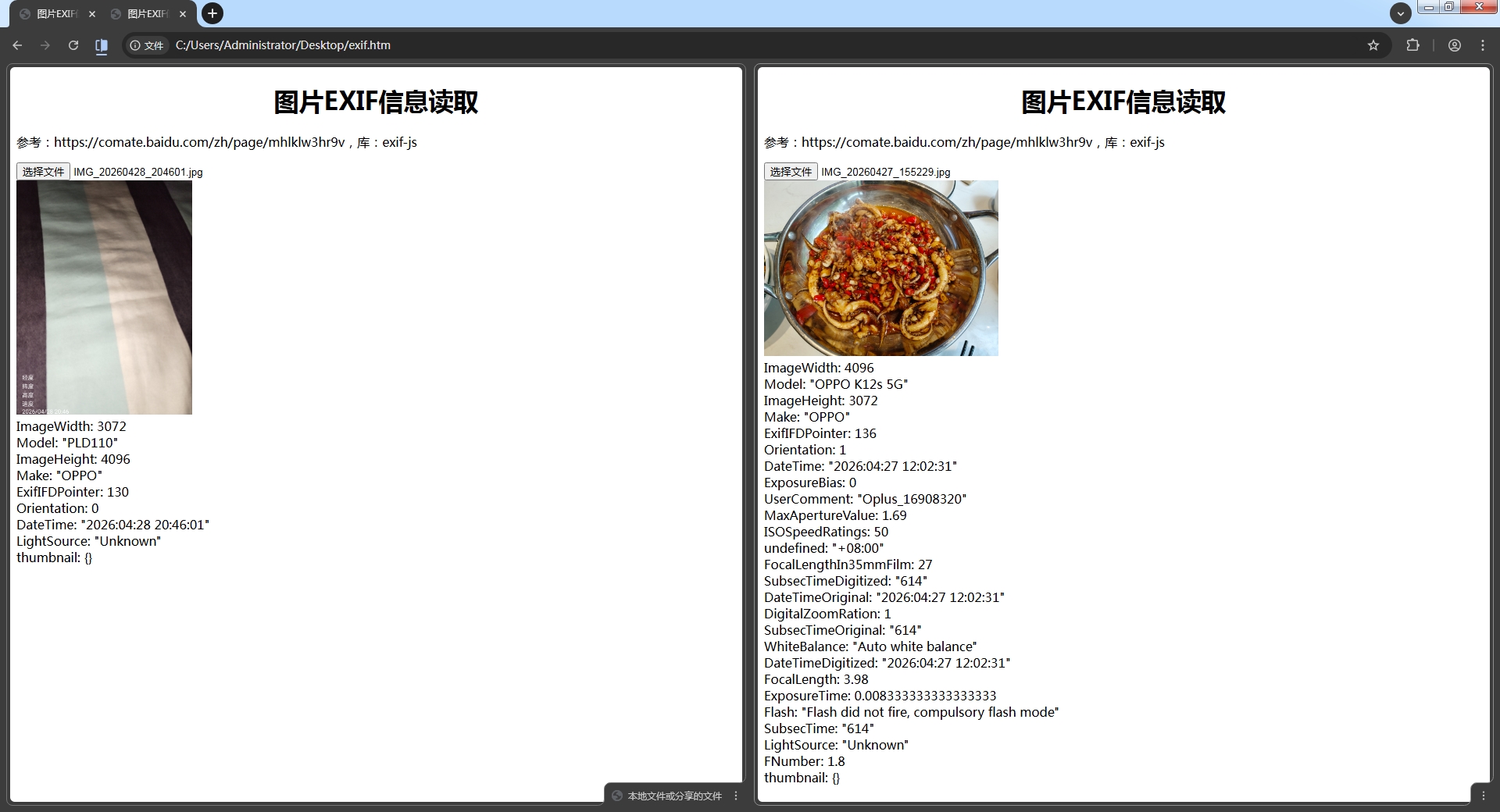
最近在开发安卓相机,EXIF老是写不进去,想看看原始数据。
参考:https://comate.baidu.com/zh/page/mhlklw3hr9v
库:exif-js
<!DOCTYPE html>
<html>
<head>
<title>图片EXIF信息读取</title>
<script src="https://cdn.jsdelivr.net/npm/exif-js"></script>
<style>
h1 { text-align:center; }
#img { max-width:300px; max-height:300px; }
</style>
</head>
<body>
<h1>图片EXIF信息读取</h1>
<p>参考:https://comate.baidu.com/zh/page/mhlklw3hr9v,库:exif-js</p>
<input type="file" id="input_file" accept="image/*"><br>
<img id="img">
<div id="exif_data"></div>
<script>
input_file.addEventListener('change', function(e) {
	const file = e.target.files[0];
	if (!file) return;

    img.src = URL.createObjectURL(file);

    EXIF.getData(file, function() {
        const allTags = EXIF.getAllTags(this);

        if (!allTags || Object.keys(allTags).length === 0) {
            output.textContent = "未检测到EXIF数据";
            return;
        }

        let result = "";
        for (const [tag, value] of Object.entries(allTags)) {
             result += `${tag}: ${JSON.stringify(value)}<br>`;
        }
        exif_data.innerHTML = result;
    });
});
</script>
</body>
</html>
使用【浏览器拆分视图】对比数据一目了然