解决前效果:
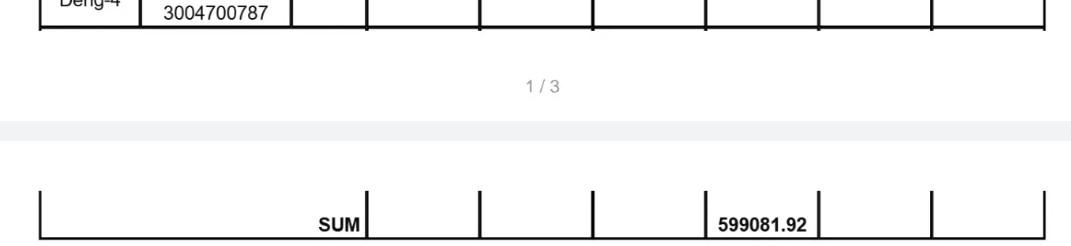
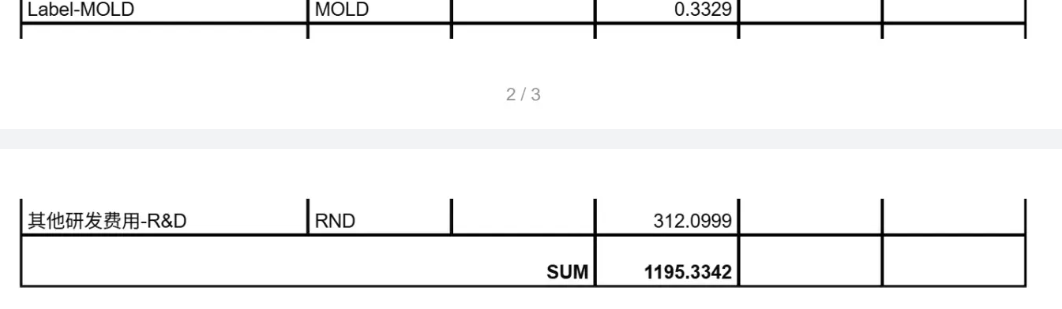
解决后效果:
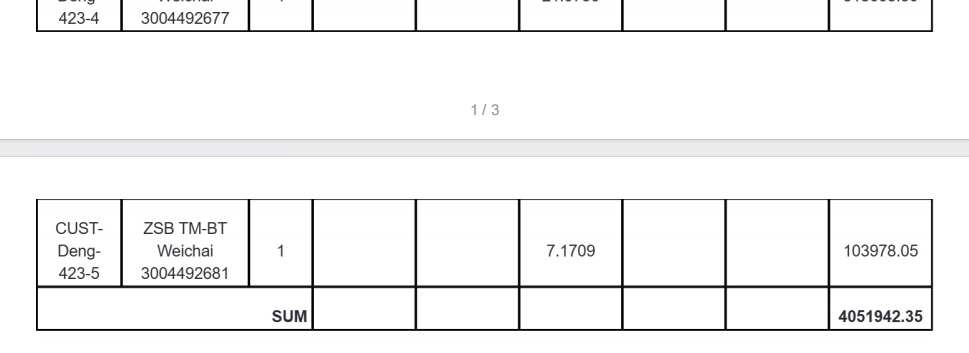
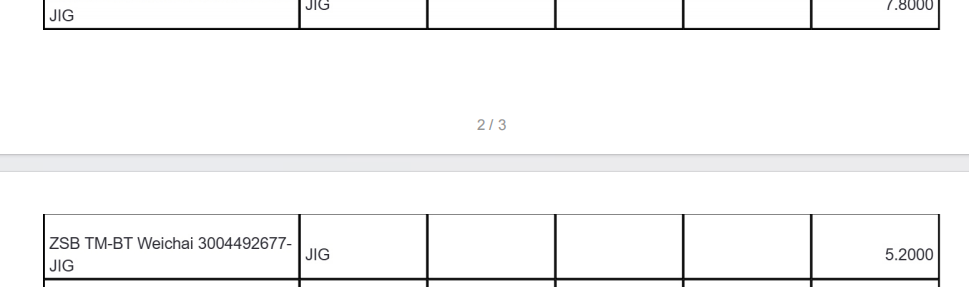
问题一:th/td 单元格被空白遮挡,内容显示不全
根因: html2canvas 在渲染复杂表格时,border-collapse 合并边框与单元格的层叠关系(z-index)处理不当,导致相邻单元格的边框或空白区域覆盖了内容。
解决方案(3 层修复):
- 强制白色背景 + 相对定位提升层级 --- 对所有
td、th设置backgroundColor: white、position: relative、zIndex: 1,确保内容不被相邻单元格的渲染层遮挡。 - 统一表格布局 --- 对所有
table强制borderCollapse: collapse+tableLayout: fixed,消除 html2canvas 对 border-spacing 的错误计算。 - 修复 thead 行背景色 --- 对
thead tr和.bg-slate-50元素显式设置backgroundColor: #f8fafc,避免因 CSS 类解析失败导致背景丢失。
对应代码:
// 1. 修复所有单元格
clonedDoc.querySelectorAll('td, th').forEach(cell => {
  htmlCell.style.backgroundColor = 'white';
  htmlCell.style.position = 'relative';
  htmlCell.style.zIndex = '1';
  htmlCell.style.verticalAlign = 'middle';
  htmlCell.style.padding = '8px 4px';
  htmlCell.style.lineHeight = '1.4';
});

// 2. 修复表格布局
clonedDoc.querySelectorAll('table').forEach(table => {
  table.style.borderCollapse = 'collapse';
  table.style.tableLayout = 'fixed';
});

// 3. 修复 thead 背景色
clonedDoc.querySelectorAll('thead tr, .bg-slate-50').forEach(elem => {
  elem.style.backgroundColor = '#f8fafc';
});
问题二:表格行(tr)在分页时被截断,一行数据上半部分在第一页,下半部分在第二页
根因: html2canvas 生成的是一张完整的"长截图"Canvas,然后用 jsPDF 按 A4 页高进行均匀切割。默认切割方式完全不感知 DOM 结构,可能从任意像素位置断开,导致一行表格数据被腰斩。
解决方案 --- 智能分页算法:
核心思路:在切割前收集所有"不可拆分元素"的边界,切割时自动避开。
Step 1 --- 标记不可拆分元素。 在 onclone 回调中,遍历克隆文档中所有 tr、thead、h3、h4、以及自定义属性 [data-no-break] 的元素,记录它们相对于根容器的 top 和 bottom 坐标:
clonedRoot.querySelectorAll('tr, thead, h3, h4, [data-no-break]').forEach(elem => {
  const rect = elem.getBoundingClientRect();
  elemBounds.push({
    top: rect.top - rootRect.top,
    bottom: rect.bottom - rootRect.top,
  });
});
Step 2 --- 坐标转换。 将 DOM 坐标乘以 scale(canvas.height / clonedElHeight),转换为 Canvas 像素坐标。
Step 3 --- 计算安全断点。 以每页高度为步进扫描,当断点落在某个元素内部时(bound.top < cursor && bound.bottom > cursor),将断点上移到该元素的顶部,这样整行数据会完整地出现在下一页开头:
while (cursor < canvas.height) {
  let adjustedBreak = cursor;
  // 检查断点是否落在某个不可拆分元素内部
  for (const bound of elemBoundsPx) {
    if (bound.top < cursor && bound.bottom > cursor) {
      adjustedBreak = bound.top; // 整条移到下一页
      break;
    }
  }
  // 安全保护:避免倒退导致死循环
  if (adjustedBreak <= breakPoints[breakPoints.length - 1]) {
    adjustedBreak = cursor;
  }
  breakPoints.push(adjustedBreak);
  cursor = adjustedBreak + pageHeightPx;
}
Step 4 --- 按断点切片。 遍历 breakPoints,对每个区间从完整 Canvas 上裁剪出对应区域,写入 PDF 的一页:
for (let i = 0; i < totalPages; i++) {
  const startY = breakPoints[i];
  const endY = i < totalPages - 1 ? breakPoints[i + 1] : canvas.height;
  const sliceHeight = endY - startY;

  const pageCanvas = document.createElement('canvas');
  pageCanvas.width = canvas.width;
  pageCanvas.height = sliceHeight;
  const ctx = pageCanvas.getContext('2d')!;
  ctx.fillStyle = '#ffffff';
  ctx.fillRect(0, 0, pageCanvas.width, pageCanvas.height);
  ctx.drawImage(canvas, 0, startY, canvas.width, sliceHeight, 0, 0, canvas.width, sliceHeight);

  const imgData = pageCanvas.toDataURL('image/jpeg', 0.98);
  const imgHeightMm = sliceHeight / pxPerMm;
  pdf.addImage(imgData, 'JPEG', marginXMm, marginTopMm, contentWidthMm, imgHeightMm);
}
问题三:尾部段落(Remark、Manufacturing location、Invoice Info、Bank Account Info、Terms)同样被截断
解决方案 --- data-no-break 自定义属性。
在 HTML 中为这些不可拆分的块级内容加上 data-no-break 属性:
<div data-no-break>
  <h4>Remark</h4>
  <p>...</p>
</div>
<div data-no-break>
  <h4>Manufacturing location</h4>
  <p>...</p>
</div>
<div data-no-break>
  <h4>Invoice Information for RMB account</h4>
  ...
</div>
这些元素会被上述智能分页算法一并收集到 elemBounds 中,分页时自动避开截断。与 tr/thead 的处理逻辑完全统一,无需额外代码。
额外解决的两个问题
4. oklch 颜色不渲染: Tailwind v4 默认使用 oklch() 颜色函数,html2canvas 无法解析。解决方案是用 Canvas 2D Context 做一次"颜色翻译":先设置 fillStyle = oklch(...),再读取像素值获取 RGB,然后替换所有 <style> 标签、内联样式、外部样式表中的 oklch 值。
5. 祖先容器裁剪内容: 页面上外层容器通常有 overflow: hidden、固定 height 等样式,html2canvas 只能截取可见区域。解决方案是在截图前临时将所有祖先容器的 overflow 设为 visible、height 设为 auto,截图后恢复。
完整导出PDF下载逻辑:
 const handleExportPdf = async () => {
    if (!documentRef.current) return;
    setExportingPdf(true);

    const prepared = prepareElement();
    if (!prepared) { setExportingPdf(false); return; }
    const { el, savedAncestors, elSavedCssText } = prepared;

    try {
      const fileName = `${projectName}-报价单.pdf`;

      // A4 尺寸(mm)
      const a4WidthMm = 210;
      const a4HeightMm = 297;
      const marginTopMm = 9;
      const marginBottomMm = 20;
      const marginXMm = 10;
      const contentWidthMm = a4WidthMm - marginXMm * 2;
      const contentHeightMm = a4HeightMm - marginTopMm - marginBottomMm;

      // 用于收集克隆文档中不可拆分元素(tr / thead / 标题)的边界
      let elemBounds: { top: number; bottom: number }[] = [];
      let clonedElHeight = 0;

      // 使用 html2canvas 截取完整文档
      const canvas = await html2canvas(el, {
        scale: 2,
        useCORS: true,
        logging: false,
        backgroundColor: '#ffffff',
        onclone: (clonedDoc: Document) => {
          fixOklchColors(clonedDoc);

          const clonedRoot = clonedDoc.querySelector('[data-pdf-root]') as HTMLElement;
          if (clonedRoot) {
            clonedRoot.style.cssText += `
              padding: 0 !important;
              padding-bottom: 10mm !important;
              width: 190mm !important;
              height: auto !important;
              max-height: none !important;
              min-height: 0 !important;
              overflow: visible !important;
              box-shadow: none !important;
              background: white !important;
            `;
          }

          // 确保克隆文档的 body/html 不会裁剪内容
          const clonedBody = clonedDoc.body;
          if (clonedBody) {
            clonedBody.style.cssText += '; height: auto !important; overflow: visible !important;';
          }
          const clonedHtml = clonedDoc.documentElement;
          if (clonedHtml) {
            clonedHtml.style.cssText += '; height: auto !important; overflow: visible !important;';
          }

          clonedDoc.querySelectorAll('td, th').forEach(cell => {
            const htmlCell = cell as HTMLElement;
            htmlCell.style.backgroundColor = 'white';
            htmlCell.style.position = 'relative';
            htmlCell.style.zIndex = '1';
            htmlCell.style.verticalAlign = 'middle';
            htmlCell.style.padding = '8px 4px';
            htmlCell.style.lineHeight = '1.4';
          });

          clonedDoc.querySelectorAll('table').forEach(table => {
            (table as HTMLElement).style.borderCollapse = 'collapse';
            (table as HTMLElement).style.tableLayout = 'fixed';
          });

          clonedDoc.querySelectorAll('thead tr, .bg-slate-50').forEach(elem => {
            (elem as HTMLElement).style.backgroundColor = '#f8fafc';
          });

          // 收集所有 tr、thead、标题元素的位置(相对于根容器)
          if (clonedRoot) {
            const rootRect = clonedRoot.getBoundingClientRect();
            clonedElHeight = rootRect.height;
            clonedRoot.querySelectorAll('tr, thead, h3, h4, [data-no-break]').forEach(elem => {
              const rect = (elem as HTMLElement).getBoundingClientRect();
              elemBounds.push({
                top: rect.top - rootRect.top,
                bottom: rect.bottom - rootRect.top,
              });
            });
          }
        },
      });

      // DOM 像素 → Canvas 像素的缩放比
      const scale = clonedElHeight > 0 ? canvas.height / clonedElHeight : 2;

      // 将元素边界转换为 canvas 像素坐标
      const elemBoundsPx = elemBounds.map(b => ({
        top: Math.round(b.top * scale),
        bottom: Math.round(b.bottom * scale),
      }));

      // 每页内容区域对应的 canvas 像素高度
      const pxPerMm = canvas.width / contentWidthMm;
      const pageHeightPx = Math.floor(contentHeightMm * pxPerMm);

      // ── 智能分页:避免在 tr / thead / 标题 中间断开 ─────────────────────
      const breakPoints: number[] = [0];
      let cursor = pageHeightPx;

      while (cursor < canvas.height) {
        let adjustedBreak = cursor;

        // 检查断点是否落在某个不可拆分元素的内部
        for (const bound of elemBoundsPx) {
          if (bound.top < cursor && bound.bottom > cursor) {
            // 断点落在该元素内部 → 将断点上移到该元素顶部,整条移到下一页显示
            adjustedBreak = bound.top;
            break;
          }
        }

        // 确保不会倒退(安全保护,避免单行超高于一页时死循环)
        if (adjustedBreak <= breakPoints[breakPoints.length - 1]) {
          adjustedBreak = cursor;
        }

        breakPoints.push(adjustedBreak);
        cursor = adjustedBreak + pageHeightPx;
      }

      const totalPages = breakPoints.length;

      // 创建 jsPDF
      const pdf = new jsPDF({
        unit: 'mm',
        format: 'a4',
        orientation: 'portrait',
        compress: true,
      });

      // 逐页切分 canvas 并写入 PDF
      for (let i = 0; i < totalPages; i++) {
        if (i > 0) pdf.addPage();

        const startY = breakPoints[i];
        const endY = i < totalPages - 1 ? breakPoints[i + 1] : canvas.height;
        const sliceHeight = endY - startY;

        // 创建当前页的切片 canvas
        const pageCanvas = document.createElement('canvas');
        pageCanvas.width = canvas.width;
        pageCanvas.height = sliceHeight;
        const ctx = pageCanvas.getContext('2d')!;
        ctx.fillStyle = '#ffffff';
        ctx.fillRect(0, 0, pageCanvas.width, pageCanvas.height);
        ctx.drawImage(canvas, 0, startY, canvas.width, sliceHeight, 0, 0, canvas.width, sliceHeight);

        const imgData = pageCanvas.toDataURL('image/jpeg', 0.98);
        const imgHeightMm = sliceHeight / pxPerMm;
        pdf.addImage(imgData, 'JPEG', marginXMm, marginTopMm, contentWidthMm, imgHeightMm);
      }

      // 添加页码
      for (let i = 1; i <= totalPages; i++) {
        pdf.setPage(i);
        pdf.setFontSize(9);
        pdf.setTextColor(150, 150, 150);
        pdf.text(`${i} / ${totalPages}`, a4WidthMm / 2, a4HeightMm - 5, { align: 'center' });
      }

      // 1. 生成 PDF Blob
      const pdfBlob: Blob = pdf.output('blob');

      // 2. 下载本地
      pdf.save(fileName);

      // 3. 上传 OSS → 保存附件记录
      const file = new File([pdfBlob], fileName, { type: 'application/pdf' });
      const ossUrl = await uploadToOSS(file, 'project-attachments', '.pdf');
      await uploadProjectAttachment({
        fileName,
        filePath: ossUrl,
        fileType: 'QUOTATION',
        projectId: Number(projectId),
      });
      message.success('PDF导出并上传成功');
    } catch (err) {
      console.error('[QuotationPaperView] Export PDF failed:', err);
      message.error('导出PDF失败');
    } finally {
      restoreElement(el, savedAncestors, elSavedCssText);
      setExportingPdf(false);
    }
  };