⑴
Let's consider just one another data type, how about so besides strings, besides integers, there's some others on this list here.
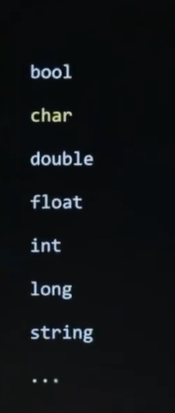
There's this other data type here in C known as a char for a single character. So here, let me just tease this apart. And string is indeed a string of text. It is zero or more characters together. A char is always precisely one character. Not all languages bother distinguishing between a single character and a string of characters. But in C, a sring is typically multiple characters, but technically can be zero, coincidentally, it could be one. But it's capable of being more. But a char is literally, as the word implies, a single character.
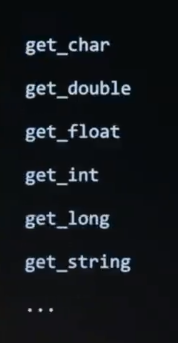
All right, given that, notice that in the CS50 library, besides get_string, besides get_int, we also have get_char, so another handy function for just getting a single character from the user. Now, why would it be useful to get a single character from the user ? Well, what if you're just doing something that you and I do pretty frequently when you install new software, or fill out some form ? You agree to some form of terms and conditions. So in fact, let me go back over to VS Code here. And let me propose that I create a new program called agree.c, so something akin to asking for the user's agreement.
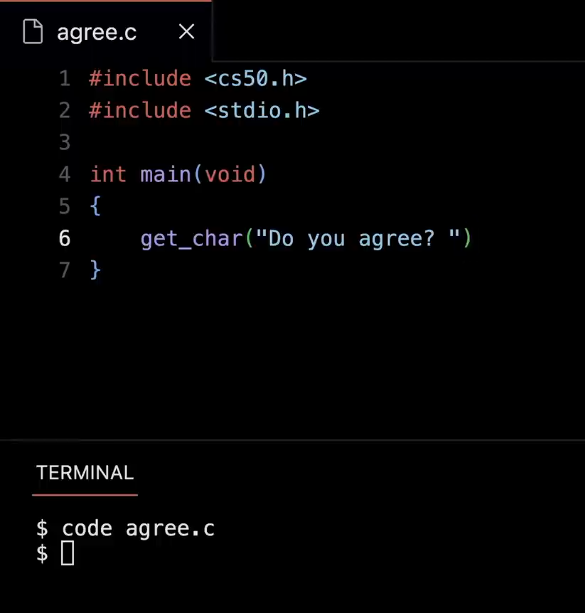
So in VS Code, I'm going to type " code agree.c ". And I'm going to do some quick boilerplate. So include CS50.h, include stdio.h, int main( void ). And then inside of mian, which is like the " green flag clicked ", I'm going to do this. Go ahead and get a character from the user and ask them something simple like, " Do you agree ? ", expecting a yes/no response.
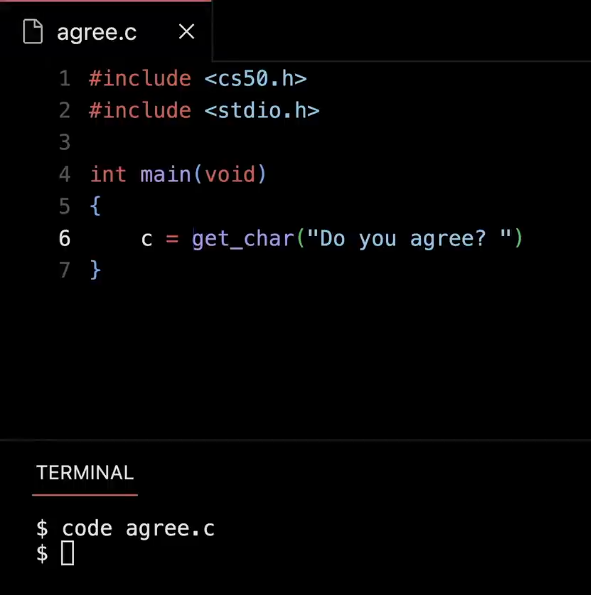
But at the beginning of this line, I need to put the return value somewhere. So I'm going to put it in a variable called c. And in programming, if you're just getting a single value, it's ok sometimes to use x and y or c when you're using - - in larger programs, you'll benefit from using actual words like " answer ", like we did from the get go.
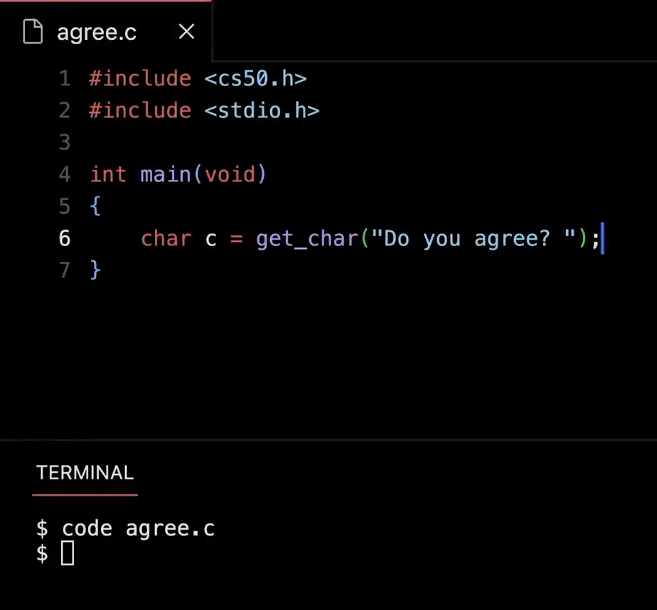
But c has to be a specific type. So I'm going to literally say " char ", and then, I'm going to finish my thought with a semicolon.
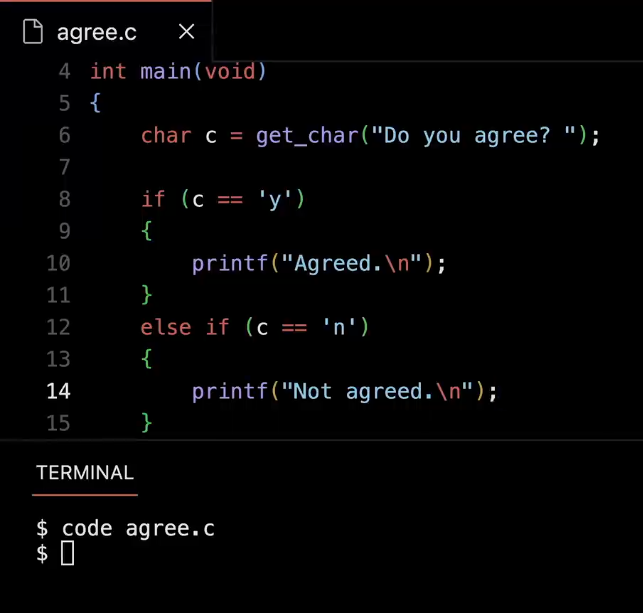
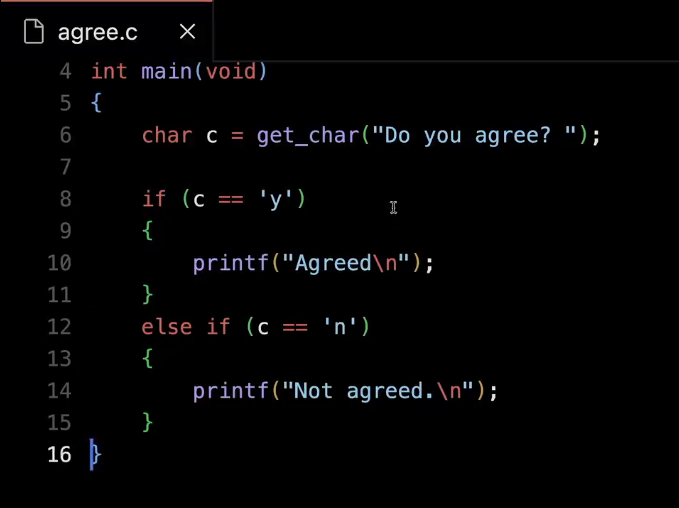
And here's now how I could check if the user agrees or not, I could do something like this. If the value of c equals equals, quote, unquote lowercase ' y ', then go ahead and print out " Agreed backslash n ". Else if the variable c has a value equal to lowercase ' n ', let's go ahead and print out, say " Not agreed ", as though I'm agreeing or not to some terms and conditions. But notice these are not types. What did I do ever so subtly different from last time I used text ? Single quotes instead of double quotes, so here's the heuristic. When using strings, which are generally multiple characters, have to use double quotes. When using a single character, you should use single quotes around the single character.
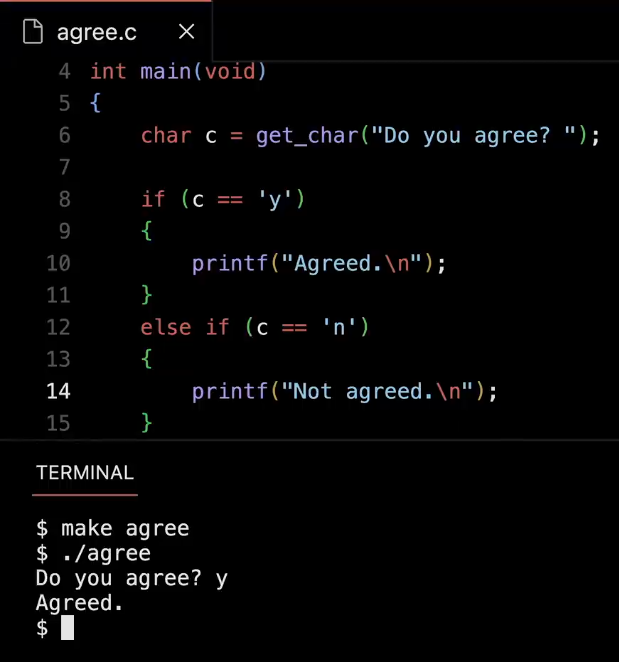
So let me go ahead and make agree. Nothing went wrong, which is good, ./agree, Enter, and let me go ahead and type in y for yes. It seems work.
 .
.
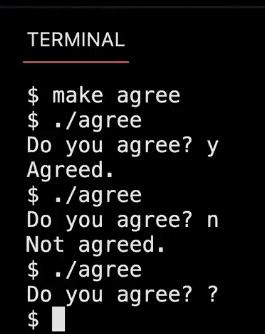
Let me run it again, ./agree, n for no, and it seems to work. And just if I type in something random like question mark. I don't know, it doesn't crash. It just ignores me because I only had two Boolean expressions there. But notice that it's actually a little buggy arguably.
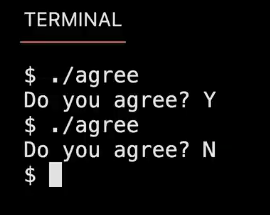
Let me run it again, ./agree, Enter. How about capital Y, because, like, my CAPA LOCK is down. Ok, it just ignores me. Let me do it again, ./agree, capital N, because my CAPS LOCK is down. Ok, it just ignores me. But this should make sense because I'm literally checking for lowercase. So how could I fix this ? How could I fix this without just charging lowercase to uppercase, because that would then break it in the other direction ?
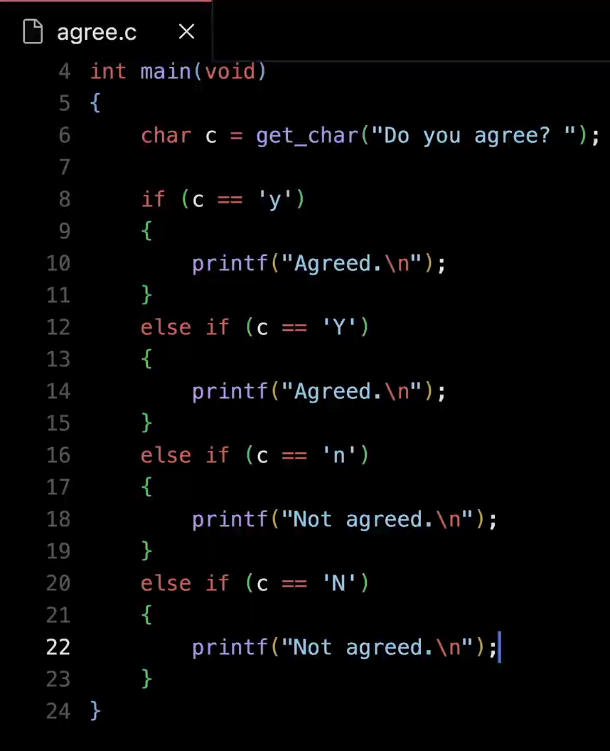
Yeah, let's just add another branch here, so to speak. So if variable c equals equals capital Y, then I can go ahead here, and say printf agreed. And then let me close my terminal to make more room. Otherwise, down here, else if c equals equals capital N, let's go ahead and again say printf not agreed. And I claim that this would actually now work. It's a four-way fork in the road, but I'm at least checking for lowercase, uppercase, lowercase, uppercase for y and n respectively. I claim that this is correct, but this too, even if you've never programmed before, should start today to rub you the wrong way. Like we can do better. This isn't the best design. Why might that be ? So could we change the variable c to just be forced to uppercase or maybe forced to lowercase ? No matter what the human types, we just do that ourselves so that way. We can just simplify this again to two possible scenarios. I love that, but we haven't seen any functions yet in C that would let me change things to uppercase or lowercase. So we'll get there, but a good instinct and correct. So we could use " or " in some sense, like a logical " or ".
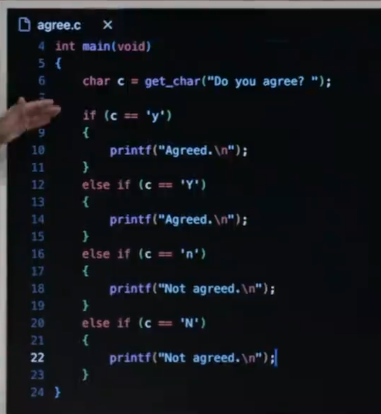
What I don't like about this, to be clear, is that it's repeating itself. And there's this principle in programming, and in life, in general like don't repeat yourself unnecessarily. And by that I mean I literally have the same line 10 as 14, I have the same line 18 as 22. And if anything, one, I literally wasted twice as much time as I needed to.
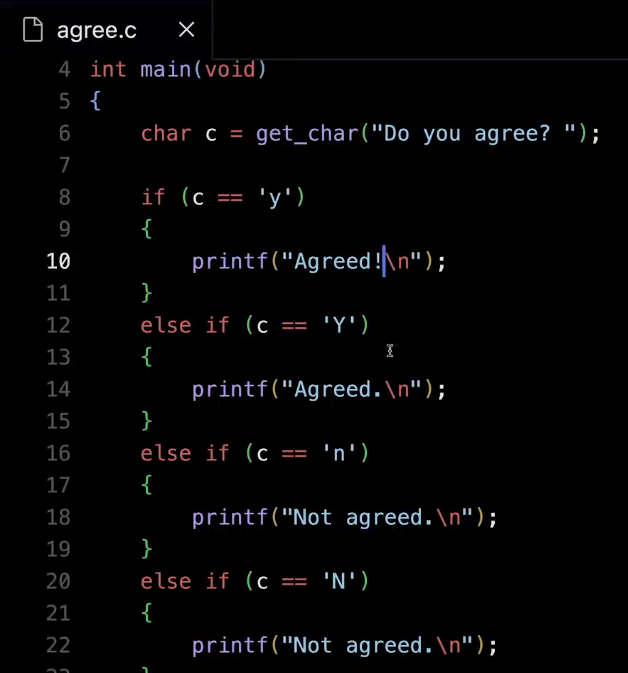
Put another way, per our discussion of Scratch, what if I go in and just change something like, I want to be more excited, like " Agreed ! " ? Well, I might forget to change it in the other place. And let's just claim for today's purposes that looks stupid, it's a bug, because I want them to be consistent. So don't invite situations where you might change something in one place but not another, Just only write it one place total. So I like this idea of " or "-ing things together. So let me go ahead and delete what I just did.
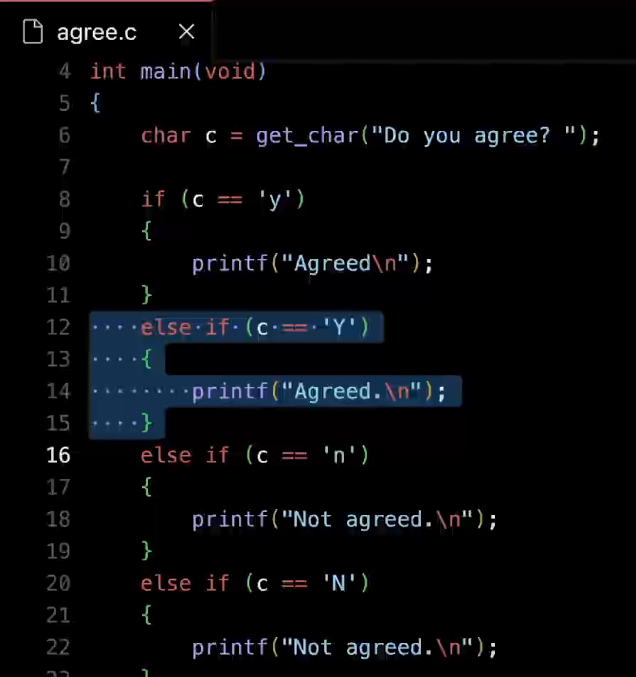
And just to be clear, too, while this is on the screen, when you highlight cide in VS Code based on how we've configured it, these dots just show you, how much I've indented because in C, stylistically, the convention is generally to indent four spaces and maybe four more spaces. So those dots just help you count without having to manually eyeball things yourself. But let me delete those lines.
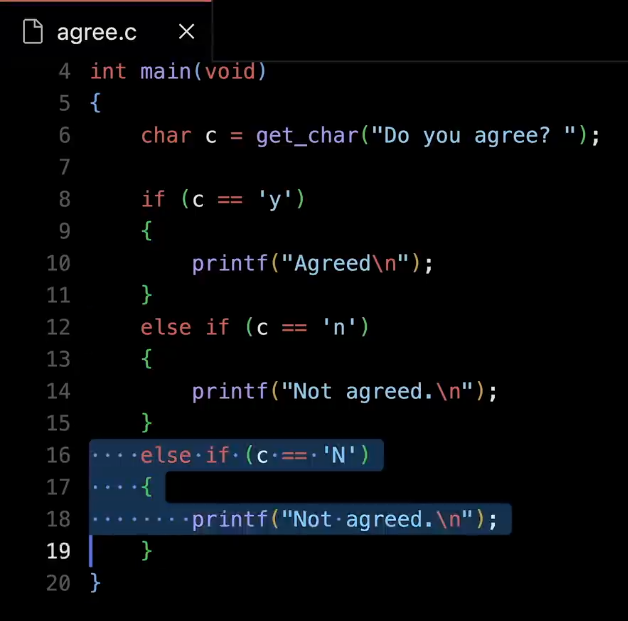
Let me delete these lines.
And this is going to look a little weird, but the way you can " or " two thoughts together.
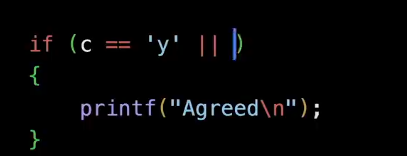
So to speak, like " or " them together, is you don't say " or ", but you use two vertical bars, which syntactically means the English word " or ".
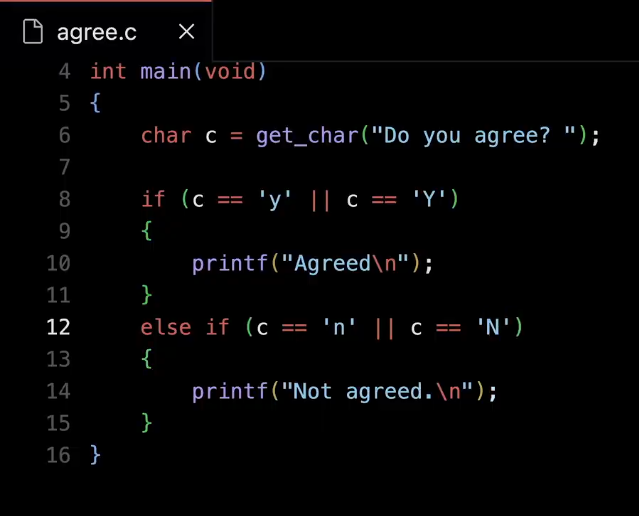
And you can just ask the other question if c equals, equals, quote, unquote, capital ' Y '. And then down here, I can say or c equals equals capital ' N '. So it adds a little more code to each of those lines, but it doesn't add redundancy, because I've not duplicated my printf. I've not added more curly braces unnecessarily. Now as an aside, there's the opposite of " or ", logically is the word " and ".
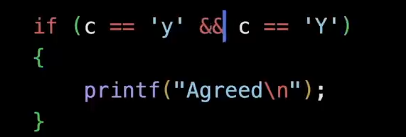
Just so you've seen it, I could do this, " && " in C is how you express that the thing on the left must be true and the thing on the right must be true.
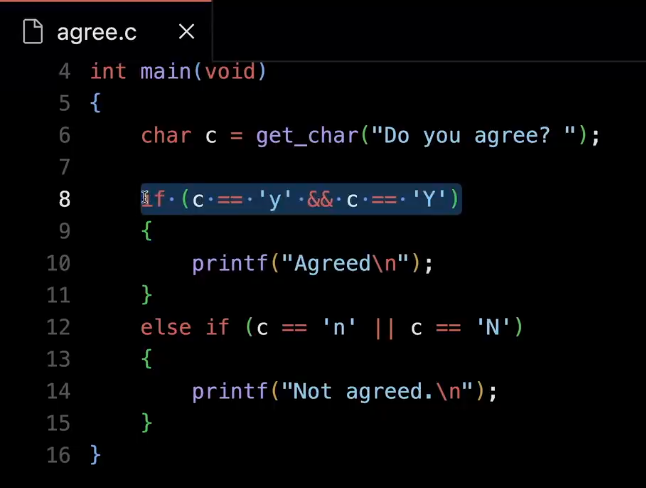
But why would this make no sense in this context of line 8 ? Yeah, at least to my knowledge, a character can't be both lowercase and uppercase. That just makes no logical sense.
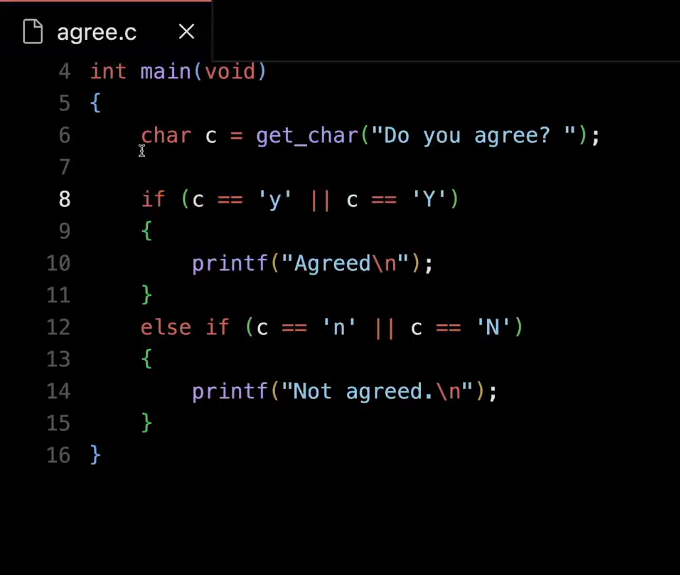
So indeed " or " is what we want in this case.
⑵
All right, how about another building block from last time, which we'll now translate to C, namely loops, things that happen again and again ? And these, too, are everywhere in code.
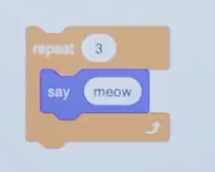
So in Scratch, here's how we might meow three times, super simple. In C, it's going to look a little weird. But you will get uesd to this over time if you've never programmed before.
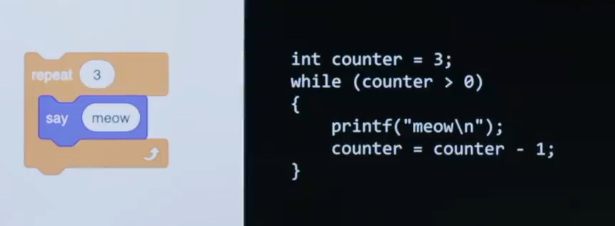
It looks like a mouthful, ok. But let's tease it apart line by line. And you'll see that you won't have that reaction frequently because it's all going to start to look very similar to itself. But what are we doing here ? In C, you don't have the luxury of these cute and fun puzzle pieces that just do the work for you, repeat three times. In fact, in C and programming, in general, sometimes the work is on us to actually figure out, ok, how can I use functions, variables, conditionals, and loops, and implement some idea like repetition, like looping ? And in C, here's how this might work. How can I go about doing something like printing " meow " three times ? Well, I know about variables now. We're about to see loops. And I've seen how I can update variables by plussing or minusing some value to them. Let's combine those ideas.
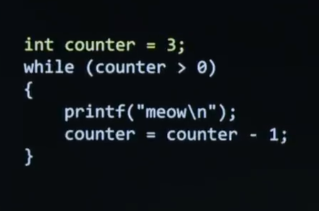
So first, I'm doing what with this highlighted line in English ? If a friend cared to ask you, like, what is this line of code doing, later today, what would you say ? It's creating a variable called " counter " and setting it equal to 3. I'll use slightly new jargon. I'm defining a variable, would be the term of our called " counter " and setting it equal to 3.
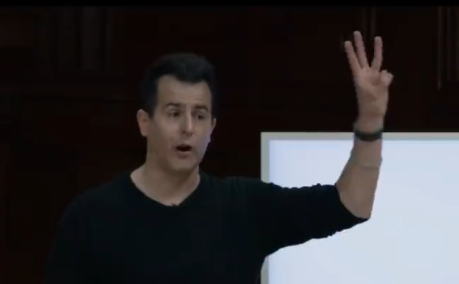
So I'll use my hand to represent the counter. And that's all a variable is. It's like storage in some case that I'm representing information, using my hand in this case or the computer's memory here. Now what happens when using a loop in C ?
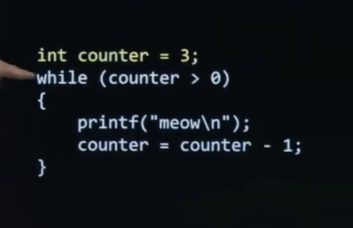
There's different types of loops, one of which is called a while loop. A while loop works like this. Inside of parentheses is a Boolean expression just like inside of conditioanl that asks a question. But this time the question is going to determine, do you keep going through the loop again and again and again ? So it's not a one-time thing potentially. It is checked again and again and again to decide, when it is time to stop looping, to stop cycling. All right, so it's asking this question first. Is counter greater than 0 ? Ok, obviously the answer is true because I'm still holding up three fingers. So what happens ?
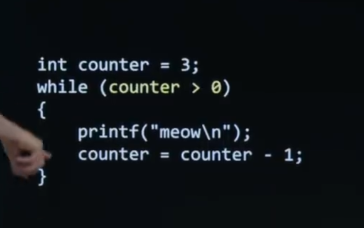
C goes inside of the curly braces per the indentation and executes printf of " meow ", which prints out a " meow " on the screen. The next line of code executes, which, recall, is the same as just subtracting 1 from counter.
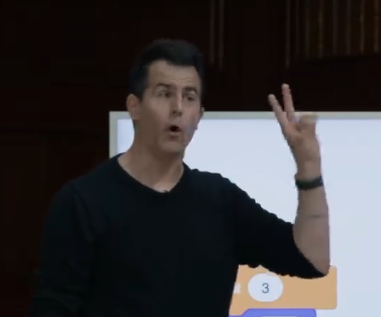
So I think I take down one finger, so I'm left with two. And what happens next ?
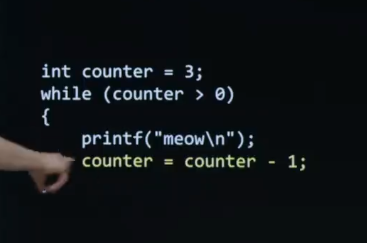
Well, this you just kind of have to memorize. Once you get to the end of the inside of a loop,
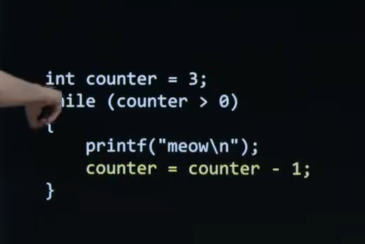
you go back to the beginning of a loop here, and ask the same question, the same Boolean expression. So is 2 greater than 0 ? Ok, obviously so, so you go into it, you print a " meow ". You go into it and decrement counter further by one.
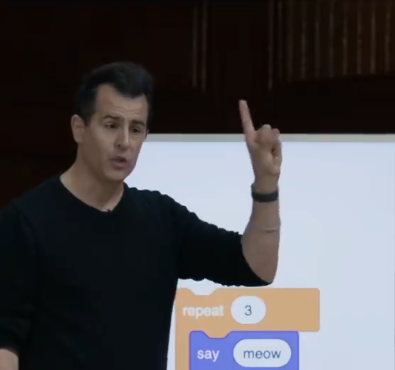
So now my hand is holding up one. Now we wrap back around to the Boolean expression. Is 1 greater than 0 ? Obviously, we print out a third " meow ". We than decrement counter again and my hands goes to zero. We go back around once more. Is 0 greater than 0 ? No. And now the program just terminates. Or if there were more code here, it would just jump outside of the curly braces and keep going lower on the screen. So that's all that's happening.
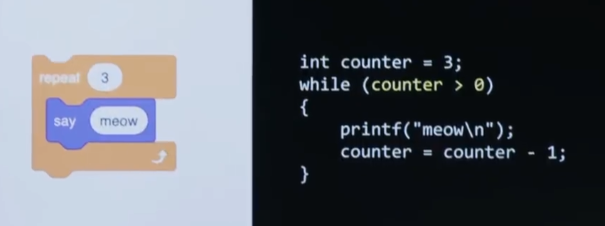
And so this what MIT has the luxury of doing with pictures. But at MIT, someone probably essentially wrote code that looks like this to give us the illusion, the obstraction of this. So what we learning today is how they invented these puzzle pieces by just using lower-level plumbing, if you will, like this here.
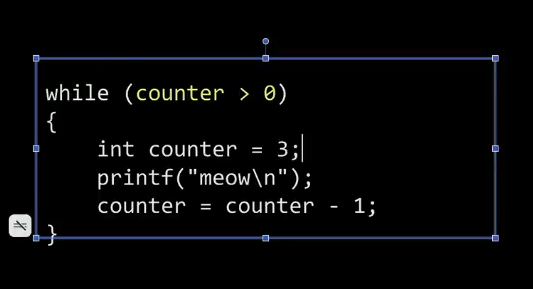
What would happen, if you created the variable inside of the curly braces ? Short answer, it just wouldn't work in C, because if I were to try with my slide here, for instance, to move this line of code here down inside of this, for instance, now the very top line is trying to use counter before it even exists. So C is very literal it. Reads top to bottom, left to right. And if it hasn't seen you define or create a variable yet, you're going to get some scary error message on the screen instead.