S08 后台任务 Background Tasks
前面几章我们学习了 子 Agent、task 任务系统、Compact 上下文压缩 这些工具都只解决了一个问题,那就是上下文不够长的问题。
我们在使用 AI 时,还会遇到另外一个问题,那就是速度不够快的问题------目前我们都是单线程在跑 AI 交互,如果有某个任务需要去下载一个大文件怎么办?如果要下载半个小时,难道要等半个小时下载完成后再继续工作吗?
所以我们这一章引入多线程任务,如果任务被分解后,可以多线程执行,那么哪些耗时比较长的都放到后台去做,做完了再拿结果返回给 AI 即可。
代码
python
# 系统提示词
SYSTEM = f"You are a coding agent at {WORKDIR}. Use background_run for long-running commands."首先是系统提示词:你是位于 {WORKDIR} 的编码代理。对于长时间运行的命令,请使用 background_run。
然后是子线程的控制器类
python
# BackgroundManager: 子线程执行 + 通知队列
class BackgroundManager:
    # 初始化:读取 dir 目录,创建目录,然后计算有几个 task_*.json 文件,假设有 5 个,将 _next_id 设为下一个:6
    def __init__(self):
        self.tasks = {}  # task_id -> {status, result, command}
        self._notification_queue = []  # completed task results
        self._lock = threading.Lock()
    def run(self, command: str) -> str:
        """开始一个后台线程, 立即返回任务ID"""
        task_id = str(uuid.uuid4())[:8]
        self.tasks[task_id] = {"status": "running", "result": None, "command": command}
        thread = threading.Thread(
            target=self._execute, args=(task_id, command), daemon=True
        )
        thread.start()
        return f"Background task {task_id} started: {command[:80]}"
    def _execute(self, task_id: str, command: str):
        """线程目标:运行子进程,捕获输出,推送到队列"""
        try:
            # ⚠️ 风险:可能引发 shell注入攻击(如果 command 包含用户输入)
            r = subprocess.run(
                command, shell=True, cwd=WORKDIR,
                capture_output=True, text=True, timeout=300
            )
            output = (r.stdout + r.stderr).strip()[:50000]
            status = "completed"
        except subprocess.TimeoutExpired:
            output = "Error: Timeout (300s)"
            status = "timeout"
        except Exception as e:
            output = f"Error: {e}"
            status = "error"
        self.tasks[task_id]["status"] = status
        self.tasks[task_id]["result"] = output or "(no output)"
        with self._lock:
            self._notification_queue.append({
                "task_id": task_id,
                "status": status,
                "command": command[:80],
                "result": (output or "(no output)")[:500],
            })
    def check(self, task_id: str = None) -> str:
        """检查一个任务的状态或列出所有任务"""
        if task_id:
            t = self.tasks.get(task_id)
            if not t:
                return f"Error: Unknown task {task_id}"
            return f"[{t['status']}] {t['command'][:60]}\n{t.get('result') or '(running)'}"
        # 如果没有找到 task_id 那就把存在的任务都打印出来
        lines = []
        for tid, t in self.tasks.items():
            lines.append(f"{tid}: [{t['status']}] {t['command'][:60]}")
        return "\n".join(lines) if lines else "No background tasks."
    def drain_notifications(self) -> list:
        """返回并清除所有待处理的完成通知。"""
        with self._lock:
            notifs = list(self._notification_queue)
            self._notification_queue.clear()
        return notifs
后台任务结果通过 threading.Queue 传递,而非直接回调。后台线程在工作完成时向队列放入通知,主 agent 循环在每次 LLM 调用前轮询队列。这种解耦很重要:后台线程无需了解主循环的状态或时序,只需往队列放入消息然后继续。主循环按自己的节奏取出消息------永远不会在 API 调用中途或工具执行中途。没有竞争条件,没有回调地狱。
后台任务线程以 daemon=True 创建。在 Python 中,守护线程在主线程退出时自动被终止。这防止了一个常见问题:如果主 agent 完成工作并退出,但后台线程仍在运行(等待一个长时间 API 调用或陷入循环),进程会无限挂起。使用守护线程,退出是干净的------主线程结束,所有守护线程自动终止,进程退出。没有僵尸进程,不需要清理代码。
后台任务的通知使用结构化格式:{"type": "attachment", "attachment": {status, result, ...}},而非纯文本字符串。类型标签让主循环可以区别处理不同通知类型:attachment 可能作为 tool_result 注入对话,而 status_update 可能只更新进度指示器。机器可读的通知还支持程序化过滤(只显示错误、抑制进度更新)和 UI 渲染(将状态显示为进度条而非原始文本)。
其他的基本都没有什么变化:
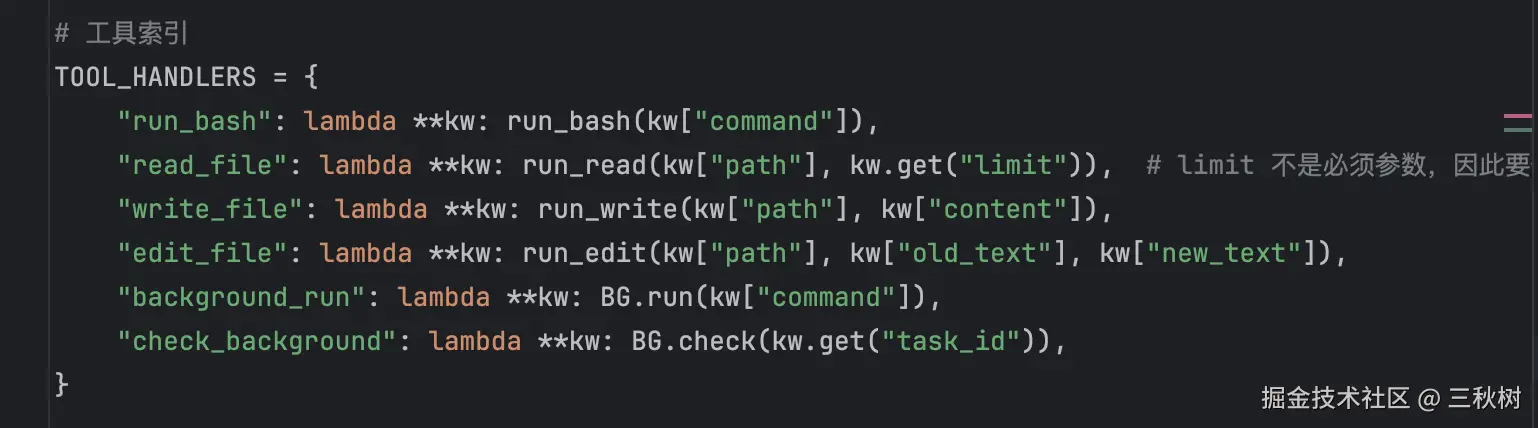
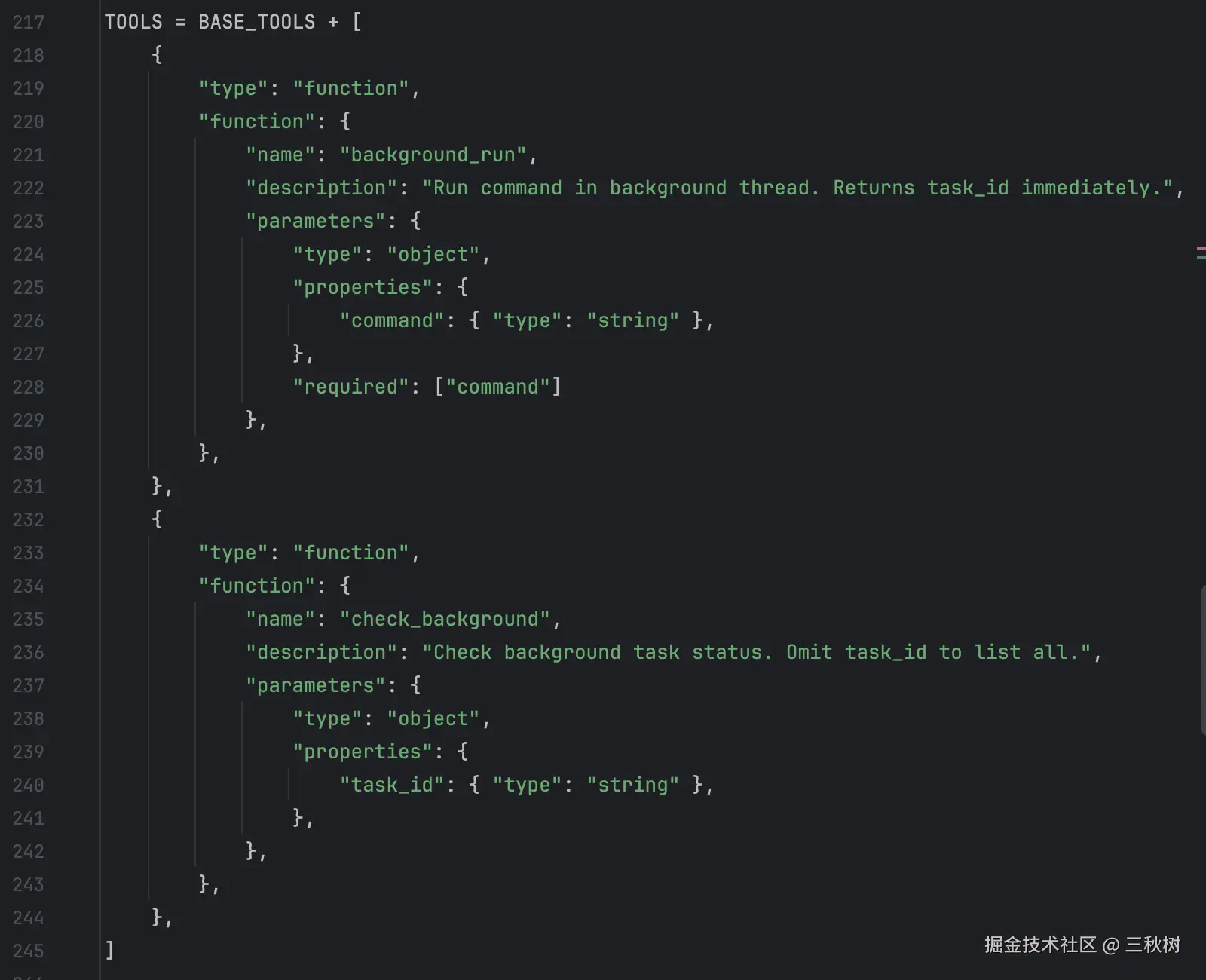
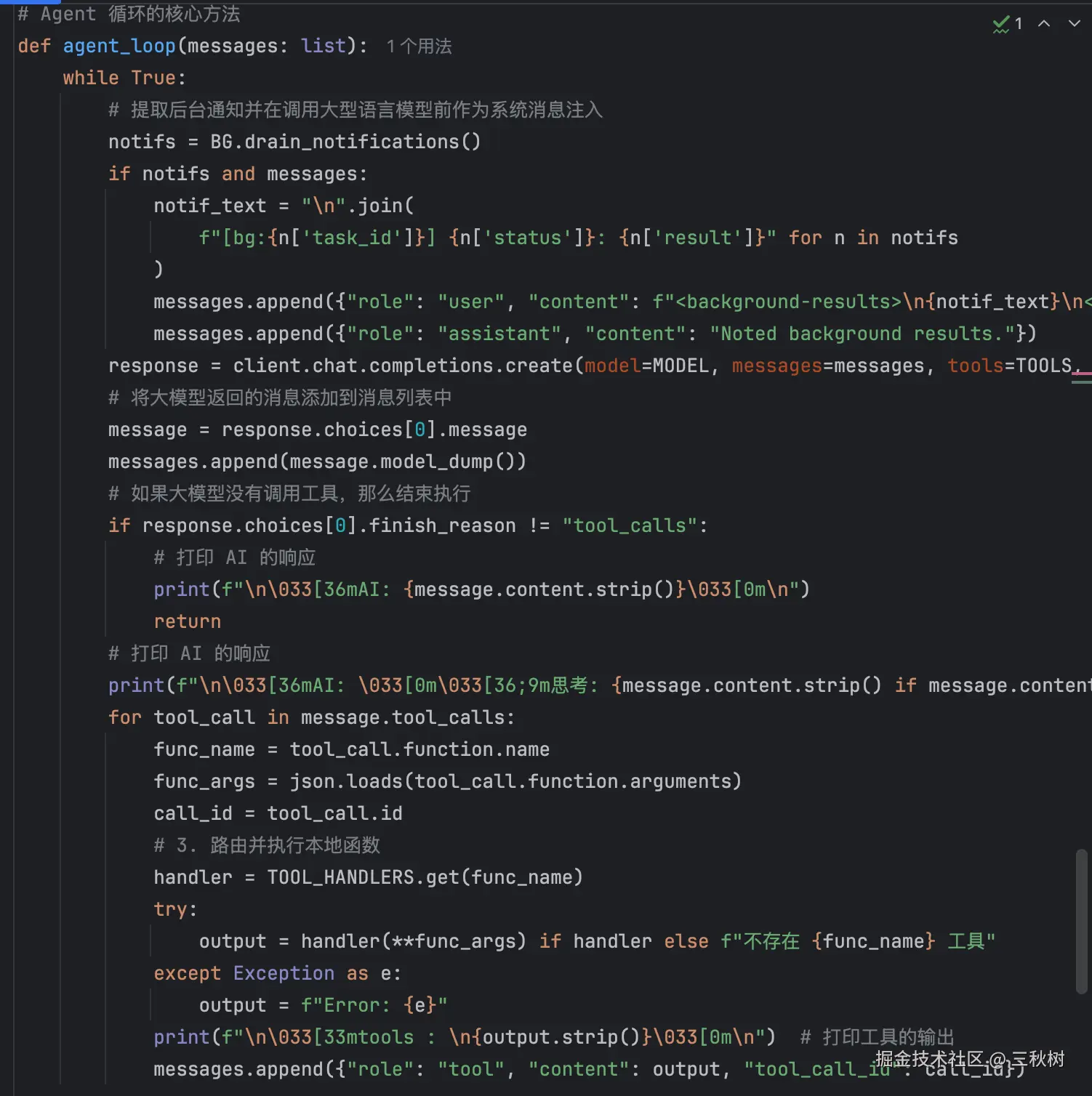
运行
下面是我给 AI 的任务
js
帮我运行'加密.py'文件,给我结果即可不需要知道文件内容(这是一个长耗时任务),并且等待的同时帮我修改'解密.py'的错误。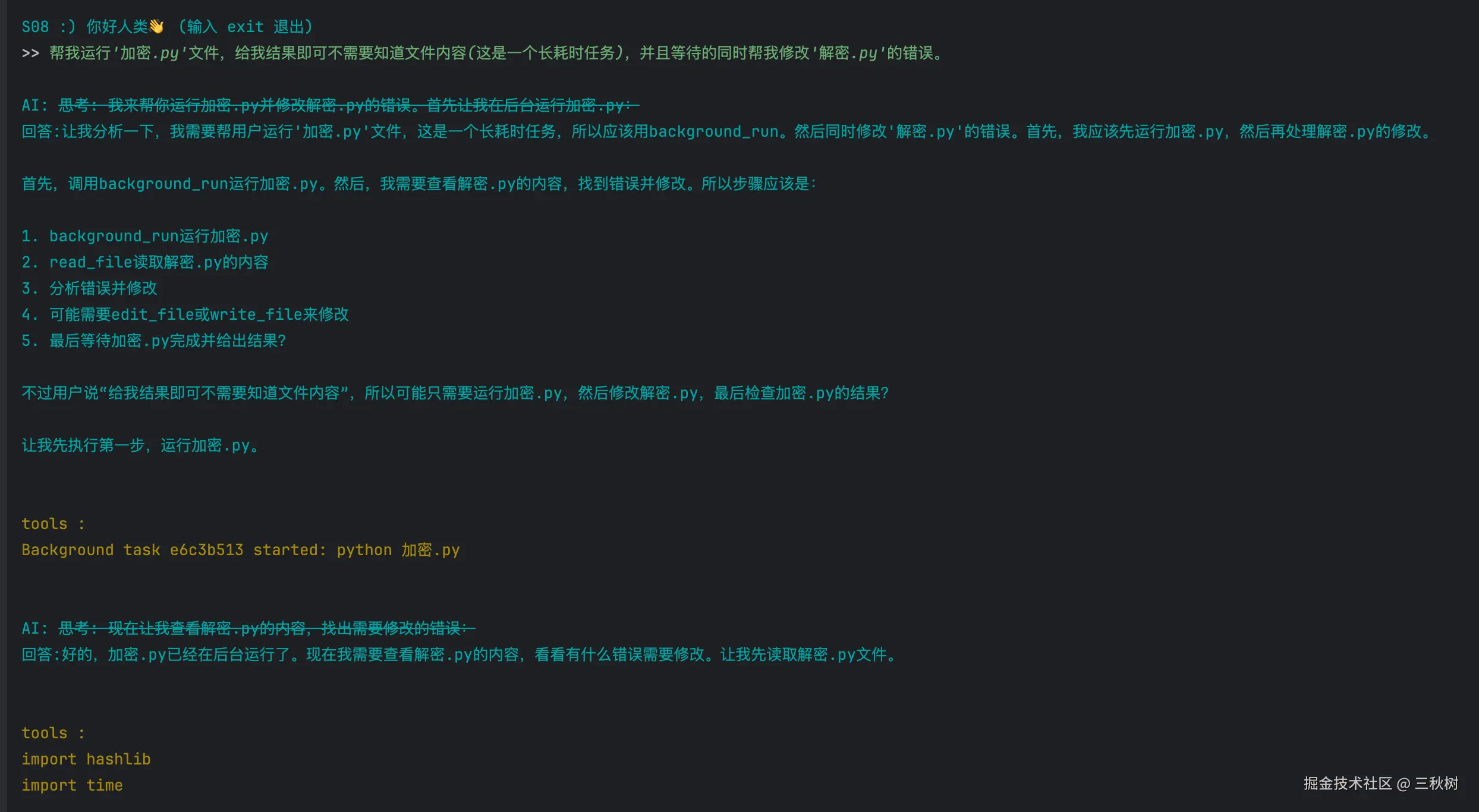
虽然能正常完成,但是如果只剩下一个等待中的任务了,那么 AI 会反复调用 check_background 工具来查看后台任务,会浪费我非常多的 token ,刚才火山引擎给我发消息,我的体验包只剩下 7 万 token 了,只剩下 20% 了。😱😱😱