文本高亮
之前介绍了电子书阅读器之笔记高亮,主要展示处理逻辑。当时,只能处理同一段内的文字,不能跨段处理。现在就介绍如何处理跨段高亮。
Selection
window.getSelection()返回一个 Selection 对象,表示用户选择的文本范围或光标的当前位置。它代表页面中的文本选区,可能横跨多个元素。
selection.toString():获取选中文本
jsx
const selection = window.getSelection();
console.log("[selection]", selection);
const selectedText = selection.toString().trim();
console.log("[选中文本]", selectedText);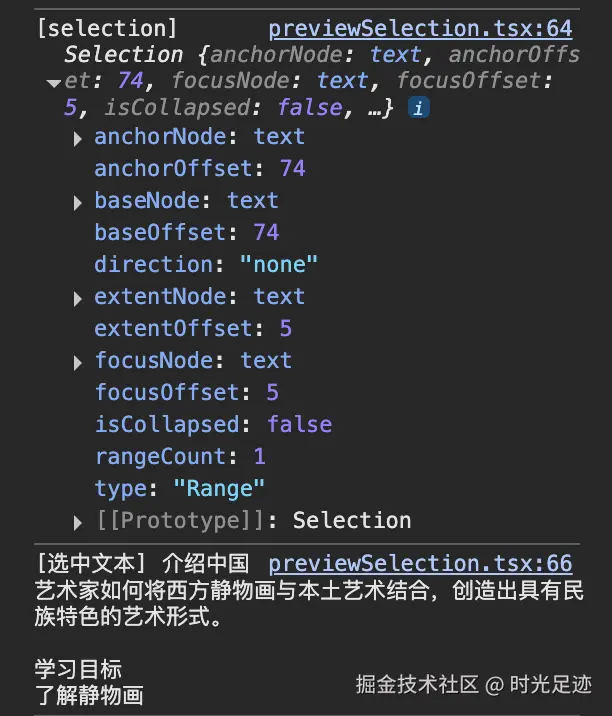
Range
Range表示一个包含节点与文本节点的一部分的文档片段
getRangeAt:获取选区包含的指定区域(Range)的引用
jsx
const range = selection.getRangeAt(0);
console.log("[选中Range]", range);

const {
  startContainer, // 起始节点
  startOffset, // 起始节点偏移量
  endContainer, // 终止节点
  endOffset, // 终止节点偏移量
} = range;
console.log("[起始节点]", startContainer, "偏移量", startOffset);
console.log("[终止节点]", endContainer, "偏移量", endOffset);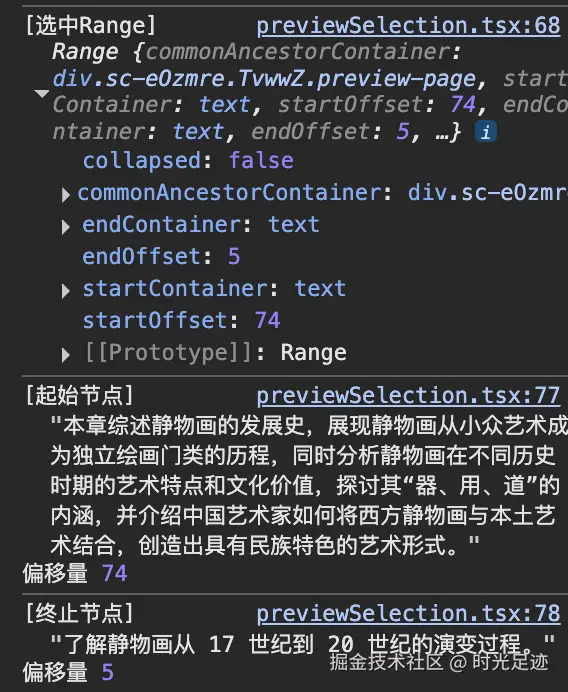
getBoundingClientRect
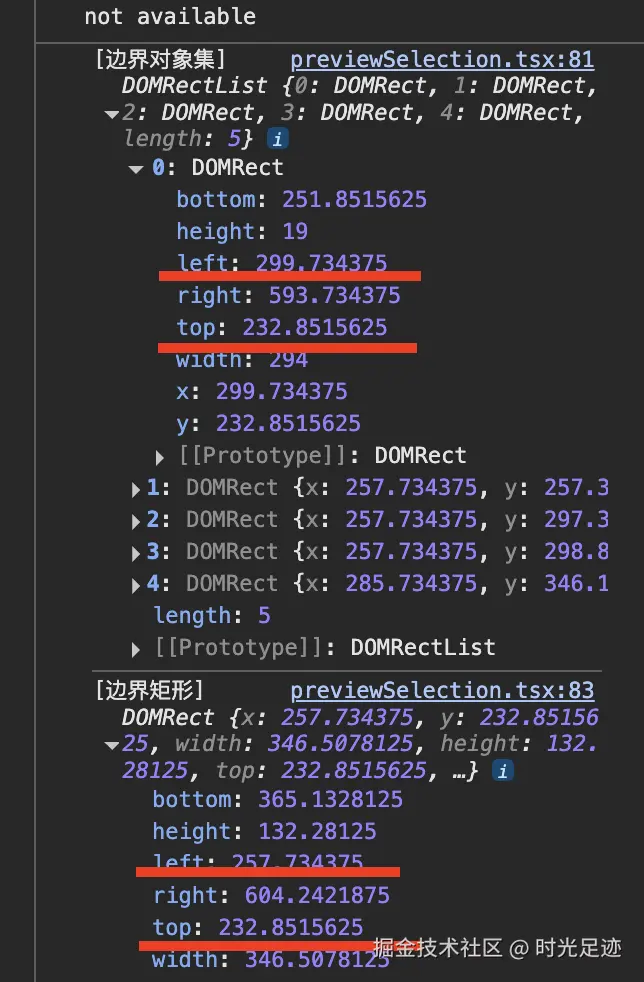
getClientRects:返回所有边界矩形的矩形集合getBoundingClientRect:返回一个将范围内所有元素的边界矩形包围起来的边界矩形
jsx
const rectList = range.getClientRects();
console.log("[边界对象集]", rectList);
const rect = range.getBoundingClientRect();
console.log("[边界矩形]", rect);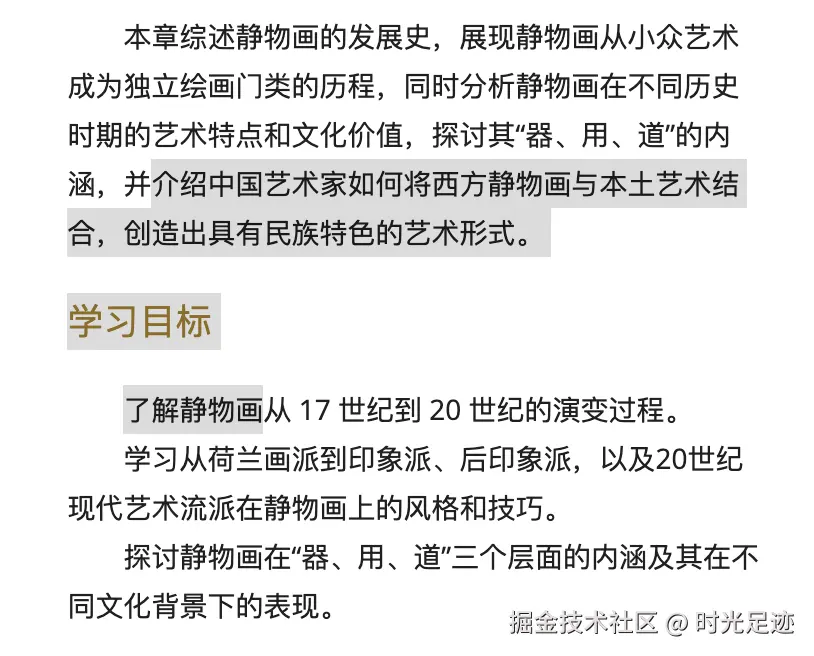
选中位置定位
- 使用 rect 的位置,显示效果如下:
jsx
const position = { top: rect.top, left: rect.left };
console.log("[选中位置]", position);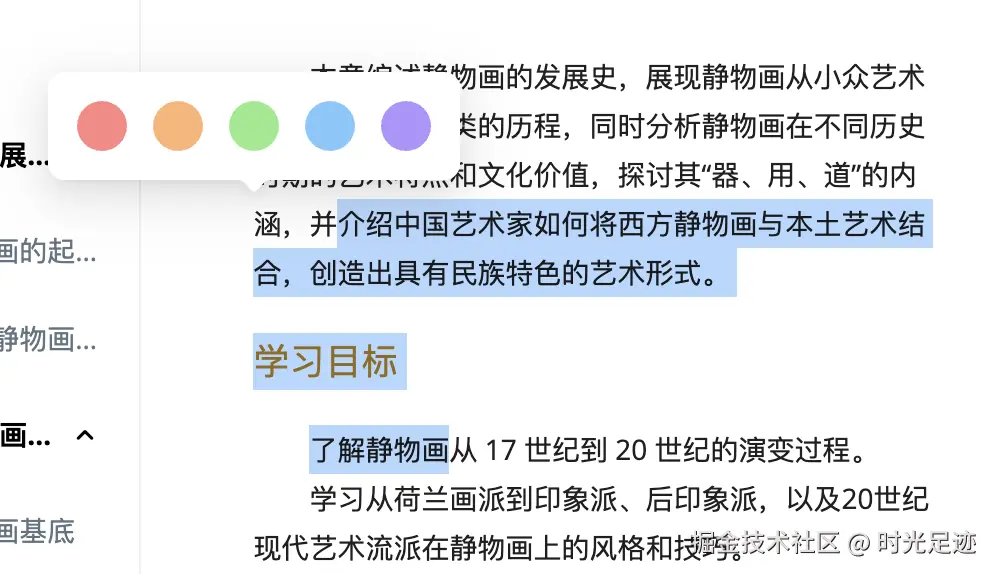
- 使用 rectList 的位置,显示效果如下:
jsx
const position = { top: rectList[0].top, left: rectList[0].left };
console.log("[选中位置]", position);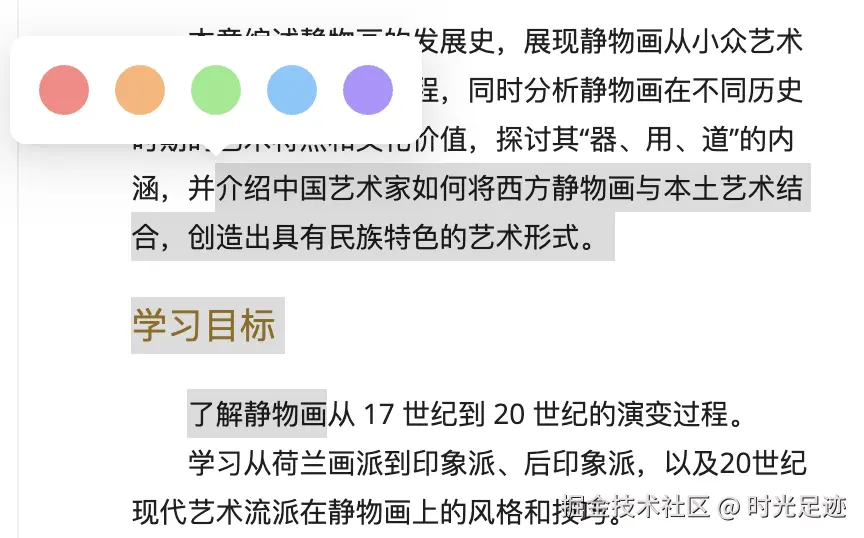
我选择是这种方式,展示在选中文本第一个元素的位置。
- 滚动条影响
如果内容区域有滚动条,那么选中位置的定位坐标需要加上滚动条的值,即 top 需要加上滚动条的偏移量。
jsx
const position = {
  top: rectList[0].top + contentRef.current.scrollTop,
  left: rectList[0].left,
};
文本高亮
监听鼠标抬起(onMouseUp)事件,获取选中的文本,并高亮。
jsx
export default function Page() {
  // 处理鼠标抬起事件
  const handleMouseUp = () => {
    // 获取选中文本信息,包括位置信息
    const selectedRange = getSelectionPosition();
    if (selectedRange) {
      console.log(selectedRange);
      highlightText(selectedRange);
    }
  };

  return (
    <div ref={contentRef} onMouseUp={handleMouseUp} onClick={handleClick}>
      {/* 数字教材预览区 */}
      <MPreview list={list} />
      {/* 选中文本操作弹框 */}
      <PopupMenu ref={popupRef} />
      {/* 笔记编辑弹框 */}
      <PopupModify ref={modifyRef} />
    </div>
  );
}
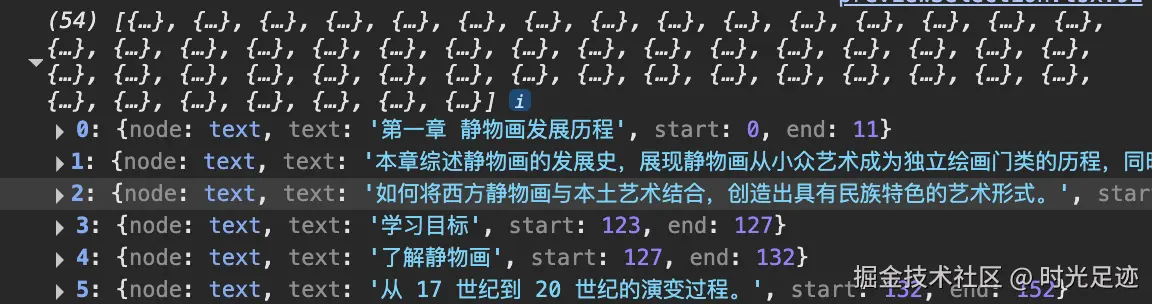
文本节点
jsx
// 获取所有文本节点(带位置信息)
const getAllNodes = (contentRef: HTMLDivElement) => {
  if (!contentRef) return [];

  // 获取所有文本节点
  const textNodes: Node[] = [];
  const walker = document.createTreeWalker(contentRef, NodeFilter.SHOW_TEXT, {
    acceptNode: (node) =>
      node.textContent?.trim()
        ? NodeFilter.FILTER_ACCEPT
        : NodeFilter.FILTER_REJECT,
  });

  let node: Node | null = null;
  while (true) {
    node = walker.nextNode();
    if (!node) break;
    textNodes.push(node);
  }

  // 计算累积文本长度和节点位置
  let totalLength = 0;
  return textNodes.map((textNode) => {
    const text = textNode.textContent ?? "";
    const start = totalLength;
    totalLength += text.length;
    return { node: textNode, text, start, end: totalLength };
  });
};
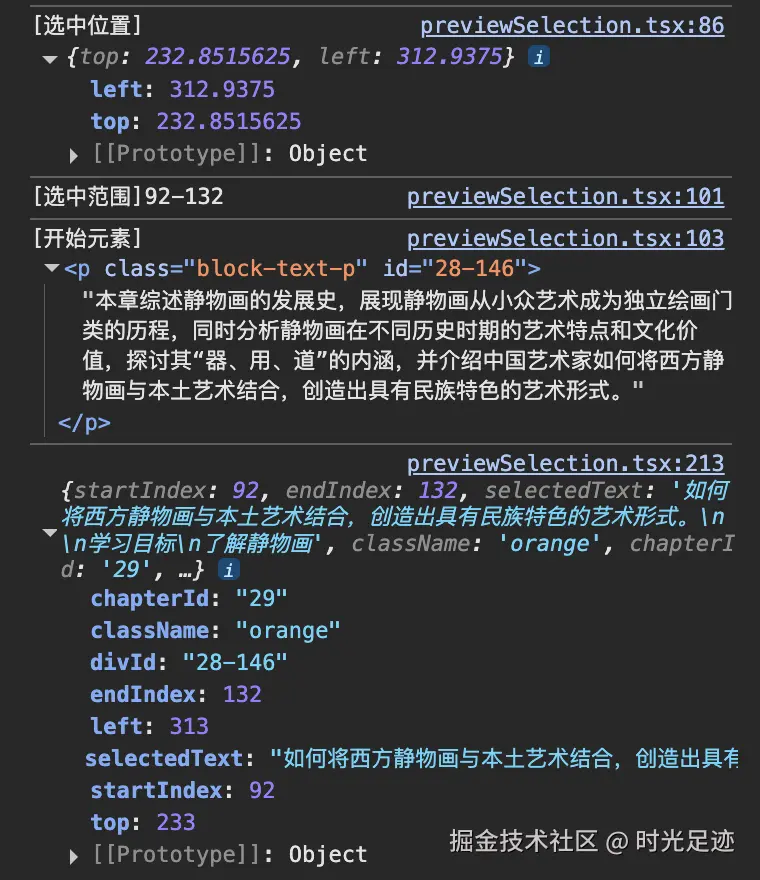
高亮数据
jsx
const getSelectionPosition = () => {
  const selection = window.getSelection();
  // 1. 获取高亮文本
  const selectedText = selection.toString().trim();

  // 2. 获取高亮文本定位(用于弹框定位显示)
  const range = selection.getRangeAt(0);
  const rectList = range.getClientRects();
  const position = { top: rectList[0].top, left: rectList[0].left };

  // 3. 获取高亮文本位置(相对于全局文本的位置,用于高亮标色)
  let globalStart = -1;
  let globalEnd = -1;
  const nodeMap = getAllNodes();
  for (const { node, start } of nodeMap) {
    // 查找起始节点位置
    if (node === startContainer) globalStart = start + range.startOffset;
    // 查找结束节点位置
    if (node === endContainer) globalEnd = start + range.endOffset;
    // 提前退出
    if (globalStart >= 0 && globalEnd > 0) break;
  }

  if (globalStart >= 0 && globalEnd > 0) {
    console.log(`[选中范围]${globalStart}-${globalEnd}`);
    // 多行选择时,会跨元素,要找到第一个元素的id
    const startElement = getElementWithAttributes(selection.anchorNode);
    console.log("[开始元素]", startElement);

    return {
      startIndex: globalStart,
      endIndex: globalEnd,
      selectedText,
      className: "orange",
      chapterId,
      divId: startElement.id,
      top: position.top + contentRef.current.scrollTop,
      left: position.left,
    };
  }
};
高亮文本
jsx
const highlightText = (note) => {
  // 1. 先清除现有高亮
  removeHighlights(contentRef);

  // 2. 获取节点映射
  const nodeMap = getAllNodes(contentRef);

  // 3. 创建高亮范围
  const highlights: { range: Range, className: string, id: string }[] = [];

  // 4. 遍历nodeMap,处理每个文本节点
  for (const { node, text, start, end } of nodeMap) {
    const nodeStart = Math.max(0, note.startIndex - start);
    const nodeEnd = Math.min(text.length, note.endIndex - start);

    if (nodeStart >= nodeEnd) continue;
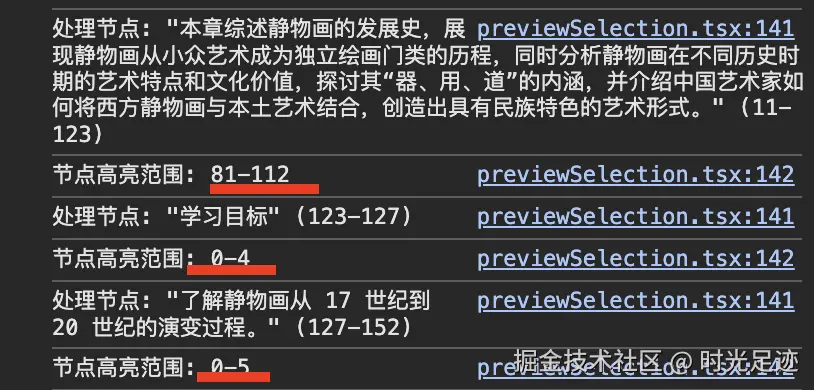
    console.log(`处理节点: "${text}" (${start}-${end})`);
    console.log(`节点高亮范围: ${nodeStart}-${nodeEnd}`);

    // 创建范围并高亮
    const range = document.createRange();
    range.setStart(node, nodeStart);
    range.setEnd(node, nodeEnd);
    highlights.push({
      range,
      className: `highlight-${note.className}`,
      id: note.divId,
    });
  }

  // 按位置从后往前高亮(避免位置偏移)
  highlights.sort((a, b) => b.range.startOffset - a.range.startOffset);
  for (const { range, className, id } of highlights) {
    // 创建高亮元素
    const span = document.createElement("span");
    span.className = className;
    // 添加笔记ID到data属性
    span.dataset.noteId = id;
    // 插入高亮内容
    span.appendChild(range.extractContents());
    range.insertNode(span);
  }
};
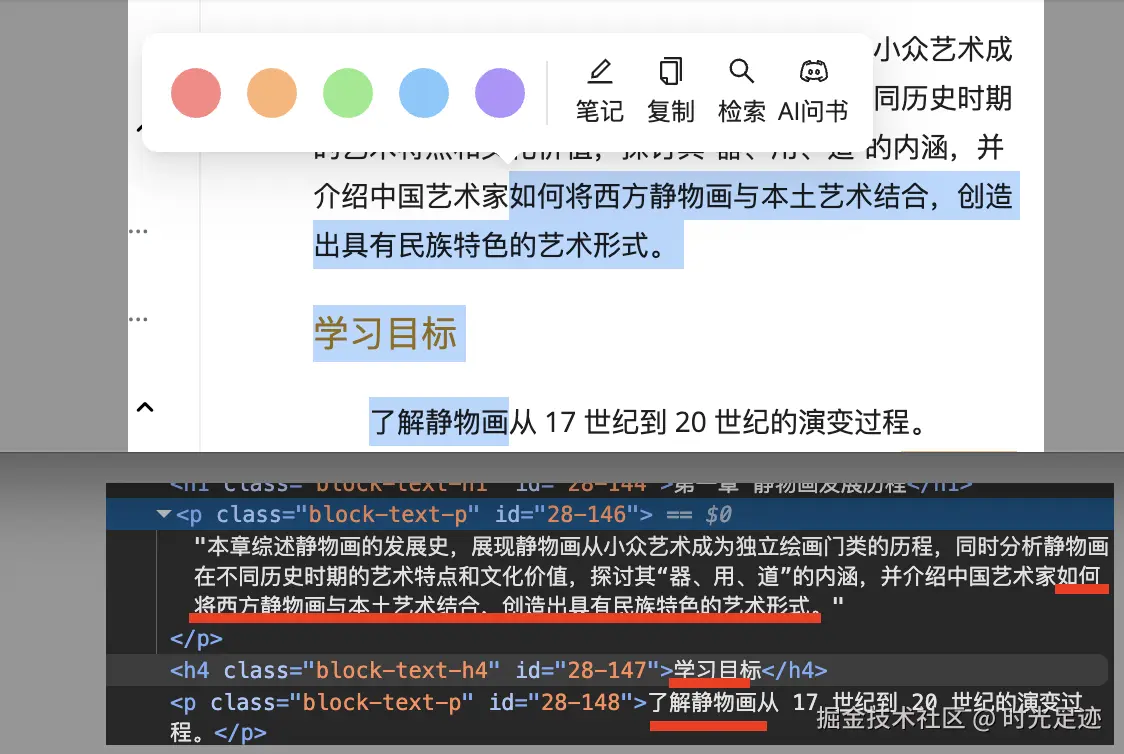
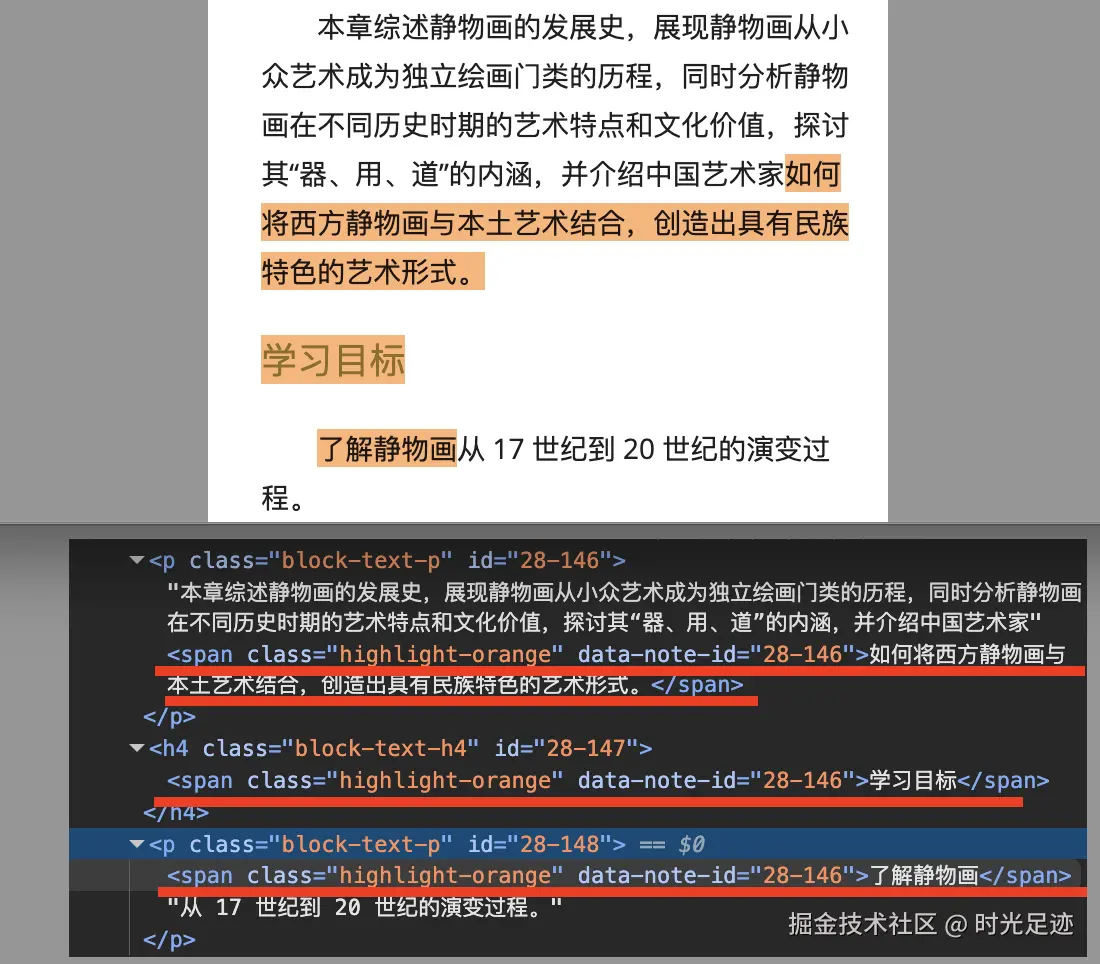
创建高亮元素并插入内容:
高亮前:
高亮后:
选中操作
复制
jsx
if (!note?.selectedText) return;
navigator.clipboard.writeText(note.selectedText);
toast.success("已复制到剪贴板");报错提示:Uncaught TypeError: Cannot read properties of undefined (reading 'writeText')
报错原因:navigator.clipboard.writeText() 方法需要浏览器支持,才能正常执行。浏览器会禁用非安全域(http)的 navigator.clipboard 对象,而在 localhost、https 下不会禁用。