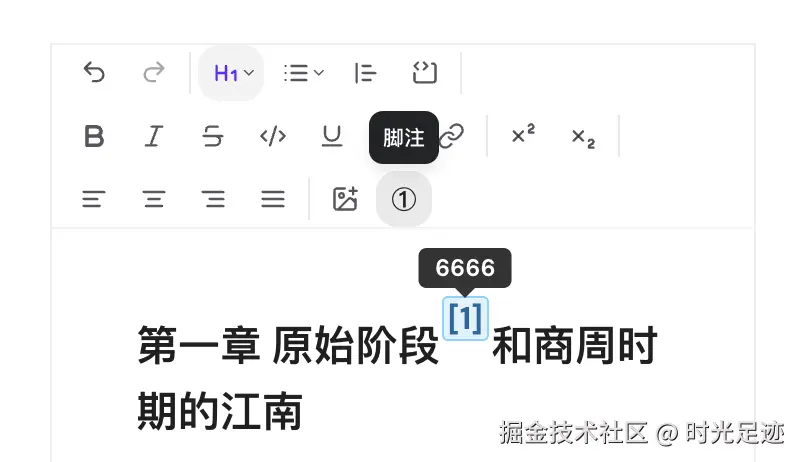
Tiptap 的强大之处在于其扩展机制,开发者可以通过以下方式自定义功能:
继承现有扩展:通过 extend 方法扩展现有节点或标记创建新扩展:定义全新的节点或标记类型添加属性:为现有扩展添加自定义属性重写方法:覆盖默认的行为实现
脚注组件Footnote
脚注组件 Footnote 是通过第二种方式,即创建新扩展实现的。总体参照 LinkPopover 组件改造,完成上标及悬浮提示的功能。
创建脚注组件扩展
jsx
// extension-footnote.ts
import { Node, mergeAttributes } from "@tiptap/core";

export interface FootnoteOptions {
  HTMLAttributes: Record<string, any>;
}

declare module "@tiptap/core" {
  interface Commands<ReturnType> {
    footnote: {
      /** 设置脚注(插入或更新) */
      setFootnote: (attrs: { text: string; content: string }) => ReturnType;
      /** 移除脚注 */
      unsetFootnote: () => ReturnType;
      /** 更新脚注 */
      updateFootnote: (attrs: { text: string; content: string }) => ReturnType;
    };
  }
}

export const Footnote = Node.create<FootnoteOptions>({
  name: "footnote", // 节点唯一标识
  group: "inline", // 属于行内元素组,可嵌入文本中
  inline: true, // 行内节点
  atom: true, // 原子节点,不可拆分
  selectable: true, // 可被选中

  addAttributes() {
    return {
      // 脚注符号(上标显示的内容,如①②③④⑤等)
      text: {
        default: "", // 默认符号
        parseHTML: (element) => element.getAttribute("data-text"),
        renderHTML: (attrs) => ({ "data-text": attrs.text }),
      },
      // 脚注内容(悬浮提示/编辑内容)
      content: {
        default: "",
        parseHTML: (element) => element.getAttribute("data-content"),
        renderHTML: (attrs) => ({ "data-content": attrs.content }),
      },
    };
  },

  // 解析规则:识别带data-footnote属性的sup标签
  parseHTML() {
    return [
      {
        tag: "sup[data-footnote]",
        getAttrs: (dom) => {
          if (typeof dom !== "object") return false;
          const element = dom as HTMLElement;
          return {
            text: element.getAttribute("data-text"),
            content: element.getAttribute("data-content"),
          };
        },
      },
    ];
  },

  // 渲染逻辑:上标标签+自定义符号+内容属性
  renderHTML({ node, HTMLAttributes }) {
    const { text, content } = node.attrs;

    return [
      "sup", // 使用上标标签,符合脚注排版习惯
      mergeAttributes(
        this.options.HTMLAttributes,
        {
          "data-footnote": "", // 标识为脚注节点
          "data-text": text,
          "data-content": content,
          class: "footnote-marker",
          // title: content,
        },
        HTMLAttributes,
      ),
      text, // 显示脚注符号
    ];
  },

  // 插入命令:接收符号和内容参数
  addCommands() {
    return {
      setFootnote:
        (attrs: { text: string; content: string }) =>
        ({ commands }) => {
          return commands.insertContent({
            type: this.name,
            attrs,
          });
        },
      unsetFootnote:
        () =>
        ({ commands }) => {
          return commands.deleteSelection();
        },
    };
  },

  addKeyboardShortcuts() {
    return {
      "Mod-Shift-F": () => {
        return this.editor.commands.setFootnote({
          text: "①",
          content: "请输入脚注内容",
        });
      },
    };
  },
});- 编辑器配置
jsx
const editor = useEditor({ extensions: [Footnote] });- 命令创建
jsx
// 插入脚注
editor.commands.setFootnote({
  text: "①",
  content: "这是脚注内容",
});

// 移除脚注(需要先选中脚注节点)
editor.commands.unsetFootnote();- JSON 数据初始化
json
// 上标
{
  "type": "text",
  "marks": [{ "type": "superscript" }],
  "text": "②"
},
// 脚注
{
  "type": "footnote",
  "attrs":
    "text": "②",
    "content": "这是脚注内容"
},- 渲染效果
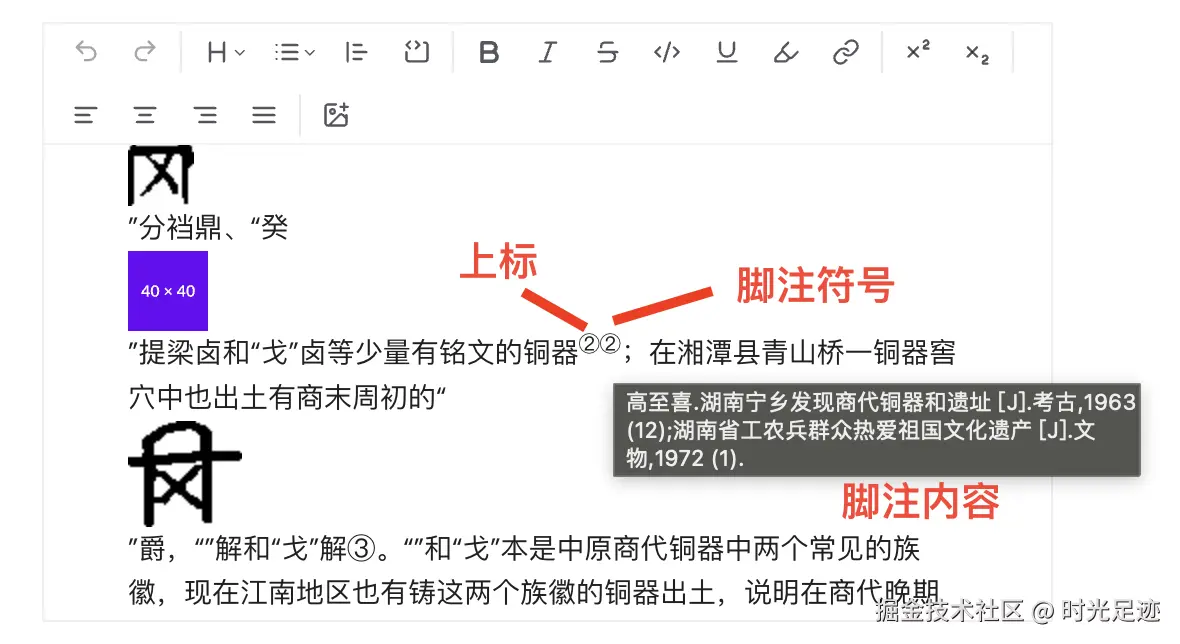
如下所示:脚注内容是通过 title 属性显示的,使用的浏览器默认样式,需要优化
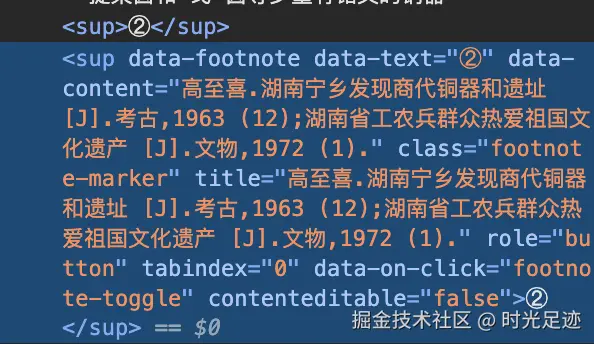
解析源码:
脚注弹框组件
整体依照 LinkPopover 组件改造
使用到了文本框组件 TextareaAutosize,需要先安装一下,样式我也调整了一下,参考Input组件对齐:
bash
npx @tiptap/cli@latest add textarea-autosize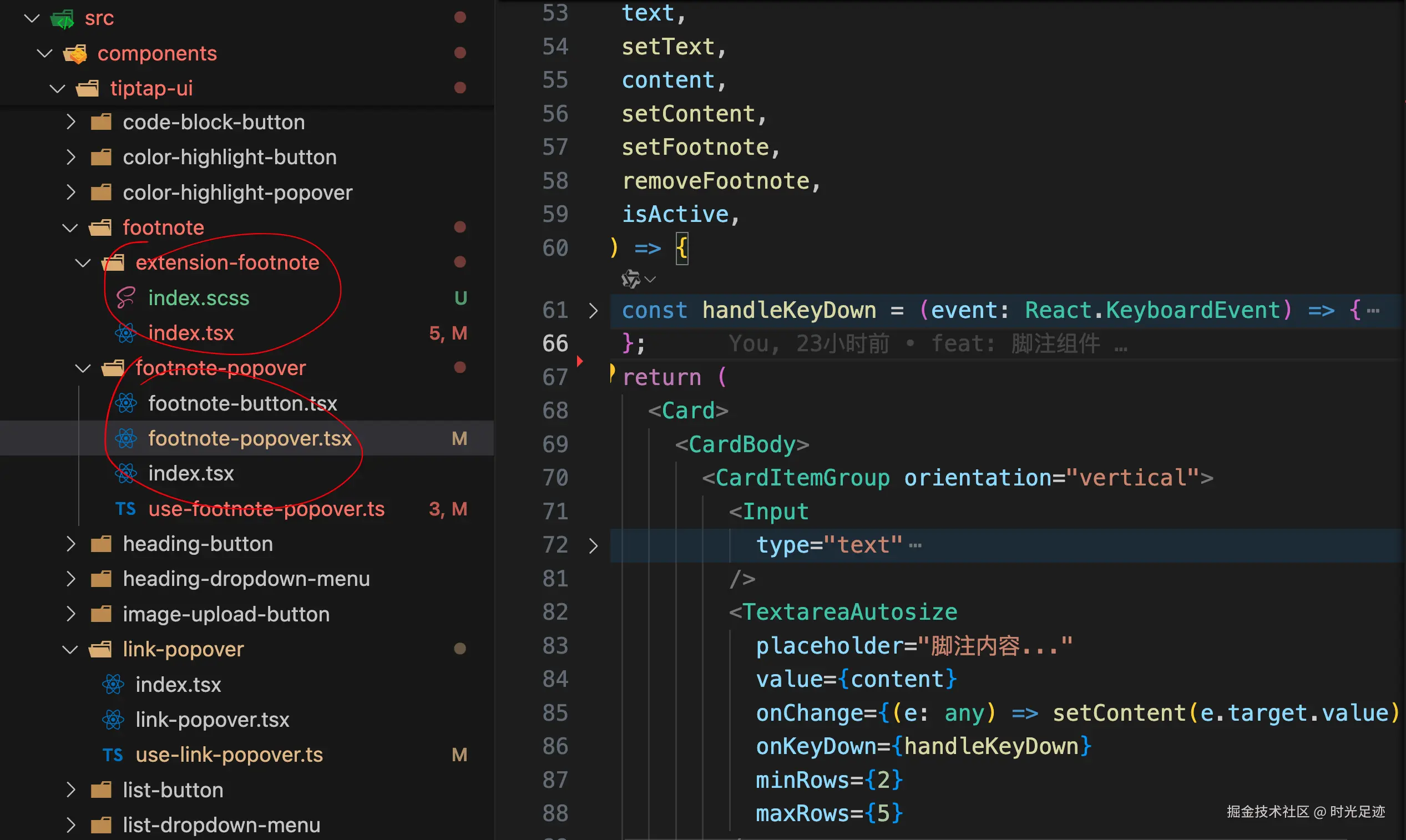
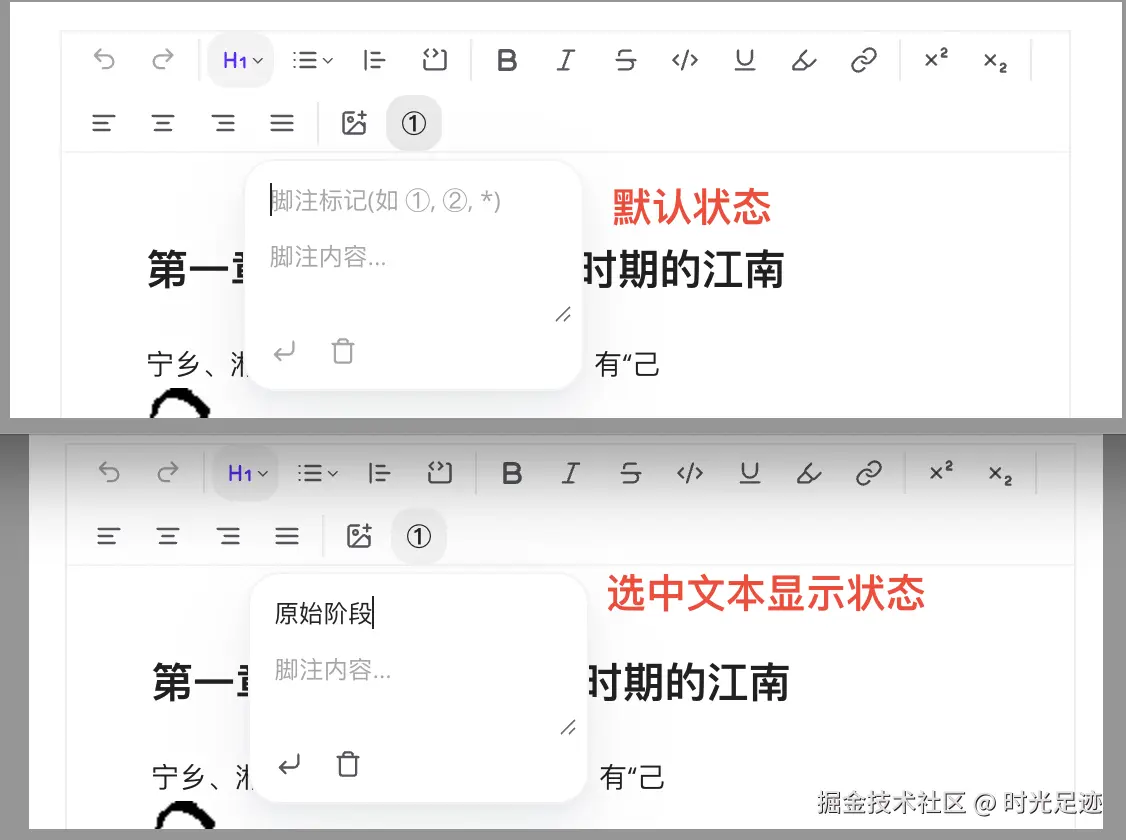
选中文本初始化标记
默认情况下,脚注标记和脚注内容都是空的;如果选中文本后,再点击脚注组件,则会将选中的文本作为脚注标记,自动填充进去。
jsx
const setFootnote = React.useCallback(() => {
  if (!text || !editor) return;

  const { selection, doc } = editor.state;
  // 获取选中文本
  const selectedText = doc.textBetween(selection.from, selection.to, "\n");
  // 文本赋值
  const finalText = selectedText || text;

  let chain = editor.chain().focus();

  // 如果已经选中了脚注,就更新它
  if (isFootnoteActive(editor)) {
    chain = chain.updateFootnote({ text: finalText, content });
  } else {
    // 否则插入新的脚注
    chain = chain.setFootnote({ text: finalText, content });
  }

  chain.run();
  onSetFootnote?.();
}, [editor, onSetFootnote, text, content]);
jsx
React.useEffect(() => {
  if (!editor) return;

  const updateFootnoteState = () => {
    const { selection, doc } = editor.state;
    // 提取选中的文本
    const selectedText = doc.textBetween(selection.from, selection.to, "\n");

    const { text: curText, content: curContent } =
      editor.getAttributes("footnote");

    // 如果有选中的文本且当前不是编辑已有脚注,自动填充到 text
    if (selectedText && !isFootnoteActive(editor)) {
      setText(selectedText);
    } else {
      setText(curText || "");
    }
    setContent(curContent || "");
  };

  editor.on("selectionUpdate", updateFootnoteState);
  return () => {
    editor.off("selectionUpdate", updateFootnoteState);
  };
}, [editor]);
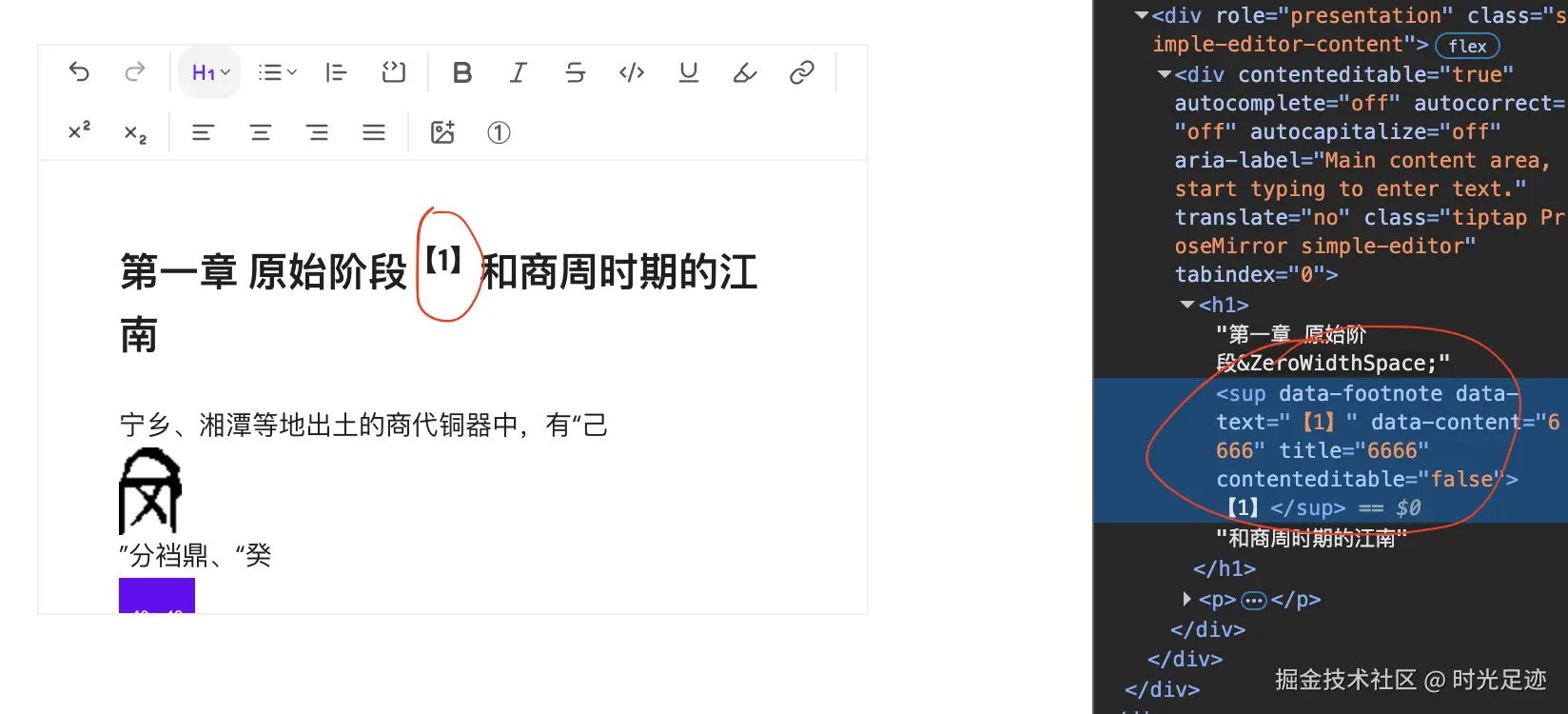
行首插入问题
父节点是 h1,在行首插入脚注时,会将父节点变成 p 标签,导致类型都变了。
- 问题原因
当光标位于行首且没有选中任何内容时,insertContent 会尝试在当前块级节点(如 H1)的最开始插入脚注节点。如果 H1 的 schema 约束不够宽松,编辑器可能会为了兼容插入的节点而修改父节点类型。
这种方式在行首空选择时可能会破坏父节点(如 H1)的结构约束,导致编辑器自动将 H1 降级为 P 标签。
- 问题解决:先插入一个
空文本节点
零宽空格 Unicode: \u200B
jsx
chain = chain
.insertContent("") // 解决插入行首时,将h1改成p了
.setFootnote({ text: finalText, content });上面代码可以解决,但是每次都插入一个零宽空格,也不好,需要继续优化setFootnote命令。
目前没找到更好的方法,只能这样了。。。。。。
提示优化
默认使用的title属性显示脚注内容,但是这样无法实现点击时弹出提示框,需要自定义处理addNodeView
jsx
// 修改extension-footnote.tsx代码
const FootnoteView = ({ node }: any) => {
  const { text, content } = node.attrs;
  return (
    <Tooltip>
      <TooltipTrigger asChild>
        <sup data-footnote="">{text}</sup>
      </TooltipTrigger>
      <TooltipContent>
        <p>{content}</p>
      </TooltipContent>
    </Tooltip>
  );
};

// 绑定自定义 NodeView:不行,sup都变成span了
addNodeView() {
  return ReactNodeViewRenderer(FootnoteView);
},
上述方法不行,元素都被改变了,sup 变成 span 了
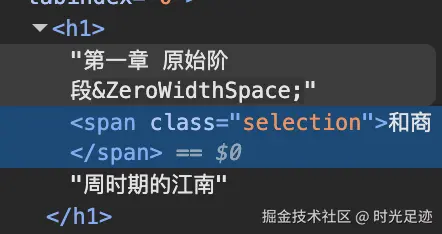
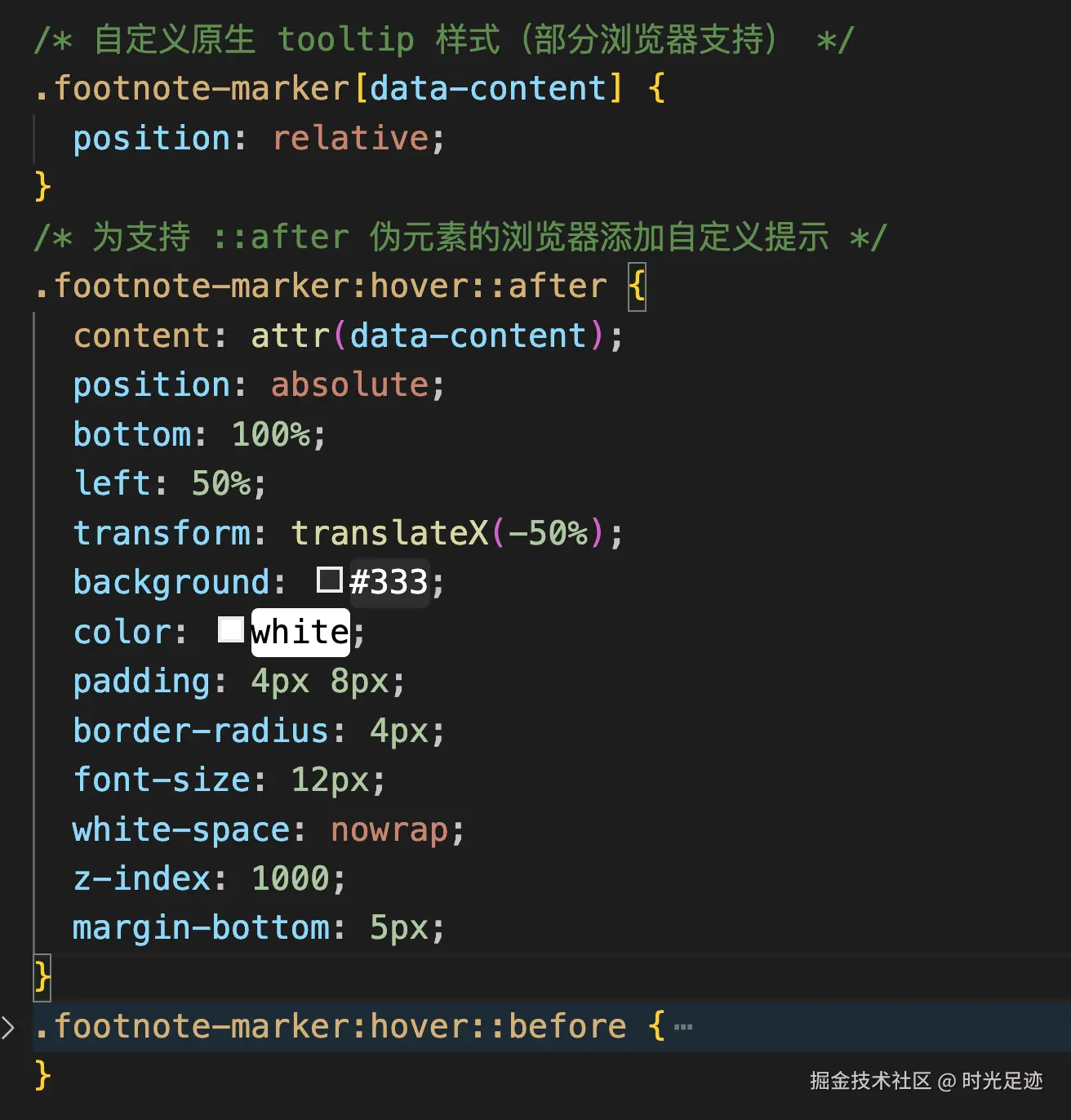
还是回归最原始的方法了,更改 鼠标悬浮时title提示的样式