Frida版本
https://github.com/frida/frida/releases
查看模拟器版本
adb shell getprop ro.product.cpu.abi
下载对应版本
https://github.com/frida/frida/releases/download/17.9.8/frida-server-17.9.8-android-x86_64.xz
环境安装
powershell -c "irm [https://astral.sh/uv/install.ps1](https://astral.sh/uv/install.ps1) | iex"
bash
uv venv frida_env          # 创建隔离环境
source frida_env/bin/activate  # 激活 (Windows用 .\frida_env\Scripts\activate)
uv pip install frida frida-tools
frida --version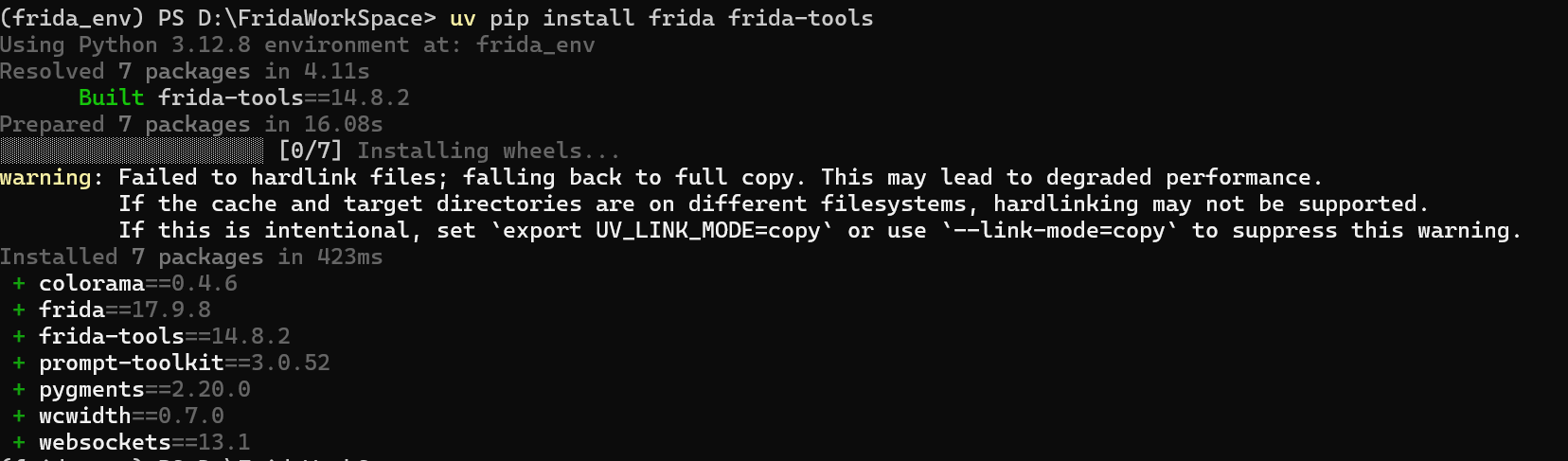
推包
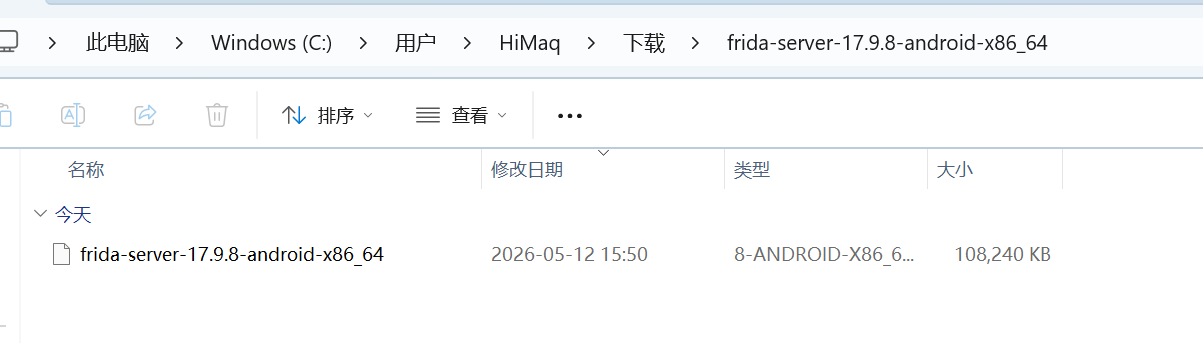
adb push frida-server /data/local/tmp/
bash
PS C:\Users\HiMaq\Downloads\frida-server-17.9.7-android-x86_64> adb shell
aosp:/ # cd data/local/tmp/
aosp:/data/local/tmp # chmod a+x frida-server
aosp:/data/local/tmp # ./frida-server &
[1] 3231
版本对比一致 17.9.8
bash
(frida_env) PS D:\FridaWorkSpace> uv pip show frida
Using Python 3.12.8 environment at: frida_env
Name: frida
Version: 17.9.8
Location: D:\FridaWorkSpace\frida_env\Lib\site-packages
Requires:
Required-by: frida-tools
核心指令 启动Hook.js
bash
# -U 代表 USB,-f 代表启动 App,-l 代表加载脚本
uv run frida -U -f com.example.mlseriesdemonstrator -l Hook.js
Xposed 和 frida Hook冲突
- 卸载 xposed 插件
- 多开工具创建一个新的模拟器
bash
(frida_env) PS D:\FridaWorkSpace> uv run frida -U -f com.example.mlseriesdemonstrator -l Hook.js
     ____
    / _  |   Frida 17.9.8 - A world-class dynamic instrumentation toolkit
   | (_| |
    > _  |   Commands:
   /_/ |_|       help      -> Displays the help system
   . . . .       object?   -> Display information about 'object'
   . . . .       exit/quit -> Exit
   . . . .
   . . . .   More info at https://frida.re/docs/home/
   . . . .
   . . . .   Connected to Android Emulator 5554 (id=emulator-5554)
Spawned `com.example.mlseriesdemonstrator`. Resuming main thread!
[Android Emulator 5554::com.example.mlseriesdemonstrator ]-> Process crashed: Trace/BPT trap

***
*** *** *** *** *** *** *** *** *** *** *** *** *** *** *** ***
Build fingerprint: 'google/android_x86_64/x86_64:7.1.2/N2G47O/3636322:user/release-keys'
Revision: '0'
ABI: 'x86_64'
pid: 3330, tid: 3330, name: re-initialized>  >>> <pre-initialized> <<<
signal 6 (SIGABRT), code -6 (SI_TKILL), fault addr --------
Abort message: 'art/runtime/art_method.cc:516] Check failed: !IsXposedHookedMethod() '
    rax 0000000000000000  rbx 00007ffff7f15bf0  rcx ffffffffffffffff  rdx 0000000000000006
    rsi 0000000000000d02  rdi 0000000000000d02
    r8  0000000000000002  r9  00007ffff7f15940  r10 00007ffff7f15bf0  r11 0000000000000246
    r12 0000000000000d02  r13 0000000000000006  r14 00007ffff7f15bf0  r15 00007ffff7f158c0
    cs  0000000000000033  ss  000000000000002b
    rip 00007ffff7f95528  rbp 000000000000000b  rsp 00007ffff7f15898  eflags 0000000000000246

backtrace:
    #00 pc 000000000005b528  /system/bin/linker64 (offset 0x20000)
***
[Android Emulator 5554::com.example.mlseriesdemonstrator ]->

Thank you for using Frida!
(frida_env) PS D:\FridaWorkSpace>
注入成功
Ctrl+S 会使js重新执行
bash
(frida_env) PS D:\FridaWorkSpace> uv run frida -U -f com.example.mlseriesdemonstrator -l Hook.js
     ____
    / _  |   Frida 17.9.8 - A world-class dynamic instrumentation toolkit
   | (_| |
    > _  |   Commands:
   /_/ |_|       help      -> Displays the help system
   . . . .       object?   -> Display information about 'object'
   . . . .       exit/quit -> Exit
   . . . .
   . . . .   More info at https://frida.re/docs/home/
   . . . .
   . . . .   Connected to Android Emulator 5556 (id=emulator-5556)
Spawning `com.example.mlseriesdemonstrator`...
[*] 正在注入脚本...
Spawned `com.example.mlseriesdemonstrator`. Resuming main thread!
[Android Emulator 5556::com.example.mlseriesdemonstrator ]-> [*] Java 环境已就绪
[+] MainActivity 的 onCreate 被触发了!
[*] 正在注入脚本...
[*] Java 环境已就绪
[*] 正在注入脚本...
Frida 主动夺旗
bash
Java.perform(function () {
    // 1. 获取 MainActivity 的类引用
    var MainActivity = Java.use("com.example.mlseriesdemonstrator.MainActivity");

    // 2. Hook onCreate 方法
    // 注意:onCreate 通常有 Bundle 参数,需要使用 .overload
    MainActivity.onCreate.overload('android.os.Bundle').implementation = function (savedInstanceState) {

        // --- 相当于 beforeHookedMethod ---

        // 执行原有的 onCreate 逻辑(必须调用,否则界面会黑屏或卡死)
        this.onCreate(savedInstanceState);

        // --- 相当于 afterHookedMethod ---

        console.log("[*] MainActivity.onCreate 执行完毕,准备主动调用 getFlag");

        try {
            // 在 Frida 中,直接通过 this 就可以调用该实例的方法,哪怕是 private 的
            // 这里的 this 就是当前的 MainActivity 实例
            var flag = this.getFlag();

            console.log("[+] 成功主动获取 Flag: " + flag);

            // 如果你想模仿 Xposed 弹出一个 Toast,可以这样写:
            /*
            var currentActivity = this;
            var Toast = Java.use("android.widget.Toast");
            var StringClass = Java.use("java.lang.String");

            // 切换到 UI 线程弹窗(安卓要求 UI 操作必须在主线程)
            Java.scheduleOnMainThread(function() {
                Toast.makeText(currentActivity, StringClass.$new("Frida 拿到 Flag: " + flag), 1).show();
            });
            */

        } catch (e) {
            console.log("[!] 调用 getFlag 失败: " + e);
        }
    };
});
bash
Thank you for using Frida!
(frida_env) PS D:\FridaWorkSpace> uv run frida -U -f com.example.mlseriesdemonstrator -l Hook.js
     ____
    / _  |   Frida 17.9.8 - A world-class dynamic instrumentation toolkit
   | (_| |
    > _  |   Commands:
   /_/ |_|       help      -> Displays the help system
   . . . .       object?   -> Display information about 'object'
   . . . .       exit/quit -> Exit
   . . . .
   . . . .   More info at https://frida.re/docs/home/
   . . . .
   . . . .   Connected to Android Emulator 5556 (id=emulator-5556)
Spawning `com.example.mlseriesdemonstrator`...
[*] 正在注入脚本...
Spawned `com.example.mlseriesdemonstrator`. Resuming main thread!
[Android Emulator 5556::com.example.mlseriesdemonstrator ]-> [*] MainActivity.onCreate 执行完毕,准备主动调用 getFlag
[+] 成功主动获取 Flag: flag{12312321312321312322}