一、设计思路
-
HTML结构完整 - 标签闭合正确
-
CSS样式齐全 - 浅绿色主题,响应式布局
-
JavaScript逻辑完整 - 串口连接、读写、错误处理齐全
🎯 功能清单
| 功能模块 | 说明 |
|---|---|
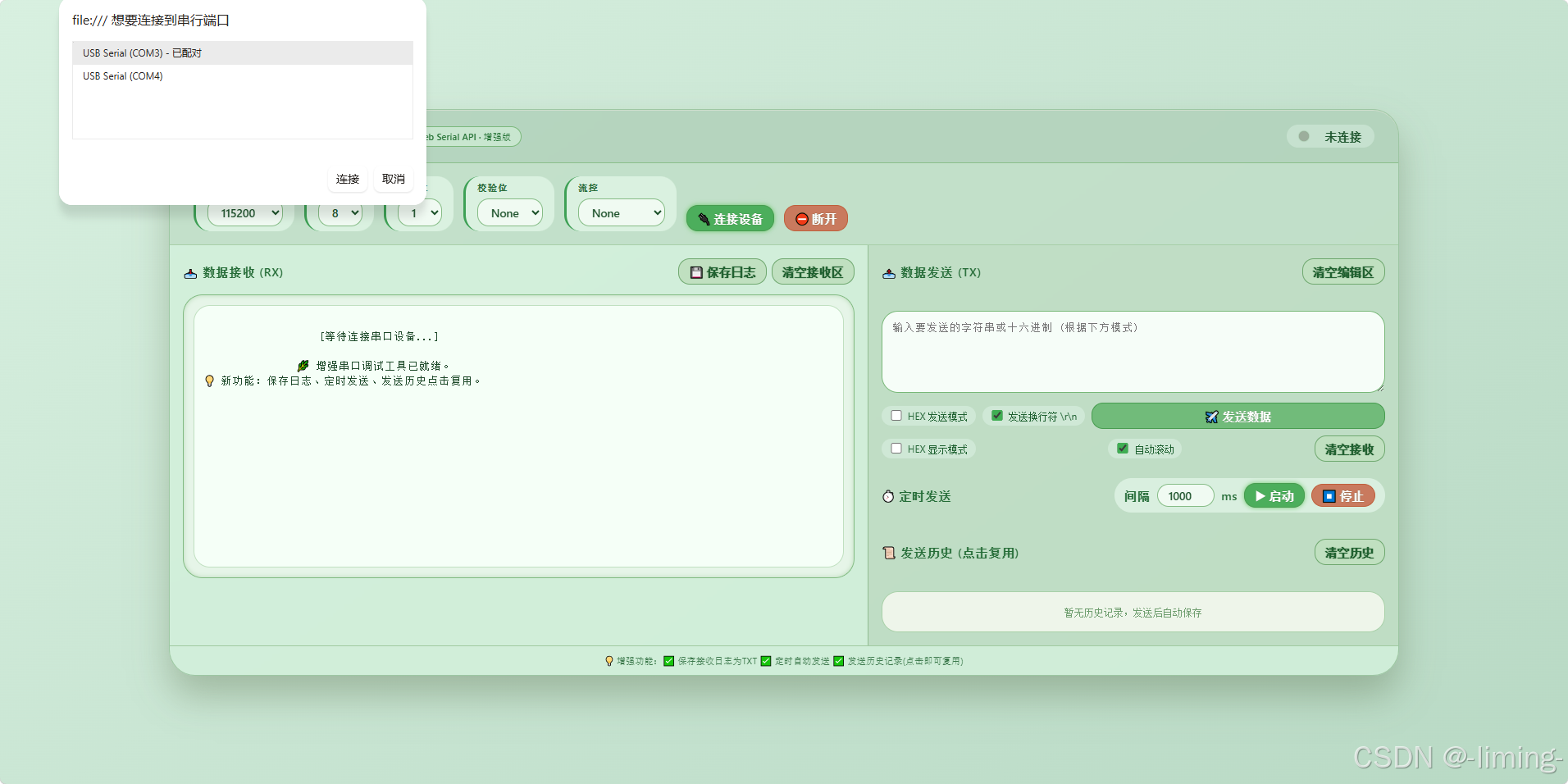
| 串口连接 | 支持选择设备,配置波特率/数据位/停止位/校验位/流控 |
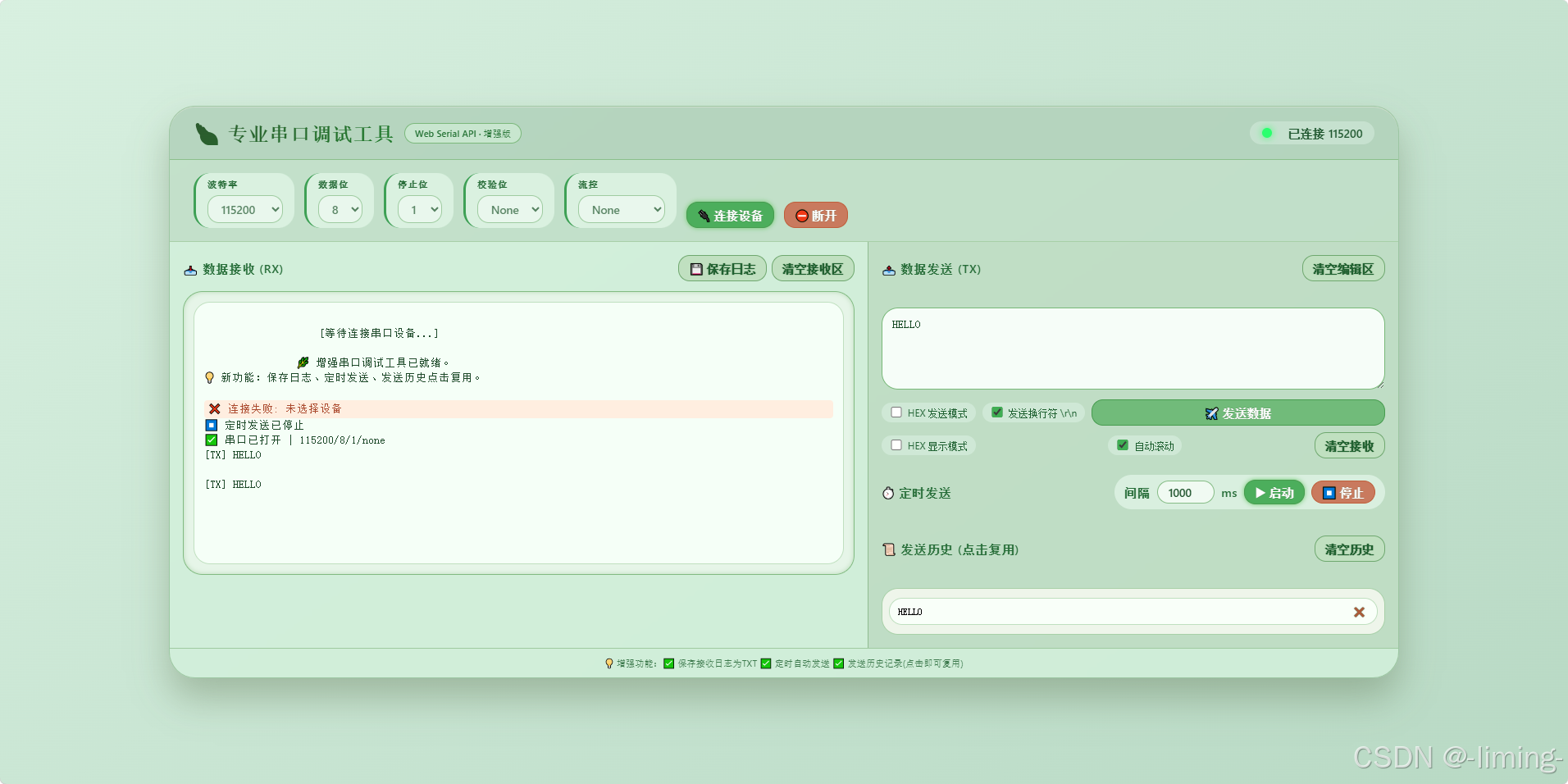
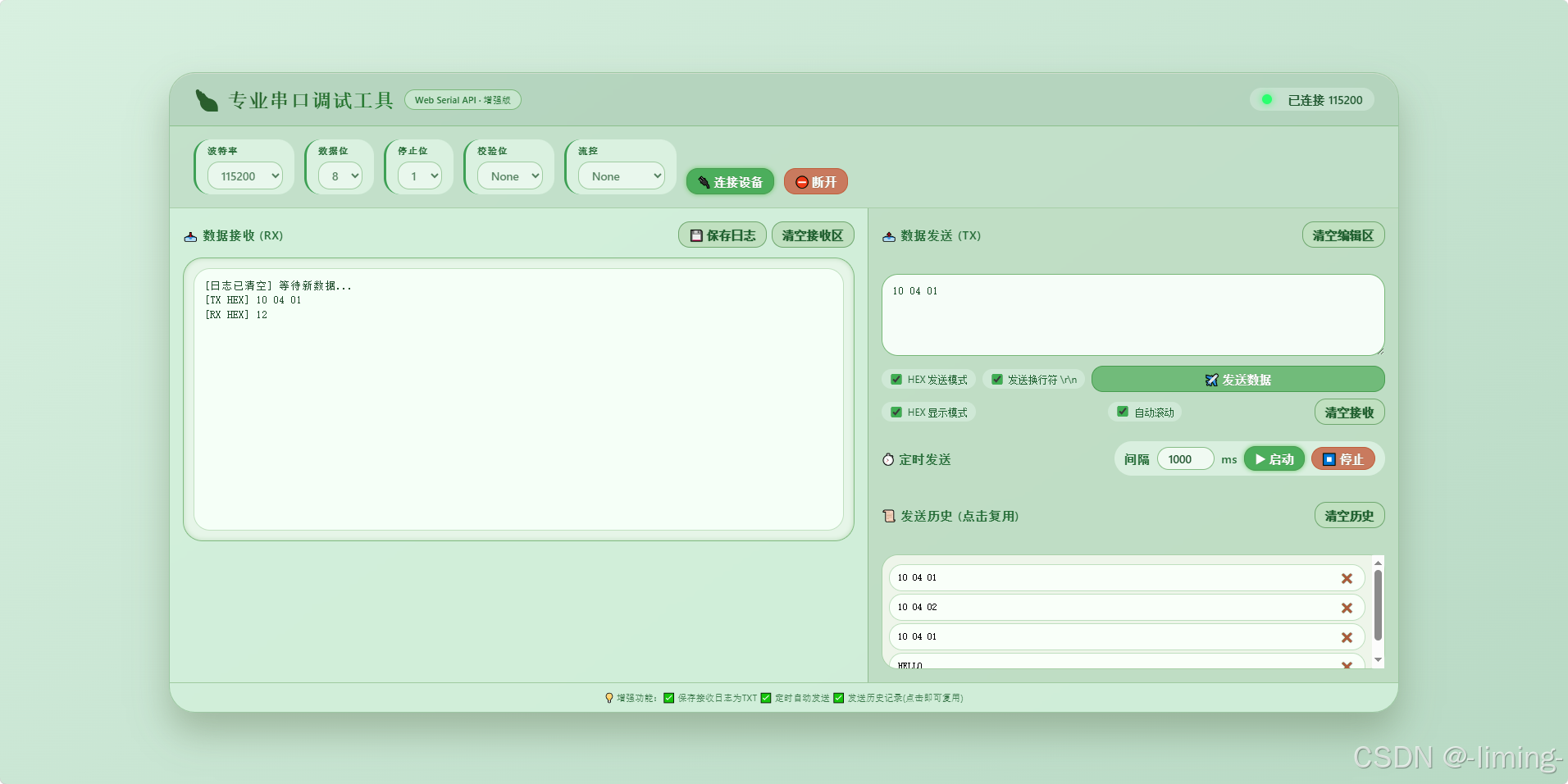
| 数据接收 | 支持字符串/HEX显示,自动滚动 |
| 数据发送 | 支持字符串/HEX模式,可选换行符,Ctrl+Enter快捷键 |
| 界面主题 | 浅绿色护眼风格 |
二、界面展示
三、部分代码
html
<body>
<div class="serial-panel">
    <div class="panel-header">
        <div class="title">
            <h1>🍃 串口调试</h1>
            <div class="badge">Web Serial API</div>
        </div>
        <div class="status-area">
            <div class="led" id="statusLed"></div>
            <div class="status-text" id="statusText">未连接</div>
        </div>
    </div>

    <div class="control-bar">
        <div class="param-group">
            <label>波特率</label>
            <select id="baudRate">
                <option value="9600">9600</option>
                <option value="19200">19200</option>
                <option value="38400">38400</option>
                <option value="57600">57600</option>
                <option value="115200" selected>115200</option>
                <option value="230400">230400</option>
                <option value="460800">460800</option>
            </select>
        </div>
        <div class="param-group">
            <label>数据位</label>
            <select id="dataBits">
                <option value="7">7</option>
                <option value="8" selected>8</option>
            </select>
        </div>
        <div class="param-group">
            <label>停止位</label>
            <select id="stopBits">
                <option value="1">1</option>
                <option value="2">2</option>
            </select>
        </div>
        <div class="param-group">
            <label>校验位</label>
            <select id="parity">
                <option value="none">None</option>
                <option value="even">Even</option>
                <option value="odd">Odd</option>
            </select>
        </div>
        <div class="param-group">
            <label>流控</label>
            <select id="flowControl">
                <option value="none">None</option>
                <option value="hardware">Hardware</option>
            </select>
        </div>
        <button id="connectBtn" class="primary">🔌 连接设备</button>
        <button id="disconnectBtn" class="danger">⛔ 断开</button>
    </div>

    <div class="main-area">
        <!-- 接收区域 -->
        <div class="log-panel">
            <div class="section-title">
                <span>📥 数据接收 (RX)</span>
                <button id="clearReceiveBtn" class="clear-btn">清空接收区</button>
            </div>
            <div class="receive-area">
                <div class="log-box" id="receiveLog">
                    [等待连接串口设备...]<br>
                </div>
            </div>
        </div>

        <!-- 发送区域 -->
        <div class="send-panel">
            <div class="section-title">
                <span>📤 数据发送 (TX)</span>
                <button id="clearSendInputBtn" class="clear-btn">清空编辑区</button>
            </div>
            <div class="input-area">
                <textarea id="sendData" placeholder="输入要发送的字符串或十六进制 (根据下方模式)"></textarea>
                <div class="send-options">
                    <div class="checkbox-label">
                        <input type="checkbox" id="hexSendMode"> <span>HEX 发送模式</span>
                    </div>
                    <div class="checkbox-label">
                        <input type="checkbox" id="appendNewline" checked> <span>发送换行符 \r\n</span>
                    </div>
                    <button id="sendBtn" style="flex:1;">✈️ 发送数据</button>
                </div>
                <div class="send-options" style="margin-top: 12px;">
                    <div class="checkbox-label">
                        <input type="checkbox" id="hexReceiveMode"> <span>HEX 显示模式</span>
                    </div>
                    <div class="checkbox-label">
                        <input type="checkbox" id="autoScroll" checked> <span>自动滚动</span>
                    </div>
                    <button id="clearReceiveBtn2" class="clear-btn">清空接收</button>
                </div>
            </div>
        </div>
    </div>
    <footer>
        💡 浅绿护眼主题 | 支持HEX/字符串收发 | 有问题联系-liming-
    </footer>
</div>