提示词模板(Prompt Template)
提示词模板是 LangChain 的核心抽象之一,它被广泛应用于构建大语言模型应用的各个环节。简单来说,只要是需要动态、批量、或有结构地向大语言模型发送请求的地方,几乎都会用到提示词模板。下面,从概念到实战,完整地梳理 LangChain 中提示词模板的用法与生态,包括字符串模板、消息占位符,以及如何利用 LangChain Hub 共享和拉取优质提示。
1.1 概念
假设我们想根据一个城市名询问 LLM 其历史,按照之前的做法,我们可以分别定义 HumanMessage("请介绍上海的历史")、HumanMessage("请介绍西安的历史") 等消息。可以发现,每次询问都会填写重复的消息内容:"请介绍 xxxx 的历史"。
在 LangChain 中,针对这种情况,可以定义一个模板:
-
固定文本(模板):"请介绍 {city} 的历史。"
-
输入变量 :
["city"]
定义好后,使用该模板时:
-
当我们需要查询北京时,就将
city变量赋值为"北京"。模板引擎会生成:"请介绍北京的历史。" -
当我们需要查询上海时,就将
city变量赋值为"上海"。模板引擎会生成:"请介绍上海的历史。"
这样,提示的构造就变得动态、可复用,且与具体数据解耦。
1.2 用法
1.2.1 字符串模板
LangChain 提供了 PromptTemplate 类来轻松实现这一功能。PromptTemplate 实现了标准的 Runnable 接口。示例如下:
python
from langchain_core.prompts import PromptTemplate

# 模板字符串:{language} 是占位符,不是真实值
prompt_template = PromptTemplate.from_template("Translate the following into {language}.")

# 传入真实值,{language} 被替换为 "Chinese"
result = prompt_template.invoke({"language": "Chinese"})

print(result.text)
打印结果:
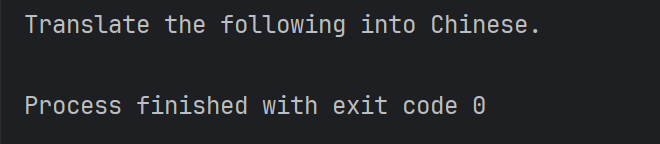
说明:
langchain.core.prompts.prompt.PromptTemplate 类的参数如下:
-
template:提示模板("Translate the following into {language}.") -
input_variables:需要作为提示输入的变量的名称列表({language})
内置方法:
from_template():从模板定提示模板。方法返回了⼀个 PromptTemplate 实例,因此除了上面示例中 PromptTemplate.from_template 定义提示模板的方式外,下面这种方法也可以直接初始化模板:
python
prompt_template = PromptTemplate(
input_variables=["language"],
template="Translate the following into {language}",
)
2.2.2 聊天消息模板
ChatPromptTemplate 模板:专为 LangChain 聊天模型设计。可以便方地构建包含SystemMessage 、 HumanMessage 、 AIMessage 的消息模板。如下代码所示:
python
from langchain_core.prompts import ChatPromptTemplate

# 1、设置模板
prompt_template = ChatPromptTemplate(
    [
        ("system","Translate the following into {language}."),
        ("user","{text}")
    ]
)

# 说明:
# 在 0.2.24 版本后可以直接使⽤ChatPromptTemplate()来初始化模板
# 在 0.2.24 版本前,需要使⽤ ChatPromptTemplate.from_messages()来初始化模板

# 2、实例化模板,获取消息实例
messagesValue = prompt_template.invoke(
    {
        "language": "en",
        "text": "Hello World!"
    }
)
messages = messagesValue.to_messages()
print(messages)
打印结果:
SystemMessage(content='Translate the following into en.', additional_kwargs={}, response_metadata={}), HumanMessage(content='Hello World!', additional_kwargs={}, response_metadata={})
现在,我们可以将该结果发送给LLM来获取答案,如下所示:
python
from langchain_core.output_parsers import StrOutputParser
from langchain_core.prompts import ChatPromptTemplate
from langchain_deepseek import ChatDeepSeek

# 1、定义大模型
model = ChatDeepSeek(model = "deepseek-chat")

# 2、设置模板
prompt_template = ChatPromptTemplate(
    [
        ("system","Translate the following into {language}."),
        ("user","{text}")
    ]
)

# 3、实例化模板,获取消息实例
messagesValue = prompt_template.invoke(
    {
        "language": "en",
        "text": "Hello World!"
    }
)
messages = messagesValue.to_messages()
print(messages)

#4、输出解析
parser = StrOutputParser()
chain = model | parser
print(chain.invoke(messages))
打印结果:
你好,世界!
由于 ChatPromptTemplate 同样也实现了标准的Runnable接口,因此还可以通过链来完成调用,如下示例:
python
from langchain_core.output_parsers import StrOutputParser
from langchain_core.prompts import ChatPromptTemplate
from langchain_deepseek import ChatDeepSeek


# 1、定义大模型
model = ChatDeepSeek(model = "deepseek-chat")

#2、设置模板
prompt_template = ChatPromptTemplate(
    [
        ("system","translate the following into {language}."),
        ("user","{text}")
    ]
)

#3、定义输出解析器
parser = StrOutputParser()

#4、定义链
chain = prompt_template | model | parser

for token in chain.stream(
        {
            "language":"English",
            "text":"你好,现在是几点?"
        }
):
    print(token , end="|")
打印结果:

2.2.3 消息占位符
在 ChatPromptTemplate 中,我们可以格式化多条消息,每条消息都是一个字符串。但如果希望将一组消息列表动态插入到对话的特定位置,就需要使用**MessagesPlaceholder**。
MessagesPlaceholder 负责在指定位置添加一个消息列表。示例代码如下:
python
from langchain_core.prompts import ChatPromptTemplate, MessagesPlaceholder
from langchain_core.messages import HumanMessage, AIMessage

prompt_template = ChatPromptTemplate([
    ("system", "你是一个聊天助手"),
    MessagesPlaceholder("msgs")    # 消息占位符
])

messages_to_pass = [
    HumanMessage(content="中国⾸都是哪⾥?"),
    AIMessage(content="中国⾸都是北京。"),
    HumanMessage(content="那法国呢?")
]

formatted_prompt = prompt_template.invoke({"msgs": messages_to_pass})
print(formatted_prompt)
打印结果:
messages=[
SystemMessage(content='你是一个聊天助手', additional_kwargs={}, response_metadata={}),
HumanMessage(content='中国首都是哪里?', additional_kwargs={}, response_metadata={}),
AIMessage(content='中国首都是北京。', additional_kwargs={}, response_metadata={}),
HumanMessage(content='那法国呢?', additional_kwargs={}, response_metadata={})
]
在某些情况下,不使用显式的 MessagesPlaceholder 类也可以完成类似能力:
python
from langchain_core.prompts import ChatPromptTemplate
from langchain_core.messages import HumanMessage, AIMessage

prompt_template = ChatPromptTemplate({
    ("system", "You are a helpful assistant"),
    ("placeholder", "{msgs}")
})

messages_to_pass = [
    HumanMessage(content="中国⾸都是哪⾥?"),
    AIMessage(content="中国⾸都是北京。"),
    HumanMessage(content="那法国呢?")
]

formatted_prompt = prompt_template.invoke({"msgs": messages_to_pass})
print(formatted_prompt)
打印结果:
messages=[
HumanMessage(content='中国首都是哪里?', additional_kwargs={}, response_metadata={}),
AIMessage(content='中国首都是北京。', additional_kwargs={}, response_metadata={}),
HumanMessage(content='那法国呢?', additional_kwargs={}, response_metadata={}), SystemMessage(content='You are a helpful assistant', additional_kwargs={}, response_metadata={})
]
2.3 使用 LangChain Hub 的提示词模板
LangChain Hub 是一个用于上传、浏览、拉取和管理提示词的地方。随着大语言模型的发展,提示变得越来越重要,LangChain 打造了一个类似 GitHub 的平台用于共享和协作提示,这就是 LangChain Hub。它使得提示工程师更容易合作、重复使用现有提示,并对其进行微调以实现特定结果,从而加速各类应用的开发与部署。早期 LangChain Hub 包含 Prompt、Chain、Agent,现在只保留 Prompt。
LangChain Hub 官网地址:https://smith.langchain.com/hub/
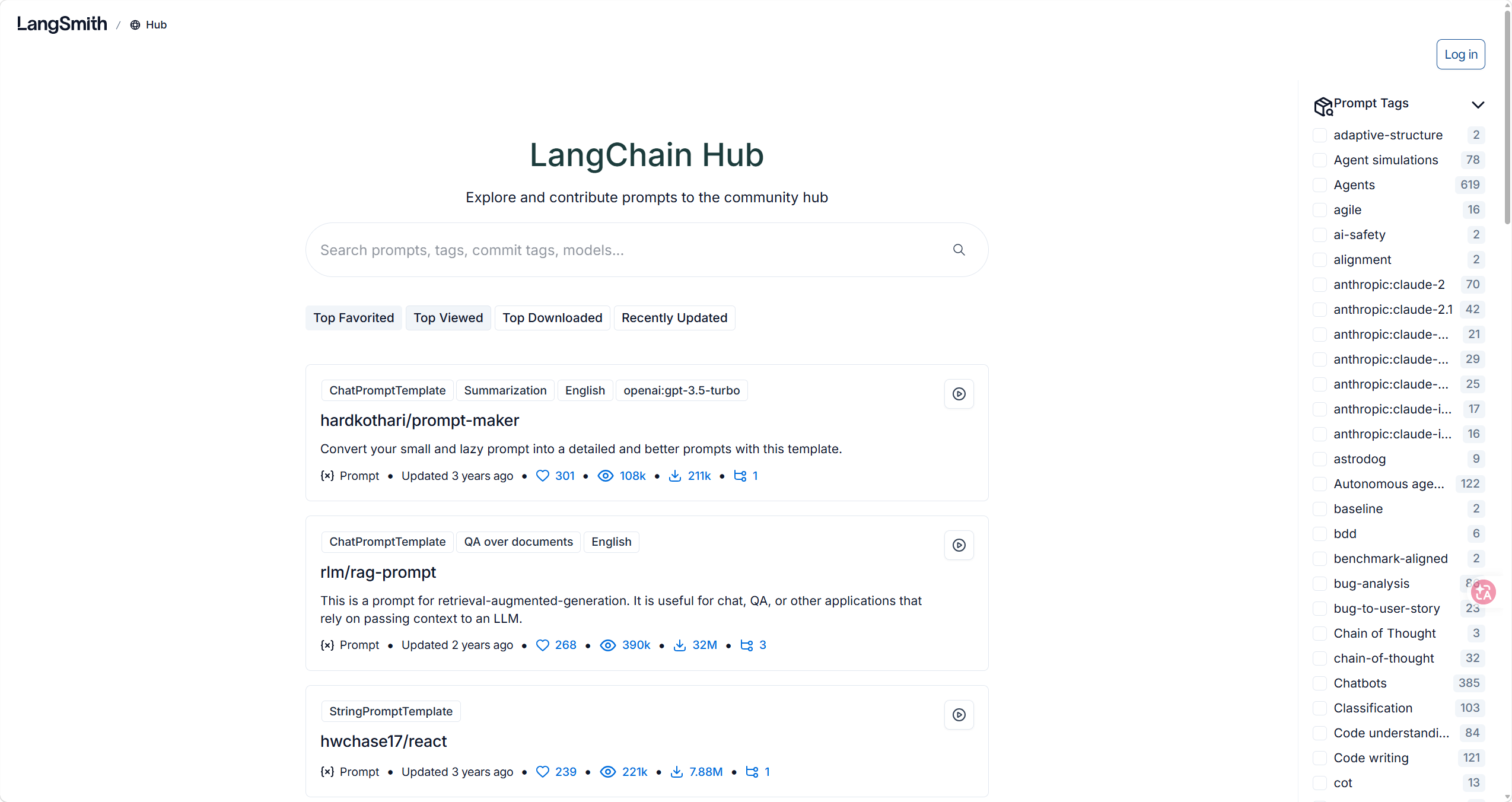
这里以 hardkothari/prompt-maker 为例,演示如何使用 Hub 上的提示。Prompt Maker 是一个"提示生成器",可以自动化优化提示的过程,提高模型在各类应用中的响应质量。
使用前需要配置 LangSmith 环境变量:LANGSMITH_API_KEY="你的LangSmith API Key" 。
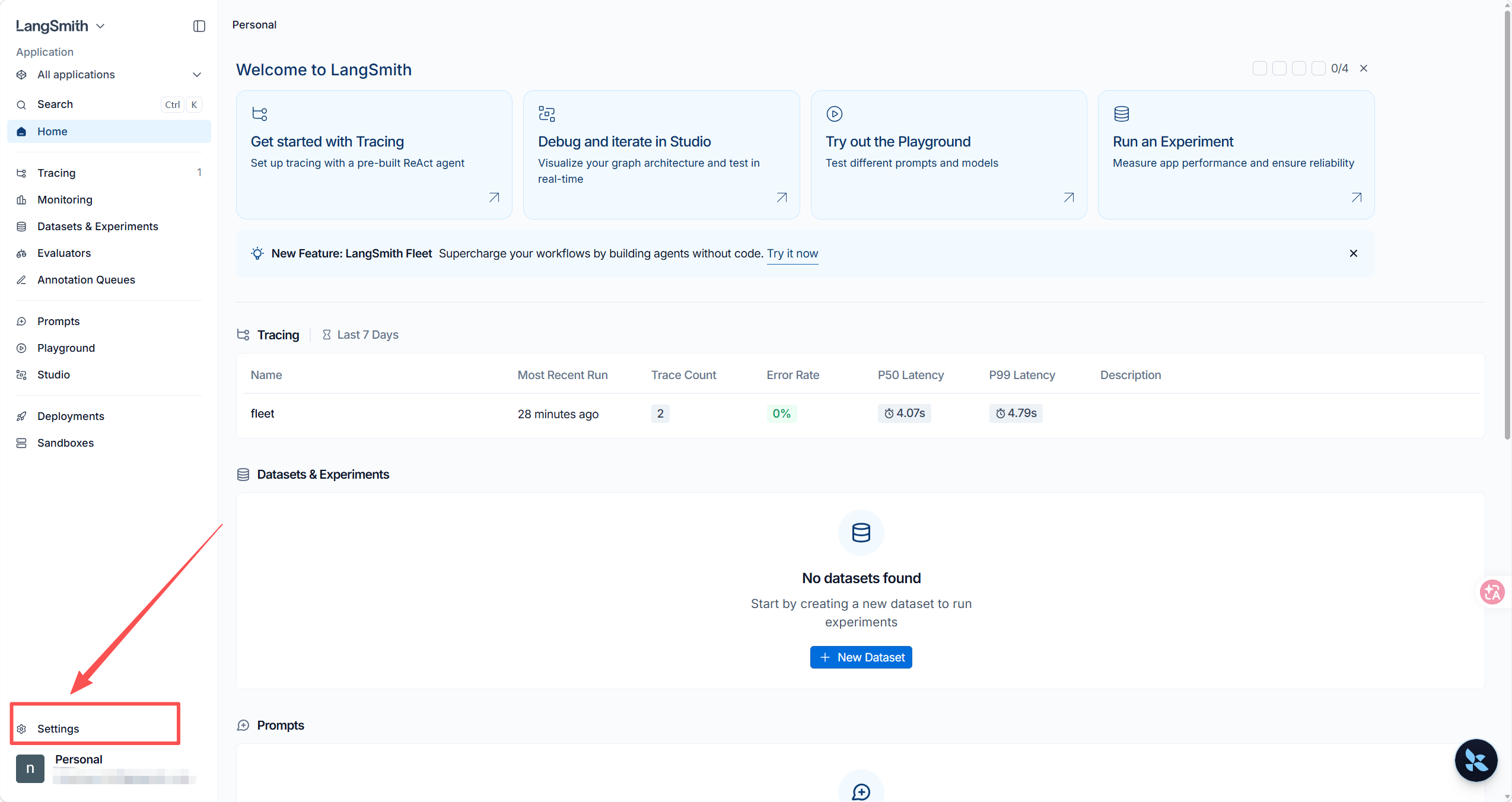
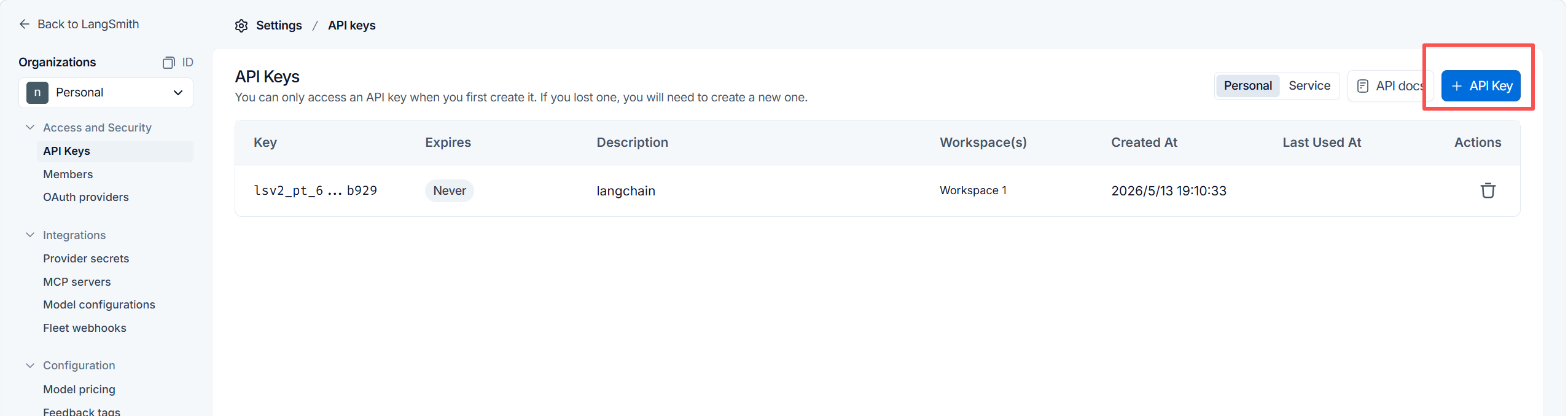
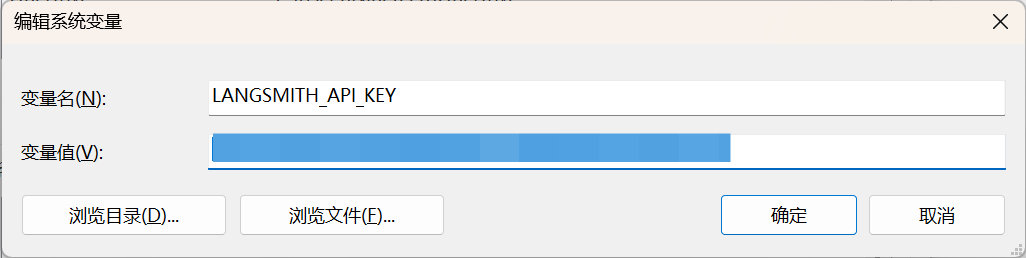
接着,需要从 hub 拉取相应的提示,并使用,代码如下:
python
from langchain_deepseek import ChatDeepSeek
from langsmith import Client


# 从hub拉取"hardkothari/prompt-maker"提示词模板
client=Client()
prompt = client.pull_prompt("hardkothari/prompt-maker",include_model=True)

# 定义模型
model = ChatDeepSeek(
    model = "deepseek-chat",
    base_url="https://api.deepseek.com",
)
# 定义链
chain = prompt | model

while True:
    task = input("\n你的任务是什么?(输入quit退出聊天)\n")
    if task == 'quit':
        break

    lazy_prompt = input("\n你当前的提示词是什么?(输入quit退出聊天)\n")
    if lazy_prompt == 'quit':
        break

    print("\n Response:")
    chain.invoke({'lazy_prompt': lazy_prompt,'task': task}).pretty_print()
当于把写好提示的经验固化成了自动规则,不再需要人工反复打磨。Prompt Maker 会理解原始提示的意图,然后用最佳实践去优化它,让输出更清晰、相关度更高。在客服机器人、对话 AI 和数据分析等场景中,这种能力非常关键。