前面实现了单个LVS集群
但存在调度器单点故障的问题
本实验在之前的实验基础上进行改进,增加一台LVS高度器,再通过Keepalived实现高可用性以及LVS规则自动添加,无需使用ipvsadm服务进行管理
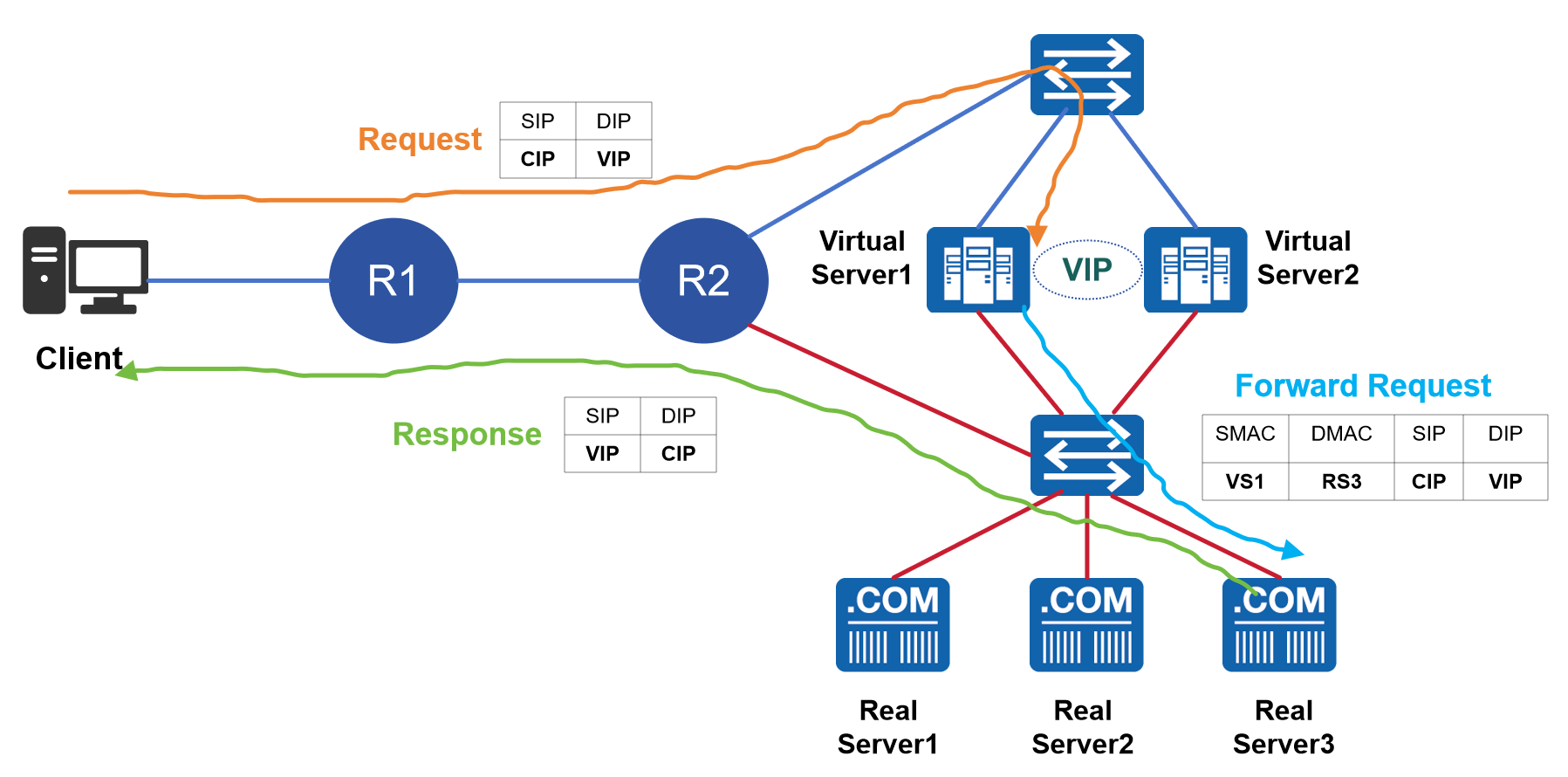
一、实验拓扑
二、地址规划
需对原来的IP地址进行规划调整
|-----------------|------|------------------|--------------|----------------|
| | 接口 | IP地址 | 网关 | 虚拟IP |
| Client | - | 192.168.10.20/24 | 192.168.10.1 | |
| Virtual Server1 | 外网 | 123.1.1.101/24 | 123.1.1.1 | 123.1.1.100/32 |
| Virtual Server1 | DIP | 172.16.1.101/24 | - | 123.1.1.100/32 |
| Virtual Server2 | 外网 | 123.1.1.102/24 | 123.1.1.1 | 123.1.1.100/32 |
| Virtual Server2 | DIP | 172.16.1.102/24 | - | 123.1.1.100/32 |
| Real Server1 | RIP1 | 172.16.1.21/24 | 172.16.1.1 | |
| Real Server1 | lo | 123.1.1.100/32 | | |
| Real Server2 | RIP2 | 172.16.1.22/24 | 172.16.1.1 | |
| Real Server2 | lo | 123.1.1.100/32 | | |
| Real Server3 | RIP3 | 172.16.1.23/24 | 172.16.1.1 | |
| Real Server3 | lo | 123.1.1.100/32 | | |
三、基础环境调整
由于前面实验已经实现LVS DR模式,调度器(Virtual Server)上已开启路由转发,Real Server上已开启arp_ignnore和arp_announce
只需按照上面规划调整服务器IP地址即可,参考前面文档中设置方法
调度器(Virtual Server)上把ipvsadm服务自启动关闭,停止服务,并清空lvs规则
systemctl disable --now ipvsadm
ipvsadm -C
四、配置keepalived
装包
两台Virtual Server安装keepalived
dnf -y install keepalived
配置文件1
root@virt-serv1 \~# cat /etc/keepalived/keepalived.conf
! Configuration File for keepalived
global_defs {
notification_email {
acassen@firewall.loc
failover@firewall.loc
sysadmin@firewall.loc
}
notification_email_from Alexandre.Cassen@firewall.loc
smtp_server 192.168.200.1
smtp_connect_timeout 30
router_id LVS_Virtual_Server01 //两台Virtual Server的ID设置成不一样的
vrrp_skip_check_adv_addr
! vrrp_strict //必须注释掉,否则VIP不通
vrrp_garp_interval 0
vrrp_gna_interval 0
}
vrrp_instance VI_1 {
state MASTER //一端为MASTER,另一端为BACKUP
interface ens160 //VIP关联的网卡
virtual_router_id 100 //两台Virtual Server的ID必须一致
priority 150
advert_int 1
authentication {
auth_type PASS
auth_pass 147369 //两台Virtual Server的认证密码必须一致
}
virtual_ipaddress {
123.1.1.100
}
}
virtual_server 123.1.1.100 80 {
delay_loop 3
lb_algo wrr
lb_kind DR
persistence_timeout 0 //改为0,否则一直单台real server回复
protocol TCP
real_server 172.16.1.212 80 {
weight 1
HTTP_GET {
url {
path /index.html //健康检查,配错导致无法添加LVS规则
status_code 200
}
connect_timeout 1
retry 3
delay_before_retry 1
}
}
real_server 172.16.1.213 80 {
weight 1
HTTP_GET {
url {
path /index.html
status_code 200
}
connect_timeout 1
retry 3
delay_before_retry 1
}
}
real_server 172.16.1.214 80 {
weight 1
HTTP_GET {
url {
path /index.html
status_code 200
}
connect_timeout 1
retry 3
delay_before_retry 1
}
}
}
配置文件2
root@virt-serv2 \~# cat /etc/keepalived/keepalived.conf
! Configuration File for keepalived
global_defs {
notification_email {
acassen@firewall.loc
failover@firewall.loc
sysadmin@firewall.loc
}
notification_email_from Alexandre.Cassen@firewall.loc
smtp_server 192.168.200.1
smtp_connect_timeout 30
router_id LVS_Virtual_Server02
vrrp_skip_check_adv_addr
! vrrp_strict
vrrp_garp_interval 0
vrrp_gna_interval 0
}
vrrp_instance VI_1 {
state BACKUP
interface ens160
virtual_router_id 100
priority 100
advert_int 1
authentication {
auth_type PASS
auth_pass 147369
}
virtual_ipaddress {
123.1.1.100
}
}
virtual_server 123.1.1.100 80 {
delay_loop 3
lb_algo wrr
lb_kind DR
persistence_timeout 0
protocol TCP
real_server 172.16.1.212 80 {
weight 1
HTTP_GET {
url {
path /index.html
status_code 200
}
connect_timeout 1
retry 3
delay_before_retry 1
}
}
real_server 172.16.1.213 80 {
weight 1
HTTP_GET {
url {
path /index.html
status_code 200
}
connect_timeout 1
retry 3
delay_before_retry 1
}
}
real_server 172.16.1.214 80 {
weight 1
HTTP_GET {
url {
path /index.html
status_code 200
}
connect_timeout 1
retry 3
delay_before_retry 1
}
}
}
启服务
systemctl enable --now keepalived
五、实验效果
master获得虚拟IP
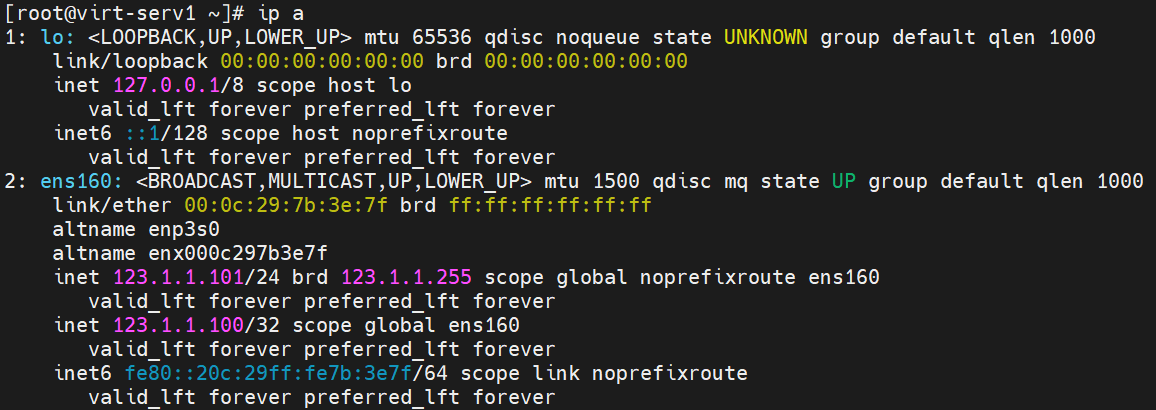
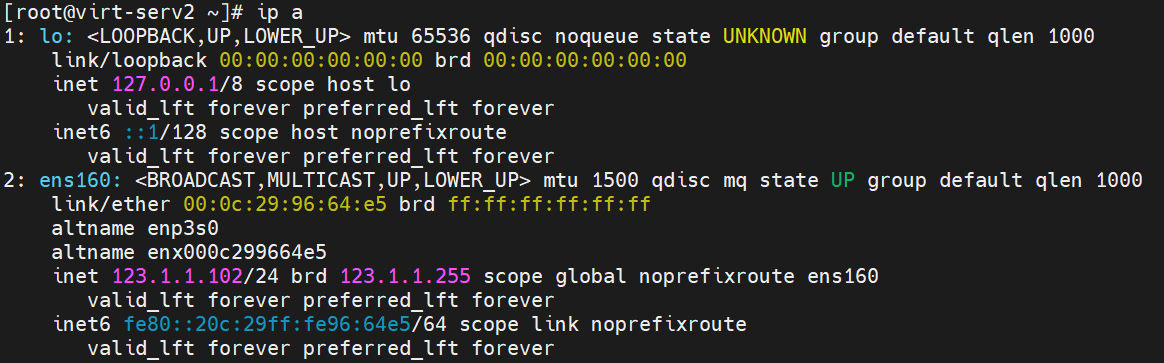
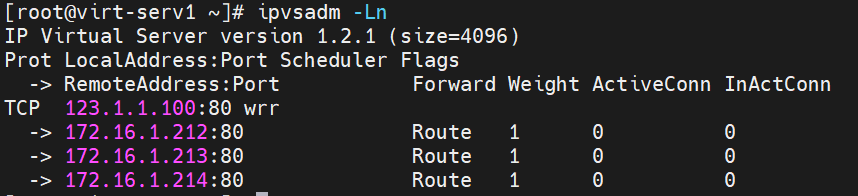
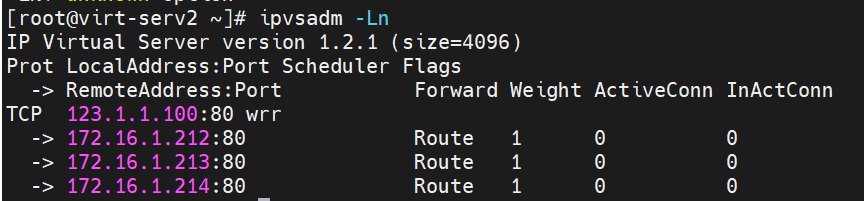
两台virtual server均自动添加了lvs规则,此处显示IP根据实际配置而定
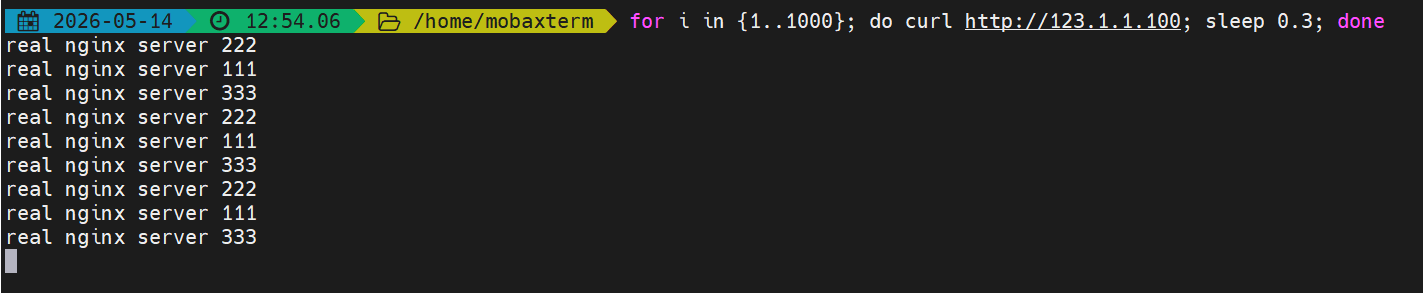
调度效果
停用master的网卡后,自动切换到backup上,服务未中断
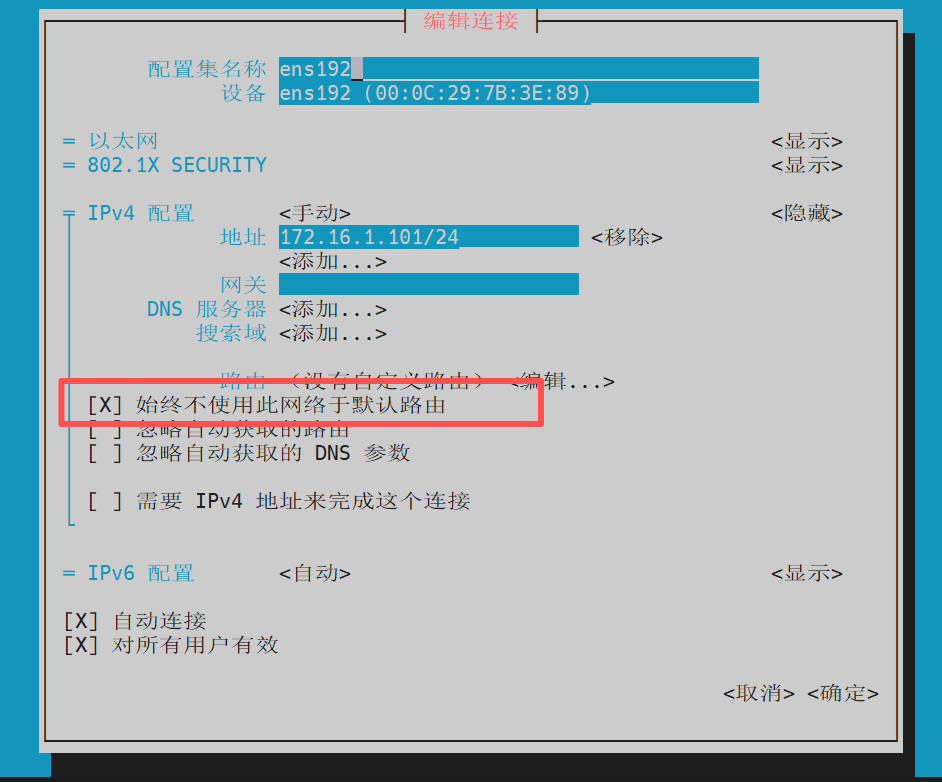
如果有多个网卡,除VIP所在网卡外,其余的都设置成"始终不使用此网络于默认路由",否则会导致切换后网络不通

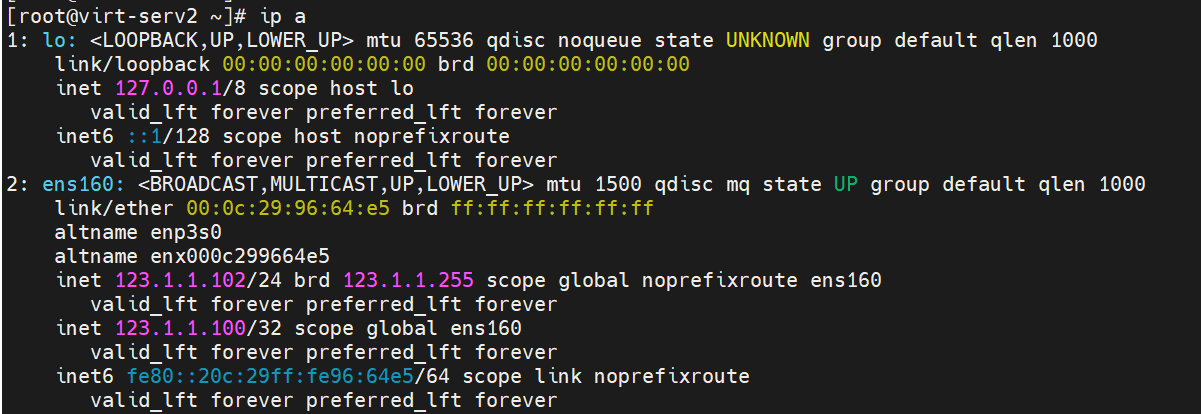

启用master网卡后,服务又切换回来了