《深入理解 Compose 中的 matchParentSize 与 fillMaxSize ------ 从 XML 到 Compose 的对比解析》
- 引言
- 需求与最终效果
- [XML 实现(传统方式)](#XML 实现(传统方式))
- [Jetpack Compose 实现(现代方式)](#Jetpack Compose 实现(现代方式))
- 实际开发建议
引言
在 Jetpack Compose 的学习过程中,我们经常会遇到两个容易混淆的修饰符:matchParentSize() 和 fillMaxSize()。它们看起来都像是要"填满父容器",但实际行为却有本质区别。
如果你熟悉传统的 XML 布局,可能会自然而然地想到 match_parent。然而在 Compose 中,matchParentSize 和 fillMaxSize 分别对应了两种不同的布局场景。本文将透过一个简单的对比示例,帮助大家彻底搞懂这两个修饰符的区别。
需求与最终效果
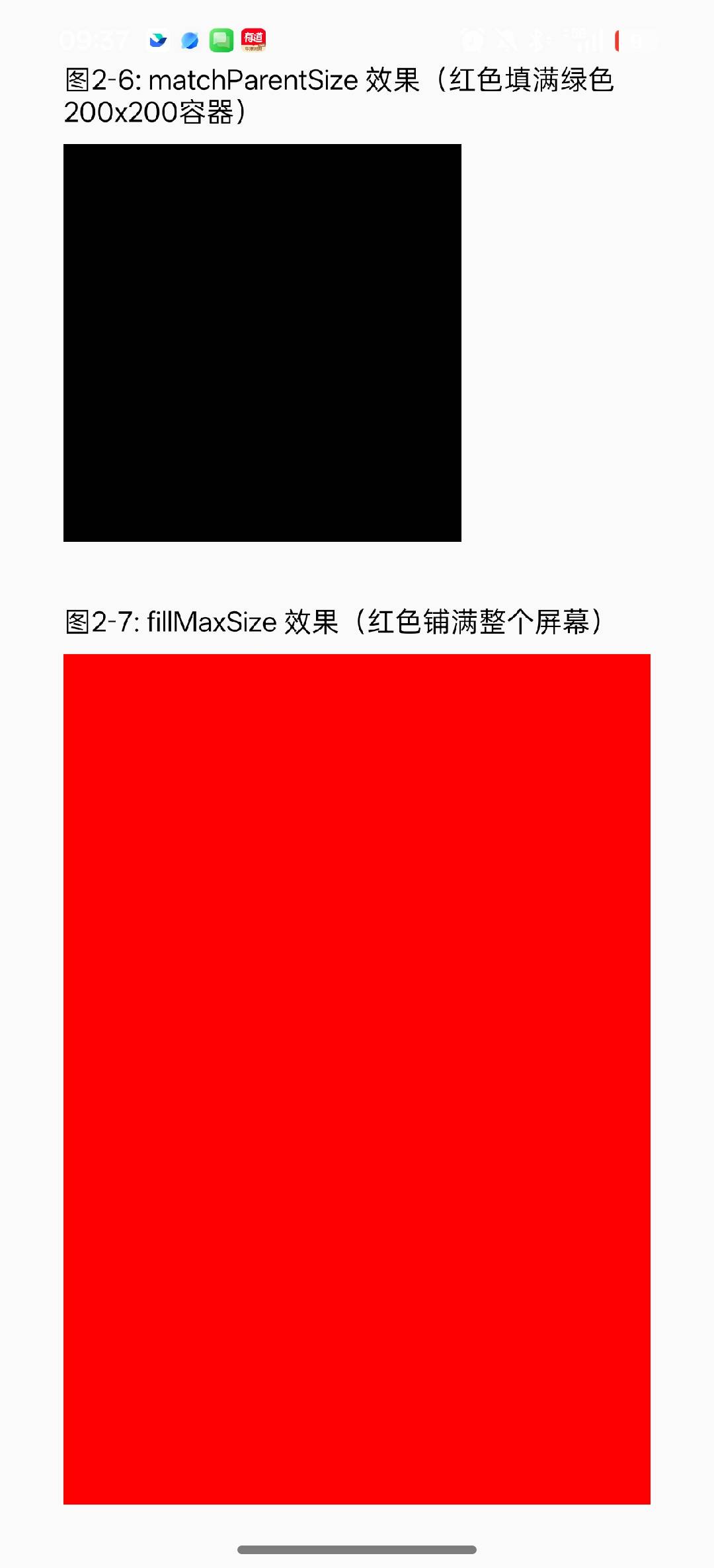
XML 实现(传统方式)
xml
<?xml version="1.0" encoding="utf-8"?>
<LinearLayout xmlns:android="http://schemas.android.com/apk/res/android"
    xmlns:app="http://schemas.android.com/apk/res-auto"
    android:layout_width="match_parent"
    android:layout_height="match_parent"
    android:orientation="vertical"
    android:padding="32dp">

    <TextView
        android:id="@+id/tv1"
        android:layout_width="wrap_content"
        android:layout_height="wrap_content"
        android:text="matchParentSize 效果(红色填满绿色200x200容器)"
        android:textColor="@android:color/black"
        android:textSize="14sp" />

    <View
        android:id="@+id/view1"
        android:layout_width="200dp"
        android:layout_height="200dp"
        android:layout_marginTop="8dp"
        android:background="@color/black" />

    <TextView
        android:id="@+id/tv2"
        android:layout_width="wrap_content"
        android:layout_height="wrap_content"
        android:layout_marginTop="32dp"
        android:text="fillMaxSize 效果(红色铺满整个屏幕)"
        android:textColor="@android:color/black"
        android:textSize="14sp" />

    <View
        android:id="@+id/view2"
        android:layout_width="match_parent"
        android:layout_height="match_parent"
        android:layout_marginTop="8dp"
        android:background="@android:color/red"
        app:layout_constraintStart_toStartOf="parent"
        app:layout_constraintTop_toBottomOf="@+id/tv2" />


</LinearLayout>
Jetpack Compose 实现(现代方式)
kotlin
package com.example.myapplication

import android.os.Bundle
import androidx.activity.ComponentActivity
import androidx.activity.compose.setContent
import androidx.compose.foundation.background
import androidx.compose.foundation.layout.Box
import androidx.compose.foundation.layout.Column
import androidx.compose.foundation.layout.Spacer
import androidx.compose.foundation.layout.fillMaxSize
import androidx.compose.foundation.layout.height
import androidx.compose.foundation.layout.padding
import androidx.compose.foundation.layout.size
import androidx.compose.material3.Text
import androidx.compose.runtime.Composable
import androidx.compose.ui.Modifier
import androidx.compose.ui.graphics.Color
import androidx.compose.ui.unit.dp

class MainActivity : ComponentActivity() {
    override fun onCreate(savedInstanceState: Bundle?) {
        super.onCreate(savedInstanceState)
        setContent {
            CompareBothDemos()
        }
    }

    /**
     * 对比演示:同时展示两种效果
     */
    @Composable
    fun CompareBothDemos() {
        Column(
            modifier = Modifier
                .fillMaxSize()
                .padding(32.dp)
        ) {
            Text("matchParentSize 效果(红色填满绿色200x200容器)")
            Spacer(modifier = Modifier.height(8.dp))
            Box(
                modifier = Modifier
                    .size(200.dp)
                    .background(Color.Green)
            ) {
                Box(
                    modifier = Modifier
                        .matchParentSize()
                        .background(Color.Black)
                )
            }

            Spacer(modifier = Modifier.height(32.dp))

            Text("fillMaxSize 效果(红色铺满整个屏幕)")
            Spacer(modifier = Modifier.height(8.dp))
            Box(
                modifier = Modifier
                    .fillMaxSize()
                    .background(Color.Red)
            )
        }
    }
}
fillMaxSize:子视图会告诉父容器------我想要你给我的所有空间。这会导致父容器在测量时考虑到这个子视图的需求。
matchParentSize:子视图的大小完全由父容器的约束决定,但它不会反过来影响父容器的尺寸。特别适合在 Box 中让某个子视图与另一个子视图对齐,同时又不撑大 Box。
实际开发建议
matchParentSize 只能在 Box 作用域内使用
在 Column 或 Row 中直接使用会编译报错。
matchParentSize ≠ match_parent。Compose 中没有 match_parent,只有 fillMaxSize 或 fillMaxWidth/fillMaxHeight。
两者性能差异微乎其微,选择主要取决于业务语义。