先看效果:点透办公-图片去水印
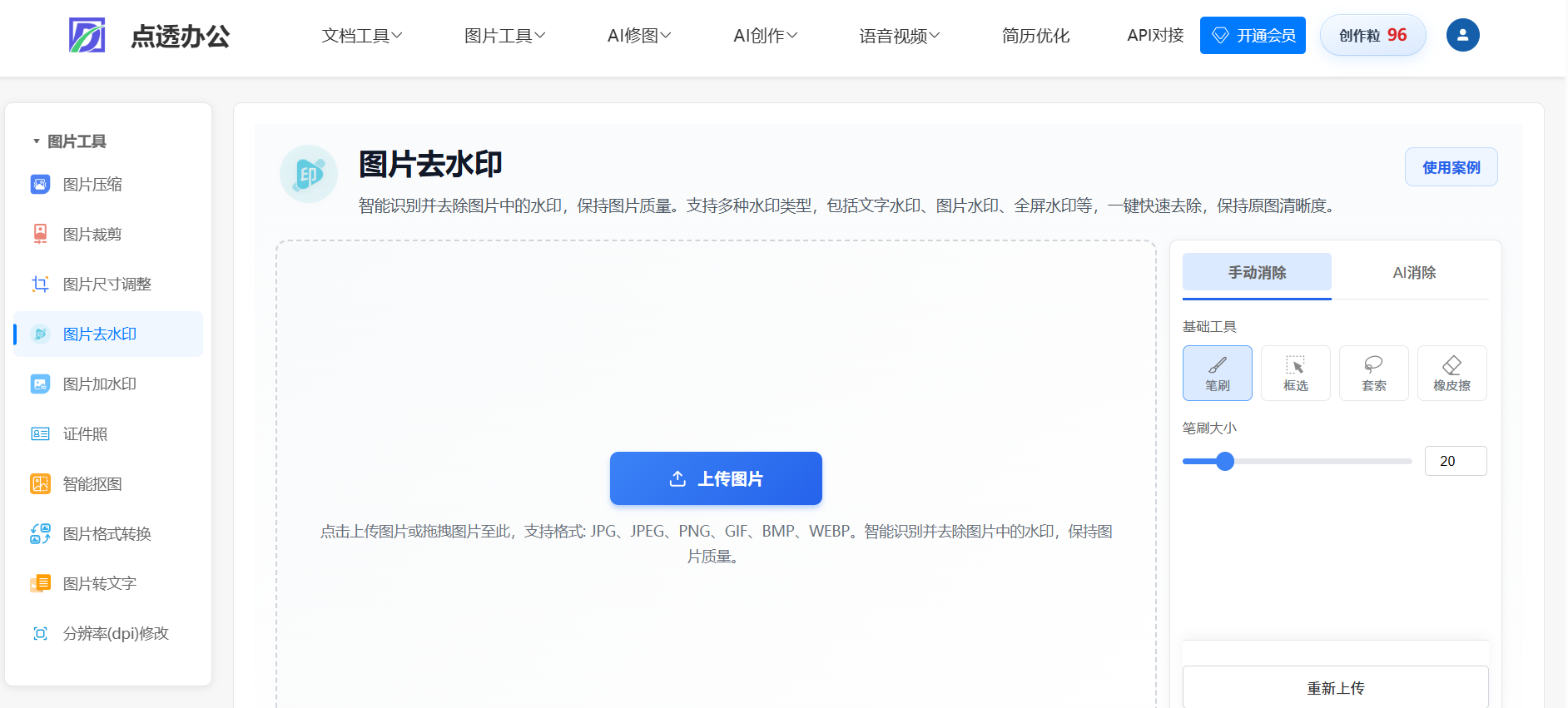
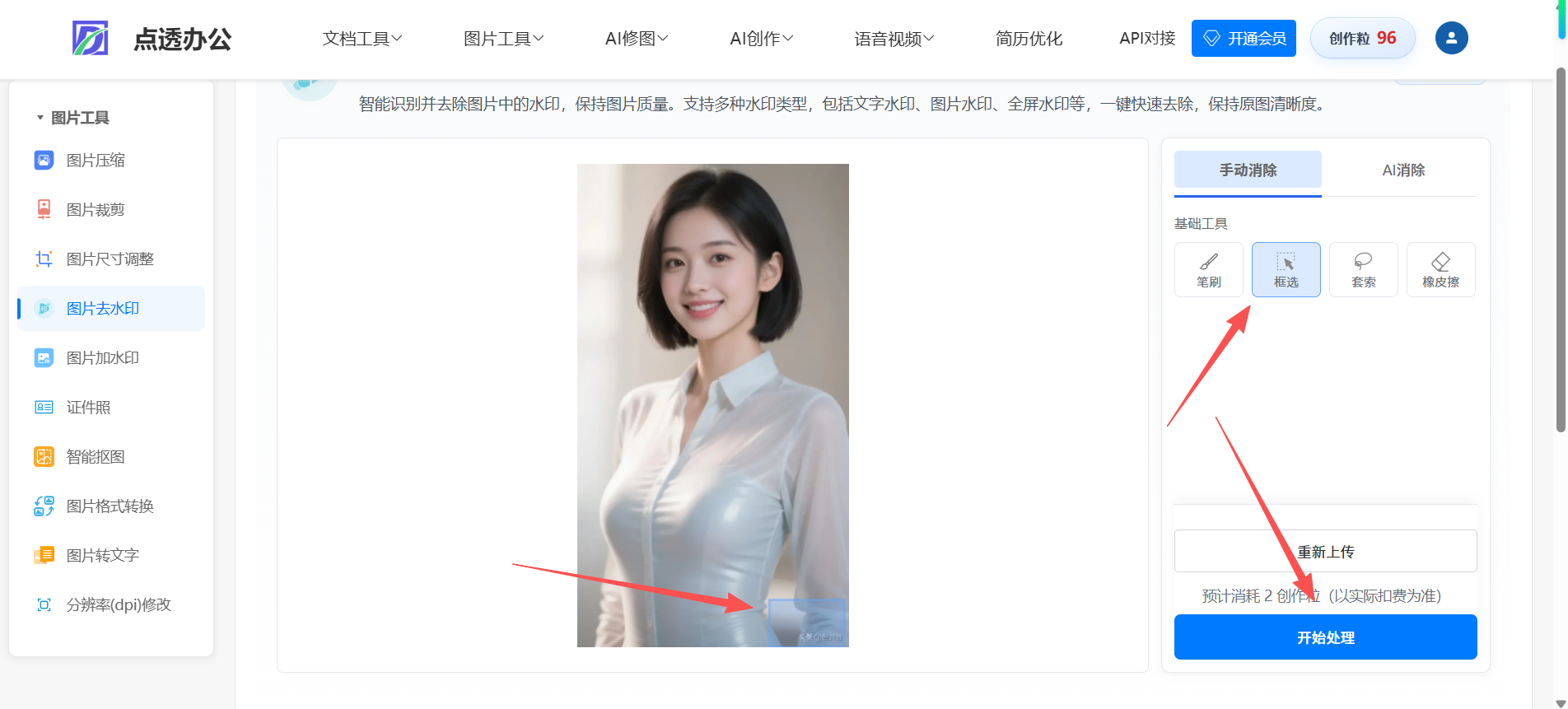
前端支持框选,套索,笔刷
思路:前端用画布,后端对接大模型,出于成本考虑,目前本人对接的是阿里百炼大模型 wanx2.1-imageedit,价格在一张图片0.15元,其他的大模型都是偏贵的
前端框选后,后端根据框选坐标生成蒙层;再调用大模型去掉蒙层就行了
直接上代码吧
java
package com.ruoyi.basicTool.imageTool.utils;
import com.alibaba.dashscope.aigc.imagesynthesis.ImageSynthesis;
import com.alibaba.dashscope.aigc.imagesynthesis.ImageSynthesisParam;
import com.alibaba.dashscope.aigc.imagesynthesis.ImageSynthesisResult;
import com.alibaba.dashscope.exception.ApiException;
import com.alibaba.dashscope.exception.NoApiKeyException;
import lombok.extern.slf4j.Slf4j;
import org.springframework.beans.factory.annotation.Value;
import org.springframework.http.MediaType;
import org.springframework.stereotype.Service;
import javax.imageio.ImageIO;
import java.awt.*;
import java.awt.geom.Ellipse2D;
import java.awt.geom.Path2D;
import java.awt.image.BufferedImage;
import java.io.ByteArrayInputStream;
import java.io.ByteArrayOutputStream;
import java.io.InputStream;
import java.net.URL;
import java.util.Base64;
import java.util.HashMap;
import java.util.List;
import java.util.Map;
/**
* 图片去水印工具类 - 使用阿里通义万相SDK
* 支持两种模式:
* 1. 手动去水印:按掩码区域精确去除水印(使用Java标准库生成掩码)
* 2. AI智能去水印:通过提示词描述要去除的内容(不需要掩码)
*/
@Slf4j
@Service
public class ImageReMarkQwenUtils {
@Value("${tongyi.api.key:}")
private String tongyiApiKey;
private static final String DEFAULT_MODEL = "wanx2.1-imageedit";
/** 全图去水印默认提示:避免笼统 "inpaint" 诱发涂抹感 */
private static final String DEFAULT_PROMPT = "Remove watermarks and overlaid logos from the image while keeping the rest pixel-accurate";
private static final int BUFFER_SIZE = 8192;
/**
* 掩码编辑:强调与周边像素一致的清晰度/纹理,减轻模糊、发灰、半透明蒙层感(wanx2.1-imageedit + description_edit_with_mask)。
*/
private static final String WANX_MASK_INPAINT_HINT =
"White mask = region to fix only. Erase watermark or overlay there completely. "
+ "Rebuild by continuing the nearby background: same color temperature, contrast, sharpness, film grain/noise, and micro-texture as adjacent areas. "
+ "The repaired pixels must look fully opaque and as crisp as the rest of the photo---no extra blur, no soft haze, no milky or foggy layer, no ghosting, no semi-transparent veil, no visible rectangular patch. "
+ "Make mask boundaries invisible with natural transitions. "
+ "Output canvas must stay exactly %dx%d pixels; do not resize or crop.";
/**
* 全图 remove_watermark:附在业务提示词后,约束修复区观感。
*/
private static final String WANX_FULL_REMOVE_QUALITY_HINT =
" Where content is removed, fill with surroundings-matched texture; keep full opacity and edge sharpness like the original---avoid blur, haze, or milky overlay.";
/** 通义万相 wanx2.1-imageedit 等对输入边长的要求(与官方报错一致) */
private static final int WANX_MIN_EDGE = 512;
private static final int WANX_MAX_EDGE = 4096;
/**
* 手动去除图片水印(使用掩码区域)
* 使用Java标准库生成掩码图像,按掩码区域精确去除水印
*
* @param imageBytes 原始图片字节数组
* @param filename 文件名(可选)
* @param areas 水印区域列表
* @return 处理后的图片字节数组
*/
public byte[] removeWatermark(byte[] imageBytes, String filename, List<WatermarkAreaDTO> areas) {
validateApiKey();
if (areas == null || areas.isEmpty()) {
throw new IllegalArgumentException("水印区域列表不能为空");
}
try {
// 读取原始图片
BufferedImage src = ImageIO.read(new ByteArrayInputStream(imageBytes));
if (src == null) {
throw new RuntimeException("无法读取图片");
}
int originalWidth = src.getWidth();
int originalHeight = src.getHeight();
log.info("原图尺寸: {}x{}", originalWidth, originalHeight);
// 创建纯黑白掩码(灰度图)
// 黑色(0)表示保留区域,白色(255)表示要去除的区域
BufferedImage mask = new BufferedImage(originalWidth, originalHeight, BufferedImage.TYPE_BYTE_GRAY);
Graphics2D maskGraphics = mask.createGraphics();
maskGraphics.setColor(Color.BLACK); // 初始化为全黑
maskGraphics.fillRect(0, 0, originalWidth, originalHeight);
maskGraphics.setColor(Color.WHITE); // 白色表示要去除的区域
maskGraphics.setRenderingHint(RenderingHints.KEY_ANTIALIASING, RenderingHints.VALUE_ANTIALIAS_ON);
// 绘制所有水印区域到掩码上(白色区域表示要去除的部分)
for (WatermarkAreaDTO area : areas) {
drawMask(maskGraphics, mask, area);
}
maskGraphics.dispose();
// 将原图和掩码编码为Base64
ByteArrayOutputStream imageStream = new ByteArrayOutputStream();
ImageIO.write(src, "png", imageStream);
String imageBase64 = Base64.getEncoder().encodeToString(imageStream.toByteArray());
ByteArrayOutputStream maskStream = new ByteArrayOutputStream();
ImageIO.write(mask, "png", maskStream);
String maskBase64 = Base64.getEncoder().encodeToString(maskStream.toByteArray());
log.info("掩码图像已生成,大小: {} bytes", maskStream.size());
int workW = originalWidth;
int workH = originalHeight;
if (needsWanxResize(originalWidth, originalHeight)) {
int[] wh = resolveWanxWorkingSize(originalWidth, originalHeight);
workW = wh[0];
workH = wh[1];
src = scaleImageToSize(src, workW, workH);
mask = scaleMaskToSize(mask, workW, workH);
imageStream.reset();
ImageIO.write(src, "png", imageStream);
imageBase64 = Base64.getEncoder().encodeToString(imageStream.toByteArray());
maskStream.reset();
ImageIO.write(mask, "png", maskStream);
maskBase64 = Base64.getEncoder().encodeToString(maskStream.toByteArray());
log.info("已按通义万相边长要求缩放原图与掩码: {}x{} -> {}x{}",
originalWidth, originalHeight, workW, workH);
}
byte[] resultBytes = callTongyiSDKWithMask(imageBase64, maskBase64, workW, workH);
resultBytes = ensureImageSize(resultBytes, workW, workH);
if (workW != originalWidth || workH != originalHeight) {
resultBytes = ensureImageSize(resultBytes, originalWidth, originalHeight);
}
return resultBytes;
} catch (Exception e) {
log.error("手动去除水印失败: {}", e.getMessage(), e);
throw new RuntimeException("处理图片失败: " + e.getMessage(), e);
}
}
/**
* AI智能去除图片水印(不需要掩码)
* 通过提示词描述要去除的内容
*
* @param imageBytes 原始图片字节数组
* @param prompt 提示词,描述要去除的内容(如:Remove all watermarks and logos from the image)
* @param contentType 图片的 Content-Type(如 image/jpeg, image/png 等),用于设置正确的 MIME 类型
* @return 处理后的图片字节数组
*/
public byte[] aiRemoveWatermark(byte[] imageBytes, String prompt, String contentType) {
validateApiKey();
try {
// 读取原始图片以获取尺寸
BufferedImage src = ImageIO.read(new ByteArrayInputStream(imageBytes));
if (src == null) {
throw new RuntimeException("无法读取图片");
}
int originalWidth = src.getWidth();
int originalHeight = src.getHeight();
log.info("原图尺寸: {}x{}", originalWidth, originalHeight);
int workW = originalWidth;
int workH = originalHeight;
String workContentType = (contentType != null && !contentType.isEmpty()) ? contentType : "image/jpeg";
String imageBase64;
if (needsWanxResize(originalWidth, originalHeight)) {
int[] wh = resolveWanxWorkingSize(originalWidth, originalHeight);
workW = wh[0];
workH = wh[1];
BufferedImage scaled = scaleImageToSize(src, workW, workH);
log.info("已按通义万相边长要求缩放后再调用 API: {}x{} -> {}x{}",
originalWidth, originalHeight, workW, workH);
ByteArrayOutputStream enc = new ByteArrayOutputStream();
ImageIO.write(scaled, "png", enc);
imageBase64 = Base64.getEncoder().encodeToString(enc.toByteArray());
workContentType = "image/png";
} else {
imageBase64 = Base64.getEncoder().encodeToString(imageBytes);
}
byte[] resultBytes = callTongyiSDKForAIRemove(imageBase64, prompt, workContentType, workW, workH);
resultBytes = ensureImageSize(resultBytes, workW, workH);
if (workW != originalWidth || workH != originalHeight) {
resultBytes = ensureImageSize(resultBytes, originalWidth, originalHeight);
}
return resultBytes;
} catch (Exception e) {
log.error("AI去除水印失败: {}", e.getMessage(), e);
throw new RuntimeException("AI去除水印失败: " + e.getMessage(), e);
}
}
/**
* 使用掩码调用通义万相SDK
*
* @param imageBase64 原图Base64编码
* @param maskBase64 掩码Base64编码
* @param originalWidth 原始图片宽度
* @param originalHeight 原始图片高度
* @return 处理后的图片字节数组(已调整为原始尺寸)
*/
private byte[] callTongyiSDKWithMask(String imageBase64, String maskBase64, int originalWidth, int originalHeight) {
String prompt = String.format(WANX_MASK_INPAINT_HINT, originalWidth, originalHeight);
ImageSynthesisParam param = ImageSynthesisParam.builder()
.apiKey(tongyiApiKey)
.model(DEFAULT_MODEL)
.function("description_edit_with_mask")
.prompt(prompt)
.baseImageUrl("data:image/png;base64," + imageBase64)
.maskImageUrl("data:image/png;base64," + maskBase64)
.n(1)
.watermark(false)
.build();
log.info("调用通义万相SDK,使用掩码去水印,原始尺寸: {}x{}, 提示词: {}", originalWidth, originalHeight, prompt);
// 执行API调用
byte[] resultBytes = executeImageSynthesis(param);
// 验证并调整返回图片的尺寸
return ensureImageSize(resultBytes, originalWidth, originalHeight);
}
/**
* 确保图片尺寸与原始尺寸一致,如果不一致则调整
*
* @param imageBytes 图片字节数组
* @param targetWidth 目标宽度
* @param targetHeight 目标高度
* @return 调整后的图片字节数组
*/
private byte[] ensureImageSize(byte[] imageBytes, int targetWidth, int targetHeight) {
try {
// 解码返回的图片
BufferedImage resultImage = ImageIO.read(new ByteArrayInputStream(imageBytes));
if (resultImage == null) {
log.warn("无法解码返回的图片,返回原始数据");
return imageBytes;
}
int resultWidth = resultImage.getWidth();
int resultHeight = resultImage.getHeight();
log.info("返回图片尺寸: {}x{}, 目标尺寸: {}x{}", resultWidth, resultHeight, targetWidth, targetHeight);
// 如果尺寸不一致,调整回原始尺寸
if (resultWidth != targetWidth || resultHeight != targetHeight) {
double widthRatio = (double) targetWidth / resultWidth;
double heightRatio = (double) targetHeight / resultHeight;
log.warn("返回图片尺寸与原始尺寸不一致,正在调整: {}x{} -> {}x{} (比例: {:.2f}x, {:.2f}x)",
resultWidth, resultHeight, targetWidth, targetHeight, widthRatio, heightRatio);
// 如果尺寸差异超过20%,给出警告
if (Math.abs(widthRatio - 1.0) > 0.2 || Math.abs(heightRatio - 1.0) > 0.2) {
log.error("警告:返回图片尺寸与原始尺寸差异较大,调整后可能会有质量损失或变形!");
}
// 创建缩放后的图片
BufferedImage resizedImage = new BufferedImage(targetWidth, targetHeight, BufferedImage.TYPE_INT_RGB);
Graphics2D g2d = resizedImage.createGraphics();
// 设置高质量渲染
if (widthRatio > 1.0 || heightRatio > 1.0) {
// 放大时使用双三次插值(质量更好)
g2d.setRenderingHint(RenderingHints.KEY_INTERPOLATION, RenderingHints.VALUE_INTERPOLATION_BICUBIC);
} else {
// 缩小时使用双线性插值(避免锯齿)
g2d.setRenderingHint(RenderingHints.KEY_INTERPOLATION, RenderingHints.VALUE_INTERPOLATION_BILINEAR);
}
g2d.setRenderingHint(RenderingHints.KEY_RENDERING, RenderingHints.VALUE_RENDER_QUALITY);
g2d.setRenderingHint(RenderingHints.KEY_ANTIALIASING, RenderingHints.VALUE_ANTIALIAS_ON);
// 如果是PNG格式(支持透明度),需要处理透明度
if (resultImage.getColorModel().hasAlpha()) {
resizedImage = new BufferedImage(targetWidth, targetHeight, BufferedImage.TYPE_INT_ARGB);
g2d = resizedImage.createGraphics();
g2d.setRenderingHint(RenderingHints.KEY_INTERPOLATION,
(widthRatio > 1.0 || heightRatio > 1.0)
? RenderingHints.VALUE_INTERPOLATION_BICUBIC
: RenderingHints.VALUE_INTERPOLATION_BILINEAR);
g2d.setRenderingHint(RenderingHints.KEY_RENDERING, RenderingHints.VALUE_RENDER_QUALITY);
g2d.setRenderingHint(RenderingHints.KEY_ANTIALIASING, RenderingHints.VALUE_ANTIALIAS_ON);
}
// 绘制缩放后的图片
g2d.drawImage(resultImage, 0, 0, targetWidth, targetHeight, null);
g2d.dispose();
// 编码调整后的图片
ByteArrayOutputStream outputStream = new ByteArrayOutputStream();
ImageIO.write(resizedImage, "png", outputStream);
byte[] adjustedBytes = outputStream.toByteArray();
log.info("图片尺寸已调整完成,新尺寸: {}x{}", targetWidth, targetHeight);
return adjustedBytes;
} else {
log.info("返回图片尺寸与原始尺寸一致,无需调整");
return imageBytes;
}
} catch (Exception e) {
log.error("调整图片尺寸失败: {}", e.getMessage(), e);
// 如果调整失败,返回原始数据
return imageBytes;
}
}
/**
* AI去水印调用通义万相SDK
*
* @param imageBase64 原图Base64编码
* @param prompt 提示词
* @param contentType 图片Content-Type
* @param originalWidth 原始图片宽度
* @param originalHeight 原始图片高度
* @return 处理后的图片字节数组
*/
private byte[] callTongyiSDKForAIRemove(String imageBase64, String prompt, String contentType,
int originalWidth, int originalHeight) {
String baseImageInput = buildDataUri(imageBase64, contentType);
// 构建更精确的提示词,强调保持原图不变
String finalPrompt = buildEnhancedPrompt(prompt, originalWidth, originalHeight);
log.info("调用通义万相SDK,AI去水印,原始尺寸: {}x{}, 提示词: {}", originalWidth, originalHeight, finalPrompt);
ImageSynthesisParam param = ImageSynthesisParam.builder()
.apiKey(tongyiApiKey)
.model(DEFAULT_MODEL)
.function("remove_watermark")
.prompt(finalPrompt)
.baseImageUrl(baseImageInput)
.n(1)
.watermark(false)
.build();
return executeImageSynthesis(param);
}
/**
* 构建增强的提示词,强调保持原图不变
*
* @param originalPrompt 原始提示词
* @param originalWidth 原始图片宽度
* @param originalHeight 原始图片高度
* @return 增强后的提示词
*/
private String buildEnhancedPrompt(String originalPrompt, int originalWidth, int originalHeight) {
String finalPrompt = (originalPrompt != null && !originalPrompt.trim().isEmpty())
? originalPrompt.trim()
: DEFAULT_PROMPT;
// 检查提示词是否已经包含了保持原图不变的说明
String lowerPrompt = finalPrompt.toLowerCase();
boolean hasPreserveInstruction = lowerPrompt.contains("keep") ||
lowerPrompt.contains("preserve") ||
lowerPrompt.contains("unchanged") ||
lowerPrompt.contains("保持") ||
lowerPrompt.contains("不变");
// 如果提示词中没有强调保持原图不变,则添加
if (!hasPreserveInstruction) {
finalPrompt = finalPrompt +
". IMPORTANT: Only remove the specified content, keep everything else in the image completely unchanged. " +
"Do not modify, regenerate, or change any other parts of the image. " +
"Maintain the exact original image dimensions (" + originalWidth + "x" + originalHeight + ") " +
"and preserve all other visual elements exactly as they are.";
} else {
// 即使有保持说明,也添加尺寸要求
if (!lowerPrompt.contains("dimension") && !lowerPrompt.contains("size") && !lowerPrompt.contains("尺寸")) {
finalPrompt = finalPrompt +
" Maintain the exact original image dimensions (" + originalWidth + "x" + originalHeight + ").";
}
}
finalPrompt = finalPrompt + WANX_FULL_REMOVE_QUALITY_HINT;
return finalPrompt;
}
/**
* 执行图片合成请求(统一处理逻辑)
*/
private byte[] executeImageSynthesis(ImageSynthesisParam param) {
try {
ImageSynthesis imageSynthesis = new ImageSynthesis();
log.info("开始调用 DashScope API,模型: {}, function: {}",
param.getModel(), param.getFunction());
ImageSynthesisResult result = imageSynthesis.call(param);
validateResult(result);
String imageUrl = extractImageUrl(result);
if (imageUrl == null || imageUrl.isEmpty()) {
throw new RuntimeException("未找到输出图片URL,完整响应: " + result);
}
log.info("DashScope API 调用成功,结果 URL: {}", imageUrl);
return downloadImageFromUrl(imageUrl);
} catch (NoApiKeyException e) {
log.error("API Key未配置或无效: {}", e.getMessage());
throw new RuntimeException("服务正忙,请稍后再试!");
} catch (ApiException e) {
log.error("通义万相API调用失败: {}", e.getMessage(), e);
throw new RuntimeException("服务正忙,请稍后再试!");
} catch (Exception e) {
log.error("调用通义万相SDK失败: {}", e.getMessage(), e);
throw new RuntimeException("服务正忙,请稍后再试!");
}
}
/**
* 验证API调用结果(含异步任务 taskStatus=FAILED 时的 Output.message)
*/
private void validateResult(ImageSynthesisResult result) {
if (result == null) {
throw new RuntimeException("调用失败,响应为空");
}
if (result.getCode() != null && !result.getCode().isEmpty() && !"Success".equals(result.getCode())) {
String errorMsg = result.getMessage() != null ? result.getMessage() : "调用失败";
throw new RuntimeException("通义万相API调用失败: " + errorMsg);
}
if (result.getOutput() == null) {
throw new RuntimeException("调用失败,响应Output为空");
}
try {
java.lang.reflect.Method getTaskStatusMethod = result.getOutput().getClass().getMethod("getTaskStatus");
Object taskStatusObj = getTaskStatusMethod.invoke(result.getOutput());
if (taskStatusObj != null) {
String taskStatus = taskStatusObj.toString();
if ("FAILED".equalsIgnoreCase(taskStatus)) {
String errorCode = "";
String errorMessage = "";
try {
java.lang.reflect.Method getCodeMethod = result.getOutput().getClass().getMethod("getCode");
Object codeObj = getCodeMethod.invoke(result.getOutput());
if (codeObj != null) {
errorCode = codeObj.toString();
}
} catch (Exception ignored) {
}
try {
java.lang.reflect.Method getMessageMethod = result.getOutput().getClass().getMethod("getMessage");
Object messageObj = getMessageMethod.invoke(result.getOutput());
if (messageObj != null) {
errorMessage = messageObj.toString();
}
} catch (Exception ignored) {
}
String detail = (errorMessage != null && !errorMessage.isEmpty())
? appendWanxSizeHint(errorMessage)
: (errorCode + " " + errorMessage).trim();
throw new RuntimeException("通义万相任务失败: " + detail);
}
if ("PENDING".equalsIgnoreCase(taskStatus) || "RUNNING".equalsIgnoreCase(taskStatus)) {
throw new RuntimeException("通义万相任务处理中,请稍后重试。状态: " + taskStatus);
}
}
} catch (NoSuchMethodException e) {
// 同步返回无 taskStatus
} catch (RuntimeException e) {
throw e;
} catch (Exception e) {
log.warn("检查任务状态失败: {}", e.getMessage());
}
if (result.getOutput().getResults() == null || result.getOutput().getResults().isEmpty()) {
throw new RuntimeException("调用成功但未找到输出结果,完整响应: " + result);
}
}
private static String appendWanxSizeHint(String apiMessage) {
if (apiMessage != null && apiMessage.contains("512") && apiMessage.contains("4096")) {
return apiMessage + "(通义万相要求宽、高均在 512~4096 像素之间)";
}
return apiMessage;
}
private static boolean needsWanxResize(int w, int h) {
int min = Math.min(w, h);
int max = Math.max(w, h);
return min < WANX_MIN_EDGE || max > WANX_MAX_EDGE;
}
/**
* 在保持宽高比的前提下,得到同时满足 min 边 ≥512、max 边 ≤4096 的尺寸;若长宽比超过 8:1 则无法兼顾。
*/
private static int[] resolveWanxWorkingSize(int w, int h) {
int minE = Math.min(w, h);
int maxE = Math.max(w, h);
double sMin = (double) WANX_MIN_EDGE / minE;
double sMax = (double) WANX_MAX_EDGE / maxE;
if (sMin > sMax + 1e-12) {
throw new RuntimeException(
"图片长宽比过大,无法在保持比例的同时满足通义万相对边长 512~4096 像素的要求,请裁剪后重试");
}
double s = sMin;
int nw = (int) Math.round(w * s);
int nh = (int) Math.round(h * s);
if (Math.min(nw, nh) < WANX_MIN_EDGE) {
double fix = (double) WANX_MIN_EDGE / Math.min(nw, nh);
nw = (int) Math.round(nw * fix);
nh = (int) Math.round(nh * fix);
}
if (Math.max(nw, nh) > WANX_MAX_EDGE) {
double fix = (double) WANX_MAX_EDGE / Math.max(nw, nh);
nw = (int) Math.round(nw * fix);
nh = (int) Math.round(nh * fix);
}
return new int[]{nw, nh};
}
private static BufferedImage scaleImageToSize(BufferedImage src, int tw, int th) {
int type = src.getColorModel().hasAlpha() ? BufferedImage.TYPE_INT_ARGB : BufferedImage.TYPE_INT_RGB;
BufferedImage dst = new BufferedImage(tw, th, type);
Graphics2D g = dst.createGraphics();
g.setRenderingHint(RenderingHints.KEY_INTERPOLATION, RenderingHints.VALUE_INTERPOLATION_BICUBIC);
g.setRenderingHint(RenderingHints.KEY_RENDERING, RenderingHints.VALUE_RENDER_QUALITY);
g.drawImage(src, 0, 0, tw, th, null);
g.dispose();
return dst;
}
private static BufferedImage scaleMaskToSize(BufferedImage mask, int tw, int th) {
BufferedImage dst = new BufferedImage(tw, th, BufferedImage.TYPE_BYTE_GRAY);
Graphics2D g = dst.createGraphics();
g.setRenderingHint(RenderingHints.KEY_INTERPOLATION, RenderingHints.VALUE_INTERPOLATION_BILINEAR);
g.drawImage(mask, 0, 0, tw, th, null);
g.dispose();
return dst;
}
/**
* 从结果中提取图片URL(支持多种方式)
*/
private String extractImageUrl(ImageSynthesisResult result) {
Object firstResult = result.getOutput().getResults().get(0);
// 方式1: 如果是Map类型
if (firstResult instanceof Map) {
Map<?, ?> map = (Map<?, ?>) firstResult;
Object urlObj = map.get("url");
if (urlObj != null) {
return urlObj.toString();
}
}
// 方式2: 尝试反射调用getUrl方法
try {
java.lang.reflect.Method getUrlMethod = firstResult.getClass().getMethod("getUrl");
Object urlObj = getUrlMethod.invoke(firstResult);
if (urlObj != null) {
return urlObj.toString();
}
} catch (NoSuchMethodException e) {
// 方式3: 尝试getImageUrl方法
try {
java.lang.reflect.Method getImageUrlMethod = firstResult.getClass().getMethod("getImageUrl");
Object urlObj = getImageUrlMethod.invoke(firstResult);
if (urlObj != null) {
return urlObj.toString();
}
} catch (Exception ex) {
log.debug("无法通过反射获取URL: {}", ex.getMessage());
}
} catch (Exception e) {
log.debug("反射调用getUrl失败: {}", e.getMessage());
}
// 方式4: 从toString中提取URL(备选方案)
String resultStr = firstResult.toString();
if (resultStr.contains("http://") || resultStr.contains("https://")) {
int httpIndex = resultStr.indexOf("http");
int endIndex = resultStr.indexOf(" ", httpIndex);
if (endIndex == -1) {
endIndex = resultStr.length();
}
return resultStr.substring(httpIndex, endIndex);
}
return null;
}
/**
* 构建Data URI格式的图片输入
*/
private String buildDataUri(String imageBase64, String contentType) {
if (imageBase64.startsWith("data:")) {
return imageBase64;
}
String mimeType = getMimeType(contentType);
return "data:" + mimeType + ";base64," + imageBase64;
}
/**
* 根据Content-Type获取MIME类型
*/
private String getMimeType(String contentType) {
if (contentType == null) {
return "image/png";
}
String lowerContentType = contentType.toLowerCase();
if (lowerContentType.contains("jpeg") || lowerContentType.contains("jpg")) {
return "image/jpeg";
} else if (lowerContentType.contains("png")) {
return "image/png";
} else if (lowerContentType.contains("gif")) {
return "image/gif";
} else if (lowerContentType.contains("webp")) {
return "image/webp";
} else if (lowerContentType.contains("bmp")) {
return "image/bmp";
}
return "image/png"; // 默认
}
/**
* 从URL下载图片
*/
private byte[] downloadImageFromUrl(String imageUrl) {
try {
log.info("开始下载处理后的图片: {}", imageUrl);
URL url = new URL(imageUrl);
try (InputStream inputStream = url.openStream();
ByteArrayOutputStream outputStream = new ByteArrayOutputStream()) {
byte[] buffer = new byte[BUFFER_SIZE];
int bytesRead;
while ((bytesRead = inputStream.read(buffer)) != -1) {
outputStream.write(buffer, 0, bytesRead);
}
byte[] imageBytes = outputStream.toByteArray();
log.info("图片下载成功,大小: {} bytes", imageBytes.length);
return imageBytes;
}
} catch (Exception e) {
log.error("下载图片失败: {}", e.getMessage(), e);
throw new RuntimeException("下载图片失败: " + e.getMessage(), e);
}
}
/**
* 在掩码上绘制标记区域
*/
private void drawMask(Graphics2D maskGraphics, BufferedImage mask, WatermarkAreaDTO area) {
String type = area.getType();
if ("rect".equals(type)) {
drawRectMask(maskGraphics, mask, area);
} else if ("brush".equals(type) && area.getPoints() != null) {
drawBrushMask(maskGraphics, mask, area);
} else if ("lasso".equals(type) && area.getPoints() != null) {
drawLassoMask(maskGraphics, mask, area);
}
}
/**
* 绘制矩形掩码
* 使用纯白色填充矩形区域
*/
private void drawRectMask(Graphics2D maskGraphics, BufferedImage mask, WatermarkAreaDTO area) {
// 确保坐标在有效范围内
int x = Math.max(0, Math.min(area.getX(), mask.getWidth() - 1));
int y = Math.max(0, Math.min(area.getY(), mask.getHeight() - 1));
int width = Math.min(area.getWidth(), mask.getWidth() - x);
int height = Math.min(area.getHeight(), mask.getHeight() - y);
if (width <= 0 || height <= 0) {
log.warn("矩形区域超出图片范围,已跳过: x={}, y={}, width={}, height={}",
area.getX(), area.getY(), area.getWidth(), area.getHeight());
return;
}
maskGraphics.fillRect(x, y, width, height);
log.debug("绘制矩形掩码: ({}, {}) -> ({}, {})", x, y, x + width, y + height);
}
/**
* 绘制笔刷掩码
* 使用纯白色填充圆形区域,确保连续绘制
*/
private void drawBrushMask(Graphics2D maskGraphics, BufferedImage mask, WatermarkAreaDTO area) {
int radius = area.getBrushSize() != null ? Math.max(1, area.getBrushSize() / 2) : 10;
java.awt.Point prevPoint = null;
int pointCount = 0;
for (WatermarkAreaDTO.Point point : area.getPoints()) {
// 确保坐标在有效范围内
int x = Math.max(radius, Math.min(point.getX(), mask.getWidth() - radius));
int y = Math.max(radius, Math.min(point.getY(), mask.getHeight() - radius));
java.awt.Point center = new java.awt.Point(x, y);
// 绘制实心圆
Ellipse2D circle = new Ellipse2D.Double(
center.x - radius, center.y - radius,
radius * 2, radius * 2
);
maskGraphics.fill(circle);
// 连接相邻点,确保连续绘制
if (prevPoint != null) {
double distance = Math.sqrt(
Math.pow(center.x - prevPoint.x, 2) +
Math.pow(center.y - prevPoint.y, 2)
);
if (distance > radius * 0.5) {
int steps = Math.max(2, (int) Math.ceil(distance / (radius * 0.5)));
for (int i = 1; i < steps; i++) {
double t = (double) i / steps;
double midX = prevPoint.x + (center.x - prevPoint.x) * t;
double midY = prevPoint.y + (center.y - prevPoint.y) * t;
// 确保中间点也在有效范围内
midX = Math.max(radius, Math.min(midX, mask.getWidth() - radius));
midY = Math.max(radius, Math.min(midY, mask.getHeight() - radius));
Ellipse2D midCircle = new Ellipse2D.Double(
midX - radius, midY - radius,
radius * 2, radius * 2
);
maskGraphics.fill(midCircle);
}
}
}
prevPoint = center;
pointCount++;
}
log.debug("绘制笔刷掩码: {} 个点, 笔刷半径: {}", pointCount, radius);
}
/**
* 绘制套索掩码
* 使用纯白色填充多边形区域
*/
private void drawLassoMask(Graphics2D maskGraphics, BufferedImage mask, WatermarkAreaDTO area) {
if (area.getPoints().size() < 3) {
log.warn("套索区域点数不足(需要至少3个点),已跳过");
return;
}
Path2D polygon = new Path2D.Double();
WatermarkAreaDTO.Point firstPoint = area.getPoints().get(0);
// 确保第一个点在有效范围内
int firstX = Math.max(0, Math.min(firstPoint.getX(), mask.getWidth() - 1));
int firstY = Math.max(0, Math.min(firstPoint.getY(), mask.getHeight() - 1));
polygon.moveTo(firstX, firstY);
for (int i = 1; i < area.getPoints().size(); i++) {
WatermarkAreaDTO.Point p = area.getPoints().get(i);
// 确保所有点都在有效范围内
int x = Math.max(0, Math.min(p.getX(), mask.getWidth() - 1));
int y = Math.max(0, Math.min(p.getY(), mask.getHeight() - 1));
polygon.lineTo(x, y);
}
polygon.closePath();
maskGraphics.fill(polygon);
log.debug("绘制套索掩码: {} 个点", area.getPoints().size());
}
/**
* 验证API Key
*/
private void validateApiKey() {
if (tongyiApiKey == null || tongyiApiKey.isEmpty() || "YOUR_TONGYI_API_KEY_HERE".equals(tongyiApiKey)) {
throw new RuntimeException("通义万相API Key未配置,请在application.properties中设置tongyi.api.key");
}
}
/**
* 根据 Content-Type 获取 MediaType
*/
public MediaType getMediaType(String contentType) {
if (contentType == null) {
return MediaType.IMAGE_PNG;
}
try {
return MediaType.parseMediaType(contentType);
} catch (Exception e) {
// 如果解析失败,根据常见图片类型返回
String lowerContentType = contentType.toLowerCase();
if (lowerContentType.contains("jpeg") || lowerContentType.contains("jpg")) {
return MediaType.IMAGE_JPEG;
} else if (lowerContentType.contains("png")) {
return MediaType.IMAGE_PNG;
} else if (lowerContentType.contains("gif")) {
return MediaType.IMAGE_GIF;
} else if (lowerContentType.contains("webp")) {
return MediaType.parseMediaType("image/webp");
} else {
return MediaType.IMAGE_PNG;
}
}
}
/**
* 构建提示词
* 支持精确指定要删除的内容,如特定文字、特定图标等
*/
public String buildPrompt(String contentType, String contentTypeText, String customDescription) {
// 优先使用自定义描述(如果提供),无论 contentType 是什么
// 这样可以支持用户精确指定要删除的特定文字或图标
if (customDescription != null && !customDescription.trim().isEmpty()) {
String desc = customDescription.trim();
// 如果同时提供了 contentTypeText,组合使用以提供更多上下文
if (contentTypeText != null && !contentTypeText.trim().isEmpty()) {
// 如果自定义描述已经包含了完整的指令,直接使用
if (desc.toLowerCase().startsWith("remove") ||
desc.toLowerCase().startsWith("删除") ||
desc.toLowerCase().contains("from the image") ||
desc.toLowerCase().contains("从图片")) {
// 确保包含保持原图不变的说明
if (!desc.toLowerCase().contains("keep") &&
!desc.toLowerCase().contains("preserve") &&
!desc.toLowerCase().contains("unchanged") &&
!desc.toLowerCase().contains("保持") &&
!desc.toLowerCase().contains("不变")) {
return desc + " Only remove the specified content, keep everything else in the image completely unchanged. Do not modify or regenerate any other parts.";
}
return desc;
}
// 否则组合使用,提供更精确的描述
return String.format("Remove %s (%s) from the image. IMPORTANT: Only remove the specified content, keep everything else in the image completely unchanged. Do not modify, regenerate, or change any other parts of the image.",
contentTypeText.trim(), desc);
}
// 如果自定义描述已经是一个完整的提示词,直接返回
if (desc.toLowerCase().startsWith("remove") ||
desc.toLowerCase().startsWith("删除") ||
desc.toLowerCase().contains("from the image") ||
desc.toLowerCase().contains("从图片")) {
// 确保包含保持原图不变的说明
if (!desc.toLowerCase().contains("keep") &&
!desc.toLowerCase().contains("preserve") &&
!desc.toLowerCase().contains("unchanged") &&
!desc.toLowerCase().contains("保持") &&
!desc.toLowerCase().contains("不变")) {
return desc + " Only remove the specified content, keep everything else in the image completely unchanged. Do not modify or regenerate any other parts.";
}
return desc;
}
// 否则包装成完整的提示词,强调保持原图不变
return String.format("Remove %s from the image. IMPORTANT: Only remove the specified content, keep everything else in the image completely unchanged. Do not modify, regenerate, or change any other parts of the image.", desc);
}
// 使用预设类型文字(如果提供了具体描述)
if (contentTypeText != null && !contentTypeText.trim().isEmpty()) {
String text = contentTypeText.trim();
// 检查是否包含引号,表示是特定的文字内容(支持英文和中文引号)
if (text.contains("\"") || text.contains("'") || text.contains("\u201C") || text.contains("\u201D") || text.contains("\u2018") || text.contains("\u2019")) {
return String.format("Remove only the text %s from the image. IMPORTANT: Keep all other text and content completely unchanged. Do not modify or regenerate any other parts of the image.", text);
}
// 检查是否是位置描述(如 "top right", "bottom left" 等)
if (text.toLowerCase().matches(".*(top|bottom|left|right|center|corner|upper|lower).*")) {
return String.format("Remove %s from the image. IMPORTANT: Only remove the specified element, keep everything else in the image completely unchanged. Do not modify or regenerate any other parts.", text);
}
// 默认处理
return String.format("Remove %s from the image. IMPORTANT: Only remove the specified content, keep everything else in the image completely unchanged. Do not modify, regenerate, or change any other parts of the image.", text);
}
// 根据 contentType 生成提示词
if (contentType != null) {
Map<String, String> promptMap = new HashMap<>();
promptMap.put("watermark", "Remove all watermarks and logos from the image");
promptMap.put("text", "Remove text content from the image");
promptMap.put("people", "Remove people from the image");
promptMap.put("glasses_reflection", "Remove glasses reflection from the image");
promptMap.put("tattoo", "Remove tattoo from the image");
promptMap.put("sticker", "Remove stickers and emojis from the image");
promptMap.put("acne", "Remove acne from the image");
promptMap.put("glasses", "Remove glasses from the image");
String prompt = promptMap.get(contentType);
if (prompt != null) {
return prompt;
}
}
// 默认提示词
return DEFAULT_PROMPT;
}
/**
* 生成输出文件名
*/
public String getOutputFileName(String originalFilename) {
if (originalFilename == null) {
return "no_watermark.png";
}
int lastDot = originalFilename.lastIndexOf('.');
if (lastDot > 0) {
String nameWithoutExt = originalFilename.substring(0, lastDot);
String ext = originalFilename.substring(lastDot);
return nameWithoutExt + "_no_watermark" + ext;
}
return originalFilename + "_no_watermark.png";
}
}想要完整前后端实例代码的可以点击 https://office.zjdiante.com/imageTool/imageRemoveWater 找到API对接,上面有本人联系方式