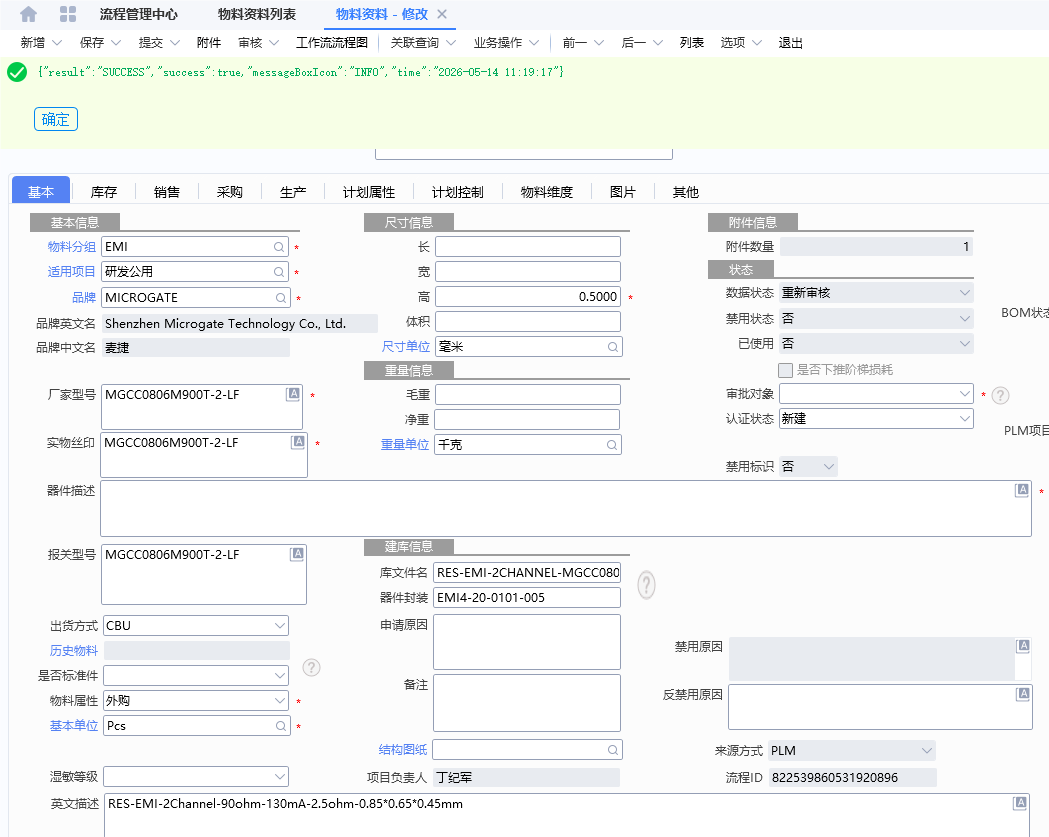
BOS开发
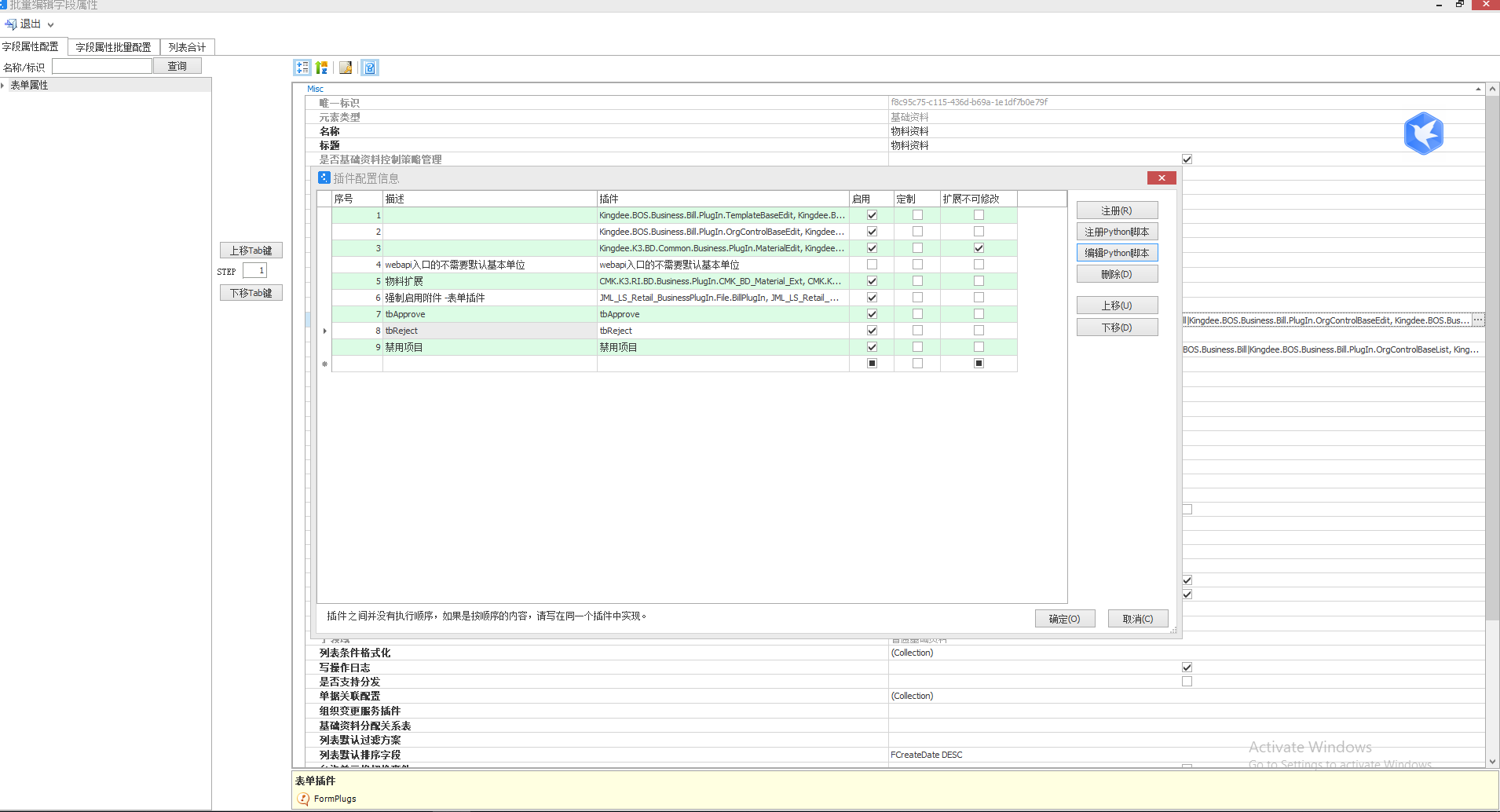
接口调用插件
import clr
#添加对cloud插件开发的常用组件的引用
clr.AddReference("System")
clr.AddReference("System.Web.Extensions")
clr.AddReference("Kingdee.BOS")
clr.AddReference("Kingdee.BOS.Core")
clr.AddReference("Newtonsoft.Json")
#导入cloud基础库中的常用实体对象(分命名空间导入,不会递归导入)
import sys
from System import *
from System.Collections.Generic import *
from System.Threading import *
from System.IO import *
from System.Net import *
from System.Text import *
from System.Security.Cryptography import *
from System.Web.Script.Serialization import *
from System.Collections.Generic import Dictionary
from Newtonsoft.Json.Linq import *

def post(url,postdata):
 	encode = "UTF-8";
	webRequest = HttpWebRequest.Create(url);
	webRequest.Method = "POST";
	webRequest.ContentType = "application/json";
	paraUrlCoded = postdata;
	payload = Encoding.GetEncoding(encode.ToUpper()).GetBytes(paraUrlCoded);
	webRequest.ContentLength = payload.Length;
	writer = webRequest.GetRequestStream();
	writer.Write(payload, 0, payload.Length);
	writer.Close();
	response = webRequest.GetResponse();
	sr = StreamReader(response.GetResponseStream(), Encoding.GetEncoding(encode));
	res = sr.ReadToEnd();
	return res;

def BarItemClick(e) :
	if e.BarItemKey=="tbApprove" :
		F_workFlowContainerId  = this.View.Model.GetValue("F_workFlowContainerId")
		FDocumentStatus  = this.View.Model.GetValue("FDocumentStatus")
		userName = this.Context.UserName
		remarks = "审批单据";
            #workFlowContainerId  = this.View.Model.GetValue("F_workFlowContainerId")
		postdata = '''{\"workFlowContainerId\":\"'''+F_workFlowContainerId+'''\",\"processResult\":\"S\",\"backReason\":\"'''+userName+remarks+'''\"}''';
		test = post("http://10.20.26.23:7002/rest/v1/ErpPushBackPlmMessage/FlowContainerReasonForRejection",postdata)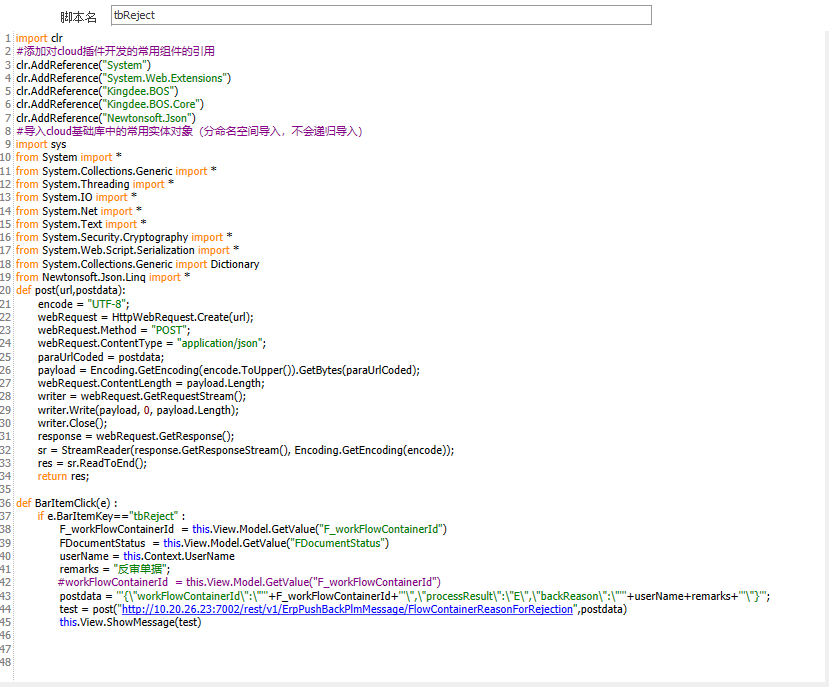
import clr
#添加对cloud插件开发的常用组件的引用
clr.AddReference("System")
clr.AddReference("System.Web.Extensions")
clr.AddReference("Kingdee.BOS")
clr.AddReference("Kingdee.BOS.Core")
clr.AddReference("Newtonsoft.Json")
#导入cloud基础库中的常用实体对象(分命名空间导入,不会递归导入)
import sys
from System import *
from System.Collections.Generic import *
from System.Threading import *
from System.IO import *
from System.Net import *
from System.Text import *
from System.Security.Cryptography import *
from System.Web.Script.Serialization import *
from System.Collections.Generic import Dictionary
from Newtonsoft.Json.Linq import *

def post(url,postdata):
 	encode = "UTF-8";
	webRequest = HttpWebRequest.Create(url);
	webRequest.Method = "POST";
	webRequest.ContentType = "application/json";
	paraUrlCoded = postdata;
	payload = Encoding.GetEncoding(encode.ToUpper()).GetBytes(paraUrlCoded);
	webRequest.ContentLength = payload.Length;
	writer = webRequest.GetRequestStream();
	writer.Write(payload, 0, payload.Length);
	writer.Close();
	response = webRequest.GetResponse();
	sr = StreamReader(response.GetResponseStream(), Encoding.GetEncoding(encode));
	res = sr.ReadToEnd();
	return res;

def BarItemClick(e) :
	if e.BarItemKey=="tbReject" :
		F_workFlowContainerId  = this.View.Model.GetValue("F_workFlowContainerId")
		FDocumentStatus  = this.View.Model.GetValue("FDocumentStatus")
		userName = this.Context.UserName
		remarks = "反审单据";
            #workFlowContainerId  = this.View.Model.GetValue("F_workFlowContainerId")
		postdata = '''{\"workFlowContainerId\":\"'''+F_workFlowContainerId+'''\",\"processResult\":\"E\",\"backReason\":\"'''+userName+remarks+'''\"}''';
		test = post("http://10.20.26.23:7002/rest/v1/ErpPushBackPlmMessage/FlowContainerReasonForRejection",postdata)
		this.View.ShowMessage(test)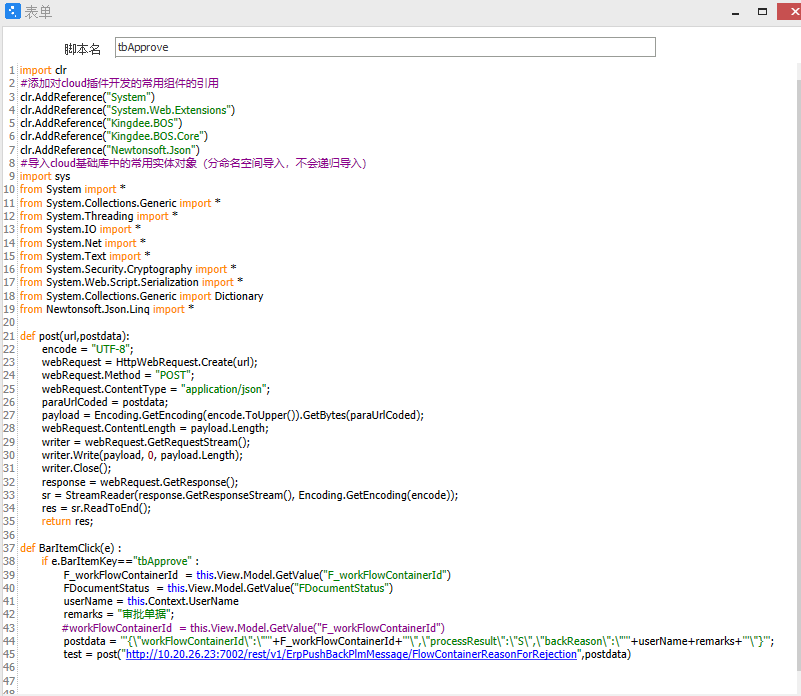
效果