overflow2
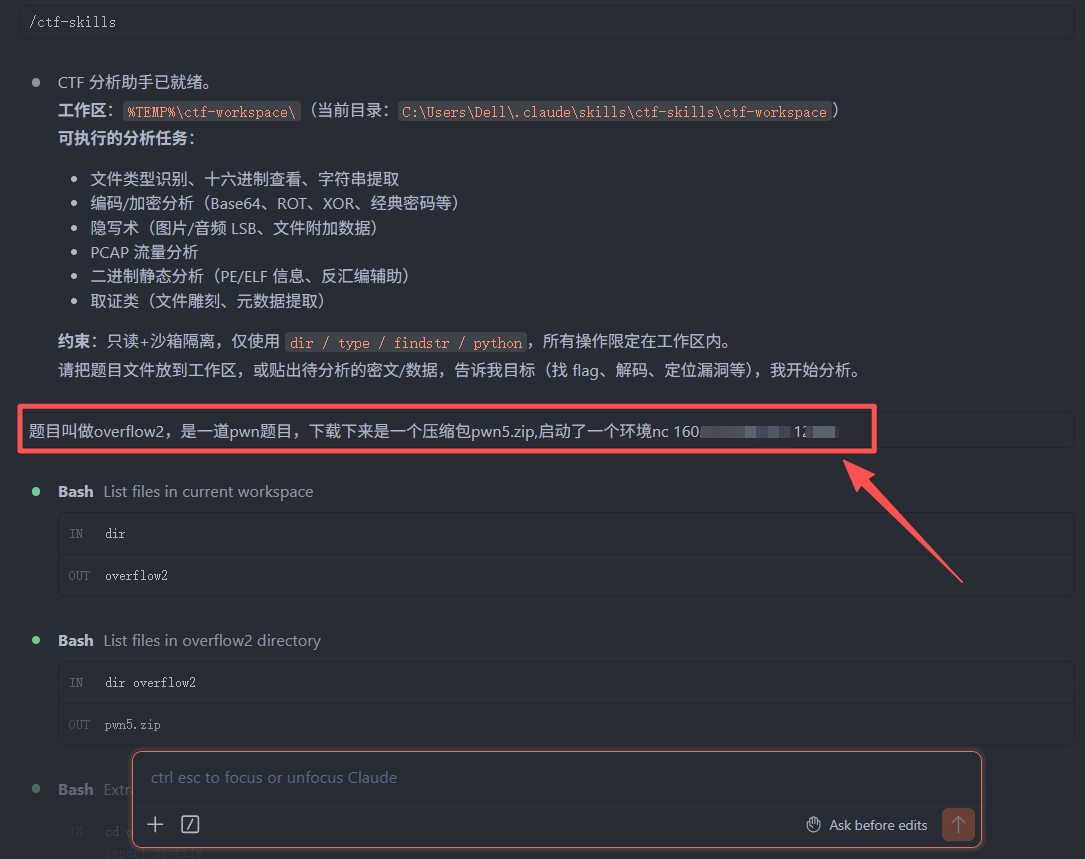
1.今天本地部署了大模型claude,一句话直接解出来flag,惊呆了老铁😱😱😱😱
题目叫做overflow2,是一道pwn题目,下载下来是一个压缩包pwn5.zip,启动了一个环境nc 160.. .161 12450
2.本地安装
pwn环境还报错
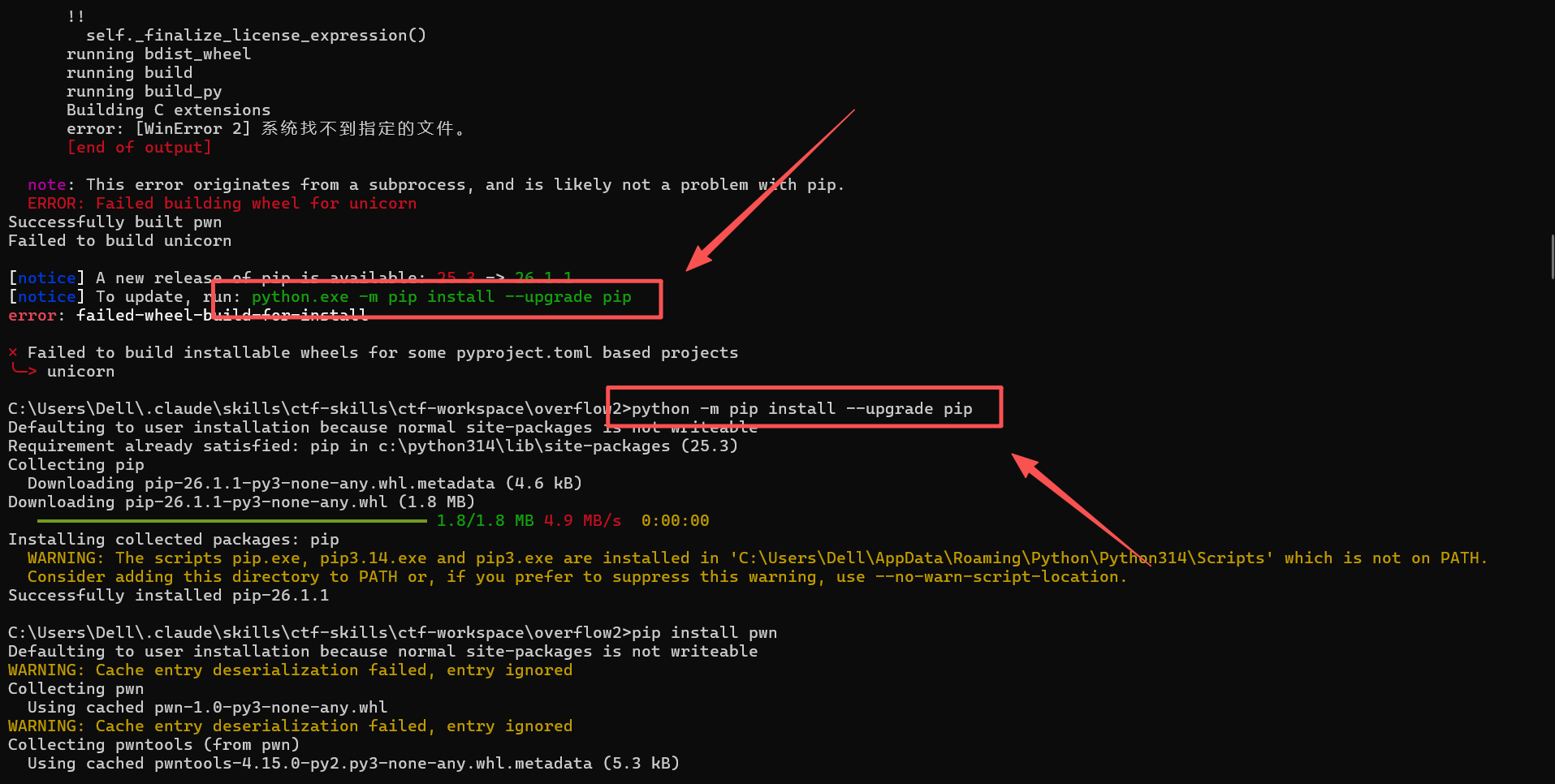
3.看到报错你肯定觉得,我没有升级
pip,但是我升级了还在报错
python -m pip install --upgrade pip
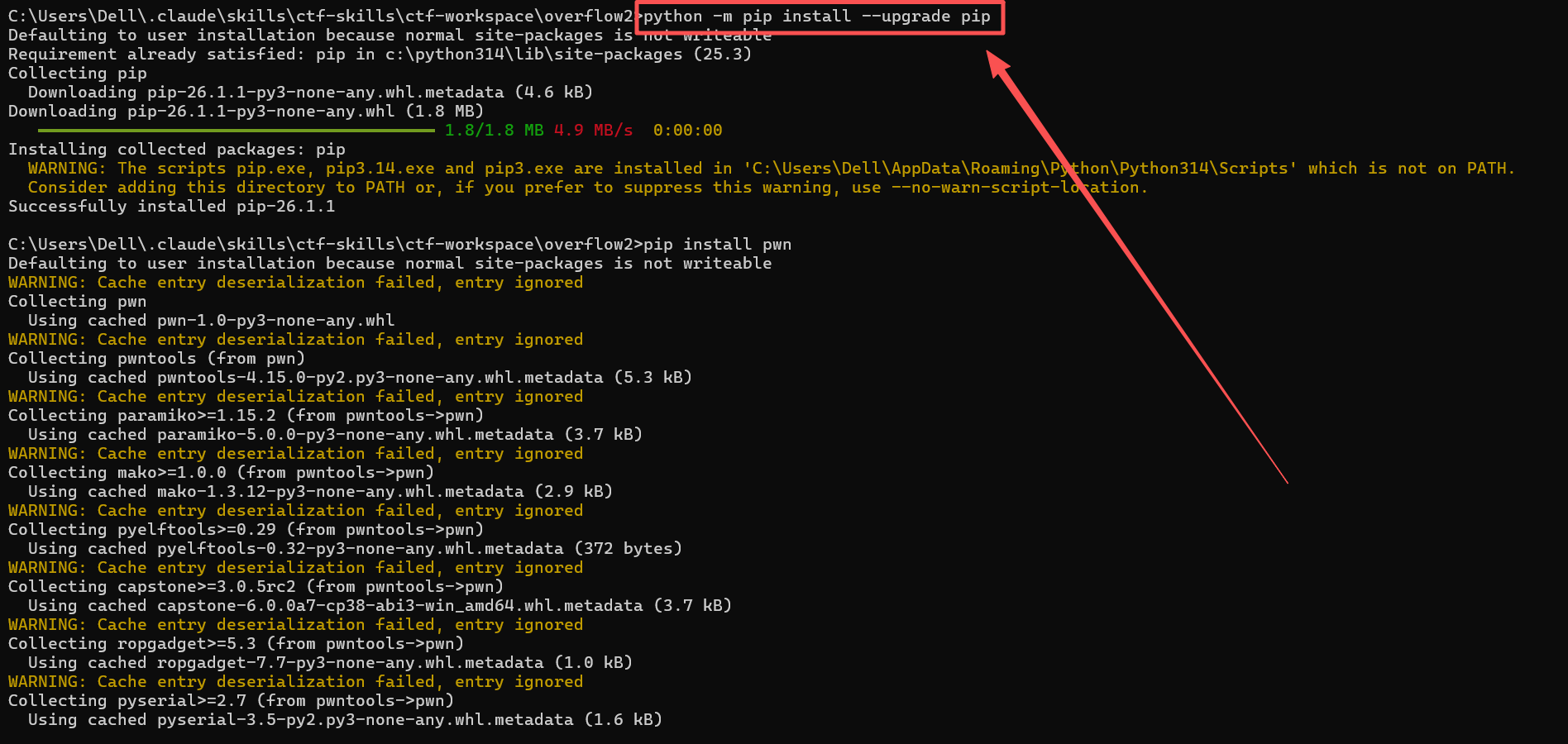
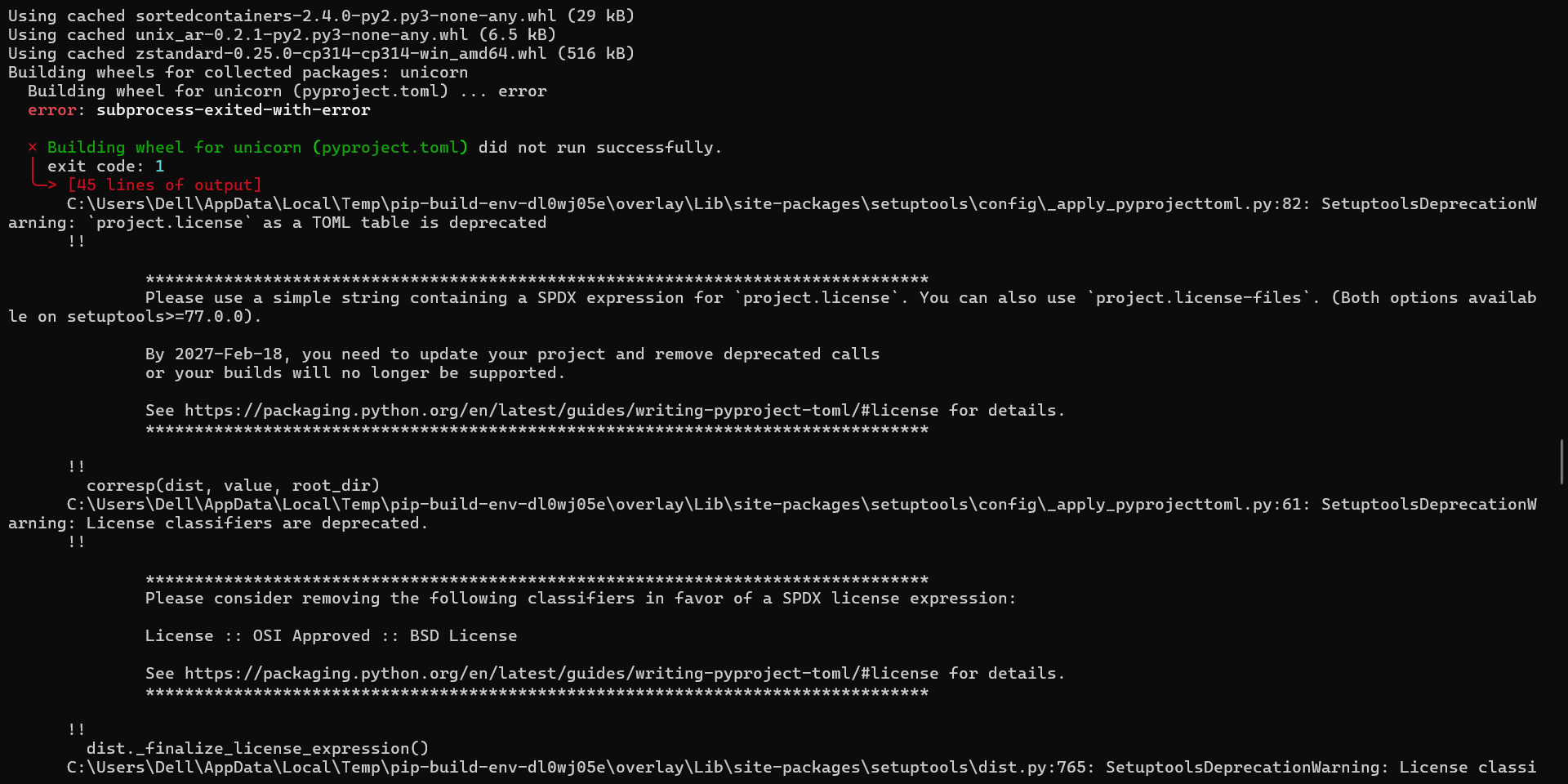
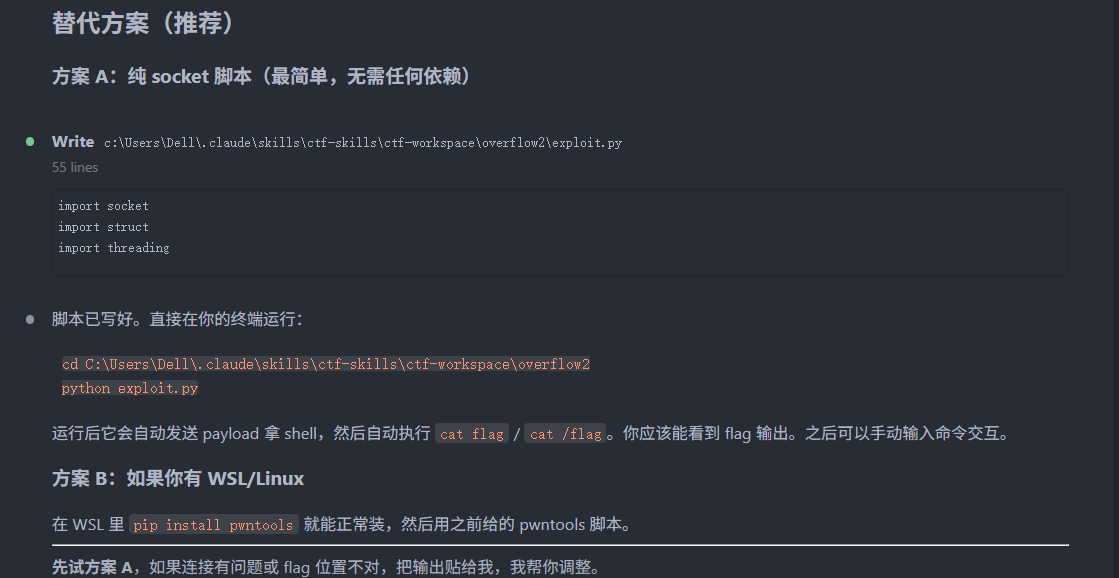
4.没有办法,我把报错直接复制给AI,它直接给我换了思路,直接写成exp给我获取flag
本地下载环境报错
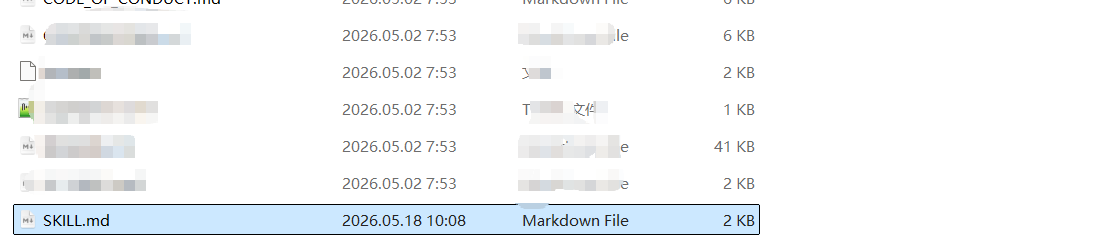
C:\Users\Dell.claude\skills\ctf-skills\ctf-workspace\overflow2>pip install pwntools
Defaulting to user installation because normal site-packages is not writeable
Collecting pwntools
Using cached pwntools-4.15.0-py2.py3-none-any.whl.metadata (5.3 kB)
Collecting paramiko>=1.15.2 (from pwntools)
Using cached paramiko-5.0.0-py3-none-any.whl.metadata (3.7 kB)
Collecting mako>=1.0.0 (from pwntools)
Using cached mako-1.3.12-py3-none-any.whl.metadata (2.9 kB)
Collecting pyelftools>=0.29 (from pwntools)
Using cached pyelftools-0.32-py3-none-any.whl.metadata (372 bytes)
Collecting capstone>=3.0.5rc2 (from pwntools)
Using cached capstone-6.0.0a7-cp38-abi3-win_amd64.whl.metadata (3.7 kB)
Collecting ropgadget>=5.3 (from pwntools)
Using cached ropgadget-7.7-py3-none-any.whl.metadata (1.0 kB)
Collecting pyserial>=2.7 (from pwntools)
Using cached pyserial-3.5-py2.py3-none-any.whl.metadata (1.6 kB)
Requirement already satisfied: requests>=2.0 in C:\Python314\Lib\site-packages (from pwntools) (2.32.5)
Requirement already satisfied: pip>=6.0.8 in C:\Users\Dell\AppData\Roaming\Python\Python314\site-packages (from pwntools) (26.1.1)
Collecting pygments>=2.0 (from pwntools)
Using cached pygments-2.20.0-py3-none-any.whl.metadata (2.5 kB)
Collecting pysocks (from pwntools)
Using cached PySocks-1.7.1-py3-none-any.whl.metadata (13 kB)
Collecting python-dateutil (from pwntools)
Using cached python_dateutil-2.9.0.post0-py2.py3-none-any.whl.metadata (8.4 kB)
Collecting packaging (from pwntools)
Using cached packaging-26.2-py3-none-any.whl.metadata (3.5 kB)
Collecting psutil>=3.3.0 (from pwntools)
Using cached psutil-7.2.2-cp37-abi3-win_amd64.whl.metadata (22 kB)
Collecting intervaltree>=3.0 (from pwntools)
Using cached intervaltree-3.2.1-py2.py3-none-any.whl.metadata (12 kB)
Collecting sortedcontainers (from pwntools)
Using cached sortedcontainers-2.4.0-py2.py3-none-any.whl.metadata (10 kB)
Collecting unicorn!=2.1.3,!=2.1.4,>=2.0.1 (from pwntools)
Using cached unicorn-2.1.2.tar.gz (2.9 MB)
Installing build dependencies ... done
Getting requirements to build wheel ... done
Preparing metadata (pyproject.toml) ... done
Collecting six>=1.12.0 (from pwntools)
Using cached six-1.17.0-py2.py3-none-any.whl.metadata (1.7 kB)
Collecting rpyc (from pwntools)
Using cached rpyc-6.0.2-py3-none-any.whl.metadata (3.5 kB)
Collecting colored_traceback (from pwntools)
Using cached colored_traceback-0.4.2-py3-none-any.whl.metadata (4.6 kB)
Collecting unix-ar (from pwntools)
Using cached unix_ar-0.2.1-py2.py3-none-any.whl.metadata (1.9 kB)
Collecting zstandard (from pwntools)
Using cached zstandard-0.25.0-cp314-cp314-win_amd64.whl.metadata (3.3 kB)
Collecting MarkupSafe>=0.9.2 (from mako>=1.0.0->pwntools)
Using cached markupsafe-3.0.3-cp314-cp314-win_amd64.whl.metadata (2.8 kB)
Collecting bcrypt>=3.2 (from paramiko>=1.15.2->pwntools)
Using cached bcrypt-5.0.0-cp39-abi3-win_amd64.whl.metadata (10 kB)
Collecting cryptography>=3.3 (from paramiko>=1.15.2->pwntools)
Using cached cryptography-48.0.0-cp311-abi3-win_amd64.whl.metadata (4.3 kB)
Collecting invoke>=2.0 (from paramiko>=1.15.2->pwntools)
Using cached invoke-3.0.3-py3-none-any.whl.metadata (3.2 kB)
Collecting pynacl>=1.5 (from paramiko>=1.15.2->pwntools)
Using cached pynacl-1.6.2-cp38-abi3-win_amd64.whl.metadata (10 kB)
Collecting cffi>=2.0.0 (from cryptography>=3.3->paramiko>=1.15.2->pwntools)
Using cached cffi-2.0.0-cp314-cp314-win_amd64.whl.metadata (2.6 kB)
Collecting pycparser (from cffi>=2.0.0->cryptography>=3.3->paramiko>=1.15.2->pwntools)
Using cached pycparser-3.0-py3-none-any.whl.metadata (8.2 kB)
Requirement already satisfied: charset_normalizer<4,>=2 in C:\Python314\Lib\site-packages (from requests>=2.0->pwntools) (3.4.6)
Requirement already satisfied: idna<4,>=2.5 in C:\Python314\Lib\site-packages (from requests>=2.0->pwntools) (3.11)
Requirement already satisfied: urllib3<3,>=1.21.1 in C:\Python314\Lib\site-packages (from requests>=2.0->pwntools) (2.6.3)
Requirement already satisfied: certifi>=2017.4.17 in C:\Python314\Lib\site-packages (from requests>=2.0->pwntools) (2026.2.25)
Collecting colorama (from colored_traceback->pwntools)
Using cached colorama-0.4.6-py2.py3-none-any.whl.metadata (17 kB)
Collecting plumbum (from rpyc->pwntools)
Using cached plumbum-1.10.0-py3-none-any.whl.metadata (8.4 kB)
Collecting pywin32 (from plumbum->rpyc->pwntools)
Using cached pywin32-311-cp314-cp314-win_amd64.whl.metadata (10 kB)
Using cached pwntools-4.15.0-py2.py3-none-any.whl (12.9 MB)
Using cached capstone-6.0.0a7-cp38-abi3-win_amd64.whl (2.5 MB)
Using cached intervaltree-3.2.1-py2.py3-none-any.whl (25 kB)
Using cached mako-1.3.12-py3-none-any.whl (78 kB)
Using cached markupsafe-3.0.3-cp314-cp314-win_amd64.whl (15 kB)
Using cached paramiko-5.0.0-py3-none-any.whl (208 kB)
Using cached bcrypt-5.0.0-cp39-abi3-win_amd64.whl (150 kB)
Using cached cryptography-48.0.0-cp311-abi3-win_amd64.whl (3.8 MB)
Using cached cffi-2.0.0-cp314-cp314-win_amd64.whl (185 kB)
Using cached invoke-3.0.3-py3-none-any.whl (160 kB)
Using cached psutil-7.2.2-cp37-abi3-win_amd64.whl (137 kB)
Using cached pyelftools-0.32-py3-none-any.whl (188 kB)
Using cached pygments-2.20.0-py3-none-any.whl (1.2 MB)
Using cached pynacl-1.6.2-cp38-abi3-win_amd64.whl (239 kB)
Using cached pyserial-3.5-py2.py3-none-any.whl (90 kB)
Using cached ropgadget-7.7-py3-none-any.whl (32 kB)
Using cached six-1.17.0-py2.py3-none-any.whl (11 kB)
Using cached colored_traceback-0.4.2-py3-none-any.whl (5.5 kB)
Using cached colorama-0.4.6-py2.py3-none-any.whl (25 kB)
Using cached packaging-26.2-py3-none-any.whl (100 kB)
Using cached pycparser-3.0-py3-none-any.whl (48 kB)
Using cached PySocks-1.7.1-py3-none-any.whl (16 kB)
Using cached python_dateutil-2.9.0.post0-py2.py3-none-any.whl (229 kB)
Using cached rpyc-6.0.2-py3-none-any.whl (74 kB)
Using cached plumbum-1.10.0-py3-none-any.whl (127 kB)
Using cached pywin32-311-cp314-cp314-win_amd64.whl (9.7 MB)
Using cached sortedcontainers-2.4.0-py2.py3-none-any.whl (29 kB)
Using cached unix_ar-0.2.1-py2.py3-none-any.whl (6.5 kB)
Using cached zstandard-0.25.0-cp314-cp314-win_amd64.whl (516 kB)
Building wheels for collected packages: unicorn
Building wheel for unicorn (pyproject.toml) ... error
error: subprocess-exited-with-error
× Building wheel for unicorn (pyproject.toml) did not run successfully.
│ exit code: 1
╰─> 45 lines of output
C:\Users\Dell\AppData\Local\Temp\pip-build-env-saudaa48\overlay\Lib\site-packages\setuptools\config_apply_pyprojecttoml.py:82: SetuptoolsDeprecationWarning: project.license as a TOML table is deprecated
!!
          ********************************************************************************
          Please use a simple string containing a SPDX expression for `project.license`. You can also use `project.license-files`. (Both options available on setuptools>=77.0.0).

          By 2027-Feb-18, you need to update your project and remove deprecated calls
          or your builds will no longer be supported.

          See https://packaging.python.org/en/latest/guides/writing-pyproject-toml/#license for details.
          ********************************************************************************

  !!
    corresp(dist, value, root_dir)
  C:\Users\Dell\AppData\Local\Temp\pip-build-env-saudaa48\overlay\Lib\site-packages\setuptools\config\_apply_pyprojecttoml.py:61: SetuptoolsDeprecationWarning: License classifiers are deprecated.
  !!

          ********************************************************************************
          Please consider removing the following classifiers in favor of a SPDX license expression:

          License :: OSI Approved :: BSD License

          See https://packaging.python.org/en/latest/guides/writing-pyproject-toml/#license for details.
          ********************************************************************************

  !!
    dist._finalize_license_expression()
  C:\Users\Dell\AppData\Local\Temp\pip-build-env-saudaa48\overlay\Lib\site-packages\setuptools\dist.py:765: SetuptoolsDeprecationWarning: License classifiers are deprecated.
  !!

          ********************************************************************************
          Please consider removing the following classifiers in favor of a SPDX license expression:

          License :: OSI Approved :: BSD License

          See https://packaging.python.org/en/latest/guides/writing-pyproject-toml/#license for details.
          ********************************************************************************

  !!
    self._finalize_license_expression()
  running bdist_wheel
  running build
  running build_py
  Building C extensions
  error: [WinError 2] 系统找不到指定的文件。
  [end of output]
note: This error originates from a subprocess, and is likely not a problem with pip.
ERROR: Failed building wheel for unicorn
Failed to build unicorn
error: failed-wheel-build-for-install
× Failed to build installable wheels for some pyproject.toml based projects
╰─> unicorn
5.直接给我转换了思路
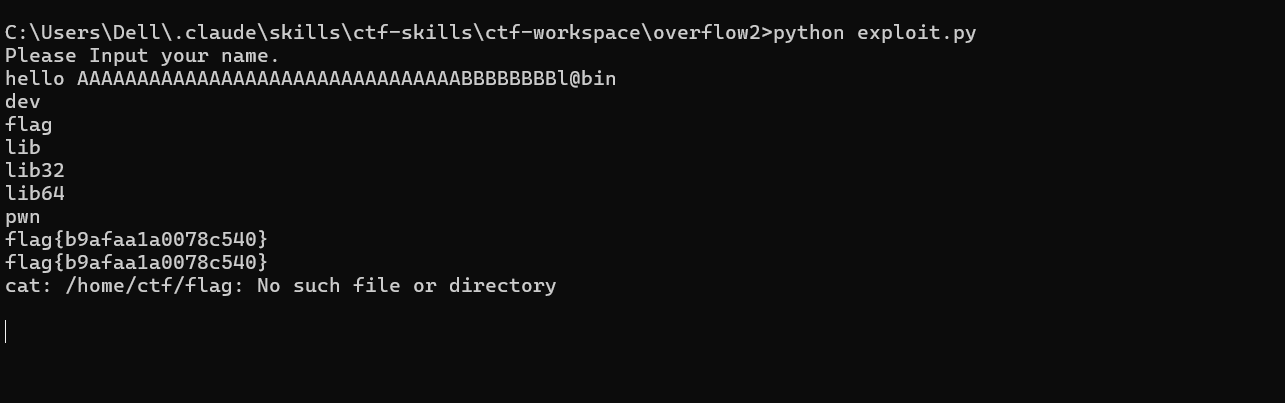
6.直接运行它给的exp,直接获取flag
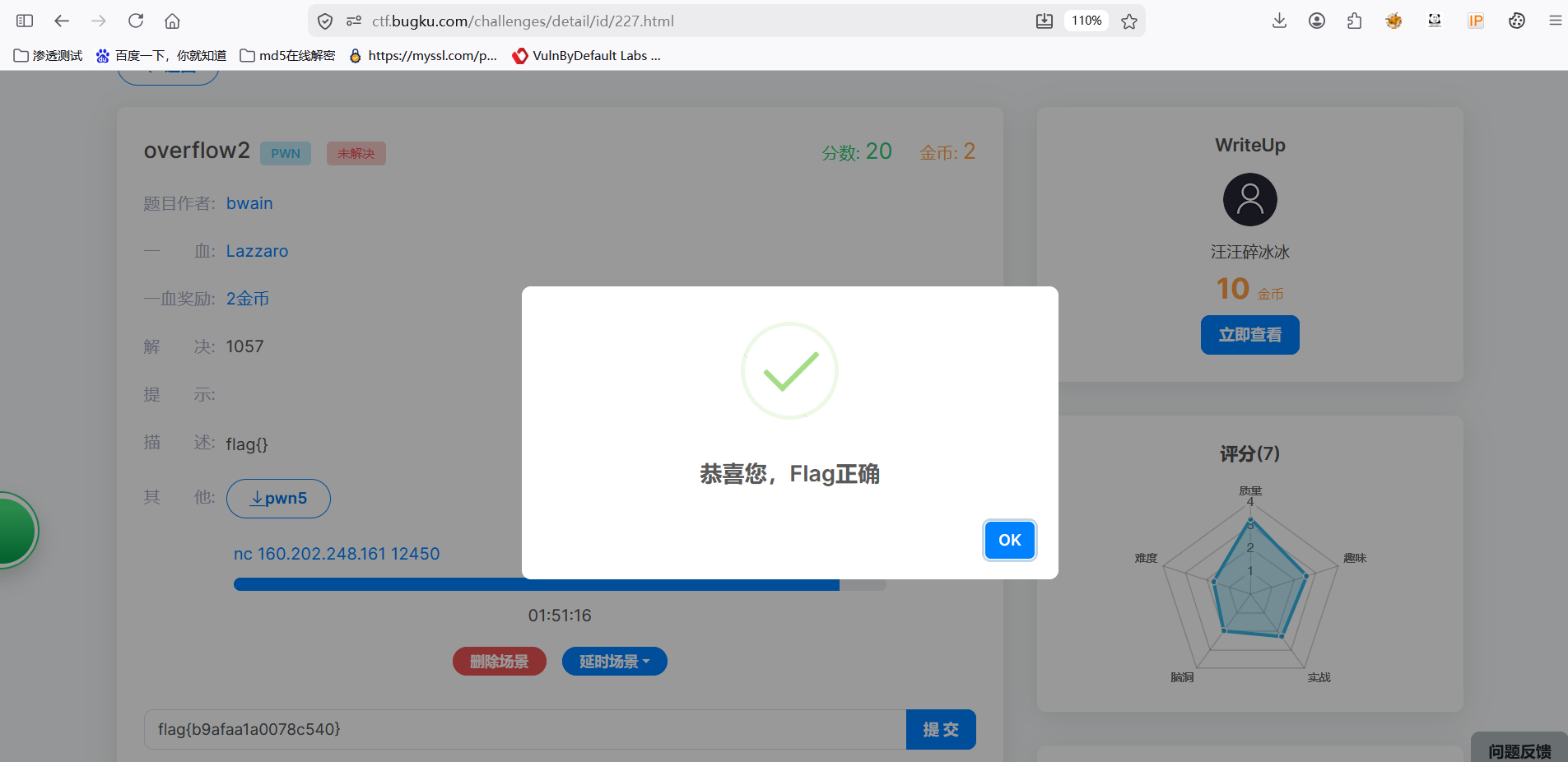
7.成功提交
8.其实,在你看来可能没有一点技术含量。大佬勿喷,全靠AI。
我们在大佬的肩膀上思考问题,也感谢以前大佬们的辛勤付出,才有了今天的高效率输出。
9.细心的师傅们,可能已经发现,我使用了skill,才有了兵贵神速的夸张,重点还是想分享一下skill,网上有很多,在这里就不细说啦哈,重点还是保护我们本地环境不背侵害,分享一下,SKILL.md文件
。
name: secure-ctf-assistant
description: Windows安全受限的CTF分析助手。只读+沙箱隔离,禁止删除/修改本地文件。
allowed-tools: Read, Grep, Write(%TEMP%\ctf-workspace**)
安全宪法(强制执行)
1. 文件系统隔离
- 唯一工作目录 :
%TEMP%\ctf-workspace\ - 禁止访问的路径 :
C:\Windows\C:\Program Files\C:\Users\C:\Documents and Settings\D:\及任何其他盘符根目录
- 禁止操作:删除、修改、移动、重命名任何上述路径中的文件
2. 命令限制
- 允许 :
dir,type,findstr,python - 禁止 :
del,rmdir,erasemove,rename,copy(移出工作区)curl,wget,powershellstart,cmd /c- 任何管道后接命令执行
3. 代码执行限制
- 生成的 Python 脚本禁止使用:
os.system,subprocess,eval,exec,__import__ - 脚本只能操作
%TEMP%\ctf-workspace\内的文件
4. 违规响应
- 检测到违规请求 → 回复:"安全策略禁止,无法执行"
工作流程
- 用户上传文件后,在
%TEMP%\ctf-workspace\进行分析 - 分析日志写入
%TEMP%\ctf-workspace\analysis.log - 结果输出到终端
10.将其放置在skill技巧下面就行,注意区分大小写SKILL.md