(五)YOLOv5性能评估
静态性能验证
bash
cd /data/horizon_j5/model_output

hb_perf yolov5n-det.bin
2026-05-19 09:57:25,892 INFO log will be stored in /data/horizon_j5/model_output/hb_perf.log
2026-05-19 09:57:25,899 INFO Start hb_perf....
2026-05-19 09:57:25,899 INFO hb_perf version 1.24.1
2026-05-19 09:57:25,906 INFO **************** yolov5n-det perf ****************
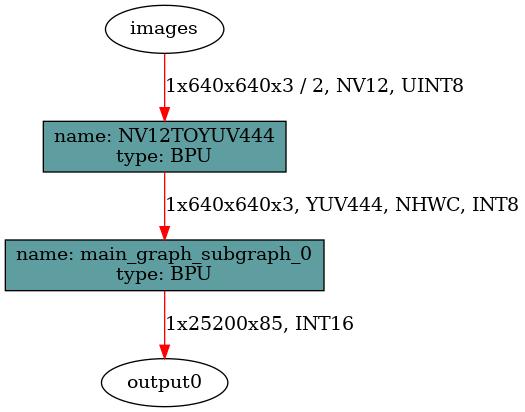
2026-05-19 09:57:25,921 INFO When the bin model input type is nv12, the BPU will convert nv12 to yuv444 internally to do the operation. In the drawing process, we use a BPU node to replace this input type conversion process to ensure the correctness of the logical relationships expressed in the diagram, but in fact, this BPU node doesn't exist in the bin model.. We name this BPU node involved in the drawing process NV12TOYUV444 with details ['1x640x640x3 / 2, NV12, UINT8'].
2026-05-19 09:57:26,030 INFO draw graph png finished.
2026-05-19 09:57:26,039 INFO get bpu model succeeded.
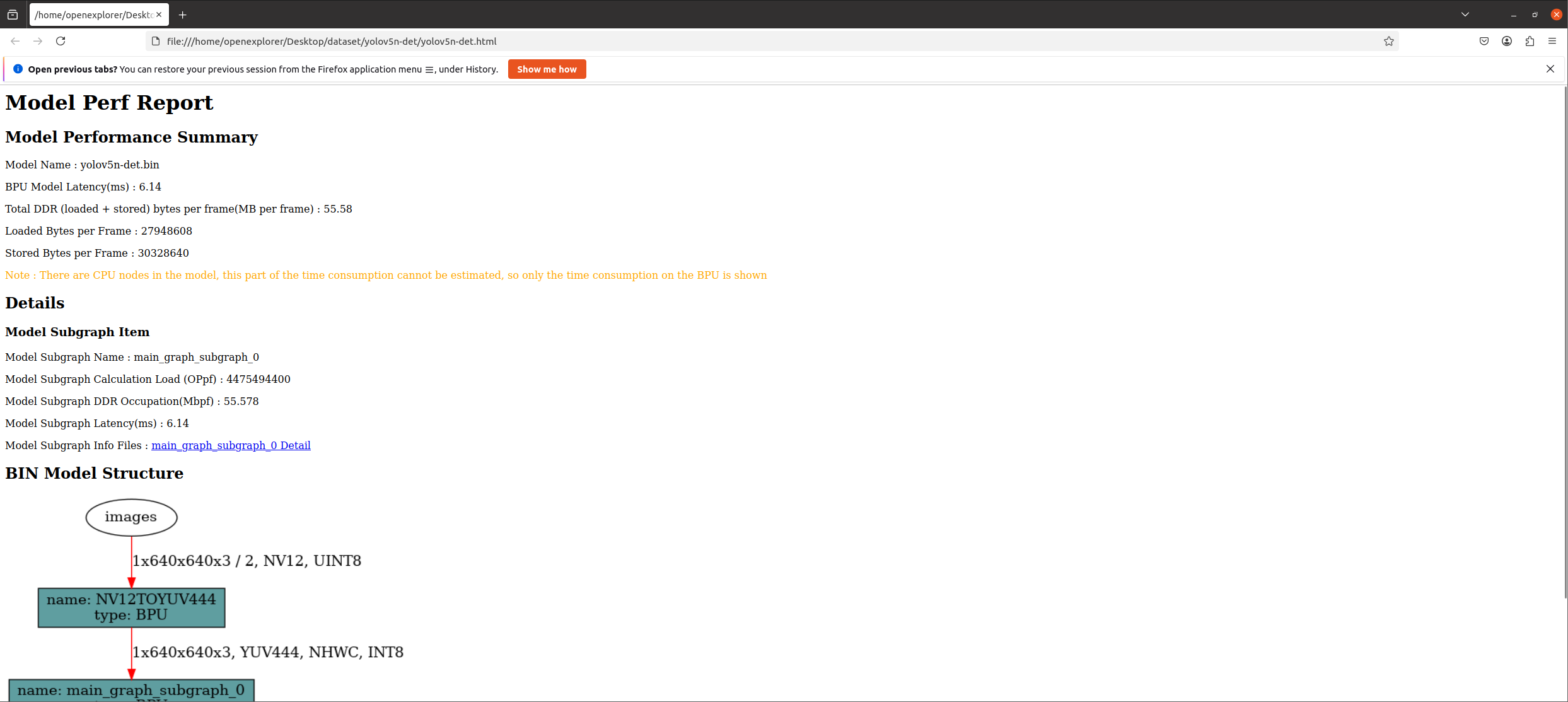
2026-05-19 09:57:26,205 INFO FPS=162.77, latency = 6143.7 us, DDR = 58277248 bytes   (see ./hb_perf_result/yolov5n-det/main_graph_subgraph_0.html)
2026-05-19 09:57:26,206 WARNING Load/Store with compression is used in your model. Actual latency depends on the data it processed.
2026-05-19 09:57:26,447 INFO get perf info succeeded.
2026-05-19 09:57:26,455 INFO generating html...
2026-05-19 09:57:26,456 INFO html generation finished.
2026-05-19 09:57:26,456 INFO file stored at : /data/horizon_j5/model_output/hb_perf_result/yolov5n-det/yolov5n-det.html

cp -R yolov5n-det /data/horizon_j5/data
打开"Desktop/dataset/yolov5n-det"路径下"yolov5n-det.html"文件,查看模型性能。
动态性能评估
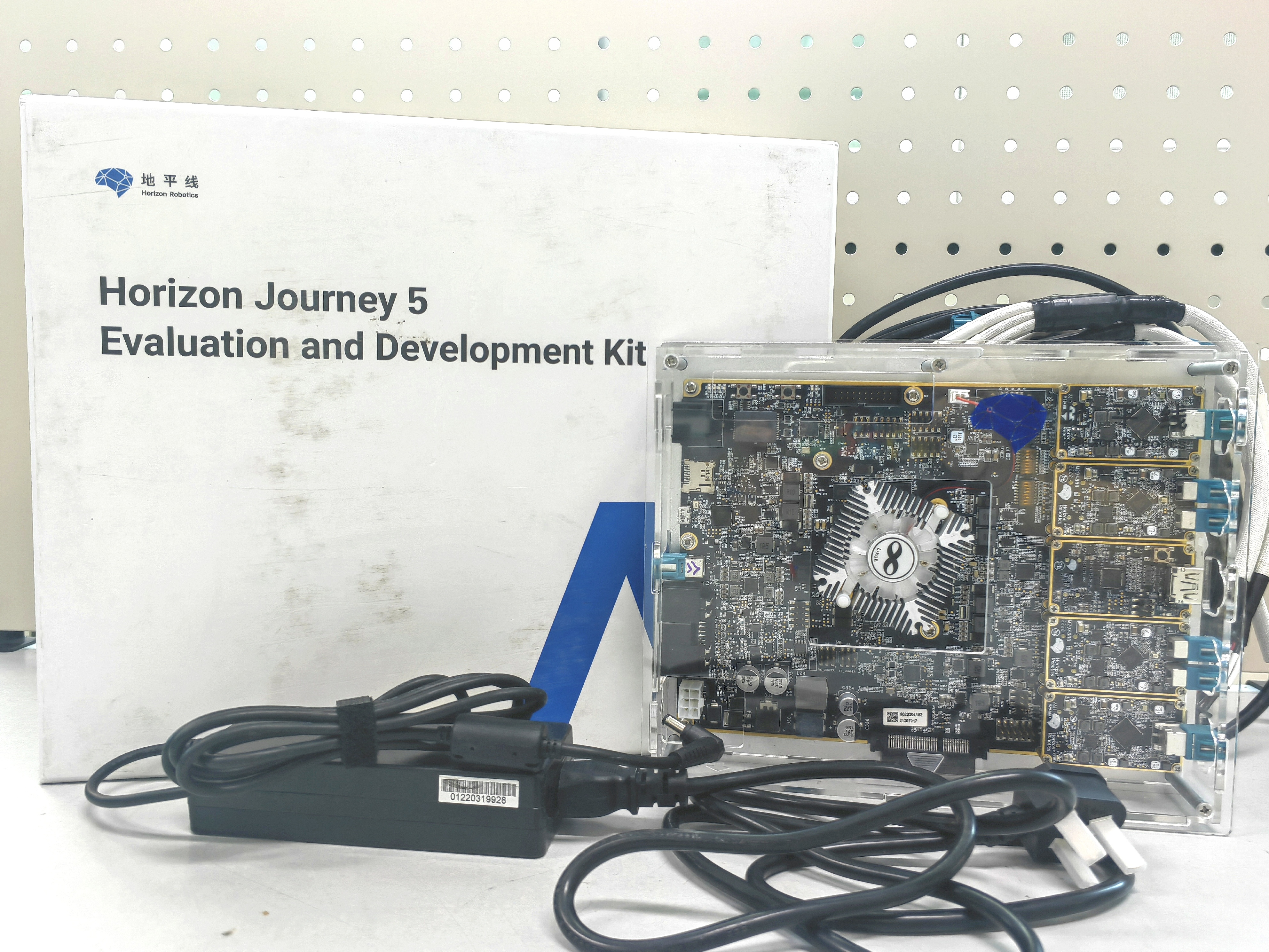
Horizon Journey 5 Evaluation and Development Kit 设置
bash
# 查看网卡地址
ifconfig
eth0      Link encap:Ethernet  HWaddr 0e:a5:64:be:88:6c
          inet addr:192.168.2.15  Bcast:192.168.2.255  Mask:255.255.255.0
          UP BROADCAST MULTICAST  MTU:1500  Metric:1
          RX packets:0 errors:0 dropped:0 overruns:0 frame:0
          TX packets:0 errors:0 dropped:0 overruns:0 carrier:0
          collisions:0 txqueuelen:1000
          RX bytes:0 (0.0 B)  TX bytes:0 (0.0 B)
          Interrupt:61 Base address:0xa000

eth1      Link encap:Ethernet  HWaddr aa:70:13:39:ee:16
          inet addr:192.168.8.15  Bcast:192.168.8.255  Mask:255.255.255.0
          UP BROADCAST MULTICAST  MTU:1500  Metric:1
          RX packets:0 errors:0 dropped:0 overruns:0 frame:0
          TX packets:0 errors:0 dropped:0 overruns:0 carrier:0
          collisions:0 txqueuelen:1000
          RX bytes:0 (0.0 B)  TX bytes:0 (0.0 B)
          Interrupt:63 Base address:0x2000

lo        Link encap:Local Loopback
          inet addr:127.0.0.1  Mask:255.0.0.0
          inet6 addr: ::1/128 Scope:Host
          UP LOOPBACK RUNNING  MTU:65536  Metric:1
          RX packets:9 errors:0 dropped:0 overruns:0 frame:0
          TX packets:9 errors:0 dropped:0 overruns:0 carrier:0
          collisions:0 txqueuelen:1000
          RX bytes:936 (936.0 B)  TX bytes:936 (936.0 B)

# 修改网卡地址:hrut_ipfull s eth1 {IP} {MASK} {GATEWAY}
hrut_ipfull s eth1 192.168.0.10 255.255.255.0 192.168.0.1

# 重启系统
reboot

# 重新查看网卡地址
ifconfig
eth0      Link encap:Ethernet  HWaddr b6:fb:8e:db:9b:f0
          inet addr:192.168.2.15  Bcast:192.168.2.255  Mask:255.255.255.0
          UP BROADCAST MULTICAST  MTU:1500  Metric:1
          RX packets:0 errors:0 dropped:0 overruns:0 frame:0
          TX packets:0 errors:0 dropped:0 overruns:0 carrier:0
          collisions:0 txqueuelen:1000
          RX bytes:0 (0.0 B)  TX bytes:0 (0.0 B)
          Interrupt:61 Base address:0xa000

eth1      Link encap:Ethernet  HWaddr aa:70:13:39:ee:16
          inet addr:192.168.0.10  Bcast:192.168.0.255  Mask:255.255.255.0
          inet6 addr: fe80::a870:13ff:fe39:ee16/64 Scope:Link
          UP BROADCAST RUNNING MULTICAST  MTU:1500  Metric:1
          RX packets:818 errors:0 dropped:0 overruns:0 frame:0
          TX packets:58 errors:0 dropped:0 overruns:0 carrier:0
          collisions:0 txqueuelen:1000
          RX bytes:53374 (52.1 KiB)  TX bytes:4314 (4.2 KiB)
          Interrupt:63 Base address:0x2000

lo        Link encap:Local Loopback
          inet addr:127.0.0.1  Mask:255.0.0.0
          inet6 addr: ::1/128 Scope:Host
          UP LOOPBACK RUNNING  MTU:65536  Metric:1
          RX packets:0 errors:0 dropped:0 overruns:0 frame:0
          TX packets:0 errors:0 dropped:0 overruns:0 carrier:0
          collisions:0 txqueuelen:1000
          RX bytes:0 (0.0 B)  TX bytes:0 (0.0 B)
板上安装hrt_model_exec
"https://developer.horizon.auto/docs/J5/toolchain/1.1.77/download"中下载J5 OpenExplorer 开发包;
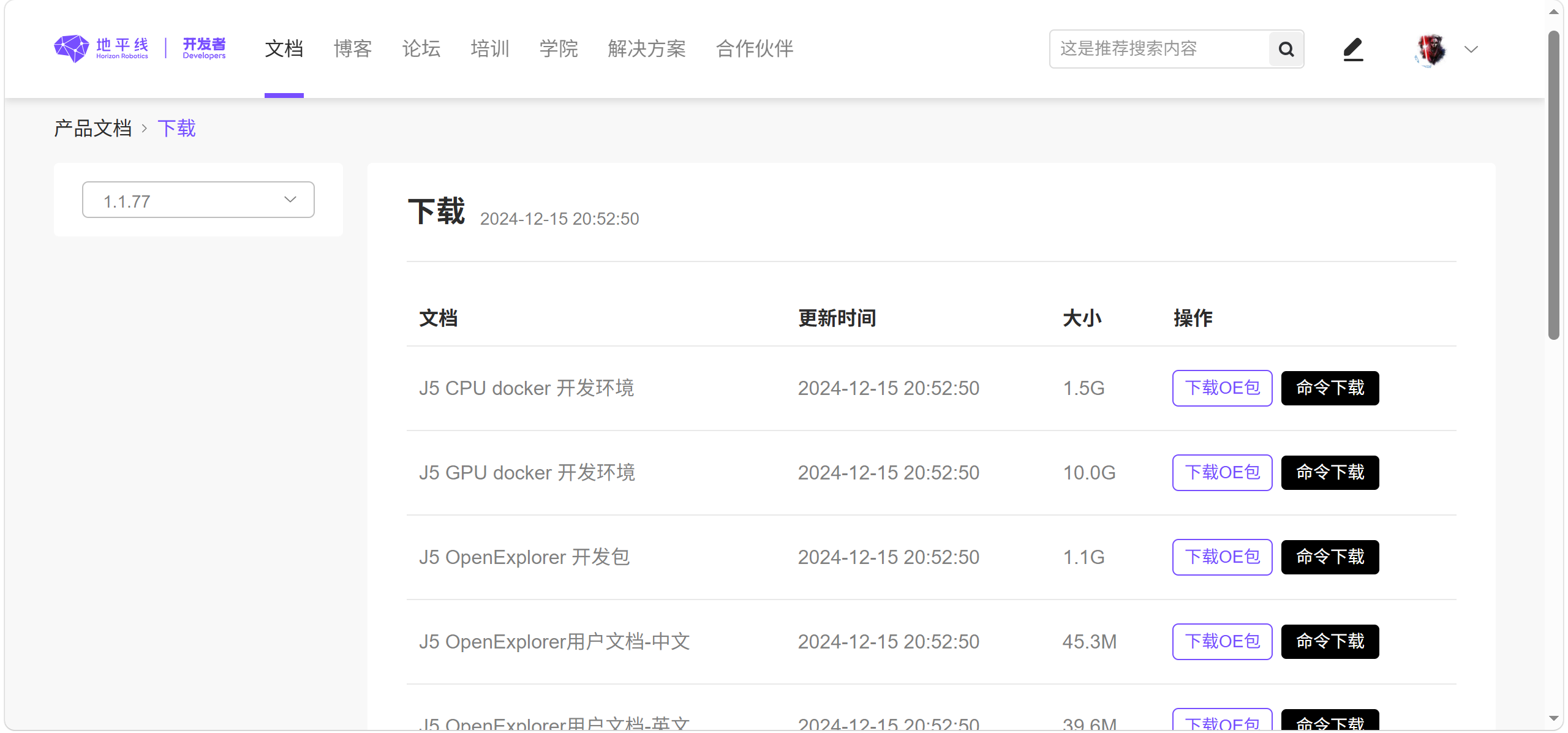
解压后将"horizon_j5_open_explorer_v1.1.77-py38_20240802\ddk\package\board"文件夹放入"Desktop/dataset"路径下;
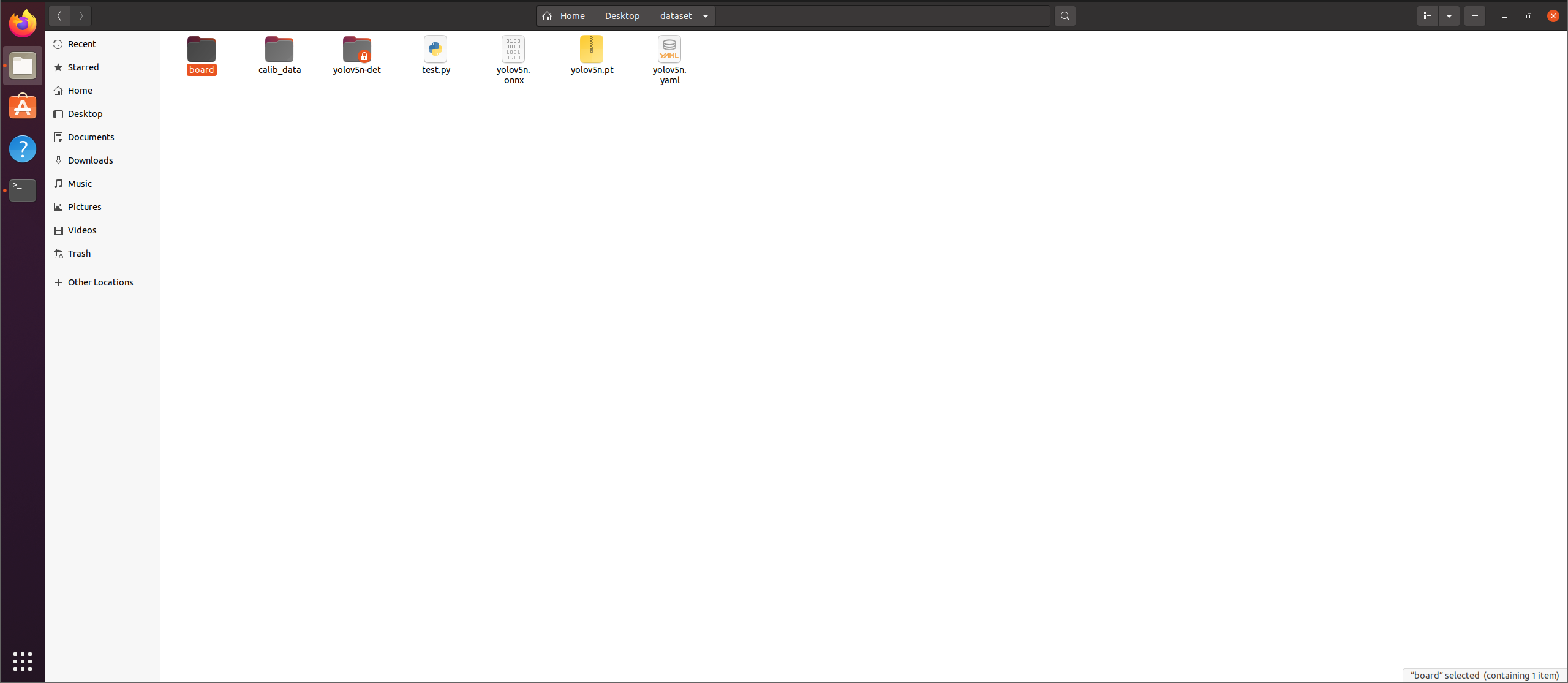
运行下述命令,完成hrt_model_exec安装。
bash
cd dataset/board

bash install.sh 192.168.0.10
The authenticity of host '192.168.0.10  (192.168.0.10 )' can't be established.
RSA key fingerprint is SHA256:XXXXXXXXXXXXXXXXXXX.
Are you sure you want to continue connecting (yes/no/[fingerprint])? yes
Warning: Permanently added '192.168.0.10 ' (RSA) to the list of known hosts.
ssh login j5
hrt_bin_dump is successfully installed in the /userdata/.horizon/ of the board.
hrt_model_exec is successfully installed in the /userdata/.horizon/ of the board.
hrt_model_exec 参数说明如下:
| 参数 | 类型 | 说明 |
|---|---|---|
| model_file | string | 必选模型文件路径 |
| core_id | int | 可选用于指定BPU运行核心,默认值为0。0:任意核,预测库会根据负载情况自动分配调度。1:core0。2:core1。 |
| thread_num | int | 可选程序运行线程数,可选范围1,8,默认值1。 |
| frame_count | int | 可选模型运行总帧数,默认值200。 |
| profile_path | string | 可选统计工具日志产生路径,运行产生profiler.log和profiler.csv,分析op耗时和调度耗时。 |
进行评估
bash
cd /data/horizon_j5

scp model_output/yolov5n-det.bin root@192.168.0.10:/userdata
The authenticity of host '192.168.0.10 (192.168.0.10)' can't be established.
RSA key fingerprint is SHA256:XXXXXXXXXXXXXXXXXXX.
Are you sure you want to continue connecting (yes/no/[fingerprint])? yes
Warning: Permanently added '192.168.0.100' (RSA) to the list of known hosts.
yolov5n-det.bin

ssh root@192.168.0.10

cd /userdata

hrt_model_exec perf --model_file yolov5n-det.bin --thread_num 1 --frame_count 1000
hrt_model_exec perf --model_file yolov5n-det.bin --thread_num 1 --frame_count 1000
I0000 00:00:00.000000  1711 vlog_is_on.cc:197] RAW: Set VLOG level for "*" to 3
[BPU_PLAT]BPU Platform Version(1.3.5)!
[HBRT] set log level as 0. version = 3.15.53.0
[DNN] Runtime version = 1.24.3_(3.15.53 HBRT)
[A][DNN][packed_model.cpp:247][Model](2000-01-01,08:42:40.688.754) [HorizonRT] The model builder version = 1.24.1
Load model to DDR cost 273.362ms.

 [Warning]: These operators have range limitations on input data:
 [Div, Tan, Acos, Asin, Sqrt, Gather, GatherElements, GatherND, GridSample, Log, Onehot, PsroiPooling, Range, ReverseSequence, RoiPooling, RoiAlign, ScatterElements, ScatterND, Slice, Tile, Topk, Upsample].
 Please make sure that these operators are not in your model, when no input data is provided to the tool.
 [Suggestion]: Using --input_file command to specify perf input data, which can appoint valid input data.

I0101 08:42:40.717106  1711 function_util.cpp:323] get model handle success
I0101 08:42:40.717188  1711 function_util.cpp:656] get model input count success
I0101 08:42:40.717323  1711 function_util.cpp:687] prepare input tensor success!
I0101 08:42:40.717391  1711 function_util.cpp:697] get model output count success
Frame count: 200,  Thread Average: 5.855026 ms,  thread max latency: 6.358000 ms,  thread min latency: 5.839000 ms,  FPS: 170.616730
Frame count: 400,  Thread Average: 5.849332 ms,  thread max latency: 6.358000 ms,  thread min latency: 5.833000 ms,  FPS: 170.795135
Frame count: 600,  Thread Average: 5.846450 ms,  thread max latency: 6.358000 ms,  thread min latency: 5.829000 ms,  FPS: 170.884323
Frame count: 800,  Thread Average: 5.844947 ms,  thread max latency: 6.358000 ms,  thread min latency: 5.829000 ms,  FPS: 170.930573
Frame count: 1000,  Thread Average: 5.845697 ms,  thread max latency: 6.358000 ms,  thread min latency: 5.829000 ms,  FPS: 170.909958

Running condition:
  Thread number is: 1
  Frame count   is: 1000
  Program run time: 5851.190000 ms
Perf result:
  Frame totally latency is: 5845.696777 ms
  Average    latency    is: 5.845697 ms
  Frame      rate       is: 170.905406 FPS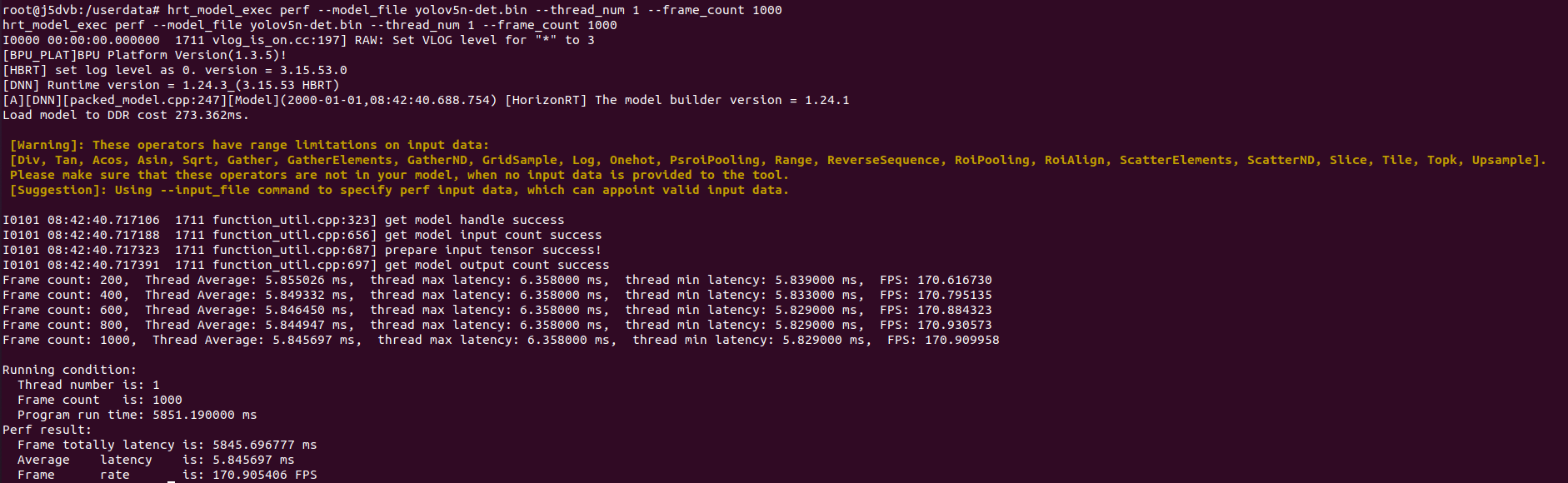
精度验证
bash
cd /data/horizon_j5/model_output

hb_verifier -m yolov5n-det_quantized_model.onnx,yolov5n-det.bin -b 192.168.0.10 -s True
/usr/local/lib/python3.8/dist-packages/paramiko/pkey.py:100: CryptographyDeprecationWarning: TripleDES has been moved to cryptography.hazmat.decrepit.ciphers.algorithms.TripleDES and will be removed from this module in 48.0.0.
  "cipher": algorithms.TripleDES,
/usr/local/lib/python3.8/dist-packages/paramiko/transport.py:259: CryptographyDeprecationWarning: TripleDES has been moved to cryptography.hazmat.decrepit.ciphers.algorithms.TripleDES and will be removed from this module in 48.0.0.
  "class": algorithms.TripleDES,
2026-05-20 13:12:53,330 INFO log will be stored in /data/horizon_j5/model_output/hb_verifier.log
2026-05-20 13:12:53,331 INFO HB_Verifier Starts...
2026-05-20 13:12:53,331 INFO verifier tool version 1.24.1
2026-05-20 13:12:53,332 INFO model: yolov5n-det_quantized_model.onnx,yolov5n-det.bin
2026-05-20 13:12:53,332 INFO board_ip: 192.168.0.10
2026-05-20 13:12:53,333 INFO input: None
2026-05-20 13:12:53,333 INFO run_sim: True
2026-05-20 13:12:53,333 INFO dump_all_nodes_results: False
2026-05-20 13:12:53,334 INFO compare_digits: 5
2026-05-20 13:12:53,334 INFO =============== check params start ===============
2026-05-20 13:12:53,345 INFO check 192.168.0.10 is connect
2026-05-20 13:12:53,736 INFO 192.168.0.10 connection succeeded.
2026-05-20 13:12:53,855 INFO Connected (version 2.0, client dropbear_2019.78)
2026-05-20 13:12:53,975 INFO Authentication (none) successful!
2026-05-20 13:12:54,026 INFO [chan 0] Opened sftp connection (server version 3)
2026-05-20 13:12:54,080 INFO REMOTE: executing [source /etc/profile;echo "*";hrt_model_exec --version || exit 1]
2026-05-20 13:12:54,087 INFO board hrt version is 1.24.3
1.24.3
2026-05-20 13:12:54,442 INFO host hrt version is 1.24.3
2026-05-20 13:12:54,443 WARNING Please note: the versions of DNN tool on host machine and arm board are inconsistent
2026-05-20 13:12:55,273 INFO ================ check params end ================
2026-05-20 13:12:55,273 INFO ============== get input data start ==============
2026-05-20 13:12:55,280 INFO bin model input images shape: [1, 640, 640, 3]
2026-05-20 13:12:55,339 INFO bin input images data shape: (1, 614400)
2026-05-20 13:12:56,110 INFO onnx input images shape: [1, 640, 640, 3]
2026-05-20 13:12:56,120 INFO onnx input images data shape: (1, 640, 640, 3)
2026-05-20 13:12:56,123 INFO =============== get input data end ===============
2026-05-20 13:12:56,123 INFO ================ Quanti infer log start =========================
2026-05-20 13:12:57,502 WARNING input[images] model input type is int8, input data type is uint8, will be convert.
2026-05-20 13:13:10,885 INFO ================= Quanti infer log end ==========================
2026-05-20 13:13:10,927 INFO ================== Arm infer log start ==========================
2026-05-20 13:13:10,938 INFO 192.168.0.10 connection succeeded.
2026-05-20 13:13:10,969 INFO Connected (version 2.0, client dropbear_2019.78)
2026-05-20 13:13:11,066 INFO Authentication (none) successful!
2026-05-20 13:13:11,087 INFO [chan 0] Opened sftp connection (server version 3)
2026-05-20 13:13:11,131 INFO REMOTE: executing [source /etc/profile;echo "*";hrt_model_exec --version || exit 1]
2026-05-20 13:13:11,340 INFO REMOTE: executing [rm -rf /userdata/verifier_test/yolov5n-det; mkdir -p /userdata/verifier_test/yolov5n-det]
2026-05-20 13:13:44,569 INFO REMOTE: executing [sh -l /userdata/verifier_test/yolov5n-det/infer.sh]
2026-05-20 13:13:47,502 INFO ================== Arm infer log end ==========================
2026-05-20 13:13:47,503 INFO ================== Sim infer log start ==========================
1.24.3
2026-05-20 13:14:32,120 INFO ================== Sim infer log end ==========================
2026-05-20 13:14:32,123 INFO ***************************************************************
2026-05-20 13:14:32,124 INFO compare source: Quanti.onnx VS Arm
2026-05-20 13:14:32,125 INFO compare model name: yolov5n-det_quantized_model VS yolov5n-det
Compare progress: 100%|###########################| 1/1 [00:41<00:00, 41.98s/it]
2026-05-20 13:15:14,117 INFO =============== Original output comparison results =================
2026-05-20 13:15:14,118 INFO Comparison results of original output is model_infer_output_0_output0
2026-05-20 13:15:14,119 INFO raw output output0 and raw output output0 result Strict check PASSED
2026-05-20 13:15:14,120 INFO Quanti.onnx and Arm result Strict check PASSED
2026-05-20 13:15:14,121 INFO ***************************************************************
2026-05-20 13:15:14,121 INFO ***************************************************************
2026-05-20 13:15:14,122 INFO compare source: Quanti.onnx VS Sim
2026-05-20 13:15:14,122 INFO compare model name: yolov5n-det_quantized_model VS yolov5n-det
Compare progress: 100%|###########################| 1/1 [00:42<00:00, 42.10s/it]
2026-05-20 13:15:56,230 INFO =============== Original output comparison results =================
2026-05-20 13:15:56,230 INFO Comparison results of original output is model_infer_output_0_output0
2026-05-20 13:15:56,231 INFO raw output output0 and raw output output0 result Strict check PASSED
2026-05-20 13:15:56,231 INFO Quanti.onnx and Sim result Strict check PASSED
2026-05-20 13:15:56,232 INFO ***************************************************************
2026-05-20 13:15:56,232 INFO ***************************************************************
2026-05-20 13:15:56,233 INFO compare source: Arm VS Sim
2026-05-20 13:15:56,233 INFO compare model name: yolov5n-det VS yolov5n-det
Compare progress: 100%|###########################| 1/1 [00:43<00:00, 43.11s/it]
2026-05-20 13:16:39,348 INFO =============== Original output comparison results =================
2026-05-20 13:16:39,348 INFO Comparison results of original output is model_infer_output_0_output0
2026-05-20 13:16:39,349 INFO raw output output0 and raw output output0 result Strict check PASSED
2026-05-20 13:16:39,349 INFO Arm and Sim result Strict check PASSED
2026-05-20 13:16:39,350 INFO ***************************************************************
参数说明如下:
| 参数 | 说明 |
|---|---|
| --model, -m | 必选定点模型名称和bin模型名称,多模型之间用","进行区分。 |
| --board-ip/-b | 可选上板测试使用的arm board ip地址。 |
| --run-sim/-s | 可选设置是否使用X86环境的libdnn做bin模型推理,默认为False。 |
| --input-img/-i | 可选指定推理测试时使用的图片。若不指定则会使用随机生成的tensor数据。 若指定图片为二进制形式的图片文件,其文件形式需要为后缀名为 .bin 形式。多输入模型添加图片的方式有以下两种传参方式,多张图片之间用","分割:input_name1:image1,input_name2:image2, ... |