准备
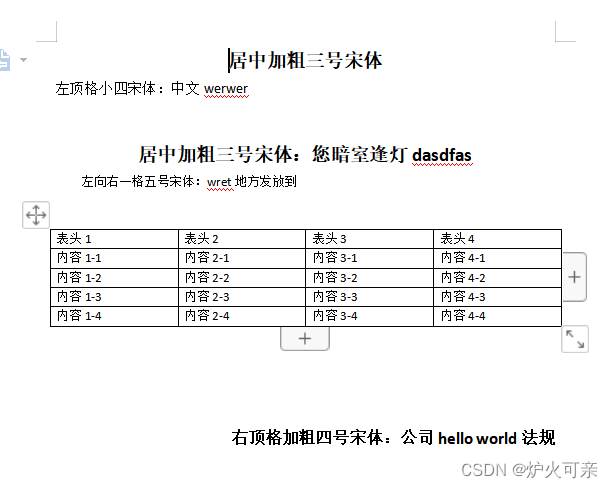
1.模板:
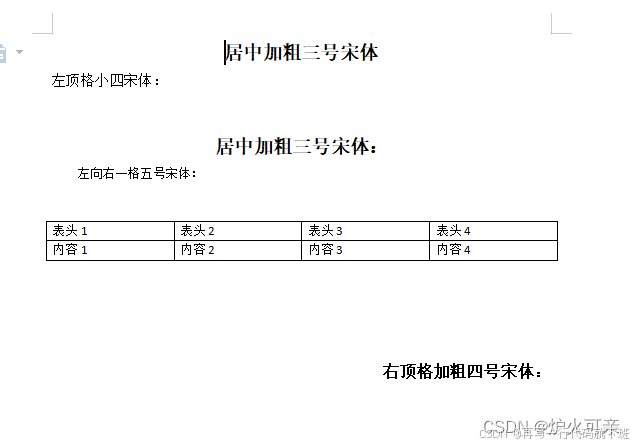
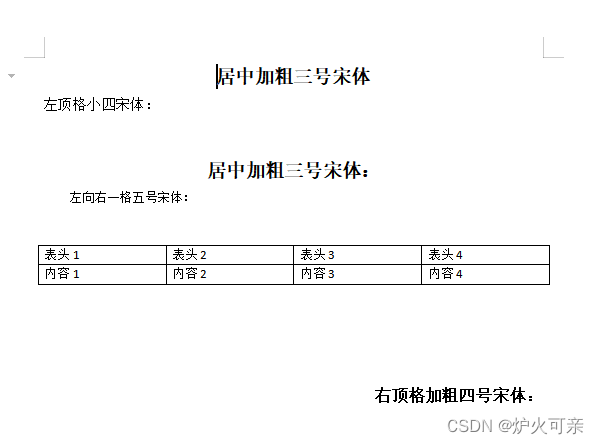
准备一份目标格式的word文档,如:word模板.docx
2.pom:
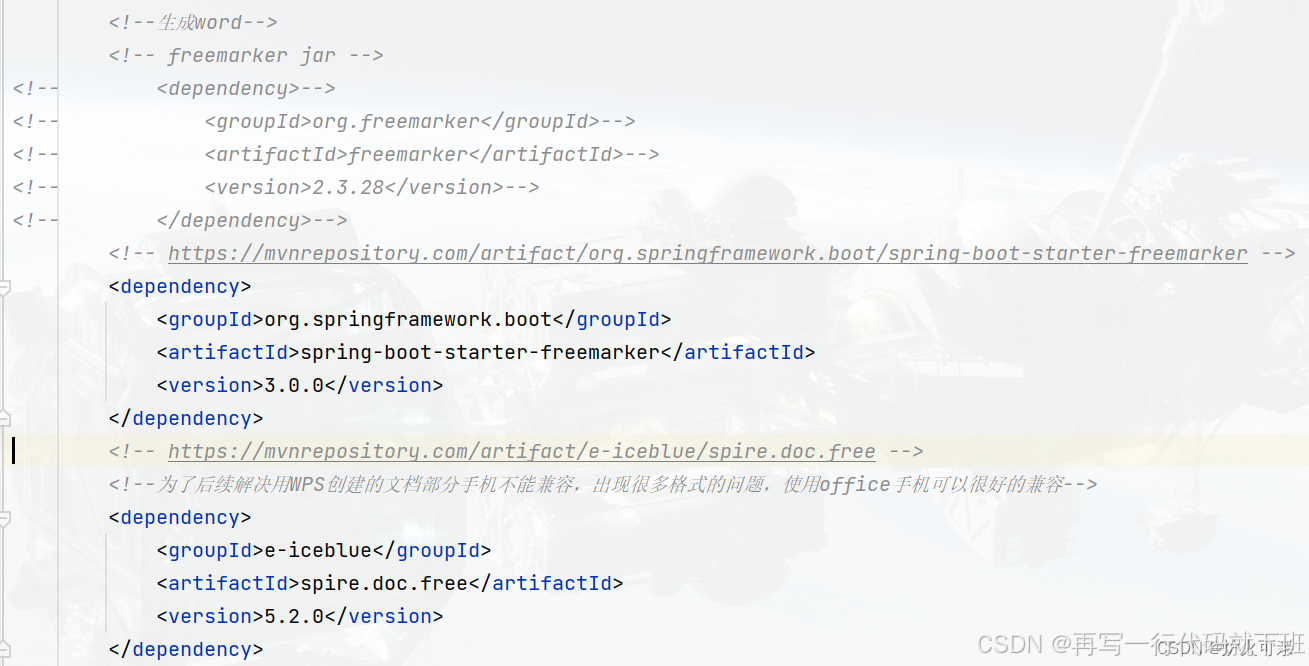
引用freemarker,可以直接引用,也可以引用starter
实现
处理模板
调整好格式的word模板 word模板.docx ,需要另存为 .xml 文件(打开后的xml文件内容可能有点乱,可以格式化后进行操作:在线格式化),然后将需要填充的地方设置参数,最终将 .xml 文件后缀手动改为 .ftl ,模板才算处理完整。
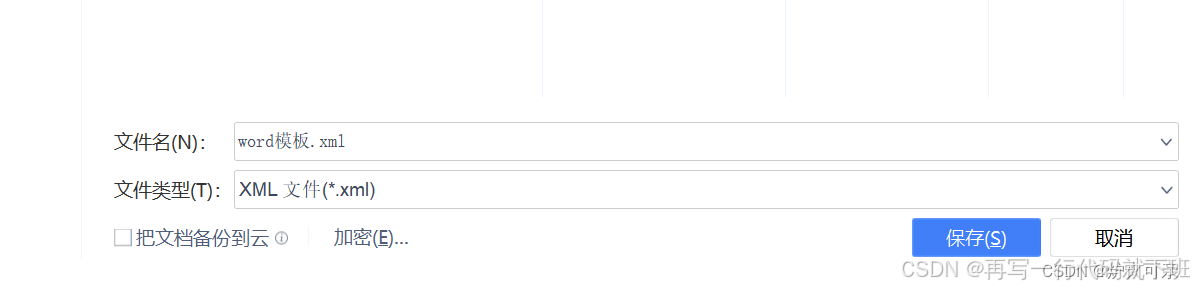
1.将.docx 文件另存为 .xml 文件
2.将 .xml 文件格式化:在线格式化:https://c.runoob.com/front-end/710/
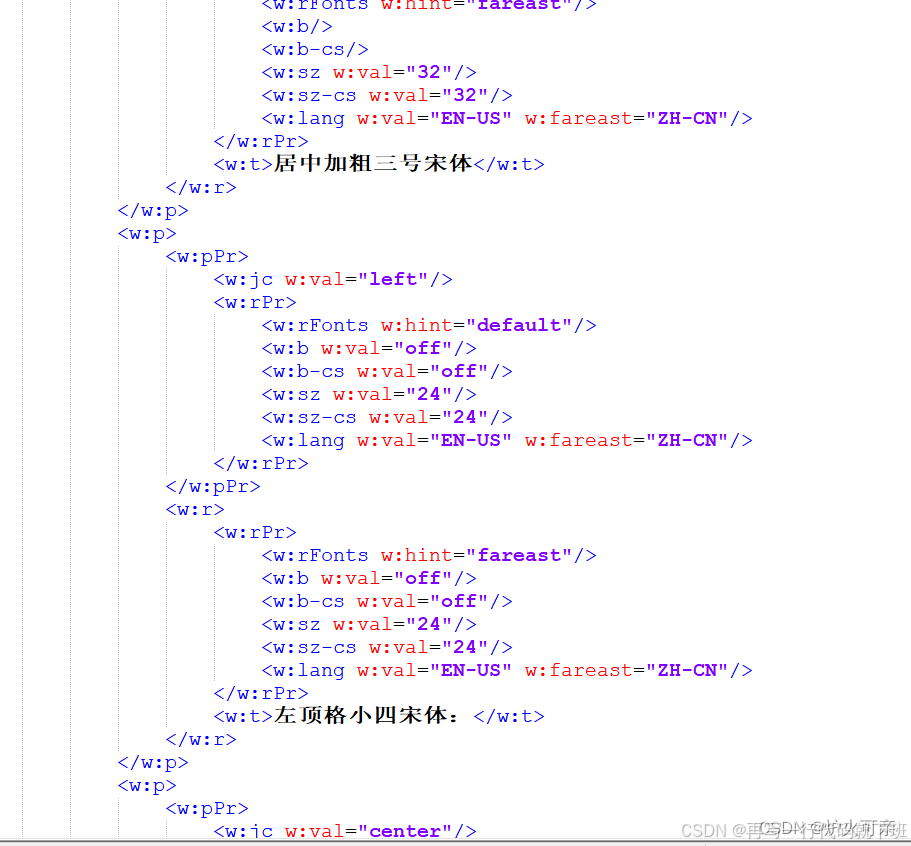
3.预设参数
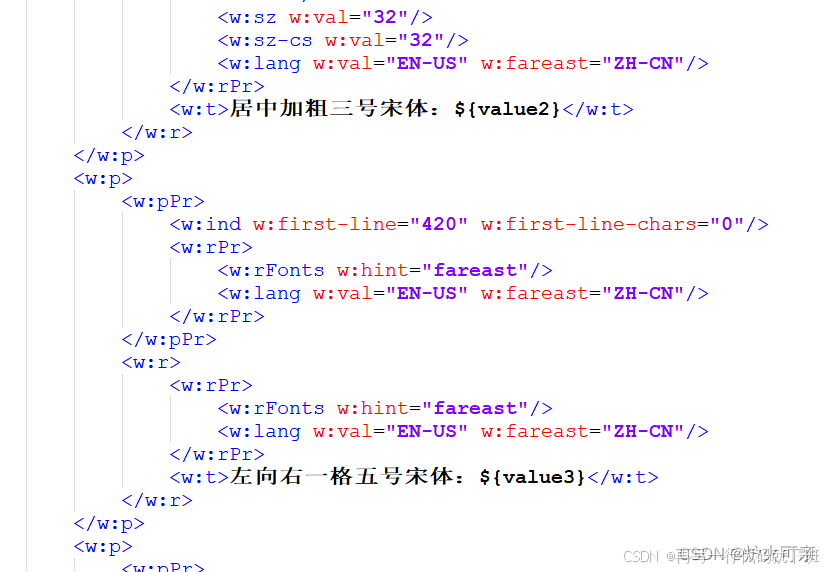
找到需要填充或替换的地方,以${param}的形式进行参数预设。
注意: ${} 中的参数非常重要,必须和后面java代码中 传入 的参数名称 保持一致 !且出现在模板中的预设参数,在java生成文件时,不可传null!!
如:
动态表格:需要选定动态生成的范围,添加list标签
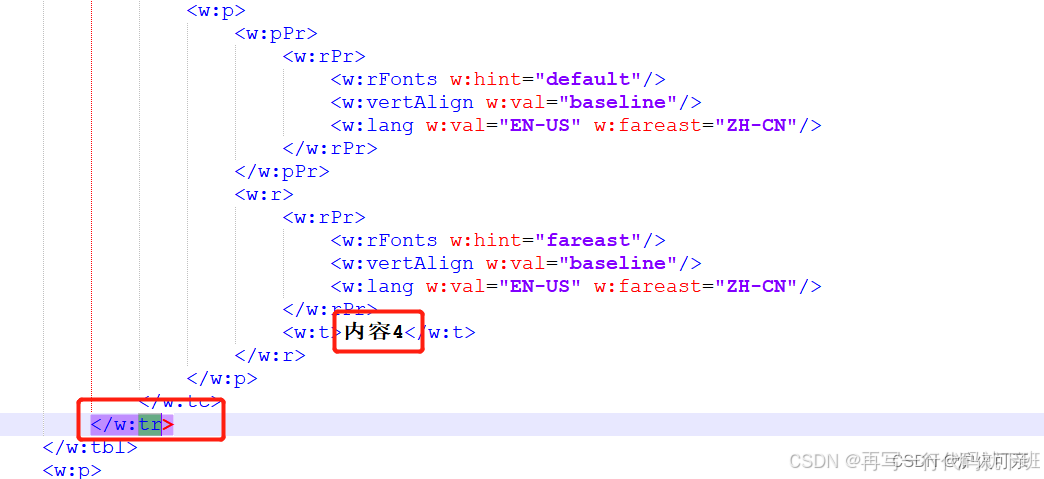
通过word模板中需要填充的表格示例"内容4",找到这一行的标签</w:tr>
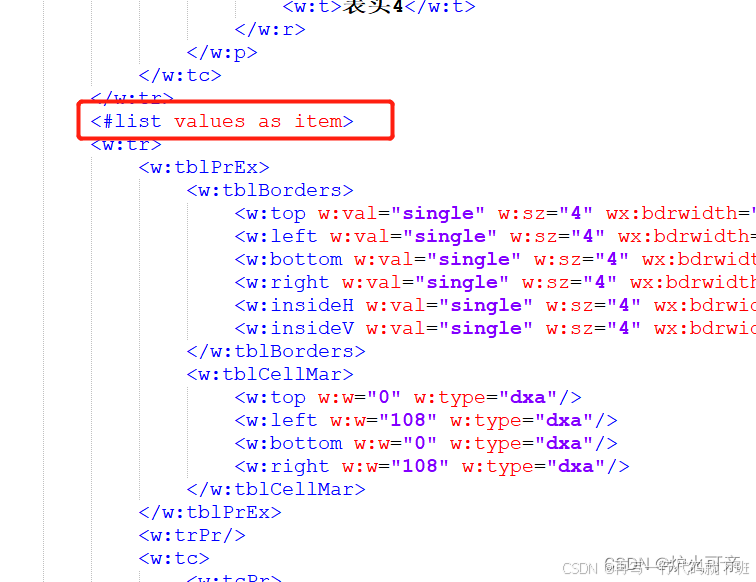
再找到<w:tr>起始标签,添加<#list values as item>,其中 values 是后面 java 代码中生成文件时,传入的参数名。
再回到</w:tr>,添加</#list>闭合标签
4.更改后缀名:
全部参数预设完成后,保存文件,并将文件后缀改为 .ftl
java实现
java
        <!--生成word-->
        <!-- freemarker jar -->
<!--        <dependency>-->
<!--            <groupId>org.freemarker</groupId>-->
<!--            <artifactId>freemarker</artifactId>-->
<!--            <version>2.3.28</version>-->
<!--        </dependency>-->
        <!-- https://mvnrepository.com/artifact/org.springframework.boot/spring-boot-starter-freemarker -->
        <dependency>
            <groupId>org.springframework.boot</groupId>
            <artifactId>spring-boot-starter-freemarker</artifactId>
            <version>3.0.0</version>
        </dependency>
        <!-- https://mvnrepository.com/artifact/e-iceblue/spire.doc.free -->
        <!--为了后续解决用WPS创建的文档部分手机不能兼容,出现很多格式的问题,使用office手机可以很好的兼容-->
        <dependency>
            <groupId>e-iceblue</groupId>
            <artifactId>spire.doc.free</artifactId>
            <version>5.2.0</version>
        </dependency>
java
package com.example.demo.word2pdf;

import com.spire.doc.Document;
import com.spire.doc.FileFormat;
import freemarker.template.Configuration;
import freemarker.template.Template;
import freemarker.template.TemplateException;
import lombok.AllArgsConstructor;
import lombok.Data;

import java.io.*;
import java.util.ArrayList;
import java.util.HashMap;
import java.util.List;
import java.util.Map;

/**
 * @author
 * @date
 * @apiNote 生成动态文档帮助类
 */
@Data
public class WordUtil {

    /**
     * 失败错误码
     */
    public static String FILE_CREATE_FAIL = "FAIL";

    private Configuration configuration = null;

    /*
     * 模板文件存放的目录
     */
    private String baseDir;

    /*
     * 模板文件名称
     */
    private String templateFile;

    /*
     * word生成的输出目录
     */
    private String outputDir;

    public WordUtil() {
        configuration = new Configuration(Configuration.DEFAULT_INCOMPATIBLE_IMPROVEMENTS);
        configuration.setDefaultEncoding("UTF-8");
    }

    /*
     * 转换成word
     */
    public String createWord(Map<String, Object> dataMap) {
        configuration.setClassForTemplateLoading(this.getClass(), "");
        Template t = null;
        try {
            //得到模板文件
            configuration.setDirectoryForTemplateLoading(new File(baseDir));
            t = configuration.getTemplate(templateFile);
        } catch (IOException e) {
            e.printStackTrace();
        }
        // GwUtil.getFileNo(""); 调用生成随机数的方法
//        File outFile = new File(outputDir + GwUtil.getFileNo("") + ".docx"); //导出文件
        File outFile = new File(outputDir + "\\" + Math.random() + ".docx"); //导出文件
        Writer out = null;
        try {
            out = new BufferedWriter(new OutputStreamWriter(new FileOutputStream(outFile)));
        } catch (FileNotFoundException e1) {
            e1.printStackTrace();
        }
        try {
            t.process(dataMap, out); //将填充数据填入模板文件并输出到目标文件
            return outFile.getPath();
        } catch (TemplateException e) {
            e.printStackTrace();
        } catch (IOException e) {
            e.printStackTrace();
        }
        return this.FILE_CREATE_FAIL;
    }

    public static void main(String[] args) throws Exception {
        // 调用word文档帮助类
        WordUtil wordUtil = new WordUtil();
        // 模板文件存放的目录
        wordUtil.setBaseDir("E:\\test2");
        // 模板文件名称
        wordUtil.setTemplateFile("word模板.ftl");
        // word生成的输出目录
        wordUtil.setOutputDir("E:\\test2");
        // 初始化数据map
        Map<String, Object> dataMap = new HashMap<>();
        // word预设参数
        dataMap.put("value1", "中文werwer");
        dataMap.put("value2", "您暗室逢灯dasdfas");
        dataMap.put("value3", "wret地方发放到");
        dataMap.put("value4", "公司hello world法规");

        // 动态表格数据
        List<Value> values = new ArrayList<>();
        values.add(new Value("内容1-1", "内容2-1", "内容3-1", "内容4-1"));
        values.add(new Value("内容1-2", "内容2-2", "内容3-2", "内容4-2"));
        values.add(new Value("内容1-3", "内容2-3", "内容3-3", "内容4-3"));
        values.add(new Value("内容1-4", "内容2-4", "内容3-4", "内容4-4"));
        dataMap.put("values", values);

        String outPath = wordUtil.createWord(dataMap);
        if (outPath.equals(FILE_CREATE_FAIL)) {
            throw new Exception("文档生成失败");
        }
        //转化后本质是doc(x)的word文档。
        Document document = new Document(outPath);
        File file = new File(outPath);
        // 判断有没有父路径,就是判断文件整个路径是否存在
        if (!file.getParentFile().exists()) {
            // 不存在就全部创建
            file.getParentFile().mkdirs();
        }
        //将本质是xml的文件转化为真正的doc(x)
        document.saveToFile(outPath, FileFormat.Docx);
        //输出生成后的文件路径
        System.out.println(outPath);
    }

    @Data
    @AllArgsConstructor
    public static class Value {
        private String value1;
        private String value2;
        private String value3;
        private String value4;
    }
}
验证
模板:
输出: