前文
由于Wpf默认提供的控件只能满足通用的需求,且其默认的样式是基本样式,缺乏一定的现代UI美观性,故本文介绍一些实际开发中常用的自定义扩展控件 ,以及一些自定义呈现扁平化效果的样式,提高开发效率。
Wpf项目常使用MVVM架构进行前后端分离开发,如此便不能使用WinForm中的UI与后端耦合的方式进行事件订阅。而是需要通过命令绑定事件,达到前后端分离情况下的事件订阅。本文将详细介绍如何通过UIElement.InputBindings与Behavior两种途径实现事件与命令的绑定。
效果
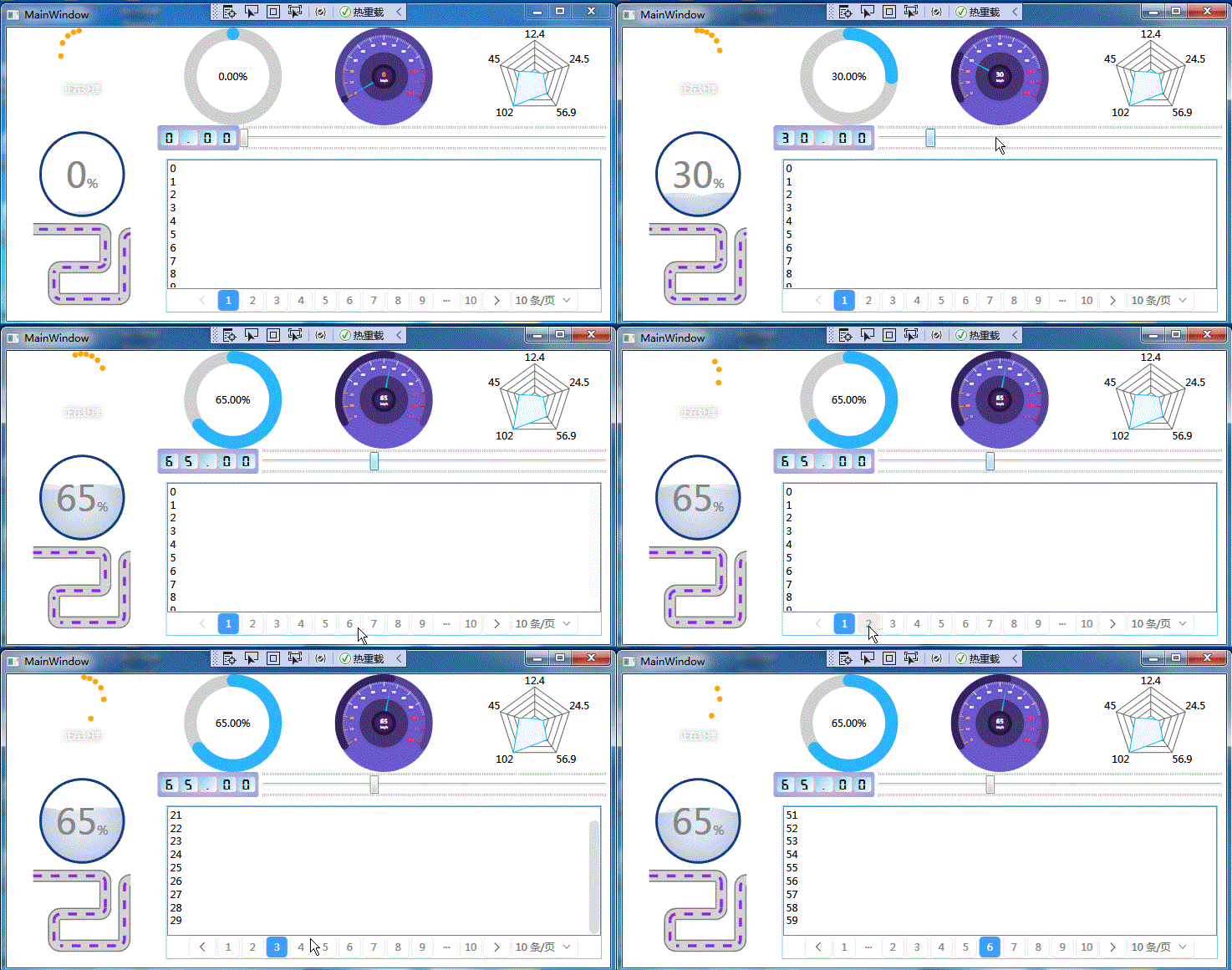
**注意事项:**在.net Framework框架下引用另外程序集的资源(例如字体文件),可能出现设计模式下引入的资源无效,但运行模式下资源作用又有效的现象。为了避免这种现象尽量使用.net core框架。
例如:
xaml
<TextBlock VerticalAlignment="Center" FontSize="20" FontFamily="{StaticResource DigitalFont}" Text="{Binding}" Margin="4,1"></TextBlock>.net Framework框架设计模式显示:
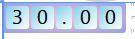
引入的字体未呈现效果。
.net Framework框架运行模式显示:
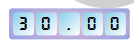
引入的字体呈现效果。
1,自定义样式
1.1,ButtonStyles
1.1.1,ControlButtonStyle
xaml
    <Style TargetType="Button" x:Key="ControlButtonStyle">
        <Setter Property="WindowChrome.IsHitTestVisibleInChrome" Value="True"/>
        <Setter Property="Width" Value="40"/>
        <Setter Property="Height" Value="30"/>
        <Setter Property="FontSize" Value="11"/>
        <Setter Property="Template">
            <Setter.Value>
                <ControlTemplate TargetType="Button">
                    <Grid Background="Transparent">
                        <Border Background="Transparent" Name="border">
                            <ContentPresenter VerticalAlignment="{TemplateBinding VerticalContentAlignment}"
                                          HorizontalAlignment="{TemplateBinding HorizontalContentAlignment}"/>
                        </Border>
                    </Grid>
                    <ControlTemplate.Triggers>
                        <Trigger Property="IsMouseOver" Value="True">
                            <Setter Property="Background" Value="#3000" TargetName="border"/>
                        </Trigger>
                        <Trigger Property="IsPressed" Value="True">
                            <Setter Property="Background" Value="#5000" TargetName="border"/>
                        </Trigger>
                    </ControlTemplate.Triggers>
                </ControlTemplate>
            </Setter.Value>
        </Setter>
    </Style>
xaml
<Button Content="" FontFamily="{StaticResource Icons}"
Style="{StaticResource ControlButtonStyle}"
Click="ButtonMin_Click"/>显示效果
1.1.2,NormalButtonStyle
xaml
<Style TargetType="Button" x:Key="NormalButtonStyle">
        <Setter Property="Foreground" Value="#666"/>
        <Setter Property="Background" Value="#FFF"/>
        <Setter Property="BorderThickness" Value="0"/>
        <Setter Property="Template">
            <Setter.Value>
                <ControlTemplate TargetType="Button">
                    <Grid>
                        <Border Background="{TemplateBinding Background}" CornerRadius="4">
                            <Border.Effect>
                                <DropShadowEffect BlurRadius="5" Color="Gray" ShadowDepth="0" Opacity="0.3"/>
                            </Border.Effect>
                        </Border>
                        <Border Background="Transparent" Name="back" CornerRadius="4"
                                BorderBrush="{TemplateBinding BorderBrush}"
                                BorderThickness="{TemplateBinding BorderThickness}">
                            <ContentPresenter VerticalAlignment="{TemplateBinding VerticalContentAlignment}"
                                          HorizontalAlignment="{TemplateBinding HorizontalContentAlignment}"
                                              Margin="{TemplateBinding Padding}"/>
                        </Border>
                    </Grid>
                    <ControlTemplate.Triggers>
                        <Trigger Property="IsMouseOver" Value="True">
                            <Setter Property="Background" Value="#11000000" TargetName="back"/>
                        </Trigger>
                    </ControlTemplate.Triggers>
                </ControlTemplate>
            </Setter.Value>
        </Setter>
    </Style>
xaml
 <Button Content="打开出入监控" Style="{StaticResource NormalButtonStyle}"
                                Foreground="White" Height="33"
                                Margin="20,10" FontWeight="Bold"
                                Command="{Binding ShowMonitorCommand}">
                                <Button.Background>
                                    <LinearGradientBrush StartPoint="0,0" EndPoint="1,1">
                                        <GradientStop Color="#2096F0" Offset="-0.2"/>
                                        <GradientStop Color="#A723F0" Offset="1"/>
                                    </LinearGradientBrush>
                                </Button.Background>
                            </Button>
显示效果:

1.1.3,IconWithContentButtonStyle
xaml
 <Style TargetType="Button" x:Key="IconWithContentButtonStyle">
        <Setter Property="Foreground" Value="White"/>
        <Setter Property="Height" Value="30"/>
        <Setter Property="Background" Value="#FF0ABEFF"/>
        <Setter Property="HorizontalContentAlignment" Value="Center"/>
        <Setter Property="WindowChrome.IsHitTestVisibleInChrome" Value="True"/>
        <Setter Property="Template">
            <Setter.Value>
                <ControlTemplate TargetType="Button">
                    <Grid>
                        <Border Background="{TemplateBinding Background}" CornerRadius="4">
                            <Border.Effect>
                                <DropShadowEffect BlurRadius="5" Color="Gray" ShadowDepth="0" Opacity="0.3"/>
                            </Border.Effect>
                        </Border>
                        <Border Background="Transparent" Name="back" CornerRadius="4">
                            <Grid HorizontalAlignment="Center">
                                <Grid.ColumnDefinitions>
                                    <ColumnDefinition Width="auto"/>
                                    <ColumnDefinition/>
                                </Grid.ColumnDefinitions>
                                <TextBlock Text="{TemplateBinding Tag}" FontFamily="{DynamicResource Icons}"
                                       VerticalAlignment="Center" HorizontalAlignment="Center" Margin="5,0"/>
                                <ContentPresenter Grid.Column="1" Margin="0,0,10,0"
                                              VerticalAlignment="{TemplateBinding VerticalContentAlignment}"
                                              HorizontalAlignment="{TemplateBinding HorizontalContentAlignment}"/>
                            </Grid>
                        </Border>
                    </Grid>
                    <ControlTemplate.Triggers>
                        <Trigger Property="IsMouseOver" Value="True">
                            <Setter Property="Background" Value="#11000000" TargetName="back"/>
                        </Trigger>
                    </ControlTemplate.Triggers>
                </ControlTemplate>
            </Setter.Value>
        </Setter>
    </Style>
xaml
<Button Content="新建" Style="{StaticResource IconWithContentButtonStyle}"
Command="{Binding ModifyCommand}"
Tag="" Width="80">
<Button.Background>
<LinearGradientBrush StartPoint="0,0" EndPoint="1,0">
<GradientStop Color="#FE582D" Offset="0"/>
<GradientStop Color="#F1961A" Offset="1"/>
</LinearGradientBrush>
</Button.Background>
</Button>显示效果:

1.1.4,IconButtonStyle
xaml
<Style TargetType="Button" x:Key="IconButtonStyle">
        <Setter Property="Foreground" Value="White"/>
        <Setter Property="Width" Value="40"/>
        <Setter Property="Height" Value="30"/>
        <Setter Property="Background" Value="#FF0ABEFF"/>
        <Setter Property="FontFamily" Value="{DynamicResource Icons}"/>
        <Setter Property="HorizontalContentAlignment" Value="Center"/>
        <Setter Property="WindowChrome.IsHitTestVisibleInChrome" Value="True"/>
        <Setter Property="Template">
            <Setter.Value>
                <ControlTemplate TargetType="Button">
                    <Border Background="{TemplateBinding Background}" CornerRadius="4">
                        <Border Background="Transparent" Name="back" CornerRadius="4">
                            <ContentPresenter VerticalAlignment="{TemplateBinding VerticalContentAlignment}"
                                          HorizontalAlignment="{TemplateBinding HorizontalContentAlignment}"/>
                        </Border>
                    </Border>
                    <ControlTemplate.Triggers>
                        <Trigger Property="IsMouseOver" Value="True">
                            <Setter Property="Background" Value="#11000000" TargetName="back"/>
                        </Trigger>
                    </ControlTemplate.Triggers>
                </ControlTemplate>
            </Setter.Value>
        </Setter>
    </Style>
显示效果:

1.2,ComboBoxStyle
xaml
<SolidColorBrush x:Key="TextBox.Static.Background" Color="#FFFFFFFF"/>
<SolidColorBrush x:Key="ComboBox.Static.Border" Color="#FFACACAC"/>
<SolidColorBrush x:Key="ComboBox.Static.Glyph" Color="#FF606060"/>
<SolidColorBrush x:Key="ComboBox.Static.Editable.Button.Background" Color="Transparent"/>
<SolidColorBrush x:Key="ComboBox.Static.Editable.Button.Border" Color="Transparent"/>
<LinearGradientBrush x:Key="ComboBox.MouseOver.Editable.Button.Background" EndPoint="0,1" StartPoint="0,0">
<GradientStop Color="#FFEBF4FC" Offset="0.0"/>
<GradientStop Color="#FFDCECFC" Offset="1.0"/>
</LinearGradientBrush>
<SolidColorBrush x:Key="ComboBox.MouseOver.Editable.Button.Border" Color="#FF7EB4EA"/>
<LinearGradientBrush x:Key="ComboBox.Pressed.Editable.Button.Background" EndPoint="0,1" StartPoint="0,0">
<GradientStop Color="#FFDAEBFC" Offset="0.0"/>
<GradientStop Color="#FFC4E0FC" Offset="1.0"/>
</LinearGradientBrush>
<SolidColorBrush x:Key="ComboBox.Pressed.Editable.Button.Border" Color="#FF569DE5"/>
<SolidColorBrush x:Key="ComboBox.Disabled.Editable.Button.Background" Color="Transparent"/>
<SolidColorBrush x:Key="ComboBox.Disabled.Editable.Button.Border" Color="Transparent"/>
<Style x:Key="ComboBoxToggleButton" TargetType="{x:Type ToggleButton}">
<Setter Property="OverridesDefaultStyle" Value="true"/>
<Setter Property="IsTabStop" Value="false"/>
<Setter Property="Focusable" Value="false"/>
<Setter Property="ClickMode" Value="Press"/>
<Setter Property="Template">
<Setter.Value>
<ControlTemplate TargetType="{x:Type ToggleButton}">
<Border x:Name="templateRoot"
Background="{TemplateBinding Background}"
BorderThickness="{TemplateBinding BorderThickness}"
BorderBrush="{StaticResource TextBox.Static.Border}"
CornerRadius="5">
<Border x:Name="splitBorder" Width="{DynamicResource {x:Static SystemParameters.VerticalScrollBarWidthKey}}"
SnapsToDevicePixels="true" Margin="0" HorizontalAlignment="Right"
BorderThickness="1" BorderBrush="Transparent">
<TextBlock Text="" FontFamily="{DynamicResource Icons}" VerticalAlignment="Center" HorizontalAlignment="Center"/>
</Border>
</Border>
<ControlTemplate.Triggers>
<Trigger Property="IsMouseOver" Value="true">
<Setter Property="BorderBrush" TargetName="templateRoot" Value="{StaticResource TextBox.MouseOver.Border}"/>
</Trigger>
<Trigger Property="IsKeyboardFocused" Value="true">
<Setter Property="BorderBrush" TargetName="templateRoot" Value="{StaticResource TextBox.Focus.Border}"/>
</Trigger>
<MultiDataTrigger>
<MultiDataTrigger.Conditions>
<Condition Binding="{Binding IsEditable, RelativeSource={RelativeSource AncestorType={x:Type ComboBox}}}" Value="true"/>
<Condition Binding="{Binding IsMouseOver, RelativeSource={RelativeSource Self}}" Value="false"/>
<Condition Binding="{Binding IsPressed, RelativeSource={RelativeSource Self}}" Value="false"/>
<Condition Binding="{Binding IsEnabled, RelativeSource={RelativeSource Self}}" Value="true"/>
</MultiDataTrigger.Conditions>
<Setter Property="Background" TargetName="splitBorder" Value="{StaticResource ComboBox.Static.Editable.Button.Background}"/>
<Setter Property="BorderBrush" TargetName="splitBorder" Value="{StaticResource ComboBox.Static.Editable.Button.Border}"/>
</MultiDataTrigger>
<MultiDataTrigger>
<MultiDataTrigger.Conditions>
<Condition Binding="{Binding IsMouseOver, RelativeSource={RelativeSource Self}}" Value="true"/>
<Condition Binding="{Binding IsEditable, RelativeSource={RelativeSource AncestorType={x:Type ComboBox}}}" Value="true"/>
</MultiDataTrigger.Conditions>
<Setter Property="Background" TargetName="splitBorder" Value="{StaticResource ComboBox.MouseOver.Editable.Button.Background}"/>
<Setter Property="BorderBrush" TargetName="splitBorder" Value="{StaticResource ComboBox.MouseOver.Editable.Button.Border}"/>
</MultiDataTrigger>
<MultiDataTrigger>
<MultiDataTrigger.Conditions>
<Condition Binding="{Binding IsPressed, RelativeSource={RelativeSource Self}}" Value="true"/>
<Condition Binding="{Binding IsEditable, RelativeSource={RelativeSource AncestorType={x:Type ComboBox}}}" Value="true"/>
</MultiDataTrigger.Conditions>
<Setter Property="Background" TargetName="splitBorder" Value="{StaticResource ComboBox.Pressed.Editable.Button.Background}"/>
<Setter Property="BorderBrush" TargetName="splitBorder" Value="{StaticResource ComboBox.Pressed.Editable.Button.Border}"/>
</MultiDataTrigger>
<MultiDataTrigger>
<MultiDataTrigger.Conditions>
<Condition Binding="{Binding IsEnabled, RelativeSource={RelativeSource Self}}" Value="false"/>
<Condition Binding="{Binding IsEditable, RelativeSource={RelativeSource AncestorType={x:Type ComboBox}}}" Value="true"/>
</MultiDataTrigger.Conditions>
<Setter Property="Background" TargetName="splitBorder" Value="{StaticResource ComboBox.Disabled.Editable.Button.Background}"/>
<Setter Property="BorderBrush" TargetName="splitBorder" Value="{StaticResource ComboBox.Disabled.Editable.Button.Border}"/>
</MultiDataTrigger>
</ControlTemplate.Triggers>
</ControlTemplate>
</Setter.Value>
</Setter>
</Style>
<Style x:Key="ComboBoxEditableTextBox" TargetType="{x:Type TextBox}">
<Setter Property="OverridesDefaultStyle" Value="true"/>
<Setter Property="AllowDrop" Value="true"/>
<Setter Property="MinWidth" Value="0"/>
<Setter Property="MinHeight" Value="0"/>
<Setter Property="FocusVisualStyle" Value="{x:Null}"/>
<Setter Property="ScrollViewer.PanningMode" Value="VerticalFirst"/>
<Setter Property="Stylus.IsFlicksEnabled" Value="False"/>
<Setter Property="Template">
<Setter.Value>
<ControlTemplate TargetType="{x:Type TextBox}">
<ScrollViewer x:Name="PART_ContentHost" Background="Transparent" Focusable="false" HorizontalScrollBarVisibility="Hidden" VerticalScrollBarVisibility="Hidden"/>
</ControlTemplate>
</Setter.Value>
</Setter>
</Style>
<ControlTemplate x:Key="ComboBoxTemplate" TargetType="{x:Type ComboBox}">
<Grid x:Name="templateRoot" SnapsToDevicePixels="true">
<Grid.ColumnDefinitions>
<ColumnDefinition Width="*"/>
<ColumnDefinition MinWidth="{DynamicResource {x:Static SystemParameters.VerticalScrollBarWidthKey}}" Width="0"/>
</Grid.ColumnDefinitions>
<Popup x:Name="PART_Popup" AllowsTransparency="true" Grid.ColumnSpan="2"
IsOpen="{Binding IsDropDownOpen, Mode=TwoWay, RelativeSource={RelativeSource TemplatedParent}}"
Margin="1" PopupAnimation="{DynamicResource {x:Static SystemParameters.ComboBoxPopupAnimationKey}}" Placement="Bottom">
<!--这个对象由编辑模板自动带出来的-->
<Themes:SystemDropShadowChrome x:Name="shadow" Color="Transparent"
MaxHeight="{TemplateBinding MaxDropDownHeight}"
MinWidth="{Binding ActualWidth, ElementName=templateRoot}">
<Border x:Name="dropDownBorder"
BorderBrush="{DynamicResource ComboBox.Static.Border}"
BorderThickness="1"
Background="{DynamicResource {x:Static SystemColors.WindowBrushKey}}">
<ScrollViewer x:Name="DropDownScrollViewer">
<Grid x:Name="grid" RenderOptions.ClearTypeHint="Enabled">
<Canvas x:Name="canvas" HorizontalAlignment="Left" Height="0" VerticalAlignment="Top" Width="0">
<Rectangle x:Name="opaqueRect" Fill="{Binding Background, ElementName=dropDownBorder}" Height="{Binding ActualHeight, ElementName=dropDownBorder}" Width="{Binding ActualWidth, ElementName=dropDownBorder}"/>
</Canvas>
<ItemsPresenter x:Name="ItemsPresenter" KeyboardNavigation.DirectionalNavigation="Contained" SnapsToDevicePixels="{TemplateBinding SnapsToDevicePixels}"/>
</Grid>
</ScrollViewer>
</Border>
</Themes:SystemDropShadowChrome>
</Popup>
<ToggleButton x:Name="toggleButton" BorderBrush="{TemplateBinding BorderBrush}"
BorderThickness="{TemplateBinding BorderThickness}"
Background="White" Grid.ColumnSpan="2"
IsChecked="{Binding IsDropDownOpen, Mode=TwoWay, RelativeSource={RelativeSource TemplatedParent}}"
Style="{StaticResource ComboBoxToggleButton}"/>
<ContentPresenter x:Name="contentPresenter" ContentTemplate="{TemplateBinding SelectionBoxItemTemplate}"
ContentTemplateSelector="{TemplateBinding ItemTemplateSelector}"
Content="{TemplateBinding SelectionBoxItem}"
ContentStringFormat="{TemplateBinding SelectionBoxItemStringFormat}"
HorizontalAlignment="{TemplateBinding HorizontalContentAlignment}"
IsHitTestVisible="false" Margin="{TemplateBinding Padding}"
SnapsToDevicePixels="{TemplateBinding SnapsToDevicePixels}"
VerticalAlignment="{TemplateBinding VerticalContentAlignment}"/>
</Grid>
<ControlTemplate.Triggers>
<Trigger Property="HasDropShadow" SourceName="PART_Popup" Value="true">
<Setter Property="Margin" TargetName="shadow" Value="0,0,5,5"/>
<Setter Property="Color" TargetName="shadow" Value="#71000000"/>
</Trigger>
<Trigger Property="HasItems" Value="false">
<Setter Property="Height" TargetName="dropDownBorder" Value="95"/>
</Trigger>
<MultiTrigger>
<MultiTrigger.Conditions>
<Condition Property="IsGrouping" Value="true"/>
<Condition Property="VirtualizingPanel.IsVirtualizingWhenGrouping" Value="false"/>
</MultiTrigger.Conditions>
<Setter Property="ScrollViewer.CanContentScroll" Value="false"/>
</MultiTrigger>
<Trigger Property="ScrollViewer.CanContentScroll" SourceName="DropDownScrollViewer" Value="false">
<Setter Property="Canvas.Top" TargetName="opaqueRect" Value="{Binding VerticalOffset, ElementName=DropDownScrollViewer}"/>
<Setter Property="Canvas.Left" TargetName="opaqueRect" Value="{Binding HorizontalOffset, ElementName=DropDownScrollViewer}"/>
</Trigger>
</ControlTemplate.Triggers>
</ControlTemplate>
<ControlTemplate x:Key="ComboBoxToggleButton2" TargetType="{x:Type ToggleButton}">
<Grid>
<Grid.ColumnDefinitions>
<ColumnDefinition />
<ColumnDefinition Width="40"/>
</Grid.ColumnDefinitions>
<Border Grid.ColumnSpan="2" CornerRadius="3" BorderThickness="1" Background="White"/>
<Border BorderBrush="#EEE" BorderThickness="1,0,0,0" Grid.Column="1" Margin="0,10"/>
<TextBlock Text="更改" Foreground="#0066CC" Cursor="Hand" Grid.Column="1"
VerticalAlignment="Center" HorizontalAlignment="Center" FontSize="12"
SnapsToDevicePixels="True">
</TextBlock>
</Grid>
</ControlTemplate>
<ControlTemplate x:Key="ComboBoxEditableTemplate" TargetType="{x:Type ComboBox}">
<Grid x:Name="templateRoot" SnapsToDevicePixels="true">
<Grid.ColumnDefinitions>
<ColumnDefinition Width="*"/>
<ColumnDefinition MinWidth="{DynamicResource {x:Static SystemParameters.VerticalScrollBarWidthKey}}" Width="0"/>
</Grid.ColumnDefinitions>
<Popup x:Name="PART_Popup" AllowsTransparency="true" Grid.ColumnSpan="2" IsOpen="{Binding IsDropDownOpen, RelativeSource={RelativeSource TemplatedParent}}" PopupAnimation="{DynamicResource {x:Static SystemParameters.ComboBoxPopupAnimationKey}}" Placement="Bottom">
<Border x:Name="shadow" Background="Transparent" MaxHeight="{TemplateBinding MaxDropDownHeight}" MinWidth="{Binding ActualWidth, ElementName=templateRoot}">
<Border x:Name="dropDownBorder" BorderBrush="{DynamicResource {x:Static SystemColors.WindowFrameBrushKey}}" BorderThickness="1" Background="{DynamicResource {x:Static SystemColors.WindowBrushKey}}">
<ScrollViewer x:Name="DropDownScrollViewer">
<Grid x:Name="grid" RenderOptions.ClearTypeHint="Enabled">
<Canvas x:Name="canvas" HorizontalAlignment="Left" Height="0" VerticalAlignment="Top" Width="0">
<Rectangle x:Name="opaqueRect" Fill="{Binding Background, ElementName=dropDownBorder}" Height="{Binding ActualHeight, ElementName=dropDownBorder}" Width="{Binding ActualWidth, ElementName=dropDownBorder}"/>
</Canvas>
<ItemsPresenter x:Name="ItemsPresenter" KeyboardNavigation.DirectionalNavigation="Contained" SnapsToDevicePixels="{TemplateBinding SnapsToDevicePixels}"/>
</Grid>
</ScrollViewer>
</Border>
</Border>
</Popup>
<ToggleButton x:Name="toggleButton" BorderBrush="{TemplateBinding BorderBrush}" BorderThickness="{TemplateBinding BorderThickness}" Background="{TemplateBinding Background}" Grid.ColumnSpan="2" IsChecked="{Binding IsDropDownOpen, Mode=TwoWay, RelativeSource={RelativeSource TemplatedParent}}" Template="{StaticResource ComboBoxToggleButton2}"/>
<ContentPresenter x:Name="ContentSite"
IsHitTestVisible="False"
Content="{TemplateBinding SelectionBoxItem}"
ContentTemplate="{TemplateBinding SelectionBoxItemTemplate}"
ContentTemplateSelector="{TemplateBinding ItemTemplateSelector}"
Margin="10,0,0,0"
VerticalAlignment="Center"
HorizontalAlignment="Left">
</ContentPresenter>
</Grid>
<ControlTemplate.Triggers>
<Trigger Property="IsKeyboardFocusWithin" Value="true">
<Setter Property="Foreground" Value="Black"/>
</Trigger>
<Trigger Property="HasDropShadow" SourceName="PART_Popup" Value="true">
<Setter Property="Margin" TargetName="shadow" Value="0,0,5,5"/>
<Setter Property="Background" TargetName="shadow" Value="#71000000"/>
</Trigger>
<Trigger Property="HasItems" Value="false">
<Setter Property="Height" TargetName="dropDownBorder" Value="95"/>
</Trigger>
<MultiTrigger>
<MultiTrigger.Conditions>
<Condition Property="IsGrouping" Value="true"/>
<Condition Property="VirtualizingPanel.IsVirtualizingWhenGrouping" Value="false"/>
</MultiTrigger.Conditions>
<Setter Property="ScrollViewer.CanContentScroll" Value="false"/>
</MultiTrigger>
<Trigger Property="ScrollViewer.CanContentScroll" SourceName="DropDownScrollViewer" Value="false">
<Setter Property="Canvas.Top" TargetName="opaqueRect" Value="{Binding VerticalOffset, ElementName=DropDownScrollViewer}"/>
<Setter Property="Canvas.Left" TargetName="opaqueRect" Value="{Binding HorizontalOffset, ElementName=DropDownScrollViewer}"/>
</Trigger>
</ControlTemplate.Triggers>
</ControlTemplate>
<Style TargetType="{x:Type ComboBox}">
<Setter Property="Background" Value="White"/>
<Setter Property="Foreground" Value="#333"/>
<Setter Property="BorderThickness" Value="1"/>
<Setter Property="ScrollViewer.HorizontalScrollBarVisibility" Value="Auto"/>
<Setter Property="ScrollViewer.VerticalScrollBarVisibility" Value="Auto"/>
<Setter Property="Padding" Value="6,3,5,3"/>
<Setter Property="ScrollViewer.CanContentScroll" Value="true"/>
<Setter Property="ScrollViewer.PanningMode" Value="Both"/>
<Setter Property="Stylus.IsFlicksEnabled" Value="False"/>
<Setter Property="VerticalContentAlignment" Value="Center"/>
<Setter Property="Template" Value="{StaticResource ComboBoxTemplate}"/>
<Style.Triggers>
<Trigger Property="IsEditable" Value="true">
<Setter Property="IsTabStop" Value="false"/>
<Setter Property="Padding" Value="2"/>
<Setter Property="Template" Value="{StaticResource ComboBoxEditableTemplate}"/>
</Trigger>
</Style.Triggers>
</Style>
<Style TargetType="ComboBoxItem">
<Setter Property="Height" Value="28"/>
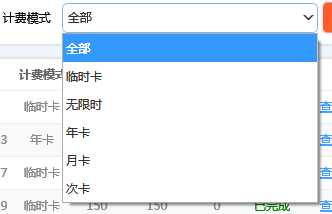
</Style>显示效果:
1.3,DataGridStyle
xaml
    <Style TargetType="DataGridCell" x:Key="DataGridCellStyle">
        <Setter Property="Template">
            <Setter.Value>
                <ControlTemplate TargetType="DataGridCell">
                    <Grid Background="Transparent">
                        <ContentPresenter VerticalAlignment="Center" HorizontalAlignment="Center"/>
                    </Grid>
                </ControlTemplate>
            </Setter.Value>
        </Setter>
        <Style.Triggers>
            <Trigger Property="IsSelected" Value="True">
                <Setter Property="FontWeight" Value="Normal"/>
                <Setter Property="Foreground" Value="#444"/>
            </Trigger>
        </Style.Triggers>
    </Style>

    <Style TargetType="DataGridColumnHeader" x:Key="DataGridColumnHeaderfStyle">
        <Setter Property="Background" Value="White"/>
        <Setter Property="Height" Value="30"/>
        <Setter Property="BorderBrush" Value="#DDD"/>
        <Setter Property="BorderThickness" Value="0,0,0,1"/>
        <Setter Property="Template">
            <Setter.Value>
                <ControlTemplate TargetType="DataGridColumnHeader">
                    <Border Background="{TemplateBinding Background}" BorderBrush="{TemplateBinding BorderBrush}" BorderThickness="{TemplateBinding BorderThickness}">
                        <TextBlock Text="{TemplateBinding Content}" VerticalAlignment="Center" HorizontalAlignment="Center"
                                   Foreground="#565656" FontWeight="Bold"/>
                    </Border>
                </ControlTemplate>
            </Setter.Value>
        </Setter>
    </Style>

    <Style TargetType="DataGridRow" x:Key="DataGridRowStyle">
        <Setter Property="Height" Value="40"/>

        <!--行头样式-->
        <Setter Property="HeaderStyle">
            <Setter.Value>
                <Style TargetType="DataGridRowHeader">
                    <Setter Property="Width" Value="20"/>
                    <Setter Property="Background" Value="Transparent"/>

                </Style>
            </Setter.Value>
        </Setter>
        <!--行头模版-->
        <Setter Property="HeaderTemplate">
            <Setter.Value>
                <DataTemplate>
                    <Grid Margin="5,0">
                        <TextBlock Text="{Binding Item.Index,RelativeSource={RelativeSource Mode=FindAncestor,AncestorType=DataGridRow}}"
                                   Foreground="#888"/>
                    </Grid>
                </DataTemplate>
            </Setter.Value>
        </Setter>
        <!--行右键菜单-->
        <Setter Property="ContextMenu">
            <Setter.Value>
                <ContextMenu>
                    <MenuItem Header="复制" Command="{Binding MenuItemCommand}" CommandParameter="{Binding}"/>
                    <MenuItem Header="剪切" Command="{Binding MenuItemCommand}" CommandParameter="{Binding}"/>
                    <MenuItem Header="粘贴" Command="{Binding MenuItemCommand}" CommandParameter="{Binding}"/>
                </ContextMenu>
            </Setter.Value>
        </Setter>


        <Style.Triggers>
            <!--条纹间隔,需要配合DataGrid.AlternationCount属性-->
            <Trigger Property="AlternationIndex" Value="-1" >
                <Setter Property="Background" Value="#EEE" />
            </Trigger>
            <Trigger Property="IsMouseOver" Value="True">
                <Setter Property="Background" Value="#F7F9FA"/>
            </Trigger>
            <Trigger Property="IsSelected" Value="True">
                <Setter Property="Background" Value="#F7F9FA"/>
            </Trigger>
        </Style.Triggers>
    </Style>

    <!--DataGrid样式-->
    <Style TargetType="{x:Type DataGrid}">
        <!--网格线颜色-->
        <Setter Property="CanUserResizeColumns" Value="True"/>
        <Setter Property="Foreground" Value="#444" />
        <Setter Property="Background" Value="Transparent" />
        <Setter Property="BorderBrush" Value="Transparent" />
        <Setter Property="HorizontalGridLinesBrush" Value="#EEE"/>
        <Setter Property="VerticalGridLinesBrush" Value="Transparent"/>
        <Setter Property="CanUserAddRows" Value="False"/>
        <Setter Property="AutoGenerateColumns" Value="False"/>


        <Setter Property="CellStyle" Value="{StaticResource DataGridCellStyle}"/>
        <Setter Property="ColumnHeaderStyle" Value="{StaticResource DataGridColumnHeaderfStyle}"/>
        <Setter Property="RowStyle" Value="{StaticResource DataGridRowStyle}"/>
    </Style>
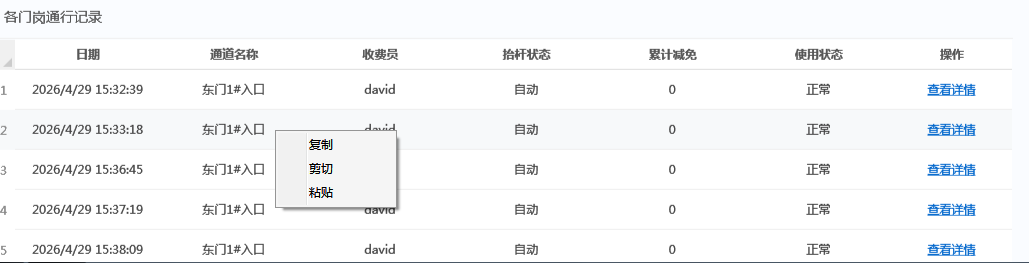
显示效果:
1.4,ScrollViewerStyle
xaml
<SolidColorBrush x:Key="ScrollBar.Static.Background" Color="#F0F0F0"/>
    <SolidColorBrush x:Key="ScrollBar.Static.Border" Color="#F0F0F0"/>
    <SolidColorBrush x:Key="ScrollBar.Static.Thumb" Color="#CDCDCD"/>
    <SolidColorBrush x:Key="ScrollBar.MouseOver.Thumb" Color="#A6A6A6"/>
    <SolidColorBrush x:Key="ScrollBar.Pressed.Thumb" Color="#606060"/>

    <Style TargetType="ScrollViewer">
        <Setter Property="FocusVisualStyle" Value="{x:Null}"/>
        <Setter Property="Template">
            <Setter.Value>
                <ControlTemplate TargetType="{x:Type ScrollViewer}">
                    <Grid x:Name="Grid" Background="{TemplateBinding Background}">
                        <ScrollContentPresenter x:Name="PART_ScrollContentPresenter" CanContentScroll="{TemplateBinding CanContentScroll}"
                                        CanHorizontallyScroll="False" CanVerticallyScroll="False"
                                        ContentTemplate="{TemplateBinding ContentTemplate}" Content="{TemplateBinding Content}"
                                        Margin="{TemplateBinding Padding}"/>
                        <ScrollBar x:Name="PART_VerticalScrollBar" AutomationProperties.AutomationId="VerticalScrollBar" Cursor="Arrow"
                           Maximum="{TemplateBinding ScrollableHeight}" Minimum="0"
                           Visibility="{TemplateBinding ComputedVerticalScrollBarVisibility}"
                           Value="{Binding VerticalOffset, Mode=OneWay, RelativeSource={RelativeSource TemplatedParent}}"
                           ViewportSize="{TemplateBinding ViewportHeight}"
                           HorizontalAlignment="Right" Style="{DynamicResource ScrollBarStyle}"
                           Opacity="0"/>
                        <ScrollBar x:Name="PART_HorizontalScrollBar" AutomationProperties.AutomationId="HorizontalScrollBar" Cursor="Arrow"
                           Maximum="{TemplateBinding ScrollableWidth}" Minimum="0" Orientation="Horizontal"
                           Visibility="{TemplateBinding ComputedHorizontalScrollBarVisibility}"
                           Value="{Binding HorizontalOffset, Mode=OneWay, RelativeSource={RelativeSource TemplatedParent}}"
                           ViewportSize="{TemplateBinding ViewportWidth}"
                           VerticalAlignment="Bottom"
                           Opacity="0" Style="{DynamicResource ScrollBarStyle}"/>
                    </Grid>
                    <ControlTemplate.Triggers>
                        <Trigger Property="IsMouseOver" Value="True">
                            <Trigger.EnterActions>
                                <BeginStoryboard>
                                    <Storyboard>
                                        <DoubleAnimation Duration="0:0:0.3" To="0.7"
                                                 Storyboard.TargetName="PART_VerticalScrollBar"
                                                 Storyboard.TargetProperty="Opacity"/>
                                        <DoubleAnimation Duration="0:0:0.3" To="0.7"
                                                 Storyboard.TargetName="PART_HorizontalScrollBar"
                                                 Storyboard.TargetProperty="Opacity"/>
                                    </Storyboard>
                                </BeginStoryboard>
                            </Trigger.EnterActions>
                            <Trigger.ExitActions>
                                <BeginStoryboard>
                                    <Storyboard>
                                        <DoubleAnimation Duration="0:0:0.2"
                                                 Storyboard.TargetName="PART_VerticalScrollBar"
                                                 Storyboard.TargetProperty="Opacity"/>
                                        <DoubleAnimation Duration="0:0:0.2"
                                                 Storyboard.TargetName="PART_HorizontalScrollBar"
                                                 Storyboard.TargetProperty="Opacity"/>
                                    </Storyboard>
                                </BeginStoryboard>
                            </Trigger.ExitActions>
                        </Trigger>
                    </ControlTemplate.Triggers>
                </ControlTemplate>
            </Setter.Value>
        </Setter>
    </Style>

    <Style x:Key="ScrollBarStyle" TargetType="{x:Type ScrollBar}">
        <Setter Property="Stylus.IsPressAndHoldEnabled" Value="false"/>
        <Setter Property="Stylus.IsFlicksEnabled" Value="false"/>
        <Setter Property="Background" Value="{StaticResource ScrollBar.Static.Background}"/>
        <Setter Property="BorderBrush" Value="{StaticResource ScrollBar.Static.Border}"/>
        <Setter Property="Foreground" Value="{DynamicResource {x:Static SystemColors.ControlTextBrushKey}}"/>
        <Setter Property="BorderThickness" Value="1,0"/>
        <Setter Property="Width" Value="12"/>
        <Setter Property="MinWidth" Value="12"/>
        <Setter Property="Template">
            <Setter.Value>
                <ControlTemplate TargetType="{x:Type ScrollBar}">
                    <Grid x:Name="Bg" SnapsToDevicePixels="true">
                        <Border BorderBrush="{TemplateBinding BorderBrush}" BorderThickness="0"
                                    Background="Transparent" Grid.Row="1"/>
                        <Track x:Name="PART_Track" IsDirectionReversed="true" IsEnabled="{TemplateBinding IsMouseOver}" Grid.Row="1">
                            <Track.DecreaseRepeatButton>
                                <RepeatButton Command="{x:Static ScrollBar.PageUpCommand}" Style="{DynamicResource RepeatButtonTransparent}"/>
                            </Track.DecreaseRepeatButton>
                            <Track.IncreaseRepeatButton>
                                <RepeatButton Command="{x:Static ScrollBar.PageDownCommand}" Style="{DynamicResource RepeatButtonTransparent}"/>
                            </Track.IncreaseRepeatButton>
                            <Track.Thumb>
                                <Thumb Style="{DynamicResource ScrollBarThumbVertical}"/>
                            </Track.Thumb>
                        </Track>
                    </Grid>
                </ControlTemplate>
            </Setter.Value>
        </Setter>
        <Style.Triggers>
            <Trigger Property="Orientation" Value="Horizontal">
                <Setter Property="Width" Value="Auto"/>
                <Setter Property="MinWidth" Value="0"/>
                <Setter Property="Height" Value="12"/>
                <Setter Property="MinHeight" Value="12"/>
                <Setter Property="BorderThickness" Value="0,1"/>
                <Setter Property="Template">
                    <Setter.Value>
                        <ControlTemplate TargetType="{x:Type ScrollBar}">
                            <Grid x:Name="Bg" SnapsToDevicePixels="true">
                                <Border BorderBrush="{TemplateBinding BorderBrush}"
                                            BorderThickness="0"
                                            Background="Transparent" Grid.Column="1"/>
                                <Track x:Name="PART_Track" Grid.Column="1" IsEnabled="{TemplateBinding IsMouseOver}">
                                    <Track.DecreaseRepeatButton>
                                        <RepeatButton Command="{x:Static ScrollBar.PageLeftCommand}" Style="{DynamicResource RepeatButtonTransparent}"/>
                                    </Track.DecreaseRepeatButton>
                                    <Track.IncreaseRepeatButton>
                                        <RepeatButton Command="{x:Static ScrollBar.PageRightCommand}" Style="{DynamicResource RepeatButtonTransparent}"/>
                                    </Track.IncreaseRepeatButton>
                                    <Track.Thumb>
                                        <Thumb Style="{DynamicResource ScrollBarThumbHorizontal}"/>
                                    </Track.Thumb>
                                </Track>
                            </Grid>
                        </ControlTemplate>
                    </Setter.Value>
                </Setter>
            </Trigger>
        </Style.Triggers>
    </Style>

    <Style x:Key="RepeatButtonTransparent" TargetType="{x:Type RepeatButton}">
        <Setter Property="OverridesDefaultStyle" Value="true"/>
        <Setter Property="Background" Value="Transparent"/>
        <Setter Property="Focusable" Value="false"/>
        <Setter Property="IsTabStop" Value="false"/>
        <Setter Property="Template">
            <Setter.Value>
                <ControlTemplate TargetType="{x:Type RepeatButton}">
                    <Rectangle Fill="#11FFFFFF" Height="{TemplateBinding Height}" Width="{TemplateBinding Width}"/>
                </ControlTemplate>
            </Setter.Value>
        </Setter>
    </Style>

    <Style x:Key="ScrollBarThumbVertical" TargetType="{x:Type Thumb}">
        <Setter Property="OverridesDefaultStyle" Value="true"/>
        <Setter Property="IsTabStop" Value="false"/>
        <Setter Property="Template">
            <Setter.Value>
                <ControlTemplate TargetType="{x:Type Thumb}">
                    <Rectangle x:Name="rectangle" Fill="{StaticResource ScrollBar.Static.Thumb}" Height="{TemplateBinding Height}"
                                   SnapsToDevicePixels="True" Width="12" RadiusX="6" RadiusY="6"/>
                    <ControlTemplate.Triggers>
                        <Trigger Property="IsMouseOver" Value="true">
                            <Setter Property="Fill" TargetName="rectangle" Value="{StaticResource ScrollBar.MouseOver.Thumb}"/>
                        </Trigger>
                        <Trigger Property="IsDragging" Value="true">
                            <Setter Property="Fill" TargetName="rectangle" Value="{StaticResource ScrollBar.Pressed.Thumb}"/>
                        </Trigger>
                    </ControlTemplate.Triggers>
                </ControlTemplate>
            </Setter.Value>
        </Setter>
    </Style>

    <Style x:Key="ScrollBarThumbHorizontal" TargetType="{x:Type Thumb}">
        <Setter Property="OverridesDefaultStyle" Value="true"/>
        <Setter Property="IsTabStop" Value="false"/>
        <Setter Property="Template">
            <Setter.Value>
                <ControlTemplate TargetType="{x:Type Thumb}">
                    <Rectangle x:Name="rectangle" Fill="{StaticResource ScrollBar.Static.Thumb}"
                                   Height="{TemplateBinding Height}" SnapsToDevicePixels="True"
                                   Width="{TemplateBinding Width}"
                                   RadiusX="6" RadiusY="6"/>
                    <ControlTemplate.Triggers>
                        <Trigger Property="IsMouseOver" Value="true">
                            <Setter Property="Fill" TargetName="rectangle" Value="{StaticResource ScrollBar.MouseOver.Thumb}"/>
                        </Trigger>
                        <Trigger Property="IsDragging" Value="true">
                            <Setter Property="Fill" TargetName="rectangle" Value="{StaticResource ScrollBar.Pressed.Thumb}"/>
                        </Trigger>
                    </ControlTemplate.Triggers>
                </ControlTemplate>
            </Setter.Value>
        </Setter>
    </Style>
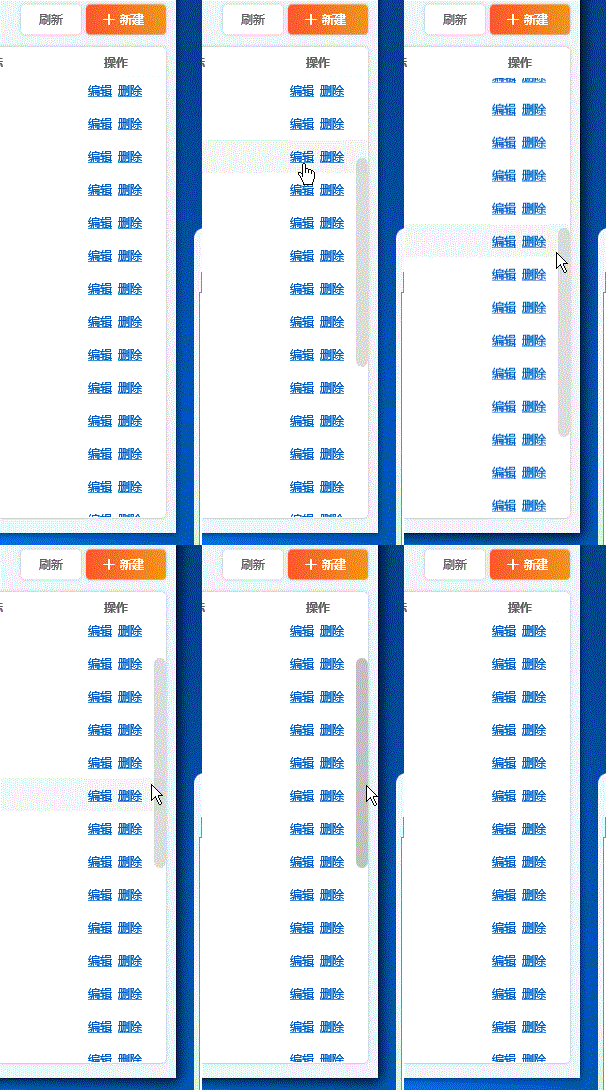
显示效果:
1.5,TextBoxStyles
1.5.1,SearchTextBoxStyle
xaml
<SolidColorBrush x:Key="TextBox.Static.Border" Color="#FFABAdB3"/>
<SolidColorBrush x:Key="TextBox.MouseOver.Border" Color="#FF7EB4EA"/>
<SolidColorBrush x:Key="TextBox.Focus.Border" Color="#FF569DE5"/>
<Style x:Key="SearchTextBoxStyle" TargetType="{x:Type TextBox}">
<Setter Property="Background" Value="{DynamicResource {x:Static SystemColors.WindowBrushKey}}"/>
<Setter Property="BorderBrush" Value="#DDD"/>
<Setter Property="Foreground" Value="{DynamicResource {x:Static SystemColors.ControlTextBrushKey}}"/>
<Setter Property="BorderThickness" Value="1"/>
<Setter Property="KeyboardNavigation.TabNavigation" Value="None"/>
<Setter Property="HorizontalContentAlignment" Value="Left"/>
<Setter Property="FocusVisualStyle" Value="{x:Null}"/>
<Setter Property="AllowDrop" Value="true"/>
<Setter Property="ScrollViewer.PanningMode" Value="VerticalFirst"/>
<Setter Property="Stylus.IsFlicksEnabled" Value="False"/>
<Setter Property="Template">
<Setter.Value>
<ControlTemplate TargetType="{x:Type TextBox}">
<Grid>
<Border x:Name="border" BorderBrush="{TemplateBinding BorderBrush}"
BorderThickness="{TemplateBinding BorderThickness}"
Background="White"
CornerRadius="5" Height="30">
<Border.Effect>
<DropShadowEffect BlurRadius="5" Color="Gray" ShadowDepth="0" Opacity="0.1"/>
</Border.Effect>
</Border>
<Grid>
<Grid.ColumnDefinitions>
<ColumnDefinition Width="30"/>
<ColumnDefinition/>
</Grid.ColumnDefinitions>
<TextBlock Text="" FontFamily="{DynamicResource Icons}"
VerticalAlignment="Center" HorizontalAlignment="Center" Foreground="#999" FontSize="14"/>
<TextBlock Text="输入搜索关键词" VerticalAlignment="Center" Margin="3,0" FontSize="11"
Foreground="#CCC" Grid.Column="1" Visibility="Collapsed" Name="mask"
Effect="{x:Null}"/>
<ScrollViewer x:Name="PART_ContentHost" Grid.Column="1" Focusable="false"
VerticalAlignment="Center"
HorizontalScrollBarVisibility="Hidden" VerticalScrollBarVisibility="Hidden"/>
</Grid>
</Grid>
<ControlTemplate.Triggers>
<Trigger Property="IsEnabled" Value="false">
<Setter Property="Opacity" TargetName="border" Value="0.56"/>
</Trigger>
<Trigger Property="IsMouseOver" Value="true">
<Setter Property="BorderBrush" TargetName="border" Value="{StaticResource TextBox.MouseOver.Border}"/>
</Trigger>
<Trigger Property="IsKeyboardFocused" Value="true">
<Setter Property="BorderBrush" TargetName="border" Value="{StaticResource TextBox.Focus.Border}"/>
</Trigger>
<DataTrigger Binding="{Binding Text,RelativeSource={RelativeSource Self}}" Value="">
<Setter Property="Visibility" Value="Visible" TargetName="mask"/>
</DataTrigger>
</ControlTemplate.Triggers>
</ControlTemplate>
</Setter.Value>
</Setter>
<Style.Triggers>
<MultiTrigger>
<MultiTrigger.Conditions>
<Condition Property="IsInactiveSelectionHighlightEnabled" Value="true"/>
<Condition Property="IsSelectionActive" Value="false"/>
</MultiTrigger.Conditions>
<Setter Property="SelectionBrush" Value="{DynamicResource {x:Static SystemColors.InactiveSelectionHighlightBrushKey}}"/>
</MultiTrigger>
</Style.Triggers>
</Style>
xaml
 <!--搜索输入框-->
            <TextBox VerticalAlignment="Center"  Width="300" HorizontalAlignment="Left"
                     Text="{Binding SearchKey,UpdateSourceTrigger=PropertyChanged}"
                     Style="{StaticResource SearchTextBoxStyle}" Name="tb_search">
                <TextBox.InputBindings>
                    <KeyBinding Key="Return" Command="{Binding RefreshCommand}"/>

                </TextBox.InputBindings>

            </TextBox>
显示效果:

1.5.2,PasswordBoxStyle
xaml
<Style TargetType="PasswordBox">
            <Setter Property="FontSize" Value="14"/>
            <Setter Property="Height" Value="30"/>
            <Setter Property="Template">
                <Setter.Value>
                    <ControlTemplate TargetType="PasswordBox">
                        <Border BorderBrush="#DDD" BorderThickness="0,0,0,1"
                                Name="border" Background="White">
                            <Grid>
                                <TextBlock Text="请输入用户密码"
                                           VerticalAlignment="Center"
                                           Foreground="#DDD"
                                           Name="markText" Visibility="Collapsed"
                                           FontSize="12" Margin="3,0"/>
                                <ScrollViewer x:Name="PART_ContentHost" Focusable="false"
                                              HorizontalScrollBarVisibility="Hidden"
                                              VerticalScrollBarVisibility="Hidden"
                                              VerticalAlignment="Center" MinHeight="20"/>
                            </Grid>
                        </Border>
                        <ControlTemplate.Triggers>
                            <Trigger Property="IsMouseOver" Value="True">
                                <Setter Property="BorderBrush" Value="#0b3d90" TargetName="border"/>
                            </Trigger>
                            <Trigger Property="IsKeyboardFocused" Value="True">
                                <Setter Property="BorderBrush" Value="#0b3d90" TargetName="border"/>
                            </Trigger>
                            <!--<DataTrigger Binding="{Binding Path=Password,RelativeSource={RelativeSource Self}}"-->
                            <DataTrigger Binding="{Binding Path=Password}" Value="">
                                <Setter TargetName="markText" Property="Visibility" Value="Visible"/>
                            </DataTrigger>
                        </ControlTemplate.Triggers>
                    </ControlTemplate>
                </Setter.Value>
            </Setter>
        </Style>
xaml
<PasswordBox Grid.Row="4" b:PasswordEx.Password="{Binding Password,Mode=TwoWay}"/>因PasswordBox.Password属性为普通属性非依赖属性,故不支持绑定。为了实现与后端绑定,这里扩展定义一个附加属性,需要注意的是依赖属性需要定义在依赖对象中,但附加属性不要求定义在依赖对象中。
c#
 public class PasswordEx
    {
        public static readonly DependencyProperty PasswordProperty =
            DependencyProperty.RegisterAttached(
                "Password",
                typeof(string),
                typeof(PasswordEx),
                new PropertyMetadata(new PropertyChangedCallback(OnPropertyChanged))
                );

        public static string GetPassword(DependencyObject d)
        {
            return (string)d.GetValue(PasswordProperty);
        }
        public static void SetPassword(DependencyObject d, string value)
        {
            d.SetValue(PasswordProperty, value);
        }

        static bool _isUpdating = false;
        private static void OnPropertyChanged(DependencyObject d, DependencyPropertyChangedEventArgs e)
        {
            PasswordBox pb = d as PasswordBox;
            pb.PasswordChanged -= Pb_PasswordChanged;
            if (!_isUpdating)
                pb.Password = e.NewValue == null ? "" : e.NewValue.ToString();
            pb.PasswordChanged += Pb_PasswordChanged;
        }

        private static void Pb_PasswordChanged(object sender, RoutedEventArgs e)
        {
            PasswordBox pb = sender as PasswordBox;
            _isUpdating = true;
            SetPassword(pb, pb.Password);
            _isUpdating = false;
        }
    }
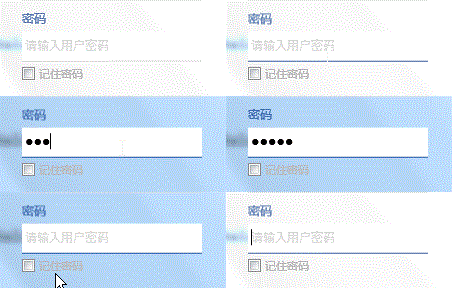
显示效果:
1.6,DatePickerStyle
xaml
<SolidColorBrush x:Key="DisabledBrush" Color="#A5FFFFFF"/>
<ControlTemplate x:Key="DropDownButtonTemplate" TargetType="{x:Type Button}">
<Border Background="Transparent" Name="back">
<TextBlock Text="" FontFamily="{DynamicResource Icons}" VerticalAlignment="Center" HorizontalAlignment="Center" FontSize="16"/>
</Border>
<ControlTemplate.Triggers>
<Trigger Property="IsMouseOver" Value="true">
<Setter Property="BorderBrush" TargetName="back" Value="{StaticResource TextBox.MouseOver.Border}"/>
</Trigger>
<Trigger Property="IsKeyboardFocused" Value="true">
<Setter Property="BorderBrush" TargetName="back" Value="{StaticResource TextBox.Focus.Border}"/>
</Trigger>
<Trigger Property="IsMouseOver" Value="True">
<Setter TargetName="back" Property="Background" Value="#EEE"/>
</Trigger>
</ControlTemplate.Triggers>
</ControlTemplate>
<Style TargetType="{x:Type DatePicker}">
<Setter Property="Foreground" Value="#FF333333"/>
<Setter Property="IsTodayHighlighted" Value="True"/>
<Setter Property="SelectedDateFormat" Value="Short"/>
<Setter Property="Background" Value="Transparent"/>
<Setter Property="BorderBrush" Value="{StaticResource TextBox.Static.Border}"/>
<Setter Property="Padding" Value="2"/>
<Setter Property="BorderThickness" Value="1"/>
<Setter Property="HorizontalContentAlignment" Value="Stretch"/>
<Setter Property="VerticalContentAlignment" Value="Center"/>
<Setter Property="Template">
<Setter.Value>
<ControlTemplate TargetType="{x:Type DatePicker}">
<Border BorderBrush="{TemplateBinding BorderBrush}"
BorderThickness="{TemplateBinding BorderThickness}"
Background="White" CornerRadius="5"
Padding="{TemplateBinding Padding}">
<VisualStateManager.VisualStateGroups>
<VisualStateGroup x:Name="CommonStates">
<VisualState x:Name="Normal"/>
<VisualState x:Name="Disabled">
<Storyboard>
<DoubleAnimation Duration="0" To="1" Storyboard.TargetProperty="Opacity" Storyboard.TargetName="PART_DisabledVisual"/>
</Storyboard>
</VisualState>
</VisualStateGroup>
</VisualStateManager.VisualStateGroups>
<Grid x:Name="PART_Root" HorizontalAlignment="{TemplateBinding HorizontalContentAlignment}"
VerticalAlignment="{TemplateBinding VerticalContentAlignment}">
<Grid.ColumnDefinitions>
<ColumnDefinition Width="*"/>
<ColumnDefinition Width="Auto"/>
</Grid.ColumnDefinitions>
<Button x:Name="PART_Button" Grid.Column="1" Foreground="{TemplateBinding Foreground}" Focusable="False"
Template="{StaticResource DropDownButtonTemplate}" Width="20"
/>
<DatePickerTextBox x:Name="PART_TextBox" Grid.Column="0" Focusable="{TemplateBinding Focusable}" HorizontalContentAlignment="Stretch" Grid.Row="0" VerticalContentAlignment="Stretch"
/>
<Grid x:Name="PART_DisabledVisual" Grid.ColumnSpan="2" Grid.Column="0" IsHitTestVisible="False" Opacity="0" Grid.Row="0">
<Grid.ColumnDefinitions>
<ColumnDefinition Width="*"/>
<ColumnDefinition Width="Auto"/>
</Grid.ColumnDefinitions>
<Rectangle Grid.Column="0" Fill="#A5FFFFFF" RadiusY="1" Grid.Row="0" RadiusX="1"/>
<Rectangle Grid.Column="1" Fill="#A5FFFFFF" Height="18" Margin="3,0,3,0" RadiusY="1" Grid.Row="0" RadiusX="1" Width="19"/>
<Popup x:Name="PART_Popup" AllowsTransparency="True" Placement="Bottom" PlacementTarget="{Binding ElementName=PART_TextBox}" StaysOpen="False"/>
</Grid>
</Grid>
</Border>
<ControlTemplate.Triggers>
<DataTrigger Binding="{Binding Source={x:Static SystemParameters.HighContrast}}" Value="false">
<Setter Property="Foreground" TargetName="PART_TextBox" Value="{Binding Foreground, RelativeSource={RelativeSource TemplatedParent}}"/>
</DataTrigger>
</ControlTemplate.Triggers>
</ControlTemplate>
</Setter.Value>
</Setter>
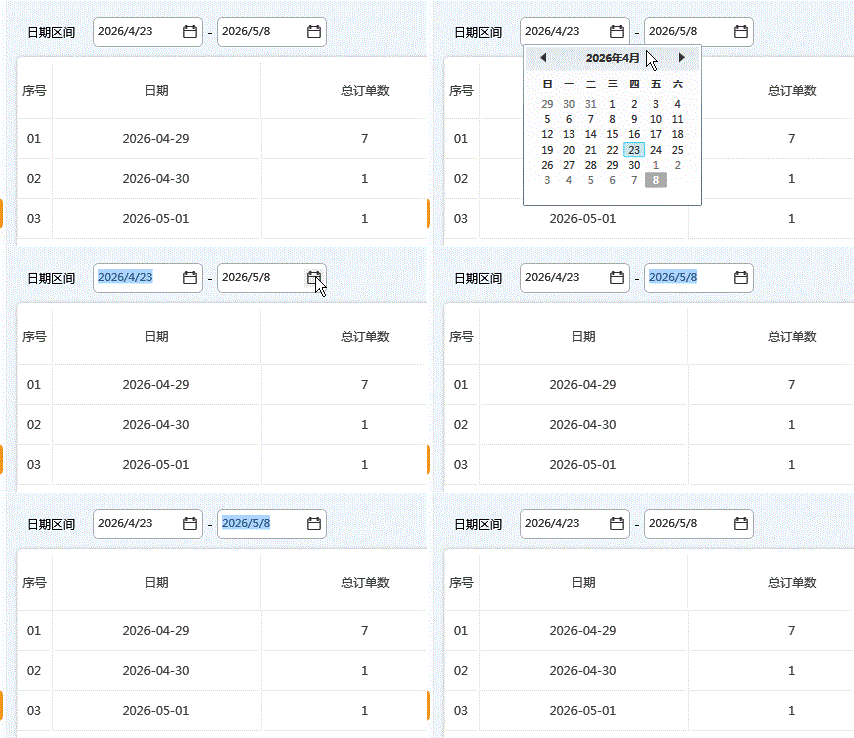
</Style>显示效果:
1.7,TabControlStyle
注意: 该示例需要安装Prism.Unity。
xaml
 <TabControl   Grid.Row="1" Background="Transparent"
                        BorderThickness="0" p:RegionManager.RegionName="MainRegion">
                    <TabControl.Resources>

                        <Style TargetType="TabControl">
                            <Setter Property="Template">
                                <Setter.Value>
                                    <ControlTemplate TargetType="TabControl">
                                        <Grid>
                                            <Grid.RowDefinitions>
                                                <RowDefinition Height="auto"/>
                                                <RowDefinition/>
                                            </Grid.RowDefinitions>
                                            <Border Background="#FAFCFF" BorderBrush="#EEE" BorderThickness="0,1"/>
                                            <TabPanel x:Name="HeaderPanel"
                                                    Panel.ZIndex="1"
                                                    Margin="0,3"
                                                    IsItemsHost="True"
                                                    KeyboardNavigation.TabIndex="1"
                                                    Background="Transparent" />

                                            <ContentPresenter x:Name="PART_SelectedContentHost"
                                                          Grid.Row="1"
                                                          ContentSource="SelectedContent" />
                                        </Grid>
                                    </ControlTemplate>
                                </Setter.Value>
                            </Setter>
                        </Style>


                        <Style TargetType="Button" x:Key="TabCloseButtonStyle">
                            <Setter Property="Template">
                                <Setter.Value>
                                    <ControlTemplate TargetType="Button">
                                        <Border VerticalAlignment="Center" HorizontalAlignment="Center"
                                            CornerRadius="3" Background="Transparent"
                                            Name="back">
                                            <Path Data="M0 0 8 8M0 8 8 0" Margin="5"
                                              Stroke="{TemplateBinding Foreground}" StrokeThickness="1"/>
                                        </Border>
                                        <ControlTemplate.Triggers>
                                            <Trigger Property="IsMouseOver" Value="True">
                                                <Setter Property="Background" Value="#19000000" TargetName="back"/>
                                            </Trigger>
                                        </ControlTemplate.Triggers>
                                    </ControlTemplate>
                                </Setter.Value>
                            </Setter>
                        </Style>


                        <Style TargetType="TabItem">
                            <Setter Property="Header" Value="{Binding DataContext.PageTitle}"/>
                            <Setter Property="Background" Value="Transparent"/>
                            <Setter Property="Foreground" Value="#444"/>
                            <Setter Property="Template">
                                <Setter.Value>
                                    <ControlTemplate TargetType="TabItem">
                                        <Border Background="{TemplateBinding Background}" Height="28"
                                            CornerRadius="5" Margin="2,0">
                                            <Grid Margin="5,0,3,0">
                                                <Grid.ColumnDefinitions>
                                                    <ColumnDefinition/>
                                                    <ColumnDefinition Width="auto" MaxWidth="30" MinWidth="10"/>
                                                </Grid.ColumnDefinitions>
                                                <TextBlock Text="{TemplateBinding Header}" VerticalAlignment="Center"
                                                       Margin="10,5,0,5"
                                                        FontSize="12"/>
                                                <Grid Grid.Column="1" Name="close_grid" Visibility="Collapsed"
                                                  Width="30" Margin="0,0,-3,0">
                                                    <Button Grid.Column="1" Style="{StaticResource TabCloseButtonStyle}"
                                                        Foreground="{TemplateBinding Foreground}"
                                                        Visibility="Collapsed" Name="close_btn"
                                                        Command="{Binding DataContext.CloseCommand}"/>
                                                </Grid>
                                            </Grid>
                                        </Border>

                                        <ControlTemplate.Triggers>
                                            <DataTrigger Binding="{Binding DataContext.IsCanClose}" Value="True">
                                                <Setter TargetName="close_grid" Property="Visibility" Value="Visible"/>
                                            </DataTrigger>
                                            <Trigger Property="IsMouseOver" Value="True">
                                                <Setter Property="Visibility" Value="Visible" TargetName="close_btn"/>
                                            </Trigger>
                                            <Trigger Property="IsSelected" Value="True">
                                                <Setter Property="Visibility" Value="Visible" TargetName="close_btn"/>
                                            </Trigger>
                                        </ControlTemplate.Triggers>
                                    </ControlTemplate>
                                </Setter.Value>
                            </Setter>
                            <Style.Triggers>
                                <Trigger Property="IsMouseOver" Value="True">
                                    <Setter Property="Background" Value="#EEE"/>
                                </Trigger>
                                <Trigger Property="IsSelected" Value="True">
                                    <Setter Property="Background">
                                        <Setter.Value>
                                            <LinearGradientBrush StartPoint="0,0" EndPoint="1,0">
                                                <GradientStop Color="#FE582D" Offset="0"/>
                                                <GradientStop Color="#F1961A" Offset="1"/>
                                            </LinearGradientBrush>
                                        </Setter.Value>
                                    </Setter>
                                    <Setter Property="Foreground" Value="White"/>
                                </Trigger>
                            </Style.Triggers>
                        </Style>

                    </TabControl.Resources>
                </TabControl>
显示效果:

1.8,ViewTreeStyle
xaml
<TreeView Grid.Row="1" Background="Transparent" BorderThickness="0"
ItemsSource="{Binding Menus}">
<TreeView.Resources>
<ControlTemplate TargetType="ToggleButton" x:Key="ArrowButtonTemplate">
<Grid Background="Transparent" Name="back">
<TextBlock Text="" FontFamily="{StaticResource Icons}"
VerticalAlignment="Center" HorizontalAlignment="Center"
RenderTransformOrigin="0.5,0.5" Name="arrow"
Foreground="{TemplateBinding Foreground}"
FontSize="9">
</TextBlock>
</Grid>
<ControlTemplate.Triggers>
<Trigger Property="IsChecked" Value="True">
<Setter TargetName="arrow" Property="RenderTransform">
<Setter.Value>
<RotateTransform Angle="90"/>
</Setter.Value>
</Setter>
</Trigger>
<Trigger Property="IsMouseOver" Value="True">
<Setter TargetName="back" Property="Background" Value="#11000000"/>
</Trigger>
</ControlTemplate.Triggers>
</ControlTemplate>
<Style TargetType="TreeViewItem">
<Setter Property="IsExpanded" Value="{Binding IsExpanded}"/>
<Setter Property="Template">
<Setter.Value>
<ControlTemplate TargetType="TreeViewItem">
<Grid Background="Transparent" Name="root">
<Grid.ColumnDefinitions>
<ColumnDefinition/>
<ColumnDefinition MaxWidth="30"/>
</Grid.ColumnDefinitions>
<Grid.RowDefinitions>
<RowDefinition Height="Auto" MinHeight="33"/>
<RowDefinition />
</Grid.RowDefinitions>
<Grid.InputBindings>
<MouseBinding MouseAction="LeftDoubleClick"
Command="{Binding DataContext.OpenViewCommand,RelativeSource={RelativeSource AncestorType=Window}}"
CommandParameter="{Binding}"/>
</Grid.InputBindings>
<Border x:Name="Bd" BorderBrush="{TemplateBinding BorderBrush}"
BorderThickness="{TemplateBinding BorderThickness}"
Background="{TemplateBinding Background}"
CornerRadius="5" Grid.ColumnSpan="2" Padding="{TemplateBinding Padding}"
SnapsToDevicePixels="true"
Margin="2,1">
<ContentPresenter x:Name="PART_Header" ContentSource="Header"
HorizontalAlignment="{TemplateBinding HorizontalContentAlignment}"
VerticalAlignment="{TemplateBinding VerticalContentAlignment}"
SnapsToDevicePixels="{TemplateBinding SnapsToDevicePixels}">
</ContentPresenter>
</Border>
<ToggleButton x:Name="Expander" Grid.Column="1" ClickMode="Press"
IsChecked="{Binding IsExpanded, RelativeSource={RelativeSource TemplatedParent}}"
Template="{StaticResource ArrowButtonTemplate}"
Foreground="#4000"/>
<ItemsPresenter x:Name="ItemsHost" Margin="18,0,0,0" Grid.ColumnSpan="2" Grid.Row="1" />
</Grid>
<ControlTemplate.Triggers>
<Trigger Property="IsExpanded" Value="false">
<Setter Property="Visibility" TargetName="ItemsHost" Value="Collapsed"/>
</Trigger>
<Trigger Property="HasItems" Value="false">
<Setter Property="Visibility" TargetName="Expander" Value="Hidden"/>
</Trigger>
<Trigger Property="IsSelected" Value="true">
<Setter Property="Background" TargetName="Bd">
<Setter.Value>
<LinearGradientBrush StartPoint="0,0" EndPoint="1,0">
<GradientStop Color="#FE582D" Offset="0"/>
<GradientStop Color="#F1961A" Offset="1"/>
</LinearGradientBrush>
</Setter.Value>
</Setter>
<Setter Property="Foreground" Value="White"/>
<Setter Property="Foreground" Value="white" TargetName="Expander"/>
</Trigger>
<!--被选中后失去焦点-->
<DataTrigger Binding="{Binding MenuIcon}" Value="{x:Null}">
<Setter Property="Margin" Value="10,0,0,0" TargetName="root"/>
</DataTrigger>
</ControlTemplate.Triggers>
</ControlTemplate>
</Setter.Value>
</Setter>
</Style>
</TreeView.Resources>
<TreeView.ItemTemplate>
<HierarchicalDataTemplate ItemsSource="{Binding Children}">
<Grid Background="Transparent">
<Grid.ColumnDefinitions>
<ColumnDefinition Width="30" Name="c1"/>
<ColumnDefinition/>
</Grid.ColumnDefinitions>
<TextBlock Text="{Binding MenuIcon}"
FontFamily="{StaticResource Icons}"
VerticalAlignment="Center" HorizontalAlignment="Center"
FontSize="15"/>
<TextBlock Text="{Binding MenuHeader}" Grid.Column="1" Margin="5,0,0,0" FontSize="12"
VerticalAlignment="Center"/>
</Grid>
<HierarchicalDataTemplate.Triggers>
<DataTrigger Binding="{Binding MenuIcon}" Value="{x:Null}">
<Setter TargetName="c1" Property="Width" Value="0"/>
</DataTrigger>
</HierarchicalDataTemplate.Triggers>
</HierarchicalDataTemplate>
</TreeView.ItemTemplate>
</TreeView>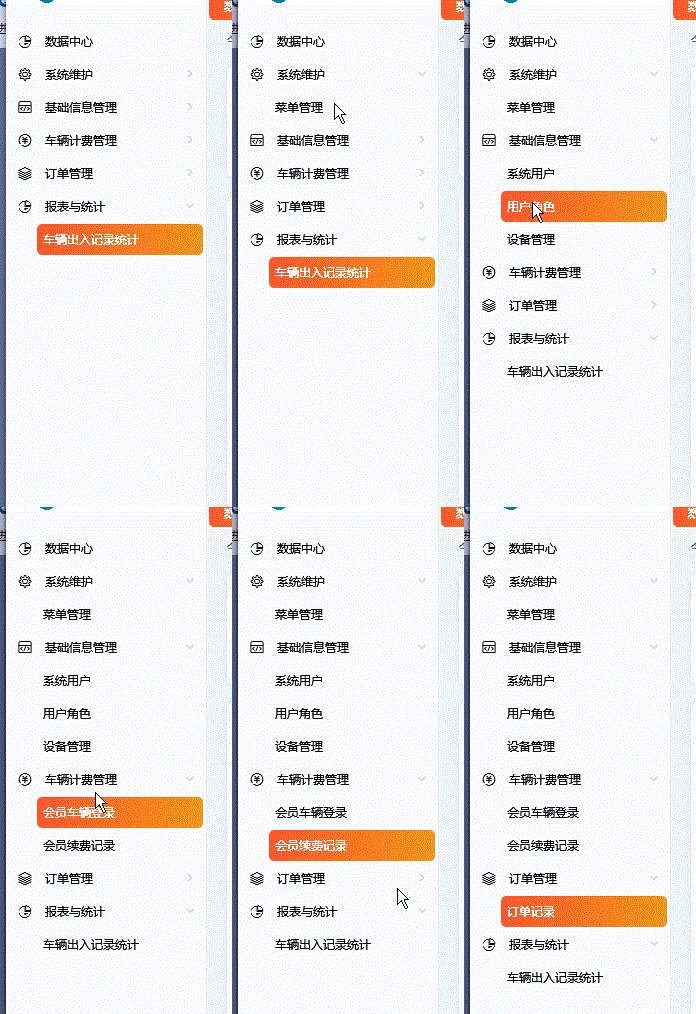
1.9,边框定义阴影效果(DropShadowEffect)
xaml
<Border CornerRadius="5" Background="White" Grid.Row="1" Margin="0,5,0,10">
                <Border.Effect>
                    <DropShadowEffect BlurRadius="5" Color="Gray" ShadowDepth="0" Opacity="0.3"/>
                </Border.Effect>
</Border>2,通过INotifyDataErrorInfo接口实现输入值的验证错误通知
派生自ValidationRule的验证规则类虽然也可以实现输入值验证,但是在多个值进行提交时需要逐一检测各个值是否已变更,是否满足要求,而实现INotifyDataErrorInfo接口的对象,在提交其需要验证的属性值否已变更,是否满足要求只需要判断HasErrors属性值即可。
C#
 //
    // 摘要:
    //     定义数据实体类可实现以提供自定义同步和异步验证支持的成员。
    public interface INotifyDataErrorInfo
    {
        //
        // 摘要:
        //     获取一个值,该值指示实体是否包含验证错误。
        //
        // 返回结果:
        //     如果实体当前具有验证错误,则为 true;否则为 false。
        bool HasErrors { get; }

        //
        // 摘要:
        //     当验证错误针对属性或整个实体更改时发生。
        event EventHandler<DataErrorsChangedEventArgs>? ErrorsChanged;

        //
        // 摘要:
        //     获取针对指定属性或整个实体的验证错误。
        //
        // 参数:
        //   propertyName:
        //     要检索验证错误的属性的名称;如果检索实体级别错误,则为 null 或 System.String.Empty。
        //
        // 返回结果:
        //     针对属性或实体的验证错误。
        IEnumerable GetErrors(string? propertyName);
    }
应用
C#
 public class DialogViewModelBase : INotifyDataErrorInfo
    {

        #region INotifyDataErrorInfo接口实现
        public event EventHandler<DataErrorsChangedEventArgs> ErrorsChanged;
        public bool HasErrors => ErrorList.Count > 0;
        public IEnumerable GetErrors(string propertyName)
        {
            if (ErrorList.ContainsKey(propertyName))
                return ErrorList[propertyName];
            return null;
        }
        public Dictionary<string, IList<string>> ErrorList = new Dictionary<string, IList<string>>();
        public void RaiseErrorsChanged([CallerMemberName] string propName = "")
        {
            ErrorsChanged?.Invoke(this, new DataErrorsChangedEventArgs(propName));
        }
        #endregion
 }
C#
public class ModifyAutoViewModel : DialogViewModelBase
{
     private string _autoLisence;

        // 必输项、不重复
        public string AutoLicense
        {
            get { return _autoLisence; }
            set
            {
                _autoLisence = value;

                ErrorList.Clear();
                if (string.IsNullOrEmpty(value))
                {
                    ErrorList.Add("AutoLicense", new List<string> { "车牌号不能为空" });
                }
                else if (_autoService.Query<AutoRegister>(a => a.AutoLicense == value &&
                                                               a.AutoId != Auto.AutoId).Count() > 0)
                {
                    ErrorList.Add("AutoLicense", new List<string> { "车牌号不能重复" });
                }
                RaiseErrorsChanged();
            }
        }

}
xaml
<TextBox Grid.Column="1" Text="{Binding AutoLicense,ValidatesOnNotifyDataErrors=True}"
                 Height="30"
                 Style="{StaticResource ValidationTextBoxStyle}"
                 IsReadOnly="{Binding IsAutoLicenseReadOnly}" Grid.ColumnSpan="2"/>
3,事件绑定命令
3.1,默认的Mouse,Key事件绑定命令。
xaml
 <Grid.InputBindings>
            <MouseBinding MouseAction="LeftClick" Command=""></MouseBinding>
            <KeyBinding Key="A" Modifiers="Shift" Command=""></KeyBinding>
        </Grid.InputBindings>
3.2,自定义事件绑定命令。
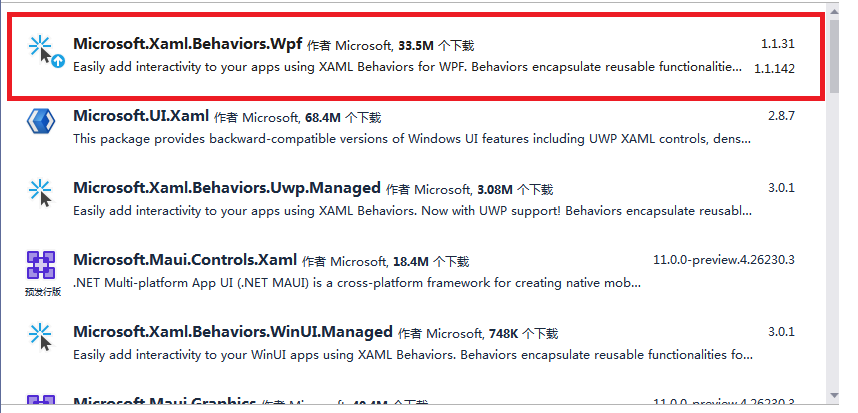
3.2.1,安装Nuget包:Microsoft.Xaml.Behaviors.Wpf
3.2.2,引入命名空间。
xaml
xmlns:behaviors="http://schemas.microsoft.com/xaml/behaviors"3.2.3,应用示例
-
定义自定义路由事件。
C#public partial class Pagination : UserControl, System.ComponentModel.INotifyPropertyChanged { .... public static readonly RoutedEvent PageIndexChangedEvent; public Pagination() { InitializeComponent(); // this.DataContext = this; } static Pagination() { ... PageIndexChangedEvent = EventManager.RegisterRoutedEvent("PageIndexChanged", RoutingStrategy.Bubble, typeof(RoutedPropertyChangedEventHandler<int>), typeof(Pagination)); } ... /// <summary> /// 页面索引值变化时触发该事件 /// </summary> public event RoutedPropertyChangedEventHandler<int> PageIndexChanged { add { this.AddHandler(PageIndexChangedEvent, value); } remove { this.RemoveHandler(PageIndexChangedEvent, value); } } ... //发布事件 private void Grid_Click(object sender, RoutedEventArgs e) { if(e.OriginalSource is System.Windows.Controls.Primitives.ButtonBase btn) { string tag = btn.Tag?.ToString(); if (tag != null) { if(int.TryParse(tag,out int index)) { int oldIndex = PageIndex; PageIndex = index; int newIndex = PageIndex; RoutedPropertyChangedEventArgs<int> args = new RoutedPropertyChangedEventArgs<int>(oldIndex, newIndex); args.RoutedEvent = PageIndexChangedEvent; args.Source = this; this.RaiseEvent(args); } } } } -
定义命令
C#public ICommand SelectedPageCommand { get; set; } public MainWindowViewModel() { for (int i = 0; i < 100; i++) { testData.Add(i); } TotalCount = testData.Count; SelectedPageCommand = new DelegateCommand<int>(index => { Data = testData.Skip((index - 1) * PageSize).Take(PageSize).ToList(); }); SelectedPageCommand?.Execute(1); } -
事件绑定命令
xaml
                    <controls:Pagination  Grid.Row="1" PageSize="{Binding PageSize}"   HorizontalAlignment="Center"  TotalCount="{Binding TotalCount}" >
                        <behaviors:Interaction.Triggers>
                            <behaviors:EventTrigger EventName="PageIndexChanged" >
                                <behaviors:InvokeCommandAction Command="{Binding SelectedPageCommand}" CommandParameter="{Binding RelativeSource={RelativeSource  AncestorType=controls:Pagination,Mode=FindAncestor}, Path=PageIndex}"></behaviors:InvokeCommandAction>
                            </behaviors:EventTrigger>
                        </behaviors:Interaction.Triggers>
</controls:Pagination>注意:该方法可以绑定任何事件(路由事件+普通事件,不限制事件类型),不仅仅是自定义的路由事件
4,自定义控件。
4.1,加载动画控件(Loading)
4.1.1 效果
xaml
<controls:Loading></controls:Loading>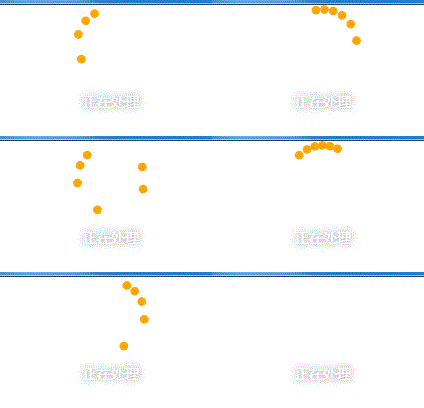
4.1.2 Xaml代码
xaml
<UserControl x:Class="WpfAssets.Assets.Controls.Loading"
             xmlns="http://schemas.microsoft.com/winfx/2006/xaml/presentation"
             xmlns:x="http://schemas.microsoft.com/winfx/2006/xaml"
             xmlns:mc="http://schemas.openxmlformats.org/markup-compatibility/2006"
             xmlns:d="http://schemas.microsoft.com/expression/blend/2008"
             mc:Ignorable="d"
             d:DesignHeight="100" d:DesignWidth="100">
    <UserControl.Resources>
        <KeySpline x:Key="keySpline">0.1,0.6,0.9,0.4</KeySpline>

        <Storyboard x:Key="keyFrameStoryboard1">
            <DoubleAnimationUsingKeyFrames Storyboard.TargetName="e1" Storyboard.TargetProperty="Opacity" RepeatBehavior="Forever">
                <DiscreteDoubleKeyFrame KeyTime="0:0:0" Value="0"/>
                <DiscreteDoubleKeyFrame KeyTime="0:0:0.3" Value="1"/>
                <DiscreteDoubleKeyFrame KeyTime="0:0:5" Value="0"/>
                <DiscreteDoubleKeyFrame KeyTime="0:0:6" Value="0"/>
            </DoubleAnimationUsingKeyFrames>
            <DoubleAnimationUsingKeyFrames Storyboard.TargetName="rt1" Storyboard.TargetProperty="Angle" RepeatBehavior="Forever">
                <SplineDoubleKeyFrame KeyTime="0:0:0.3" Value="0" KeySpline="{StaticResource keySpline}"/>
                <SplineDoubleKeyFrame KeyTime="0:0:2.5" Value="360" KeySpline="{StaticResource keySpline}"/>
                <SplineDoubleKeyFrame KeyTime="0:0:5" Value="720" KeySpline="{StaticResource keySpline}"/>
                <DiscreteDoubleKeyFrame KeyTime="0:0:6" Value="720"/>
            </DoubleAnimationUsingKeyFrames>

            <DoubleAnimationUsingKeyFrames Storyboard.TargetName="e2" Storyboard.TargetProperty="Opacity" BeginTime="0:0:0.2" RepeatBehavior="Forever">
                <DiscreteDoubleKeyFrame KeyTime="0:0:0" Value="0"/>
                <DiscreteDoubleKeyFrame KeyTime="0:0:0.3" Value="1"/>
                <DiscreteDoubleKeyFrame KeyTime="0:0:5" Value="0"/>
                <DiscreteDoubleKeyFrame KeyTime="0:0:6" Value="0"/>
            </DoubleAnimationUsingKeyFrames>
            <DoubleAnimationUsingKeyFrames Storyboard.TargetName="rt2" Storyboard.TargetProperty="Angle" BeginTime="0:0:0.2" RepeatBehavior="Forever">
                <SplineDoubleKeyFrame KeyTime="0:0:0.3" Value="0" KeySpline="{StaticResource keySpline}"/>
                <SplineDoubleKeyFrame KeyTime="0:0:2.5" Value="360" KeySpline="{StaticResource keySpline}"/>
                <SplineDoubleKeyFrame KeyTime="0:0:5" Value="720" KeySpline="{StaticResource keySpline}"/>
                <DiscreteDoubleKeyFrame KeyTime="0:0:6" Value="720"/>
            </DoubleAnimationUsingKeyFrames>

            <DoubleAnimationUsingKeyFrames Storyboard.TargetName="e3" Storyboard.TargetProperty="Opacity" BeginTime="0:0:0.4" RepeatBehavior="Forever">
                <DiscreteDoubleKeyFrame KeyTime="0:0:0" Value="0"/>
                <DiscreteDoubleKeyFrame KeyTime="0:0:0.3" Value="1"/>
                <DiscreteDoubleKeyFrame KeyTime="0:0:5" Value="0"/>
                <DiscreteDoubleKeyFrame KeyTime="0:0:6" Value="0"/>
            </DoubleAnimationUsingKeyFrames>
            <DoubleAnimationUsingKeyFrames Storyboard.TargetName="rt3" Storyboard.TargetProperty="Angle" BeginTime="0:0:0.4" RepeatBehavior="Forever">
                <SplineDoubleKeyFrame KeyTime="0:0:0.3" Value="0" KeySpline="{StaticResource keySpline}"/>
                <SplineDoubleKeyFrame KeyTime="0:0:2.5" Value="360" KeySpline="{StaticResource keySpline}"/>
                <SplineDoubleKeyFrame KeyTime="0:0:5" Value="720" KeySpline="{StaticResource keySpline}"/>
                <DiscreteDoubleKeyFrame KeyTime="0:0:6" Value="720"/>
            </DoubleAnimationUsingKeyFrames>

            <DoubleAnimationUsingKeyFrames Storyboard.TargetName="e4" Storyboard.TargetProperty="Opacity" BeginTime="0:0:0.6" RepeatBehavior="Forever">
                <DiscreteDoubleKeyFrame KeyTime="0:0:0" Value="0"/>
                <DiscreteDoubleKeyFrame KeyTime="0:0:0.3" Value="1"/>
                <DiscreteDoubleKeyFrame KeyTime="0:0:5" Value="0"/>
                <DiscreteDoubleKeyFrame KeyTime="0:0:6" Value="0"/>
            </DoubleAnimationUsingKeyFrames>
            <DoubleAnimationUsingKeyFrames Storyboard.TargetName="rt4" Storyboard.TargetProperty="Angle" BeginTime="0:0:0.6" RepeatBehavior="Forever">
                <SplineDoubleKeyFrame KeyTime="0:0:0.3" Value="0" KeySpline="{StaticResource keySpline}"/>
                <SplineDoubleKeyFrame KeyTime="0:0:2.5" Value="360" KeySpline="{StaticResource keySpline}"/>
                <SplineDoubleKeyFrame KeyTime="0:0:5" Value="720" KeySpline="{StaticResource keySpline}"/>
                <DiscreteDoubleKeyFrame KeyTime="0:0:6" Value="720"/>
            </DoubleAnimationUsingKeyFrames>

            <DoubleAnimationUsingKeyFrames Storyboard.TargetName="e5" Storyboard.TargetProperty="Opacity" BeginTime="0:0:0.8" RepeatBehavior="Forever">
                <DiscreteDoubleKeyFrame KeyTime="0:0:0" Value="0"/>
                <DiscreteDoubleKeyFrame KeyTime="0:0:0.3" Value="1"/>
                <DiscreteDoubleKeyFrame KeyTime="0:0:5" Value="0"/>
                <DiscreteDoubleKeyFrame KeyTime="0:0:6" Value="0"/>
            </DoubleAnimationUsingKeyFrames>
            <DoubleAnimationUsingKeyFrames Storyboard.TargetName="rt5" Storyboard.TargetProperty="Angle" BeginTime="0:0:0.8" RepeatBehavior="Forever">
                <SplineDoubleKeyFrame KeyTime="0:0:0.3" Value="0" KeySpline="{StaticResource keySpline}"/>
                <SplineDoubleKeyFrame KeyTime="0:0:2.5" Value="360" KeySpline="{StaticResource keySpline}"/>
                <SplineDoubleKeyFrame KeyTime="0:0:5" Value="720" KeySpline="{StaticResource keySpline}"/>
                <DiscreteDoubleKeyFrame KeyTime="0:0:6" Value="720"/>
            </DoubleAnimationUsingKeyFrames>

            <DoubleAnimationUsingKeyFrames Storyboard.TargetName="e6" Storyboard.TargetProperty="Opacity" BeginTime="0:0:1" RepeatBehavior="Forever">
                <DiscreteDoubleKeyFrame KeyTime="0:0:0" Value="0"/>
                <DiscreteDoubleKeyFrame KeyTime="0:0:0.3" Value="1"/>
                <DiscreteDoubleKeyFrame KeyTime="0:0:5" Value="0"/>
                <DiscreteDoubleKeyFrame KeyTime="0:0:6" Value="0"/>
            </DoubleAnimationUsingKeyFrames>
            <DoubleAnimationUsingKeyFrames Storyboard.TargetName="rt6" Storyboard.TargetProperty="Angle" BeginTime="0:0:1" RepeatBehavior="Forever">
                <SplineDoubleKeyFrame KeyTime="0:0:0.3" Value="0" KeySpline="{StaticResource keySpline}"/>
                <SplineDoubleKeyFrame KeyTime="0:0:2.5" Value="360" KeySpline="{StaticResource keySpline}"/>
                <SplineDoubleKeyFrame KeyTime="0:0:5" Value="720" KeySpline="{StaticResource keySpline}"/>
                <DiscreteDoubleKeyFrame KeyTime="0:0:6" Value="720"/>
            </DoubleAnimationUsingKeyFrames>
        </Storyboard>
    </UserControl.Resources>

    <UserControl.Triggers>
        <EventTrigger RoutedEvent="UserControl.Loaded">
            <BeginStoryboard Storyboard="{StaticResource keyFrameStoryboard1}"/>
        </EventTrigger>
    </UserControl.Triggers>


    <Viewbox>
        <Grid Height="140">
            <Grid.RowDefinitions>
                <RowDefinition Height="auto"/>
                <RowDefinition Height="auto"/>
                <RowDefinition Height="auto"/>
            </Grid.RowDefinitions>
            <Grid Height="70" Width="70">
                <Border RenderTransformOrigin="0.5,0.5">
                    <Border.RenderTransform>
                        <RotateTransform Angle="0" x:Name="rt1"/>
                    </Border.RenderTransform>
                    <Ellipse Fill="Orange" Width="8" Height="8" VerticalAlignment="Bottom" Name="e1"/>
                </Border>
                <Border RenderTransformOrigin="0.5,0.5">
                    <Border.RenderTransform>
                        <RotateTransform Angle="0" x:Name="rt2"/>
                    </Border.RenderTransform>
                    <Ellipse Fill="Orange" Width="8" Height="8" VerticalAlignment="Bottom" Name="e2"/>
                </Border>
                <Border RenderTransformOrigin="0.5,0.5">
                    <Border.RenderTransform>
                        <RotateTransform Angle="0" x:Name="rt3"/>
                    </Border.RenderTransform>
                    <Ellipse Fill="Orange" Width="8" Height="8" VerticalAlignment="Bottom" Name="e3"/>
                </Border>
                <Border RenderTransformOrigin="0.5,0.5">
                    <Border.RenderTransform>
                        <RotateTransform Angle="0" x:Name="rt4"/>
                    </Border.RenderTransform>
                    <Ellipse Fill="Orange" Width="8" Height="8" VerticalAlignment="Bottom" Name="e4"/>
                </Border>
                <Border RenderTransformOrigin="0.5,0.5">
                    <Border.RenderTransform>
                        <RotateTransform Angle="0" x:Name="rt5"/>
                    </Border.RenderTransform>
                    <Ellipse Fill="Orange" Width="8" Height="8" VerticalAlignment="Bottom" Name="e5"/>
                </Border>
                <Border RenderTransformOrigin="0.5,0.5">
                    <Border.RenderTransform>
                        <RotateTransform Angle="0" x:Name="rt6"/>
                    </Border.RenderTransform>
                    <Ellipse Fill="Orange" Width="8" Height="8" VerticalAlignment="Bottom" Name="e6"/>
                </Border>
            </Grid>

            <TextBlock Text="{Binding Message,RelativeSource={RelativeSource AncestorType=UserControl,Mode=FindAncestor}}"
                   Grid.Row="1" VerticalAlignment="Center" HorizontalAlignment="Center" Foreground="#FFF"
                   Margin="0,10" FontSize="13">
                <TextBlock.Effect>
                    <DropShadowEffect BlurRadius="10" ShadowDepth="0"
                                      Opacity="0.4"/>
                </TextBlock.Effect>
            </TextBlock>
        </Grid>
    </Viewbox>
</UserControl>
4.1.3 C#代码
C#
public partial class Loading : UserControl
    {
        [Browsable(true),Category("自定义属性"),Description("提示文字")]
        public string Message
        {
            get { return (string)GetValue(MessageProperty); }
            set { SetValue(MessageProperty, value); }
        }
        public static readonly DependencyProperty MessageProperty =
            DependencyProperty.Register("Message", typeof(string), typeof(Loading), new PropertyMetadata("正在处理"));

        public Loading()
        {
            InitializeComponent();
        }
}4.2,进度环控件(CircularProgressBar)
4.2.1,效果
xaml
<controls:CircularProgressBar Grid.Column="1" Value="{Binding ElementName=slider01, Path=Value}" StrokeThickness="15"></controls:CircularProgressBar>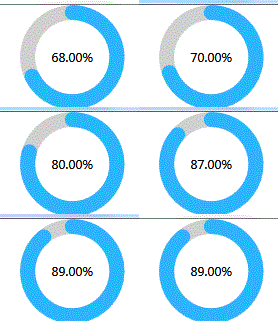
4.2.2 ,Xaml代码
xaml
<Style TargetType="local:CircularProgressBar">
        <Setter Property="Template">
            <Setter.Value>
                <ControlTemplate TargetType="local:CircularProgressBar">
                    <Grid>
                        <Grid.RowDefinitions>
                            <RowDefinition Height="auto"></RowDefinition>
                            <RowDefinition></RowDefinition>
                        </Grid.RowDefinitions>
                        <TextBlock  x:Name="txt_Title" Margin="1"  FontSize="{TemplateBinding FontSize}" FontWeight="{TemplateBinding FontWeight}" FontFamily="{TemplateBinding FontFamily}" Text="{TemplateBinding Title}" HorizontalAlignment="Center" VerticalAlignment="Center" ></TextBlock>
                        <extend:Arc Grid.Row="1" Opacity="0.7" StartAngle="0" EndAngle="360" OffsetAngle="0" Stroke="{TemplateBinding BorderBrush}" StrokeThickness="{TemplateBinding  StrokeThickness}"></extend:Arc>
                        <extend:Arc Grid.Row="1" x:Name="Part_arcProgress" StrokeStartLineCap="{TemplateBinding StrokeStartLineCap}" StrokeEndLineCap="{TemplateBinding StrokeEndLineCap}" StartAngle="{TemplateBinding StartAngle}" OffsetAngle="{TemplateBinding OffsetAngle}" Stroke="{TemplateBinding CircularProgressBrush}" StrokeThickness="{TemplateBinding StrokeThickness}"></extend:Arc>
                        <TextBlock Grid.Row="1" x:Name="Part_txtDisplay" HorizontalAlignment="Center" VerticalAlignment="Center" FontWeight="{TemplateBinding FontWeight}" FontSize="{TemplateBinding FontSize}" Foreground="{TemplateBinding Foreground}" ></TextBlock>
                    </Grid>
                    <ControlTemplate.Triggers>
                        <Trigger Property="Title" Value="" >
                            <Setter TargetName="txt_Title" Property="Visibility" Value="Collapsed"></Setter>
                        </Trigger>
                        <Trigger Property="Title" Value="{x:Null}" >
                            <Setter TargetName="txt_Title" Property="Visibility" Value="Collapsed"></Setter>
                        </Trigger>
                    </ControlTemplate.Triggers>
                </ControlTemplate>
            </Setter.Value>
        </Setter>
    </Style>
4.2.3,C#代码
C#
/// <summary>
    ///圆弧
    /// </summary>
    class Arc : Shape
    {
        Rect _rec = Rect.Empty;
        public static readonly DependencyProperty StartAngleProperty;
        public static readonly DependencyProperty EndAngleProperty;
        public static readonly DependencyProperty OffsetAngleProperty;
        static Arc()
        {
            StartAngleProperty = DependencyProperty.Register("StartAngle", typeof(float), typeof(Arc), new FrameworkPropertyMetadata(-30f, FrameworkPropertyMetadataOptions.AffectsRender));
            EndAngleProperty = DependencyProperty.Register("EndAngle", typeof(float), typeof(Arc), new FrameworkPropertyMetadata(210f, FrameworkPropertyMetadataOptions.AffectsRender));
            OffsetAngleProperty = DependencyProperty.Register("OffsetAngle", typeof(float), typeof(Arc), new FrameworkPropertyMetadata(180f, FrameworkPropertyMetadataOptions.AffectsRender));
            Arc.StretchProperty.OverrideMetadata(typeof(Arc), new FrameworkPropertyMetadata(Stretch.Uniform));
            Arc.StrokeStartLineCapProperty.OverrideMetadata(typeof(Arc), new FrameworkPropertyMetadata(PenLineCap.Round));
            Arc.StrokeEndLineCapProperty.OverrideMetadata(typeof(Arc), new FrameworkPropertyMetadata(PenLineCap.Round));
        }
        [Browsable(true), Category("自定义属性"), Description("圆弧开始角度")]
        public float StartAngle
        {
            get => (float)GetValue(StartAngleProperty);
            set => SetValue(StartAngleProperty, value);
        }
        [Browsable(true), Category("自定义属性"), Description("圆弧停止角度")]
        public float EndAngle
        {
            get => (float)GetValue(EndAngleProperty);
            set => SetValue(EndAngleProperty, value);
        }
        [Browsable(true), Category("自定义属性"), Description("圆弧偏移角度")]
        public float OffsetAngle
        {
            get => (float)GetValue(OffsetAngleProperty);
            set => SetValue(OffsetAngleProperty, value);
        }
        public override Geometry RenderedGeometry => DefiningGeometry;
        public override Transform GeometryTransform => Transform.Identity;
        protected override Geometry DefiningGeometry
        {
            get
            {
                // _rec = new Rect(StrokeThickness / 2, StrokeThickness / 2, this.ActualWidth-StrokeThickness, this.ActualWidth-StrokeThickness);
                if (_rec == Rect.Empty)
                {
                    return Geometry.Empty;
                }
				if (EndAngle - StartAngle == 360)
                {
                    EllipseGeometry ellipseGeometry = new EllipseGeometry(_rec);
                    return ellipseGeometry;
                }
                PathGeometry pathGeometry = new PathGeometry();
                PathFigure figure = new PathFigure();
                Point center = new Point(_rec.X + _rec.Width / 2, _rec.Y + _rec.Height / 2);
                Point startPoint = new Point();
                startPoint.X = center.X + _rec.Width * Math.Cos((StartAngle + OffsetAngle) / 180 * Math.PI) / 2;
                startPoint.Y = center.Y + _rec.Height * Math.Sin((StartAngle + OffsetAngle) / 180 * Math.PI) / 2;
                figure.IsClosed = false;
                figure.StartPoint = startPoint;
                ArcSegment segment = new ArcSegment();
                Point endPoint = new Point();
                endPoint.X = center.X + _rec.Width * Math.Cos((EndAngle + OffsetAngle) / 180 * Math.PI) / 2;
                endPoint.Y = center.Y + _rec.Height * Math.Sin((EndAngle + OffsetAngle) / 180 * Math.PI) / 2;
                segment.Point = endPoint;
                if (EndAngle - StartAngle > 180)
                {
                    segment.IsLargeArc = true;
                }
                else
                {
                    segment.IsLargeArc = false;
                }
                segment.SweepDirection = SweepDirection.Clockwise;
                segment.RotationAngle = EndAngle - StartAngle;
                segment.Size = new Size(_rec.Width / 2, _rec.Height / 2);
                figure.Segments.Add(segment);
                pathGeometry.Figures.Add(figure);
                return pathGeometry;
            }
        }
        protected override Size MeasureOverride(Size constraint)
        {
            if (double.IsPositiveInfinity(constraint.Width) || double.IsNaN(constraint.Width))
            {
                _rec = Rect.Empty;
                return new Size(0,0);
            }
            double len = Math.Min(constraint.Width, constraint.Height);
            return new Size(len, len);
        }
        protected override Size ArrangeOverride(Size finalSize)
        {
            if (double.IsPositiveInfinity(finalSize.Width) || double.IsNaN(finalSize.Width))
            {
                _rec = Rect.Empty;
                return new Size(0,0);
            }
            double len = Math.Min(finalSize.Width, finalSize.Height);
            if (len - StrokeThickness < 0)
            {
                _rec = Rect.Empty;
                return finalSize;
            }
            _rec = new Rect(StrokeThickness / 2, StrokeThickness / 2, len - StrokeThickness, len - StrokeThickness);
            return new Size(len, len);
        }
        protected override void OnRender(DrawingContext drawingContext)
        {
            Pen p = new Pen(Stroke, StrokeThickness) { StartLineCap = this.StrokeStartLineCap, EndLineCap = this.StrokeEndLineCap };
            drawingContext.DrawGeometry(Fill, p, RenderedGeometry);
        }
    }
/// <summary>
    /// 环形进度块
    /// </summary>
    public class CircularProgressBar : Control
    {
        public static readonly DependencyProperty StartAngleProperty;
        public static readonly DependencyProperty EndAngleProperty;
        public static readonly DependencyProperty OffsetAngleProperty;
        public static readonly DependencyProperty StrokeStartLineCapProperty;
        public static readonly DependencyProperty StrokeEndLineCapProperty;
        public static readonly DependencyProperty RangeProperty;
        public static readonly DependencyProperty ValueProperty;
        public static readonly DependencyProperty CircularProgressBrushProperty;
        public static readonly DependencyProperty StrokeThicknessProperty;
        public static readonly DependencyProperty TitleProperty;
        Arc arc;
        TextBlock txtDisplay;

        static CircularProgressBar()
        {
            StartAngleProperty = DependencyProperty.Register("StartAngle", typeof(float), typeof(CircularProgressBar), new FrameworkPropertyMetadata(0f, FrameworkPropertyMetadataOptions.AffectsRender));
            EndAngleProperty = DependencyProperty.Register("EndAngle", typeof(float), typeof(CircularProgressBar), new FrameworkPropertyMetadata(60f, FrameworkPropertyMetadataOptions.AffectsRender));
            OffsetAngleProperty = DependencyProperty.Register("OffsetAngle", typeof(float), typeof(CircularProgressBar), new FrameworkPropertyMetadata(270f, FrameworkPropertyMetadataOptions.AffectsRender));
            StrokeStartLineCapProperty = DependencyProperty.Register("StrokeStartLineCap", typeof(PenLineCap), typeof(CircularProgressBar), new FrameworkPropertyMetadata(PenLineCap.Round, FrameworkPropertyMetadataOptions.AffectsRender));
            StrokeEndLineCapProperty = DependencyProperty.Register("StrokeEndLineCap", typeof(PenLineCap), typeof(CircularProgressBar), new FrameworkPropertyMetadata(PenLineCap.Round, FrameworkPropertyMetadataOptions.AffectsRender));
            RangeProperty = DependencyProperty.Register("Range", typeof(float), typeof(CircularProgressBar), new FrameworkPropertyMetadata(100f, FrameworkPropertyMetadataOptions.AffectsRender));
            ValueProperty = DependencyProperty.Register("Value", typeof(float), typeof(CircularProgressBar), new FrameworkPropertyMetadata(30f, FrameworkPropertyMetadataOptions.AffectsRender));
            CircularProgressBrushProperty = DependencyProperty.Register("CircularProgressBrush", typeof(Brush), typeof(CircularProgressBar), new FrameworkPropertyMetadata(new SolidColorBrush(Color.FromRgb(0x2b, 0xb6, 0xfe)), FrameworkPropertyMetadataOptions.AffectsRender));
            StrokeThicknessProperty = DependencyProperty.Register("StrokeThickness", typeof(double), typeof(CircularProgressBar), new FrameworkPropertyMetadata(8d, FrameworkPropertyMetadataOptions.AffectsRender));
            TitleProperty = DependencyProperty.Register("Title", typeof(string), typeof(CircularProgressBar), new FrameworkPropertyMetadata(string.Empty, FrameworkPropertyMetadataOptions.AffectsRender));
            BorderBrushProperty.OverrideMetadata(typeof(CircularProgressBar), new FrameworkPropertyMetadata(new SolidColorBrush(Color.FromArgb(0xaa, 0x99, 0x99, 0x99))));
            DefaultStyleKeyProperty.OverrideMetadata(typeof(CircularProgressBar), new FrameworkPropertyMetadata(typeof(CircularProgressBar)));
        }
        [Browsable(true), Category("自定义属性"), Description("圆弧开始角度")]
        public float StartAngle
        {
            get => (float)GetValue(StartAngleProperty);
            set => SetValue(StartAngleProperty, value);
        }
        [Browsable(true), Category("自定义属性"), Description("圆弧偏移角度(默认值为:270°)")]
        public float OffsetAngle
        {
            get => (float)GetValue(OffsetAngleProperty);
            set => SetValue(OffsetAngleProperty, value);
        }
        [Browsable(true), Category("自定义属性"), Description("线开始端形状")]
        public PenLineCap StrokeStartLineCap
        {
            get => (PenLineCap)GetValue(StrokeStartLineCapProperty);
            set => SetValue(StrokeStartLineCapProperty, value);
        }
        [Browsable(true), Category("自定义属性"), Description("线结束端形状")]
        public PenLineCap StrokeEndLineCap
        {
            get => (PenLineCap)GetValue(StrokeEndLineCapProperty);
            set => SetValue(StrokeEndLineCapProperty, value);
        }
        [Browsable(true), Category("自定义属性"), Description("量程")]
        public float Range
        {
            get => (float)GetValue(RangeProperty);
            set => SetValue(RangeProperty, value);
        }
        [Browsable(true), Category("自定义属性"), Description("当前值")]
        public float Value
        {
            get => (float)GetValue(ValueProperty);
            set => SetValue(ValueProperty, value);
        }
        [Browsable(true), Category("自定义属性"), Description("圆环进度条画刷")]
        public Brush CircularProgressBrush
        {
            get => (Brush)GetValue(CircularProgressBrushProperty);
            set => SetValue(CircularProgressBrushProperty, value);
        }
        [Browsable(true), Category("自定义属性"), Description("触笔宽度")]
        public double StrokeThickness
        {
            get => (double)GetValue(StrokeThicknessProperty);
            set => SetValue(StrokeThicknessProperty, value);
        }
        private Func<CircularProgressBar, string> _displayText = e => (e.Value / e.Range).ToString("p");
        /// <summary>
        /// 设置中间文本的显示表达式
        /// </summary>
        [Browsable(true), Category("自定义属性"), Description("文本显示表达式")]
        [TypeConverter(typeof(Base.NullTypeConverter))]
        public Func<CircularProgressBar, string> DisplayText
        {
            get
            {
                return _displayText;
            }
            set
            {
                _displayText = value;
                if (_displayText?.GetInvocationList().Length > 1)
                {
                    Delegate.Remove(_displayText, value);
                }
            }
        }
        /// <summary>
        /// 设置中间文本的显示表达式
        /// </summary>
        [Browsable(true), Category("自定义属性"), Description("Title")]
        public string Title
        {
            get => (string)GetValue(TitleProperty);
            set => SetValue(TitleProperty, value);
        }
        protected override Size MeasureOverride(Size constraint)
        {
            return base.MeasureOverride(constraint);
        }
        protected override Size ArrangeOverride(Size arrangeBounds)
        {
            return base.ArrangeOverride(arrangeBounds);
        }
        protected override void OnRender(DrawingContext drawingContext)
        {
            if (arc != null)
            {
                float desDeg;
                if (this.Value < 0)
                {
                    desDeg = 0;
                }
                else if (this.Value > Range)
                {
                    desDeg = 360;
                }
                else
                {
                    desDeg = Value / Range * 360;
                }
                System.Windows.Media.Animation.SingleAnimation doubleAnimation = new System.Windows.Media.Animation.SingleAnimation(desDeg, TimeSpan.FromMilliseconds(200));
                arc.BeginAnimation(Arc.EndAngleProperty, doubleAnimation);
            }
            if (txtDisplay != null && DisplayText != null)
            {
                txtDisplay.Text = DisplayText(this);
            }
            base.OnRender(drawingContext);
        }
        public override void OnApplyTemplate()
        {
            arc = GetTemplateChild("Part_arcProgress") as Arc;
            txtDisplay = GetTemplateChild("Part_txtDisplay") as TextBlock;
            base.OnApplyTemplate();
        }
}4.3,仪表盘控件(MeterPlate)
4.3.1,效果
xaml
<controls:MeterPlate Grid.Column="2" MeterValue="{Binding ElementName=slider01, Path=Value}"></controls:MeterPlate>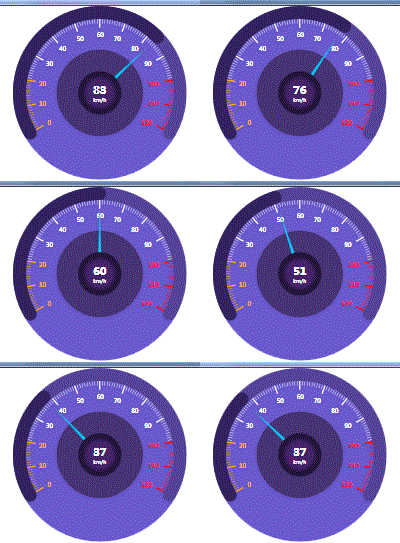
4.3.2,Xaml代码
xaml
<UserControl x:Class="WpfAssets.Assets.Controls.MeterPlate"
             xmlns="http://schemas.microsoft.com/winfx/2006/xaml/presentation"
             xmlns:x="http://schemas.microsoft.com/winfx/2006/xaml"
             xmlns:mc="http://schemas.openxmlformats.org/markup-compatibility/2006"
             xmlns:d="http://schemas.microsoft.com/expression/blend/2008"
             xmlns:local="clr-namespace:WpfAssets.Assets.Controls"
             xmlns:extend="clr-namespace:WpfAssets.Assets.Controls.Extend"
             mc:Ignorable="d" d:DesignHeight="400" d:DesignWidth="400"  >
    <Viewbox HorizontalAlignment="{Binding HorizontalContentAlignment}" VerticalAlignment="{Binding VerticalContentAlignment}">
        <Grid  >
            <Border Width="400" Height="400" CornerRadius="200" Background="{Binding MeterBackgroundBrush}" ClipToBounds="True" ></Border>
            <extend:Arc x:Name="arcRange" Opacity="0.3" StrokeThickness="{Binding MeterArcStrokeThickness}"  Stroke="{Binding MeterRangeBrush}"   ></extend:Arc>
            <extend:Arc x:Name="arcProgress" Opacity="0.8" StrokeThickness="{Binding MeterArcStrokeThickness}"  Stroke="{Binding MeterProgressBrush}" ></extend:Arc>
            <Canvas  x:Name="cavs" ></Canvas>
            <Border Width="200" Height="200" CornerRadius="100" Opacity="0.5" Background="{Binding MeterBackgrondCenterBrush}" ></Border>
            <Border Panel.ZIndex="9" Width="100" Height="100" CornerRadius="50" Background="{Binding MeterCenterBrush}">
            </Border>
            <Path x:Name="pointer" RenderTransformOrigin="0.5,0.5" Data="M200,200 L200,205 L350,200 L200,195 Z" Fill="{Binding MeterPointerBrush}"></Path>
            <StackPanel Panel.ZIndex="999" Orientation="Vertical" HorizontalAlignment="Center" VerticalAlignment="Center">
                <TextBlock Text="{Binding MeterValue}" HorizontalAlignment="Center" MinHeight="30" FontWeight="Bold" FontSize="25" Foreground="{Binding  MeterValueForeground}"></TextBlock>
                <TextBlock HorizontalAlignment="Center" Text="{Binding MeterUnit}" Foreground="White"></TextBlock>
            </StackPanel>
        </Grid>
    </Viewbox>
</UserControl>
4.3.3,C#代码
C#
/// <summary>
    /// MeterPlate.xaml 的交互逻辑
    /// </summary>
    public partial class MeterPlate : UserControl
    {
        public static readonly DependencyProperty MeterRangeBrushProperty;
        public static readonly DependencyProperty MeterProgressBrushProperty;
        public static readonly DependencyProperty MeterBackgroundBrushProperty;
        public static readonly DependencyProperty MeterBackgrondCenterBrushProperty;
        public static readonly DependencyProperty MeterCenterBrushProperty;
        public static readonly DependencyProperty MeterPointerBrushProperty;
        public static readonly DependencyProperty MeterLowAlarmBrushProperty;
        public static readonly DependencyProperty MeterHightAlarmBrushProperty;
        public static readonly DependencyProperty MeterNormalBrushProperty;
        public static readonly DependencyProperty MeterValueProperty;
        public static readonly DependencyProperty MeterMinValueProperty;
        public static readonly DependencyProperty MeterMaxValueProperty;
        public static readonly DependencyProperty MeterAngleRangeProperty;
        public static readonly DependencyProperty MeterValueForegroundProperty;
        public static readonly DependencyProperty MeterUnitProperty;
        public static readonly DependencyProperty MeterLargeMarkIntervalProperty;
        public static readonly DependencyProperty MeterSmallMarkIntervalProperty;
        public static readonly DependencyProperty MeterArcStrokeThicknessProperty;
        public static readonly DependencyProperty MeterLowAlarmValueProperty;
        public static readonly DependencyProperty MeterHightAlarmValueProperty;
        RotateTransform rotateTransform = new RotateTransform();
        double preDeg = 0;
        public MeterPlate()
        {
            InitializeComponent();
             this.DataContext = this;
        }
        static MeterPlate()
        {
            MeterRangeBrushProperty = DependencyProperty.Register("MeterRangeBrush", typeof(Brush), typeof(MeterPlate), new FrameworkPropertyMetadata(new SolidColorBrush(Color.FromRgb(0x23, 0x0e, 0x1c)), FrameworkPropertyMetadataOptions.AffectsRender));
            MeterProgressBrushProperty = DependencyProperty.Register("MeterProgressBrush", typeof(Brush), typeof(MeterPlate), new FrameworkPropertyMetadata(new SolidColorBrush(Color.FromRgb(0x2b, 0x1a, 0x51)), FrameworkPropertyMetadataOptions.AffectsRender));
            MeterBackgroundBrushProperty = DependencyProperty.Register("MeterBackgroundBrush", typeof(Brush), typeof(MeterPlate), new FrameworkPropertyMetadata(new SolidColorBrush(Colors.SlateBlue), FrameworkPropertyMetadataOptions.AffectsRender));
            MeterBackgrondCenterBrushProperty = DependencyProperty.Register("MeterBackgrondCenterBrush", typeof(Brush), typeof(MeterPlate), new FrameworkPropertyMetadata(new SolidColorBrush(Color.FromRgb(0x23, 0x0e, 0x1c)), FrameworkPropertyMetadataOptions.AffectsRender));
            RadialGradientBrush meterCenterBrush = new RadialGradientBrush();
            meterCenterBrush.RadiusX =1;
            meterCenterBrush.RadiusY = 1;
            meterCenterBrush.GradientStops.Add(new GradientStop(Color.FromRgb(0x23, 0x15, 0x3b), 1));
            meterCenterBrush.GradientStops.Add(new GradientStop(Color.FromRgb(0x23, 0x15, 0x3b), 0.4));
            meterCenterBrush.GradientStops.Add(new GradientStop(Color.FromRgb(0x45, 0x24, 0x6b), 0.3));
            MeterCenterBrushProperty = DependencyProperty.Register("MeterCenterBrush", typeof(Brush), typeof(MeterPlate), new FrameworkPropertyMetadata(meterCenterBrush, FrameworkPropertyMetadataOptions.AffectsRender));
            RadialGradientBrush meterPinterBrush = new RadialGradientBrush();
            meterPinterBrush.RadiusX = 0.5;
            meterPinterBrush.RadiusY = 0.5;
            meterPinterBrush.GradientStops.Add(new GradientStop(Color.FromRgb(0x00, 0xc9, 0xff), 0.2));
            meterPinterBrush.GradientStops.Add(new GradientStop(Color.FromRgb(0x00, 0xc9, 0xff), 0.6));
            meterPinterBrush.GradientStops.Add(new GradientStop(Color.FromRgb(0x00, 0xc9, 0x6b), 0.8));
            MeterPointerBrushProperty = DependencyProperty.Register("MeterPointerBrush", typeof(Brush), typeof(MeterPlate), new FrameworkPropertyMetadata(meterPinterBrush, FrameworkPropertyMetadataOptions.AffectsRender));
            MeterLowAlarmBrushProperty = DependencyProperty.Register("MeterLowAlarmBrush", typeof(Brush), typeof(MeterPlate), new FrameworkPropertyMetadata(new SolidColorBrush(Colors.Orange), FrameworkPropertyMetadataOptions.AffectsRender));
            MeterHightAlarmBrushProperty = DependencyProperty.Register("MeterHightAlarmBrush", typeof(Brush), typeof(MeterPlate), new FrameworkPropertyMetadata(new SolidColorBrush(Colors.Red), FrameworkPropertyMetadataOptions.AffectsRender));
            MeterNormalBrushProperty = DependencyProperty.Register("MeterNormalBrush", typeof(Brush), typeof(MeterPlate), new FrameworkPropertyMetadata(new SolidColorBrush(Colors.White), FrameworkPropertyMetadataOptions.AffectsRender));
            MeterValueForegroundProperty = DependencyProperty.Register("MeterValueForeground", typeof(Brush), typeof(MeterPlate), new FrameworkPropertyMetadata(new SolidColorBrush(Colors.White), FrameworkPropertyMetadataOptions.AffectsRender));
            MeterMinValueProperty = DependencyProperty.Register("MeterMinValue", typeof(float), typeof(MeterPlate), new FrameworkPropertyMetadata(0f, FrameworkPropertyMetadataOptions.AffectsRender));
            MeterMaxValueProperty = DependencyProperty.Register("MeterMaxValue", typeof(float), typeof(MeterPlate), new FrameworkPropertyMetadata(120f, FrameworkPropertyMetadataOptions.AffectsRender));
            MeterAngleRangeProperty = DependencyProperty.Register("MeterAngleRange", typeof(float), typeof(MeterPlate), new FrameworkPropertyMetadata(240f, FrameworkPropertyMetadataOptions.AffectsRender));
            MeterValueProperty = DependencyProperty.Register("MeterValue", typeof(float), typeof(MeterPlate), new FrameworkPropertyMetadata(0f, FrameworkPropertyMetadataOptions.AffectsRender));
            MeterUnitProperty = DependencyProperty.Register("MeterUnit", typeof(string), typeof(MeterPlate), new FrameworkPropertyMetadata("km/h", FrameworkPropertyMetadataOptions.AffectsRender));
            MeterLargeMarkIntervalProperty = DependencyProperty.Register("MeterLargeMarkInterval", typeof(float), typeof(MeterPlate), new FrameworkPropertyMetadata(10f, FrameworkPropertyMetadataOptions.AffectsRender));
            MeterSmallMarkIntervalProperty = DependencyProperty.Register("MeterSmallMarkInterval", typeof(float), typeof(MeterPlate), new FrameworkPropertyMetadata(1f, FrameworkPropertyMetadataOptions.AffectsRender));
            MeterArcStrokeThicknessProperty = DependencyProperty.Register("MeterArcStrokeThickness", typeof(float), typeof(MeterPlate), new FrameworkPropertyMetadata(30f, FrameworkPropertyMetadataOptions.AffectsRender));
            MeterLowAlarmValueProperty = DependencyProperty.Register("MeterLowAlarmValue", typeof(float), typeof(MeterPlate), new FrameworkPropertyMetadata(20f, FrameworkPropertyMetadataOptions.AffectsRender));
            MeterHightAlarmValueProperty = DependencyProperty.Register(" MeterHightAlarmValue", typeof(float), typeof(MeterPlate), new FrameworkPropertyMetadata(100f, FrameworkPropertyMetadataOptions.AffectsRender));
        }
        [Browsable(true), Category("自定义属性"), Description("仪表盘量程画刷")]
        public Brush MeterRangeBrush
        {
            get => (Brush)GetValue(MeterRangeBrushProperty);
            set => SetValue(MeterRangeBrushProperty, value);
        }
        [Browsable(true), Category("自定义属性"), Description("仪表盘当前进程画刷")]
        public Brush MeterProgressBrush
        {
            get => (Brush)GetValue(MeterProgressBrushProperty);
            set => SetValue(MeterProgressBrushProperty, value);
        }
        [Browsable(true), Category("自定义属性"), Description("仪表盘背景画刷")]
        public Brush MeterBackgroundBrush
        {
            get => (Brush)GetValue(MeterBackgroundBrushProperty);
            set => SetValue(MeterBackgroundBrushProperty, value);
        }
        [Browsable(true), Category("自定义属性"), Description("仪表盘中心背景画刷")]
        public Brush MeterBackgrondCenterBrush
        {
            get => (Brush)GetValue(MeterBackgrondCenterBrushProperty);
            set => SetValue(MeterBackgrondCenterBrushProperty, value);
        }
        [Browsable(true), Category("自定义属性"), Description("仪表盘中心画刷")]
        public Brush MeterCenterBrush
        {
            get => (Brush)GetValue(MeterCenterBrushProperty);
            set => SetValue(MeterCenterBrushProperty, value);
        }
        [Browsable(true), Category("自定义属性"), Description("仪表盘指针画刷")]
        public Brush MeterPointerBrush
        {
            get => (Brush)GetValue(MeterPointerBrushProperty);
            set => SetValue(MeterPointerBrushProperty, value);
        }
        [Browsable(true), Category("自定义属性"), Description("仪表盘低值警戒画刷")]
        public Brush MeterLowAlarmBrush
        {
            get => (Brush)GetValue(MeterLowAlarmBrushProperty);
            set => SetValue(MeterLowAlarmBrushProperty, value);
        }
        [Browsable(true), Category("自定义属性"), Description("仪表盘高值警戒画刷")]
        public Brush MeterHightAlarmBrush
        {
            get => (Brush)GetValue(MeterHightAlarmBrushProperty);
            set => SetValue(MeterHightAlarmBrushProperty, value);
        }
        [Browsable(true), Category("自定义属性"), Description("仪表盘正常值画刷")]
        public Brush MeterNormalBrush
        {
            get => (Brush)GetValue(MeterNormalBrushProperty);
            set => SetValue(MeterNormalBrushProperty, value);
        }
        [Browsable(true), Category("自定义属性"), Description("仪表盘当前值画刷")]
        public Brush MeterValueForeground
        {
            get => (Brush)GetValue(MeterValueForegroundProperty);
            set => SetValue(MeterValueForegroundProperty, value);
        }
        [Browsable(true), Category("自定义属性"), Description("仪表盘最小值")]
        public float MeterMinValue
        {
            get => (float)GetValue(MeterMinValueProperty);
            set => SetValue(MeterMinValueProperty, value);
        }
        [Browsable(true), Category("自定义属性"), Description("仪表盘最大值")]
        public float MeterMaxValue
        {
            get => (float)GetValue(MeterMaxValueProperty);
            set => SetValue(MeterMaxValueProperty, value);
        }
        [Browsable(true), Category("自定义属性"), Description("仪表盘量程角度")]
        public float MeterAngleRange
        {
            get => (float)GetValue(MeterAngleRangeProperty);
            set => SetValue(MeterAngleRangeProperty, value);
        }
        [Browsable(true), Category("自定义属性"), Description("仪表盘当前值")]
        public float MeterValue
        {
            get => (float)GetValue(MeterValueProperty);
            set => SetValue(MeterValueProperty, value);
        }
        [Browsable(true), Category("自定义属性"), Description("仪表盘大刻度间隔值")]
        public float MeterLargeMarkInterval
        {
            get => (float)GetValue(MeterLargeMarkIntervalProperty);
            set => SetValue(MeterLargeMarkIntervalProperty, value);
        }
        [Browsable(true), Category("自定义属性"), Description("仪表盘小刻度间隔值")]
        public float MeterSmallMarkInterval
        {
            get => (float)GetValue(MeterSmallMarkIntervalProperty);
            set => SetValue(MeterSmallMarkIntervalProperty, value);
        }
        [Browsable(true), Category("自定义属性"), Description("仪表盘进度条与范围条的宽度")]
        public float MeterArcStrokeThickness
        {
            get => (float)GetValue(MeterArcStrokeThicknessProperty);
            set => SetValue(MeterArcStrokeThicknessProperty, value);
        }
        [Browsable(true), Category("自定义属性"), Description("仪表盘低值警戒值")]
        public float MeterLowAlarmValue
        {
            get => (float)GetValue(MeterLowAlarmValueProperty);
            set => SetValue(MeterLowAlarmValueProperty, value);
        }
        [Browsable(true), Category("自定义属性"), Description("仪表盘高值警戒值")]
        public float MeterHightAlarmValue
        {
            get => (float)GetValue(MeterHightAlarmValueProperty);
            set => SetValue(MeterHightAlarmValueProperty, value);
        }
        [Browsable(true), Category("自定义属性"), Description("仪表的单位")]
        public string MeterUnit
        {
            get => (string)GetValue(MeterUnitProperty);
            set => SetValue(MeterUnitProperty, value);
        }
        protected override void OnRender(DrawingContext drawingContext)
        {
            if (this.MeterAngleRange > 180)
            {
                arcRange.OffsetAngle = 180 - (this.MeterAngleRange - 180) / 2;
            }
            else
            {
                arcRange.OffsetAngle = 270 - this.MeterAngleRange / 2;
            }
            arcRange.StartAngle = 0;
            arcRange.EndAngle = arcRange.StartAngle + this.MeterAngleRange;
            arcProgress.StartAngle = 0;
            arcProgress.OffsetAngle = arcRange.OffsetAngle;
            //指针动作
            float targetDeg = 0;
            if (MeterValue < MeterMinValue)
            {
                targetDeg = arcRange.StartAngle + arcRange.OffsetAngle;
            }
            else if (MeterValue > MeterMaxValue)
            {
                targetDeg = arcRange.EndAngle + arcRange.OffsetAngle;
            }
            else
            {
                targetDeg = arcProgress.StartAngle + (this.MeterValue - MeterMinValue) * 1.0f / (MeterMaxValue - MeterMinValue) * this.MeterAngleRange + arcRange.OffsetAngle;
            }
            double interval = Math.Abs(targetDeg - preDeg) / (arcRange.EndAngle - arcRange.StartAngle) * 500;
            preDeg = targetDeg;
            DoubleAnimation animation = new DoubleAnimation(targetDeg, TimeSpan.FromMilliseconds(interval));
            rotateTransform.BeginAnimation(RotateTransform.AngleProperty, animation);
            pointer.RenderTransform = rotateTransform;
            SingleAnimation animation2 = new SingleAnimation(targetDeg - arcRange.OffsetAngle, TimeSpan.FromMilliseconds(interval));
            arcProgress.BeginAnimation(Arc.EndAngleProperty, animation2);
            DrawScale();
            //确定当前值得前景色
            if (this.MeterValue <= this.MeterLowAlarmValue)
            {
                this.MeterValueForeground = this.MeterLowAlarmBrush;
            }
            else if (this.MeterValue >= this.MeterHightAlarmValue)
            {
                this.MeterValueForeground = this.MeterHightAlarmBrush;
            }
            else
            {
                this.MeterValueForeground = this.MeterNormalBrush;
            }
            base.OnRender(drawingContext);
        }
        //绘制刻度
        void DrawScale()
        {
            cavs.Children.Clear();
            Point center = new Point(cavs.ActualWidth / 2, cavs.ActualHeight / 2);
            double radius = center.X - this.MeterArcStrokeThickness;
            float unitDeg = this.MeterAngleRange / (this.MeterMaxValue - this.MeterMinValue);
            for (float i = 0; i <= Math.Ceiling(MeterMaxValue - MeterMinValue); i += 1)
            {
                Brush strokeBrush;
                if (i + MeterMinValue <= MeterLowAlarmValue)
                {
                    strokeBrush = MeterLowAlarmBrush;
                }
                else if (i + MeterMinValue >= MeterHightAlarmValue)
                {
                    strokeBrush = MeterHightAlarmBrush;
                }
                else
                {
                    strokeBrush = MeterNormalBrush;
                }
                float curDeg = i * unitDeg + arcRange.OffsetAngle;
                //绘制大刻度
                if (i % this.MeterLargeMarkInterval == 0)
                {
                    Line line = new Line();
                    line.Stroke = strokeBrush;
                    line.StrokeThickness = 3;
                    line.X1 = center.X + Math.Cos(curDeg / 180 * Math.PI) * radius;
                    line.Y1 = center.Y + Math.Sin(curDeg / 180 * Math.PI) * radius;
                    line.X2 = center.X + Math.Cos(curDeg / 180 * Math.PI) * (radius - 20);
                    line.Y2 = center.Y + Math.Sin(curDeg / 180 * Math.PI) * (radius - 20);
                    cavs.Children.Add(line);
                    //绘制标签文本
                    string text = (i + MeterMinValue).ToString();
                    FormattedText formattedText = new FormattedText(text, System.Globalization.CultureInfo.CurrentCulture,
                         FlowDirection.LeftToRight, new Typeface("宋体"), 14, Brushes.White);
                    double top = center.Y + Math.Sin(curDeg / 180 * Math.PI) * (radius - 35) - formattedText.Height / 2;
                    double left = center.X + Math.Cos(curDeg / 180 * Math.PI) * (radius - 35) - formattedText.Width / 2;
                    if (i > Math.Ceiling(MeterMaxValue - MeterMinValue) / 2)
                    {
                        left = center.X + Math.Cos(curDeg / 180 * Math.PI) * (radius - 35) - formattedText.Width;
                    }
                    TextBlock tb = new TextBlock();
                    tb.FontSize = 14;
                    tb.Text = text;
                    tb.Foreground = strokeBrush;
                    Canvas.SetLeft(tb, left);
                    Canvas.SetTop(tb, top);
                    cavs.Children.Add(tb);
                    continue;
                }
                //绘制小刻度
                if (i % MeterSmallMarkInterval == 0)
                {
                    Line line = new Line();
                    line.Stroke = strokeBrush;
                    line.StrokeThickness = 1;
                    line.X1 = center.X + Math.Cos(curDeg / 180 * Math.PI) * radius;
                    line.Y1 = center.Y + Math.Sin(curDeg / 180 * Math.PI) * radius;
                    line.X2 = center.X + Math.Cos(curDeg / 180 * Math.PI) * (radius - 10);
                    line.Y2 = center.Y + Math.Sin(curDeg / 180 * Math.PI) * (radius - 10);
                    cavs.Children.Add(line);
                }
            }
        }
}4.4,雷达图控件(RaderChart)
4.4.1,效果
xaml
 <controls:RaderChart Grid.Column="3" Margin="5">
            <x:Array Type="sys:Single">
                <sys:Single>12.4</sys:Single>
                <sys:Single>24.5</sys:Single>
                <sys:Single>56.9</sys:Single>
                <sys:Single>102</sys:Single>
                <sys:Single>45</sys:Single>
            </x:Array>
        </controls:RaderChart>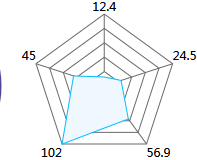
4.4.2,Xaml代码
xaml
<UserControl x:Class="WpfAssets.Assets.Controls.RaderChart"
             xmlns="http://schemas.microsoft.com/winfx/2006/xaml/presentation"
             xmlns:x="http://schemas.microsoft.com/winfx/2006/xaml"
             xmlns:mc="http://schemas.openxmlformats.org/markup-compatibility/2006"
             xmlns:d="http://schemas.microsoft.com/expression/blend/2008"
             xmlns:local="clr-namespace:WpfAssets.Assets.Controls"
             mc:Ignorable="d"
             d:DesignHeight="450" d:DesignWidth="800">
    <Grid>
        <Canvas x:Name="mainCanvas" ></Canvas>
    </Grid>
</UserControl>
4.4.3,C#代码
C#
[ContentProperty("ItemsSource")]
    [DefaultProperty("ItemsSource")]
    /// <summary>
    /// 雷达图
    /// </summary>
    public partial class RaderChart : UserControl
    {
        public RaderChart()
        {
            InitializeComponent();
        }
        #region 依赖属性
        public static readonly DependencyProperty ItemsSourceProperty;
        public static readonly DependencyProperty MaxNumProperty;
        public static readonly DependencyProperty MeshStrokeProperty;
        public static readonly DependencyProperty RaderBorderBrushProperty;
        public static readonly DependencyProperty RaderFillProperty;
        public static readonly DependencyProperty MeshStrokeThicknessProperty;
        public static readonly DependencyProperty RaderBorderThicknessProperty;
        public static readonly DependencyProperty NumberOfPliesProperty;
        static RaderChart()
        {
            ItemsSourceProperty = DependencyProperty.Register("ItemsSource", typeof(IEnumerable), typeof(RaderChart), new FrameworkPropertyMetadata(null, FrameworkPropertyMetadataOptions.AffectsRender));
            MaxNumProperty = DependencyProperty.Register("MaxNum", typeof(double), typeof(RaderChart), new FrameworkPropertyMetadata(100d, FrameworkPropertyMetadataOptions.AffectsRender));
            MeshStrokeProperty = DependencyProperty.Register("MeshStroke", typeof(Brush), typeof(RaderChart), new FrameworkPropertyMetadata(Brushes.DimGray, FrameworkPropertyMetadataOptions.AffectsRender));
            RaderBorderBrushProperty = DependencyProperty.Register("RaderBorderBrush", typeof(Brush), typeof(RaderChart), new FrameworkPropertyMetadata(Brushes.DeepSkyBlue, FrameworkPropertyMetadataOptions.AffectsRender));
            RaderFillProperty = DependencyProperty.Register("RaderFill", typeof(Brush), typeof(RaderChart), new FrameworkPropertyMetadata(Brushes.AliceBlue, FrameworkPropertyMetadataOptions.AffectsRender));
            MeshStrokeThicknessProperty = DependencyProperty.Register("MeshStrokeThickness", typeof(float), typeof(RaderChart), new FrameworkPropertyMetadata(1f, FrameworkPropertyMetadataOptions.AffectsRender));
            RaderBorderThicknessProperty = DependencyProperty.Register("RaderBorderThickness", typeof(float), typeof(RaderChart), new FrameworkPropertyMetadata(1f, FrameworkPropertyMetadataOptions.AffectsRender));
            NumberOfPliesProperty = DependencyProperty.Register("NumberOfPlies", typeof(int), typeof(RaderChart), new FrameworkPropertyMetadata(5, FrameworkPropertyMetadataOptions.AffectsRender));
        }
        [Browsable(true), Category("自定义属性"), Description("数据源")]
        public IEnumerable ItemsSource
        {
            get => (IEnumerable)GetValue(ItemsSourceProperty);
            set => SetValue(ItemsSourceProperty, value);
        }
        [Browsable(true), Category("自定义属性"), Description("最大数即量程")]
        public double MaxNum
        {
            get => (double)GetValue(MaxNumProperty);
            set => SetValue(MaxNumProperty, value);
        }
        [Browsable(true), Category("自定义属性"), Description("网络线stroke")]
        public Brush MeshStroke
        {
            get => (Brush)GetValue(MeshStrokeProperty);
            set => SetValue(MeshStrokeProperty, value);
        }
        [Browsable(true), Category("自定义属性"), Description("雷达线边框画刷")]
        public Brush RaderBorderBrush
        {
            get => (Brush)GetValue(RaderBorderBrushProperty);
            set => SetValue(RaderBorderBrushProperty, value);
        }
        [Browsable(true), Category("自定义属性"), Description("雷达填充画刷")]
        public Brush RaderFill
        {
            get => (Brush)GetValue(RaderFillProperty);
            set => SetValue(RaderFillProperty, value);
        }
        [Browsable(true), Category("自定义属性"), Description("网络线画刷宽度")]
        public float MeshStrokeThickness
        {
            get => (float)GetValue(MeshStrokeThicknessProperty);
            set => SetValue(MeshStrokeThicknessProperty, value);
        }
        [Browsable(true), Category("自定义属性"), Description("雷达边界线宽度")]
        public float RaderBorderThickness
        {
            get => (float)GetValue(RaderBorderThicknessProperty);
            set => SetValue(RaderBorderThicknessProperty, value);
        }
        [Browsable(true), Category("自定义属性"), Description("网络层数")]
        public int NumberOfPlies
        {
            get => (int)GetValue(NumberOfPliesProperty);
            set => SetValue(NumberOfPliesProperty, value);
        }
        #endregion
        protected override void OnRender(DrawingContext drawingContext)
        {
            if (ItemsSource != null)
            {
                mainCanvas.Children.Clear();
                double len = Math.Min(this.ActualWidth, this.ActualHeight);
                int count = 0;
                foreach (var item in ItemsSource)
                {
                    count++;
                }
                List<Point>[] points = new List<Point>[NumberOfPlies];
                if (len > 0)
                {
                    double radius = len / 2 - 10;
                    Point center = new Point(radius + 10, radius + 10);
                    for (int i = 1; i <= NumberOfPlies; i++)
                    {
                        Polyline polyline = new Polyline { Stroke = MeshStroke, StrokeThickness = MeshStrokeThickness };
                        points[i - 1] = new List<Point>();
                        for (int j = 0; j <= count; j++)
                        {
                            Point p = new Point();
                            p.X = center.X + (radius * i * 1.0 / NumberOfPlies) * Math.Cos((j * 360 * 1.0 / count - 90) / 180 * Math.PI);
                            p.Y = center.Y + (radius * i * 1.0 / NumberOfPlies) * Math.Sin((j * 360 * 1.0 / count - 90) / 180 * Math.PI);
                            polyline.Points.Add(p);
                            points[i - 1].Add(p);
                        }
                        mainCanvas.Children.Add(polyline);
                    }
                    //网格连接线
                    for (int i = 0; i < count; i++)
                    {
                        Polyline polyline = new Polyline { Stroke = MeshStroke, StrokeThickness = MeshStrokeThickness };
                        for (int j = 0; j < NumberOfPlies; j++)
                        {
                            polyline.Points.Add(points[j][i]);
                        }
                        mainCanvas.Children.Add(polyline);
                    }
                    //绘制雷达图
                    int index = 0;
                    Polygon polygon = new Polygon { Stroke = RaderBorderBrush, StrokeThickness = RaderBorderThickness, Fill = RaderFill };
                    foreach (var item in ItemsSource)
                    {
                        double rate = Convert.ToDouble(item) > MaxNum ? 1 : Convert.ToDouble(item) / MaxNum;
                        Point p = new Point();
                        p.X = center.X + (radius * rate) * Math.Cos((index * 360 * 1.0 / count - 90) / 180 * Math.PI);
                        p.Y = center.Y + (radius * rate) * Math.Sin((index * 360 * 1.0 / count - 90) / 180 * Math.PI);
                        TextBlock tb = new TextBlock();
                        tb.Text = item.ToString();
                        FormattedText formattedText = new FormattedText(item.ToString(), System.Threading.Thread.CurrentThread.CurrentCulture, FlowDirection.LeftToRight, new Typeface(FontFamily, FontStyle, FontWeight, FontStretch), FontSize, Foreground);
                        double degree = index * 360 * 1.0 / count - 90;
                        double left, top;
                        Point wordPoint = new Point();
                        wordPoint.X = points[NumberOfPlies - 1][index].X;
                        wordPoint.Y = points[NumberOfPlies - 1][index].Y;
                        left = wordPoint.X;
                        top = wordPoint.Y;
                        if (degree == -90)
                        {
                            left = wordPoint.X - formattedText.Width / 2;
                            top = wordPoint.Y - formattedText.Height;
                        }
                        else if (degree < 0)
                        {
                            left = wordPoint.X;
                            top = wordPoint.Y - formattedText.Height;
                        }
                        else if (degree == 0)
                        {
                            left = wordPoint.X;
                            top = wordPoint.Y - formattedText.Height / 2;
                        }
                        else if (degree < 90)
                        {
                        }
                        else if (degree == 90)
                        {
                            left = wordPoint.X - formattedText.Width / 2;
                            top = wordPoint.Y;
                        }
                        else if (degree < 180)
                        {
                            left = wordPoint.X - formattedText.Width;
                            top = wordPoint.Y;
                        }
                        else if (degree == 180)
                        {
                            left = wordPoint.X - formattedText.Width;
                            top = wordPoint.Y - formattedText.Height / 2;
                        }
                        else
                        {
                            left = wordPoint.X - formattedText.Width;
                            top = wordPoint.Y - formattedText.Height;
                        }
                        Canvas.SetLeft(tb, left);
                        Canvas.SetTop(tb, top);
                        mainCanvas.Children.Add(tb);
                        index++;
                        polygon.Points.Add(p);
                    }
                    mainCanvas.Children.Add(polygon);
                    //添加标签
                    mainCanvas.Width = len;
                    mainCanvas.Height = len;
                }
            }
            base.OnRender(drawingContext);
        }
}4.4,水位进度控件(WaterProgress)
4.4.1,效果
xaml
<controls:WaterProgress Grid.Row="1" Value="{Binding ElementName=slider01, Path=Value}"></controls:WaterProgress>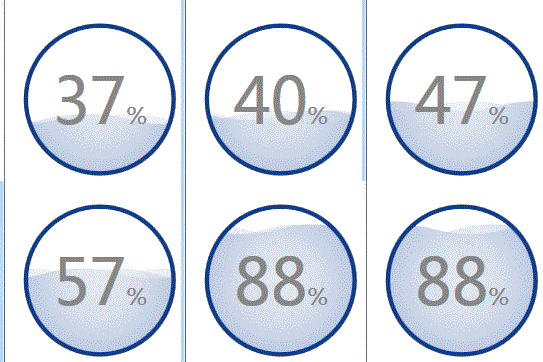
4.4.2,Xaml代码
xaml
<UserControl x:Class="WpfAssets.Assets.Controls.WaterProgress"
xmlns="http://schemas.microsoft.com/winfx/2006/xaml/presentation"
xmlns:x="http://schemas.microsoft.com/winfx/2006/xaml"
xmlns:mc="http://schemas.openxmlformats.org/markup-compatibility/2006"
xmlns:d="http://schemas.microsoft.com/expression/blend/2008"
mc:Ignorable="d"
d:DesignHeight="450" d:DesignWidth="800">
<UserControl.Resources>
<Storyboard x:Key="sb">
<!--外圈旋转-->
<DoubleAnimationUsingKeyFrames Storyboard.TargetName="rt1" Storyboard.TargetProperty="Angle" RepeatBehavior="Forever">
<SplineDoubleKeyFrame KeyTime="0:0:0" Value="0"/>
<SplineDoubleKeyFrame KeyTime="0:0:2.5" Value="360" KeySpline="0.4,0.1,0.6,0.9"/>
</DoubleAnimationUsingKeyFrames>
<DoubleAnimationUsingKeyFrames Storyboard.TargetName="rt2" Storyboard.TargetProperty="Angle" RepeatBehavior="Forever">
<SplineDoubleKeyFrame KeyTime="0:0:0" Value="90"/>
<SplineDoubleKeyFrame KeyTime="0:0:3" Value="450" KeySpline="0.4,0.1,0.6,0.9"/>
</DoubleAnimationUsingKeyFrames>
<DoubleAnimationUsingKeyFrames Storyboard.TargetName="rt3" Storyboard.TargetProperty="Angle" RepeatBehavior="Forever">
<SplineDoubleKeyFrame KeyTime="0:0:0" Value="180"/>
<SplineDoubleKeyFrame KeyTime="0:0:3.5" Value="540" KeySpline="0.4,0.1,0.6,0.9"/>
</DoubleAnimationUsingKeyFrames>
<DoubleAnimationUsingKeyFrames Storyboard.TargetName="rt4" Storyboard.TargetProperty="Angle" RepeatBehavior="Forever">
<SplineDoubleKeyFrame KeyTime="0:0:0" Value="270"/>
<SplineDoubleKeyFrame KeyTime="0:0:3" Value="630" KeySpline="0.4,0.1,0.6,0.9"/>
</DoubleAnimationUsingKeyFrames>
<!--<DoubleAnimation Duration="0:0:2" From="0" To="360" Storyboard.TargetName="rt1" Storyboard.TargetProperty="Angle"
RepeatBehavior="Forever"/>
<DoubleAnimation Duration="0:0:2.5" From="90" To="450" Storyboard.TargetName="rt2" Storyboard.TargetProperty="Angle"
RepeatBehavior="Forever"/>
<DoubleAnimation Duration="0:0:3" From="180" To="540" Storyboard.TargetName="rt3" Storyboard.TargetProperty="Angle"
RepeatBehavior="Forever"/>
<DoubleAnimation Duration="0:0:3.5" From="270" To="630" Storyboard.TargetName="rt4" Storyboard.TargetProperty="Angle"
RepeatBehavior="Forever"/>-->
<!--波浪模拟位移-->
<DoubleAnimation Duration="0:0:1.3" From="0" To="-166" Storyboard.TargetName="tt1" Storyboard.TargetProperty="X"
RepeatBehavior="Forever"/>
<DoubleAnimation Duration="0:0:2.7" From="0" To="-166" Storyboard.TargetName="tt2" Storyboard.TargetProperty="X"
RepeatBehavior="Forever"/>
<DoubleAnimation Duration="0:0:1.9" From="-166" To="0" Storyboard.TargetName="tt3" Storyboard.TargetProperty="X"
RepeatBehavior="Forever"/>
</Storyboard>
</UserControl.Resources>
<UserControl.Triggers>
<EventTrigger RoutedEvent="UserControl.Loaded">
<BeginStoryboard Storyboard="{StaticResource sb }"/>
</EventTrigger>
</UserControl.Triggers>
<Viewbox>
<Grid Width="200" Height="200">
<!--外圈-->
<Path Data="M10.077735,47.685855 C31.078032,13.685855 25.578212,18.186285 60.078032,7.6858546 98.105732,-2.7958154 121.12748,-1.2938974 136.07773,4.6862026 151.02798,10.666293 171.52126,13.34086 186.07803,42.686 193.52198,65.84058 189.06226,75.02501 189.07803,107.686 185.62079,132.09885 181.48699,134.68936 171.078,146.686 144.0497,177.83681 162.57824,158.68624 139.078,178.686 102.41447,209.88832 87.194615,208.93377 69.194405,206.9341 51.194195,204.93442 38.008452,202.54643
17.078032,160.686 -3.8523784,118.82557 0.57719474,123.68578 0.077734746,97.685855 -0.54939526,65.040225 10.077735,47.685855 10.077735,47.685855 z" VerticalAlignment="Center" HorizontalAlignment="Center"
RenderTransformOrigin="0.5,0.5" Height="207.771"
Width="190.388" Opacity="0.3">
<Path.Fill>
<LinearGradientBrush EndPoint="0.5,1" StartPoint="0.5,0">
<GradientStop Color="#77FFFFFF" Offset="0"/>
<GradientStop Color="#5AFFFFFF" Offset="1"/>
</LinearGradientBrush>
</Path.Fill>
<Path.RenderTransform>
<TransformGroup>
<RotateTransform Angle="0" x:Name="rt1"/>
</TransformGroup>
</Path.RenderTransform>
</Path>
<Path Data="M10.077735,47.685855 C31.078032,13.685855 25.578212,18.186285 60.078032,7.6858546 98.105732,-2.7958154 121.12748,-1.2938974 136.07773,4.6862026 151.02798,10.666293 171.52126,13.34086 186.07803,42.686 193.52198,65.84058 189.06226,75.02501 189.07803,107.686 185.62079,132.09885 181.48699,134.68936 171.078,146.686 144.0497,177.83681 162.57824,158.68624 139.078,178.686 102.41447,209.88832 87.194615,208.93377 69.194405,206.9341 51.194195,204.93442 38.008452,202.54643
17.078032,160.686 -3.8523784,118.82557 0.57719474,123.68578 0.077734746,97.685855 -0.54939526,65.040225 10.077735,47.685855 10.077735,47.685855 z" VerticalAlignment="Center" HorizontalAlignment="Center"
RenderTransformOrigin="0.5,0.5" Height="207.771"
Width="190.388" Opacity="0.6">
<Path.Fill>
<LinearGradientBrush EndPoint="0.5,1" StartPoint="0.5,0">
<GradientStop Color="#77FFFFFF" Offset="0"/>
<GradientStop Color="#5AFFFFFF" Offset="1"/>
</LinearGradientBrush>
</Path.Fill>
<Path.RenderTransform>
<TransformGroup>
<RotateTransform Angle="90" x:Name="rt2"/>
</TransformGroup>
</Path.RenderTransform>
</Path>
<Path Data="M10.077735,47.685855 C31.078032,13.685855 25.578212,18.186285 60.078032,7.6858546 98.105732,-2.7958154 121.12748,-1.2938974 136.07773,4.6862026 151.02798,10.666293 171.52126,13.34086 186.07803,42.686 193.52198,65.84058 189.06226,75.02501 189.07803,107.686 185.62079,132.09885 181.48699,134.68936 171.078,146.686 144.0497,177.83681 162.57824,158.68624 139.078,178.686 102.41447,209.88832 87.194615,208.93377 69.194405,206.9341 51.194195,204.93442 38.008452,202.54643
17.078032,160.686 -3.8523784,118.82557 0.57719474,123.68578 0.077734746,97.685855 -0.54939526,65.040225 10.077735,47.685855 10.077735,47.685855 z" VerticalAlignment="Center" HorizontalAlignment="Center"
RenderTransformOrigin="0.5,0.5" Height="207.771"
Width="190.388" Opacity="0.8">
<Path.Fill>
<LinearGradientBrush EndPoint="0.5,1" StartPoint="0.5,0">
<GradientStop Color="#77FFFFFF" Offset="0"/>
<GradientStop Color="#5AFFFFFF" Offset="1"/>
</LinearGradientBrush>
</Path.Fill>
<Path.RenderTransform>
<TransformGroup>
<RotateTransform Angle="180" x:Name="rt3"/>
</TransformGroup>
</Path.RenderTransform>
</Path>
<Path Data="M10.077735,47.685855 C31.078032,13.685855 25.578212,18.186285 60.078032,7.6858546 98.105732,-2.7958154 121.12748,-1.2938974 136.07773,4.6862026 151.02798,10.666293 171.52126,13.34086 186.07803,42.686 193.52198,65.84058 189.06226,75.02501 189.07803,107.686 185.62079,132.09885 181.48699,134.68936 171.078,146.686 144.0497,177.83681 162.57824,158.68624 139.078,178.686 102.41447,209.88832 87.194615,208.93377 69.194405,206.9341 51.194195,204.93442 38.008452,202.54643
17.078032,160.686 -3.8523784,118.82557 0.57719474,123.68578 0.077734746,97.685855 -0.54939526,65.040225 10.077735,47.685855 10.077735,47.685855 z" VerticalAlignment="Center" HorizontalAlignment="Center"
RenderTransformOrigin="0.5,0.5" Height="207.771"
Width="190.388">
<Path.Fill>
<LinearGradientBrush EndPoint="0.5,1" StartPoint="0.5,0">
<GradientStop Color="#77FFFFFF" Offset="0"/>
<GradientStop Color="#5AFFFFFF" Offset="1"/>
</LinearGradientBrush>
</Path.Fill>
<Path.RenderTransform>
<TransformGroup>
<RotateTransform Angle="270" x:Name="rt4"/>
</TransformGroup>
</Path.RenderTransform>
</Path>
<!--内圈-->
<Border Width="175" Height="175" CornerRadius="90" BorderThickness="5" BorderBrush="Orange">
<Border.Background>
<RadialGradientBrush>
<GradientStop Color="#B6FFFFFF" Offset="1"/>
<GradientStop Color="White"/>
<GradientStop Color="White" Offset="0.672"/>
</RadialGradientBrush>
</Border.Background>
</Border>
<!--波浪-->
<Border Width="166" Height="166" CornerRadius="90">
<Border.Clip>
<EllipseGeometry RadiusX="83" RadiusY="83" Center="83,83"/>
</Border.Clip>
<Canvas>
<Grid>
<Grid.RenderTransform>
<TranslateTransform Y="160" x:Name="ttg"/>
</Grid.RenderTransform>
<Path Data="M0 5A80 40 0 0 1 83 5A80 40 0 0 0 166 5A80 40 0 0 1 249 5A80 40 0 0 0 332 5L332 182 0 182Z"
Fill="#4C0b3d90">
<Path.RenderTransform>
<TranslateTransform x:Name="tt1"/>
</Path.RenderTransform>
</Path>
<Path Data="M0 5A80 40 0 0 1 83 5A80 40 0 0 0 166 5A80 40 0 0 1 249 5A80 40 0 0 0 332 5L332 182 0 182Z"
Fill="#7F0b3d90">
<Path.RenderTransform>
<TranslateTransform x:Name="tt2"/>
</Path.RenderTransform>
</Path>
<Path Data="M0 5A80 40 0 0 1 83 5A80 40 0 0 0 166 5A80 40 0 0 1 249 5A80 40 0 0 0 332 5L332 182 0 182Z"
Fill="#CC0b3d90">
<Path.RenderTransform>
<TranslateTransform X="-166" x:Name="tt3"/>
</Path.RenderTransform>
</Path>
</Grid>
</Canvas>
</Border>
<Border Width="175" Height="175" CornerRadius="90" BorderThickness="5" BorderBrush="#0b3d90">
<Border.Background>
<RadialGradientBrush>
<GradientStop Color="#B6FFFFFF" Offset="1"/>
<GradientStop Color="#E2FFFFFF"/>
<GradientStop Color="#D3FFFFFF" Offset="0.528"/>
</RadialGradientBrush>
</Border.Background>
</Border>
<!--文字-->
<Viewbox Width="160" Height="95">
<TextBlock FontSize="50" FontWeight="ExtraLight" VerticalAlignment="Center" HorizontalAlignment="Center"
Foreground="#888" FontFamily="Microsoft YaHei"><Run Text="{Binding Value,RelativeSource={RelativeSource AncestorType=UserControl,Mode=FindAncestor}}"/><Run FontSize="18" Text="%"/></TextBlock>
</Viewbox>
</Grid>
</Viewbox>
</UserControl>4.4.3,C#代码
C#
/// <summary>
    /// WaterProgress.xaml 的交互逻辑
    /// </summary>
    public partial class WaterProgress : UserControl
    {
        [Browsable(true),Category("自定义属性"),Description("进度值:0-100之间")]
        public double Value
        {
            get { return (double)GetValue(ValueProperty); }
            set { SetValue(ValueProperty, value); }
        }
        public static readonly DependencyProperty ValueProperty =
            DependencyProperty.Register("Value", typeof(double), typeof(WaterProgress), new PropertyMetadata(0.0,new PropertyChangedCallback(OnValueChanged)));

        private static void OnValueChanged(DependencyObject d,DependencyPropertyChangedEventArgs e)
        {
            // 获取当前Value的最新值
            double newValue = (double)e.NewValue;  // 0-100 以  160/100=1.6

            // 配置一个简单线性动画
            DoubleAnimation da = new DoubleAnimation(160 - newValue * 1.6, TimeSpan.FromMilliseconds(200));
            (d as WaterProgress).ttg.BeginAnimation(TranslateTransform.YProperty, da);
        }

        public WaterProgress()
        {
            InitializeComponent();
        }
}4.5,管道控件(PipeLine)
4.5.1,效果
xaml
<Viewbox Grid.Row="2">
            <Canvas Height="200" Width="200">
                <!--需要明确指定Width与Height,否则异常-->
                <controls:PipeLine Width="160" PipeSecondJointDirection="Down" Height="25" PipeFluidIsFlow="True"></controls:PipeLine>
                <controls:PipeLine Height="54" PipeDirection="Verticality" Canvas.Left="135" Canvas.Top="24" PipeFluidIsFlow="True" ></controls:PipeLine>
                <controls:PipeLine Canvas.Left="30" Height="25" PipeFirstJointDirection="Down" PipeSecondJointDirection="Up" Canvas.Top="78" Width="130" PipeFluidIsFlow="True" PipeFlowVelocity="-4"></controls:PipeLine>
                <controls:PipeLine PipeDirection="Verticality" PipeSecondJointDirection="Right" Width="25" Height="65" Canvas.Top="103" Canvas.Left="30" PipeFluidIsFlow="True" ></controls:PipeLine>
                <controls:PipeLine Width="120" Height="25" Canvas.Left="55" Canvas.Top="143" PipeFluidIsFlow="True"></controls:PipeLine>
                <controls:PipeLine Width="25" PipeFirstJointDirection="Right" PipeSecondJointDirection="Left" Height="159" PipeDirection="Verticality" Canvas.Left="174" Canvas.Top="9" PipeFluidIsFlow="True" PipeFlowVelocity="-4"></controls:PipeLine>
            </Canvas>
        </Viewbox>
4.5.2,Xaml代码
无
4.5.3,C#代码
C#
/// <summary>
/// 管道
/// </summary>
public class PipeLine : Shape
{
PathGeometry fluidGeometry = new PathGeometry();
double fillThickness;
System.Windows.Threading.DispatcherTimer timer = new System.Windows.Threading.DispatcherTimer();
double offset = 0;
#region 依赖属性
public static readonly DependencyProperty PipeStrokeThicknessProperty;
public static readonly DependencyProperty PipeStrokeProperty;
public static readonly DependencyProperty PipeFlowVelocityProperty;
public static readonly DependencyProperty PipeFirstJointDirectionProperty;
public static readonly DependencyProperty PipeSecondJointDirectionProperty;
public static readonly DependencyProperty PipeDirectionProperty;
public static readonly DependencyProperty PipeFillProperty;
public static readonly DependencyProperty PipeFluidStrokeDashArrayProperty;
public static readonly DependencyProperty PipeFluidStrokeDashOffsetProperty;
public static readonly DependencyProperty PipeFluidStrokeDashCapProperty;
public static readonly DependencyProperty PipeFluidStrokeProperty;
public static readonly DependencyProperty PipeFluidStrokeThicknessProperty;
public static readonly DependencyProperty PipeFluidIsFlowProperty;
static PipeLine()
{
PipeStrokeThicknessProperty = DependencyProperty.Register("PipeStrokeThickness", typeof(float), typeof(PipeLine), new FrameworkPropertyMetadata(3f, FrameworkPropertyMetadataOptions.AffectsRender));
PipeStrokeProperty = DependencyProperty.Register("PipeStroke", typeof(Brush), typeof(PipeLine), new FrameworkPropertyMetadata(Brushes.Gray, FrameworkPropertyMetadataOptions.AffectsRender));
PipeFlowVelocityProperty = DependencyProperty.Register(" PipeFlowVelocity", typeof(float), typeof(PipeLine), new FrameworkPropertyMetadata(4f, FrameworkPropertyMetadataOptions.AffectsRender));
PipeFirstJointDirectionProperty = DependencyProperty.Register("PipeFirstJointDirection", typeof(JointDirection), typeof(PipeLine), new FrameworkPropertyMetadata(JointDirection.None, FrameworkPropertyMetadataOptions.AffectsRender));
PipeSecondJointDirectionProperty = DependencyProperty.Register("PipeSecondJointDirection", typeof(JointDirection), typeof(PipeLine), new FrameworkPropertyMetadata(JointDirection.None, FrameworkPropertyMetadataOptions.AffectsRender));
PipeDirectionProperty = DependencyProperty.Register("PipeDirection", typeof(PipeDirection), typeof(PipeLine), new FrameworkPropertyMetadata(PipeDirection.Horizontality, FrameworkPropertyMetadataOptions.AffectsRender, new PropertyChangedCallback(PipeDirectionPropertyChanged)));
PipeFillProperty = DependencyProperty.Register("PipeFill", typeof(Brush), typeof(PipeLine), new FrameworkPropertyMetadata(Brushes.LightGray, FrameworkPropertyMetadataOptions.AffectsRender));
PipeFluidStrokeDashArrayProperty = DependencyProperty.Register("PipeFluidStrokeDashArray", typeof(DoubleCollection), typeof(PipeLine), new FrameworkPropertyMetadata(new DoubleCollection { 3, 3 }, FrameworkPropertyMetadataOptions.AffectsRender));
PipeFluidStrokeDashOffsetProperty = DependencyProperty.Register("PipeFluidStrokeDashOffset", typeof(float), typeof(PipeLine), new FrameworkPropertyMetadata(0f, FrameworkPropertyMetadataOptions.AffectsRender));
PipeFluidStrokeDashCapProperty = DependencyProperty.Register("PipeFluidStrokeDashCap", typeof(PenLineCap), typeof(PipeLine), new FrameworkPropertyMetadata(PenLineCap.Flat, FrameworkPropertyMetadataOptions.AffectsRender));
PipeFluidStrokeProperty = DependencyProperty.Register("PipeFluidStroke", typeof(Brush), typeof(PipeLine), new FrameworkPropertyMetadata(Brushes.BlueViolet, FrameworkPropertyMetadataOptions.AffectsRender));
PipeFluidStrokeThicknessProperty = DependencyProperty.Register("PipeFluidStrokeThickness", typeof(float), typeof(PipeLine), new FrameworkPropertyMetadata(6f, FrameworkPropertyMetadataOptions.AffectsRender));
PipeFluidIsFlowProperty = DependencyProperty.Register("PipeFluidIsFlow", typeof(bool), typeof(PipeLine), new FrameworkPropertyMetadata(false, FrameworkPropertyMetadataOptions.AffectsRender, new PropertyChangedCallback(PropertyChaned)));
}
private static void PipeDirectionPropertyChanged(DependencyObject d, DependencyPropertyChangedEventArgs e)
{
if (d is PipeLine pipe)
{
if ((PipeDirection)e.NewValue == PipeDirection.Horizontality && (PipeDirection)e.OldValue == PipeDirection.Verticality)
{
if (pipe.ActualWidth > 0)
{
double temp = pipe.ActualWidth;
pipe.Width = pipe.ActualHeight;
pipe.Height = temp;
}
}
if ((PipeDirection)e.NewValue == PipeDirection.Verticality && (PipeDirection)e.OldValue == PipeDirection.Horizontality)
{
if (pipe.ActualWidth > 0)
{
double temp = pipe.ActualWidth;
pipe.Width = pipe.ActualHeight;
pipe.Height = temp;
}
}
}
}
#endregion
public PipeLine()
{
timer.Interval = TimeSpan.FromMilliseconds(500);
timer.Tick += Timer_Tick;
if (PipeFluidIsFlow)
{
timer.Start();
}
}
private static void PropertyChaned(DependencyObject d, DependencyPropertyChangedEventArgs e)
{
if (d is PipeLine pipe)
{
if ((bool)e.NewValue)
{
pipe.timer.Start();
}
else
{
pipe.timer.Stop();
}
}
}
private void Timer_Tick(object sender, EventArgs e)
{
offset += PipeFlowVelocity;
double moveUnit = PipeFluidDashArray.Aggregate((a, b) => a + b);
if (offset % moveUnit == 0)
{
offset = 0;
}
PipeFluidDashOffset = (float)offset;
}
[Browsable(true), Category("自定义属性"), Description("管道壁的厚度")]
public float PipeStrokeThickness
{
get => (float)GetValue(PipeStrokeThicknessProperty);
set => SetValue(PipeStrokeThicknessProperty, value);
}
[Browsable(true), Category("自定义属性"), Description("管道壁的画刷")]
public Brush PipeStroke
{
get => (Brush)GetValue(PipeStrokeProperty);
set => SetValue(PipeStrokeProperty, value);
}
[Browsable(true), Category("自定义属性"), Description("流体速度")]
public float PipeFlowVelocity
{
get => (float)GetValue(PipeFlowVelocityProperty);
set => SetValue(PipeFlowVelocityProperty, value);
}
[Browsable(true), Category("自定义属性"), Description("第一个接头方向")]
public JointDirection PipeFirstJointDirection
{
get => (JointDirection)GetValue(PipeFirstJointDirectionProperty);
set => SetValue(PipeFirstJointDirectionProperty, value);
}
[Browsable(true), Category("自定义属性"), Description("第二个接头方向")]
public JointDirection PipeSecondJointDirection
{
get => (JointDirection)GetValue(PipeSecondJointDirectionProperty);
set => SetValue(PipeSecondJointDirectionProperty, value);
}
[Browsable(true), Category("自定义属性"), Description("管道方向")]
public PipeDirection PipeDirection
{
get => (PipeDirection)GetValue(PipeDirectionProperty);
set => SetValue(PipeDirectionProperty, value);
}
[Browsable(true), Category("自定义属性"), Description("管道填充画刷")]
public Brush PipeFill
{
get => (Brush)GetValue(PipeFillProperty);
set => SetValue(PipeFillProperty, value);
}
[Browsable(true), Category("自定义属性"), Description("流体虚线和间隙的样式的double值")]
public DoubleCollection PipeFluidDashArray
{
get => (DoubleCollection)GetValue(PipeFluidStrokeDashArrayProperty);
set => SetValue(PipeFluidStrokeDashArrayProperty, value);
}
[Browsable(false), Category("自定义属性"), Description("流体速度")]
float PipeFluidDashOffset
{
get => (float)GetValue(PipeFluidStrokeDashOffsetProperty);
set => SetValue(PipeFluidStrokeDashOffsetProperty, value);
}
[Browsable(true), Category("自定义属性"), Description("流体虚线两端的形状")]
public PenLineCap PipeFluidDashCap
{
get => (PenLineCap)GetValue(PipeFluidStrokeDashCapProperty);
set => SetValue(PipeFluidStrokeDashCapProperty, value);
}
[Browsable(true), Category("自定义属性"), Description("流体画刷")]
public Brush PipeFluidStroke
{
get => (Brush)GetValue(PipeFluidStrokeProperty);
set => SetValue(PipeFluidStrokeProperty, value);
}
[Browsable(true), Category("自定义属性"), Description("流体宽度")]
public float PipeFluidStrokeThickness
{
get => (float)GetValue(PipeFluidStrokeThicknessProperty);
set => SetValue(PipeFluidStrokeThicknessProperty, value);
}
[Browsable(true), Category("自定义属性"), Description("流体是否流动")]
public bool PipeFluidIsFlow
{
get => (bool)GetValue(PipeFluidIsFlowProperty);
set => SetValue(PipeFluidIsFlowProperty, value);
}
public override Transform GeometryTransform => Transform.Identity;
protected override Geometry DefiningGeometry
{
get
{
PathGeometry pipeGeometry = new PathGeometry();
this.fluidGeometry.Clear();
if (double.IsPositiveInfinity(this.ActualWidth) || double.IsNegativeInfinity(this.ActualHeight)
|| this.ActualWidth == 0 || this.ActualHeight == 0
)
return pipeGeometry;
double width = this.ActualWidth;
double height = this.ActualHeight;
if (PipeDirection == PipeDirection.Horizontality)
{
fillThickness = height - 2 * PipeStrokeThickness;
}
else
{
fillThickness = width - 2 * PipeStrokeThickness;
}
PathFigure pathFigure1 = new PathFigure();
PathFigure pathFigure2 = new PathFigure();
PathFigure fluidPath = new PathFigure();
if (PipeDirection == PipeDirection.Horizontality)
{
//管道水平方向
switch (PipeFirstJointDirection)
{
case JointDirection.Up:
pathFigure2.StartPoint = new Point(PipeStrokeThickness / 2, 0);
pathFigure2.Segments.Add(new ArcSegment(new Point(height, height - PipeStrokeThickness / 2), new Size(height - PipeStrokeThickness / 2, height - PipeStrokeThickness / 2), 90, false, SweepDirection.Counterclockwise, true));
pathFigure2.Segments.Add(new LineSegment(new Point(width - height, height - PipeStrokeThickness / 2), true));
pathFigure1.StartPoint = new Point(height - PipeStrokeThickness / 2, 0);
pathFigure1.Segments.Add(new ArcSegment(new Point(height, PipeStrokeThickness / 2), new Size(PipeStrokeThickness / 2, PipeStrokeThickness / 2), 90, false, SweepDirection.Counterclockwise, true));
pathFigure1.Segments.Add(new LineSegment(new Point(width - height, PipeStrokeThickness / 2), true));
//中心线
fluidPath.StartPoint = new Point(height / 2, 0);
fluidPath.Segments.Add(new ArcSegment(new Point(height, height / 2), new Size(height / 2, height / 2), 90, false, SweepDirection.Counterclockwise, true));
fluidPath.Segments.Add(new LineSegment(new Point(width - height, height / 2), true));
break;
case JointDirection.Down:
pathFigure1.StartPoint = new Point(PipeStrokeThickness / 2, height);
pathFigure1.Segments.Add(new ArcSegment(new Point(height, PipeStrokeThickness / 2), new Size(height - PipeStrokeThickness / 2, height - PipeStrokeThickness / 2), 90, false, SweepDirection.Clockwise, true));
pathFigure1.Segments.Add(new LineSegment(new Point(width - height, PipeStrokeThickness / 2), true));
pathFigure2.StartPoint = new Point(height - PipeStrokeThickness / 2, height);
pathFigure2.Segments.Add(new ArcSegment(new Point(height, height - PipeStrokeThickness / 2), new Size(PipeStrokeThickness / 2, PipeStrokeThickness / 2), 90, false, SweepDirection.Clockwise, true));
pathFigure2.Segments.Add(new LineSegment(new Point(width - height, height - PipeStrokeThickness / 2), true));
//中心线
fluidPath.StartPoint = new Point(height / 2, height);
fluidPath.Segments.Add(new ArcSegment(new Point(height, height / 2), new Size(height / 2, height / 2), 90, false, SweepDirection.Clockwise, true));
fluidPath.Segments.Add(new LineSegment(new Point(width - height, height / 2), true));
break;
case JointDirection.None:
case JointDirection.Left:
case JointDirection.Right:
pathFigure1.StartPoint = new Point(0, PipeStrokeThickness / 2);
pathFigure1.Segments.Add(new LineSegment(new Point(width - height, PipeStrokeThickness / 2), true));
pathFigure2.StartPoint = new Point(0, height - PipeStrokeThickness / 2);
pathFigure2.Segments.Add(new LineSegment(new Point(width - height, height - PipeStrokeThickness / 2), true));
fluidPath.StartPoint = new Point(0, height / 2);
fluidPath.Segments.Add(new LineSegment(new Point(width - height, height / 2), true));
break;
default:
break;
}
switch (PipeSecondJointDirection)
{
case JointDirection.Up:
pathFigure1.Segments.Add(new ArcSegment(new Point(width - height + PipeStrokeThickness / 2, 0), new Size(PipeStrokeThickness / 2, PipeStrokeThickness / 2), 90, false, SweepDirection.Counterclockwise, true));
pathFigure2.Segments.Add(new ArcSegment(new Point(width - PipeStrokeThickness / 2, 0), new Size(height - PipeStrokeThickness / 2, height - PipeStrokeThickness / 2), 90, false, SweepDirection.Counterclockwise, true));
fluidPath.Segments.Add(new ArcSegment(new Point(width - height / 2, 0), new Size(height / 2, height / 2), 90, false, SweepDirection.Counterclockwise, true));
break;
case JointDirection.Down:
pathFigure2.Segments.Add(new ArcSegment(new Point(width - height + PipeStrokeThickness / 2, height), new Size(PipeStrokeThickness / 2, PipeStrokeThickness / 2), 90, false, SweepDirection.Clockwise, true));
pathFigure1.Segments.Add(new ArcSegment(new Point(width - PipeStrokeThickness / 2, height), new Size(height - PipeStrokeThickness / 2, height - PipeStrokeThickness / 2), 90, false, SweepDirection.Clockwise, true));
fluidPath.Segments.Add(new ArcSegment(new Point(width - height / 2, height), new Size(height / 2, height / 2), 90, false, SweepDirection.Clockwise, true));
break;
case JointDirection.None:
case JointDirection.Left:
case JointDirection.Right:
pathFigure1.Segments.Add(new LineSegment(new Point(width, PipeStrokeThickness / 2), true));
pathFigure2.Segments.Add(new LineSegment(new Point(width, height - PipeStrokeThickness / 2), true));
fluidPath.Segments.Add(new LineSegment(new Point(width, height / 2), true));
break;
default:
break;
}
}
else
{
//垂直方向
switch (PipeFirstJointDirection)
{
case JointDirection.Left:
pathFigure1.StartPoint = new Point(0, width - PipeStrokeThickness / 2);
pathFigure1.Segments.Add(new ArcSegment(new Point(PipeStrokeThickness / 2, width), new Size(PipeStrokeThickness / 2, PipeStrokeThickness / 2), 90, false, SweepDirection.Clockwise, true));
pathFigure1.Segments.Add(new LineSegment(new Point(PipeStrokeThickness / 2, height - width), true));
pathFigure2.StartPoint = new Point(0, PipeStrokeThickness / 2);
pathFigure2.Segments.Add(new ArcSegment(new Point(width - PipeStrokeThickness / 2, width), new Size(width - PipeStrokeThickness / 2, width - PipeStrokeThickness / 2), 90, false, SweepDirection.Clockwise, true));
pathFigure2.Segments.Add(new LineSegment(new Point(width - PipeStrokeThickness / 2, height - width), true));
//中心线
fluidPath.StartPoint = new Point(0, width / 2);
fluidPath.Segments.Add(new ArcSegment(new Point(width / 2, width), new Size(width / 2, width / 2), 90, false, SweepDirection.Clockwise, true));
fluidPath.Segments.Add(new LineSegment(new Point(width / 2, height - width), true));
break;
case JointDirection.Right:
pathFigure1.StartPoint = new Point(width, PipeStrokeThickness / 2);
pathFigure1.Segments.Add(new ArcSegment(new Point(PipeStrokeThickness / 2, width), new Size(width - PipeStrokeThickness / 2, width - PipeStrokeThickness / 2), 90, false, SweepDirection.Counterclockwise, true));
pathFigure1.Segments.Add(new LineSegment(new Point(PipeStrokeThickness / 2, height - width), true));
pathFigure2.StartPoint = new Point(width, width - PipeStrokeThickness / 2);
pathFigure2.Segments.Add(new ArcSegment(new Point(width - PipeStrokeThickness / 2, width), new Size(PipeStrokeThickness / 2, PipeStrokeThickness / 2), 90, false, SweepDirection.Counterclockwise, true));
pathFigure2.Segments.Add(new LineSegment(new Point(width - PipeStrokeThickness / 2, height - width), true));
//中心线
fluidPath.StartPoint = new Point(width, width / 2);
fluidPath.Segments.Add(new ArcSegment(new Point(width / 2, width), new Size(width / 2, width / 2), 90, false, SweepDirection.Counterclockwise, true));
fluidPath.Segments.Add(new LineSegment(new Point(width / 2, height - width), true));
break;
case JointDirection.None:
case JointDirection.Up:
case JointDirection.Down:
pathFigure1.StartPoint = new Point(PipeStrokeThickness / 2, 0);
pathFigure1.Segments.Add(new LineSegment(new Point(PipeStrokeThickness / 2, height - width), true));
pathFigure2.StartPoint = new Point(width - PipeStrokeThickness / 2, 0);
pathFigure2.Segments.Add(new LineSegment(new Point(width - PipeStrokeThickness / 2, height - width), true));
//中心线
fluidPath.StartPoint = new Point(width / 2, 0);
fluidPath.Segments.Add(new LineSegment(new Point(width / 2, height - width), true));
break;
default:
break;
}
switch (PipeSecondJointDirection)
{
case JointDirection.Left:
pathFigure1.Segments.Add(new ArcSegment(new Point(0, height - width + PipeStrokeThickness / 2), new Size(PipeStrokeThickness / 2, PipeStrokeThickness / 2), 90, false, SweepDirection.Clockwise, true));
pathFigure2.Segments.Add(new ArcSegment(new Point(0, height - PipeStrokeThickness / 2), new Size(width - PipeStrokeThickness / 2, width - PipeStrokeThickness / 2), 90, false, SweepDirection.Clockwise, true));
//中心线
fluidPath.Segments.Add(new ArcSegment(new Point(0, height - width / 2), new Size(width / 2, width / 2), 90, false, SweepDirection.Clockwise, true));
break;
case JointDirection.Right:
pathFigure1.Segments.Add(new ArcSegment(new Point(width, height - PipeStrokeThickness / 2), new Size(width - PipeStrokeThickness / 2, width - PipeStrokeThickness / 2), 90, false, SweepDirection.Counterclockwise, true));
pathFigure2.Segments.Add(new ArcSegment(new Point(width, height - width + PipeStrokeThickness / 2), new Size(PipeStrokeThickness / 2, PipeStrokeThickness / 2), 90, false, SweepDirection.Counterclockwise, true));
//中心线
fluidPath.Segments.Add(new ArcSegment(new Point(width, height - width / 2), new Size(width / 2, width / 2), 90, false, SweepDirection.Counterclockwise, true));
break;
case JointDirection.None:
case JointDirection.Up:
case JointDirection.Down:
pathFigure1.Segments.Add(new LineSegment(new Point(PipeStrokeThickness / 2, height), true));
pathFigure2.Segments.Add(new LineSegment(new Point(width - PipeStrokeThickness / 2, height), true));
//中心线
fluidPath.Segments.Add(new LineSegment(new Point(width / 2, height), true));
break;
default:
break;
}
}
pipeGeometry.Figures.Add(pathFigure1);
pipeGeometry.Figures.Add(pathFigure2);
fluidGeometry.Figures.Add(fluidPath);
return pipeGeometry;
}
}
protected override Size MeasureOverride(Size constraint)
{
if (double.IsPositiveInfinity(constraint.Width)||double.IsPositiveInfinity(constraint.Height))
{
if(PipeDirection == PipeDirection.Horizontality)
{
return new Size(200, 25);
}
else
{
return new Size(25, 200);
}
}
return constraint;
}
protected override Size ArrangeOverride(Size finalSize)
{
return finalSize;
}
protected override void OnRender(DrawingContext drawingContext)
{
//绘制管道壁
drawingContext.DrawGeometry(null, new Pen(PipeStroke, PipeStrokeThickness), DefiningGeometry);
//绘制管道填充
if (fillThickness > 0)
{
drawingContext.DrawGeometry(null, new Pen(PipeFill, fillThickness), fluidGeometry);
}
//绘制流体
if (fluidGeometry.Figures.Count > 0)
{
Pen p = new Pen()
{
Brush = PipeFluidStroke,
Thickness = PipeFluidStrokeThickness,
DashStyle = new DashStyle(PipeFluidDashArray,
PipeFluidDashOffset),
DashCap = PipeFluidDashCap
};
drawingContext.DrawGeometry(null, p, fluidGeometry);
}
base.OnRender(drawingContext);
}
}
/// <summary>
/// 管道方向
/// </summary>
public enum PipeDirection
{
Horizontality,
Verticality
}
public enum JointDirection
{
None,
Up,
Down,
Left,
Right
}4.6,分页器控件(Pagination)
4.6.1,效果
xaml
 <Border Margin="10" BorderThickness="1" BorderBrush="SkyBlue" Grid.Row="1">
                <Grid>
                    <Grid.RowDefinitions>
                        <RowDefinition></RowDefinition>
                        <RowDefinition Height="auto"></RowDefinition>
                    </Grid.RowDefinitions>
                    <ListBox ItemsSource="{Binding Data}" >
                    </ListBox>
                    <controls:Pagination  Grid.Row="1" PageSize="{Binding PageSize}"   HorizontalAlignment="Center"  TotalCount="{Binding TotalCount}" >
                        <behaviors:Interaction.Triggers>
                            <behaviors:EventTrigger EventName="PageIndexChanged" >
                                <behaviors:InvokeCommandAction Command="{Binding SelectedPageCommand}" CommandParameter="{Binding RelativeSource={RelativeSource  AncestorType=controls:Pagination,Mode=FindAncestor}, Path=PageIndex}"></behaviors:InvokeCommandAction>
                            </behaviors:EventTrigger>
                        </behaviors:Interaction.Triggers>
                    </controls:Pagination>
                </Grid>
            </Border>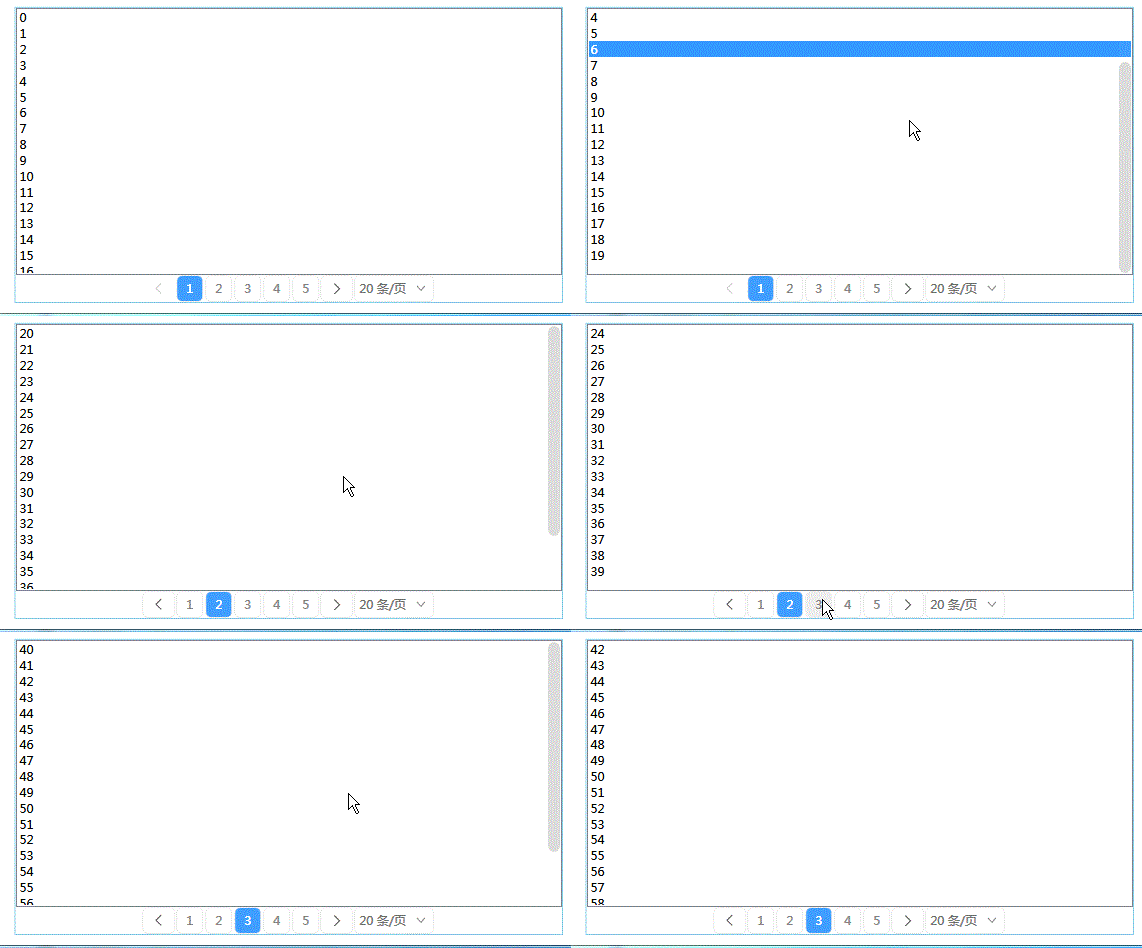
4.6.2,Xaml代码
xaml
<UserControl x:Class="WpfAssets.Assets.Controls.Pagination"
             xmlns="http://schemas.microsoft.com/winfx/2006/xaml/presentation"
             xmlns:x="http://schemas.microsoft.com/winfx/2006/xaml"
             xmlns:mc="http://schemas.openxmlformats.org/markup-compatibility/2006"
             xmlns:d="http://schemas.microsoft.com/expression/blend/2008"
             xmlns:sys="clr-namespace:System;assembly=mscorlib"
             mc:Ignorable="d"
             d:DesignHeight="45" d:DesignWidth="800">
    <UserControl.Resources>
        <x:Array Type="sys:Int32" x:Key="counts">
            <sys:Int32>10</sys:Int32>
            <sys:Int32>15</sys:Int32>
            <sys:Int32>20</sys:Int32>
            <sys:Int32>30</sys:Int32>
            <sys:Int32>50</sys:Int32>
        </x:Array>
        <LinearGradientBrush x:Key="MouseOver.Background"
                     EndPoint="0,1" StartPoint="0,0">
            <GradientStop Color="#FFECF4FC" Offset="0.0"/>
            <GradientStop Color="#FFDCECFC" Offset="1.0"/>
        </LinearGradientBrush>

        <Style TargetType="Button" x:Key="FlipButtonStyle">
            <Setter Property="Foreground" Value="#555"/>
            <Setter Property="Background" Value="Transparent"/>
            <Setter Property="BorderThickness" Value="1"/>
            <Setter Property="Width" Value="33"/>
            <Setter Property="Height" Value="27"/>
            <Setter Property="Template">
                <Setter.Value>
                    <ControlTemplate TargetType="{x:Type Button}">
                        <Border Background="{TemplateBinding Background}"
                                BorderBrush="#EEE" BorderThickness="{TemplateBinding BorderThickness}"
                                CornerRadius="5"
                                Name="back">
                            <ContentPresenter VerticalAlignment="Center" HorizontalAlignment="Center" Name="content"/>
                        </Border>
                    </ControlTemplate>
                </Setter.Value>
            </Setter>
            <Style.Triggers>
                <Trigger Property="IsMouseOver" Value="True">
                    <Setter Property="Background" Value="{StaticResource MouseOver.Background}"/>
                    <Setter Property="BorderBrush" Value="#FF7EB4EA"/>
                </Trigger>
                <Trigger Property="IsEnabled" Value="False">
                    <Setter Property="Foreground" Value="#CCC"/>
                    <Setter Property="BorderThickness" Value="0"/>
                </Trigger>
            </Style.Triggers>
        </Style>

        <Style TargetType="CheckBox" x:Key="PageNumberButtonStyle">
            <Setter Property="Margin" Value="1,0"/>
            <Setter Property="Foreground" Value="#888"/>
            <Setter Property="Background" Value="Transparent"/>
            <Setter Property="BorderThickness" Value="1"/>
            <Setter Property="Template">
                <Setter.Value>
                    <ControlTemplate TargetType="CheckBox">
                        <Border Background="{TemplateBinding Background}" Name="root" CornerRadius="5"
                        BorderThickness="{TemplateBinding BorderThickness}" BorderBrush="#EEE"
                        Height="27" Width="27">
                            <TextBlock Text="{TemplateBinding Content}" VerticalAlignment="Center" HorizontalAlignment="Center"/>
                        </Border>
                    </ControlTemplate>
                </Setter.Value>
            </Setter>
            <Style.Triggers>
                <Trigger Property="IsMouseOver" Value="True">
                    <Setter Property="Background" Value="#EEE"/>
                </Trigger>
                <Trigger Property="IsChecked" Value="True">
                    <Setter Property="Background" Value="#409EFE"/>
                    <Setter Property="Foreground" Value="White"/>
                </Trigger>
                <Trigger Property="IsEnabled" Value="False">
                    <Setter Property="BorderThickness" Value="0"/>
                </Trigger>
            </Style.Triggers>
        </Style>
        <Style x:Key="ComboBoxToggleButton" TargetType="{x:Type ToggleButton}">
            <Setter Property="OverridesDefaultStyle" Value="true"/>
            <Setter Property="IsTabStop" Value="false"/>
            <Setter Property="Focusable" Value="false"/>
            <Setter Property="ClickMode" Value="Press"/>
            <Setter Property="Height" Value="27"/>
            <Setter Property="Template">
                <Setter.Value>
                    <ControlTemplate TargetType="{x:Type ToggleButton}">
                        <Border x:Name="templateRoot" SnapsToDevicePixels="true" Background="Transparent"
                        BorderBrush="#EEE" BorderThickness="1" CornerRadius="5">
                            <Border x:Name="splitBorder" Width="25" SnapsToDevicePixels="true" Margin="0"
                                    HorizontalAlignment="Right" BorderThickness="1" BorderBrush="Transparent">
                                <Path x:Name="arrow" VerticalAlignment="Center" Margin="0" HorizontalAlignment="Center"
                                      Stroke="Gray" StrokeThickness="1"
                                      Data="M0 0 4 4 8 0"/>
                            </Border>
                        </Border>
                        <ControlTemplate.Triggers>
                            <MultiDataTrigger>
                                <MultiDataTrigger.Conditions>
                                    <Condition Binding="{Binding IsMouseOver, RelativeSource={RelativeSource Self}}" Value="true"/>
                                    <Condition Binding="{Binding IsEditable, RelativeSource={RelativeSource AncestorType={x:Type ComboBox}}}" Value="false"/>
                                </MultiDataTrigger.Conditions>
                                <Setter Property="Background" TargetName="templateRoot" Value="{StaticResource MouseOver.Background}"/>
                                <Setter Property="BorderBrush" TargetName="templateRoot" Value="#FF7EB4EA"/>
                            </MultiDataTrigger>
                        </ControlTemplate.Triggers>
                    </ControlTemplate>
                </Setter.Value>
            </Setter>
        </Style>

        <ControlTemplate x:Key="ComboBoxTemplate" TargetType="{x:Type ComboBox}">
            <Border Background="Transparent" CornerRadius="0,10,10,0">
                <Grid x:Name="templateRoot" SnapsToDevicePixels="true">
                    <Grid.ColumnDefinitions>
                        <ColumnDefinition Width="*"/>
                        <ColumnDefinition Width="20"/>
                    </Grid.ColumnDefinitions>
                    <Popup x:Name="PART_Popup" AllowsTransparency="true" Grid.ColumnSpan="2"
                           IsOpen="{Binding IsDropDownOpen, Mode=TwoWay, RelativeSource={RelativeSource TemplatedParent}}"
                           Margin="1" PopupAnimation="{DynamicResource {x:Static SystemParameters.ComboBoxPopupAnimationKey}}"
                           Placement="Bottom" PlacementTarget="{Binding ElementName=toggleButton}">

                        <Border x:Name="dropDownBorder" BorderBrush="#EEE" BorderThickness="1"
                                Background="{DynamicResource {x:Static SystemColors.WindowBrushKey}}"
                                MaxHeight="{TemplateBinding MaxDropDownHeight}"
                                MinWidth="{Binding ActualWidth,ElementName=templateRoot}"
                                CornerRadius="5" Margin="3">
                            <Border.Effect>
                                <DropShadowEffect BlurRadius="5" Color="Gray" ShadowDepth="0" Opacity="0.2"/>
                            </Border.Effect>
                            <ScrollViewer x:Name="DropDownScrollViewer" Background="Transparent">
                                <Grid x:Name="grid" RenderOptions.ClearTypeHint="Enabled">
                                    <Canvas x:Name="canvas" HorizontalAlignment="Left" Height="0" VerticalAlignment="Top" Width="0">
                                        <Rectangle x:Name="opaqueRect" Fill="{Binding Background, ElementName=dropDownBorder}"
                                           Height="{Binding ActualHeight, ElementName=dropDownBorder}"
                                           Width="{Binding ActualWidth, ElementName=dropDownBorder}"
                                           RadiusX="5" RadiusY="5"/>
                                    </Canvas>
                                    <ItemsPresenter x:Name="ItemsPresenter" KeyboardNavigation.DirectionalNavigation="Contained"
                                                    SnapsToDevicePixels="{TemplateBinding SnapsToDevicePixels}"/>
                                </Grid>
                            </ScrollViewer>
                        </Border>
                    </Popup>
                    <ToggleButton x:Name="toggleButton"  BorderThickness="0" Background="Transparent"
                                  Grid.ColumnSpan="2" IsChecked="{Binding IsDropDownOpen, Mode=TwoWay, RelativeSource={RelativeSource TemplatedParent}}"
                                  Style="{StaticResource ComboBoxToggleButton}"/>
                    <ContentControl x:Name="contentPresenter" Margin="5,0"
                                    ContentTemplateSelector="{TemplateBinding ItemTemplateSelector}"
                                    ContentStringFormat="{TemplateBinding SelectionBoxItemStringFormat}"
                                    HorizontalAlignment="{TemplateBinding HorizontalContentAlignment}"
                                    IsHitTestVisible="false"
                                    SnapsToDevicePixels="{TemplateBinding SnapsToDevicePixels}"
                                    VerticalAlignment="Center">
                        <TextBlock>
                            <Run Text="{Binding SelectionBoxItem,RelativeSource={RelativeSource AncestorType=ComboBox,Mode=FindAncestor},Mode=OneWay}"/>
                            <Run Text="条/页"/>
                        </TextBlock>
                    </ContentControl>
                </Grid>
            </Border>
            <ControlTemplate.Triggers>
                <Trigger Property="HasItems" Value="false">
                    <Setter Property="Height" TargetName="dropDownBorder" Value="95"/>
                </Trigger>
                <Trigger Property="ScrollViewer.CanContentScroll" SourceName="DropDownScrollViewer" Value="false">
                    <Setter Property="Canvas.Top" TargetName="opaqueRect" Value="{Binding VerticalOffset, ElementName=DropDownScrollViewer}"/>
                    <Setter Property="Canvas.Left" TargetName="opaqueRect" Value="{Binding HorizontalOffset, ElementName=DropDownScrollViewer}"/>
                </Trigger>
            </ControlTemplate.Triggers>
        </ControlTemplate>

        <Style x:Key="PagesComboBoxStyle" TargetType="{x:Type ComboBox}">
            <Setter Property="FocusVisualStyle" Value="{x:Null}"/>
            <Setter Property="Background" Value="Transparent"/>
            <Setter Property="Foreground" Value="#777"/>
            <Setter Property="BorderThickness" Value="0"/>
            <Setter Property="ScrollViewer.HorizontalScrollBarVisibility" Value="Auto"/>
            <Setter Property="ScrollViewer.VerticalScrollBarVisibility" Value="Auto"/>
            <Setter Property="Padding" Value="6,3,5,3"/>
            <Setter Property="ScrollViewer.CanContentScroll" Value="true"/>
            <Setter Property="ScrollViewer.PanningMode" Value="Both"/>
            <Setter Property="Stylus.IsFlicksEnabled" Value="False"/>
            <Setter Property="Margin" Value="1,0"/>
            <Setter Property="Template" Value="{StaticResource ComboBoxTemplate}"/>
        </Style>

        <Style TargetType="ComboBoxItem">
            <Setter Property="Height" Value="30"/>
            <Setter Property="Template">
                <Setter.Value>
                    <ControlTemplate TargetType="ComboBoxItem">
                        <Border Background="{TemplateBinding Background}" CornerRadius="4">
                            <TextBlock VerticalAlignment="Center" Margin="5,0">
                                <Run Text="{Binding Mode=OneWay}"/>
                                <Run Text="条/页"/>
                            </TextBlock>
                        </Border>
                    </ControlTemplate>
                </Setter.Value>
            </Setter>
            <Style.Triggers>
                <Trigger Property="IsMouseOver" Value="True">
                    <Setter Property="Background" Value="#22409EFE"/>
                </Trigger>
                <Trigger Property="IsSelected" Value="True">
                    <Setter Property="Background" Value="#409EFE"/>
                    <Setter Property="Foreground" Value="White"/>
                </Trigger>
            </Style.Triggers>
        </Style>
    </UserControl.Resources>
    <Grid ButtonBase.Click="Grid_Click">
        <Grid.ColumnDefinitions>
            <ColumnDefinition Width="auto"/>
            <ColumnDefinition/>
            <ColumnDefinition Width="auto"/>
            <ColumnDefinition Width="auto"/>
        </Grid.ColumnDefinitions>
        <Button Style="{StaticResource FlipButtonStyle}"
                IsEnabled="{Binding IsCanPrevious,RelativeSource={RelativeSource AncestorType=UserControl, Mode=FindAncestor}}"
                Tag="{Binding PreviousIndex,RelativeSource={RelativeSource AncestorType=UserControl, Mode=FindAncestor}}">
            <Path Data="M5,0 0 5 5 10" Stroke="{Binding Foreground,RelativeSource={RelativeSource AncestorType=Button}}" StrokeThickness="1"
                    StrokeStartLineCap="Round" StrokeEndLineCap="Round"/>
        </Button>
        <Button Grid.Column="2" Style="{StaticResource FlipButtonStyle}"
                IsEnabled="{Binding IsCanNext,RelativeSource={RelativeSource AncestorType=UserControl, Mode=FindAncestor}}"
                Tag="{Binding NextIndex,RelativeSource={RelativeSource AncestorType=UserControl, Mode=FindAncestor}}">
            <Path Data="M5,0 0 5 5 10" Stroke="{Binding Foreground,RelativeSource={RelativeSource AncestorType=Button}}" StrokeThickness="1"
                    StrokeStartLineCap="Round" StrokeEndLineCap="Round" RenderTransformOrigin="0.5,0.5">
                <Path.RenderTransform>
                    <RotateTransform Angle="180"/>
                </Path.RenderTransform>
            </Path>
        </Button>
        <ComboBox Grid.Column="3" SelectedItem="{Binding PageSize,RelativeSource={RelativeSource AncestorType=UserControl, Mode=FindAncestor}}"
                  ItemsSource="{Binding Source={StaticResource counts}}"
                  Style="{StaticResource PagesComboBoxStyle}"
                  Width="80"/>

        <ItemsControl Grid.Column="1" ItemsSource="{Binding PageNumList,RelativeSource={RelativeSource AncestorType=UserControl, Mode=FindAncestor}}">
            <ItemsControl.ItemsPanel>
                <ItemsPanelTemplate>
                    <UniformGrid Rows="1"/>
                </ItemsPanelTemplate>
            </ItemsControl.ItemsPanel>
            <ItemsControl.ItemTemplate>
                <DataTemplate>
                     <!--1、页码   2、是否选中-->
                    <CheckBox  Content="{Binding Index}"
                              IsChecked="{Binding IsCurrent}"
                              Style="{StaticResource PageNumberButtonStyle}"
                              IsEnabled="{Binding IsEnabled}"
                              Tag="{Binding Index}"/>
                </DataTemplate>
            </ItemsControl.ItemTemplate>
        </ItemsControl>
    </Grid>
</UserControl>
4.6.3,C#代码
C#
/// <summary>
    /// Pagination.xaml 的交互逻辑
    /// </summary>
    public partial class Pagination : UserControl, System.ComponentModel.INotifyPropertyChanged
    {
        public event PropertyChangedEventHandler PropertyChanged;
        public static readonly DependencyProperty PageSizeProperty;
        public static readonly DependencyProperty PageIndexProperty;
        public static readonly DependencyProperty TotalCountProperty;
        public static readonly RoutedEvent PageIndexChangedEvent;
        public Pagination()
        {
            InitializeComponent();
            // this.DataContext = this;
        }
        static Pagination()
        {
            PageSizeProperty = DependencyProperty.Register("PageSize", typeof(int), typeof(Pagination), new FrameworkPropertyMetadata(20, FrameworkPropertyMetadataOptions.AffectsRender|FrameworkPropertyMetadataOptions.BindsTwoWayByDefault,null,PageSizeCoerceValueCallback));
            PageIndexProperty = DependencyProperty.Register("PageIndex", typeof(int), typeof(Pagination), new FrameworkPropertyMetadata(1, FrameworkPropertyMetadataOptions.AffectsRender|FrameworkPropertyMetadataOptions.BindsTwoWayByDefault,null,PageIndexCoerceValueCallback));
            TotalCountProperty = DependencyProperty.Register("TotalCount", typeof(int), typeof(Pagination), new FrameworkPropertyMetadata(35, FrameworkPropertyMetadataOptions.AffectsRender));
            PageIndexChangedEvent = EventManager.RegisterRoutedEvent("PageIndexChanged", RoutingStrategy.Bubble, typeof(RoutedPropertyChangedEventHandler<int>), typeof(Pagination));
        }
        private static object PageIndexCoerceValueCallback(DependencyObject d, object baseValue)
        {
            if (Convert.ToInt32(baseValue) < 1) return 1;
            return baseValue;
        }
        private static object PageSizeCoerceValueCallback(DependencyObject d, object baseValue)
        {
            if (int.Parse(baseValue.ToString()) < 0) return 0;
            return baseValue;
        }
        /// <summary>
        /// 页面索引值变化时触发该事件
        /// </summary>
        public event RoutedPropertyChangedEventHandler<int> PageIndexChanged
        {
            add
            {
                this.AddHandler(PageIndexChangedEvent, value);
            }
            remove
            {
                this.RemoveHandler(PageIndexChangedEvent, value);
            }
        }
        //public int PerPageCount { get; set; } = 20;
        /// <summary>
        /// 页面大小,一页包含的项目数量
        /// </summary>
        [Browsable(true), Category("自定义属性"), Description("页面大小,一页包含的项目数量")]
        public int PageSize
        {
            get { return (int)GetValue(PageSizeProperty); }
            set
            {
                SetValue(PageSizeProperty, value);
            }
        }
        /// <summary>
        /// 当前选择的页面索引
        /// </summary>
        [Browsable(true), Category("自定义属性"), Description("当前选择的页面索引")]
        public int PageIndex
        {
            get { return (int)GetValue(PageIndexProperty); }
            set
            {
                SetValue(PageIndexProperty, value);
            }
        }
        /// <summary>
        /// 项目总数
        /// </summary>
        [Browsable(true), Category("自定义属性"), Description("项目总数")]
        public int TotalCount
        {
            get => (int)GetValue(TotalCountProperty);
            set => SetValue(TotalCountProperty, value);
        }
        public ObservableCollection<PageNumberModel> PageNumList { get; set; } =
         new ObservableCollection<PageNumberModel>();
        private bool _isCanPrevious = true;
        public bool IsCanPrevious
        {
            get => _isCanPrevious;
            set
            {
                _isCanPrevious = value;
                PropertyChanged?.Invoke(this, new PropertyChangedEventArgs("IsCanPrevious"));
            }
        }
        private bool _isCanNext = true;
        public bool IsCanNext
        {
            get => _isCanNext;
            set
            {
                _isCanNext = value;
                PropertyChanged?.Invoke(this, new PropertyChangedEventArgs("IsCanNext"));
            }
        }
        private int _previousIndex;
        /// <summary>
        /// 前一条数据的Index     如果当前Index=2  1   3
        /// </summary>
        public int PreviousIndex
        {
            get => _previousIndex;
            set
            {
                _previousIndex = value;
                PropertyChanged?.Invoke(this, new PropertyChangedEventArgs("PreviousIndex"));
            }
        }
        private int _nextIndex;
        public int NextIndex
        {
            get => _nextIndex;
            set
            {
                _nextIndex = value;
                PropertyChanged?.Invoke(this, new PropertyChangedEventArgs("NextIndex"));
            }
        }
        protected override void OnRender(DrawingContext drawingContext)
        {
            base.OnRender(drawingContext);
            FillPageNumbers(TotalCount);
        }
        /// <summary>
        /// 填充刷新页码
        /// </summary>
        /// <param name="sumCount">数据总条目数</param>
        public void FillPageNumbers(int sumCount)
        {
            // 总条目数:100    per  20     num=5
            // 第一次刷新:pageIndex=1
            // 第二次刷新:点击了页码:5
            // 第三次刷新:因为重新选择了每页数量   per 30   num=4
            // 简单点的话:当重新选择了每页数量后,直接从1页开始
            // 算法处理一下的话:页码超出范围,显示最后一页
            // 这里进行PageNumList的修改     3.0    2    =1.5   == 2
            int num_count = (int)Math.Ceiling(sumCount * 1.0 / PageSize);
            if (num_count != 0 && PageIndex>num_count )
            {
                PageIndex = num_count;
            }
            PreviousIndex = PageIndex - 1;
            NextIndex = PageIndex + 1;
            // 处理前一页和后一页按钮的可用性
            //if (PageIndex == 1)
            IsCanPrevious = PageIndex != 1;
            //if (PageIndex == num_count)
            IsCanNext = PageIndex != num_count;
            // 页面的显示
            // 20   30  40   导致页面显示不了
            // 1 2 3 4 5 6 7 8 9 ...  16
            // 1 ...3 4 5 6 7 8 9 ...  16
            // 1 ... 11 12 13 14 15 16
            int min = PageIndex - 4;
            if (min <= 1) min = 1;
            else min = PageIndex - 3;
            //6
            int max = PageIndex + 4;
            if (PageIndex <= 5)
                max = Math.Min(9, num_count);
            else
            {
                if (max >= num_count) max = num_count;
                else max = PageIndex + 3;
            }
            if (PageIndex >= num_count - 4)
                min = Math.Max(1, num_count - 8);
            List<string> temp = new List<string>();
            if (min > 1)
            {
                temp.Add("1");
                temp.Add("···");
            }
            for (int i = min; i <= max; i++)
                temp.Add(i.ToString());
            if (max < num_count)
            {
                temp.Add("···");
                temp.Add(num_count.ToString());
            }
            PageNumList.Clear();
            //for (int i = 1; i <= num_count; i++)
            foreach (string str in temp)
            {
                bool state = int.TryParse(str, out int index);
                PageNumList.Add(new PageNumberModel
                {
                    Index = str,
                    IsCurrent = index == PageIndex,
                    IsEnabled = state
                });
            }
        }
        private void Grid_Click(object sender, RoutedEventArgs e)
        {
            if(e.OriginalSource is System.Windows.Controls.Primitives.ButtonBase btn)
            {
                string tag = btn.Tag?.ToString();
                if (tag != null)
                {
                    if(int.TryParse(tag,out int index))
                    {
                        int oldIndex = PageIndex;
                        PageIndex = index;
                        int newIndex = PageIndex;
                        RoutedPropertyChangedEventArgs<int> args = new RoutedPropertyChangedEventArgs<int>(oldIndex, newIndex);
                        args.RoutedEvent = PageIndexChangedEvent;
                        args.Source = this;
                        this.RaiseEvent(args);
                    }
                }
            }
        }
        public class PageNumberModel
        {
            public string Index { get; set; }
            public bool IsEnabled { get; set; } = true;
            public bool IsCurrent { get; set; }
        }
    }