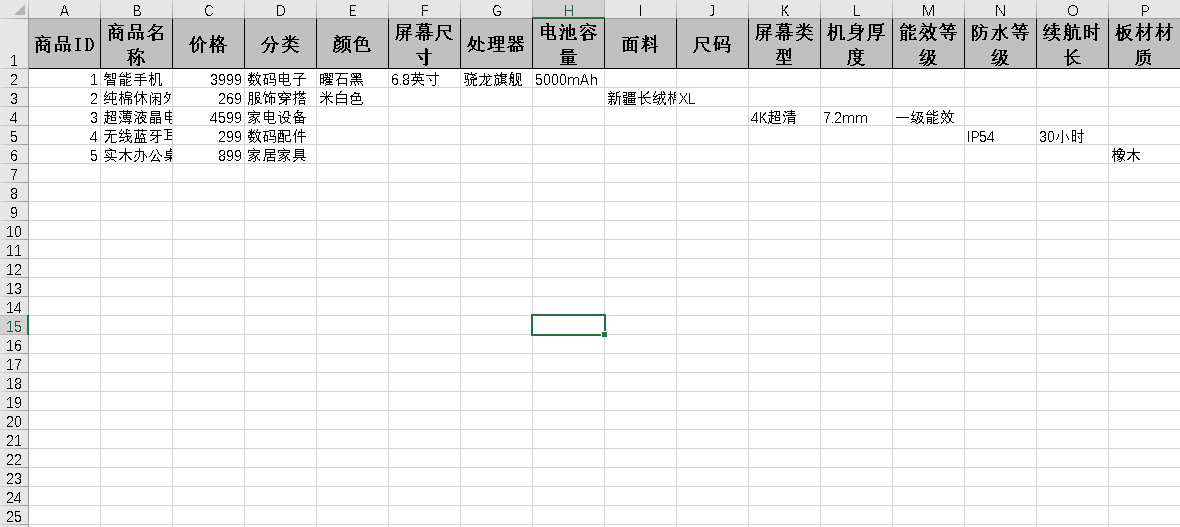
一、表结构
例如,现在有两张数据库表:
sql
CREATE TABLE `product` (
  `id` bigint NOT NULL AUTO_INCREMENT,
  `product_name` varchar(100) NOT NULL COMMENT '商品名称',
  `price` decimal(10,2) DEFAULT NULL COMMENT '价格',
  `category` varchar(50) DEFAULT NULL COMMENT '分类',
  PRIMARY KEY (`id`)
) ENGINE=InnoDB AUTO_INCREMENT=16 DEFAULT CHARSET=utf8mb4 COLLATE=utf8mb4_0900_ai_ci COMMENT='商品主表';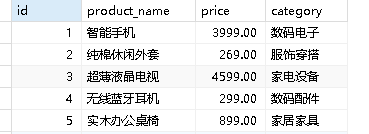
sql
CREATE TABLE `product_attr` (
  `id` bigint NOT NULL AUTO_INCREMENT,
  `product_id` bigint NOT NULL COMMENT '商品ID',
  `attr_name` varchar(50) NOT NULL COMMENT '属性名(动态列名)',
  `attr_value` varchar(500) DEFAULT NULL COMMENT '属性值(列对应的值)',
  PRIMARY KEY (`id`)
) ENGINE=InnoDB AUTO_INCREMENT=24 DEFAULT CHARSET=utf8mb4 COLLATE=utf8mb4_0900_ai_ci COMMENT='商品动态属性表';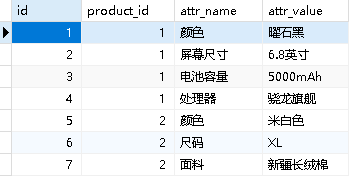
二、代码实现
1、列表查询代码
controller
java
    @GetMapping("/list")
    public TableDataInfo list(Product product)
    {
        startPage();
        List<Product> list = productService.selectProductList(product);
        return getDataTable(list);
}impl+service
java
/**
     * 查询商品主列表
     *
     * @param product 商品主
     * @return 商品主
     */
    @Override
    public List<Product> selectProductList(Product product) {
        // 1. 查询所有商品
        List<Product> productList = productMapper.selectProductList(product);

        // 2. 遍历每个商品,给它设置动态属性
        for (Product p : productList) {
            // 查询当前商品对应的所有属性
            ProductAttr productAttr = new ProductAttr();
            productAttr.setProductId(p.getId());
            List<ProductAttr> attrList = productAttrMapper.selectProductAttrList(productAttr);

            Map<String, String> extMap = new HashMap<>();
            // 循环属性列表,一个个放进map里
            for (ProductAttr attr : attrList) {
                String attrName = attr.getAttrName();   // 颜色/尺寸/功率
                String attrValue = attr.getAttrValue(); // 黑色/XL/500W
                extMap.put(attrName, attrValue);
            }

            // 把Map设置到商品里
            p.setExtMap(extMap);
        }

        return productList;
    }

/**
     * 查询商品主列表
     *
     * @param product 商品主
     * @return 商品主集合
     */
    public List<Product> selectProductList(Product product);
主表.xml
java
 /**
     * 查询商品主列表
     *
     * @param product 商品主
     * @return 商品主集合
     */
    public List<Product> selectProductList(Product product);

  <sql id="selectProductVo">
        select id, product_name, price, category from product
    </sql>

    <select id="selectProductList" parameterType="Product" resultMap="ProductResult">
        <include refid="selectProductVo"/>
        <where>
            <if test="productName != null  and productName != ''"> and product_name like concat('%', #{productName}, '%')</if>
            <if test="price != null "> and price = #{price}</if>
            <if test="category != null  and category != ''"> and category = #{category}</if>
        </where>
    </select>
子表xml
java
  /**
     * 查询商品动态属性列表
     *
     * @param productAttr 商品动态属性
     * @return 商品动态属性集合
     */
    public List<ProductAttr> selectProductAttrList(ProductAttr productAttr);

   <sql id="selectProductAttrVo">
        select id, product_id, attr_name, attr_value from product_attr
    </sql>

    <select id="selectProductAttrList" parameterType="ProductAttr" resultMap="ProductAttrResult">
        <include refid="selectProductAttrVo"/>
        <where>
            <if test="productId != null "> and product_id = #{productId}</if>
            <if test="attrName != null  and attrName != ''"> and attr_name like concat('%', #{attrName}, '%')</if>
            <if test="attrValue != null  and attrValue != ''"> and attr_value = #{attrValue}</if>
        </where>
    </select>
2、导出代码实现
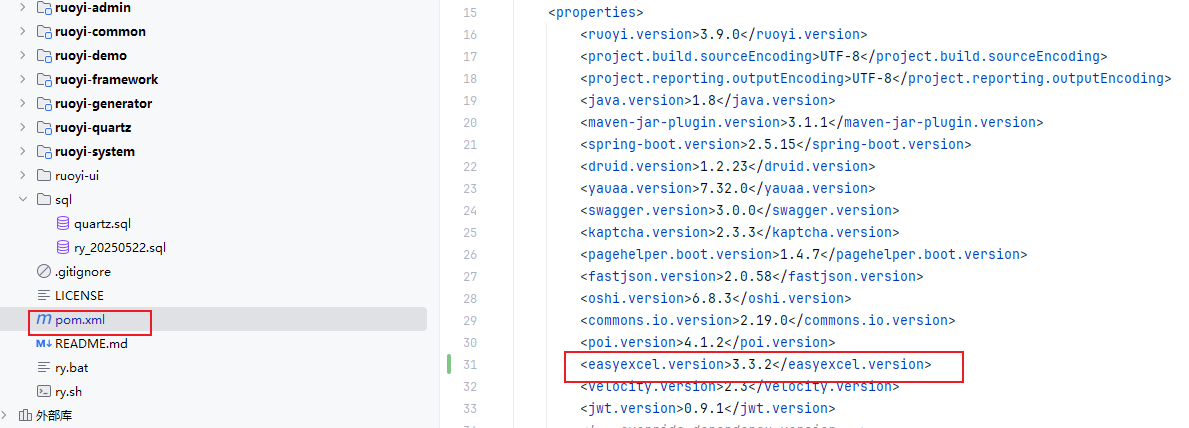
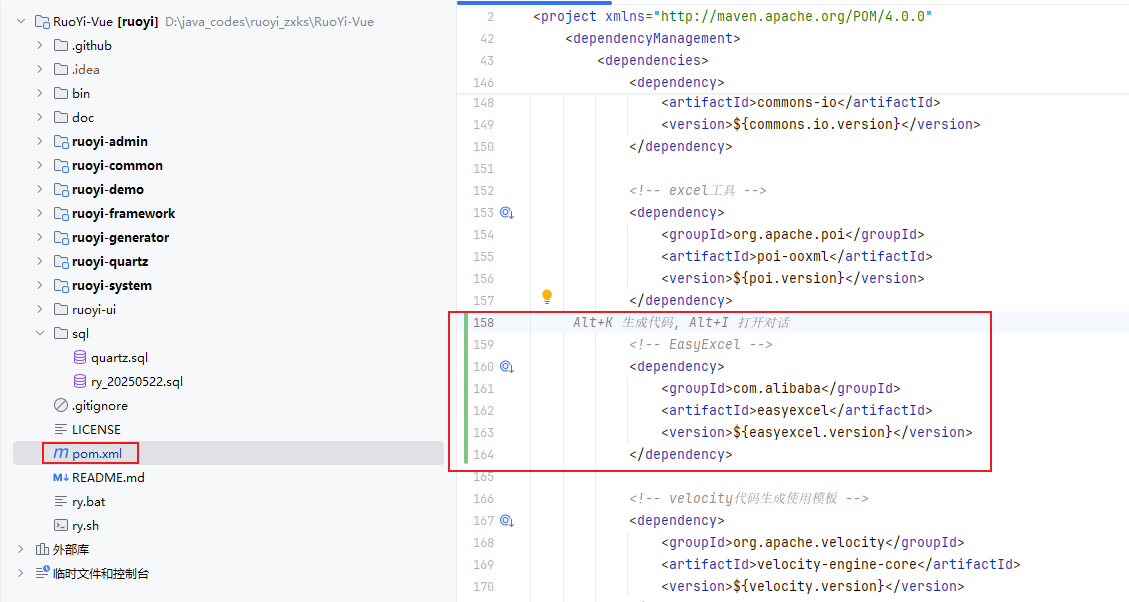
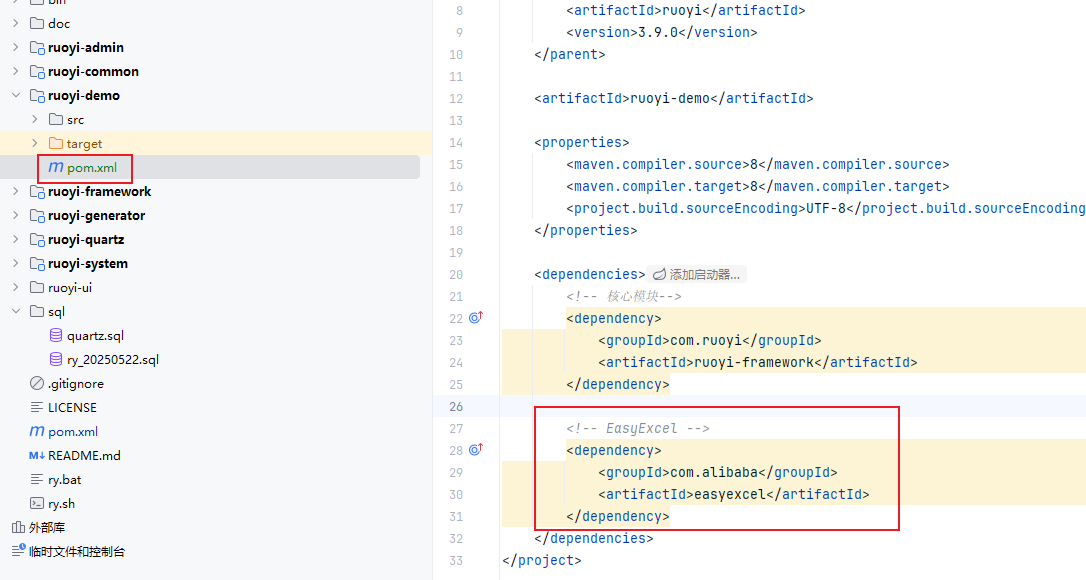
导入依赖:
controller
java
   @GetMapping("/export")
    public void export(Product product, HttpServletResponse response) {
        try {
            productService.exportExcel(response, product);
        } catch (IOException e) {
            e.printStackTrace();
        }
    }
impl
java
    public void exportExcel(HttpServletResponse response, Product product) throws IOException {
        List<Product> list = selectProductList(product);

        // ========== 第一步:获取所有动态列名(颜色、尺寸、功率...)==========
        Set<String> allAttrNames = new LinkedHashSet<>();
        for (Product p : list) {
            if (p.getExtMap() != null) {
                allAttrNames.addAll(p.getExtMap().keySet());
            }
        }
        List<String> dynamicHeaders = new ArrayList<>(allAttrNames);

        // ========== 第二步:构建 Excel 表头 ==========
        List<List<String>> head = new ArrayList<>();
        // 固定列
        head.add(Collections.singletonList("商品ID"));
        head.add(Collections.singletonList("商品名称"));
        head.add(Collections.singletonList("价格"));
        head.add(Collections.singletonList("分类"));
        // 动态列
        for (String attrName : dynamicHeaders) {
            head.add(Collections.singletonList(attrName));
        }

        // ========== 第三步:构建 Excel 行数据 ==========
        List<List<Object>> dataList = new ArrayList<>();
        for (Product p : list) {
            List<Object> row = new ArrayList<>();
            // 固定数据
            row.add(p.getId());
            row.add(p.getProductName());
            row.add(p.getPrice());
            row.add(p.getCategory());
            // 动态数据(按表头顺序)
            Map<String, String> ext = p.getExtMap() == null ? new HashMap<>() : p.getExtMap();
            for (String key : dynamicHeaders) {
                row.add(ext.getOrDefault(key, ""));
            }
            dataList.add(row);
        }

        // ========== 第四步:EasyExcel 写出 ==========
        response.setContentType("application/vnd.openxmlformats");
        response.setCharacterEncoding("utf-8");
        response.setHeader("Content-Disposition", "attachment;filename=product.xlsx");

        EasyExcel.write(response.getOutputStream())
                .head(head)
                .sheet("商品数据")
                .doWrite(dataList);
    }