场景
Spring AI 整合 Ollama 实现工具调用:从入门到实战全解:
https://blog.csdn.net/BADAO_LIUMANG_QIZHI/article/details/161009153
在上面调用tool的基础上,实现工具链的使用示例。
Spring AI 提供了强大的 Tool Calling 能力,允许大模型在对话中自主决定调用哪些外部工具,
并自动组合它们的执行顺序。
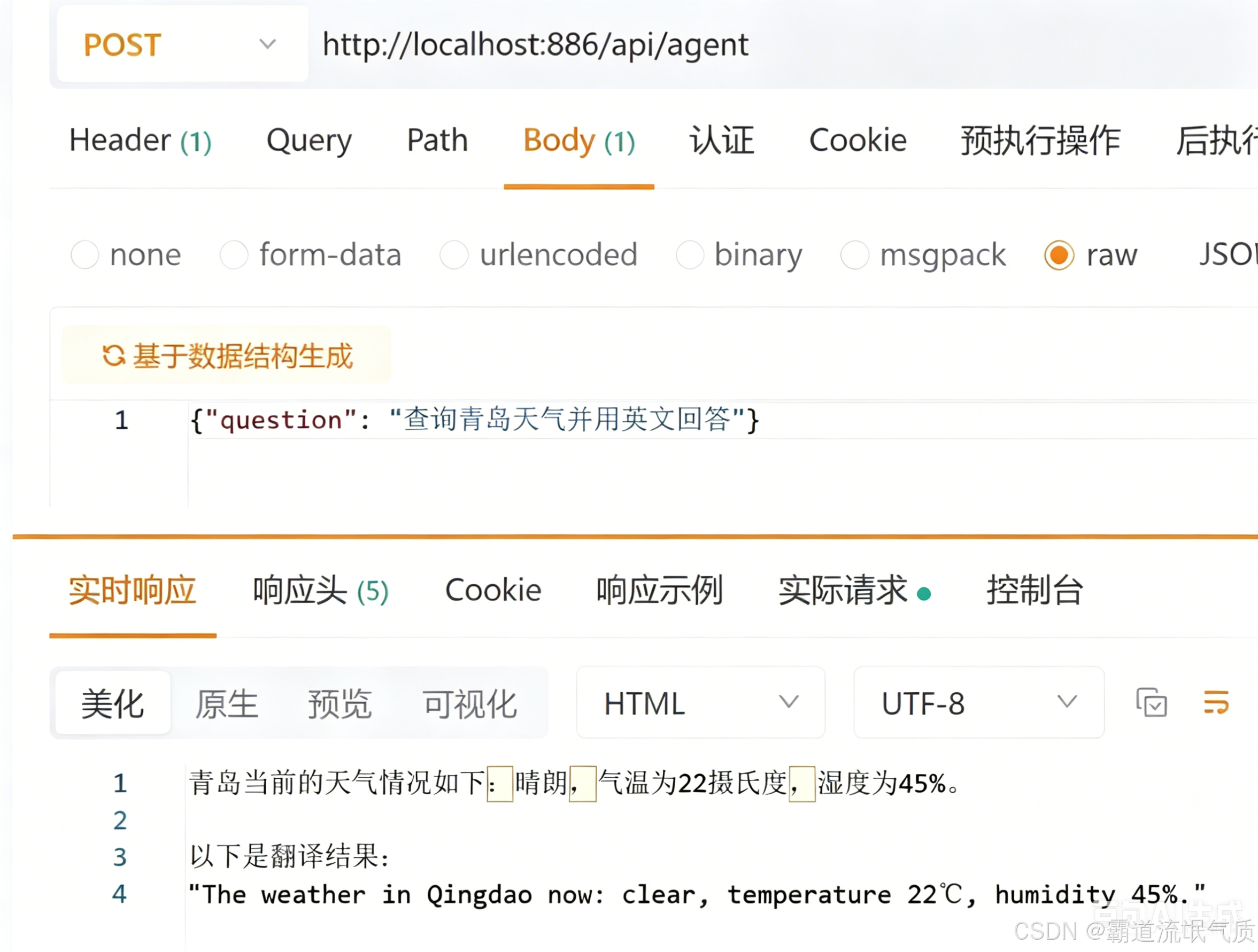
这种机制让智能体能够完成复杂的多步骤任务,例如"查询北京天气并用英文回答"
------模型会先调用天气工具获取数据,再调用翻译工具输出英文。
核心概念
| 概念 | 说明 |
|---|---|
| Tool Calling | 大模型根据用户问题,生成函数调用请求(含函数名和参数),Spring AI 拦截后执行对应的 Java 方法,将结果返回模型。 |
| @Tool 注解 | 标记在方法上,Spring AI 自动解析方法签名和注释,生成 JSON Schema 供模型理解。 |
| 多工具注册 | 通过 defaultTools(...) 同时注册多个工具,模型可自主选择调用顺序和组合。 |
| 链式调用 | 模型在一次响应中先后调用多个工具,前一个的输出作为后一个的输入,形成"链"。 |
注:
博客:
https://blog.csdn.net/badao_liumang_qizhi
实现
pom.xml
    <parent>
        <groupId>org.springframework.boot</groupId>
        <artifactId>spring-boot-starter-parent</artifactId>
        <version>3.3.3</version> <!-- 降级为稳定版,解决冲突 -->
    </parent>

    <groupId>com.example</groupId>
    <artifactId>spring-ai-ollama-tool-chain</artifactId>
    <version>1.0</version>

    <properties>
        <java.version>17</java.version>
        <spring-ai.version>1.1.2</spring-ai.version>
    </properties>

    <dependencies>
        <dependency>
            <groupId>org.springframework.boot</groupId>
            <artifactId>spring-boot-starter-web</artifactId>
        </dependency>

        <!-- Spring AI Ollama 核心 -->
        <dependency>
            <groupId>org.springframework.ai</groupId>
            <artifactId>spring-ai-starter-model-ollama</artifactId>
            <version>${spring-ai.version}</version>
        </dependency>

    </dependencies>
application.yml
server:
port: 886
spring:
ai:
ollama:
base-url: http://localhost:11434
chat:
model: qwen2.5:7b-instruct
options:
temperature: 0.7
num-ctx: 4096 # 上下文窗口大小
logging:
level:
org.springframework.ai.chat.client: DEBUG # 查看工具调用详情
天气工具
package com.badao.ai.tools;

import org.springframework.ai.tool.annotation.Tool;
import org.springframework.ai.tool.annotation.ToolParam;
import org.springframework.stereotype.Component;

@Component
public class WeatherTool {

    @Tool(name = "get_weather", description = "查询指定城市的实时天气")
    public String getWeather(@ToolParam(description = "城市名称") String city) {
        System.out.println("调用了天气工具");
        // 模拟天气数据
        return String.format("%s当前天气:晴,温度22℃,湿度45%%。", city);
    }
}
翻译工具
package com.badao.ai.tools;

import org.springframework.ai.tool.annotation.Tool;
import org.springframework.ai.tool.annotation.ToolParam;
import org.springframework.stereotype.Component;

@Component
public class TranslateTool {

    @Tool(name = "translate_to_english", description = "将中文文本翻译成英文")
    public String translate(@ToolParam(description = "待翻译的中文文本") String text) {
        System.out.println("调用了翻译工具");
        // 模拟翻译,实际可接入翻译API
        return "Translated: " + text + " (This is the English version.)";
    }
}
工具注册配置类
package com.badao.ai.config;

import com.badao.ai.tools.WeatherTool;
import com.badao.ai.tools.TranslateTool;
import org.springframework.ai.chat.client.ChatClient;
import org.springframework.ai.chat.model.ChatModel;
import org.springframework.context.annotation.Bean;
import org.springframework.context.annotation.Configuration;

@Configuration
public class ToolConfig {

    @Bean
    public ChatClient chatClient(ChatModel chatModel,
                                 WeatherTool weatherTool,
                                 TranslateTool translateTool) {
        return ChatClient.builder(chatModel)
                .defaultTools(weatherTool, translateTool)   // 注册天气和翻译工具
                .build();
    }
}
Agent 服务层
package com.badao.ai.service;

import org.springframework.ai.chat.client.ChatClient;
import org.springframework.stereotype.Service;

@Service
public class AgentService {

    private final ChatClient chatClient;

    public AgentService(ChatClient chatClient) {
        this.chatClient = chatClient;
    }

    public String ask(String question) {
        return chatClient.prompt()
                .user(question+ "(请先用天气工具,再用翻译工具)")
                .call()
                .content();
    }
}
控制器
package com.badao.ai.controller;

import com.badao.ai.service.AgentService;
import org.springframework.web.bind.annotation.*;

@RestController
@RequestMapping("/api")
public class AgentController {

    private final AgentService agentService;

    public AgentController(AgentService agentService) {
        this.agentService = agentService;
    }

    @PostMapping("/agent")
    public String ask(@RequestBody String question) {
        return agentService.ask(question);
    }
}
测试
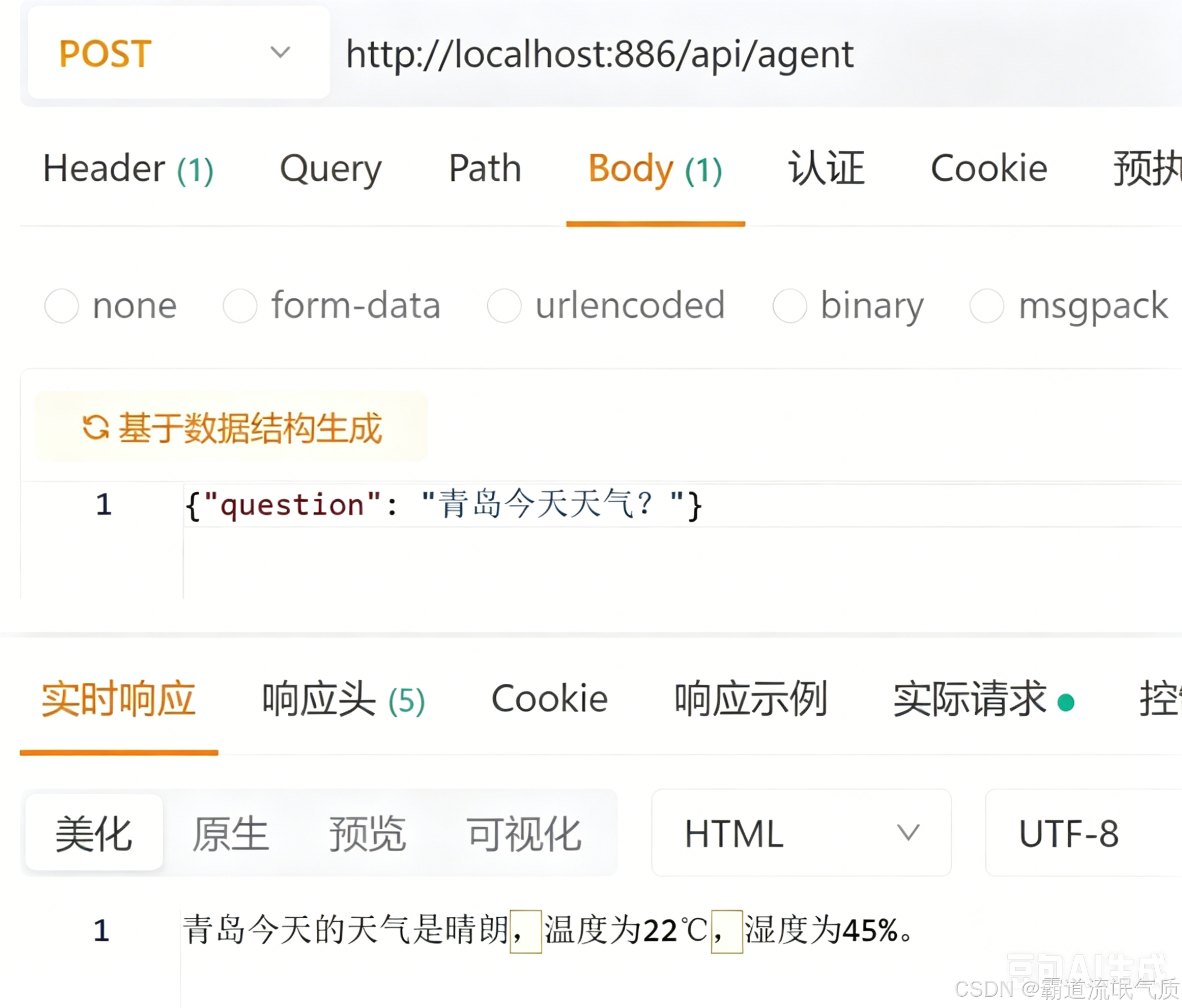
测试单工具
测试工具链