一、Electron 页面本质
Electron 的页面部分本质上是:
txt
网页因此:
| 功能 | 技术 |
|---|---|
| 页面结构 | HTML |
| 页面样式 | CSS |
| 页面交互 | JavaScript |
Electron 前端开发与普通 Web 前端开发基本一致。
二、页面入口文件
当前项目页面入口:
txt
index.htmlElectron 启动后会加载该页面。
三、标准 HTML 页面结构
正确的 HTML 页面结构:
html
<!doctype html>

<html lang="zh-CN">

<head>

    <meta charset="UTF-8">

    <meta name="viewport" content="width=device-width, initial-scale=1.0">

    <title>Electron学习</title>

</head>

<body>

</body>

</html>
四、HTML 各标签作用
| 标签 | 作用 |
|---|---|
| html | 整个网页 |
| head | 页面配置 |
| meta | 页面编码与信息 |
| title | 页面标题 |
| body | 页面内容 |
五、UTF-8 编码
页面中必须包含:
html
<meta charset="UTF-8">作用:
txt
告诉浏览器使用 UTF-8 编码否则:
- 中文
- 日文
- 韩文
可能出现乱码。
六、第一个页面 UI
将:
html
<body>

</body>
修改为:
html
<body>

    <div class="container">

        <h1>Electron 学习</h1>

        <button id="btn">
            点击按钮
        </button>

    </div>

    <script type="module" src="/src/renderer.js"></script>

</body>
七、页面结构说明
上述代码包含:
| 标签 | 作用 |
|---|---|
| div | 容器 |
| h1 | 一级标题 |
| button | 按钮 |
| script | 引入 JS 文件 |
八、CSS 页面样式
打开:
txt
src/index.css清空默认内容。
替换为:
css
*{
    box-sizing:border-box;
}

html,body{

    margin:0;

    width:100%;
    height:100%;

    background:#0f172a;

    color:white;

    font-family:sans-serif;
}

body{

    display:flex;

    justify-content:center;

    align-items:center;
}

.container{

    text-align:center;
}

h1{

    font-size:48px;

    margin-bottom:30px;
}

button{

    border:none;

    padding:14px 30px;

    border-radius:12px;

    background:#2563eb;

    color:white;

    font-size:18px;

    cursor:pointer;

    transition:0.2s;
}

button:hover{

    transform:scale(1.05);

    background:#3b82f6;
}
九、页面效果
页面实现效果:
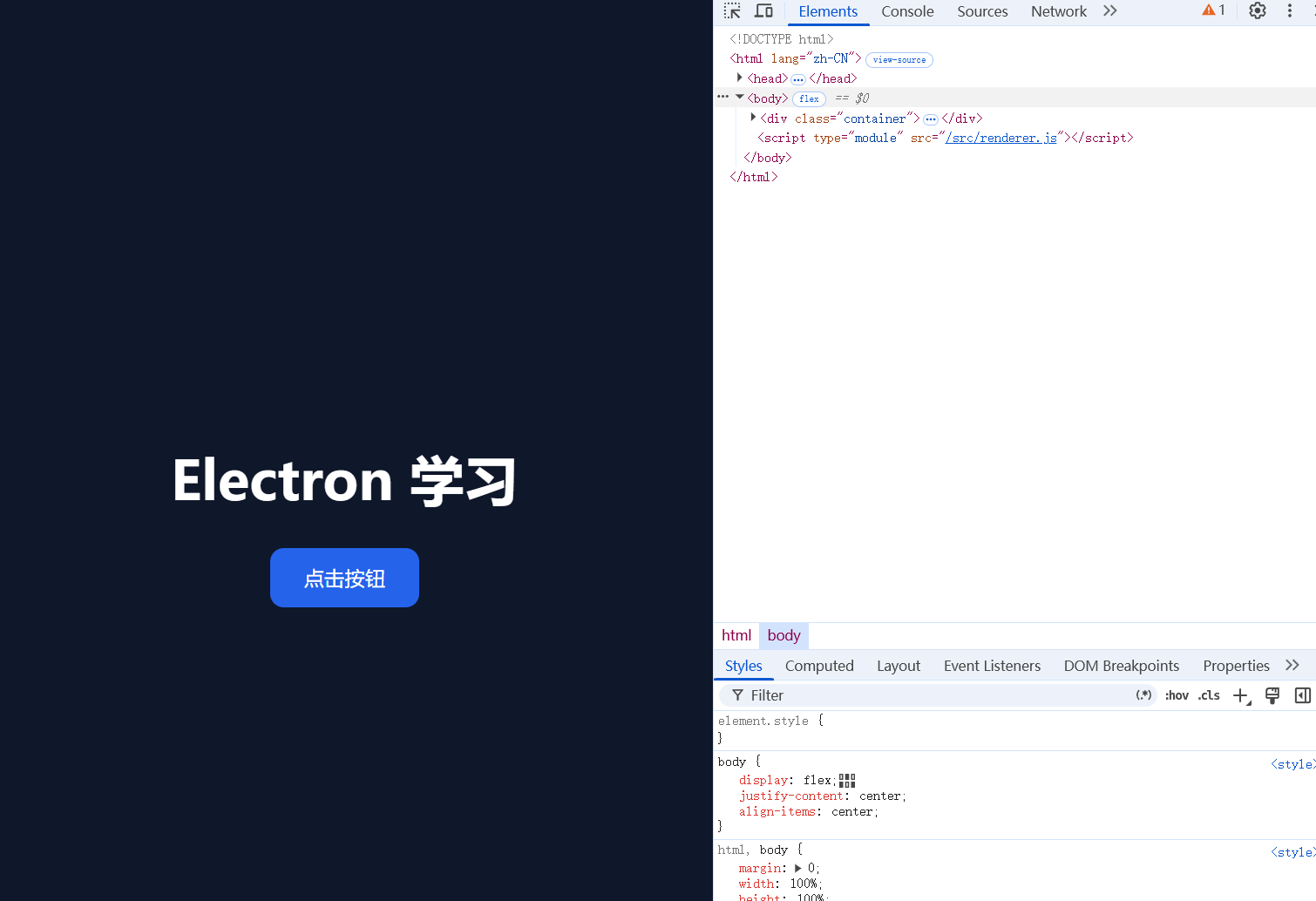
- 深色背景
- 页面居中
- 大标题
- 现代化按钮
- 鼠标悬停动画
十、CSS 常用属性说明
1. display:flex
启用 Flex 布局:
css
display:flex;2. justify-content:center
水平居中:
css
justify-content:center;3. align-items:center
垂直居中:
css
align-items:center;4. border-radius
圆角:
css
border-radius:12px;5. transition
动画过渡:
css
transition:0.2s;6. transform:scale()
缩放动画:
css
transform:scale(1.05);十一、HTML 常用基础控件
1. 按钮 Button
html
<button>按钮</button>2. 输入框 Input
html
<input placeholder="请输入内容">3. 多行文本框 Textarea
html
<textarea></textarea>4. 文本容器 Div
html
<div>文本内容</div>5. 下拉框 Select
html
<select>

    <option>选项1</option>

    <option>选项2</option>

</select>
十二、页面热更新
以下文件支持 Vite 热更新:
txt
index.html
renderer.js
index.css
修改保存后:
txt
页面会自动刷新无需重新启动 Electron。
十三、Electron 页面开发思想
Electron 页面开发本质:
txt
HTML 负责结构
CSS 负责外观
JavaScript 负责逻辑
因此:
Electron UI 开发本质上属于:
txt
Web 前端开发