官方文档
https://hermes-agent.nousresearch.com/docs
Linux / macOS / WSL2
bash
curl -fsSL https://raw.githubusercontent.com/NousResearch/hermes-agent/main/scripts/install.sh | bashWindows ( PowerShell )
bash
irm https://raw.githubusercontent.com/NousResearch/hermes-agent/main/scripts/install.ps1 | iexhermes setup
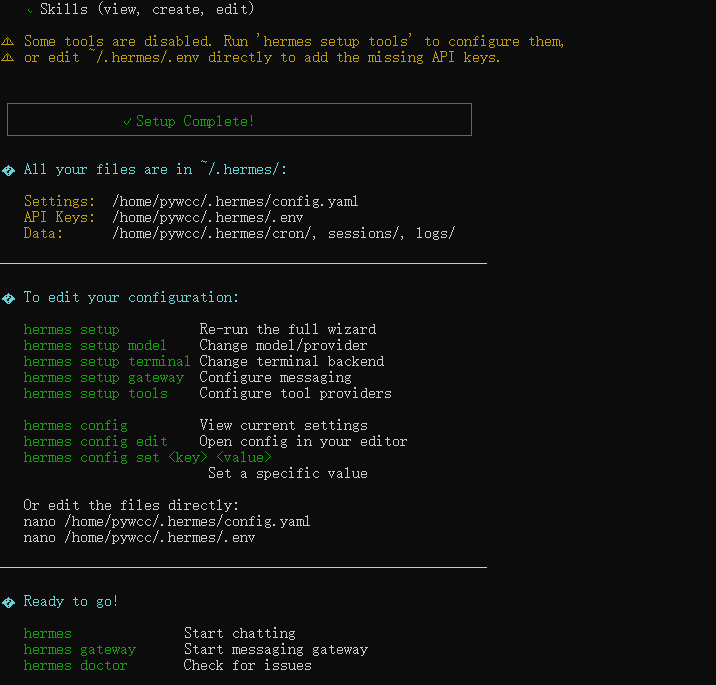
Quick setup --- provider, model & messaging (recommended)》》DeepSeek (DeepSeek-V3, R1, coder --- direct API) ← currently active》》

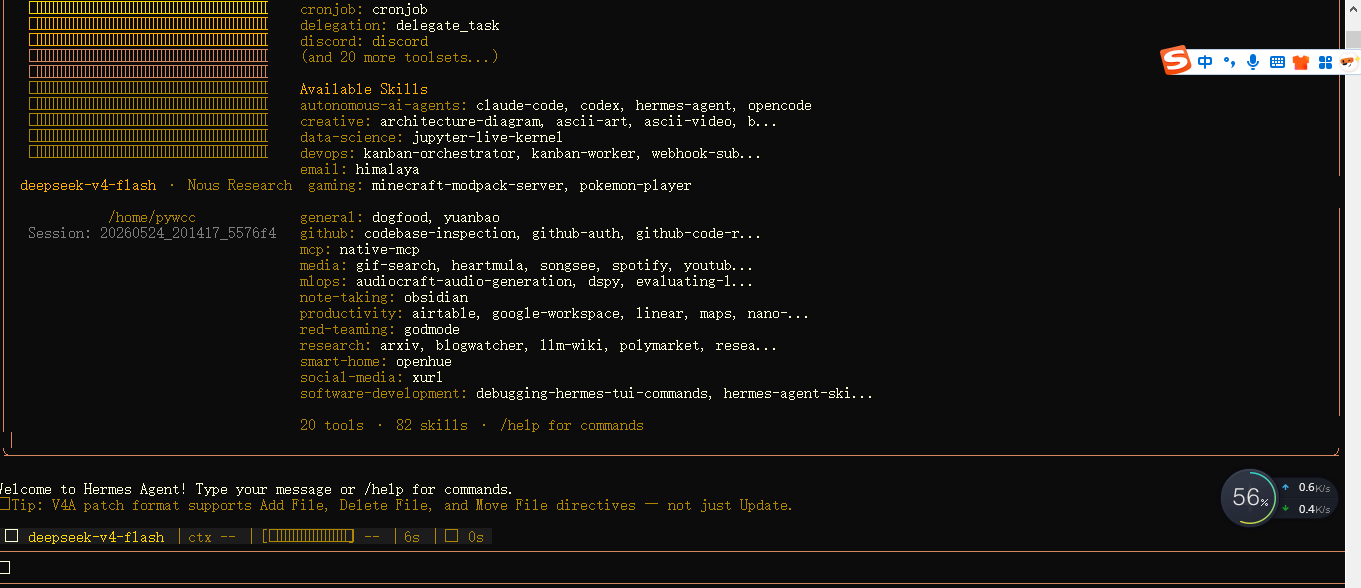
hermes
微信接入 (WeChat / Weixin)
Hermes Agent 通过腾讯 iLink Bot API 连接个人微信号,使用长轮询(Long-Polling)接收消息,无需公网 IP 或 Webhook。
版本信息
- Hermes Agent v0.13.0 (2026.5.7)
- 当前已激活微信账号:
- 关联微信用户:
- iLink API: https://ilinkai.weixin.qq.com
- CDN 媒体传输:

前置依赖
bash
pip install aiohttp cryptography
# 可选:终端二维码显示支持
pip install hermes-agent[messaging]
1. 扫码登录(在 WSL 终端中执行)
bash
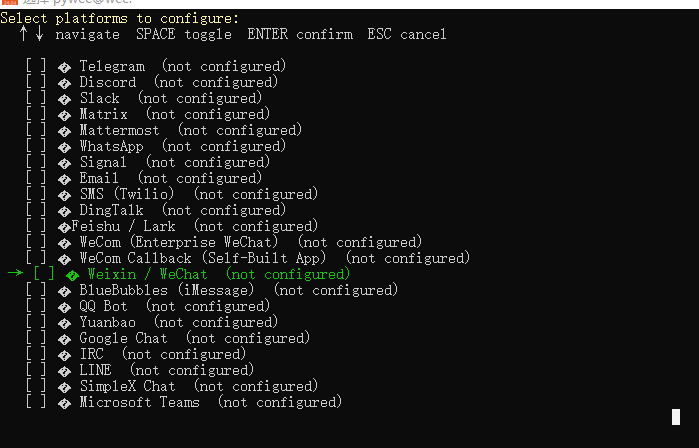
hermes gateway setup在交互菜单中选择 Weixin,然后:
- 终端会显示一个二维码(或提供一个 URL 在浏览器打开)
- 用微信手机端扫码
- 在手机上确认登录
- 凭证自动保存到
~/.hermes/weixin/accounts/
成功后显示:
微信连接成功,account_id=xxx@im.bot2. 配置环境变量
编辑 ~/.hermes/.env,添加以下内容:
bash
# 微信账号ID(扫码后自动保存)
WEIXIN_ACCOUNT_ID=你的账号ID

# 微信Bot Token(扫码后自动保存)
# WEIXIN_TOKEN=你的token

# API 地址(默认即可)
WEIXIN_BASE_URL=https://ilinkai.weixin.qq.com

# CDN 地址(默认即可)
WEIXIN_CDN_BASE_URL=https://novac2c.cdn.weixin.qq.com/c2c

# 私信策略: open | allowlist | disabled | pairing
WEIXIN_DM_POLICY=open

# 允许的用户ID列表(当 dm_policy=allowlist 时使用)
# WEIXIN_ALLOWED_USERS=user_id_1,user_id_2

# 群聊策略(默认 disabled;iLink bot 账号通常收不到群消息)
WEIXIN_GROUP_POLICY=disabled

# 允许的群聊ID列表(当 group_policy=allowlist 时使用)
# WEIXIN_GROUP_ALLOWED_USERS=group_id_1,group_id_2

# 首页频道(用于定时任务通知)
# WEIXIN_HOME_CHANNEL=你的chat_id
3. 启动网关
bash
# 前台运行(测试用)
hermes gateway

# 后台服务
hermes gateway install
hermes gateway start
hermes gateway status

# 查看日志
tail -f ~/.hermes/logs/gateway.log
微信支持的功能
| 功能 | 说明 |
|---|---|
| ✅ 私聊收发 | 一对一聊天,支持文字/图片/文件/视频/语音 |
| ✅ 长轮询传输 | 无需公网 IP 或 WebSocket |
| ✅ 二维码登录 | hermes gateway setup 扫码即连 |
| ✅ 媒体文件 | 自动 AES-128-ECB 加密/解密传输 |
| ✅ Markdown | 支持 headers、表格、代码块渲染 |
| ✅ 正在输入状态 | 处理消息时显示"对方正在输入..." |
| ✅ 消息去重 | 5分钟滑动窗口防止重复处理 |
| ✅ 自动重试 | 网络错误自动重试 + 退避 |
| ⚠️ 群聊 | iLink Bot 身份通常收不到普通微信群消息 |
常见问题
| 问题 | 解决方法 |
|---|---|
| 微信不回复 | 检查 WEIXIN_DM_POLICY 是否设为 open 或 pairing |
| 登录过期 | hermes gateway setup 重新扫码 |
| 缺少依赖 | pip install aiohttp cryptography |
| 终端二维码不显示 | pip install hermes-agent[messaging] |
| 消息重复 | 检查是否有多个 gateway 实例在运行 |
| 凭证文件位置 | ls ~/.hermes/weixin/accounts/ |
凭证文件结构
bash
~/.hermes/weixin/accounts/
├── xxx@im.bot.json            # 账号凭证(token、base_url)
├── xxx@im.bot.context-tokens.json  # 上下文令牌(回复连续性)
└── xxx@im.bot.sync.json       # 同步游标(断点续传)
网关生命周期命令汇总
bash
hermes gateway setup         # 交互式配置所有消息平台
hermes gateway run           # 前台启动网关
hermes gateway install       # 安装为后台服务(systemd / launchd)
hermes gateway start         # 启动服务
hermes gateway stop          # 停止服务
hermes gateway restart       # 重启服务
hermes gateway status        # 查看状态
sudo loginctl enable-linger $USER  # 防止用户登出后服务停止(WSL2)