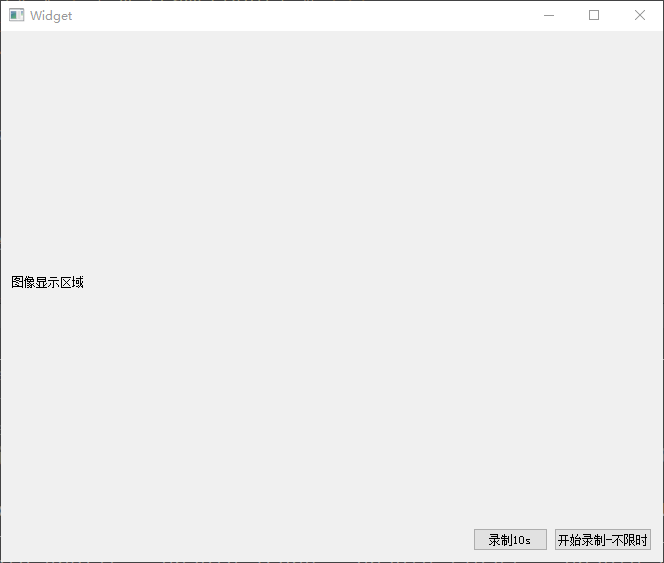
使用的FFMpeng库,库连接:https://download.csdn.net/download/yuchunhai321/92903428
使用的QT工程,编译器MSVC2015,编译成功,运行时需要将库里bin文件下的文件拷到可执行的文件目录下
工程源码:
pro文件中增加
INCLUDEPATH += $$PWD/FFMpegH264/lib/ffmpeg4.0.1/include

LIBS += -L$$PWD/FFMpegH264/lib/ffmpeg4.0.1/lib/win32/ -lavcodec -lavdevice -lavfilter -lavformat -lavutil -lpostproc -lswresample -lswscale

videorecorder.h
#ifndef VIDEO_RECORDER_H
#define VIDEO_RECORDER_H

#include <QObject>
#include <QImage>
#include <QThread>
#include <QMutex>
#include <QQueue>
#include <QWaitCondition>

extern "C" {
#include <libavcodec/avcodec.h>
#include <libavformat/avformat.h>
#include <libswscale/swscale.h>
#include <libavutil/avutil.h>
#include <libavutil/imgutils.h>
#include <libavutil/time.h>
}

class VideoRecorder : public QObject
{
    Q_OBJECT
public:
    explicit VideoRecorder(QObject *parent = nullptr);
    ~VideoRecorder();

    // 设置编码参数(可选,有默认值)
    void setVideoParameters(int width, int height, int fps = 25, int bitrate = 2000000);

    // 开始录制:传入输出文件名
    bool startRecording(const QString& filename);

    // 停止录制
    void stopRecording();

    // 添加一帧图片数据
    void addFrame(const QImage& image);
    void addFrame(const QByteArray& imageData);

signals:
    // 录制状态信号
    void recordingStarted();
    void recordingStopped(bool success);
    void errorOccurred(const QString& error);

    // 进度信号(可选)
    void frameEncoded(int frameCount);

private:
    // FFmpeg 相关成员
    AVFormatContext* m_formatCtx = nullptr;
    AVCodecContext* m_codecCtx = nullptr;
    AVStream* m_stream = nullptr;
    SwsContext* m_swsCtx = nullptr;
    AVFrame* m_frame = nullptr;

    // 视频参数
    int m_width = 1920;
    int m_height = 1080;
    int m_fps = 25;
    int m_bitrate = 2000000;  // 2 Mbps
    AVPixelFormat m_pixelFormat = AV_PIX_FMT_YUV420P;

    // 编码状态
    bool m_isRecording = false;
    int64_t m_ptsCounter = 0;
    int m_videoStreamIndex = -1;

    // 线程安全的数据队列
    QQueue<QImage> m_frameQueue;
    QMutex m_mutex;
    QWaitCondition m_condition;
    bool m_stopRequested = false;

    // 工作线程
    QThread* m_workerThread = nullptr;

    // 内部函数
    bool initializeFFmpeg(const QString& filename);
    void cleanupFFmpeg();
    bool encodeFrame(const QImage& image);
    void flushEncoder();
    bool convertImageToFrame(const QImage& image, AVFrame* frame);

private slots:
    void processFrames();  // 工作线程的主循环
};

#endif // VIDEO_RECORDER_H

videorecorder.cpp
#include "videorecorder.h"
#include <QDebug>
#include <QDir>

VideoRecorder::VideoRecorder(QObject *parent) : QObject(parent)
{
    // 初始化 FFmpeg 库
    avformat_network_init();

    // 重要:先移除父对象,然后才能移动线程
    this->setParent(nullptr);

    // 创建工作线程
    m_workerThread = new QThread(this);  // 这个可以保留父对象
    this->moveToThread(m_workerThread);

    // 连接信号和槽
    connect(m_workerThread, &QThread::started, this, &VideoRecorder::processFrames);
    connect(m_workerThread, &QThread::finished, m_workerThread, &QThread::deleteLater);

    m_workerThread->start();
}

VideoRecorder::~VideoRecorder()
{
    stopRecording();

    if (m_workerThread) {
        m_workerThread->quit();
        // 注意:这里不能直接调用 wait(),因为当前对象可能在主线程
        // 而 m_workerThread 是子对象,Qt 会自动处理
        // 但为了安全,可以等待一段时间
        if (!m_workerThread->wait(3000)) {
            qDebug() << "Thread didn't stop gracefully, terminating...";
            m_workerThread->terminate();
            m_workerThread->wait();
        }
    }

    cleanupFFmpeg();
    avformat_network_deinit();
}

void VideoRecorder::setVideoParameters(int width, int height, int fps, int bitrate)
{
    m_width = width;
    m_height = height;
    m_fps = fps;
    m_bitrate = bitrate;
}

bool VideoRecorder::startRecording(const QString& filename)
{
    QMutexLocker locker(&m_mutex);

    if (m_isRecording) {
        emit errorOccurred("Already recording");
        return false;
    }

    if (!initializeFFmpeg(filename)) {
        emit errorOccurred("Failed to initialize FFmpeg");
        return false;
    }

    m_isRecording = true;
    m_stopRequested = false;
    m_ptsCounter = 0;

    emit recordingStarted();
    qDebug() << "Recording started:" << filename;

    return true;
}

void VideoRecorder::stopRecording()
{
    if (!m_isRecording) {
        return;
    }

    // 标记停止请求
    {
        QMutexLocker locker(&m_mutex);
        m_stopRequested = true;
        m_condition.wakeAll();
    }
}

void VideoRecorder::addFrame(const QImage& image)
{
    if (!m_isRecording) {
        return;
    }

    // 检查队列大小,避免内存爆炸
    {
        QMutexLocker locker(&m_mutex);
        if (m_frameQueue.size() > 300) {  // 最多缓存300帧
            return;
        }
    }

    // 将图片转换为标准格式
    QImage standardized = image;
    if (standardized.format() != QImage::Format_RGB32 &&
        standardized.format() != QImage::Format_ARGB32) {
        standardized = standardized.convertToFormat(QImage::Format_RGB32);
    }

    // 缩放图片到目标尺寸
    if (standardized.width() != m_width || standardized.height() != m_height) {
        standardized = standardized.scaled(m_width, m_height,
                                          Qt::IgnoreAspectRatio,
                                          Qt::SmoothTransformation);
    }

    QMutexLocker locker(&m_mutex);
    m_frameQueue.enqueue(standardized);
    m_condition.wakeOne();  // 唤醒工作线程
}

void VideoRecorder::addFrame(const QByteArray &imageData)
{
    // 将 QByteArray 转换为 QImage
    QImage image;
    if (!image.loadFromData(imageData)) {
        qDebug() << "Error: Failed to load image from QByteArray";
        return ;
    }

    // 调用原有的 addFrame 函数
    return addFrame(image);
}

bool VideoRecorder::initializeFFmpeg(const QString& filename)
{
    int ret = 0;

    // 确保先清理之前的资源
    cleanupFFmpeg();

    // 1. 创建输出上下文
    ret = avformat_alloc_output_context2(&m_formatCtx, nullptr, "mp4",
                                          filename.toStdString().c_str());
    if (ret < 0 || !m_formatCtx) {
        char errbuf[256];
        av_strerror(ret, errbuf, sizeof(errbuf));
        qDebug() << "Failed to create output context:" << errbuf;
        return false;
    }

    // 2. 查找编码器 (H.264)
    const AVCodec* codec = avcodec_find_encoder(AV_CODEC_ID_H264);
    if (!codec) {
        qDebug() << "H.264 encoder not found, trying MPEG-4...";
        codec = avcodec_find_encoder(AV_CODEC_ID_MPEG4);
        if (!codec) {
            qDebug() << "No suitable encoder found";
            return false;
        }
    }

    // 3. 创建视频流
    m_stream = avformat_new_stream(m_formatCtx, codec);
    if (!m_stream) {
        qDebug() << "Failed to create video stream";
        return false;
    }
    m_videoStreamIndex = m_stream->index;

    // 4. 创建编码器上下文
    m_codecCtx = avcodec_alloc_context3(codec);
    if (!m_codecCtx) {
        qDebug() << "Failed to allocate codec context";
        return false;
    }

    // 5. 设置编码参数
    m_codecCtx->codec_id = codec->id;
    m_codecCtx->codec_type = AVMEDIA_TYPE_VIDEO;
    m_codecCtx->width = m_width;
    m_codecCtx->height = m_height;
    m_codecCtx->time_base = AVRational{1, m_fps};
    m_codecCtx->framerate = AVRational{m_fps, 1};
    m_codecCtx->pix_fmt = m_pixelFormat;
    m_codecCtx->bit_rate = m_bitrate;
    m_codecCtx->gop_size = m_fps * 2;

    // 设置编码质量(对 MPEG-4 有效)
    if (codec->id == AV_CODEC_ID_MPEG4) {
        m_codecCtx->qmin = 10;
        m_codecCtx->qmax = 31;
    }

    // 6. 设置全局头(MP4 需要)
    if (m_formatCtx->oformat->flags & AVFMT_GLOBALHEADER) {
        m_codecCtx->flags |= AV_CODEC_FLAG_GLOBAL_HEADER;
    }

    // 7. 打开编码器
    // 添加编码器选项,减少内部缓冲
    AVDictionary* opts = nullptr;
    av_dict_set(&opts, "tune", "zerolatency", 0);  // 零延迟模式
    av_dict_set(&opts, "preset", "ultrafast", 0);  // 最快编码
    av_dict_set(&opts, "rc_lookahead", "0", 0);    // 无前瞻缓冲

    ret = avcodec_open2(m_codecCtx, codec, &opts);
    if (ret < 0) {
        char errbuf[256];
        av_strerror(ret, errbuf, sizeof(errbuf));
        qDebug() << "Failed to open codec:" << errbuf;
        return false;
    }

    // 8. 将编码器参数复制到流
    ret = avcodec_parameters_from_context(m_stream->codecpar, m_codecCtx);
    if (ret < 0) {
        qDebug() << "Failed to copy codec parameters";
        return false;
    }

    // 9. 创建 AVFrame
    m_frame = av_frame_alloc();
    if (!m_frame) {
        qDebug() << "Failed to allocate frame";
        return false;
    }
    m_frame->format = m_codecCtx->pix_fmt;
    m_frame->width = m_width;
    m_frame->height = m_height;
    ret = av_frame_get_buffer(m_frame, 32);
    if (ret < 0) {
        qDebug() << "Failed to allocate frame buffer";
        return false;
    }

    // 10. 创建图像转换上下文 (RGB -> YUV)
    m_swsCtx = sws_getContext(m_width, m_height, AV_PIX_FMT_RGB32,
                              m_width, m_height, m_pixelFormat,
                              SWS_BILINEAR, nullptr, nullptr, nullptr);
    if (!m_swsCtx) {
        qDebug() << "Failed to create sws context";
        return false;
    }

    // 11. 打开输出文件
    ret = avio_open(&m_formatCtx->pb, filename.toStdString().c_str(), AVIO_FLAG_WRITE);
    if (ret < 0) {
        char errbuf[256];
        av_strerror(ret, errbuf, sizeof(errbuf));
        qDebug() << "Failed to open output file:" << errbuf;
        return false;
    }

    // 12. 写入文件头
    ret = avformat_write_header(m_formatCtx, nullptr);
    if (ret < 0) {
        char errbuf[256];
        av_strerror(ret, errbuf, sizeof(errbuf));
        qDebug() << "Failed to write header:" << errbuf;
        return false;
    }

    return true;
}

void VideoRecorder::cleanupFFmpeg()
{
    if (m_swsCtx) {
        sws_freeContext(m_swsCtx);
        m_swsCtx = nullptr;
    }

    if (m_frame) {
        av_frame_free(&m_frame);
        m_frame = nullptr;
    }

    if (m_codecCtx) {
        avcodec_free_context(&m_codecCtx);
        m_codecCtx = nullptr;
    }

    if (m_formatCtx) {
        if (m_formatCtx->pb) {
            avio_closep(&m_formatCtx->pb);
        }
        avformat_free_context(m_formatCtx);
        m_formatCtx = nullptr;
    }
}

bool VideoRecorder::encodeFrame(const QImage& image)
{
    if (!m_isRecording || !m_codecCtx) {
        return false;
    }

    // 1. 转换图片数据到 AVFrame
    if (!convertImageToFrame(image, m_frame)) {
        return false;
    }

    // 2. 设置 PTS
    m_frame->pts = m_ptsCounter++;

    // 3. 发送帧到编码器
    int ret = avcodec_send_frame(m_codecCtx, m_frame);
    if (ret < 0) {
        char errbuf[256];
        av_strerror(ret, errbuf, sizeof(errbuf));
        qDebug() << "Error sending frame to encoder:" << errbuf;
        return false;
    }

    // 4. 接收编码后的数据包
    AVPacket* pkt = av_packet_alloc();
    bool success = true;

    while (true) {
        ret = avcodec_receive_packet(m_codecCtx, pkt);
        if (ret == AVERROR(EAGAIN) || ret == AVERROR_EOF) {
            break;
        } else if (ret < 0) {
            char errbuf[256];
            av_strerror(ret, errbuf, sizeof(errbuf));
            qDebug() << "Error receiving packet:" << errbuf;
            success = false;
            break;
        }

        // 5. 转换时间戳
        pkt->stream_index = m_videoStreamIndex;
        av_packet_rescale_ts(pkt, m_codecCtx->time_base,
                            m_stream->time_base);

        // 6. 写入文件
        ret = av_interleaved_write_frame(m_formatCtx, pkt);
        if (ret < 0) {
            char errbuf[256];
            av_strerror(ret, errbuf, sizeof(errbuf));
            qDebug() << "Error writing packet:" << errbuf;
            success = false;
        }

        av_packet_unref(pkt);
    }
    av_packet_free(&pkt);

    if (success) {
        emit frameEncoded(m_ptsCounter);
    }

    return success;
}

bool VideoRecorder::convertImageToFrame(const QImage& image, AVFrame* frame)
{
    // 确保 frame 可写
    if (av_frame_make_writable(frame) < 0) {
        return false;
    }

    // 准备源数据
    uint8_t* srcData[1] = { const_cast<uint8_t*>(image.bits()) };
    int srcLinesize[1] = { static_cast<int>(image.bytesPerLine()) };

    // 执行转换
    sws_scale(m_swsCtx, srcData, srcLinesize, 0, m_height,
              frame->data, frame->linesize);

    return true;
}

void VideoRecorder::flushEncoder()
{
    if (!m_codecCtx) {
        return;
    }

    // 发送 NULL 帧刷新编码器
    int ret = avcodec_send_frame(m_codecCtx, nullptr);
    if (ret < 0) {
        return;
    }

    // 接收所有剩余的编码数据包
    AVPacket* pkt = av_packet_alloc();

    while (true) {
        ret = avcodec_receive_packet(m_codecCtx, pkt);
        if (ret == AVERROR(EAGAIN) || ret == AVERROR_EOF) {
            break;
        } else if (ret < 0) {
            break;
        }

        pkt->stream_index = m_videoStreamIndex;
        av_packet_rescale_ts(pkt, m_codecCtx->time_base,
                            m_stream->time_base);
        av_interleaved_write_frame(m_formatCtx, pkt);
        av_packet_unref(pkt);
    }
    av_packet_free(&pkt);

    // 写入文件尾部
    if (m_formatCtx) {
        av_write_trailer(m_formatCtx);
    }
}

void VideoRecorder::processFrames()
{
    while (true) {
        QImage frame;

        {
            QMutexLocker locker(&m_mutex);

            // 等待条件:有帧要处理,或者被要求停止
            while (m_frameQueue.isEmpty() && !m_stopRequested) {
                m_condition.wait(&m_mutex);
            }

            // 检查退出条件
            if (m_stopRequested && m_frameQueue.isEmpty()) {
                break;
            }

            // 取出一帧
            if (!m_frameQueue.isEmpty()) {
                frame = m_frameQueue.dequeue();
            }
        }

        // 编码帧
        if (m_isRecording && !frame.isNull()) {
            if (!encodeFrame(frame)) {
                qDebug() << "Failed to encode frame";
            }
        }
    }

    // 清理:刷新编码器并关闭文件
    if (m_isRecording) {
        qDebug() << "Flushing encoder...";
        flushEncoder();
        cleanupFFmpeg();
        m_isRecording = false;
        emit recordingStopped(true);
        qDebug() << "Recording finished, total frames:" << m_ptsCounter;
    }
}

widget.h
#ifndef WIDGET_H
#define WIDGET_H

#include <QWidget>
#include <QTimer>

#include "videorecorder.h"

namespace Ui {
class Widget;
}

class Widget : public QWidget
{
    Q_OBJECT

public:
    explicit Widget(QWidget *parent = nullptr);
    ~Widget();

private slots:
    void on_pushButton_clicked();
    void onTimeout_10s(); //只录制10s
    void onTimeout_noRestrictions(); //不限制时间
    void onRecordingStopped(bool success);

    void on_pushButton_2_clicked();

private:
    void videoRecorder();

    Ui::Widget *ui;

    VideoRecorder* m_recorder = nullptr;
    QTimer* m_timer = nullptr;
    int m_frameCount = 0;
};

#endif // WIDGET_H

widget.cpp
#include "widget.h"
#include "ui_widget.h"

#include <QDebug>
#include <QTime>
#include <QRandomGenerator>

extern "C"
{
#include <libavcodec/avcodec.h>
#include <libavformat/avformat.h>
#include <libavutil/avutil.h>
}

Widget::Widget(QWidget *parent) :
    QWidget(parent),
    ui(new Ui::Widget)
{
    ui->setupUi(this);

    qDebug() << "FFmpeg configuration:" << avcodec_configuration();
    qDebug() << "FFmpeg version:" << avcodec_version();

    // 初始化随机数生成器
    QRandomGenerator::global()->generate();

    // 创建录制器
    m_timer = new QTimer(this);
}

Widget::~Widget()
{
    delete ui;

    if (m_recorder) {
        m_recorder->stopRecording();
        m_recorder->deleteLater();
    }

    if (m_timer) {
        m_timer->stop();
        delete m_timer;
    }
}

void Widget::on_pushButton_clicked()
{
    // 如果已经在录制,先停止之前的
    if (m_recorder) {
        m_recorder->stopRecording();
        if (m_timer) {
            m_timer->stop();
        }
        m_recorder->deleteLater();
        m_recorder = nullptr;
    }

    videoRecorder();
}

void Widget::onTimeout_10s()
{
    if (!m_recorder) {
        return;
    }

    // 创建测试图片(模拟摄像头数据)
    QImage image(1920, 1080, QImage::Format_RGB32);

    // 创建渐变效果,更容易看出视频是否正常
    for (int y = 0; y < image.height(); ++y) {
        QRgb* line = reinterpret_cast<QRgb*>(image.scanLine(y));
        int r = (y + m_frameCount) % 255;
        int g = (m_frameCount * 2) % 255;
        int b = (y * 2 + m_frameCount) % 255;
        for (int x = 0; x < image.width(); ++x) {
            line[x] = qRgb(r, g, b);
        }
    }
    //测试 addFrame 输入
    QByteArray imageData(reinterpret_cast<const char*>(image.bits()),
                         image.sizeInBytes());

    // 添加帧到录制器
    m_recorder->addFrame(image);
    m_frameCount++;

    // 显示进度(每30帧显示一次)
    if (m_frameCount % 30 == 0) {
        qDebug() << "Added frame:" << m_frameCount;
    }

    // 录制300帧后自动停止(约10秒,30fps)
    if (m_frameCount >= 300) {
        qDebug() << "Auto stop after 300 frames";
        m_recorder->stopRecording();
        if (m_timer) {
            m_timer->stop();
        }
    }
}

void Widget::onTimeout_noRestrictions()
{
    if (!m_recorder) {
        return;
    }

    // 创建测试图片(模拟摄像头数据)
    QImage image(1920, 1080, QImage::Format_RGB32);

    // 创建渐变效果,更容易看出视频是否正常
    for (int y = 0; y < image.height(); ++y) {
        QRgb* line = reinterpret_cast<QRgb*>(image.scanLine(y));
        int r = (y + m_frameCount) % 255;
        int g = (m_frameCount * 2) % 255;
        int b = (y * 2 + m_frameCount) % 255;
        for (int x = 0; x < image.width(); ++x) {
            line[x] = qRgb(r, g, b);
        }
    }
    //测试 addFrame 输入
    QByteArray imageData(reinterpret_cast<const char*>(image.bits()),
                         image.sizeInBytes());

    // 添加帧到录制器
    m_recorder->addFrame(image);
    m_frameCount++;

    // 显示进度(每30帧显示一次)
    if (m_frameCount % 30 == 0) {
        qDebug() << "Added frame:" << m_frameCount;
    }
}

void Widget::onRecordingStopped(bool success)
{
    qDebug() << "Recording stopped signal received, success:" << success;

    if (m_timer) {
        m_timer->stop();
    }

    // 延迟删除录制器
    if (m_recorder) {
        m_recorder->deleteLater();
        m_recorder = nullptr;
    }
}

void Widget::videoRecorder()
{
    qDebug() << "Starting video recorder...";

    // 创建录制器
    m_recorder = new VideoRecorder(this);

    // 设置视频参数
    m_recorder->setVideoParameters(1920, 1080, 30, 2000000);

    // 连接信号槽
    connect(m_recorder, &VideoRecorder::recordingStarted, this, []() {
        qDebug() << "Recording started!";
    });

    connect(m_recorder, &VideoRecorder::recordingStopped, this, &Widget::onRecordingStopped);

    connect(m_recorder, &VideoRecorder::errorOccurred, this, [](const QString& error) {
        qDebug() << "Error:" << error;
    });

    connect(m_recorder, &VideoRecorder::frameEncoded, this, [](int count) {
        // 每30帧输出一次日志,减少刷屏
        static int lastLogCount = 0;
        if (count - lastLogCount >= 30) {
            qDebug() << "Encoded frame count:" << count;
            lastLogCount = count;
        }
    });

    // 开始录制
    if (!m_recorder->startRecording("output.mp4")) {
        qDebug() << "Failed to start recording";
        m_recorder->deleteLater();
        m_recorder = nullptr;
        return;
    }

    // 开始模拟数据源
    m_frameCount = 0;
    connect(m_timer, &QTimer::timeout, this, &Widget::onTimeout_10s);
    m_timer->start(33);  // 约30fps (1000/30 ≈ 33ms)

    qDebug() << "Timer started, will generate frames every 33ms";
}

void Widget::on_pushButton_2_clicked()
{
    static int m_clicked = 0;
    if(((m_clicked++) % 2) == 0){
        qDebug()<<"start";
        ui->pushButton_2->setText(QString::fromLocal8Bit("停止录制-不限时"));

        // 如果已经在录制,先停止之前的
        if (m_recorder) {
            m_recorder->stopRecording();
            if (m_timer) {
                m_timer->stop();
            }
            m_recorder->deleteLater();
            m_recorder = nullptr;
        }

        // 创建录制器
        m_recorder = new VideoRecorder(this);

        qDebug() << "Starting video recorder...";

        // 设置视频参数
        m_recorder->setVideoParameters(1920, 1080, 30, 2000000);

        // 连接信号槽
        connect(m_recorder, &VideoRecorder::recordingStarted, this, []() {
            qDebug() << "Recording started!";
        });

        connect(m_recorder, &VideoRecorder::errorOccurred, this, [](const QString& error) {
            qDebug() << "Error:" << error;
        });

        connect(m_recorder, &VideoRecorder::frameEncoded, this, [](int count) {
            // 每30帧输出一次日志,减少刷屏
            static int lastLogCount = 0;
            if (count - lastLogCount >= 30) {
                qDebug() << "Encoded frame count:" << count;
                lastLogCount = count;
            }
        });

        // 开始录制
        if (!m_recorder->startRecording("output.mp4")) {
            qDebug() << "Failed to start recording";
            m_recorder->deleteLater();
            m_recorder = nullptr;
            return;
        }

        // 开始模拟数据源
        m_frameCount = 0;
        connect(m_timer, &QTimer::timeout, this, &Widget::onTimeout_noRestrictions);
        m_timer->start(33);  // 约30fps (1000/30 ≈ 33ms)

        qDebug() << "Timer started, will generate frames every 33ms";
    }else{
        qDebug()<<"stop";
        ui->pushButton_2->setText(QString::fromLocal8Bit("开始录制-不限时"));

        m_recorder->stopRecording();

        if (m_timer) {
            m_timer->stop();
        }

        // 延迟删除录制器
        if (m_recorder) {
            m_recorder->deleteLater();
            m_recorder = nullptr;
        }
    }
}