Ceph 集群安装过程
Ceph 集群环境说明
部署方法:cephadm
操作系统:Centos Stream 8(最小化安装)
硬件配置:2 cpu、8G memory、1个系统盘+3个20G数据盘
本教材共使用7台虚拟机:
- 客户端:client
- 主集群:ceph1、ceph2、ceph3
- 备集群:ceph4、ceph5、ceph6
准备虚拟机模板
基于CentOS-Stream-8-template 模板克隆出
根据实验硬件要求,更改ceph-template 硬件配置。
内存:8GB
处理器:4
添加3块20G SCSI新硬盘
bash
# 1 配置主机名解析
[root@localhost ~]# cat >> /etc/hosts << EOF
###### ceph ######
192.168.108.10 client.laogao.cloud client
192.168.108.11 ceph1.laogao.cloud ceph1
192.168.108.12 ceph2.laogao.cloud ceph2
192.168.108.13 ceph3.laogao.cloud ceph3
192.168.108.14 ceph4.laogao.cloud ceph4
192.168.108.15 ceph5.laogao.cloud ceph5
192.168.108.16 ceph6.laogao.cloud ceph6
EOF
# 2 关闭 SELinux
[root@localhost ~]# sed -ri 's/^SELINUX=.*/SELINUX=disabled/g'
/etc/selinux/config
# 3 关闭防火墙
[root@localhost ~]# systemctl disable firewalld --now
# 4 配置yum仓库
[root@localhost ~]# cat << 'EOF' > /etc/yum.repos.d/ceph.repo
[Ceph]
name=Ceph
baseurl=https://mirrors.aliyun.com/centos-vault/8-stream/storage/x86_64/ceph
pacific
enabled=1
gpgcheck=0
EOF
# 5 安装基础软件包
[root@localhost ~]# dnf install -y bash-completion vim lrzsz unzip rsync sshpass
tar
# 6 配置时间同步
[root@localhost ~]# dnf install -y chrony
[root@localhost ~]# systemctl enable chronyd --now
# 7 安装 cephadm
[root@localhost ~]# dnf install -y cephadm
[root@localhost ~]# cephadm --help
usage: cephadm [-h] [--image IMAGE] [--docker] [--data-dir DATA_DIR]
               [--log-dir LOG_DIR] [--logrotate-dir LOGROTATE_DIR]
               [--sysctl-dir SYSCTL_DIR] [--unit-dir UNIT_DIR] [--verbose]
               [--timeout TIMEOUT] [--retry RETRY] [--env ENV]
               [--no-container-init]
               {version,pull,inspect-image,ls,list-networks,adopt,rm-daemon,rm
cluster,run,shell,enter,ceph-volume,zap-osds,unit,logs,bootstrap,deploy,check
host,prepare-host,add-repo,rm-repo,install,registry-login,gather
facts,exporter,host-maintenance,disk-rescan}
               ...
Bootstrap Ceph daemons with systemd and containers.
positional arguments:
  {version,pull,inspect-image,ls,list-networks,adopt,rm-daemon,rm
cluster,run,shell,enter,ceph-volume,zap-osds,unit,logs,bootstrap,deploy,check
host,prepare-host,add-repo,rm-repo,install,registry-login,gather
facts,exporter,host-maintenance,disk-rescan}
                        sub-command
    version             get ceph version from container
    pull                pull the default container image
    inspect-image       inspect local container image
    ls                  list daemon instances on this host
......
# 安装 cephadm 的时候,会自动安装官方推荐的容器引擎 podman
[root@localhost ~]# rpm -q podman
podman-4.9.4-0.1.module_el8+971+3d3df00d.x86_64
# 8 提前下载镜像
[root@localhost ~]#
podman pull quay.io/ceph/ceph:v16
podman pull quay.io/ceph/ceph-grafana:8.3.5
podman pull quay.io/prometheus/node-exporter:v1.3.1
podman pull quay.io/prometheus/alertmanager:v0.23.0
podman pull quay.io/prometheus/prometheus:v2.33.4
#  准备配置主机脚本
[root@localhost ~]# cat > /usr/local/bin/sethost <<'EOF'
#/bin/bash
hostnamectl set-hostname ceph$1.laogao.cloud
nmcli connection modify ens160 ipv4.method manual ipv4.addresses
192.168.108.1$1/24 ipv4.gateway 192.168.108.2 ipv4.dns 192.168.108.2
init 0
EOF
[root@localhost ~]# chmod +x /usr/local/bin/sethost
关机虚拟机,并打快照。
准备集群节点
使用完全克隆方式,克隆出其他虚拟机,并配置主机名和IP地址。
bash
#ceph1到ceph6按以下修改
[root@localhost ~]# sethost 1
#ceph1用1,ceph2到ceph6分别为2-6
#client使用CentOS-Stream-8-template克隆,做以下修改
[root@localhost ~]# hostnamectl set-hostname client.laogao.cloud
[root@localhost ~]# nmcli connection modify ens160 ipv4.method manual
ipv4.addresses 192.168.108.10/24 ipv4x.gateway 192.168.108.2 ipv4.dns
192.168.108.2
Ceph 集群初始化
Ceph 初始化
bash
[root@ceph1 ~]# cephadm bootstrap --mon-ip 192.168.108.11 --allow-fqdn-hostname --initial-dashboard-user admin --initial-dashboard-password laogao@123 --
dashboard-password-noupdate
选项说明:
- --mon-ip 192.168.108.11,指定 monitor ip。
- --allow-fqdn-hostname,指定允许使用长名称。当主机名是长名称时,初始化时必须使用该参
数。 - --initial-dashboard-user admin,指定 Web UI 登录的管理员账户。
- --initial-dashboard-password laogao@123,指定 Web UI 登录的管理员账户对应密码。
- --dashboard-password-noupdate,指定不要更新 Web UI 登录密码。
输出信息如下
bash
Verifying podman|docker is present...
Verifying lvm2 is present...
Verifying time synchronization is in place...
Unit chronyd.service is enabled and running
Repeating the final host check...
podman (/usr/bin/podman) version 4.9.4 is present
systemctl is present
lvcreate is present
Unit chronyd.service is enabled and running
Host looks OK
Cluster fsid: 2faf683a-7cbf-11f0-b5ba-000c29e0ad0e
Verifying IP 192.168.108.11 port 3300 ...
Verifying IP 192.168.108.11 port 6789 ...
Mon IP `192.168.108.11` is in CIDR network `192.168.108.0/24`
Mon IP `192.168.108.11` is in CIDR network `192.168.108.0/24`
Internal network (--cluster-network) has not been provided, OSD replication will
default to the public_network
Pulling container image quay.io/ceph/ceph:v16...
Ceph version: ceph version 16.2.15 (618f440892089921c3e944a991122ddc44e60516)
pacific (stable)
Extracting ceph user uid/gid from container image...
Creating initial keys...
Creating initial monmap...
Creating mon...
Waiting for mon to start...
Waiting for mon...
mon is available
Assimilating anything we can from ceph.conf...
Generating new minimal ceph.conf...
Restarting the monitor...
Setting public_network to 192.168.108.0/24 in mon config section
Wrote config to /etc/ceph/ceph.conf
Wrote keyring to /etc/ceph/ceph.client.admin.keyring
Creating mgr...
Verifying port 9283 ...
Waiting for mgr to start...
Waiting for mgr...
mgr not available, waiting (1/15)...
mgr not available, waiting (2/15)...
mgr not available, waiting (3/15)...
mgr is available
Enabling cephadm module...
Waiting for the mgr to restart...
Waiting for mgr epoch 5...
mgr epoch 5 is available
Setting orchestrator backend to cephadm...
Generating ssh key...
Wrote public SSH key to /etc/ceph/ceph.pub
Adding key to root@localhost authorized_keys...
Adding host ceph1.laogao.cloud...
Deploying mon service with default placement...
Deploying mgr service with default placement...
Deploying crash service with default placement...
Deploying prometheus service with default placement...
Deploying grafana service with default placement...
Deploying node-exporter service with default placement...
Deploying alertmanager service with default placement...
Enabling the dashboard module...
Waiting for the mgr to restart...
Waiting for mgr epoch 9...
mgr epoch 9 is available
Generating a dashboard self-signed certificate...
Creating initial admin user...
Fetching dashboard port number...
Ceph Dashboard is now available at:
URL: https://ceph1.laogao.cloud:8443/
User: admin
Password: laogao@123
Enabling client.admin keyring and conf on hosts with "admin" label
Enabling autotune for osd_memory_target
You can access the Ceph CLI as following in case of multi-cluster or non-default
config:
sudo /usr/sbin/cephadm shell --fsid 2faf683a-7cbf-11f0-b5ba-000c29e0ad0e -c /etc/ceph/ceph.conf -k /etc/ceph/ceph.client.admin.keyring
Or, if you are only running a single cluster on this host:
sudo /usr/sbin/cephadm shell
Please consider enabling telemetry to help improve Ceph:
ceph telemetry on
For more information see:
https://docs.ceph.com/en/pacific/mgr/telemetry/
Bootstrap complete.
输出信息说明
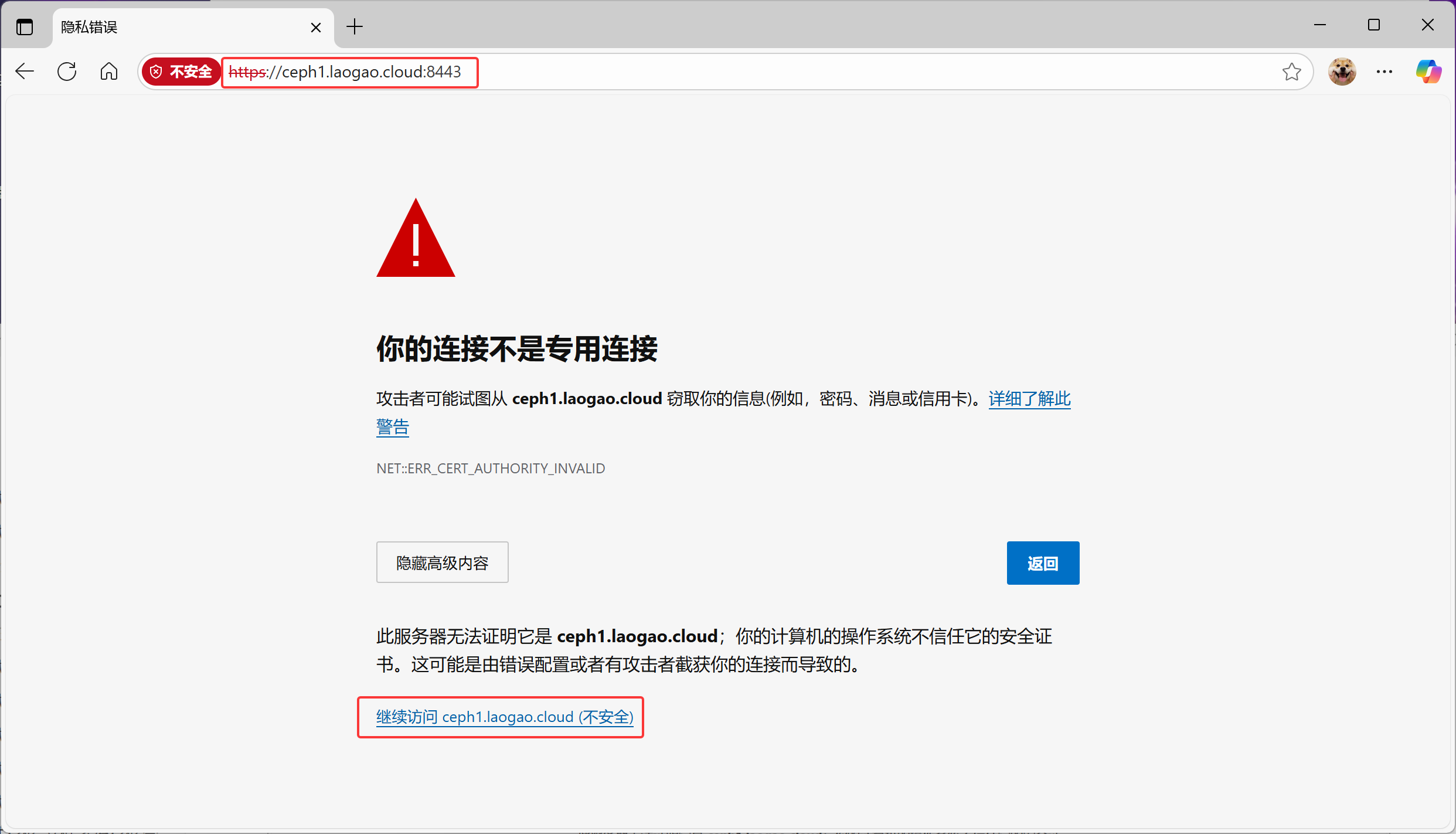
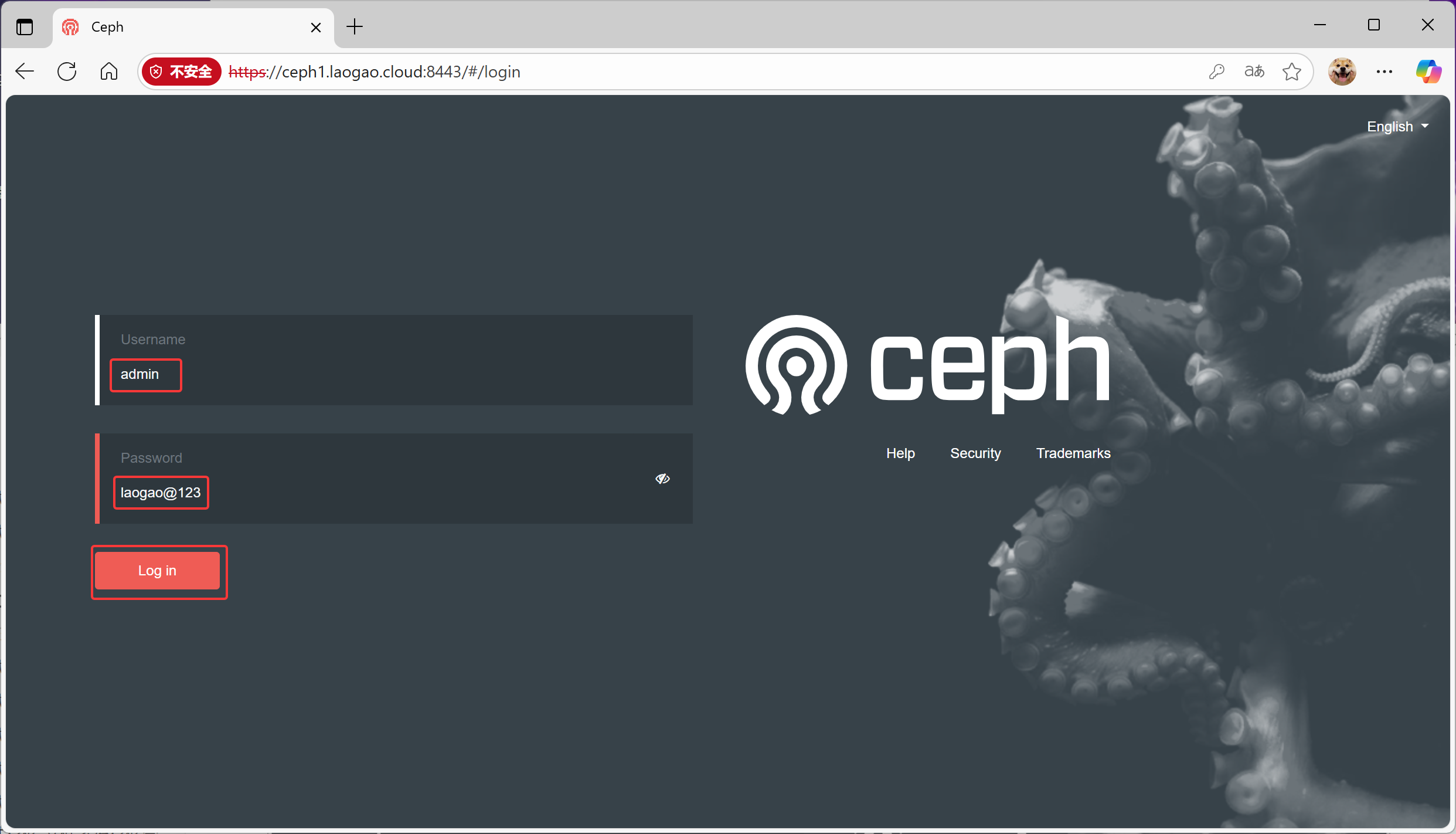
Dashboard 登录信息
bash
Ceph Dashboard is now available at:
URL: https://ceph1.laogao.cloud:8443/
User: admin
Password: laogao@123
客户端访问方法
bash
Enabling client.admin keyring and conf on hosts with "admin" label
Enabling autotune for osd_memory_target
You can access the Ceph CLI as following in case of multi-cluster or non-default
config:
sudo /usr/sbin/cephadm shell --fsid 2faf683a-7cbf-11f0-b5ba-000c29e0ad0e -c /etc/ceph/ceph.conf -k /etc/ceph/ceph.client.admin.keyring
Or, if you are only running a single cluster on this host:
sudo /usr/sbin/cephadm shell
启用遥测
发送匿名数据给社区,以改善Ceph。
bash
Please consider enabling telemetry to help improve Ceph:
ceph telemetry on
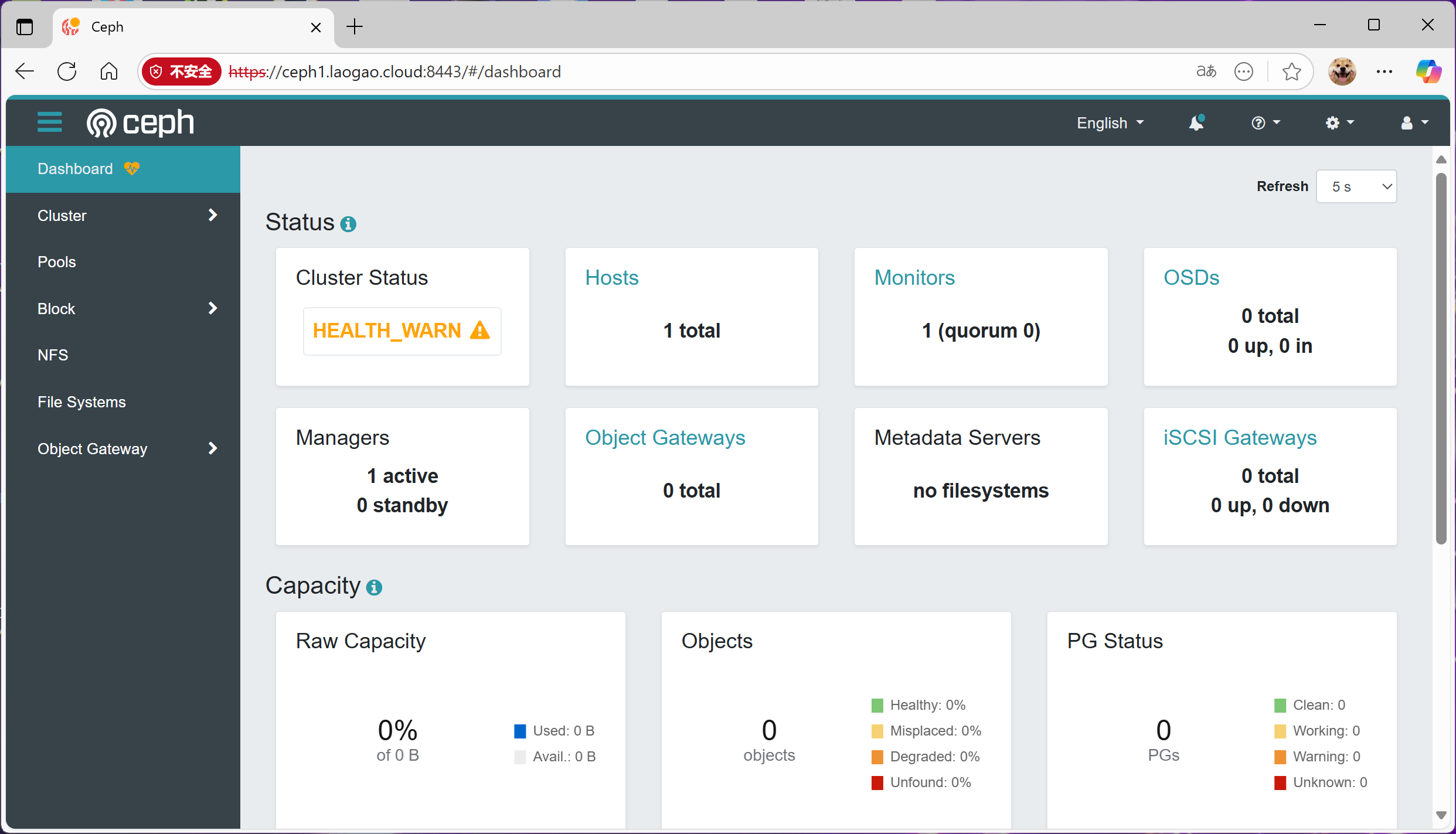
访问 dashboard