word文档中除了文本、图片之外,常用的元素还有表格,openxml中使用Table类创建表格,该类是Word文档中表格相关的核心类,主要用途包括构建表格结构、设置表格级属性、管理表格行为,同时支持嵌套表格以实现复杂布局,其对应document.xml文件内的<w:tbl>元素。
除了Table类,创建简单表格还涉及的类型主要包括TableRow、TableCell、TableWidth、TableProperties、TableBorders、TableCaption、Paragraph等,构建表格的主要步骤包括:
1)创建Table类实例对象,代表表格对象;
2)创建TableProperties对象设置表格全局属性,并添加如TableWidth(宽度)、TableBorders(边框)、TableCaption(标题)等属性;
3)创建TableRow实例对象代表表格行,向每个TableRow实例对象插入TableCell实例对象代表表格列,同时每个TableCell至少插入一个 Paragraph对象,否则生成的文档可能会损坏;
4)将Table类实例对象追加到word文档的Body内,保存word文档。
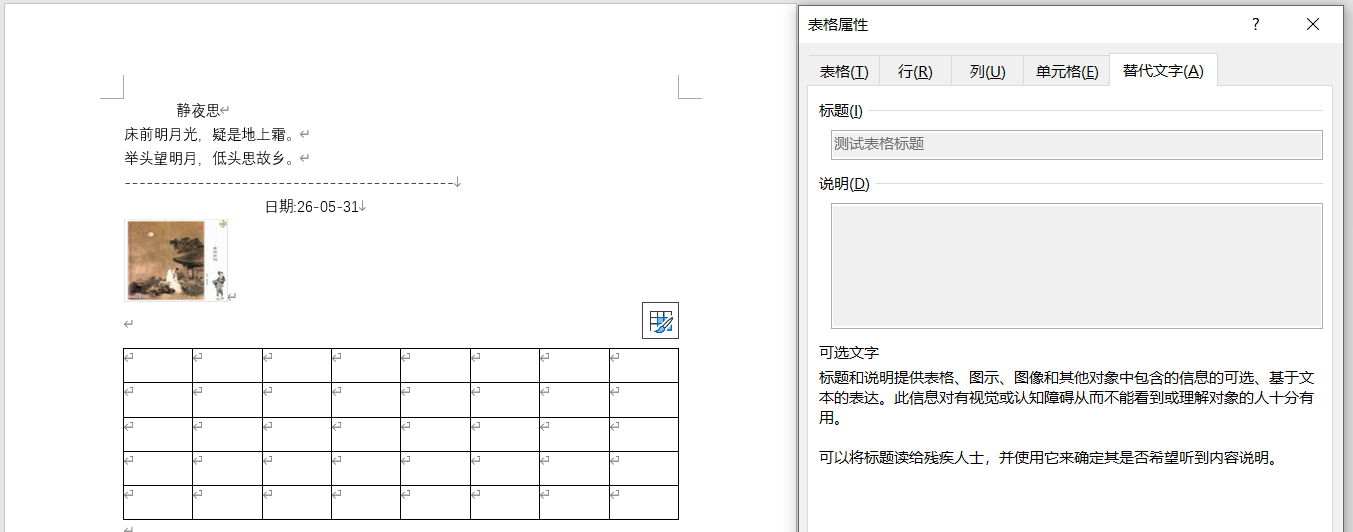
本文学习使用Table类创建表格并将表格保存到Word文档的基本用法,示例代码如下所示,主要根据指定的行数与列数创建表格,同时设置表格标题、表格边框、表格宽度根据窗口自动调整,代码运行效果如下图所示:
csharp
Table table = new Table();
TableProperties tblProp = new TableProperties(
    new TableBorders(
        new TopBorder() { Val = BorderValues.Single, Size = 4 },
        new BottomBorder() { Val = BorderValues.Single, Size = 4 },
        new LeftBorder() { Val = BorderValues.Single, Size = 4 },
        new RightBorder() { Val = BorderValues.Single, Size = 4 },
        new InsideHorizontalBorder() { Val = BorderValues.Single, Size = 4 },
        new InsideVerticalBorder() { Val = BorderValues.Single, Size = 4 }
     ),
    new TableCaption() { Val = txtTableTitle.Text },
    new TableWidth { Width = "5000", Type = TableWidthUnitValues.Pct }
);
table.AppendChild(tblProp);

for (int row = 0; row < Convert.ToInt32(nudRow.Value); row++)
{
    TableRow tr = new TableRow();
    for (int col = 0; col < Convert.ToInt32(nudColumn.Value); col++)
    {
        TableCell tc = new TableCell();
        tc.Append(new Paragraph(new Run(new Text(""))));
        tr.Append(tc);
    }
    table.Append(tr);
}

body.AppendChild(new Paragraph());
body.Append(table);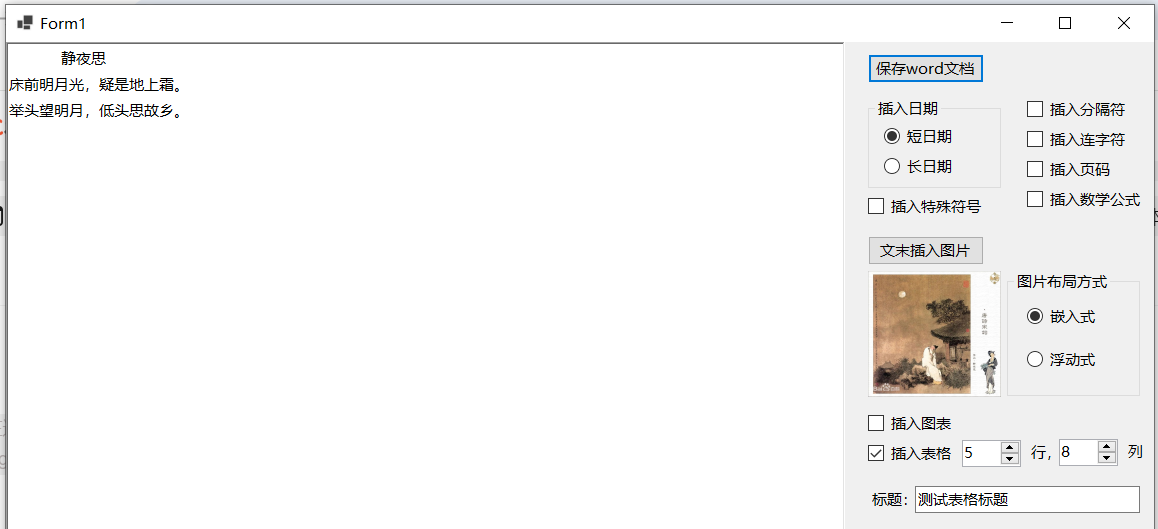
参考文献
1https://github.com/dotnet/Open-XML-SDK
2https://learn.microsoft.com/zh-cn/office/open-xml/open-xml-sdk