一.本地ollama 方式接入
1.环境 JDK 17 spring boot 3.4.0
2.引入依赖
xml
<dependency>
    <groupId>com.alibaba.cloud.ai</groupId>
    <artifactId>spring-ai-alibaba-starter</artifactId>
</dependency>
3.配置application.yml
yaml
spring:
  ai:
    ollama:
      base-url: http://localhost:11434   //参考上一章服务器部署 localhost改成对应IP即可
      chat:
        model: qwen3.5
4.建造控制器提供调用大模型接口
4.1 简单问答模式
kotlin
@RestController
public class ChatController {
    private final ChatClient chatClient;
    public ChatController(ChatClient.Builder builder) {
        this.chatClient = builder
                //.defaultSystem("你是一个各种数据库sql优化大师")  //提示词
                .build();
    }


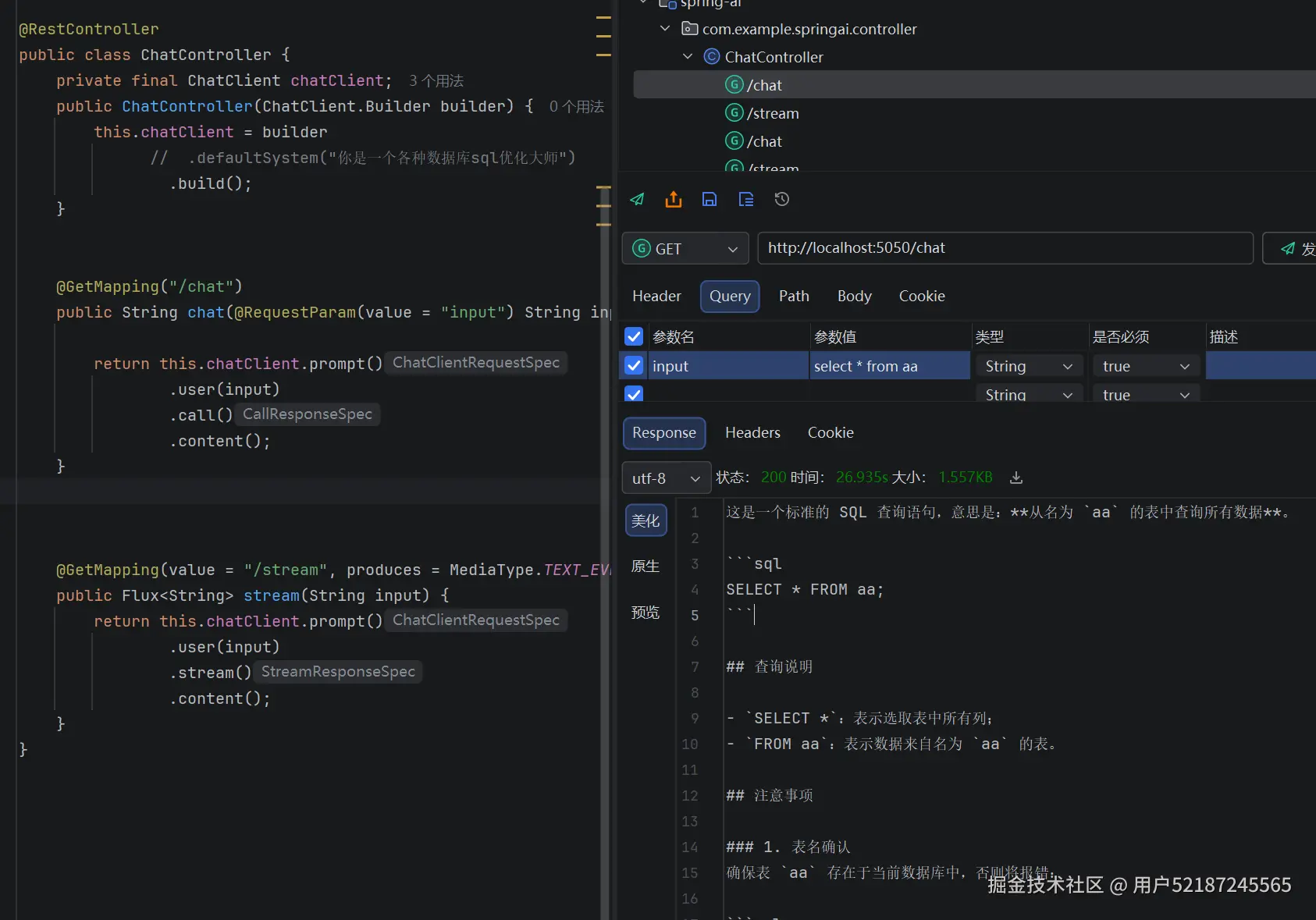
    @GetMapping("/chat")
    public String chat(@RequestParam(value = "input") String input) {

        return this.chatClient.prompt()
                .user(input)
                .call()
                .content();
    }
}
api调用结果
4.2 增加限制提示词模式
在构造器中 builder后面增加.defaultSystem("你是一个各种数据库sql优化大师") //增加提示词操作
api再次调用结果 根据提示词直接给出对应的专业优化建议和调整4.3 增加RAG检索模式
当你问道一些大模型没有的知识体系数据的时候,比如你今天都做了什么 大模型是不知道的 这个时候就需要知识库 让大模型读取知识库知识 从而知道你做了什么 然后大模型整理数据返回出来
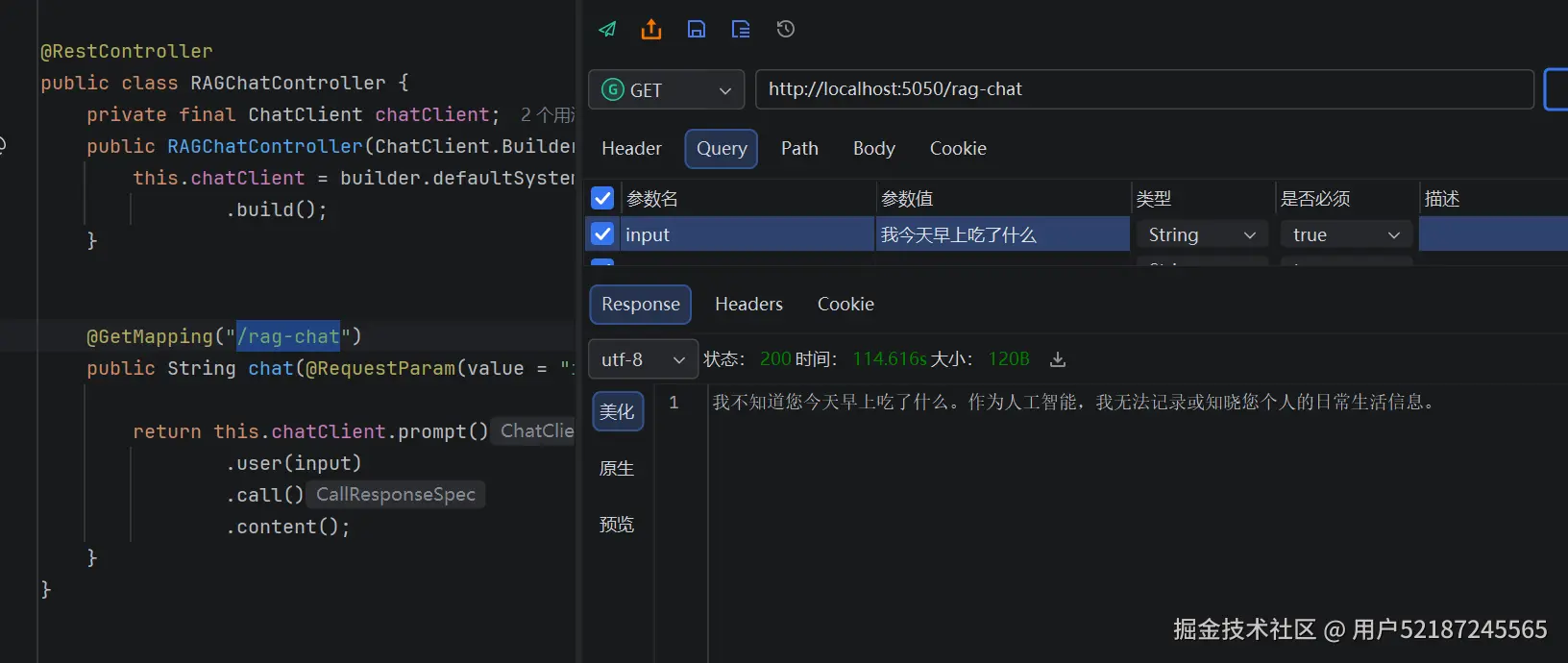
加入知识库后 上代码
增加配置文件
kotlin
package com.example.springai.config;
import org.springframework.ai.chat.client.ChatClient;
import org.springframework.ai.embedding.EmbeddingModel;
import org.springframework.ai.ollama.OllamaChatModel;
import org.springframework.ai.ollama.OllamaEmbeddingModel;
import org.springframework.ai.ollama.api.OllamaApi;
import org.springframework.ai.ollama.api.OllamaOptions;
import org.springframework.ai.vectorstore.SimpleVectorStore;
import org.springframework.ai.vectorstore.VectorStore;
import org.springframework.beans.factory.annotation.Value;
import org.springframework.context.annotation.Bean;
import org.springframework.context.annotation.Configuration;


import java.io.File;
import java.io.IOException;

@Configuration
public class AiConfig {

    @Value("${spring.ai.ollama.base-url}")
    private String ollamaBaseUrl;

    @Value("${spring.ai.ollama.chat.model}")
    private String ollamaModel;
scss
// 默认提示词
    @Bean
    public ChatClient chatClient(OllamaChatModel chatModel) {
        return ChatClient.builder(chatModel)
                .defaultSystem("你是一个智能助手,回答简洁准确,不编造内容")
                .build();
    }// 本地持久化向量库(重启不丢数据)
    @Bean
    public VectorStore vectorStore(EmbeddingModel embeddingModel) throws IOException {
        SimpleVectorStore vectorStore = SimpleVectorStore.builder(embeddingModel)
                .build();

        // 数据持久化到项目目录的 vector-store.json 文件
        File persistFile = new File("vector-store.json");
        if (persistFile.exists()) {
            // 启动时加载已有数据
            vectorStore.load(persistFile);
        } else {
            // 首次启动创建空文件
            persistFile.createNewFile();
        }

        // 注册关闭钩子,项目停止时自动保存数据
        Runtime.getRuntime().addShutdownHook(new Thread(() -> {
            vectorStore.save(persistFile);
        }));

        return vectorStore;
    }
}
增加 文档读取(支持文件上传)
xml
  <dependency>
            <groupId>org.springframework.ai</groupId>
            <artifactId>spring-ai-tika-document-reader</artifactId>
            <version>0.8.1</version>
  </dependency>
输入命令:ollama pull mxbai-embed-large //拉取向量存储模型
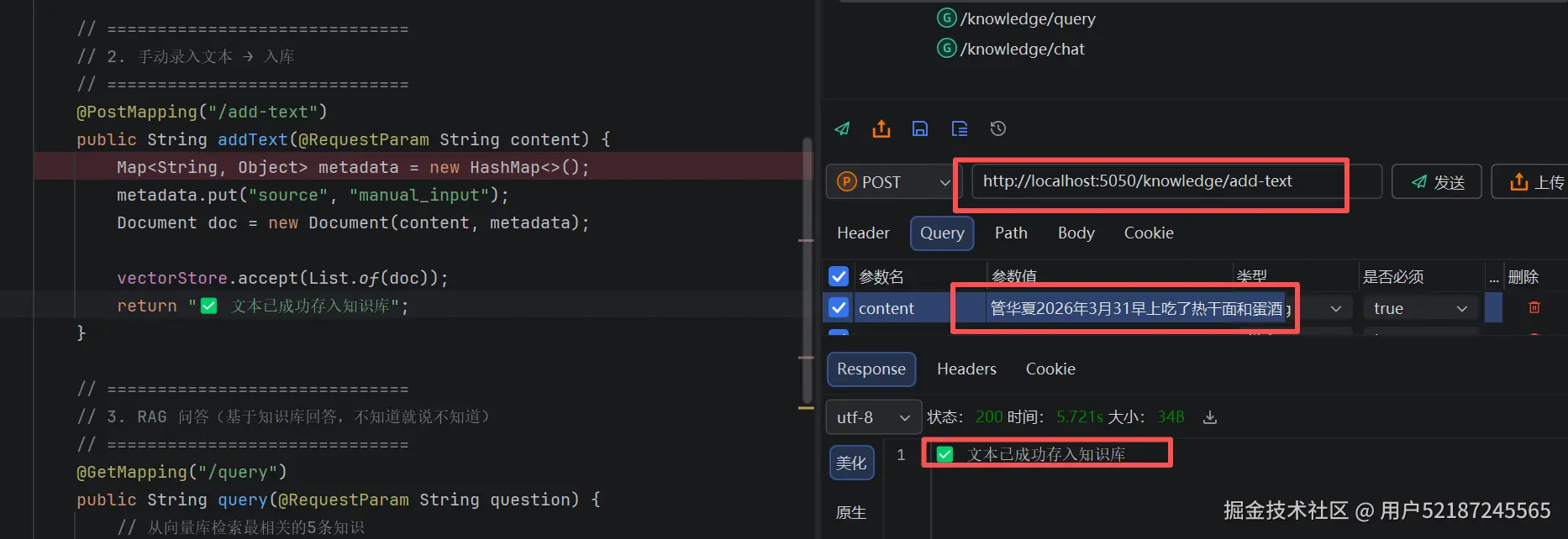
上传数据到向量数据库(使用的是本地向量存储,正式环境可以改成其他向量库)
开始调用基于知识库回答接口
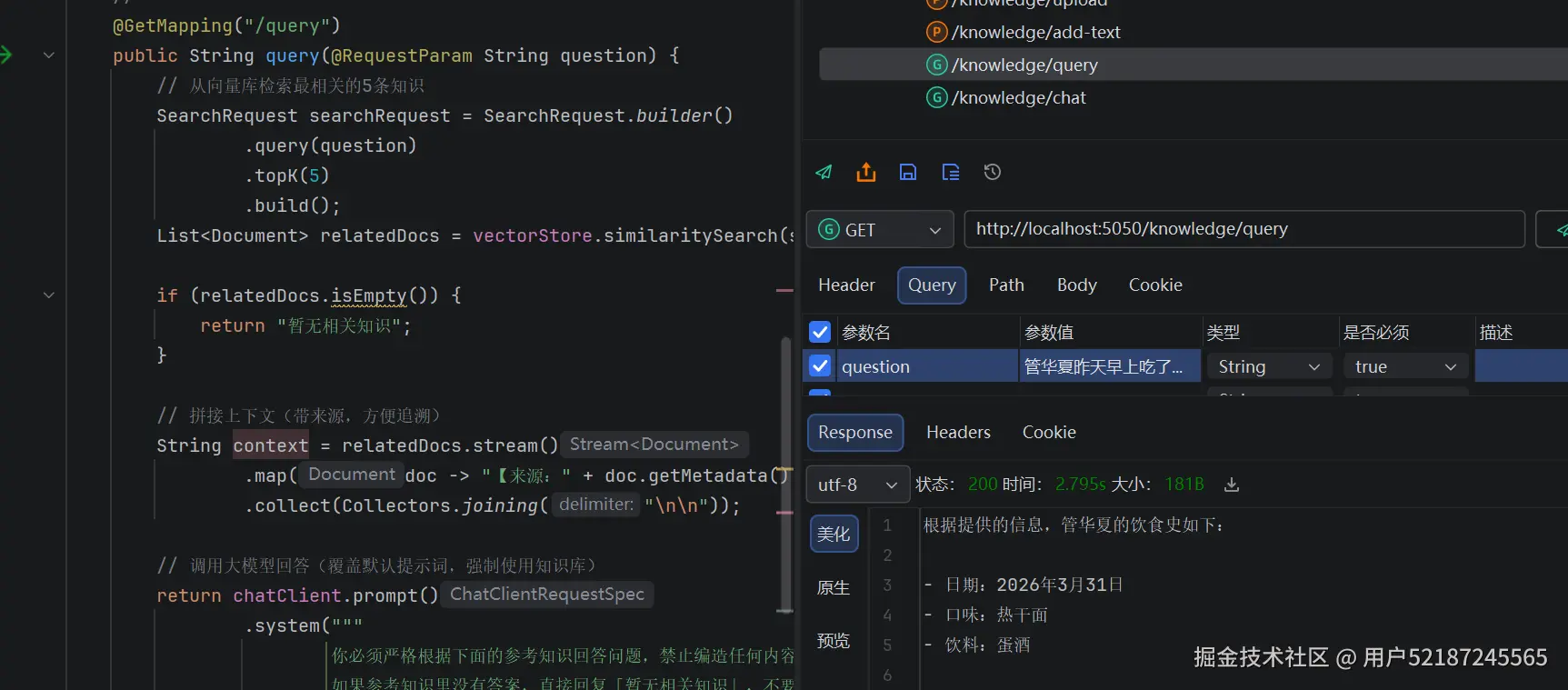
ps:因为是4月1问的 知识库里只有昨天的数据 接口问法改了下问昨天吃了什么
项目搭建就先到这了,后面再进阶演示下function calling 和mcp服务
未完待续。。。。