✨✨✨✨✨✨✨✨✨✨✨✨✨✨✨✨✨✨✨✨
🎯 你正在阅读「Java项目-轻聊」系列文章 🎯
✨✨✨✨✨✨✨✨✨✨✨✨✨✨✨✨✨✨✨✨
🔥 弹简特 个人主页
❄️ 个人专栏直通车:
✨ 靠热爱去书写自己,靠勇敢去书写生活!
✨✨✨✨✨✨✨✨✨✨✨✨✨✨✨✨✨✨✨✨
🌟 博主简介:

本期实现我们的登录成功之后跳转到主页面的前端实现
文章目录:
- 主页面模块
-
- 1、页面原型
- 2、实现页面基本框架-1
-
- [2.1 代码实现](#2.1 代码实现)
- [2.2 效果图](#2.2 效果图)
- 3、实现页面基本框架-2【背景与主窗口层叠】
-
- [3.1 代码实现](#3.1 代码实现)
- [3.2 效果图](#3.2 效果图)
- 4、实现顶栏:头像、用户名、退出
-
- [4.1 代码实现](#4.1 代码实现)
- [4.2 效果图](#4.2 效果图)
- 5、实现搜索框【加好友入口】
-
- [5.1 代码实现](#5.1 代码实现)
- [5.2 效果图](#5.2 效果图)
- 6、实现会话和好友标签页按钮
-
- [6.1 代码实现](#6.1 代码实现)
- [6.2 效果图](#6.2 效果图)
- 7、实现会话列表
-
- [7.1 代码实现](#7.1 代码实现)
- [7.2 效果图](#7.2 效果图)
- 8、实现好友列表
-
- [8.1 代码实现](#8.1 代码实现)
- 9、实现好友请求置顶
- 10、美化滚动条
- [11、实现标签页切换(引入 client.js)](#11、实现标签页切换(引入 client.js))
-
- [11.1 代码实现](#11.1 代码实现)
- [11.2 效果图](#11.2 效果图)
- [11.3 说明](#11.3 说明)
- 12、实现右侧区域-1【聊天面板】
-
- [12.1 代码实现](#12.1 代码实现)
- [12.2 效果图](#12.2 效果图)
- 13、实现右侧区域-2【聊天框中每一条消息气泡与头像】
-
- [13.1 代码实现](#13.1 代码实现)
- [13.2 效果图](#13.2 效果图)
- 14、实现右侧区域-3【输入框与发送】
-
- [14.1 代码实现](#14.1 代码实现)
- [14.2 说明](#14.2 说明)
- [14.3 效果图](#14.3 效果图)
- 15、实现好友搜索结果面板
-
- [15.1 代码实现](#15.1 代码实现)
- 16、实现好友请求弹窗
-
- [16.1 代码实现](#16.1 代码实现)
- 17、完整代码
-
- [17.1 完整HTML代码](#17.1 完整HTML代码)
- [17.2 完整CSS代码](#17.2 完整CSS代码)
主页面模块
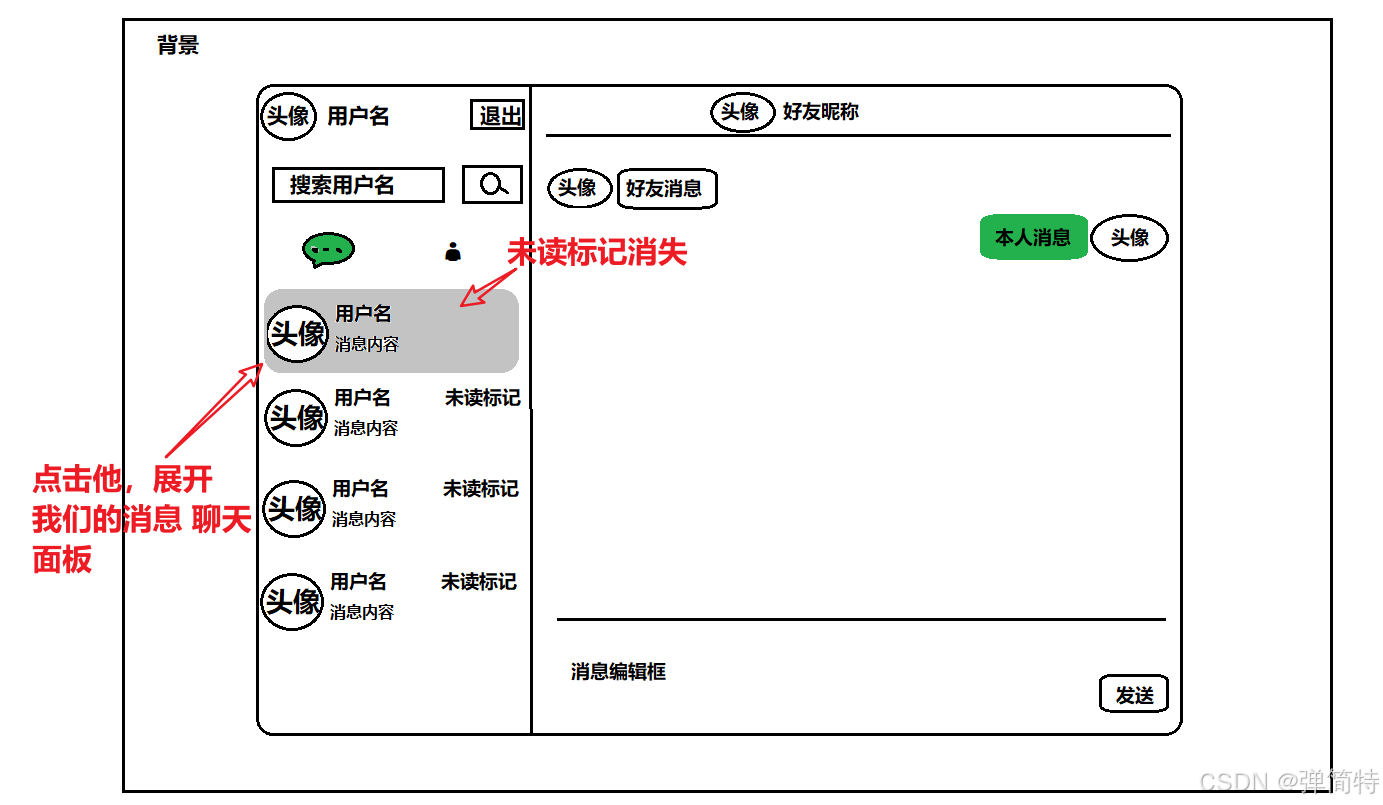
1、页面原型
1.1 初始登录原型图
用户登录成功之后会显示的页面如下:
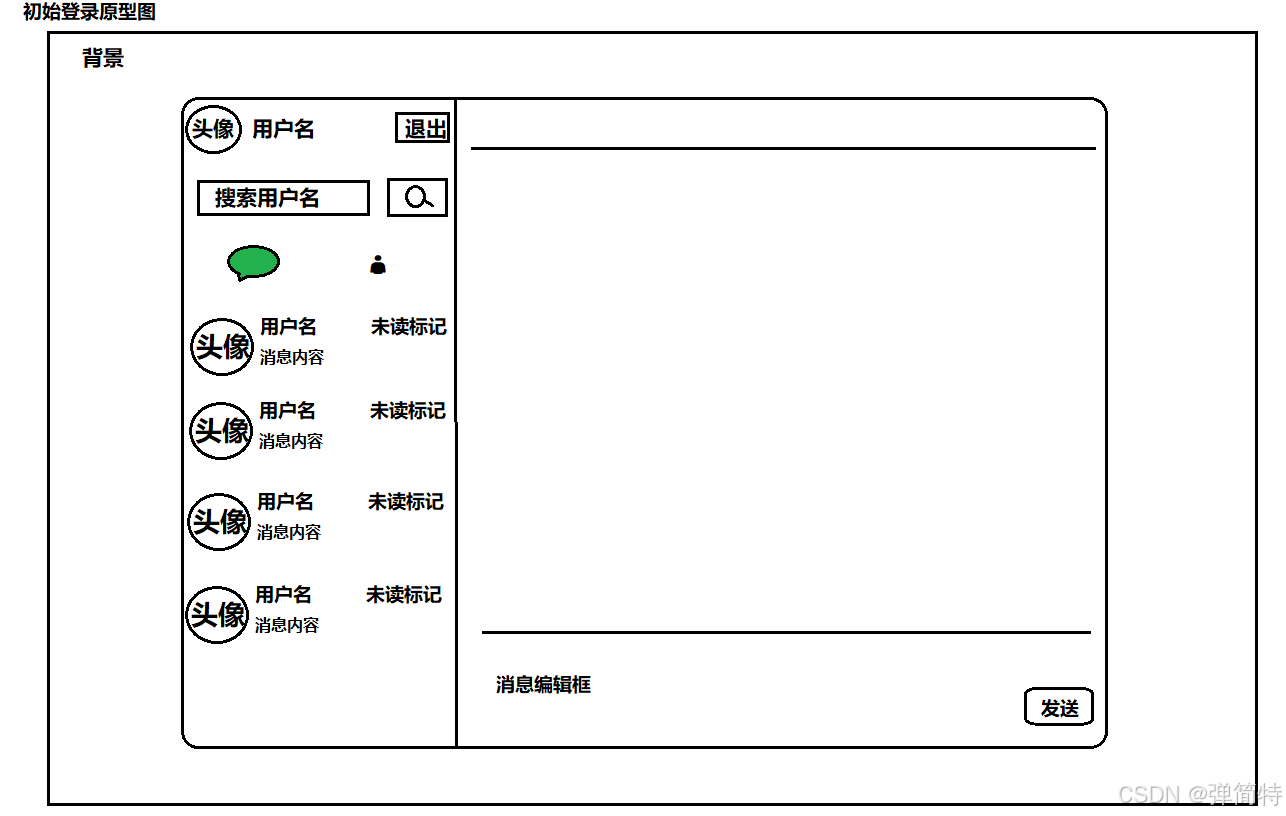
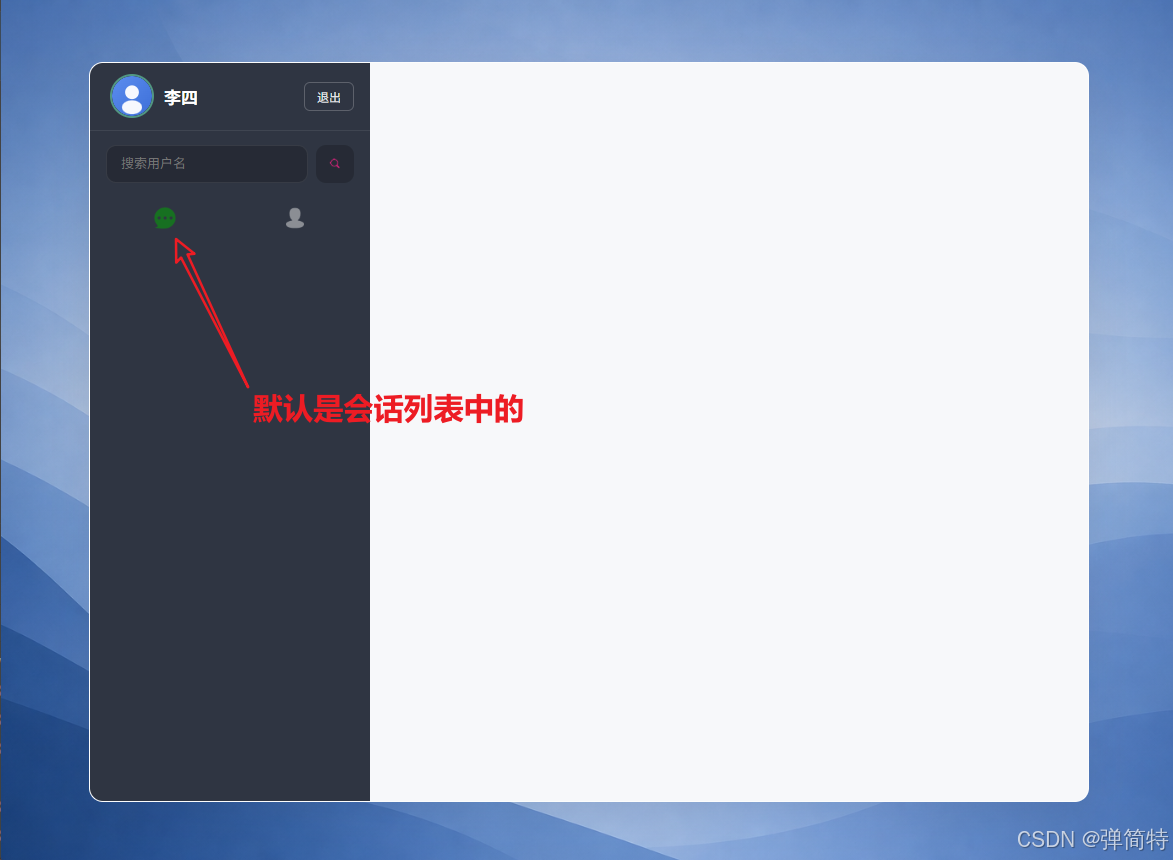
- 左侧默认选中的是会话列表
1.2 好友列表原型图
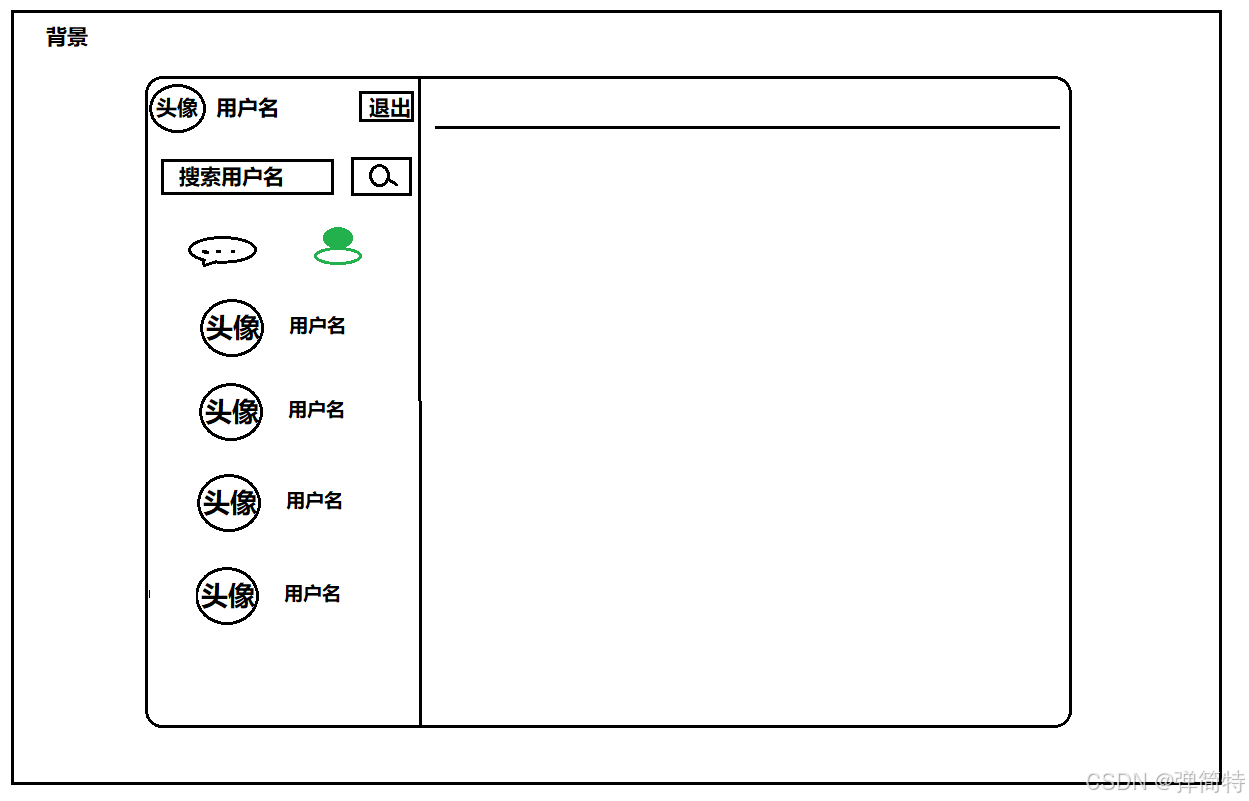
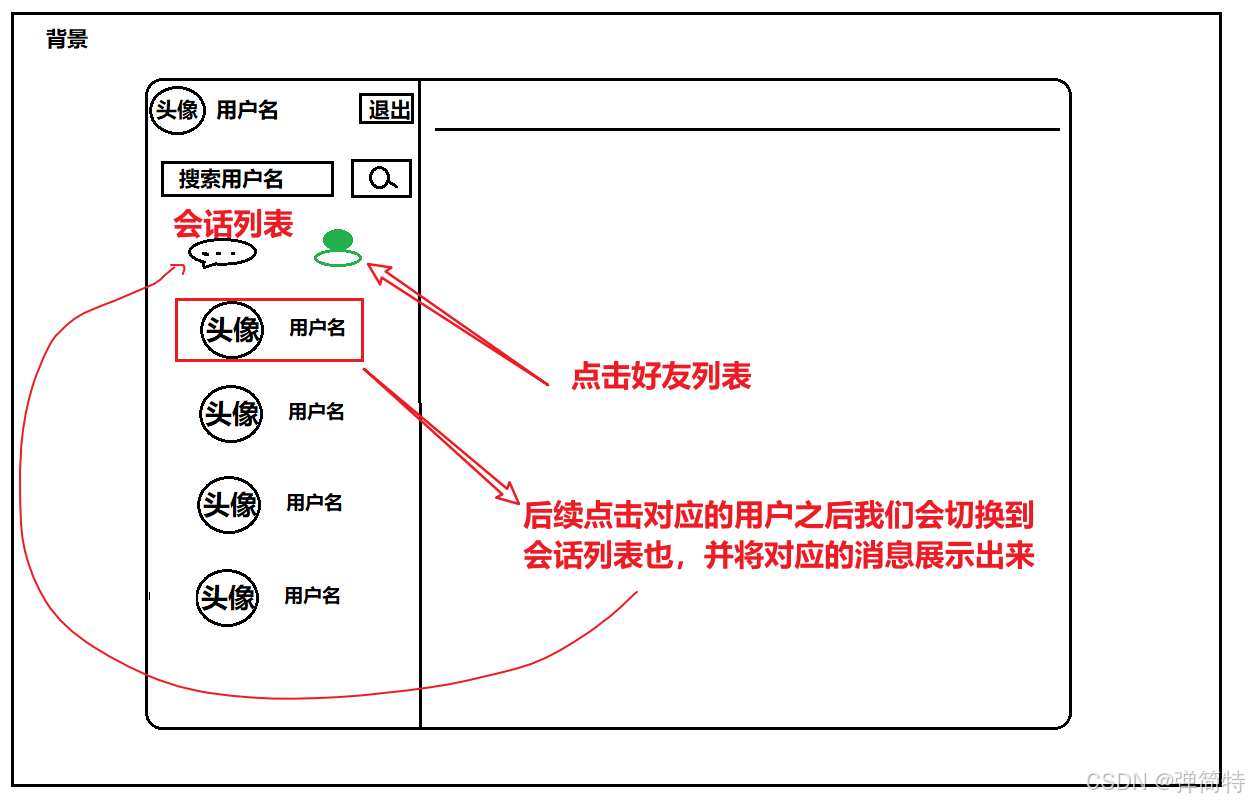
1.3 聊天框原型图
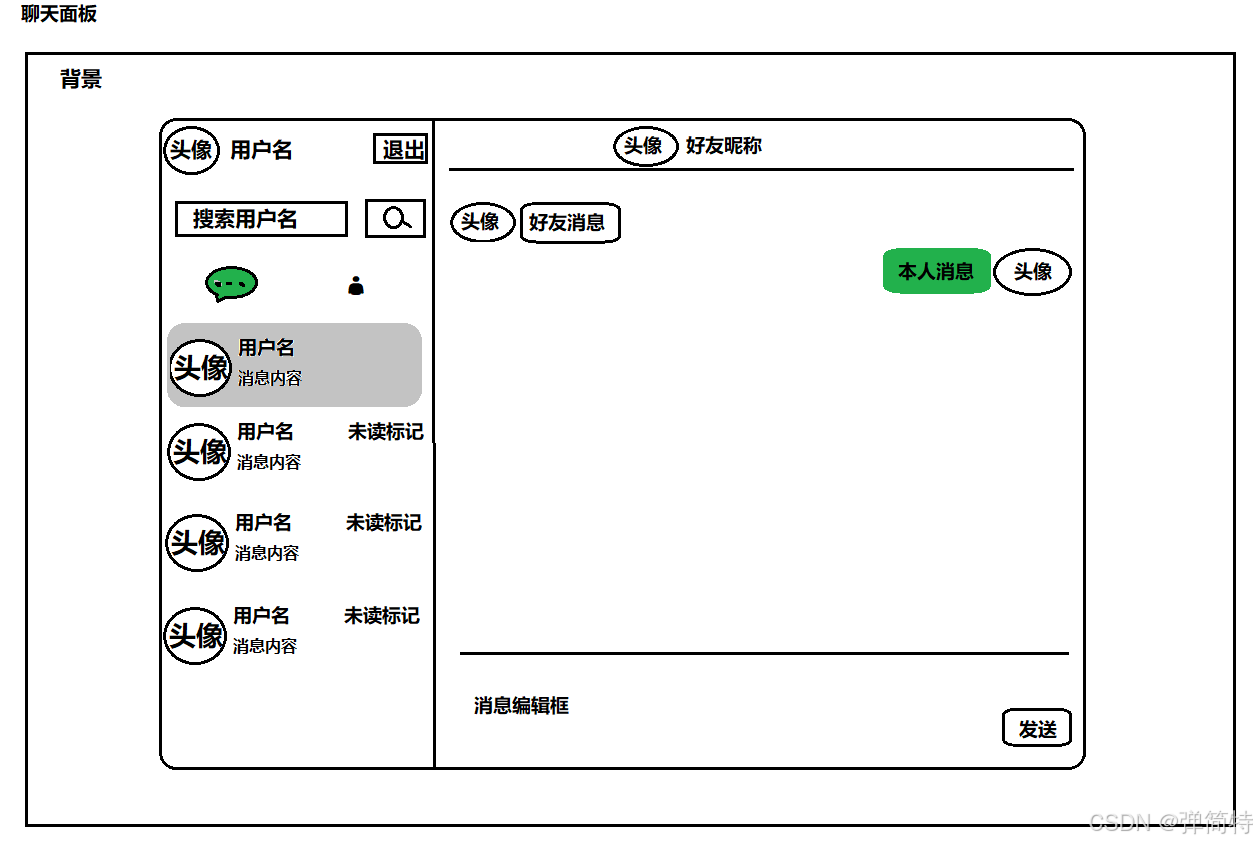
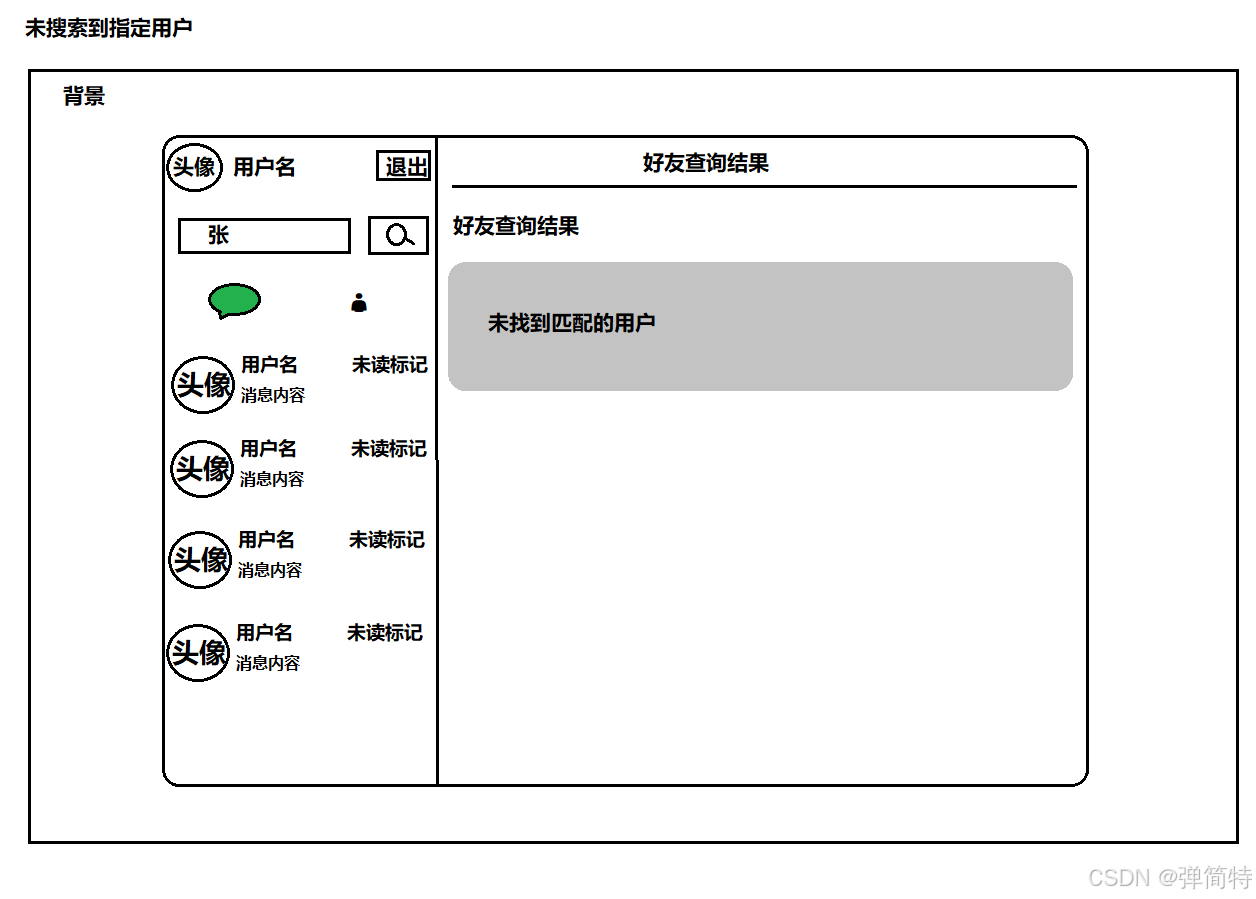
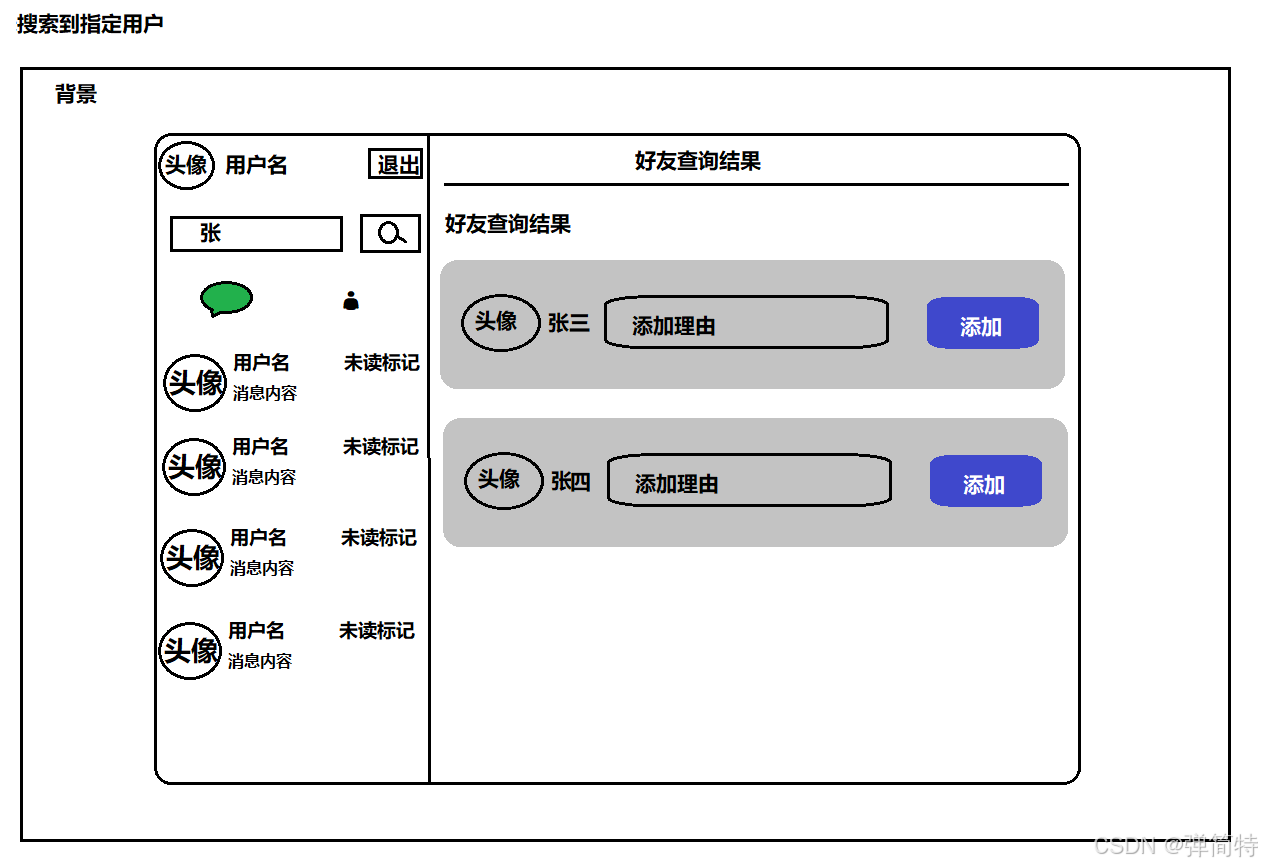
1.4 搜索好友请求项列表
1)未搜索到结果
2)搜索到结果
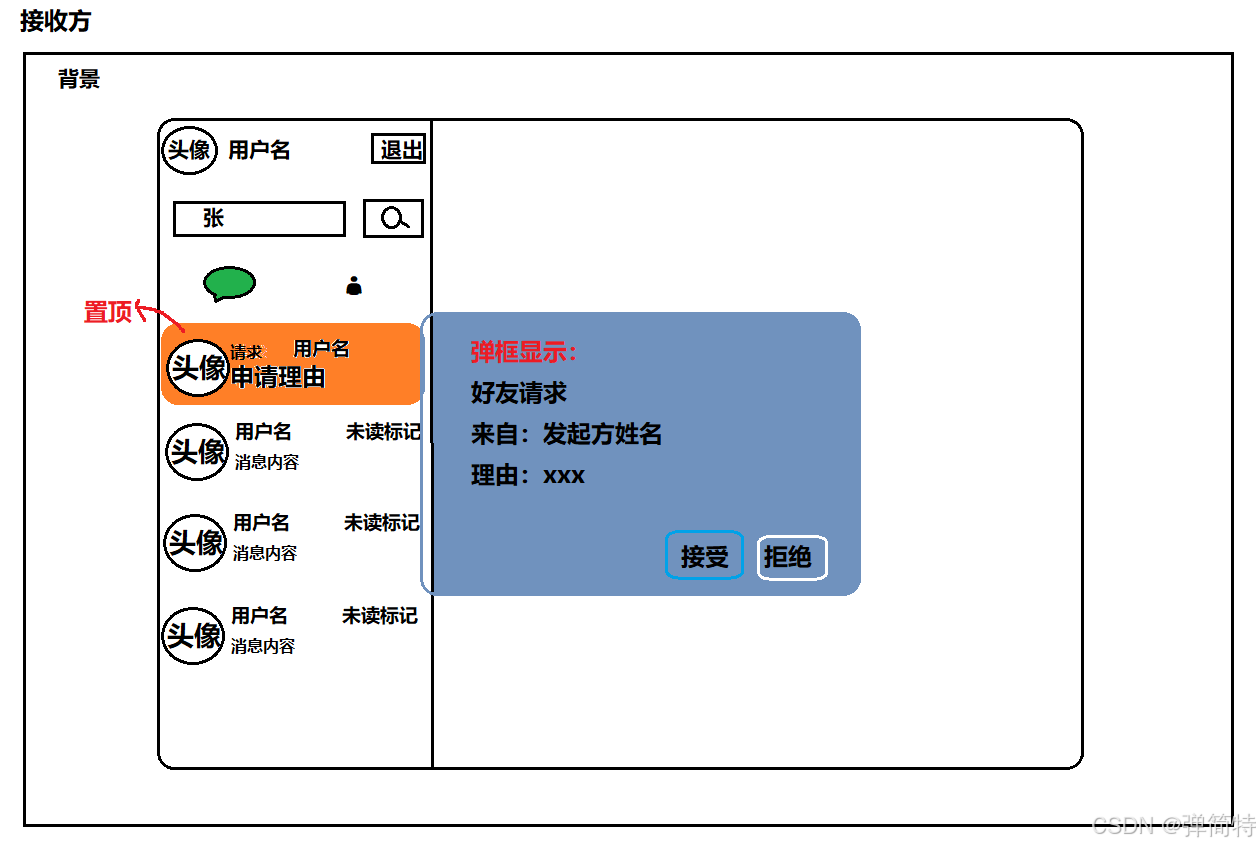
1.4 好友请求弹窗
1)发送方
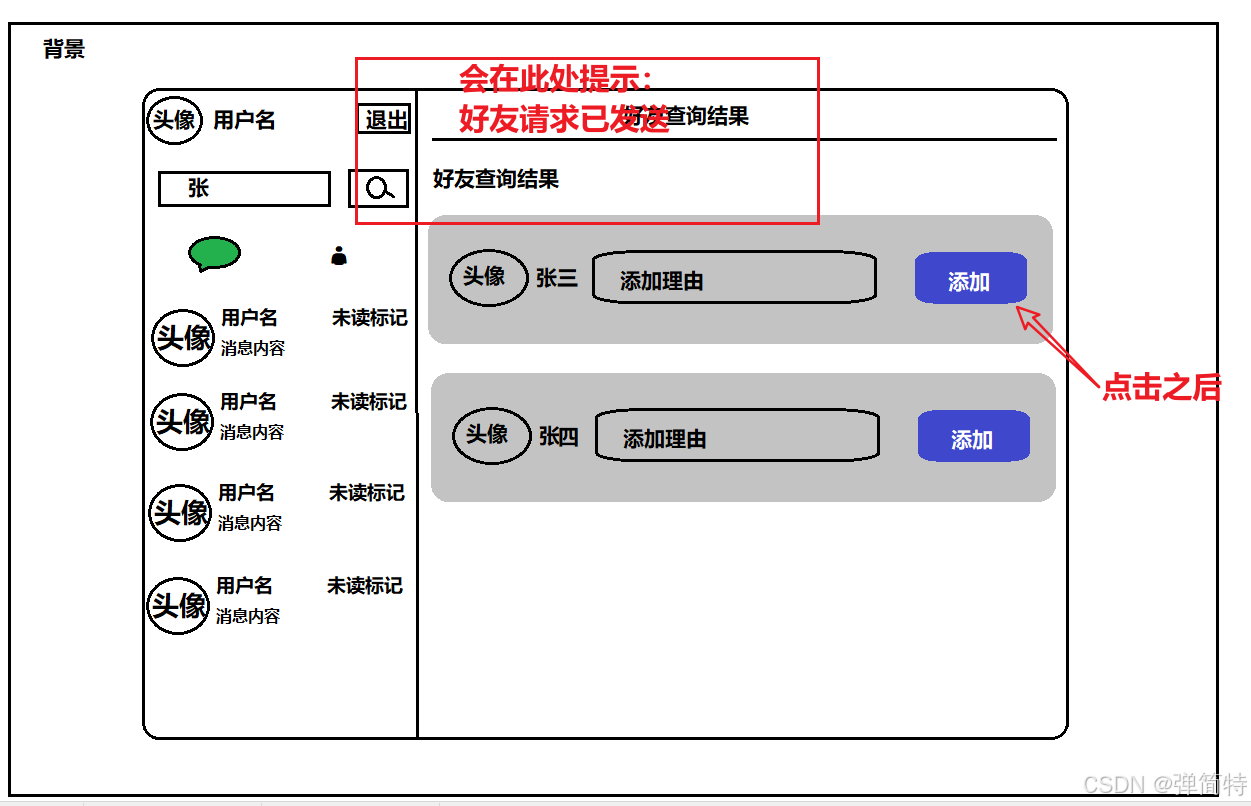
2)接收方
2、实现页面基本框架-1
2.1 代码实现
新建 client.html 以及 client.css,并引入全站公共样式 common.css(清除默认 margin、html/body 高度 100%)。
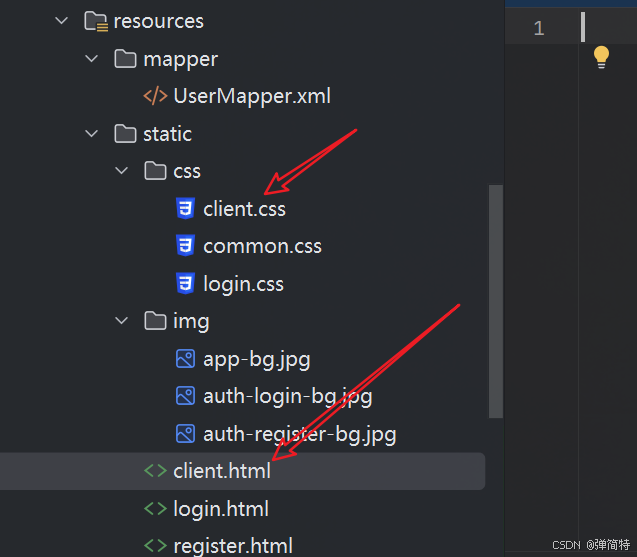
填入初始 html 代码:
html
<!DOCTYPE html>
<html lang="zh-CN">
<head>
    <meta charset="UTF-8">
    <meta name="viewport" content="width=device-width, initial-scale=1.0">
    <title>轻聊</title>
    <link rel="stylesheet" href="css/common.css"> <!-- 全局重置与基础布局 -->
    <link rel="stylesheet" href="css/client.css"> <!-- 类微信双栏聊天界面样式 -->
</head>
<body>

<div class="cover"></div> <!-- 全屏背景图(app-bg.jpg),衬在聊天窗口后方 -->

<div class="client-container"> <!-- 外层居中容器,使主窗口浮于背景中央 -->
    <div class="main"> <!-- 1000×740 主面板:左栏 + 右栏 -->
        <div class="left"></div> <!-- 左侧:当前用户、搜索、Tab、会话/好友列表 -->
        <div class="right"></div> <!-- 右侧:标题 + 聊天区 或 搜索结果区 -->
    </div>
</div>
</body>
</html>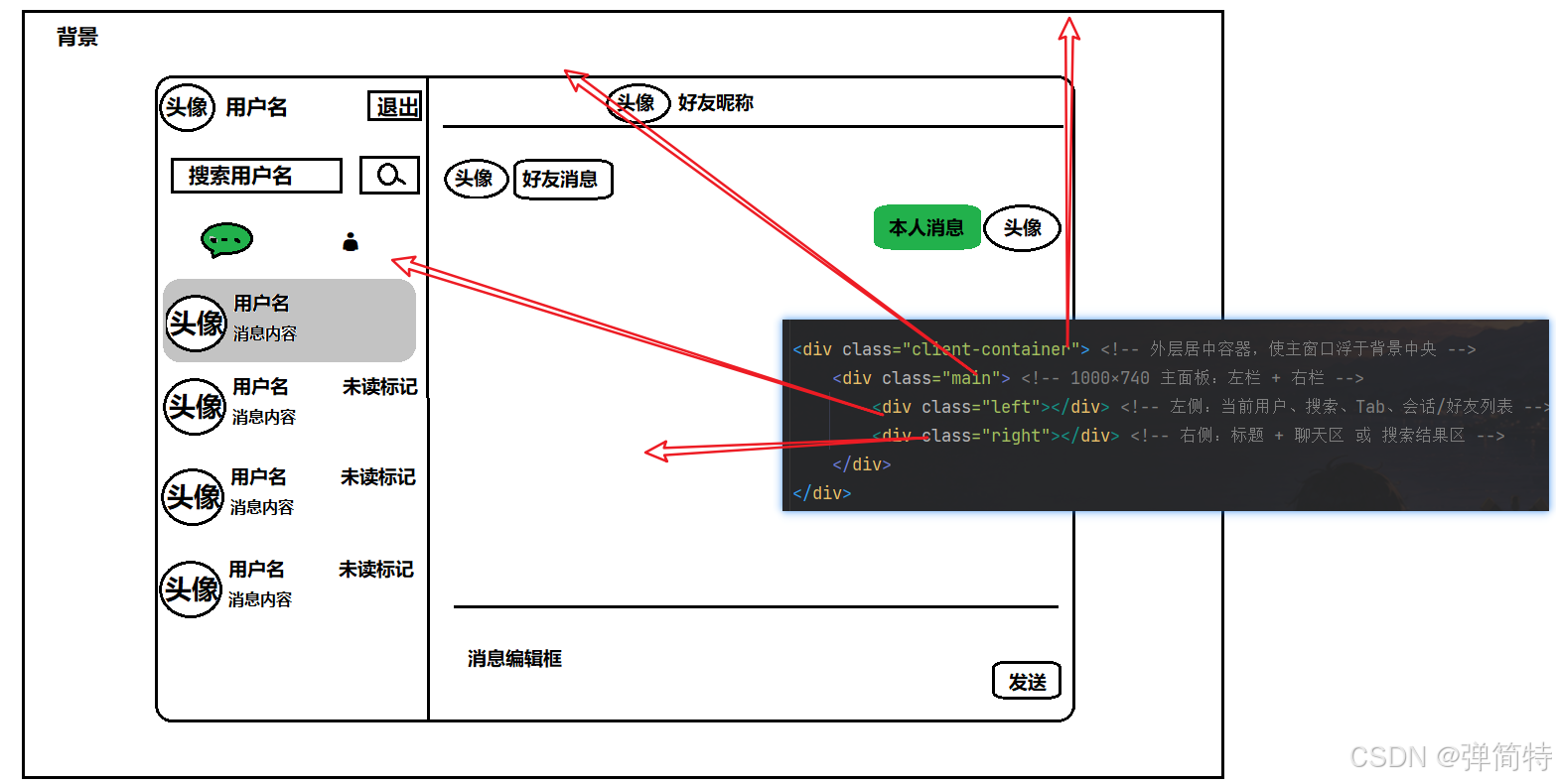
填入初始 css 代码:
css
/* 聊天主界面样式:类微信双栏,色调与登录注册页统一 */

/* .client-container:整页居中包裹,使 .main 浮于背景中央 */
.client-container {
    height: 100%; /* 继承 html/body 满高 */
    display: flex;
    justify-content: center; /* 水平居中主窗口 */
    align-items: center; /* 垂直居中 */
}

/* .main:固定尺寸聊天主窗口(左栏+右栏) */
.main {
    width: 1000px;
    height: 740px;
    display: flex; /* 左右分栏 */
    border-radius: 14px;
    overflow: hidden; /* 圆角裁剪子元素 */
    z-index: 2; /* 浮在 .cover 之上 */
    background: #f7f8fa;
}

/* .main .left:会话/好友列表侧栏,固定宽度 */
.main .left {
    width: 280px;
    height: 100%;
    background-color: #2f3542; /* 左栏深灰背景 */
}

.main .right {
    flex: 1; /* 占据主窗口剩余宽度 */
    min-width: 0;
}
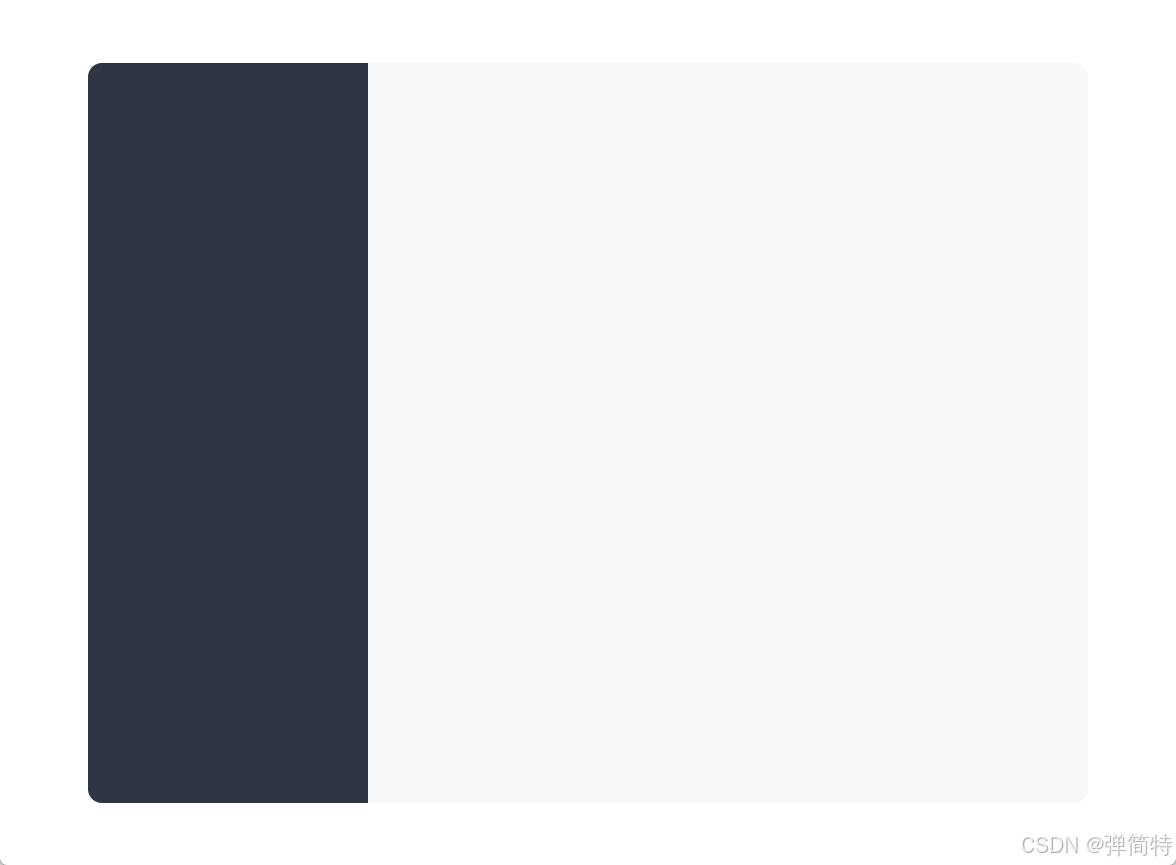
2.2 效果图
3、实现页面基本框架-2【背景与主窗口层叠】
3.1 代码实现
思路:.cover 铺满窗口当背景图;.main 用更大的 z-index 叠在上面,形成「中间一块聊天窗口、四周是背景图」的效果。
1、.cover 与窗口同大,绝对定位:
css
/* .cover:全屏背景图,位于主窗口下层 */
.cover {
    position: absolute; /* 相对 body 定位铺满 */
    inset: 0;
    z-index: 1; /* 低于 .main 的 z-index:2 */
}
2、背景图放在 img/app-bg.jpg(与登录页风格统一):
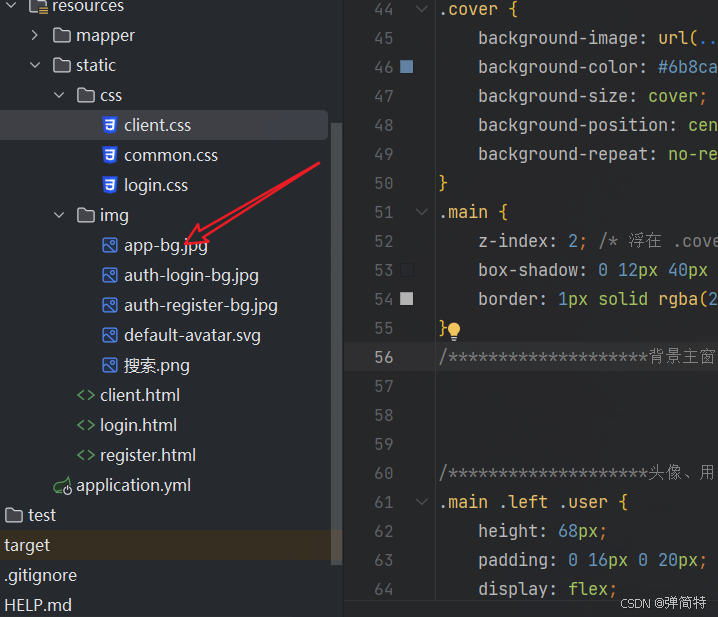
css
.cover {
    background-image: url(../img/app-bg.jpg); /* 应用主背景 */
    background-color: #6b8cae; /* 图片加载前兜底色 */
    background-size: cover;
    background-position: center;
    background-repeat: no-repeat;
}
3、主窗口压在上面:
css
.main {
    z-index: 2; /* 浮在 .cover 之上 */
    box-shadow: 0 12px 40px rgba(30, 50, 80, 0.12); /* 主窗口投影 */
    border: 1px solid rgba(255, 255, 255, 0.65); /* 浅色描边 */
}
3.2 效果图
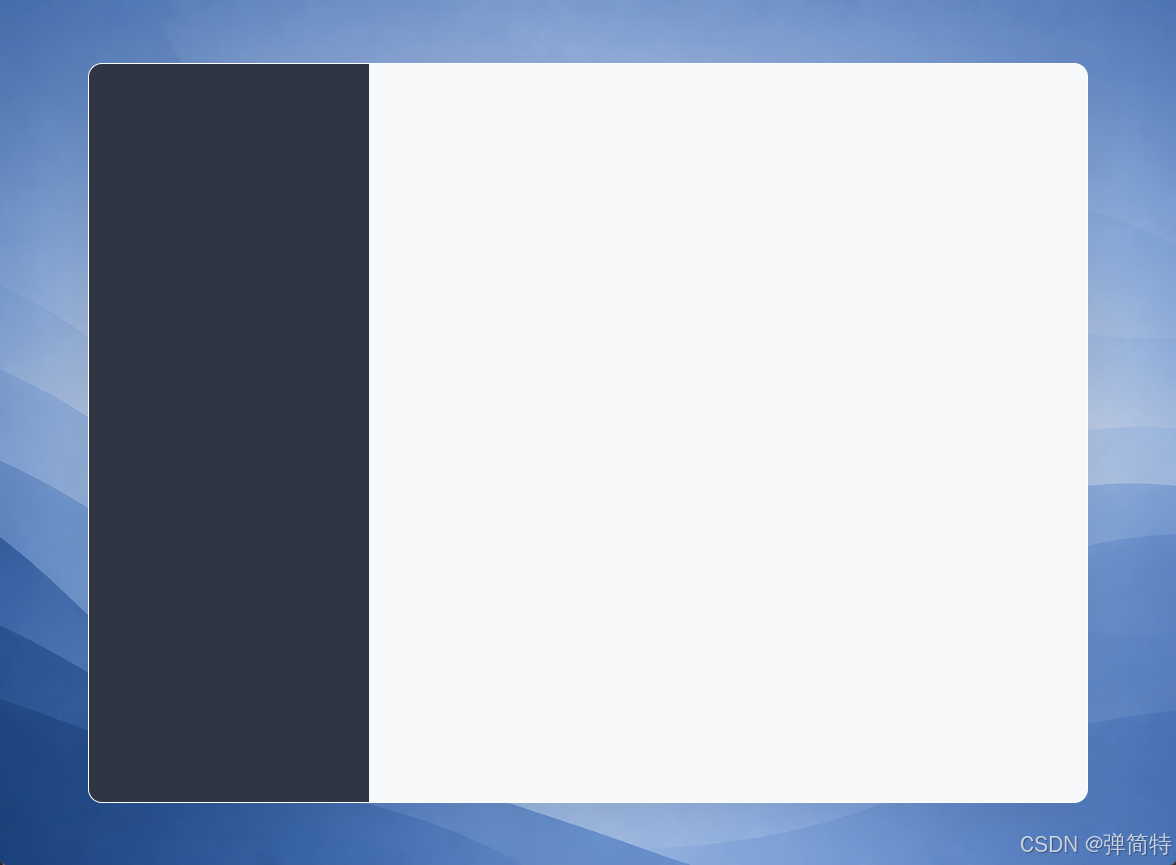
说明:本项目的
client.css没有 对背景做filter: blur模糊,而是清晰背景 + 中间卡片;若需要朦胧感可自行给.cover加filter: blur(20px)。
4、实现顶栏:头像、用户名、退出
4.1 代码实现
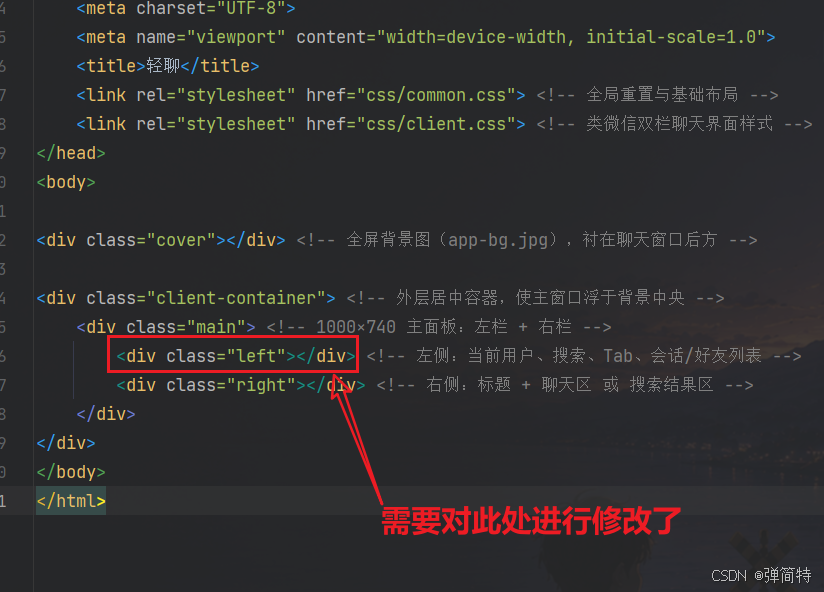
添加头像图标
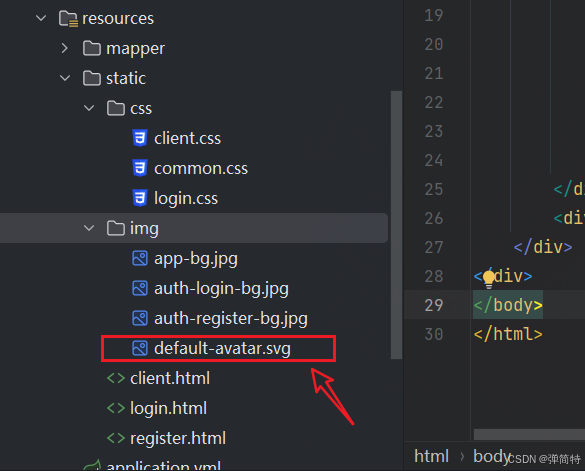
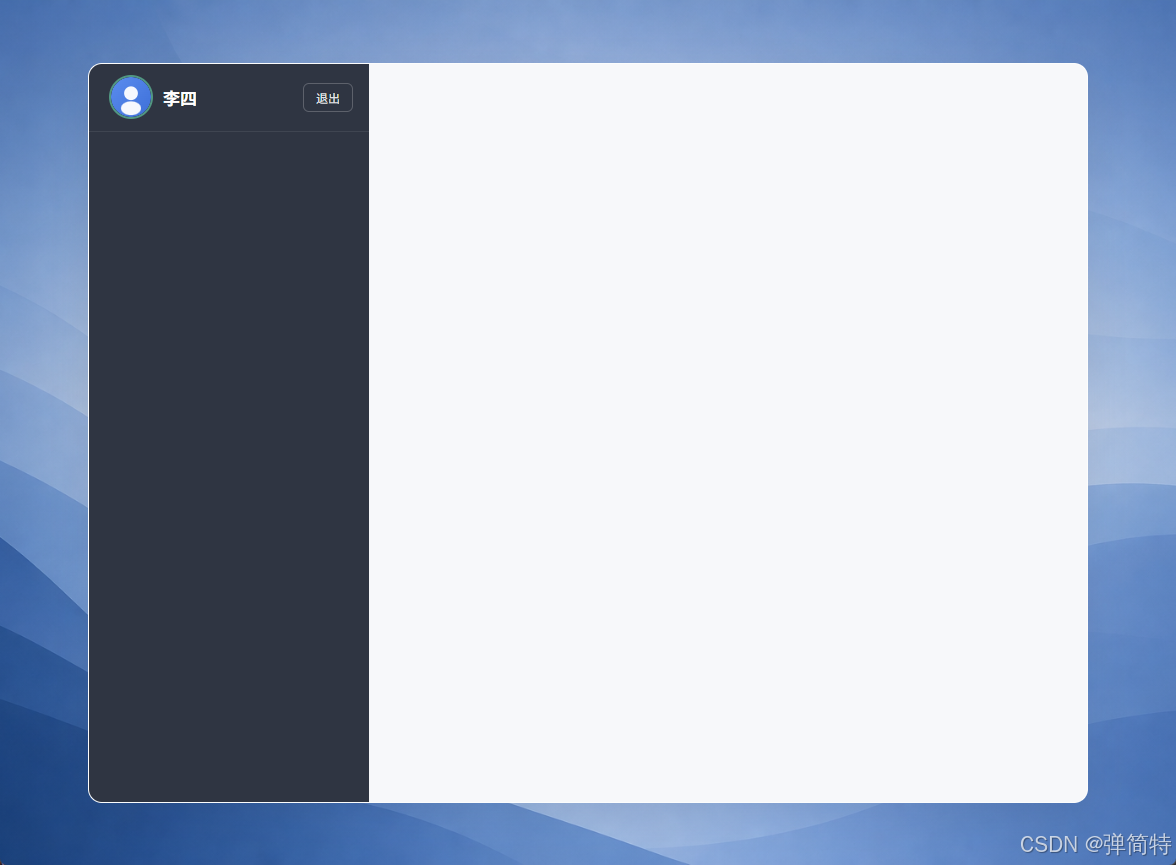
登录成功后,client.js 会调 /userInfo 把用户名写到 .user-name,头像可走 /avatars/xxx 或 /user/getAvatar。
html
<div class="left"> <!-- 左侧:当前用户、搜索、Tab、会话/好友列表 -->
    <div class="user" id="user-bar"> <!-- 顶栏:头像、昵称、退出;JS 写入 user-id -->
        <label class="avatar-upload-label" title="点击更换头像"> <!-- 点击触发隐藏 file 选择头像 -->
            <img class="avatar-img avatar-lg" id="my-avatar" src="/img/default-avatar.svg" alt="我的头像"> <!-- 当前用户头像 -->
            <input type="file" id="avatar-file-input" accept=".jpg,.jpeg,.png,image/jpeg,image/png" hidden> <!-- 仅 jpg/png -->
        </label>
        <span class="user-name">李四</span> <!-- 登录用户名,getUserInfo 填充 -->
        <button type="button" class="logout-btn" id="logout-btn" title="退出登录">退出</button> <!-- 调用 /logout -->
    </div>
</div>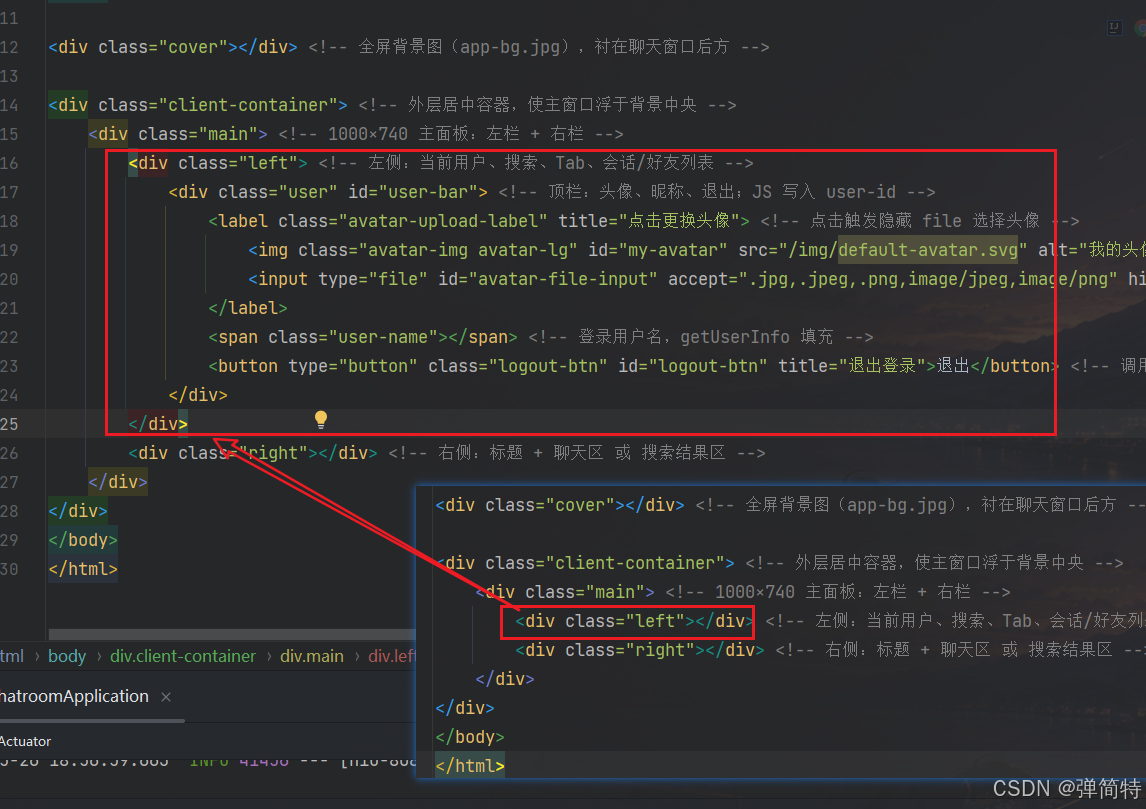
css
.main .left .user {
    height: 68px;
    padding: 0 16px 0 20px;
    display: flex;
    align-items: center;
    gap: 10px;
    border-bottom: 1px solid rgba(255, 255, 255, 0.08);
}

.avatar-img {
    border-radius: 50%;
    object-fit: cover;
    flex-shrink: 0;
}

.avatar-lg { width: 44px; height: 44px; }

.avatar-upload-label {
    cursor: pointer;
    display: flex;
}

.avatar-upload-label .avatar-lg {
    border: 2px solid rgba(110, 231, 183, 0.55);
}

.main .left .user .user-name {
    flex: 1;
    min-width: 0;
    font-size: 17px;
    font-weight: 600;
    color: #fff;
    overflow: hidden;
    text-overflow: ellipsis;
    white-space: nowrap;
}

.main .left .user .logout-btn {
    padding: 5px 12px;
    font-size: 12px;
    color: rgba(255, 255, 255, 0.88);
    background: transparent;
    border: 1px solid rgba(255, 255, 255, 0.22);
    border-radius: 6px;
    cursor: pointer;
}
4.2 效果图
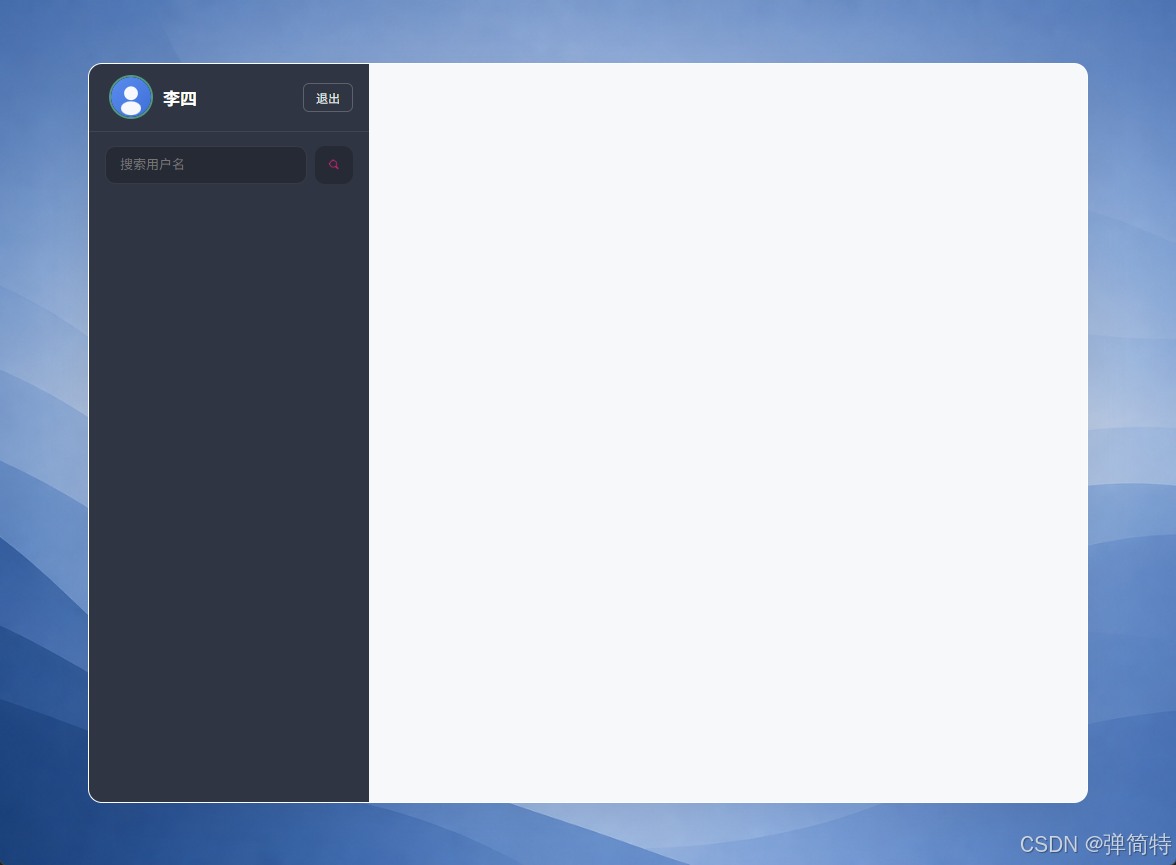
5、实现搜索框【加好友入口】
5.1 代码实现
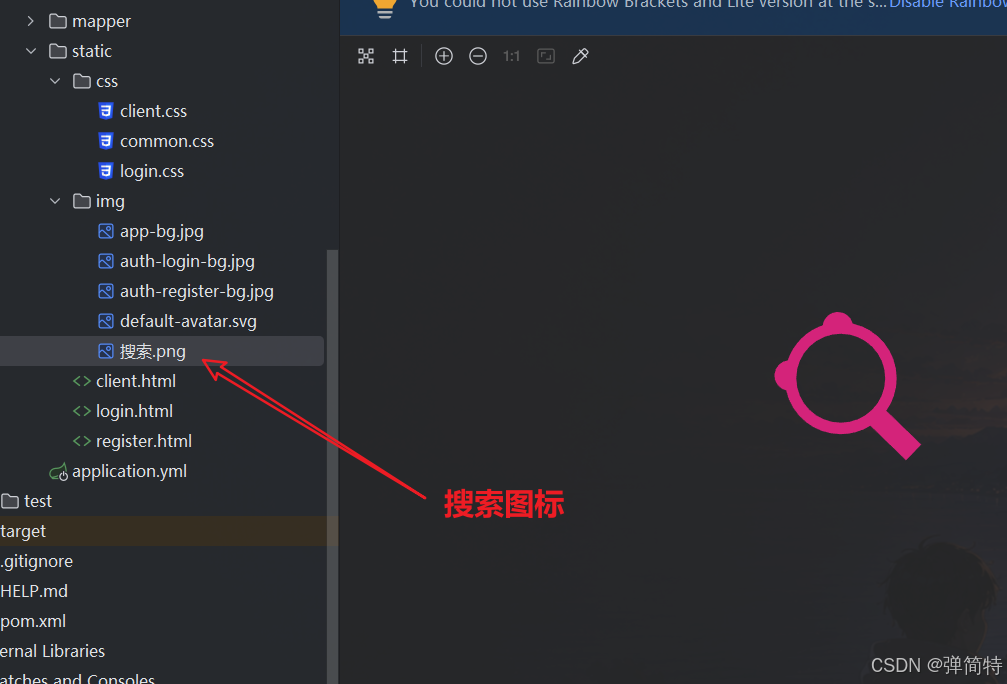
输入用户名点搜索,右侧会切到「好友查询结果」面板(见后文);图标用 img/搜索.png。
html
<div class="search">
    <input type="text" id="search-input" placeholder="搜索用户名">
    <button id="search-btn" type="button" title="搜索用户"></button>
</div>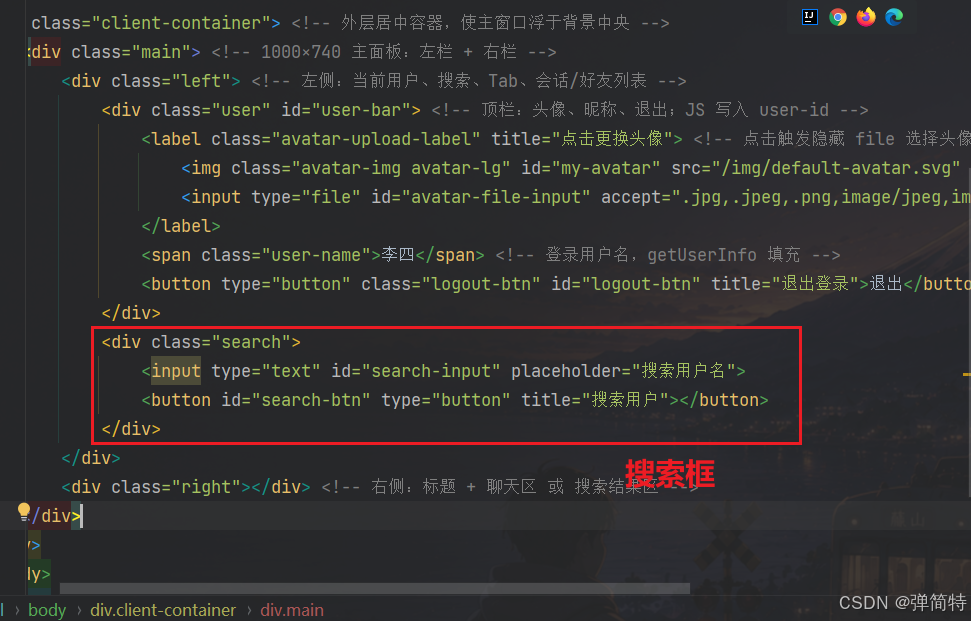
css
.main .left .search {
    padding: 14px 16px 10px;
    display: flex;
    gap: 8px;
}

.main .left .search input {
    flex: 1;
    height: 38px;
    padding: 0 14px;
    font-size: 13px;
    color: #eee;
    background: rgba(0, 0, 0, 0.2);
    border: 1px solid rgba(255, 255, 255, 0.08);
    border-radius: 10px;
    outline: none;
}

.main .left .search button {
    width: 38px;
    height: 38px;
    border: none;
    border-radius: 10px;
    background: rgba(0, 0, 0, 0.2) url(../img/搜索.png) center / 18px no-repeat;
    cursor: pointer;
}
5.2 效果图
6、实现会话和好友标签页按钮
6.1 代码实现
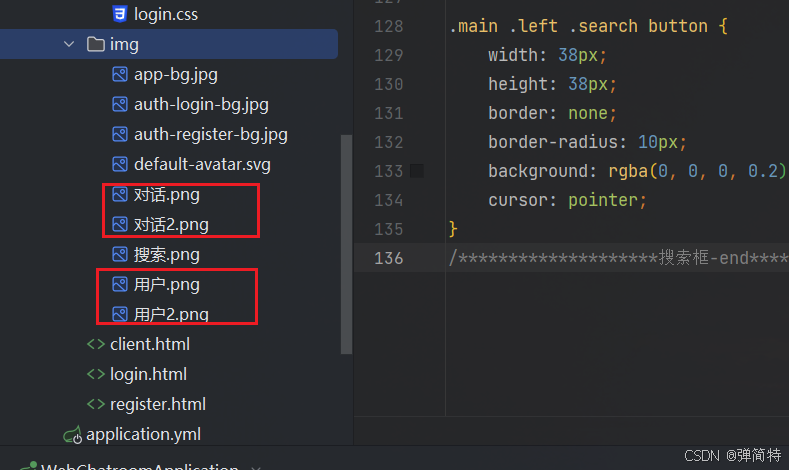
img 目录准备两套图:选中 / 未选中 (对话.png、对话2.png、用户.png、用户2.png)。点击切换由 client.js 的 initSwitchTab() 改 background-image 和列表的 hide 类。
html
<div class="tab">
    <div class="tab-session"></div>
    <div class="tab-friend"></div>
</div>
css
.main .left .tab {
    height: 50px;
    display: flex;
    padding: 0 12px;
    gap: 4px;
    align-items: center;
}

.main .left .tab .tab-session,
.main .left .tab .tab-friend {
    flex: 1;
    height: 40px;
    cursor: pointer;
    border-radius: 10px;
    background-repeat: no-repeat;
    background-position: center;
    background-size: 24px;
    opacity: 0.5;
}

.main .left .tab .tab-session {
    background-image: url(../img/对话.png);
}

.main .left .tab .tab-friend {
    background-image: url(../img/用户2.png);
}
6.2 效果图
7、实现会话列表
7.1 代码实现
会话项 不写死 在 html 里,只留空 ul,(但是此处为了方便效果的演示我们先将他写死),登录后由 JS 根据 /sessionList 渲染。结构上预留:头像 + 昵称 + 消息预览 + 未读角标。
html
<ul class="list" id="session-list"></ul>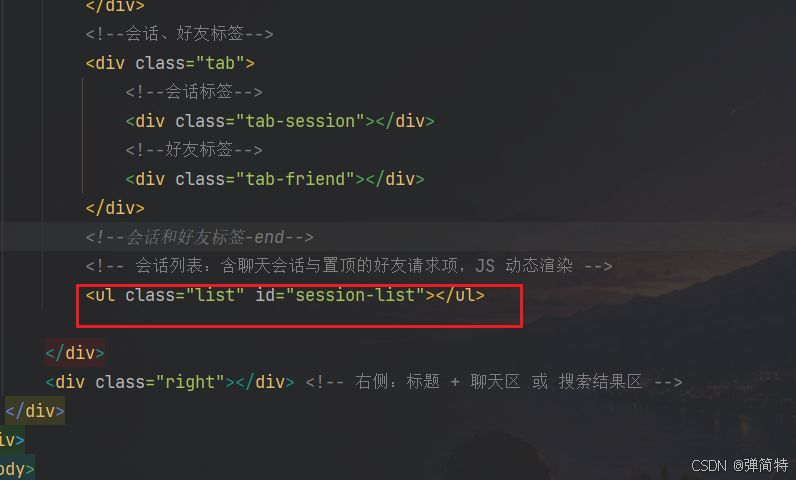
JS 拼出的单行大致结构(便于理解 css 选择器):
html
<li message-session-id="1" data-friend-id="2">
    <div class="session-item-inner">
        <img class="avatar-img avatar-md" src="..." alt="">
        <div class="session-main">
            <div class="session-row-top">
                <span class="session-name">李四</span>
            </div>
            <p class="session-preview">晚上吃什么</p>
        </div>
        <span class="unread-badge hide">3</span>
    </div>
</li>
写死的话,是如下所示:
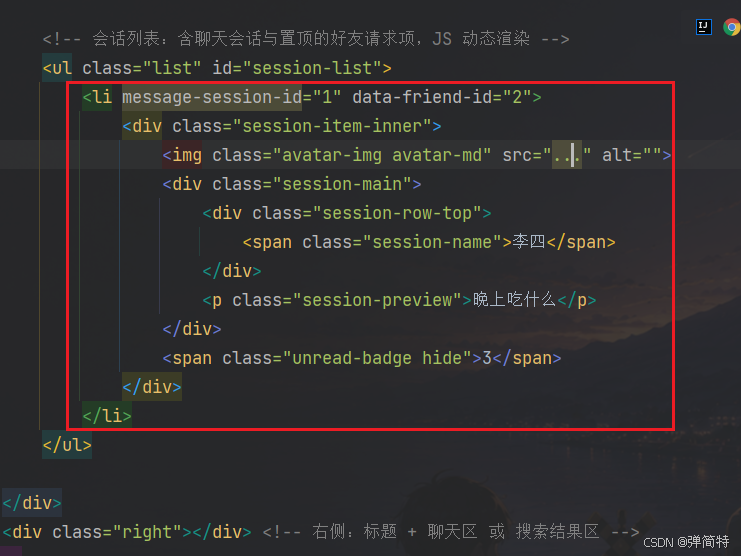
左栏用 flex 纵向布局 ,列表区 flex: 1 自动占满剩余高度:
css
.main .left {
    display: flex;
    flex-direction: column;
}

.main .left .list {
    flex: 1;
    overflow-y: auto;
    list-style: none;
    padding: 6px 8px;
}

.main .left .list li {
    padding: 10px 12px;
    margin-bottom: 4px;
    color: #e8eaed;
    border-radius: 10px;
    cursor: pointer;
}

.main .left .list li .session-item-inner {
    display: flex;
    align-items: center;
    gap: 10px;
}

.main .left .list li.selected {
    background: #3d4654;
    border-color: rgba(91, 141, 239, 0.25);
}

/* 红色未读角标,纯前端 unreadCounts 驱动 */
.main .left .list .unread-badge {
    min-width: 20px;
    height: 20px;
    padding: 0 6px;
    font-size: 12px;
    line-height: 20px;
    text-align: center;
    color: #fff;
    background: #fa5151;
    border-radius: 10px;
}

.main .left .list .unread-badge.hide {
    display: none;
}
7.2 效果图
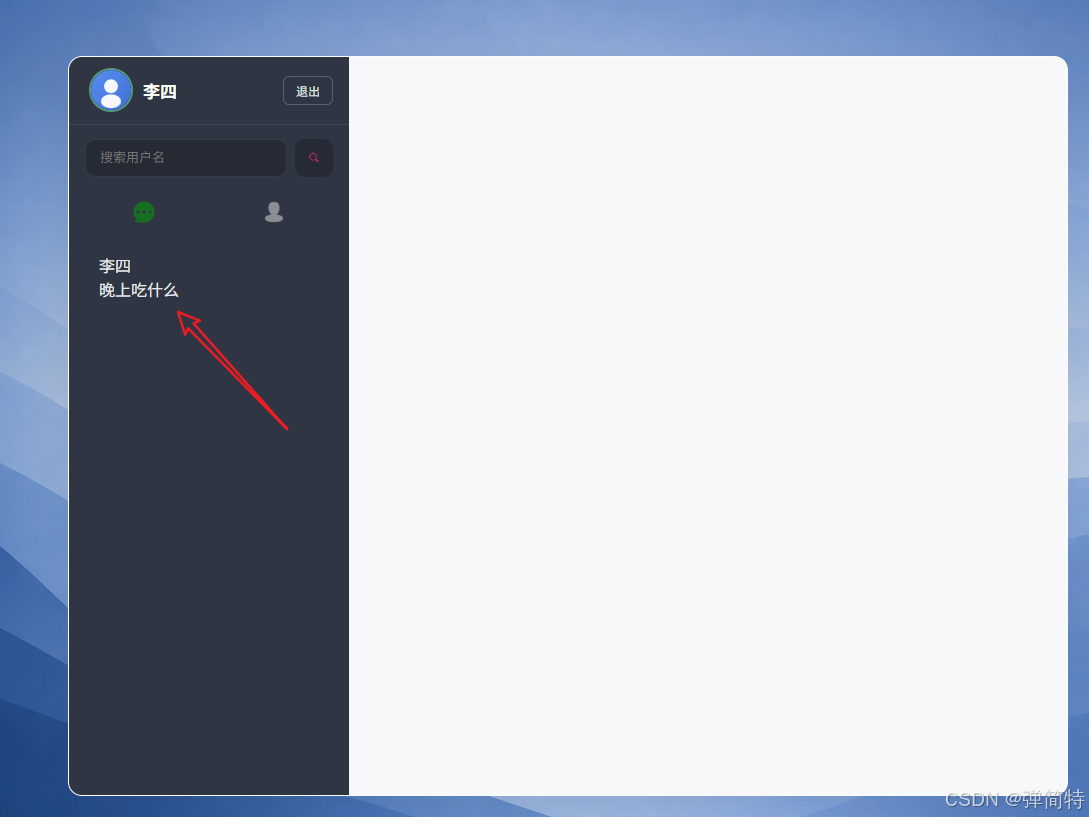
8、实现好友列表
8.1 代码实现
与「会话」互斥显示:默认给好友列表加 hide。
html
<ul class="list hide" id="friend-list"></ul>
css
.main .left .list li .list-row-with-avatar {
    display: flex;
    align-items: center;
    gap: 10px;
}

.main .left .list li h4 {
    font-size: 15px;
    color: #e8eaed;
    font-weight: 500;
}

.hide {
    display: none !important;
}
9、实现好友请求置顶
别人发来好友申请时,会在 #session-list 即会话列表的最上面 插入带 friend-request-item 的 li,样式偏橙黄,和普通会话区分开。
css
.main .left .list li.friend-request-item {
    display: flex;
    align-items: center;
    gap: 10px;
    background: rgba(250, 173, 20, 0.1);
    border-color: rgba(250, 173, 20, 0.2);
}

.main .left .list li.friend-request-item h3::before {
    content: "请求 · ";
    color: #e8b339;
    font-size: 12px;
}
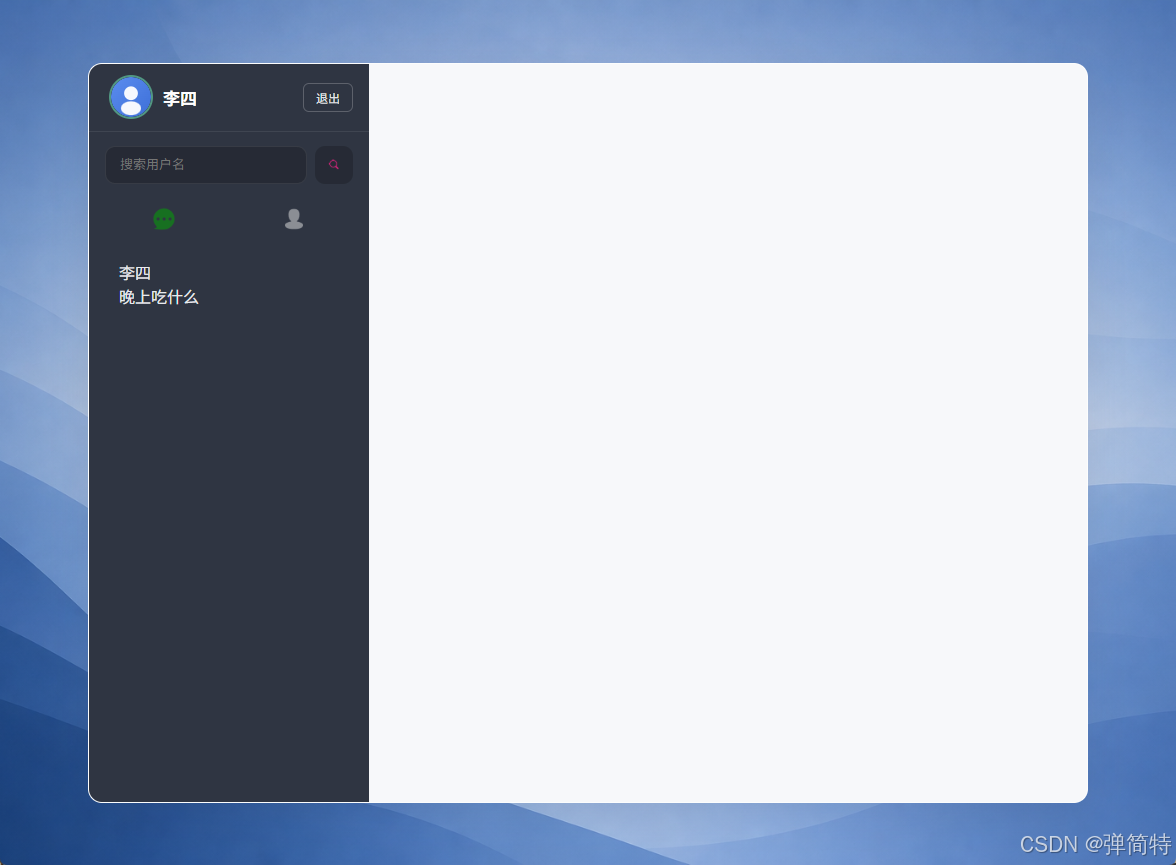
10、美化滚动条
本项目没有把整个滚动条藏掉,而是改成 6px 细条,左栏用半透明白色 thumb,更贴合深色侧栏。
css
::-webkit-scrollbar {
    width: 6px;
}

::-webkit-scrollbar-thumb {
    background: rgba(0, 0, 0, 0.15);
    border-radius: 3px;
}

.main .left .list::-webkit-scrollbar-thumb {
    background: rgba(255, 255, 255, 0.15);
}
11、实现标签页切换(引入 client.js)
11.1 代码实现
-
新建
js/client.js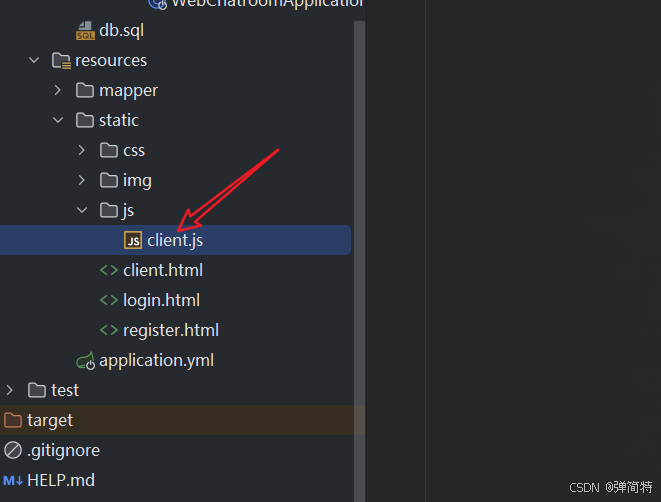
-
在
client.html底部引入 jQuery 与业务脚本:
html
<script src="https://libs.baidu.com/jquery/2.0.3/jquery.min.js"></script>
<script src="js/client.js"></script>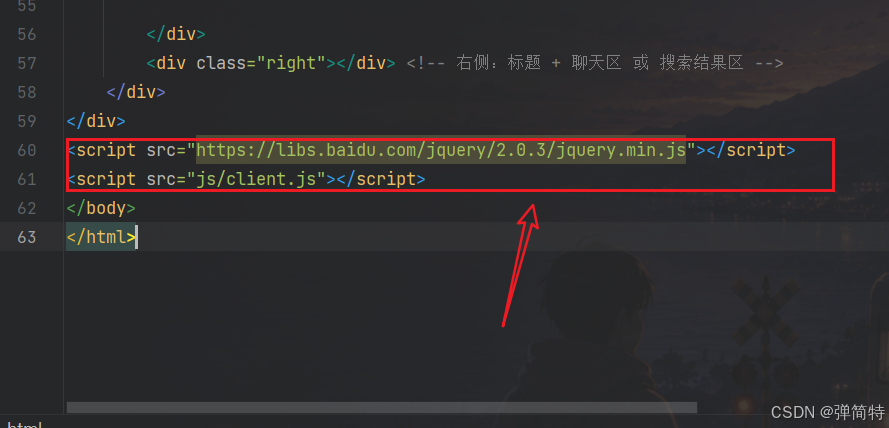
client.js写入(含 showChatPanel,避免第 12 节还没写 HTML 就报错)
javascript
// 显示右侧聊天区,隐藏搜索结果区(第 12 节写 HTML 后生效)
function showChatPanel() {
    let chatPanel = document.querySelector('.right .chat-panel');
    let searchPanel = document.querySelector('.right .search-result-panel');
    if (chatPanel) chatPanel.classList.remove('hide');
    if (searchPanel) searchPanel.classList.add('hide');
}

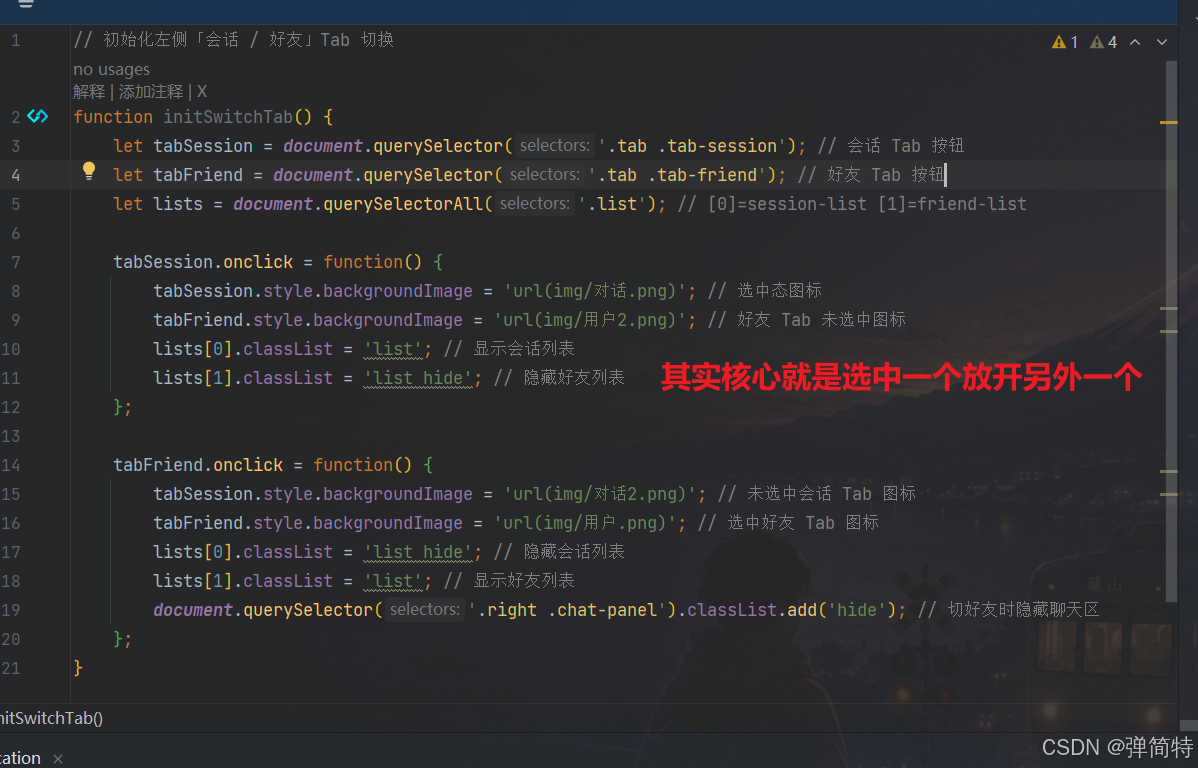
// 初始化左侧「会话 / 好友」Tab 切换
function initSwitchTab() {
    let tabSession = document.querySelector('.tab .tab-session');
    let tabFriend = document.querySelector('.tab .tab-friend');
    let lists = document.querySelectorAll('.list');

    tabSession.onclick = function() {
        tabSession.style.backgroundImage = 'url(img/对话.png)';
        tabFriend.style.backgroundImage = 'url(img/用户2.png)';
        lists[0].classList = 'list';
        lists[1].classList = 'list hide';
        let selectedLi = document.querySelector('#session-list .selected');
        if (selectedLi && !selectedLi.classList.contains('friend-request-item')) {
            showChatPanel();
        }
    };

    tabFriend.onclick = function() {
        tabSession.style.backgroundImage = 'url(img/对话2.png)';
        tabFriend.style.backgroundImage = 'url(img/用户.png)';
        lists[0].classList = 'list hide';
        lists[1].classList = 'list';
        let chatPanel = document.querySelector('.right .chat-panel');
        if (chatPanel) chatPanel.classList.add('hide');
    };
}

// DOM 就绪后初始化各模块 -- 记得调用函数否则不生效
$(document).ready(function() {
    initSwitchTab(); // 会话/好友 标签Tab切换
});
路径以 html 所在目录 为基准,故写 url(img/对话.png)。
记得调用函数
11.2 效果图
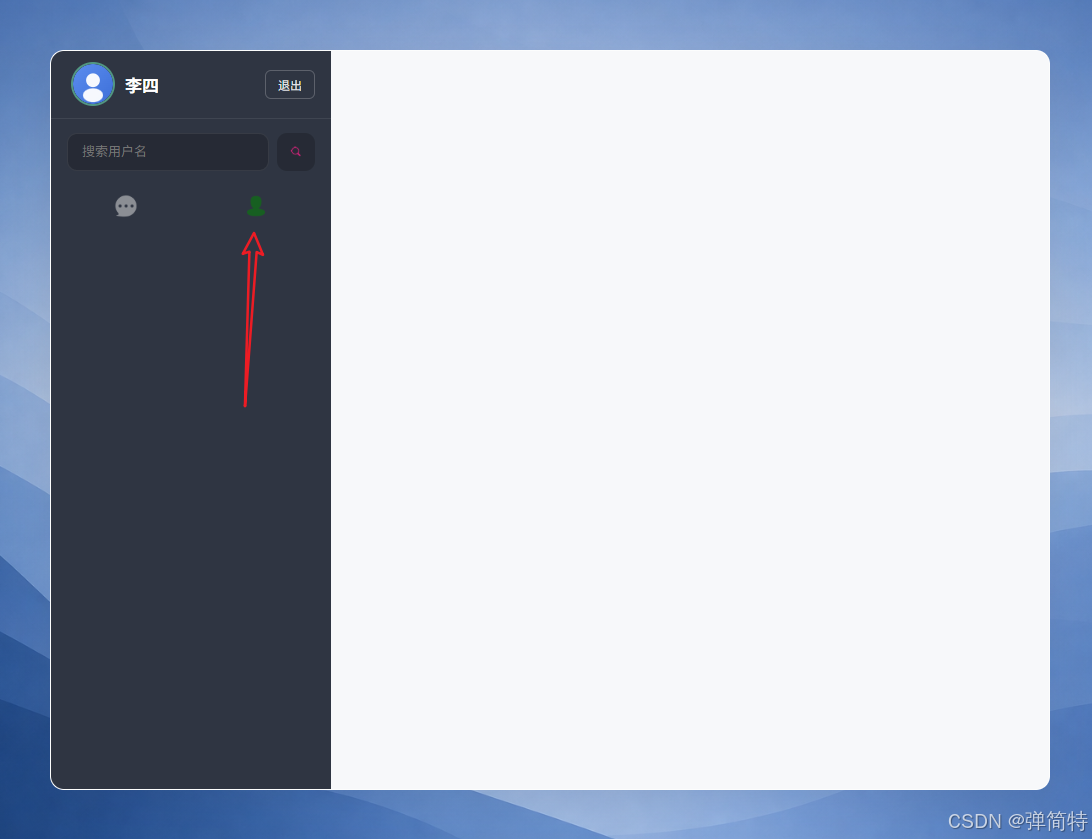
11.3 说明
- 此时右侧还没写,点「好友 Tab」只会藏聊天区(找不到元素也不报错)。
- 第 12 节写完
.right后,Tab 切换才完整生效。
12、实现右侧区域-1【聊天面板】
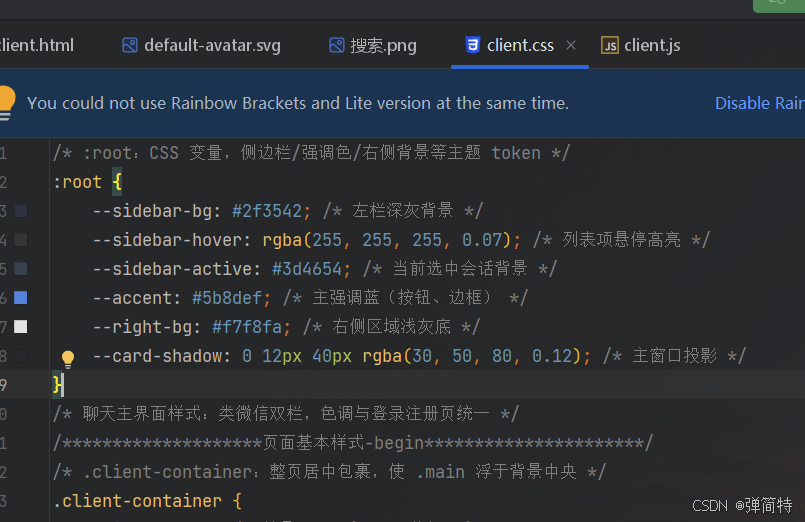
首先在顶部放置以下样式
css
/* :root:CSS 变量,侧边栏/强调色/右侧背景等主题 token */
:root {
    --sidebar-bg: #2f3542; /* 左栏深灰背景 */
    --sidebar-hover: rgba(255, 255, 255, 0.07); /* 列表项悬停高亮 */
    --sidebar-active: #3d4654; /* 当前选中会话背景 */
    --accent: #5b8def; /* 主强调蓝(按钮、边框) */
    --right-bg: #f7f8fa; /* 右侧区域浅灰底 */
    --card-shadow: 0 12px 40px rgba(30, 50, 80, 0.12); /* 主窗口投影 */
}
12.1 代码实现
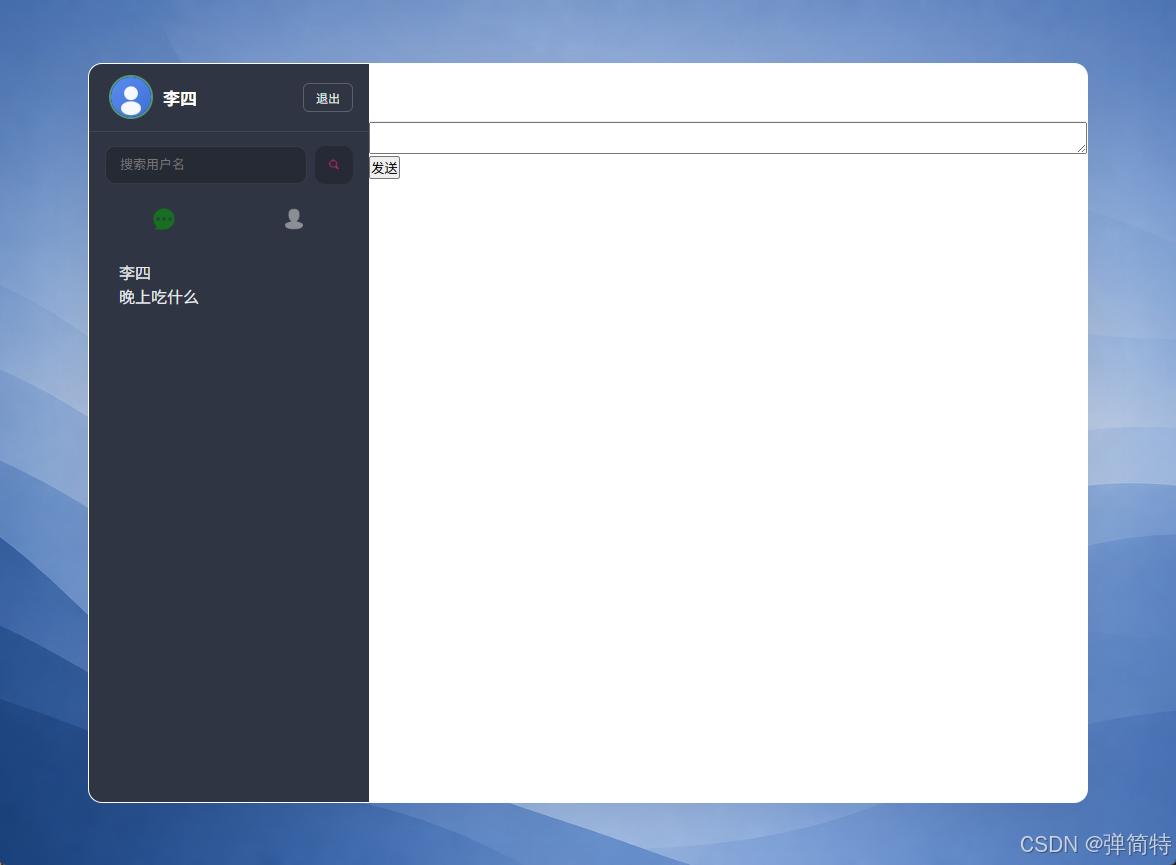
右侧拆成两块:聊天 chat-panel(默认显示)和 搜索结果 search-result-panel(搜索时显示),同一时刻只露一个。
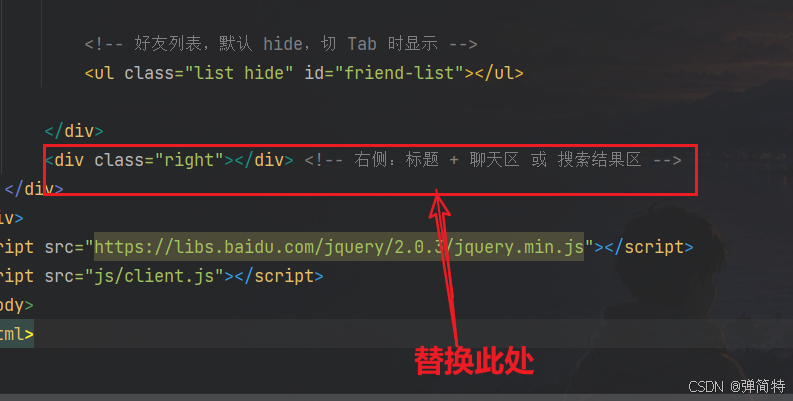
html
<div class="right">
    <div class="title"></div>

    <div class="chat-panel">
        <div class="message-show"></div>
        <textarea class="message-input"></textarea>
        <div class="ctrl">
            <button type="button">发送</button>
        </div>
    </div>

    <div class="search-result-panel hide">
        <div class="search-result-hint">好友查询结果</div>
        <ul id="search-result-list"></ul>
    </div>
</div>
css
/********************聊天-begin***********************/

.main .right {
    flex: 1;
    display: flex;
    flex-direction: column;
    background: var(--right-bg);
    min-width: 0;
}

.main .right .title {
    height: 58px;
    line-height: 58px;
    padding: 0 24px;
    font-size: 16px;
    font-weight: 600;
    color: #2c3e50;
    text-align: center;
    background: #fff;
    border-bottom: 1px solid #e8ecf1;
    flex-shrink: 0;
    box-shadow: 0 1px 0 rgba(0, 0, 0, 0.03);
}

.main .right .title.title-with-avatar {
    display: flex;
    align-items: center;
    justify-content: center;
    gap: 10px;
    line-height: normal;
}

.main .right .title .title-name {
    font-size: 16px;
    font-weight: 600;
}

.main .right .chat-panel {
    flex: 1;
    display: flex;
    flex-direction: column;
    min-height: 0;
    background: #fff;
    margin: 0;
}

.main .right .chat-panel.hide {
    display: none;
}

.main .right .search-result-panel {
    flex: 1;
    overflow-y: auto;
    padding: 16px 22px 24px;
    background: var(--right-bg);
}

.main .right .search-result-panel.hide {
    display: none;
}

/********************聊天-end***********************/
12.2 效果图
13、实现右侧区域-2【聊天框中每一条消息气泡与头像】
13.1 代码实现
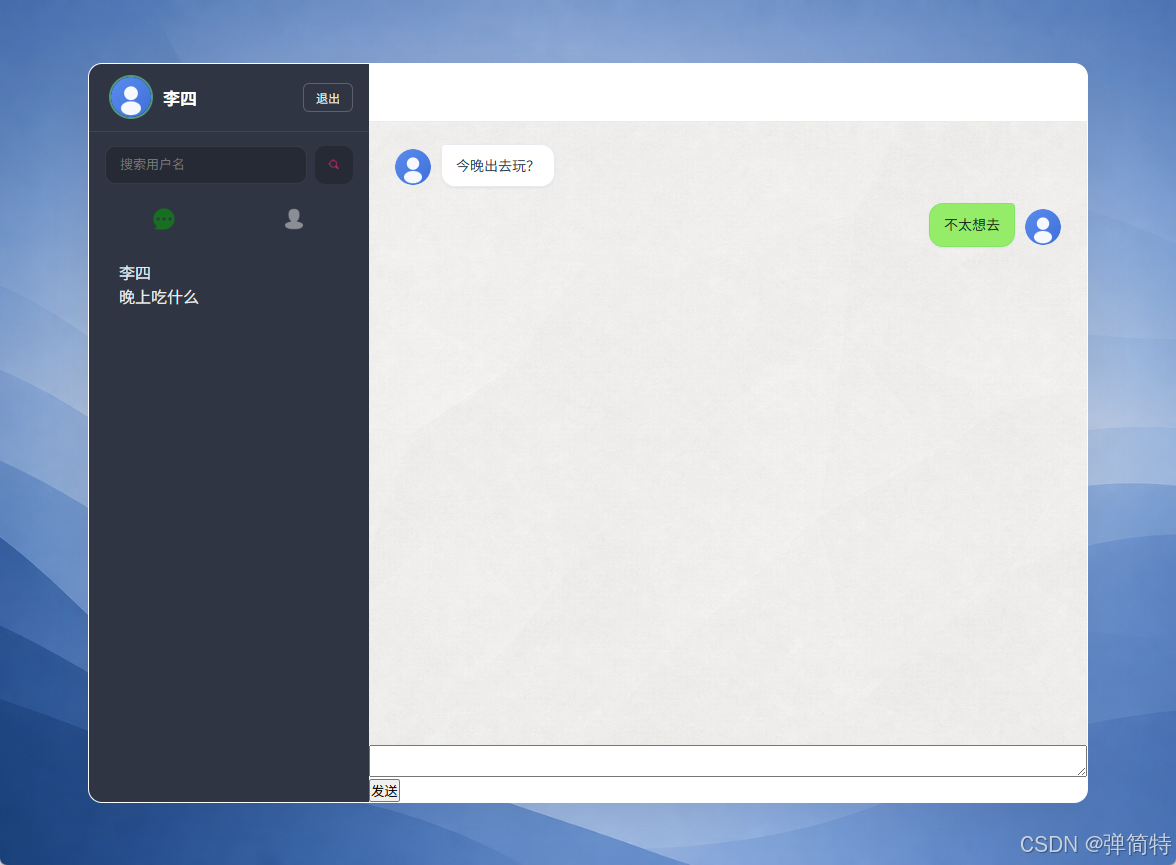
对方消息靠左、自己靠右;每条消息 头像 + 气泡,不再单独写 h4 名字(名字在列表里已有)。
静态调试可先写两条:
html
<div class="message message-left">
    <img class="avatar-img avatar-sm" src="/img/default-avatar.svg" alt="">
    <div class="bubble">
        <p class="bubble-text">今晚出去玩?</p>
    </div>
</div>
<div class="message message-right">
    <div class="bubble">
        <p class="bubble-text">不太想去</p>
    </div>
    <img class="avatar-img avatar-sm" src="/img/default-avatar.svg" alt="">
</div>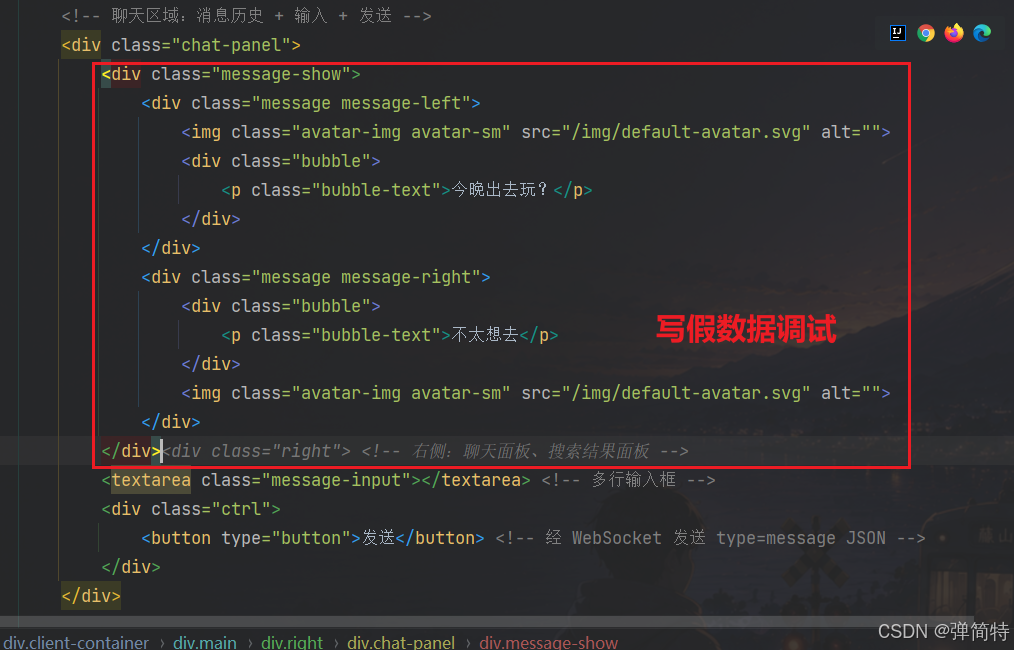
添加聊天背景图
css 追加 (与工程 client.css 一致):
css
/********************消息气泡与头像-begin***********************/

.main .right .message-show {
    flex: 1;
    overflow-y: auto;
    padding: 22px 26px;
    background-color: #f0f2f5;
    background-image: url(../img/chat-bg.jpg);
    background-size: cover;
    background-position: center;
}

.main .right .message-show .message {
    display: flex;
    align-items: flex-end;
    gap: 10px;
    margin-bottom: 16px;
    clear: both;
}

.main .right .message-show .message-left {
    justify-content: flex-start;
}

.main .right .message-show .message-right {
    justify-content: flex-end;
}

.main .right .message-show .message .avatar-sm {
    width: 36px;
    height: 36px;
    margin-bottom: 2px;
}

.main .right .message-show .message .bubble {
    max-width: min(68%, 420px);
    padding: 10px 14px;
    border-radius: 12px;
    box-shadow: 0 1px 2px rgba(0, 0, 0, 0.06);
}

.main .right .message-show .message-left .bubble {
    background: #fff;
    border: 1px solid #e8ecf1;
    border-radius: 4px 14px 14px 14px;
}

.main .right .message-show .message-right .bubble {
    background: #95ec69;
    border: 1px solid rgba(7, 193, 96, 0.15);
    border-radius: 14px 4px 14px 14px;
}

.main .right .message-show .message .bubble-text {
    margin: 0;
    font-size: 14px;
    line-height: 1.55;
    color: #2c3e50;
    word-break: break-word;
}

.main .right .message-show .message-right .bubble-text {
    color: #1a2e1a;
}

/********************消息气泡与头像-end***********************/
13.2 效果图
左白泡、右绿泡,中间聊天背景图。
14、实现右侧区域-3【输入框与发送】
14.1 代码实现
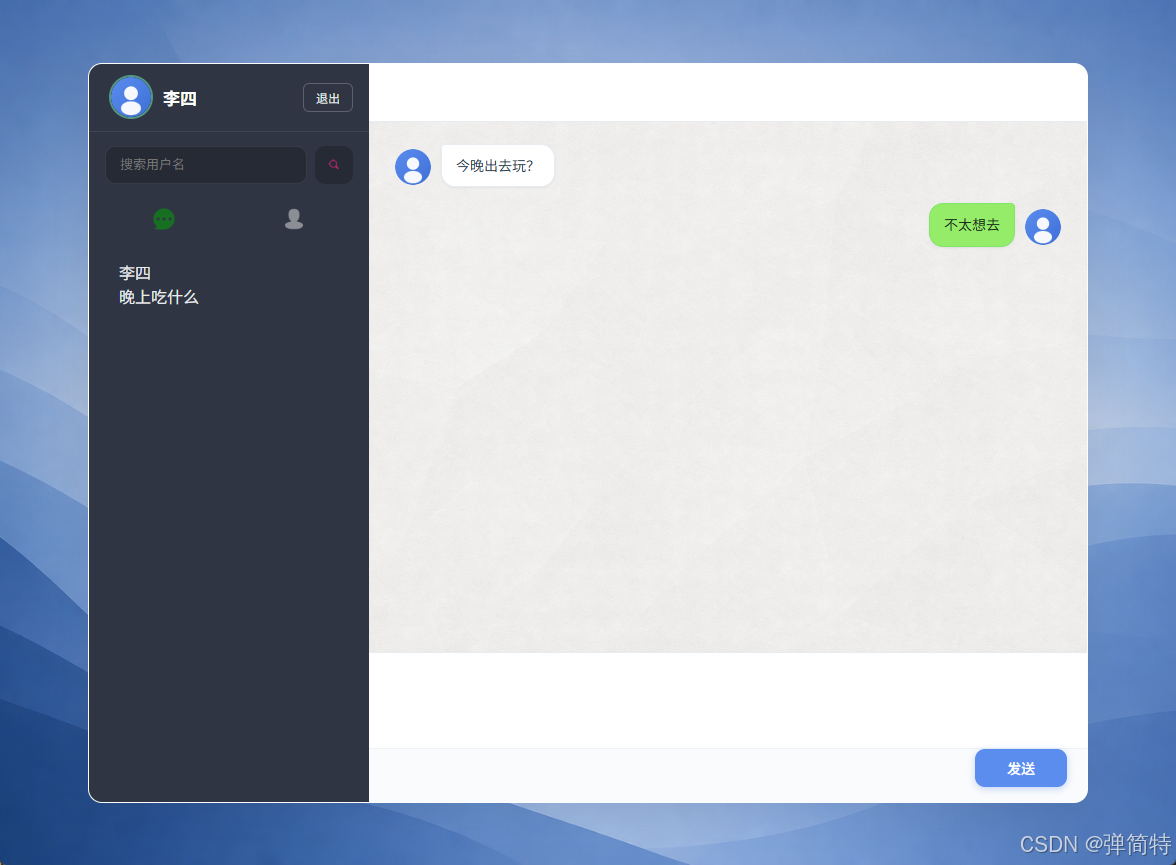
html 第 12 节已写好,本节只追加 css:
css
/********************输入框与发送-begin***********************/

.main .right .message-input {
    height: 96px;
    padding: 14px 18px;
    font-size: 14px;
    line-height: 1.55;
    border: none;
    border-top: 1px solid #e8ecf1;
    outline: none;
    resize: none;
    background: #fafbfc;
    font-family: inherit;
    color: #2c3e50;
    display: block;
    width: 100%;
    box-sizing: border-box;
    flex-shrink: 0;
}

.main .right .message-input:focus {
    background: #fff;
}

.main .right .ctrl {
    height: 54px;
    padding: 0 20px 14px;
    display: flex;
    justify-content: flex-end;
    align-items: center;
    background: #fafbfc;
    border-top: 1px solid #eef1f5;
    flex-shrink: 0;
}

.main .right .ctrl button {
    height: 38px;
    padding: 0 32px;
    font-size: 14px;
    font-weight: 500;
    color: #fff;
    background: #5b8def;
    border: none;
    border-radius: 10px;
    cursor: pointer;
    transition: background 0.2s, box-shadow 0.2s;
    box-shadow: 0 2px 8px rgba(91, 141, 239, 0.35);
}

.main .right .ctrl button:hover {
    background: #4a7de0;
}

.main .right .ctrl button:active {
    background: #3d6ed4;
    box-shadow: none;
}

/********************输入框与发送-end***********************/
14.2 说明
display:block; width:100%; box-sizing:border-box; flex-shrink:0 这三行很重要,少了输入框会撑破 flex 布局。
14.3 效果图
15、实现好友搜索结果面板
15.1 代码实现
html 第 12 节已写好。本节 css 只写列表样式 ,不要再写 .search-result-panel(第 12 节已有)。
css
/********************好友搜索结果-begin***********************/

.main .right .search-result-hint {
    height: 44px;
    line-height: 44px;
    font-size: 14px;
    font-weight: 600;
    color: #5c6b7a;
    padding-left: 4px;
    margin-bottom: 8px;
}

#search-result-list {
    list-style: none;
    padding: 0;
    margin: 0;
}

#search-result-list li {
    padding: 18px 16px;
    display: flex;
    flex-wrap: wrap;
    align-items: center;
    gap: 12px;
    background: #fff;
    border: 1px solid #e8ecf1;
    border-radius: 12px;
    margin-bottom: 12px;
    box-shadow: 0 2px 8px rgba(30, 50, 80, 0.04);
    transition: box-shadow 0.2s, border-color 0.2s;
}

#search-result-list li:hover {
    border-color: #d0daf0;
    box-shadow: 0 4px 12px rgba(91, 141, 239, 0.08);
}

#search-result-list .search-user-name {
    font-size: 16px;
    font-weight: 600;
    color: #2c3e50;
    min-width: 72px;
}

#search-result-list .search-reason-input {
    flex: 1;
    min-width: 160px;
    height: 38px;
    padding: 0 14px;
    font-size: 14px;
    border: 1px solid #e0e6ed;
    border-radius: 10px;
    background: #fafbfc;
    outline: none;
    transition: border-color 0.2s;
}

#search-result-list .search-reason-input:focus {
    border-color: #5b8def;
    background: #fff;
}

#search-result-list .search-add-btn {
    height: 38px;
    padding: 0 20px;
    font-size: 13px;
    font-weight: 500;
    border: none;
    border-radius: 10px;
    background: #5b8def;
    color: #fff;
    cursor: pointer;
    transition: background 0.2s;
}

#search-result-list .search-add-btn:hover:not(:disabled) {
    background: #4a7de0;
}

#search-result-list .search-add-btn:disabled {
    background: #c5cdd8;
    cursor: not-allowed;
}

#search-result-list .search-empty {
    padding: 48px 20px;
    text-align: center;
    color: #9aa3b0;
    font-size: 14px;
    background: #fff;
    border-radius: 12px;
    border: 1px dashed #e0e6ed;
}

/********************好友搜索结果-end***********************/
16、实现好友请求弹窗
16.1 代码实现
html (写在 </div><!-- client-container --> 后面、</body> 前面):
html
<div id="friend-request-modal" class="friend-request-modal hide">
    <div class="modal-box">
        <h3>好友请求</h3>
        <p class="modal-from"></p>
        <p class="modal-reason"></p>
        <div class="modal-actions">
            <button type="button" id="accept-friend-btn">接受</button>
            <button type="button" id="reject-friend-btn">拒绝</button>
        </div>
    </div>
</div>
css 追加:
css
/********************好友请求模态框-begin***********************/

.friend-request-modal {
    position: fixed;
    inset: 0;
    z-index: 100;
    background: rgba(44, 62, 80, 0.4);
    display: flex;
    align-items: center;
    justify-content: center;
}

.friend-request-modal.hide {
    display: none;
}

.friend-request-modal .modal-box {
    width: 400px;
    max-width: 90vw;
    padding: 28px 28px 24px;
    background: #fff;
    border-radius: 14px;
    border: 1px solid #e8ecf1;
    box-shadow: var(--card-shadow);
}

.friend-request-modal .modal-box h3 {
    font-size: 18px;
    font-weight: 600;
    color: #2c3e50;
    margin-bottom: 16px;
}

.friend-request-modal .modal-from,
.friend-request-modal .modal-reason {
    font-size: 14px;
    color: #5c6b7a;
    line-height: 1.6;
    margin-bottom: 8px;
}

.friend-request-modal .modal-actions {
    margin-top: 22px;
    display: flex;
    justify-content: flex-end;
    gap: 10px;
}

.friend-request-modal .modal-actions button {
    height: 38px;
    padding: 0 22px;
    font-size: 14px;
    border-radius: 10px;
    border: 1px solid #e0e6ed;
    background: #fff;
    color: #5c6b7a;
    cursor: pointer;
    transition: background 0.2s;
}

.friend-request-modal #accept-friend-btn {
    background: #5b8def;
    color: #fff;
    border-color: #5b8def;
}

.friend-request-modal #accept-friend-btn:hover {
    background: #4a7de0;
}

/********************好友请求模态框-end***********************/
17、完整代码
17.1 完整HTML代码
html
<!DOCTYPE html> <!-- HTML5 文档类型 -->
<html lang="zh-CN"> <!-- 聊天主界面,简体中文 -->
<head>
    <meta charset="UTF-8"> <!-- UTF-8 支持中文消息与用户名 -->
    <meta name="viewport" content="width=device-width, initial-scale=1.0"> <!-- 移动端适配 -->
    <title>轻聊</title> <!-- 应用标题 -->
    <link rel="stylesheet" href="css/common.css"> <!-- 全局重置与基础布局 -->
    <link rel="stylesheet" href="css/client.css"> <!-- 类微信双栏聊天界面样式 -->
</head>
<body> <!-- 主逻辑由 js/client.js 驱动,本页仅提供 DOM 骨架 -->

    <div class="cover"></div> <!-- 全屏背景图(app-bg.jpg),衬在聊天窗口后方 -->

    <div class="client-container"> <!-- 外层居中容器,使主窗口浮于背景中央 -->
        <div class="main"> <!-- 1000×740 主面板:左栏 + 右栏 -->

            <div class="left"> <!-- 左侧:当前用户、搜索、Tab、会话/好友列表 -->
                <div class="user" id="user-bar"> <!-- 顶栏:头像、昵称、退出;JS 写入 user-id -->
                    <label class="avatar-upload-label" title="点击更换头像"> <!-- 点击触发隐藏 file 选择头像 -->
                        <img class="avatar-img avatar-lg" id="my-avatar" src="/img/default-avatar.svg" alt="我的头像"> <!-- 当前用户头像,可被 uploadAvatar 更新 -->
                        <input type="file" id="avatar-file-input" accept=".jpg,.jpeg,.png,image/jpeg,image/png" hidden> <!-- 隐藏文件选择,仅 jpg/png -->
                    </label>
                    <span class="user-name"></span> <!-- 登录用户名,getUserInfo 填充 -->
                    <button type="button" class="logout-btn" id="logout-btn" title="退出登录">退出</button> <!-- 调用 /logout 并关闭 WebSocket -->
                </div>
                <div class="search"> <!-- 按用户名搜索陌生人以添加好友 -->
                    <input type="text" id="search-input" placeholder="搜索用户名"> <!-- 搜索关键词 -->
                    <button id="search-btn" type="button" title="搜索用户"></button> <!-- 图标按钮,请求 /search/user -->
                </div>

                <div class="tab"> <!-- 会话 / 好友 两个 Tab 切换 -->
                    <div class="tab-session"></div> <!-- 会话列表 Tab(对话图标) -->
                    <div class="tab-friend"></div> <!-- 好友列表 Tab(用户图标) -->
                </div>

                <ul class="list" id="session-list"></ul> <!-- 会话列表:含聊天会话与置顶的好友请求项,JS 动态渲染 -->
                <ul class="list hide" id="friend-list"></ul> <!-- 好友列表,默认 hide,切 Tab 时显示 -->
            </div>

            <div class="right"> <!-- 右侧:标题 + 聊天区 或 搜索结果区 -->
                <div class="title"></div> <!-- 当前会话对方名称(含头像),或「好友查询结果」 -->

                <!-- 聊天区域:消息历史 + 输入 + 发送 -->
                <div class="chat-panel">
                    <div class="message-show"></div> <!-- 消息气泡滚动区,WebSocket 与历史消息渲染于此 -->
                    <textarea class="message-input"></textarea> <!-- 多行输入框 -->
                    <div class="ctrl">
                        <button type="button">发送</button> <!-- 经 WebSocket 发送 type=message JSON -->
                    </div>
                </div>

                <!-- 好友搜索结果区域:搜索时显示,与 chat-panel 互斥 -->
                <div class="search-result-panel hide">
                    <div class="search-result-hint">好友查询结果</div> <!-- 结果区标题 -->
                    <ul id="search-result-list"></ul> <!-- 用户列表:用户名、添加理由、添加按钮 -->
                </div>
            </div>
        </div>
    </div>

    <!-- 好友请求弹窗:WebSocket FRIEND_REQUEST 或点击列表项时展示 -->
    <div id="friend-request-modal" class="friend-request-modal hide">
        <div class="modal-box">
            <h3>好友请求</h3> <!-- 弹窗标题 -->
            <p class="modal-from"></p> <!-- 请求发起人,JS 填充 -->
            <p class="modal-reason"></p> <!-- 添加理由 -->
            <div class="modal-actions">
                <button type="button" id="accept-friend-btn">接受</button> <!-- POST /friend/handle action=accept -->
                <button type="button" id="reject-friend-btn">拒绝</button> <!-- POST /friend/handle action=reject -->
            </div>
        </div>
    </div>

    <script src="https://libs.baidu.com/jquery/2.0.3/jquery.min.js"></script> <!-- AJAX:userInfo、sessionList、friendList 等 -->
    <script src="js/client.js"></script> <!-- 聊天室核心业务:WebSocket、未读、会话、好友 -->
</body>
</html>
17.2 完整CSS代码
css
/* 聊天主界面样式:类微信双栏,色调与登录注册页统一 */

/* :root:CSS 变量,侧边栏/强调色/右侧背景等主题 token */
:root {
    --sidebar-bg: #2f3542; /* 左栏深灰背景 */
    --sidebar-hover: rgba(255, 255, 255, 0.07); /* 列表项悬停高亮 */
    --sidebar-active: #3d4654; /* 当前选中会话背景 */
    --accent: #5b8def; /* 主强调蓝(按钮、边框) */
    --accent-soft: rgba(91, 141, 239, 0.15); /* 浅色强调(未直接使用可扩展) */
    --right-bg: #f7f8fa; /* 右侧区域浅灰底 */
    --card-shadow: 0 12px 40px rgba(30, 50, 80, 0.12); /* 主窗口投影 */
}

/* .client-container:整页居中包裹,使 .main 浮于背景中央 */
.client-container {
    height: 100%; /* 继承 html/body 满高 */
    display: flex;
    justify-content: center; /* 水平居中主窗口 */
    align-items: center; /* 垂直居中 */
    font-family: "Segoe UI", "PingFang SC", "Microsoft YaHei", sans-serif;
}

/* .cover:全屏背景图,位于主窗口下层 */
.cover {
    position: absolute; /* 相对 body 定位铺满 */
    inset: 0;
    z-index: 1; /* 低于 .main 的 z-index:2 */
    background-image: url(../img/app-bg.jpg); /* 应用主背景 */
    background-color: #6b8cae; /* 图片加载前兜底色 */
    background-size: cover;
    background-position: center;
    background-repeat: no-repeat;
}

/* .main:固定尺寸聊天主窗口(左栏+右栏) */
.main {
    width: 1000px;
    height: 740px;
    display: flex; /* 左右分栏 */
    border-radius: 14px;
    overflow: hidden; /* 圆角裁剪子元素 */
    box-shadow: var(--card-shadow);
    border: 1px solid rgba(255, 255, 255, 0.65); /* 浅色描边 */
    z-index: 2; /* 浮在 .cover 之上 */
    background: var(--right-bg);
}

/* ========== 左侧栏 ========== */

/* .main .left:会话/好友列表侧栏,固定宽度 */
.main .left {
    width: 280px;
    height: 100%;
    background: var(--sidebar-bg);
    display: flex;
    flex-direction: column; /* 上到下:用户栏、搜索、Tab、列表 */
}

/* .user:顶部当前用户区(头像、昵称、退出) */
.main .left .user {
    height: 68px;
    padding: 0 16px 0 20px;
    display: flex;
    align-items: center;
    gap: 10px; /* 头像、名字、按钮间距 */
    border-bottom: 1px solid rgba(255, 255, 255, 0.08);
    background: linear-gradient(180deg, rgba(255, 255, 255, 0.04) 0%, transparent 100%); /* 顶栏微亮 */
}

/* ---------- 头像通用:圆形裁剪 ---------- */
.avatar-img {
    border-radius: 50%; /* 圆形头像 */
    object-fit: cover; /* 裁剪填充不变形 */
    background: rgba(255, 255, 255, 0.12); /* 加载前占位色 */
    flex-shrink: 0; /* 不被 flex 挤压变形 */
}

.avatar-sm { width: 32px; height: 32px; } /* 消息气泡旁小头像 */
.avatar-md { width: 40px; height: 40px; } /* 列表项中等头像 */
.avatar-lg { width: 44px; height: 44px; } /* 顶栏「我的头像」 */

/* .avatar-upload-label:点击上传头像的可点击区域 */
.avatar-upload-label {
    cursor: pointer;
    display: flex;
    flex-shrink: 0;
    position: relative;
}

/* 顶栏大头像绿色描边,提示可点击更换 */
.avatar-upload-label .avatar-lg {
    border: 2px solid rgba(110, 231, 183, 0.55);
    transition: opacity 0.15s ease, box-shadow 0.15s ease;
}

.avatar-upload-label:hover .avatar-lg {
    opacity: 0.9;
    box-shadow: 0 0 0 3px rgba(91, 141, 239, 0.35); /* 悬停蓝色光晕 */
}

/* .user-name:当前登录用户名,过长省略号 */
.main .left .user .user-name {
    flex: 1; /* 占据中间剩余空间 */
    min-width: 0; /* 允许 flex 子项收缩以触发 ellipsis */
    font-size: 17px;
    font-weight: 600;
    color: #fff;
    letter-spacing: 0.3px;
    overflow: hidden;
    text-overflow: ellipsis;
    white-space: nowrap;
}

/* .logout-btn:退出登录,描边轻按钮 */
.main .left .user .logout-btn {
    flex-shrink: 0;
    padding: 5px 12px;
    font-size: 12px;
    font-weight: 500;
    color: rgba(255, 255, 255, 0.88);
    background: transparent;
    border: 1px solid rgba(255, 255, 255, 0.22);
    border-radius: 6px;
    cursor: pointer;
    transition: background 0.15s ease, border-color 0.15s ease, color 0.15s ease;
}

.main .left .user .logout-btn:hover {
    color: #fff;
    background: rgba(255, 255, 255, 0.1);
    border-color: rgba(255, 255, 255, 0.38);
}

.main .left .user .logout-btn:active {
    background: rgba(255, 255, 255, 0.06);
}

/* .search:用户名搜索行(输入+图标按钮) */
.main .left .search {
    padding: 14px 16px 10px;
    display: flex;
    gap: 8px;
}

.main .left .search input {
    flex: 1; /* 输入框占满剩余宽 */
    height: 38px;
    padding: 0 14px;
    font-size: 13px;
    color: #eee;
    background: rgba(0, 0, 0, 0.2);
    border: 1px solid rgba(255, 255, 255, 0.08);
    border-radius: 10px;
    outline: none;
    transition: border-color 0.2s, background 0.2s;
}

.main .left .search input::placeholder {
    color: #8b929e; /* 占位符灰色 */
}

.main .left .search input:focus {
    border-color: rgba(91, 141, 239, 0.5);
    background: rgba(0, 0, 0, 0.28);
}

/* 搜索按钮:图标背景,无文字 */
.main .left .search button {
    width: 38px;
    height: 38px;
    border: 1px solid rgba(255, 255, 255, 0.08);
    border-radius: 10px;
    background: rgba(0, 0, 0, 0.2) url(../img/搜索.png) center / 18px no-repeat;
    cursor: pointer;
    flex-shrink: 0;
    transition: background-color 0.2s;
}

.main .left .search button:hover {
    background-color: rgba(255, 255, 255, 0.1);
}

/* .tab:会话 / 好友 切换条 */
.main .left .tab {
    height: 50px;
    display: flex;
    padding: 0 12px;
    gap: 4px;
    align-items: center;
    border-bottom: 1px solid rgba(255, 255, 255, 0.06);
}

/* Tab 项共用:图标居中、半透明、可点击 */
.main .left .tab .tab-session,
.main .left .tab .tab-friend {
    flex: 1;
    height: 40px;
    cursor: pointer;
    border-radius: 10px;
    background-repeat: no-repeat;
    background-position: center;
    background-size: 24px;
    opacity: 0.5; /* 未选中态较淡 */
    transition: opacity 0.2s, background-color 0.2s;
}

.main .left .tab .tab-session {
    background-image: url(../img/对话.png); /* 会话图标 */
}

.main .left .tab .tab-friend {
    background-image: url(../img/用户2.png); /* 好友图标 */
}

.main .left .tab .tab-session:hover,
.main .left .tab .tab-friend:hover {
    opacity: 0.85;
    background-color: var(--sidebar-hover);
}

/* .list:会话或好友 UL,可纵向滚动 */
.main .left .list {
    flex: 1; /* 占满左栏剩余高度 */
    overflow-y: auto;
    list-style: none;
    padding: 6px 8px;
}

/* 列表每一项 li:可点击会话/好友/好友请求 */
.main .left .list li {
    position: relative;
    padding: 10px 12px;
    margin-bottom: 4px;
    color: #e8eaed;
    border-radius: 10px;
    cursor: pointer;
    transition: background 0.15s;
    border: 1px solid transparent;
}

/* .session-item-inner:会话行内 flex(头像+文字+角标) */
.main .left .list li .session-item-inner {
    display: flex;
    align-items: center;
    gap: 10px;
}

.main .left .list li .session-main {
    flex: 1;
    min-width: 0; /* 预览文字可省略 */
}

.main .left .list li:hover {
    background: var(--sidebar-hover);
}

/* .selected:当前打开的会话 */
.main .left .list li.selected {
    background: var(--sidebar-active);
    border-color: rgba(91, 141, 239, 0.25);
}

.main .left .list .session-row-top {
    display: flex;
    align-items: center;
    justify-content: space-between;
    margin-bottom: 5px;
}

.main .left .list .session-name {
    font-size: 15px;
    font-weight: 500;
    color: #fff;
    overflow: hidden;
    text-overflow: ellipsis;
    white-space: nowrap;
    flex: 1;
    min-width: 0;
}

/* .unread-badge:微信式红色未读数字角标 */
.main .left .list .unread-badge {
    flex-shrink: 0;
    min-width: 20px;
    height: 20px;
    padding: 0 6px;
    font-size: 12px;
    font-weight: 600;
    line-height: 20px;
    text-align: center;
    color: #fff;
    background: #fa5151; /* 微信红 */
    border-radius: 10px;
    box-shadow: 0 1px 4px rgba(250, 81, 81, 0.45);
}

.main .left .list .unread-badge.hide {
    display: none; /* JS 无未读时添加 hide */
}

/* 有未读时会话名加粗、预览略亮 */
.main .left .list li.has-unread .session-name {
    font-weight: 600;
}

.main .left .list li.has-unread .session-preview {
    color: #c8cdd3;
}

/* 最后一条消息预览 / 好友项副文本 */
.main .left .list .session-preview,
.main .left .list li > p {
    font-size: 12px;
    color: #9aa3b0;
    line-height: 1.45;
    overflow: hidden;
    text-overflow: ellipsis;
    white-space: nowrap;
}

/* 好友列表行:头像+昵称横排 */
.main .left .list li .list-row-with-avatar {
    display: flex;
    align-items: center;
    gap: 10px;
}

.main .left .list li .list-row-with-avatar h4 {
    flex: 1;
    min-width: 0;
    margin: 0;
}

.main .left .list li h4 {
    font-size: 15px;
    line-height: 1.4;
    padding: 8px 0;
    color: #e8eaed;
    font-weight: 500;
}

/* .friend-request-item:置顶的好友请求条目,橙黄提示 */
.main .left .list li.friend-request-item {
    display: flex;
    align-items: center;
    gap: 10px;
}

.main .left .list li.friend-request-item .friend-request-text {
    flex: 1;
    min-width: 0;
}

.main .left .list li.friend-request-item {
    background: rgba(250, 173, 20, 0.1);
    border-color: rgba(250, 173, 20, 0.2);
}

/* 好友请求前缀「请求 · 」伪元素 */
.main .left .list li.friend-request-item .session-name::before,
.main .left .list li.friend-request-item h3::before {
    content: "请求 · ";
    color: #e8b339;
    font-size: 12px;
    font-weight: 600;
}

/* .hide:通用隐藏(Tab 切换、面板切换、角标) */
.hide {
    display: none !important;
}

/* ========== 右侧聊天 / 搜索区 ========== */

.main .right {
    flex: 1; /* 占据主窗口剩余宽度 */
    display: flex;
    flex-direction: column;
    background: var(--right-bg);
    min-width: 0;
}

/* .title:右侧顶栏,显示当前聊天对象或搜索结果标题 */
.main .right .title {
    height: 58px;
    line-height: 58px;
    padding: 0 24px;
    font-size: 16px;
    font-weight: 600;
    color: #2c3e50;
    text-align: center;
    background: #fff;
    border-bottom: 1px solid #e8ecf1;
    flex-shrink: 0;
    box-shadow: 0 1px 0 rgba(0, 0, 0, 0.03);
}

/* 带头像的标题行(进入会话后 JS 添加 title-with-avatar) */
.main .right .title.title-with-avatar {
    display: flex;
    align-items: center;
    justify-content: center;
    gap: 10px;
    line-height: normal;
}

/* .chat-panel:消息区+输入+发送,默认显示 */
.main .right .chat-panel {
    flex: 1;
    display: flex;
    flex-direction: column;
    min-height: 0; /* flex 子项可正确收缩滚动 */
    background: #fff;
    margin: 0;
}

.main .right .chat-panel.hide {
    display: none; /* 切到搜索页时隐藏 */
}

/* .message-show:历史与实时消息滚动容器 */
.main .right .message-show {
    flex: 1;
    overflow-y: auto;
    padding: 22px 26px;
    background-color: #f0f2f5;
    background-image: url(../img/chat-bg.jpg); /* 聊天区壁纸 */
    background-size: cover;
    background-position: center;
}

/* .message:单条消息行(头像+气泡) */
.main .right .message-show .message {
    display: flex;
    align-items: flex-end; /* 头像与气泡底对齐 */
    gap: 10px;
    margin-bottom: 16px;
    clear: both;
}

.main .right .message-show .message-left {
    justify-content: flex-start; /* 对方消息靠左 */
}

.main .right .message-show .message-right {
    justify-content: flex-end; /* 自己消息靠右 */
}

.main .right .message-show .message .avatar-sm {
    width: 36px;
    height: 36px;
    margin-bottom: 2px;
}

/* .bubble:消息文本气泡 */
.main .right .message-show .message .bubble {
    max-width: min(68%, 420px); /* 限制气泡最大宽 */
    padding: 10px 14px;
    border-radius: 12px;
    box-shadow: 0 1px 2px rgba(0, 0, 0, 0.06);
}

/* 左侧(对方)白底气泡,左上尖角 */
.main .right .message-show .message-left .bubble {
    background: #fff;
    border: 1px solid #e8ecf1;
    border-radius: 4px 14px 14px 14px;
}

/* 右侧(自己)绿色气泡,右上尖角,类微信 */
.main .right .message-show .message-right .bubble {
    background: #95ec69;
    border: 1px solid rgba(7, 193, 96, 0.15);
    border-radius: 14px 4px 14px 14px;
}

.main .right .message-show .message .bubble-text {
    margin: 0;
    font-size: 14px;
    line-height: 1.55;
    color: #2c3e50;
    word-break: break-word; /* 长英文/URL 换行 */
}

.main .right .message-show .message-right .bubble-text {
    color: #1a2e1a; /* 绿泡上深绿字 */
}

.main .right .title .title-name {
    font-size: 16px;
    font-weight: 600;
}

/* .message-input:底部多行输入 */
.main .right .message-input {
    height: 96px;
    padding: 14px 18px;
    font-size: 14px;
    line-height: 1.55;
    border: none;
    border-top: 1px solid #e8ecf1;
    outline: none;
    resize: none; /* 禁止拖拽改变高度 */
    background: #fafbfc;
    font-family: inherit;
    color: #2c3e50;
}

.main .right .message-input:focus {
    background: #fff;
}

/* .ctrl:发送按钮行 */
.main .right .ctrl {
    height: 54px;
    padding: 0 20px 14px;
    display: flex;
    justify-content: flex-end; /* 按钮靠右 */
    align-items: center;
    background: #fafbfc;
    border-top: 1px solid #eef1f5;
}

.main .right .ctrl button {
    height: 38px;
    padding: 0 32px;
    font-size: 14px;
    font-weight: 500;
    color: #fff;
    background: #5b8def;
    border: none;
    border-radius: 10px;
    cursor: pointer;
    transition: background 0.2s, box-shadow 0.2s;
    box-shadow: 0 2px 8px rgba(91, 141, 239, 0.35);
}

.main .right .ctrl button:hover {
    background: #4a7de0;
}

.main .right .ctrl button:active {
    background: #3d6ed4;
    box-shadow: none;
}

/* ========== 好友搜索结果面板 ========== */

.main .right .search-result-panel {
    flex: 1;
    overflow-y: auto;
    padding: 16px 22px 24px;
    background: var(--right-bg);
}

.main .right .search-result-panel.hide {
    display: none;
}

.main .right .search-result-hint {
    height: 44px;
    line-height: 44px;
    font-size: 14px;
    font-weight: 600;
    color: #5c6b7a;
    padding-left: 4px;
    margin-bottom: 8px;
    border-bottom: none;
}

/* #search-result-list:搜索结果 UL */
#search-result-list {
    list-style: none;
    padding: 0;
    margin: 0;
}

/* 每个候选用户卡片 */
#search-result-list li {
    padding: 18px 16px;
    display: flex;
    flex-wrap: wrap;
    align-items: center;
    gap: 12px;
    background: #fff;
    border: 1px solid #e8ecf1;
    border-radius: 12px;
    margin-bottom: 12px;
    box-shadow: 0 2px 8px rgba(30, 50, 80, 0.04);
    transition: box-shadow 0.2s, border-color 0.2s;
}

#search-result-list li:hover {
    border-color: #d0daf0;
    box-shadow: 0 4px 12px rgba(91, 141, 239, 0.08);
}

#search-result-list .search-user-name {
    font-size: 16px;
    font-weight: 600;
    color: #2c3e50;
    min-width: 72px;
}

#search-result-list .search-reason-input {
    flex: 1;
    min-width: 160px;
    height: 38px;
    padding: 0 14px;
    font-size: 14px;
    border: 1px solid #e0e6ed;
    border-radius: 10px;
    background: #fafbfc;
    outline: none;
    transition: border-color 0.2s;
}

#search-result-list .search-reason-input:focus {
    border-color: #5b8def;
    background: #fff;
}

#search-result-list .search-add-btn {
    height: 38px;
    padding: 0 20px;
    font-size: 13px;
    font-weight: 500;
    border: none;
    border-radius: 10px;
    background: #5b8def;
    color: #fff;
    cursor: pointer;
    transition: background 0.2s;
}

#search-result-list .search-add-btn:hover:not(:disabled) {
    background: #4a7de0;
}

#search-result-list .search-add-btn:disabled {
    background: #c5cdd8; /* 已发送请求后禁用 */
    cursor: not-allowed;
}

#search-result-list .search-empty {
    padding: 48px 20px;
    text-align: center;
    color: #9aa3b0;
    font-size: 14px;
    background: #fff;
    border-radius: 12px;
    border: 1px dashed #e0e6ed;
}

/* ========== 好友请求模态框 ========== */

.friend-request-modal {
    position: fixed;
    inset: 0;
    z-index: 100; /* 盖住主界面 */
    background: rgba(44, 62, 80, 0.4); /* 半透明遮罩 */
    display: flex;
    align-items: center;
    justify-content: center;
}

.friend-request-modal.hide {
    display: none;
}

.friend-request-modal .modal-box {
    width: 400px;
    max-width: 90vw; /* 小屏不溢出 */
    padding: 28px 28px 24px;
    background: #fff;
    border-radius: 14px;
    border: 1px solid #e8ecf1;
    box-shadow: var(--card-shadow);
}

.friend-request-modal .modal-box h3 {
    font-size: 18px;
    font-weight: 600;
    color: #2c3e50;
    margin-bottom: 16px;
}

.friend-request-modal .modal-from,
.friend-request-modal .modal-reason {
    font-size: 14px;
    color: #5c6b7a;
    line-height: 1.6;
    margin-bottom: 8px;
}

.friend-request-modal .modal-actions {
    margin-top: 22px;
    display: flex;
    justify-content: flex-end;
    gap: 10px;
}

.friend-request-modal .modal-actions button {
    height: 38px;
    padding: 0 22px;
    font-size: 14px;
    border-radius: 10px;
    border: 1px solid #e0e6ed;
    background: #fff;
    color: #5c6b7a;
    cursor: pointer;
    transition: background 0.2s;
}

.friend-request-modal #accept-friend-btn {
    background: #5b8def;
    color: #fff;
    border-color: #5b8def;
}

.friend-request-modal #accept-friend-btn:hover {
    background: #4a7de0;
}

/* 全局细滚动条(WebKit) */
::-webkit-scrollbar {
    width: 6px;
}

::-webkit-scrollbar-thumb {
    background: rgba(0, 0, 0, 0.15);
    border-radius: 3px;
}

/* 左栏列表滚动条 thumb 略亮,适配深色底 */
.main .left .list::-webkit-scrollbar-thumb {
    background: rgba(255, 255, 255, 0.15);
}
搞定【主页面静态框架】🎉!左栏能切会话/好友,右栏能切聊天/搜索结果,并预留头像、加好友、未读角标、好友请求弹窗。🚀
下期开始实现我们用户管理中的获取用户信息等等🖥️!
干货持续更新,记得点赞👍关注🌟收藏⭐,追更不迷路~