# -*- coding: utf-8 -*-
"""
@Created on : 2026/6/2 13:14
@creator : er_nao
@File :day_85.py
@Description :pdfplumber 安装与 PDF 文字提取
"""

import pdfplumber

# 一. 基础单页 PDF 文本提取

pdf_file_path1 = "C:\\Users\\hp\\Desktop\\NLP学习数据\\arctle1.pdf"
output_txt_path1 = "C:\\Users\\hp\\Desktop\\NLP学习数据\\arctle1.txt"

pdf_file_path2 = "C:\\Users\\hp\\Desktop\\NLP学习数据\\arctle2.pdf"
output_txt_path2 = "C:\\Users\\hp\\Desktop\\NLP学习数据\\arctle2.txt"


def extract_single_page_pdf(pdf_path, output_path):
    """
       提取单页PDF的全部文本内容,并保存到TXT文件
       :param pdf_path: PDF文件路径
       :param output_path: 提取结果保存路径
    """
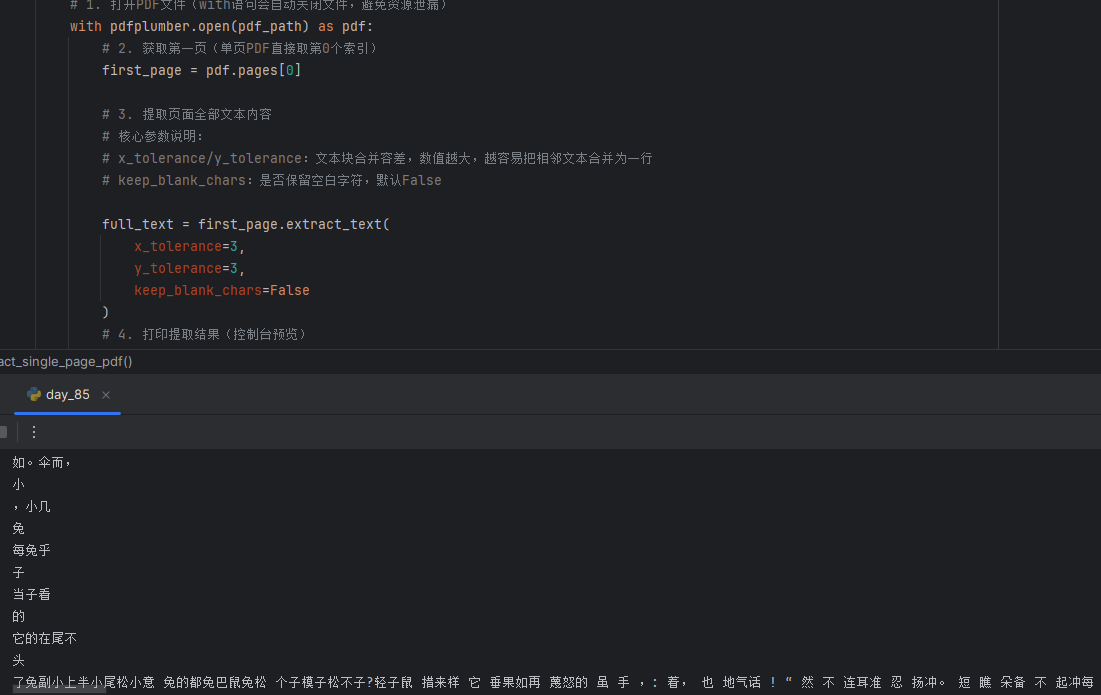
    # 1. 打开PDF文件(with语句会自动关闭文件,避免资源泄漏)
    with pdfplumber.open(pdf_path) as pdf:
        # 2. 获取第一页(单页PDF直接取第0个索引)
        first_page = pdf.pages[0]

        # 3. 提取页面全部文本内容
        # 核心参数说明:
        # x_tolerance/y_tolerance:文本块合并容差,数值越大,越容易把相邻文本合并为一行
        # keep_blank_chars:是否保留空白字符,默认False

        full_text = first_page.extract_text(
            x_tolerance=3,
            y_tolerance=3,
            keep_blank_chars=False
        )
        # 4. 打印提取结果(控制台预览)
        print("===== 单页PDF提取结果 =====")
        print(full_text)
        print("=============================")

        # 5. 将提取结果保存到TXT文件
        with open(output_path, "w", encoding="utf-8") as f:
            f.write(full_text)
        print(f"提取结果已保存至:{output_path}")


# 二. 多页 PDF 全量文本提取

def extract_multiple_page_pdfs(pdf_path, output_path):
    """
        提取多页PDF的全部文本内容,按页码标注,保存为结构化文件
        :param pdf_path: PDF文件路径
        :param output_path: 提取结果保存路径
    """

    # 1. 打开PDF文件
    with pdfplumber.open(pdf_path) as pdf:

        # 2. 初始化结果列表,按页码存储
        all_page_text = []
        total_pages = len(pdf.pages)
        print(f"PDF总页数:{total_pages},开始提取")

        # 3. 循环遍历所有页面,批量提取
        for page_index, page in enumerate(pdf.pages):

            # 页码从1开始标注,符合阅读习惯
            page_num = page_index + 1
            # 提取当前页文本
            page_text = page.extract_text(
                x_tolerance=3,
                y_tolerance=3,
                keep_blank_chars=False
            )
            # 处理空页情况
            if not page_text.strip():
                page_text = "【该页无有效文本内容】"

            # 按页码结构化存储
            all_page_text.append(f"## 第{page_num}页 \n{page_text}\n\n")
            print(f"第{page_num}页提取完成")

        # 4. 拼接所有页面内容
        full_text = "# PDF全量提取结果\n" + "".join(all_page_text)

        # 5. 保存到文件
        with open(output_path, "w", encoding="utf-8") as f:
            f.write(full_text)
        print(f"\n全量提取完成,结果已保存至:{output_path}")


# 三、精准区域文本提取

pdf_file_path3 = "C:\\Users\\hp\\Desktop\\NLP学习数据\\arctle2.pdf"
target_page_num = 1  # 目标提取页码(从1开始)
# 提取区域坐标(x0: 左边界, y0: 上边界, x1: 右边界, y1: 下边界)
# 可通过extract_words()查看所有文本块的坐标,调整此参数
extract_bbox = (50, 100, 500, 700)


def extract_text_by_area(pdf_path, page_num, bbox):
    """
        提取PDF指定页面、指定区域的文本内容
        :param pdf_path: PDF文件路径
        :param page_num: 目标页码(从1开始)
        :param bbox: 提取区域坐标 (x0, y0, x1, y1)
        :return: 提取的区域文本
    """

    with pdfplumber.open(pdf_path) as pdf:
        # 转换为0索引
        page_index = page_num - 1
        if page_index < 0 or page_index >= len(pdf.pages):
            print("错误:页码超出PDF范围")
            return None

        target_page = pdf.pages[page_index]

        # 方法1:直接通过bbox参数提取指定区域文本(推荐)
        area_text = target_page.extract_text(
            x_tolerance=50, y_tolerance=50, keep_blank_chars=False, bbox=bbox
        )

        # 方法2:先获取所有文本块,再筛选区域内的文本(更灵活)
        all_words = target_page.extract_words()
        filtered_words = [
            word for word in all_words
            if bbox[0] <= word["x0"] and word["x1"] <= bbox[2]
               and bbox[1] <= word["y0"] and word["y1"] <= bbox[3]
        ]
        filtered_text = " ".join([word["text"] for word in filtered_words])

        # 打印结果
        print(f"===== 第{page_num}页 指定区域提取结果 =====")
        print("直接提取结果:")
        print(area_text)
        print("\n文本块筛选结果:")
        print(filtered_text)
        print("=============================================")
        print(all_words)
        return area_text


# 四、 加密 PDF 文本提取
pdf_file_path4 = "C:\\Users\\hp\\Desktop\\NLP学习数据\\arctle4.pdf"  # 替换为您的加密PDF文件路径
pdf_password = "123456"  # 替换为PDF的打开密码


def extract_encrypted_pdf(pdf_path, pdf_password):
    """
        提取加密PDF的文本内容
        :param pdf_path: 加密PDF文件路径
        :param password: PDF打开密码
    """
    try:
        # 打开加密PDF,传入password参数
        with pdfplumber.open(pdf_path, password=pdf_password) as pdf:
            print(f"加密PDF打开成功,总页数:{len(pdf.pages)}")
            # 提取第一页文本作为测试
            first_page_text = pdf.pages[0].extract_text()
            print("===== 加密PDF第一页提取结果 =====")
            print(first_page_text[:50])  # 打印前500个字符预览
    except Exception as e:
        print(f"提取失败,错误信息:{e}")
        print("常见原因:1. 密码错误;2. PDF为扫描件/图片型PDF,无有效文本;3. PDF加密级别过高")


# 执行函数
if __name__ == "__main__":
    # 基础单页PDF文本提取
    # extract_single_page_pdf(pdf_file_path1, output_txt_path1)

    # 多页PDF全量文本提取
    # extract_multiple_page_pdfs(pdf_file_path2, output_txt_path2)

    # 精准区域文本提取
    extract_text_by_area(pdf_file_path3,target_page_num, extract_bbox)

    # 加密PDF文本提取
    # extract_encrypted_pdf(pdf_file_path4, pdf_password)