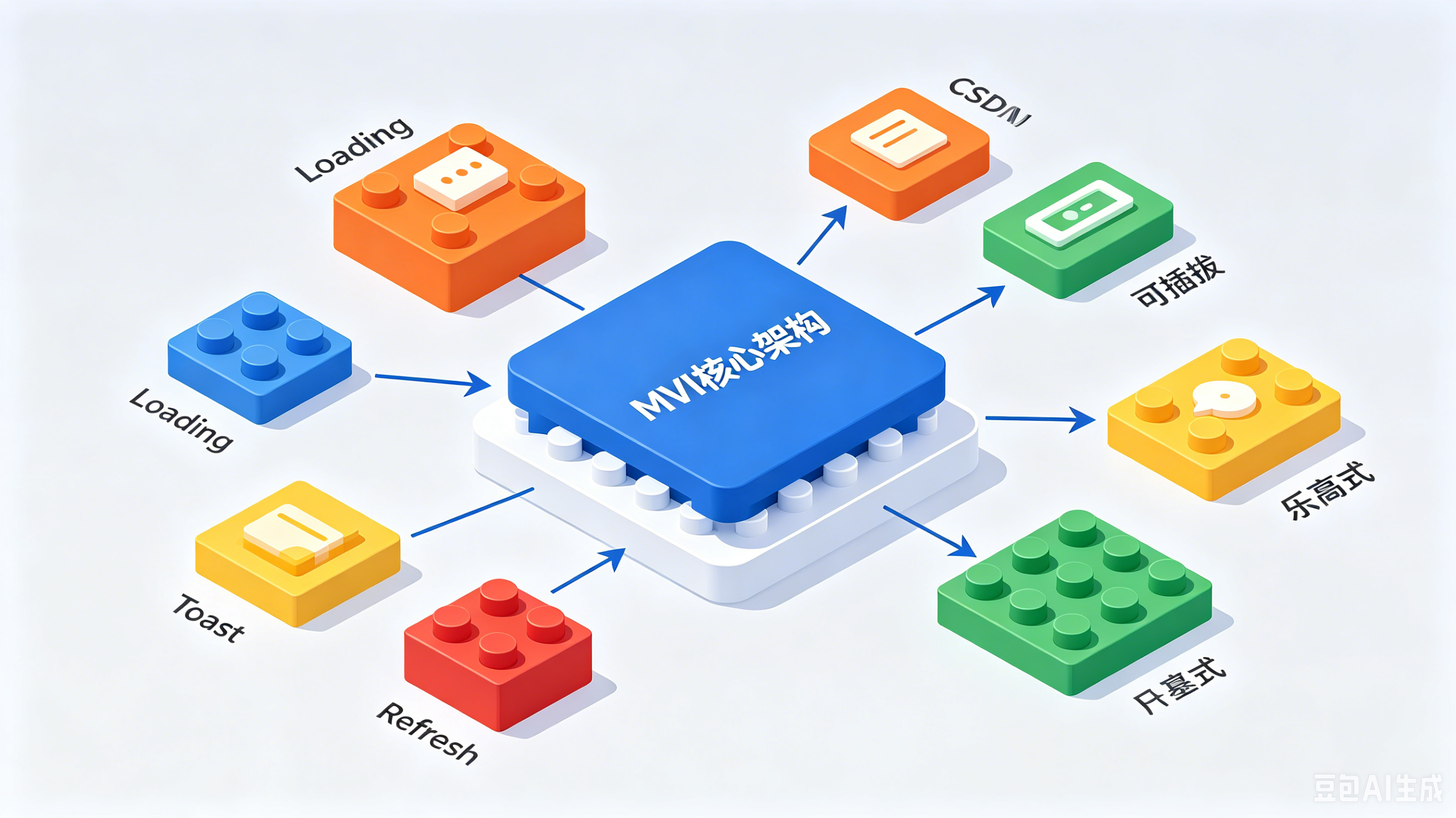
简介:纯原生 Kotlin 乐高式 MVI 架构,根治事件重放、基类膨胀、跨通信不安全三大线上问题,支持增量迁移,金融 App 生产级落地方案。
一、标准 MVI 的 ViewModel 长什么样?
先看一段教科书式的 MVI ViewModel:
kotlin
class MyViewModel : ViewModel() {
    private val _uiState = MutableStateFlow<MyUiState>(MyUiState.Loading)
    val uiState: StateFlow<MyUiState> = _uiState.asStateFlow()

    private val _uiEvent = Channel<MyEvent>(Channel.BUFFERED)
    val uiEvent: Flow<MyEvent> = _uiEvent.receiveAsFlow()

    fun dispatch(intent: MyIntent) {
        when (intent) {
            is MyIntent.Load -> loadData()
        }
    }

    private fun loadData() {
        viewModelScope.launch {
            _uiState.value = MyUiState.Loading
            try {
                val data = withContext(Dispatchers.IO) { repository.fetch() }
                _uiState.value = MyUiState.Success(data)
            } catch (e: Exception) {
                _uiState.value = MyUiState.Error(e.message)
                _uiEvent.send(MyEvent.ShowError(e.message))
            }
        }
    }
}这段代码有两个所有 MVI 教程都不会告诉你的问题:
问题 1:StateFlow + Channel 双通道。 _uiState 管持久状态(Loading/Success),_uiEvent 管一次性事件(Snackbar)。Fragment 要同时 collect 两个 Flow,新增事件类型得两边改。更致命的是 StateFlow 的重放特性------Fragment 旋转重建后重新 collect,如果上次是 Error 状态,用户会再看一次错误提示。
问题 2:能力不能复用。 Loading 动画、Toast、下拉刷新......要么堆到 BaseViewModel 让所有子类继承(基类膨胀),要么每个 ViewModel 各写一遍(代码分散)。
问题 3:跨 ViewModel 通信不安全。 两个 ViewModel 需要协作时,通常只能用 EventBus + 字符串 tag,拼写错误编译器不报错,运行时才出 bug。
下面这套方案同时解决这三个问题。核心思路只有一句话:用 Kotlin 的 by 关键字把 ViewModel 做成乐高,一个 Slot 管一件事。
二、一张表说清楚差异
| 维度 | 标准 MVI | 这套方案 | 为什么不同 |
|---|---|---|---|
| 能力复用 | 继承 BaseViewModel | 接口委托 by Delegate |
不用的能力不加载,新增能力不改基类 |
| 状态容器 | StateFlow + Channel 双通道 | SharedFlow(replay=0) 单通道 | 不分流,旋转屏幕不重放一次性事件 |
| 数据管道 | 手动 launch + collect + postValue |
Flow.emitToUiState() 扩展函数 |
一行代码完成网络→UIState 转换 |
| Loading | _isLoading.value = true/false |
Flow.withProgress() |
声明式,支持用户取消自动终止协程 |
| 跨 VM 通信 | EventBus / SharedFlow + 字符串 tag | MVIPlusChannel Class 类型索引 | 类型安全,编译期检查 |
| Fragment 绑定 | 手动 viewModel.uiState.observe {} |
MVIHost by MVIHostDelegate() |
泛型反射自动绑定,一行 Intent.send() 发送 |
表格下面逐条展开。
三、核心思想:VM 侧和 Host 侧各一套 Slot
先看整体结构,这套方案的核心是一个对称 Slot 架构:
┌──────────── ViewModel 侧 ────────────┐    ┌──────────── Fragment 侧 (Host) ────────────┐
│                                       │    │                                                │
│  MVIViewModel                         │    │  MVIFragment                                   │
│  ├── MVIVM by MVIVMDelegate()         │    │  ├── MVIHost by MVIHostDelegate()               │
│  ├── MVIVMToast by MVIVMToastDelegate()│    │  ├── MVIHostToast by MVIHostToastDelegate()    │
│  ├── MVIVMProgress by MVIVMProgressDelegate()│  ├── MVIHostProgress by MVIHostProgressDelegate()│
│  └── MVIVMRefresh by MVIVMRefreshDelegate()│  └── MVIHostRefresh by MVIHostRefreshDelegate()  │
│                                       │    │                                                │
│  每个 Slot 拥有自己的 MutableSharedFlow │───▶│  每个 Host Slot collect 对应的 SharedFlow        │
└───────────────────────────────────────┘ └────────────────────────────────────────────────┘- ViewModel 侧 4 个 Slot :各自拥有独立的
MutableSharedFlow作为事件出口 - Fragment 侧 4 个 Slot :各自 collect 对应的
SharedFlow并渲染 UI 副作用 - Slot 之间通过
SharedFlow连接,不互相引用,完全解耦
四、差异一:接口委托替代继承
传统 ViewModel 的能力复用靠继承。结果是 BaseViewModel 变成上帝类:
kotlin
open class BaseViewModel : ViewModel() {
    protected fun showLoading() { /* ... */ }
    protected fun dismissLoading() { /* ... */ }
    protected fun showToast(msg: String) { /* ... */ }
    protected fun checkLogin(): Boolean { /* ... */ }
    // 越来越长......
}
每个子类不管需不需要 loading、toast,全都继承到。新增能力要改 BaseViewModel,影响面巨大。
这套方案把每个能力拆成独立的接口 + Delegate 实现 ,通过 Kotlin 的 by 关键字组合:
kotlin
abstract class MVIViewModel<Intent, UIState> : BaseViewModel(),
    MVIVM<Intent, UIState> by MVIVMDelegate(),
    MVIVMToast by MVIVMToastDelegate(),
    MVIVMProgress by MVIVMProgressDelegate(),
    MVIVMRefresh by MVIVMRefreshDelegate()
by 的含义:接口的方法调用直接转发给后面的 Delegate 实例,ViewModel 本身一行实现都不用写。
VM 侧核心 Slot:MVIVMDelegate
kotlin
interface MVIVM<Intent, UIState> {
    val channel: Channel<Intent>
    suspend fun sendIntent(intent: Intent)
    suspend fun collectIntent(dispatcher: (Intent) -> Unit)
    suspend fun collectUIState(dispatcher: suspend (UIState) -> Unit)
    suspend fun emitUiState(uiState: UIState)

    fun <T> Flow<T>.emitToUiStateInternal(
        scope: CoroutineScope,
        saveLiveData: MutableLiveData<T>? = null,
        uiStateBuilder: T.() -> UIState
    ): Job
}

class MVIVMDelegate<Intent, UIState> : MVIVM<Intent, UIState> {
    override val channel = Channel<Intent>()

    private val _stateFlow = MutableSharedFlow<UIState>(
        replay = 0,                  // 新订阅者不重放历史
        extraBufferCapacity = 5,     // 允许 buffer
        onBufferOverflow = BufferOverflow.SUSPEND
    )

    override suspend fun emitUiState(uiState: UIState) {
        _stateFlow.emit(uiState)
    }

    override suspend fun sendIntent(intent: Intent) {
        channel.send(intent)
    }

    override suspend fun collectIntent(dispatcher: (Intent) -> Unit) {
        channel.consumeEach(dispatcher)
    }

    override fun <T> Flow<T>.emitToUiStateInternal(
        scope: CoroutineScope,
        saveLiveData: MutableLiveData<T>?,
        uiStateBuilder: T.() -> UIState
    ): Job = scope.launch {
        collect {
            saveLiveData?.postValue(it)
            emitUiState(uiStateBuilder(it))
        }
    }
}
实际效果:ViewModel 不需要写任何 loading/toast 方法
kotlin
class FollowListViewModel : MVIViewModel<FollowListIntent, FollowListState>() {
    override fun dispatchIntent(intent: FollowListIntent) {
        when (intent) {
            is FollowListIntent.LoadData -> loadData(intent.params, intent.showLoading)
            is FollowListIntent.RemoveFollow -> removeFollow(intent.userId)
        }
    }

    private fun loadData(params: Map<String, Any>, showLoading: Boolean) {
        userApiService.getFollowList(params)
            .withProgress(showLoading)       // ← Progress Slot
            .apiResponse()
            .map { it.data?.list }
            .withErrorToast()                 // ← Toast Slot
            .withRefreshEndState()            // ← Refresh Slot
            .emitToUiState {                  // ← 核心 Slot
                FollowListState.DataList(this ?: emptyList())
            }
    }
}
不需要写 showLoading()、dismissLoading()、showToast()。这些能力通过 by 委托带进来,子类直接使用。
五、差异二:SharedFlow 替代 StateFlow,双通道合一
标准 MVI 中 StateFlow 的事件重放是一个长期被低估的坑。ViewModel 发射 UiState.Error("网络异常") → Fragment 弹 Snackbar → 旋转屏幕 → 重新 collect StateFlow → Snackbar 再弹一次。
常见解法是加一个 Channel<Event>:
kotlin
private val _uiState = MutableStateFlow<UiState>(UiState.Loading)
private val _uiEvent = Channel<UiEvent>(Channel.BUFFERED)
Fragment 要同时 collect 两个 Flow,每次加事件类型两边都改。
这套方案用 MutableSharedFlow(replay=0) 替代 StateFlow:
kotlin
private val _stateFlow = MutableSharedFlow<UIState>(
    replay = 0,                  // 新订阅者不重放历史
    extraBufferCapacity = 5,
    onBufferOverflow = BufferOverflow.SUSPEND
)
replay=0 意味着新订阅者只收到 subscribe 之后的 emit,旋转屏幕不会重放。UIState 里可以同时包含"持久状态"和"一次性事件"------不需要分流:
kotlin
sealed interface FollowListState {
    data class DataList(val list: List<UserItem>) : FollowListState  // 持久状态
    data object RemoveFollowSuccess : FollowListState                 // 一次性事件
}
Fragment 只 collect 一个 Flow:
kotlin
override fun dispatchUIState(uiState: FollowListState) {
    when (uiState) {
        is FollowListState.DataList -> {
            adapter.submitList(uiState.list)
        }
        is FollowListState.RemoveFollowSuccess -> {
            showToast("操作成功")
            refresh()
        }
    }
}
注意:
replay=0意味着页面从后台切回时不会自动收到上次状态。 这是设计选择------我们通过在onResume重新发送 Intent 来主动刷新,而不是依赖状态重放。这避免了 Error/Success toast 的重复触发问题。
六、差异三:Flow 扩展函数替代手动 collect
标准 MVI 每个数据加载方法都要手动管协程、处理状态转换:
kotlin
private fun loadData() {
    viewModelScope.launch {
        _uiState.value = MyUiState.Loading
        try {
            val data = withContext(Dispatchers.IO) { repository.fetch() }
            _uiState.value = MyUiState.Success(data)
        } catch (e: Exception) {
            _uiState.value = MyUiState.Error(e.message)
        }
    }
}
这套方案把"接收 Flow → 转换为 UIState"封装为 Flow 扩展函数:
kotlin
// MVIViewModel 中对外暴露
fun <T> Flow<T>.emitToUiState(uiStateBuilder: T.() -> UIState): Job {
    return emitToUiStateInternal(viewModelScope, null, uiStateBuilder)
}

// 带 LiveData 兼容的版本(过渡期用)
fun <T> Flow<T>.emitToUiState(
    saveLiveData: MutableLiveData<T>?,
    uiStateBuilder: T.() -> UIState
): Job {
    return emitToUiStateInternal(viewModelScope, saveLiveData, uiStateBuilder)
}
调用时只有一行:
kotlin
userApiService.getFollowList(params)
    .withProgress(showProgress = true)
    .withErrorToast()
    .withRefreshEndState()
    .emitToUiState { FollowListState.DataList(this ?: emptyList()) }
saveLiveData 的过渡期作用
saveLiveData 参数的存在是为了MVVM→MVI 迁移过渡期。同一个 Flow 可以同时写入 LiveData(给旧 Fragment 用)和发射 UIState(给新 Fragment 用),验证无误后再移除 LiveData 路径:
kotlin
// 过渡期:两种消费者共存
repository.fetchOrders()
    .emitToUiState(saveLiveData = _ordersLiveData) {
        OrderUIState.Success(this)
    }

// 迁移完成后:纯 MVI
repository.fetchOrders()
    .emitToUiState { OrderUIState.Success(this) }
七、差异四:Progress Slot 自动 cancel 协程
标准 MVI 控制 loading 至少需要一个 var 标志位,如果还要支持"用户点击取消终止网络请求",还得维护 Job 引用。
Progress Slot 在 Flow 上挂载 loading 行为:
kotlin
fun <T> Flow<T>.withProgress(
    showProgress: Boolean = true,
    delayTime: Long = 0,
    cancelRequestByUserHideProgress: (() -> Unit)? = null
): Flow<T>
实现原理:通过 onStart 捕获当前协程上下文,传递给 UI 层。用户点取消 → UI 层调用 context.cancel() → 协程终止 → OkHttp 请求取消 → onCompletion 自动发射 Hide:
kotlin
class MVIVMProgressDelegate : MVIVMProgress {
    override val progressStateFlow = MutableSharedFlow<MVIProgressUIState>(
        replay = 0, extraBufferCapacity = 5,
        onBufferOverflow = BufferOverflow.SUSPEND
    )

    override fun <T> Flow<T>.withProgress(
        showProgress: Boolean,
        delayTime: Long,
        cancelRequestByUserHideProgress: (() -> Unit)?
    ): Flow<T> {
        return if (showProgress) {
            this.onStart {
                val ctx = currentCoroutineContext()
                withContext(Dispatchers.Main) {
                    progressStateFlow.emit(MVIProgressUIState.Show(
                        showDelayTime = delayTime,
                        coroutineContext = if (cancelRequestByUserHideProgress != null) ctx else null,
                        cancelRequestByUserHideProgress = { context ->
                            context?.cancel(CancellationException("cancel by user"))
                            cancelRequestByUserHideProgress?.invoke()
                        }
                    ))
                }
            }.onCompletion {
                withContext(Dispatchers.Main) {
                    progressStateFlow.emit(MVIProgressUIState.Hide)
                }
            }
        } else this
    }
}
Host 侧对应 collect 并渲染 Loading UI:
kotlin
class MVIHostProgressDelegate : MVIHostProgress {
    override fun collectProgressState(
        activity: Activity?,
        mviProgress: MVIVMProgress,
        scope: LifecycleCoroutineScope
    ) {
        scope.launch {
            mviProgress.progressStateFlow.collect {
                when (it) {
                    is MVIProgressUIState.Hide -> {
                        LoadingDialog.dismiss(activity)
                    }
                    is MVIProgressUIState.Show -> {
                        LoadingDialog.show(activity, it.msg, it.showDelayTime)
                        if (it.cancelRequestByUserHideProgress != null) {
                            LoadingDialog.setOnBackPressedDispatcher {
                                it.cancelRequestByUserHideProgress.invoke(it.coroutineContext)
                            }
                        }
                    }
                }
            }
        }
    }
}
调用时不维护任何状态:
kotlin
userApiService.unfollow(params)
    .withProgress()    // 自动管理 loading 的显示和隐藏
    .nullableResponse()
    .withErrorToast()
    .emitToUiState { FollowListState.RemoveFollowSuccess }
八、Fragment 端:一个完整的真实示例
Fragment 端同样使用 Slot 委托:
kotlin
abstract class MVIFragment<VB : ViewBinding, VM : MVIViewModel<I, S>, I, S> :
    TemplateFragment<VB>(),
    MVIHost<VM, I, S> by MVIHostDelegate(),
    MVIHostToast by MVIHostToastDelegate(),
    MVIHostProgress by MVIHostProgressDelegate() {

    override fun onViewCreated(view: View, savedInstanceState: Bundle?) {
        // 一行绑定 ViewModel + UIState 渲染回调
        initMVI(this, getCustomViewModelOwner(), null, ::dispatchUIState)
        collectToastState(viewModel, lifecycleScope)
        collectProgressState(requireActivity(), viewModel, lifecycleScope)
        super.onViewCreated(view, savedInstanceState)
    }

    // 子类只需实现这个方法,处理 UI 状态
    abstract fun dispatchUIState(uiState: S)
}
initMVI 内部通过泛型反射 自动解析 ViewModel 类型并绑定,不需要手动写 ViewModelProvider。核心实现:
kotlin
class MVIHostDelegate<VM, Intent, UIState> : MVIHost<VM, Intent, UIState> {

    override lateinit var viewModel: VM

    override fun initMVI(
        lifecycleOwner: LifecycleOwner,
        customViewModelStoreOwner: ViewModelStoreOwner?,
        clazz: Class<VM>?,
        dispatcher: (UIState) -> Unit
    ) {
        // 泛型反射自动获取 ViewModel 的 Class 类型
        val vmClass = clazz ?: getVMFromGenericSuperClass(lifecycleOwner)
        viewModel = bindViewModel(customViewModelStoreOwner ?: lifecycleOwner, lifecycleOwner.lifecycleScope, vmClass, dispatcher)
    }

    // Intent.send() 扩展:一行发送 Intent
    override fun Intent.send() {
        (viewModel as ViewModel).viewModelScope.launch {
            viewModel.sendIntent(this@send)
        }
    }

    @Suppress("UNCHECKED_CAST")
    private fun getVMFromGenericSuperClass(lifecycleOwner: LifecycleOwner): Class<VM> {
        var targetClass: Class<*> = lifecycleOwner.javaClass
        while (targetClass != Fragment::class.java) {
            val type = targetClass.genericSuperclass as ParameterizedType
            for (realType in type.actualTypeArguments) {
                val clazz = realType as? Class<VM>
                if (clazz != null && MVIVM::class.java.isAssignableFrom(clazz)) {
                    return clazz
                }
            }
            targetClass = targetClass.superclass
        }
        throw Exception("Cannot resolve ViewModel type from generic superclass")
    }
}
下面是一个真实的线上页面------关注列表的完整代码:
ViewModel 侧(56 行):
kotlin
sealed interface FollowListIntent {
    data class LoadData(val params: Map<String, Any>, val showLoading: Boolean) : FollowListIntent
    data class RemoveFollow(val userId: String) : FollowListIntent
}

sealed interface FollowListState {
    data class DataList(val list: List<UserItem>) : FollowListState
    data object RemoveFollowSuccess : FollowListState
}

class FollowListViewModel : MVIViewModel<FollowListIntent, FollowListState>() {
    override fun dispatchIntent(intent: FollowListIntent) {
        when (intent) {
            is FollowListIntent.LoadData -> loadData(intent.params, intent.showLoading)
            is FollowListIntent.RemoveFollow -> removeFollow(intent.userId)
        }
    }

    private fun loadData(params: Map<String, Any>, showLoading: Boolean) {
        userApiService.getFollowList(params)
            .withProgress(showLoading)
            .apiResponse()
            .map { it.data?.list }
            .withErrorToast()
            .withRefreshEndState()
            .emitToUiState { FollowListState.DataList(this ?: emptyList()) }
    }

    private fun removeFollow(userId: String) {
        userApiService.unfollow(userId)
            .withProgress()
            .nullableResponse()
            .withErrorToast()
            .emitToUiState { FollowListState.RemoveFollowSuccess }
    }
}
Fragment 侧(关键代码):
kotlin
class FollowListFragment :
    MVIListFragment<UserItem, FollowListViewModel, FollowListIntent, FollowListState>() {

    override fun dispatchUIState(uiState: FollowListState) {
        when (uiState) {
            is FollowListState.DataList -> {
                adapter.submitList(uiState.list)
            }
            is FollowListState.RemoveFollowSuccess -> {
                showToast("操作成功")
                refresh()
            }
        }
    }

    override fun onRealLoadData(pageParams: MutableMap<String, Any>, refresh: Boolean) {
        FollowListIntent.LoadData(pageParams, firstLoad).send()  // ← 一行发送 Intent
        if (firstLoad) firstLoad = false
    }
}
注意 FollowListIntent.LoadData(...).send()------这是 MVIHost 接口提供的扩展函数,底层调用 viewModel.sendIntent()。不需要手动引用 ViewModel 实例。
九、差异五:MVIPlusChannel 类型安全跨 VM 通信
两个 ViewModel 需要协作时的标准做法都有问题:
activityViewModels()共享 ViewModel → 失去模块隔离- EventBus → 字符串 tag,不安全
SavedStateHandle→ 只能传可序列化数据
这套方案用 MVIPlusChannel,通过 HashMap<Class<*>, Channel<*>> 做注册中心,用 Class 类型索引 channel:
kotlin
interface MVIPlusChannel {
    val plusStateFlowMap: HashMap<Class<*>, Flow<*>>
    val plusChannelMap: HashMap<Class<*>, Channel<*>>
}
ViewModel 使用时混入 Delegate:
kotlin
class TradeViewModel : MVIViewModel<TradeIntent, TradeUIState>(),
    MVIPlusChannel by MVIPlusChannelDelegate() {

    // 创建 UIState 发射器,指定 Intent 和 UIState 的类型
    private val plusChannel = MVIPlusUIStateEmitter(
        this, TradeIntent::class.java, TradeUIState::class.java
    )

    init {
        // 监听外部发来的 Intent,转发给自己处理
        plusChannel.dispatchIntent { intent ->
            dispatchIntent(intent)
        }
    }

    // 向外部发射 UIState(其他 ViewModel 的 Fragment 可以 collect)
    private fun notifyPayMethodChanged(enable: Boolean) {
        TradeUIState.PayMethodEnable(enable).emitByUIStateEmitter(plusChannel)
    }
}
Fragment 端绑定另一个 ViewModel:
kotlin
class TradeFragment : MVIFragment<...>() {

    // 创建 IntentSender,指定要通信的 ViewModel 类型
    private val plusIntentSender: MVIPlusIntentSender<TradeIntent, TradeUIState> by lazy {
        MVIPlusIntentSender(
            this, viewModel as MVIPlusChannel,
            TradeIntent::class.java, TradeUIState::class.java
        )
    }

    override fun onViewCreated(view: View, savedInstanceState: Bundle?) {
        super.onViewCreated(view, savedInstanceState)
        // collect 另一个 ViewModel 的 UIState
        sharedViewModel = bindViewModel(
            viewModelStoreOwner = requireActivity(),
            lifecycleCoroutineScope = lifecycleScope,
            clazz = TradeViewModel::class.java,
            dispatcher = { uiState -> handleSharedState(uiState) }
        )
    }

    // 向另一个 ViewModel 发送 Intent
    private fun initRequest() {
        TradeIntent.LoadAssets(assetCode).sendByIntentSender(plusIntentSender)
    }
}
两个 ViewModel 不需要互相引用,不需要共同父类,不需要 EventBus。绑定在 Fragment 层做,ViewModel 之间完全不知道对方的存在。
十、Toast Slot:声明式错误处理
除了 Progress 和 Refresh,Toast Slot 是另一个高频使用的 Slot。它把"网络异常 → Toast 提示"这一流程封装为 Flow.withErrorToast():
kotlin
interface MVIVMToast {
    val toastStateFlow: MutableSharedFlow<MVIVMToastUIState>

    fun <T> Flow<T>.withErrorToast(
        showErrorToastForegroundDelay: Boolean = true,
        showOnResume: Boolean = true,
        customToast: ((e: Throwable, code: Int?, msg: String?, Boolean) -> Boolean)? = null
    ): Flow<T>
}
customToast 参数允许自定义错误处理逻辑------返回 true 表示已自行处理(不弹默认 Toast),返回 false 走默认 Toast。Host 侧在 Resumed 状态下才弹 Toast,避免后台弹窗:
kotlin
class MVIHostToastDelegate : MVIHostToast {
    override fun collectToastState(mviToast: MVIVMToast, scope: LifecycleCoroutineScope) {
        scope.launch {
            mviToast.toastStateFlow.collect {
                val toast = { ToastHelper.show(it.error, it.code, it.msg) }
                if (it.showOnResume) {
                    scope.launchWhenResumed { toast() }
                } else {
                    toast()
                }
            }
        }
    }
}
十一、迁移策略:26 个 ViewModel 怎么切的?
不是一次性重写,而是增量迁移。具体步骤:
- 先建框架 :在业务模块中创建 MVI 基础类(
MVIViewModel、MVIFragment及各 Slot) - 新模块直接用 MVI:新功能从第一天就用新架构,验证 Slot 组合是否合理
- 旧页面逐个迁移:优先迁移逻辑简单的列表页,复杂页放后面
- 过渡期共存 :利用
saveLiveData参数让新旧 Fragment 共存,不需要一次性改完
迁移一个页面的典型工作量:
- 新建 Intent/State sealed interface
- ViewModel 继承
MVIViewModel,把原有 LiveData 改为emitToUiState() - Fragment 继承
MVIFragment,observe改为dispatchUIState() - 平均每个页面 30-60 分钟
十二、replay=0 的取舍
选择 SharedFlow(replay=0) 而不是 StateFlow(replay=1) 是一个主动的 trade-off:
| 场景 | StateFlow(replay=1) | SharedFlow(replay=0) |
|---|---|---|
| 旋转屏幕 | 自动恢复最后一次状态 | 不自动恢复,需要重新发 Intent |
| 一次性事件 | 会重放 Error/Toast | 不重放,符合预期 |
| Fragment 切回 | 自动拿到最新状态 | 需要在 onResume 重新请求 |
选择 replay=0 的理由:金融 App 中错误提示和 Toast 是一次性事件,重放体验更差。而旋转屏幕的场景在移动端占比很低(不到 1%),通过 onResume 重新发 Intent 的成本完全可以接受。
代码中的处理方式:
kotlin
// MVIFragment 中提供 whenResumed 扩展
fun whenResumed(action: suspend () -> Unit) {
    lifecycleScope.launch {
        lifecycle.withResumed {
            lifecycleScope.launch { action() }
        }
    }
}

// Fragment 中使用
override fun onViewCreated(view: View, savedInstanceState: Bundle?) {
    eventBus.observe(this, DataChangedEvent::class.java) { event ->
        whenResumed { refresh() }  // Resumed 状态下才刷新
    }
}
十三、底层原理:为什么 SharedFlow(replay=0) 能替代双通道?
理解这套方案的关键在于搞清楚 SharedFlow 和 Channel 的底层差异。
StateFlow vs SharedFlow 的本质区别
StateFlow 本质上是 SharedFlow(replay=1, onBufferOverflow=SUSPEND) 的特化版本。它的 conflate 语义意味着:只保留最新的一个值,中间值被丢弃。 这对持久状态(Loading/Success/Error)没问题,但对一次性事件(Toast/Snackbar/导航)是灾难------连续两个事件会被合并成一个。
SharedFlow(replay=0) 的语义完全不同:不保留任何历史值,每个值都会被独立消费。 配合 extraBufferCapacity 和 onBufferOverflow 可以精确控制背压行为:
kotlin
// 本方案中所有 Slot 统一的 SharedFlow 配置
MutableSharedFlow<T>(
    replay = 0,                    // 不缓存历史
    extraBufferCapacity = 5,       // 缓冲区容纳 5 个待消费值
    onBufferOverflow = BufferOverflow.SUSPEND  // 缓冲区满时挂起发射方
)
extraBufferCapacity = 5 的选择依据
这不是拍脑袋的数字。一个典型的 UI 操作链路:
网络请求完成 → emit UiState.Success(data)
                              ↓
           Fragment collect → 更新列表 → emit UiState.Loading
                              ↓
           Fragment collect → 显示 Shimmer → emit UiState.Success(data)
如果 Fragment 处理第一条 Success 的过程中又 emit 了第二条,没有 buffer 就会丢失事件。extraBufferCapacity = 5 是经验值,覆盖了绝大多数连续 emit 场景(loading → data → error → toast → hide loading 最多 5 步)。
SUSPEND vs DROP_OLDEST vs DROP_LATEST 的选择
| 策略 | 行为 | 适用场景 |
|---|---|---|
SUSPEND |
缓冲区满时挂起发射方协程,等消费者腾出空间 | 不允许丢事件的场景(金融交易) |
DROP_OLDEST |
丢弃缓冲区最旧的事件,保留最新的 | 只关心最新状态(位置更新) |
DROP_LATEST |
丢弃最新的事件,保留旧的 | 很少使用 |
选择 SUSPEND 的理由:金融 App 的每一个 UI 状态都承载业务含义(余额变化、订单状态),丢弃任何一个都可能导致用户看到不一致的界面。挂起的代价是发射方协程会等待,但 Dispatchers.IO 上的网络请求协程本身就有超时机制,不会永久阻塞。
Channel RENDEZVOUS 的作用
Intent 通道使用的是无参 Channel(),默认容量为 0(RENDEZVOUS):
kotlin
override val channel = Channel<Intent>() // 等价于 Channel(RENDEZVOUS)RENDEZVOUS 的含义:send() 和 receive() 必须同时就绪才能完成交接。这保证了 Intent 的严格串行处理 ------上一个 Intent 处理完之前,下一个 send() 会挂起。这是有意为之:避免并发 Intent 导致的状态竞争。
kotlin
// Intent 消费端:串行处理
override suspend fun collectIntent(dispatcher: (Intent) -> Unit) {
    channel.consumeEach(dispatcher)  // 每次只处理一个
}
如果业务需要并发处理多个 Intent(比如多个独立的筛选条件),可以改为
Channel(Channel.BUFFERED)或Channel(Channel.UNLIMITED),但需要自行处理状态竞争。
整体数据流图
Fragment                    ViewModel                    Repository
  │                            │                            │
  │  Intent.send()             │                            │
  │ ─────────────────────────▶ │  channel.send(intent)      │
  │                            │  (RENDEZVOUS, 串行)         │
  │                            │  dispatchIntent(intent)     │
  │                            │ ──────────────────────────▶ │
  │                            │                            │
  │                            │  ◀─ Flow<T> ───────────── │
  │                            │  .withProgress()            │
  │                            │  .withErrorToast()          │
  │                            │  .emitToUiState { ... }     │
  │                            │                            │
  │  ◀─ SharedFlow ───────── │                            │
  │  (replay=0, buffer=5)      │                            │
  │  dispatchUIState(state)    │                            │
  │                            │                            │
  │  ◀─ toastStateFlow ────── │                            │
  │  ◀─ progressStateFlow ─── │                            │
  │  ◀─ refreshStateFlow ──── │                            │
四条 SharedFlow 各自独立,互不阻塞。每条都是 replay=0 + buffer=5 + SUSPEND,保证不丢事件、不重放。
十四、复杂场景处理
14.1 子 Fragment 嵌套:getCustomViewModelOwner()
嵌套 Fragment(Fragment 中包含子 Fragment)的 ViewModel 作用域是个经典问题。这套方案通过 getCustomViewModelOwner() 统一控制:
kotlin
abstract class MVIFragment<...> : TemplateFragment<VB>(),
    MVIHost<VM, I, S> by MVIHostDelegate(), ... {

    // 默认 fragment 作用域,子类可覆盖
    open fun getCustomViewModelOwner(): ViewModelStoreOwner {
        return this
    }

    override fun onViewCreated(view: View, savedInstanceState: Bundle?) {
        initMVI(this, getCustomViewModelOwner(), null, ::dispatchUIState)
        // ...
    }
}- 子 Fragment 默认持有独立的 ViewModel 实例(
getCustomViewModelOwner() = this) - 如果需要共享父级 ViewModel,覆盖返回
parentFragment或requireActivity() - 比起
by activityViewModels()的隐式绑定,显式的getCustomViewModelOwner()更清晰
14.2 多 Tab 复用 ViewModel:Activity 作用域的 Shared ViewModel
金融 App 中常见的需求:多个 Tab 页面共享数据、互相触发刷新。实现方式是创建一个 Activity 作用域的"事件中转" ViewModel:
kotlin
// 纯粹的事件中转 ViewModel,不含业务逻辑
class TradeShareViewModel : MVIViewModel<TradeShareIntent, TradeShareUIState>() {
    override fun dispatchIntent(intent: TradeShareIntent) {
        when (intent) {
            is TradeShareIntent.RefreshChannel ->
                TradeShareUIState.RefreshChannel(intent.id).emit()
            TradeShareIntent.OrderSuccess ->
                TradeShareUIState.OrderSuccess.emit()
            // ... 其他事件
        }
    }
}
各 Tab Fragment 通过 bindViewModel(viewModelStoreOwner = requireActivity(), ...) 绑定到这个共享 ViewModel:
kotlin
class TradeFragment : MVIFragment<...>() {
    override fun onViewCreated(view: View, savedInstanceState: Bundle?) {
        super.onViewCreated(view, savedInstanceState)
        // 绑定 Activity 作用域的共享 ViewModel
        sharedViewModel = bindViewModel(
            viewModelStoreOwner = requireActivity(),
            lifecycleCoroutineScope = lifecycleScope,
            clazz = TradeShareViewModel::class.java,
            dispatcher = ::handleSharedState
        )
    }
}
Activity 作为"集线器",通过 sendIntent 广播事件,各 Tab Fragment 自行决定如何响应。这个模式和 MVIPlusChannel 的区别在于:Shared ViewModel 适合强关联的 Tab 组,MVIPlusChannel 适合弱关联的跨模块通信。
14.3 进程重启后的状态恢复
Android 进程被杀后重启,ViewModel 会重建,但内存中的所有状态丢失。处理策略取决于业务重要性:
方案 A:全量重启(当前项目的选择)
kotlin
open fun simpleRelaunch(savedInstanceState: Bundle?): Boolean {
    if (savedInstanceState == null) return false
    // savedInstanceState != null 说明是进程重启恢复
    // 直接重启 App,跳过复杂的状态重建
    relaunchApp()
    return true
}
金融 App 的状态高度依赖服务端数据(余额、订单、行情),客户端本地恢复的意义有限。全量重启更安全,代价是用户体验略有折损(重新加载)。
方案 B:SavedStateHandle(轻量状态恢复)
对于需要恢复的少量关键数据(如当前币对、Tab 位置),可以用 SavedStateHandle:
kotlin
class TradeViewModel(savedState: SavedStateHandle) : MVIViewModel<...>() {
    private val currentSymbol = savedState.getStateFlow("symbol", "BTC_USDT")

    override fun dispatchIntent(intent: TradeIntent) {
        when (intent) {
            is TradeIntent.Load -> loadData(currentSymbol.value)
            is TradeIntent.ChangeSymbol -> {
                savedState["symbol"] = intent.symbol
                loadData(intent.symbol)
            }
        }
}
14.4 高并发事件:RENDEZVOUS 天然串行化
当用户快速连续点击(比如连续点击"关注"按钮 5 次),会连续发送 5 个 Intent。Channel(RENDEZVOUS) 保证了 Intent 的串行处理,不会出现竞态条件。但 5 个网络请求会依次发出,可能不是最优解。
如果需要"只处理最后一次"的语义(防抖),可以在 Fragment 层加保护:
kotlin
// MVIHostDelegate 中 send() 的简化防抖
override fun Intent.send() {
    (viewModel as ViewModel).viewModelScope.launch {
        viewModel.sendIntent(this@send)
    }
}

// Fragment 中使用防抖点击
button.clickDelay {
    FollowListIntent.RemoveFollow(userId).send()
}
十五、单元测试:Slot 化架构的天然优势
传统 MVVM 测试 ViewModel 时,通常需要 mock 整个 BaseViewModel(loading、toast、router 等),因为能力是继承来的,无法单独替换。
Slot 化架构下,每个 Delegate 是独立的类,可以单独 mock 或替换,测试变得极其简单。
测试一个 ViewModel 的完整数据流
kotlin
class FollowListViewModelTest {

    private lateinit var viewModel: FollowListViewModel
    private val fakeApiService = FakeUserApiService()

    @Before
    fun setup() {
        viewModel = FollowListViewModel()
        // 替换 API 服务为 fake
        // (实际项目中通过 DI 注入)
    }

    @Test
    fun `LoadData intent emits DataList state`() = runTest {
        // Given
        fakeApiService.stubFollowList(listOf(fakeUserItem))

        // When
        viewModel.dispatchIntent(FollowListIntent.LoadData(params = emptyMap(), showLoading = false))

        // Then: collect UIState
        val states = mutableListOf<FollowListState>()
        backgroundScope.launch {
            viewModel.collectUIState { states.add(it) }
        }

        // 验证收到了正确的 UIState
        assertEquals(1, states.size)
        assertTrue(states[0] is FollowListState.DataList)
        assertEquals(1, (states[0] as FollowListState.DataList).list.size)
    }
}
测试单个 Delegate 的行为
Slot 化最大的测试优势是可以单独测试每个 Slot:
kotlin
class MVIVMProgressDelegateTest {

    private val delegate = MVIVMProgressDelegate()

    @Test
    fun `withProgress emits Show then Hide`() = runTest {
        val states = mutableListOf<MVIProgressUIState>()
        backgroundScope.launch {
            delegate.progressStateFlow.collect { states.add(it) }
        }

        // When
        val result = flow { emit("data") }
            .withProgress(showProgress = true)
            .first()

        // Then: 收到 Show 和 Hide
        assertEquals(2, states.size)
        assertTrue(states[0] is MVIProgressUIState.Show)
        assertTrue(states[1] is MVIProgressUIState.Hide)
    }

    @Test
    fun `withProgress showProgress=false does not emit`() = runTest {
        val states = mutableListOf<MVIProgressUIState>()
        backgroundScope.launch {
            delegate.progressStateFlow.collect { states.add(it) }
        }

        flow { emit("data") }
            .withProgress(showProgress = false)
            .first()

        // withProgress=false 时不发射任何 progress 状态
        assertTrue(states.isEmpty())
    }
}
测试 Toast Slot 的自定义错误处理
kotlin
class MVIVMToastDelegateTest {

    private val delegate = MVIVMToastDelegate()

    @Test
    fun `customToast returns true blocks default toast`() = runTest {
        val states = mutableListOf<MVIVMToastUIState>()
        backgroundScope.launch {
            delegate.toastStateFlow.collect { states.add(it) }
        }

        // customToast 返回 true 表示自行处理
        flow { throw ApiException(code = 1001, msg = "自定义错误") }
            .withErrorToast(customToast = { _, _, _, _ -> true })
            .catch { /* 吞掉异常 */ }
            .collect()

        // 自定义处理了,不弹默认 toast
        assertTrue(states.isEmpty())
    }
}
可测试性对比
| 维度 | 继承式 BaseViewModel | Slot 化 Delegate |
|---|---|---|
| 测试 loading | 需要 mock BaseActivity/Fragment | 直接测试 MVIVMProgressDelegate |
| 测试 toast | 需要 mock Toast 工具类 | 直接测试 MVIVMToastDelegate |
| 测试跨 VM | 需要 mock EventBus | 直接测试 MVIPlusChannelDelegate |
| 替换实现 | 必须改基类,影响所有子类 | 只需在测试中注入不同 Delegate |
| Mock 范围 | 整个 BaseViewModel | 单个 Delegate 实例 |
十六、同类方案对比
16.1 Orbit MVI 库
Orbit 是目前最主流的 Kotlin MVI 框架之一。
| 维度 | Orbit | 这套方案 |
|---|---|---|
| 接入方式 | 注解 @ViewModelInject + container DSL |
Kotlin 接口委托,零注解 |
| 状态容器 | StateFlow(replay=1) |
SharedFlow(replay=0) |
| 一次性事件 | 需要单独的 SideEffect 机制 |
复用 UIState,不需要分流 |
| 能力扩展 | 继承 ContainerHost 接口 |
by Delegate 按需组合 |
| Learning curve | 需要学习 Container DSL | 标准 Kotlin,无新概念 |
| 跨 VM 通信 | 不提供,需自行实现 | MVIPlusChannel 内置 |
| APK 体积 | 增加 ~50KB | 零依赖 |
Orbit 的优势在于开箱即用和社区生态。这套方案的优势在于零依赖、零学习成本(标准 Kotlin)、以及 replay=0 天然解决事件重放问题。
16.2 Airbnb Mavericks
Mavericks 是 Airbnb 开源的 MVI 框架。
| 维度 | Mavericks | 这套方案 |
|---|---|---|
| 接入方式 | 继承 MavericksViewModel |
继承 MVIViewModel,能力 by 组合 |
| 状态管理 | StateFlow + Parcelable |
SharedFlow,不要求 Parcelable |
| 一次性事件 | PostSideEffect + SideEffectInterceptor |
复用 UIState |
| 多模块 | 依赖 Hilt 注入 | 无 DI 要求 |
| APK 体积 | 增加约 200KB(含 Hilt) | 零依赖 |
Mavericks 的优势在于与 Jetpack Navigation 深度集成和 Hilt 生态。这套方案更轻量,适合不想引入重型 DI 框架的项目。
16.3 LiveData 事件包装类(SingleLiveEvent 等)
一种常见方案:用 Event<T> 包装类包裹 LiveData 值,配合 getContentIfNotHandled() 实现一次性消费:
kotlin
open class Event<out T>(private val content: T) {
    var hasBeenHandled = false
        private set
    fun getContentIfNotHandled(): T? =
        if (hasBeenHandled) null else { hasBeenHandled = true; content }
}| 维度 | SingleLiveEvent/Event 包装 | SharedFlow(replay=0) |
|---|---|---|
| 并发安全 | 依赖 LiveData 的主线程保证 | 协程原生安全 |
| 消费者数量 | 只能一个消费者(LiveData 特性) | 支持多个消费者 |
| 背压处理 | 无(LiveData 无背压概念) | BufferOverflow 精确控制 |
| 生命周期感知 | 自动(LiveData 特性) | 需要配合 lifecycleScope |
| 协程集成 | 需要额外适配 | 原生 Flow 操作符链式调用 |
Event 包装类的本质是用一个 boolean 标志位模拟"只消费一次"------在并发和生命周期的边界场景下容易出 bug。SharedFlow(replay=0) 从协议层解决了这个问题,不需要手动管理消费标志。
选型建议
- 项目已有 LiveData 生态,不想大改 → SingleLiveEvent / Event 包装
- 新项目,想要开箱即用 + 社区支持 → Orbit
- 大型项目,已有 Hilt + Navigation → Mavericks
- 金融/交易类 App,要求零额外依赖 + 精确控制事件语义 → 本方案
十七、潜在隐患与 Trade-off
任何架构设计都是取舍,这套方案在解决痛点的同时,也引入了需要团队共识的代价。以下是线上使用中实际遇到的四个问题,按影响程度排序。
17.1 replay=0 付出的状态丢失代价
这是本方案最大的 Trade-off 。replay=0 虽然解决了事件重放,但也剥夺了状态恢复能力。
旋转屏幕:UI 白屏/闪烁。 Fragment 重建后重新 collect,但 SharedFlow(replay=0) 不会重放上一次的状态。必须依赖 onResume 重新发送 Intent 触发网络请求。在弱网环境下,用户旋转屏幕后会看到明显的白屏 → Loading → 数据加载完成的闪烁过程。虽然文中强调金融 App 可接受(需要最新数据),但这确实违背了 MVI "UI 完全由 State 驱动"的初衷。
后台切前台 + 多 Tab 快速切换:Buffer 溢出风险。 Fragment 在非 STARTED 状态时,lifecycleScope 下的 collect 协程会挂起,此时 ViewModel 如果持续 emit UIState,值会进入 buffer。buffer 容量为 5,如果用户快速在多个 Tab 间切换,导致多个 ViewModel 同时 emit,buffer 被填满后触发 SUSPEND------发射方协程会挂起等待,直到消费者恢复。如果挂起时间超过网络超时(通常 10-30 秒),OkHttp 请求会被取消,状态不是被丢弃,而是根本没产生。
应对策略:
kotlin
// 策略 1:在 Fragment 的 onStart 中主动刷新,而不是等 onResume
override fun onStart() {
    super.onStart()
    SomeIntent.Refresh.send()
}

// 策略 2:对高频事件使用 conflate 代替 collect
lifecycleScope.launch {
    viewModel.collectUIState { state ->  // collect 每个值都处理
        renderState(state)
    }
}

// 策略 3:如果业务允许丢弃中间状态,可以改为 collectLatest
lifecycleScope.launch {
    viewModel._stateFlow.collectLatest { state ->
        renderState(state)  // 新值到来时取消上一次处理
    }
}
我们目前的策略是"策略 1 + 接受闪烁"。金融 App 对数据新鲜度的要求高于 UI 平滑度,这是一个有意识的选择。
17.2 泛型反射带来的脆弱性
MVIHostDelegate 中通过 getVMFromGenericSuperClass() 遍历泛型父类链来反推 ViewModel 的 Class 类型:
kotlin
@Suppress("UNCHECKED_CAST")
private fun getVMFromGenericSuperClass(lifecycleOwner: LifecycleOwner): Class<VM> {
    var targetClass: Class<*> = lifecycleOwner.javaClass
    while (targetClass != Fragment::class.java) {
        val type = targetClass.genericSuperclass as ParameterizedType
        for (realType in type.actualTypeArguments) {
            val clazz = realType as? Class<VM>
            if (clazz != null && MVIVM::class.java.isAssignableFrom(clazz)) return clazz
        }
        targetClass = targetClass.superclass
    }
    throw Exception("Cannot resolve ViewModel type from generic superclass")
}
这种基于反射的隐式绑定虽然省去了样板代码,但有三个隐患:
隐患 1:运行时崩溃。 如果子类的泛型声明不正确(比如漏写了 ViewModel 类型参数),编译不会报错,运行时直接抛异常。对比 by viewModels<MyViewModel>() 在编译期就能检查类型,反射方案的安全性更差。
kotlin
// 编译通过,运行时崩溃(缺少 ViewModel 类型参数)
class BadFragment : MVIFragment<FragmentMyBinding, MVIViewModel<Any, Any>, Any, Any>() {
    // 反射时找不到有效的 VM 类型 → 崩溃
}
隐患 2:混淆规则。 ProGuard/R8 混淆后会擦除泛型签名,genericSuperclass.actualTypeArguments 会返回 TypeVariable 而不是具体类型。必须额外添加 keep 规则:
# proguard-rules.pro
-keepattributes Signature
-keep class * extends com.example.mvi.MVIFragment { *; }
-keep class * extends com.example.mvi.MVIListFragment { *; }
隐患 3:调试不友好。 by viewModels() 是 Android 开发者最熟悉的模式,出问题时任何人都能定位。而反射绑定属于"聪明但难调试"的代码------当 Fragment 拿到的 ViewModel 类型不对时,排查路径是:反射遍历 → 泛型签名检查 → 混淆规则 → Delegate 初始化顺序,链路很长。
应对策略: 如果团队对这类"魔法代码"有顾虑,可以改为显式传参,框架已预留了这个入口:
kotlin
// MVIHostDelegate 支持显式传入 VM Class,绕过反射
override fun initMVI(lifecycleOwner: LifecycleOwner, clazz: Class<VM>?, dispatcher: (UIState) -> Unit)

// Fragment 中显式传入
initMVI(this, clazz = MyViewModel::class.java, dispatcher = ::dispatchUIState)
我们目前保持反射方式,但在 Code Review 中特别关注泛型声明正确性。
17.3 Flow 扩展函数的隐性副作用
withProgress()、withErrorToast()、withRefreshEndState() 这些 Flow 操作符,在数据管道中"夹带"了额外的 SharedFlow emit。这种副作用是隐式的,开发者只看到一条链式调用,不知道中间触发了多少条独立的 SharedFlow:
kotlin
userApiService.getFollowList(params)
    .withProgress(showLoading)    // 隐式 emit → progressStateFlow
    .apiResponse()
    .map { it.data?.list }
    .withErrorToast()             // 隐式 emit → toastStateFlow
    .withRefreshEndState()        // 隐式 emit → refreshStateFlow
.emitToUiState { ... } // 隐式 emit → _stateFlow一行代码实际上触发了四条独立的 SharedFlow。排查"Loading 为什么没消失"或"Toast 为什么没弹"时,如果不熟悉 Slot 内部实现,很难定位问题来源。
更严重的是漏写的后果:
kotlin
// 忘了写 withErrorToast()
userApiService.getFollowList(params)
    .withProgress(showLoading)
    .apiResponse()
    .map { it.data?.list }
    // .withErrorToast()  ← 漏了!
    .emitToUiState { ... }
此时网络异常会被 emitToUiStateInternal 中的 CoroutineExceptionHandler(httpExceptionHandlerIO)捕获并调用全局错误处理,但不会弹 Toast。用户看到 Loading 消失但没有任何提示------静默失败。
应对策略:
- Code Review Checklist :将 Flow 链式调用中"是否包含
withErrorToast()"作为 CR 必查项 - Lint 自定义检查 :可以通过 AST 解析检测
emitToUiState()调用前是否包含withErrorToast() - 封装 Pipeline 方法:将常用组合封装为单个函数,减少遗漏可能:
kotlin
// 将常用组合封装,减少遗漏
fun <T> Flow<T>.standardPipeline(
    showProgress: Boolean = true,
    uiStateBuilder: T.() -> UIState
): Flow<T> = this
    .withProgress(showProgress)
    .withErrorToast()    // 永远不会漏
    .emitToUiState(uiStateBuilder)
17.4 MVIPlusChannel 的绑定负担
MVIPlusChannel 解决了 EventBus 字符串 tag 的类型安全问题,但将通信的绑定逻辑下放到了 Fragment 层:
kotlin
class TradeFragment : MVIFragment<...>() {
    // 每个 Fragment 都要声明 IntentSender
    private val plusIntentSender: MVIPlusIntentSender<TradeIntent, TradeUIState> by lazy {
        MVIPlusIntentSender(
            this, viewModel as MVIPlusChannel,
            TradeIntent::class.java, TradeUIState::class.java
        )
    }

    override fun onViewCreated(view: View, savedInstanceState: Bundle?) {
        super.onViewCreated(view, savedInstanceState)
        // 每个 Fragment 都要手动 bindViewModel
        sharedViewModel = bindViewModel(
            viewModelStoreOwner = requireActivity(),
            lifecycleCoroutineScope = lifecycleScope,
            clazz = TradeViewModel::class.java,
            dispatcher = ::handleSharedState
        )
    }
}
如果有 3 个 Fragment 需要监听同一个 ViewModel,就需要 3 份几乎相同的绑定代码。本质上变成了一种类型安全但更为繁琐的局部 EventBus。
对比 activityViewModels() 的简洁性:
kotlin
// 标准做法:一行搞定
private val sharedViewModel: TradeViewModel by activityViewModels()

// 这套方案:需要 ~10 行声明 + bind
应对策略: 对于只有 1-2 个消费者的一对一跨 VM 通信,使用 MVIPlusChannel 是值得的(类型安全收益 > 繁琐成本)。但对于广播式通信(一个 ViewModel 的事件需要被多个 Fragment 响应),使用 Activity 作用域的 Shared ViewModel(见 14.2 节)更简洁。两者可以在同一项目中共存。
Trade-off 汇总
| 隐患 | 严重程度 | 发生频率 | 当前应对方式 | 理想解决方式 |
|---|---|---|---|---|
| replay=0 状态丢失 | 中 | 低(旋转/切后台) | onResume 刷新 | 可选的混合模式:持久状态用 StateFlow,一次性事件用 SharedFlow |
| 泛型反射脆弱 | 中 | 极低(编写时) | CR 重点检查 | 提供显式传参 API,由团队自选 |
| Flow 隐性副作用 | 低-中 | 中(每个网络请求) | CR Checklist + 封装 Pipeline | Lint 自定义规则自动检查 |
| PlusChannel 绑定繁琐 | 低 | 中(跨 VM 通信时) | 少量消费者用 PlusChannel,广播用 Shared VM | 可选的注解绑定(类似 DRouter) |
十八、总结
| 维度 | 标准 MVI | 踩坑(教程不说的) | 这套方案 |
|---|---|---|---|
| 能力复用 | 继承 BaseViewModel | 基类膨胀,不需要的能力也得继承 | by Delegate 按需组合 |
| 状态容器 | StateFlow + Channel 双通道 | 旋转屏幕重放,两套订阅 | SharedFlow(replay=0) 单通道合一 |
| 网络→UI | launch + try/catch + postValue | 样板代码多,容易忘异常 | Flow.emitToUiState() 一行 |
| Loading | 标志位 + finally 取消 | 跨页面取消需要 Job 引用 | Flow.withProgress() 自动 cancel |
| 跨 VM 通信 | EventBus / SharedFlow + tag | 字符串拼写不报错 | Class 索引 + Channel |
| MVVM 共存 | 二选一 | 旧代码迁移成本高 | saveLiveData 过渡参数 |
| 生产验证 | Demo | 只在教程里跑过 | 26 个线上 ViewModel |
这套方案没有引入新的架构概念,它只是用 Kotlin 的三个语言特性把标准 MVI 的落地细节打磨了一遍:
- 接口委托(
by) 解决能力复用 - SharedFlow(replay=0) 解决事件重放
- 扩展函数 解决样板代码
不依赖任何第三方框架或注解处理器,所有代码都是标准 Kotlin。对于业务逻辑复杂的金融 App,这三个改动的价值会随着 ViewModel 数量增长而放大。
本文为一线金融移动端工程实践总结,持续分享架构、性能、稳定性相关技术内容,欢迎交流~ Github: https://github.com/brycegao