问题
解压缩Xcode_27_beta.xip后正常安装,但是发现下载iOS 27 runtime的时候一直卡住,切了各种环境都无效果。
方案
基于xcodebuild安装
切换默认的xcode
-
参考Apple官方的文档
https://developer.apple.com/documentation/xcode/downloading-and-installing-additional-xcode-components#Download-and-install-new-hardware-support-in-between-Xcode-releases -
Xcode_27_beta.xip默认解压后叫Xcode-beta.这里我重命名叫 Xcode27-beta,为了方便区别主Xcode -
Xcode27-beta拖进/Applications文件夹 -
下面命令开始切换默认xcode
shell
xcode-select -s /Applications/Xcode27-beta.app
xcodebuild -runFirstLaunch -checkForNewerComponents
使用xcodebuild下载
- 官方文档
https://developer.apple.com/documentation/xcode/downloading-and-installing-additional-xcode-components#Download-Xcode-components-from-the-command-line
执行
shell
xcodebuild -downloadPlatform iOS -architectureVariant arm64会输出
shell
Finding content...
Downloading iOS 27.0 Simulator (24A5355p) (arm64): 70.2% (5.89 GB of 8.39 GB)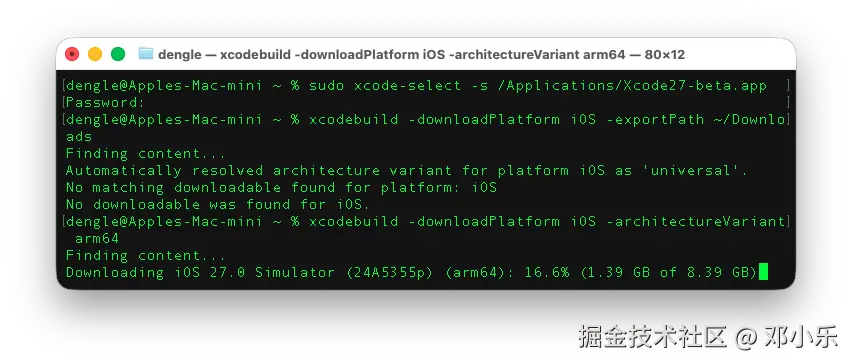
- 注意,要指定arm64。下面是我没有指定然后告诉我找不到
rust
xcodebuild -downloadPlatform iOS -exportPath ~/Downloads

Automatically resolved architecture variant for platform iOS as 'universal'.
No matching downloadable found for platform: iOS
No downloadable was found for iOS.
下载完成后,实际上他直接帮我安装好了。我在下载目录没看到他。因此下面的步骤不需要了
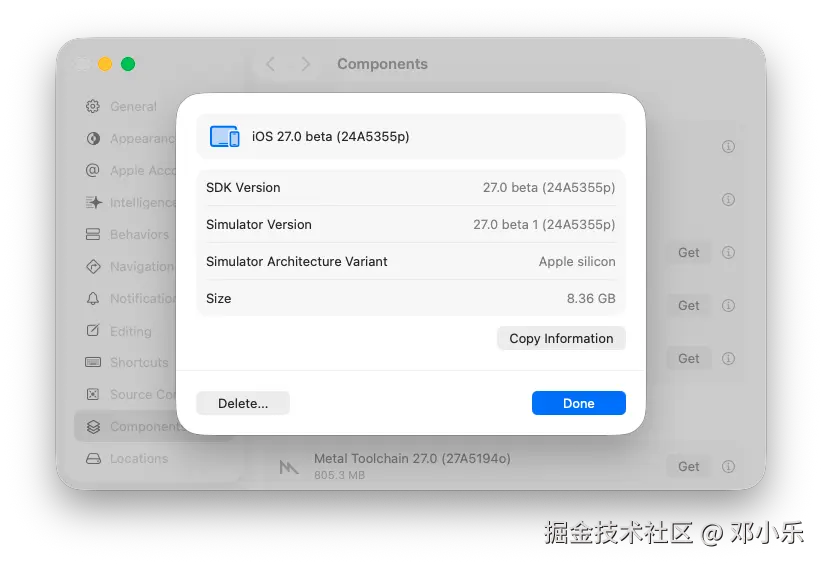
使用xcodebuild安装下载的runtime image
官方文档https://developer.apple.com/documentation/xcode/downloading-and-installing-additional-xcode-components#Install-downloaded-packages-from-the-command-line
shell
xcodebuild -importPlatform "~/Downloads/iOS 27 beta Simulator Runtime.dmg"