一、引言
MATLAB是科研领域最强大的数值计算和数据分析平台之一。其丰富的工具箱(如Signal Processing Toolbox、Image Processing Toolbox、Statistics and Machine Learning Toolbox)使其成为光谱数据分析的理想选择。
本文涵盖:
- ✅ 光谱数据导入与预处理
- ✅ 吸光度/透射率计算
- ✅ 峰检测与曲线拟合
- ✅ 主成分分析(PCA)
- ✅ 机器学习建模
- ✅ 完整的项目实战案例
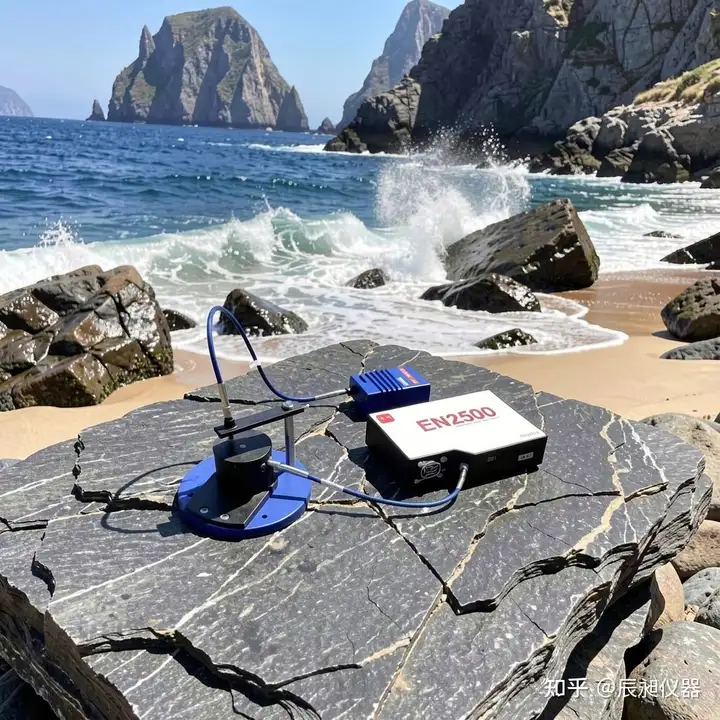
辰昶仪器光纤光谱仪
二、环境配置
2.1 必要工具箱
% 检查已安装的工具箱
ver

% 推荐安装以下工具箱:
% - Signal Processing Toolbox(信号处理)
% - Statistics and Machine Learning Toolbox(统计分析)
% - Curve Fitting Toolbox(曲线拟合)
% - Image Processing Toolbox(图像处理)
2.2 辰昶光谱仪MATLAB驱动
classdef ChopticsSpectrometer < handle
    % ChopticsSpectrometer - 辰昶光纤光谱仪MATLAB驱动类
    % 支持EQ2000、ER4000、EK2000 Pro系列

    properties
        SerialPort = 'COM3';
        BaudRate = 115200;
        NumPixels = 2048;
        IsConnected = false;
        SerialObj;
    end

    methods
        function obj = ChopticsSpectrometer(port)
            if nargin > 0
                obj.SerialPort = port;
            end
        end

        function connect(obj)
            % 连接光谱仪
            obj.SerialObj = serialport(obj.SerialPort, obj.BaudRate);
            obj.SerialObj.Terminator = 'CR/LF';
            configureTerminator(obj.SerialObj, 'CR/LF');

            % 读取设备信息
            writeline(obj.SerialObj, '*IDN?');
            response = readline(obj.SerialObj);
            fprintf('设备已连接: %s', response);

            obj.IsConnected = true;
        end

        function spectrum = acquire(obj)
            % 采集单次光谱
            if ~obj.IsConnected
                error('请先连接光谱仪');
            end

            % 发送采集命令
            writeline(obj.SerialObj, 'SPECTRUM');

            % 读取波长数据
            wavelengths = zeros(obj.NumPixels, 1);
            for i = 1:obj.NumPixels
                line = readline(obj.SerialObj);
                wavelengths(i) = str2double(line);
            end
            readline(obj.SerialObj);  % 消耗OK标记

            % 读取强度数据
            intensities = zeros(obj.NumPixels, 1);
            for i = 1:obj.NumPixels
                line = readline(obj.SerialObj);
                intensities(i) = str2double(line);
            end
            readline(obj.SerialObj);  % 消耗OK标记

            spectrum = table(wavelengths, intensities, ...
                'VariableNames', {'Wavelength', 'Intensity'});
        end

        function close(obj)
            % 关闭连接
            if obj.IsConnected && ~isempty(obj.SerialObj)
                clear obj.SerialObj;
                obj.IsConnected = false;
                fprintf('连接已关闭\n');
            end
        end
    end
end
三、光谱数据导入与基础操作
3.1 从文件导入
% 方法1:从CSV导入
data = readtable('spectrum.csv');
wavelengths = data.Wavelength;
intensities = data.Intensity;

% 方法2:从Excel导入
data = readtable('spectrum.xlsx', 'PreserveVariableNames', true);

% 方法3:从TDMS导入(NI设备数据格式)
tdmsStruct = TDMS_readFile('spectrum.tdms');
intensities = tdmsStruct.MeasuredData.Intensity;

% 方法4:批量导入文件夹中的所有光谱
function spectra = loadSpectraFolder(folderPath)
    files = dir(fullfile(folderPath, '*.csv'));
    spectra = struct();

    for i = 1:length(files)
        filepath = fullfile(folderPath, files(i).name);
        data = readtable(filepath);

        % 使用文件名作为字段名(去除扩展名)
        fieldName = erase(files(i).name, '.csv');
        spectra.(fieldName) = data;

        fprintf('已导入: %s\n', files(i).name);
    end
end
3.2 辰昶光谱仪实时数据导入
function [wavelengths, intensities] = realTimeAcquire(spectrometer, numAvg)
    % 实时采集并可选平均
    % numAvg: 平均次数(1表示单次采集)

    spectra = zeros(spectrometer.NumPixels, numAvg);

    for i = 1:numAvg
        spectrum = acquire(spectrometer);
        spectra(:, i) = spectrum.Intensity;

        if i < numAvg
            pause(0.05);  % 间隔50ms
        end
    end

    wavelengths = spectrum.Wavelength;
    intensities = mean(spectra, 2);
end

% 使用示例
spectrometer = ChopticsSpectrometer('COM3');
connect(spectrometer);
[wavelengths, intensities] = realTimeAcquire(spectrometer, 10);  % 10次平均
plot(wavelengths, intensities);
xlabel('波长 (nm)');
ylabel('强度 (counts)');
title('实时光谱');
四、光谱预处理
4.1 基线校正
function spectrum_corrected = baselineCorrection(wavelengths, intensities, varargin)
    % 基线校正 - AsLS算法 (Asymmetric Least Squares Smoothing)
    %
    % 参数:
    %   lambda: 平滑参数(默认1e5)
    %   p: 非对称权重(默认0.001)
    %   maxIter: 最大迭代次数(默认10)

    p = inputParser;
    addParameter(p, 'lambda', 1e5);
    addParameter(p, 'p', 0.001);
    addParameter(p, 'maxIter', 10);
    parse(p, varargin{:});

    lambda = p.Results.lambda;
    p_weight = p.Results.p;
    maxIter = p.Results.maxIter;

    n = length(intensities);

    % 初始化
    w = ones(n, 1);
    baseline = intensities;

    % 迭代优化
    for iter = 1:maxIter
        % 加权最小二乘
        W = spdiags(w, 0, n, n);
        L = lambda * spdiags([1, -2, 1], [0, -1, -2], n, n-2);
        L = L * L';

        % 求解
        C = (W + L) \ (w .* intensities);
        baseline = C;

        % 更新权重
        w = p_weight * (intensities > C) + (1 - p_weight) * (intensities <= C);
    end

    spectrum_corrected = intensities - baseline;
end

% 使用示例
corrected = baselineCorrection(wavelengths, intensities, 'lambda', 1e6, 'p', 0.001);

figure;
subplot(2,1,1);
plot(wavelengths, intensities);
title('原始光谱');
xlabel('波长 (nm)'); ylabel('强度');

subplot(2,1,2);
plot(wavelengths, corrected);
title('基线校正后');
xlabel('波长 (nm)'); ylabel('强度 (a.u.)');
4.2 平滑去噪
function smoothed = smoothSpectrum(intensities, method, varargin)
    % 光谱平滑去噪
    %
    % 方法:
    %   'sg' - Savitzky-Golay滤波器
    %   'gauss' - 高斯滤波
    %   'median' - 中值滤波
    %   'moving' - 移动平均

    switch lower(method)
        case 'sg'
            % Savitzky-Golay滤波器(保持峰形)
            windowLength = varargin{1};
            polyOrder = varargin{2};
            smoothed = sgolayfilt(double(intensities), polyOrder, windowLength);

        case 'gauss'
            % 高斯滤波
            sigma = varargin{1};
            smoothed = imgaussfilt(double(intensities), sigma);

        case 'median'
            % 中值滤波(去除脉冲噪声)
            windowSize = varargin{1};
            smoothed = medfilt1(double(intensities), windowSize);

        case 'moving'
            % 移动平均
            windowSize = varargin{1};
            smoothed = movmean(double(intensities), windowSize);

        otherwise
            error('未知平滑方法: %s', method);
    end
end

% 使用示例
original = intensities;

% 不同平滑方法对比
sg5 = smoothSpectrum(original, 'sg', 5, 3);   % 窗口5,多项式阶数3
sg11 = smoothSpectrum(original, 'sg', 11, 3); % 窗口11
gauss1 = smoothSpectrum(original, 'gauss', 1);
median3 = smoothSpectrum(original, 'median', 3);

figure;
plot(wavelengths, original, 'b-', 'DisplayName', '原始');
hold on;
plot(wavelengths, sg5, 'r-', 'DisplayName', 'SG-5');
plot(wavelengths, sg11, 'g-', 'DisplayName', 'SG-11');
plot(wavelengths, gauss1, 'm-', 'DisplayName', '高斯-1');
plot(wavelengths, median3, 'c-', 'DisplayName', '中值-3');
legend('Location', 'best');
xlabel('波长 (nm)'); ylabel('强度');
title('不同平滑方法对比');
4.3 归一化处理
function spectrum_norm = normalizeSpectrum(intensities, method)
    % 光谱归一化
    %
    % 方法:
    %   'minmax' - 最小-最大归一化 [0,1]
    %   'zscore' - Z-score标准化
    %   'area' - 面积归一化
    %   'peak' - 峰高归一化

    switch lower(method)
        case 'minmax'
            % 最小-最大归一化
            spectrum_norm = (intensities - min(intensities)) / ...
                            (max(intensities) - min(intensities));

        case 'zscore'
            % Z-score标准化(均值0,标准差1)
            spectrum_norm = (intensities - mean(intensities)) / std(intensities);

        case 'area'
            % 面积归一化(积分面积=1)
            spectrum_norm = intensities / trapz(intensities);

        case 'peak'
            % 峰高归一化(最大值为1)
            spectrum_norm = intensities / max(intensities);

        otherwise
            error('未知归一化方法: %s', method);
    end
end
五、光谱定量分析
5.1 吸光度与透射率计算
function [absorbance, transmittance] = calculateOpticalProperties(...
    sampleIntensity, referenceIntensity, darkIntensity)
    % 计算吸光度和透射率
    %
    % 参数:
    %   sampleIntensity: 样品光谱强度
    %   referenceIntensity: 参考光谱强度(空白)
    %   darkIntensity: 暗光谱强度
    %
    % 返回:
    %   absorbance: 吸光度 A = -log10(T)
    %   transmittance: 透射率 T = (I - Idark) / (Iref - Idark)

    % 修正光谱
    sampleCorrected = sampleIntensity - darkIntensity;
    referenceCorrected = referenceIntensity - darkIntensity;

    % 计算透射率(避免除零)
    epsilon = 1e-10;
    transmittance = sampleCorrected ./ (referenceCorrected + epsilon);
    transmittance(transmittance <= 0) = epsilon;

    % 计算吸光度(Beer-Lambert定律)
    absorbance = -log10(transmittance);

    % 限制合理范围
    absorbance(absorbance < -0.5) = -0.5;
    absorbance(absorbance > 3) = 3;
end

% 使用示例
% 假设已采集:样品光谱sample_intensity、参考光谱ref_intensity、暗光谱dark_intensity
[absorbance, transmittance] = calculateOpticalProperties(...
    sample_intensity, ref_intensity, dark_intensity);

figure;
subplot(1,2,1);
plot(wavelengths, absorbance, 'b-');
xlabel('波长 (nm)');
ylabel('吸光度 A');
title('吸光度光谱');
grid on;

subplot(1,2,2);
plot(wavelengths, transmittance * 100, 'r-');
xlabel('波长 (nm)');
ylabel('透射率 (%)');
title('透射率光谱');
grid on;
5.2 峰检测与分析
function peaks = detectPeaks(wavelengths, intensities, varargin)
    % 光谱峰检测
    %
    % 参数:
    %   'MinPeakHeight': 最小峰高
    %   'MinPeakDistance': 最小峰间距
    %   'Threshold': 峰阈值(峰与肩部的最小差值)
    %   'SmoothWidth': 平滑窗口

    p = inputParser;
    addParameter(p, 'MinPeakHeight', 0.1);
    addParameter(p, 'MinPeakDistance', 5);
    addParameter(p, 'Threshold', 0);
    addParameter(p, 'SmoothWidth', 0);
    parse(p, varargin{:});

    % 平滑处理(可选)
    data = intensities;
    if p.Results.SmoothWidth > 1
        data = smoothSpectrum(intensities, 'sg', p.Results.SmoothWidth, 3);
    end

    % 峰检测
    [peakValues, peakIndices, width, prominence] = findpeaks(...
        data, ...
        'MinPeakHeight', p.Results.MinPeakHeight, ...
        'MinPeakDistance', p.Results.MinPeakDistance, ...
        'Threshold', p.Results.Threshold);

    % 提取波长
    peakWavelengths = wavelengths(peakIndices);

    % 返回结构体
    peaks = table(peakWavelengths, peakValues, peakIndices, width, prominence, ...
        'VariableNames', {'Wavelength', 'Height', 'Index', 'Width', 'Prominence'});
end

% 使用示例
peaks = detectPeaks(wavelengths, intensities, ...
    'MinPeakHeight', 1000, ...
    'MinPeakDistance', 10, ...
    'SmoothWidth', 5);

fprintf('检测到 %d 个峰\n', height(peaks));
disp(peaks);

% 绘图标注
figure;
plot(wavelengths, intensities, 'b-');
hold on;
plot(peaks.Wavelength, peaks.Height, 'rv', 'MarkerSize', 10, 'LineWidth', 2);

% 标注峰波长
for i = 1:height(peaks)
    text(peaks.Wavelength(i), peaks.Height(i) + 100, ...
        sprintf('%.1f nm', peaks.Wavelength(i)), ...
        'HorizontalAlignment', 'center', ...
        'FontSize', 10);
end

xlabel('波长 (nm)'); ylabel('强度 (counts)');
title('峰检测结果');
grid on;
5.3 曲线拟合
function [fitresult, gof] = fitSpectrumPeak(wavelengths, intensities, peakIdx)
    % 峰曲线拟合(高斯或洛伦兹)
    %
    % 参数:
    %   peakIdx: 峰位置索引

    % 提取峰区域数据(峰中心±20个点)
    halfWidth = 20;
    startIdx = max(1, peakIdx - halfWidth);
    endIdx = min(length(wavelengths), peakIdx + halfWidth);

    x = wavelengths(startIdx:endIdx);
    y = intensities(startIdx:endIdx);

    % 高斯拟合
    [fitresult, gof] = createfit(x, y);

    % 显示结果
    fprintf('峰位置: %.2f nm\n', fitresult.b1);
    fprintf('峰高: %.2f\n', fitresult.a1);
    fprintf('半高宽(FWHM): %.2f nm\n', 2.355 * fitresult.c1);
    fprintf('R²: %.6f\n', gof.rsquare);
end

function [fitresult, gof] = createfit(x, y)
    % 创建高斯拟合
    ft = fittype('a1*exp(-((x-b1)/c1)^2) + a2*exp(-((x-b2)/c2)^2)', ...
        'independent', 'x', 'dependent', 'y');

    % 初始猜测值
    [~, maxIdx] = max(y);
    opts = fitoptions('Method', 'NonlinearLeastSquares');
    opts.StartPoint = [y(maxIdx), x(maxIdx), 2, 0, x(maxIdx), 10];
    opts.Lower = [0, min(x), 0.1, 0, min(x), 0.1];
    opts.Upper = [Inf, max(x), 20, Inf, max(x), 50];

    [fitresult, gof] = fit(x, y, ft, opts);
end

% 多峰拟合
function [fitresult, gof] = fitMultiplePeaks(wavelengths, intensities)
    % 多峰拟合

    % 检测峰
    peaks = detectPeaks(wavelengths, intensities, ...
        'MinPeakHeight', mean(intensities) + 2*std(intensities));

    nPeaks = height(peaks);

    % 构建拟合函数
    formula = '';
    startPoints = [];
    for i = 1:nPeaks
        formula = [formula, sprintf('a%d*exp(-((x-b%d)/c%d)^2)', i, i, i)];
        if i < nPeaks
            formula = [formula, ' + '];
        end
        startPoints = [startPoints, peaks.Height(i), peaks.Wavelength(i), 2];
    end

    ft = fittype(formula, 'independent', 'x', 'dependent', 'y');

    % 拟合
    [fitresult, gof] = fit(wavelengths, intensities, ft, 'StartPoint', startPoints);
end
六、化学计量学方法
6.1 主成分分析(PCA)
function [scores, loadings, variance] = pcaSpectra(spectraMatrix, nComp)
    % 光谱主成分分析
    %
    % 参数:
    %   spectraMatrix: 光谱矩阵 (nSamples × nWavelengths)
    %   nComp: 保留的主成分数
    %
    % 返回:
    %   scores: 得分矩阵 (nSamples × nComp)
    %   loadings: 载荷矩阵 (nWavelengths × nComp)
    %   variance: 各主成分解释的方差比例

    % 中心化
    [nSamples, nWavelengths] = size(spectraMatrix);
    meanSpectrum = mean(spectraMatrix, 1);
    X_centered = spectraMatrix - meanSpectrum;

    % 协方差矩阵特征分解
    Cov = cov(X_centered);
    [loadings, eigenvalues] = eig(Cov);

    % 按方差排序
    eigenvalues = diag(eigenvalues);
    [eigenvalues, idx] = sort(eigenvalues, 'descend');
    loadings = loadings(:, idx);

    % 取前nComp个主成分
    loadings = loadings(:, 1:nComp);
    eigenvalues = eigenvalues(1:nComp);

    % 计算得分
    scores = X_centered * loadings;

    % 方差解释比例
    variance = eigenvalues / sum(eigenvalues);

    % 累积方差
    cumVariance = cumsum(variance);

    fprintf('前%d个主成分累计解释方差: %.2f%%\n', nComp, cumVariance(end)*100);
end

% PCA可视化
function plotPCA(scores, variance, labels, groupNames)
    % PCA得分图

    figure;

    % 得分散点图
    subplot(1,2,1);
    colors = lines(length(groupNames));

    for i = 1:length(groupNames)
        mask = strcmp(labels, groupNames{i});
        scatter(scores(mask, 1), scores(mask, 2), ...
            50, colors(i,:), 'filled', 'DisplayName', groupNames{i});
        hold on;
    end

    xlabel(sprintf('PC1 (%.1f%%)', variance(1)*100));
    ylabel(sprintf('PC2 (%.1f%%)', variance(2)*100));
    title('PCA得分图');
    legend('Location', 'best');
    grid on;

    % 载荷图
    subplot(1,2,2);
    plot(loadings(:,1), loadings(:,2), 'b-');
    xlabel('PC1 载荷');
    ylabel('PC2 载荷');
    title('PCA载荷图');
    grid on;
end
6.2 偏最小二乘回归(PLSR)
classdef PLSRegression
    % 偏最小二乘回归

    properties
        nComponents;
        weights;      % X权重
        loadings;      % X载荷
        yLoadings;     % Y载荷
        coefficients;  % 回归系数
        scores;        % 得分
    end

    methods
        function obj = PLSRegression(nComponents)
            obj.nComponents = nComponents;
        end

        function obj = fit(obj, X, Y)
            % 训练模型
            % X: 光谱矩阵 (nSamples × nWavelengths)
            % Y: 浓度矩阵 (nSamples × nVariables)

            [nSamples, nWavelengths] = size(X);
            [~, nVars] = size(Y);

            % 中心化
            X_mean = mean(X);
            Y_mean = mean(Y);
            X_centered = X - X_mean;
            Y_centered = Y - Y_mean;

            % NIPALS算法
            W = zeros(nWavelengths, obj.nComponents);
            P = zeros(nWavelengths, obj.nComponents);
            Q = zeros(nVars, obj.nComponents);
            T = zeros(nSamples, obj.nComponents);

            E = X_centered;
            F = Y_centered;

            for a = 1:obj.nComponents
                % X权重
                w = E' * F;
                w = w / norm(w);
                W(:, a) = w;

                % X得分
                t = E * w;
                T(:, a) = t;

                % X载荷
                p = E' * t / (t' * t);
                P(:, a) = p;

                % Y载荷
                q = F' * t / (t' * t);
                Q(:, a) = q;

                % 残差
                E = E - t * p';
                F = F - t * q';
            end

            % 计算回归系数
            % B = W * inv(P'W) * Q'
            obj.coefficients = W * inv(P' * W) * Q';
            obj.weights = W;
            obj.loadings = P;
            obj.yLoadings = Q;
            obj.scores = T;
        end

        function Y_pred = predict(obj, X)
            % 预测
            X_centered = X - obj.X_mean;
            Y_pred = X_centered * obj.coefficients + obj.Y_mean;
        end

        function [rmse, r2] = evaluate(obj, X, Y_true)
            % 评估模型
            Y_pred = obj.predict(X);

            n = length(Y_true);
            rmse = sqrt(mean((Y_pred - Y_true).^2));
            ss_res = sum((Y_true - Y_pred).^2);
            ss_tot = sum((Y_true - mean(Y_true)).^2);
            r2 = 1 - ss_res / ss_tot;
        end
    end
end

% PLSR使用示例
% 假设有标准样品光谱spectra(30×2048)和浓度concentrations(30×1)
plsr = PLSRegression(5);
plsr = plsr.fit(spectra, concentrations);

% 预测
Y_pred = plsr.predict(spectra);

% 评估
[rmse, r2] = plsr.evaluate(spectra, concentrations);
fprintf('训练集 RMSE: %.4f, R²: %.4f\n', rmse, r2);

% 绘图
figure;
plot(concentrations, concentrations, 'k--', 'LineWidth', 2);
hold on;
scatter(concentrations, Y_pred, 50, 'filled');
xlabel('真实浓度');
ylabel('预测浓度');
title(sprintf('PLSR模型 (R² = %.4f)', r2));
grid on;
七、项目实战:茶叶品质检测系统
7.1 问题描述
使用近红外光谱分析技术,实现茶叶品质的快速、无损检测。
7.2 数据采集
% 数据采集设置
spectrometer = ChopticsSpectrometer('COM3');
connect(spectrometer);

% 采集茶叶样品光谱
teaSpectra = struct();
teaCategories = {'绿茶', '红茶', '乌龙茶'};

for category = teaCategories
    fprintf('采集%s光谱...\n', category{1});
    spectra = [];

    for i = 1:10  % 每类10个样品
        [wl, intensity] = realTimeAcquire(spectrometer, 5);
        spectra = [spectra; intensity];
        pause(0.5);
    end

    teaSpectra.(category{1}) = spectra;
end

close(spectrometer);
7.3 数据预处理流程
function [processedData, wavelengths] = preprocessTeaSpectra(rawSpectra)
    % 茶叶光谱预处理

    allSpectra = [];

    for field = fieldnames(rawSpectra)'
        spectra = rawSpectra.(field{1});
        nSamples = size(spectra, 1);

        for i = 1:nSamples
            intensity = spectra(i, :)';

            % 基线校正
            intensity = baselineCorrection(wavelengths, intensity, 'lambda', 1e6);

            % 平滑
            intensity = smoothSpectrum(intensity, 'sg', 11, 3);

            % 归一化
            intensity = normalizeSpectrum(intensity, 'area');

            allSpectra = [allSpectra; intensity];
        end
    end

    processedData = allSpectra;
end
7.4 分类模型构建
% 准备标签
categories = repmat(teaCategories, 10, 1)';
labels = categories(:);

% PCA降维可视化
[scores, loadings, variance] = pcaSpectra(processedData, 3);

figure;
colors = [1 0 0; 0 0.5 0; 0 0 1];
for i = 1:3
    mask = strcmp(labels, teaCategories{i});
    scatter3(scores(mask, 1), scores(mask, 2), scores(mask, 3), ...
        100, colors(i,:), 'filled', 'DisplayName', teaCategories{i});
    hold on;
end
xlabel(sprintf('PC1 (%.1f%%)', variance(1)*100));
ylabel(sprintf('PC2 (%.1f%%)', variance(2)*100));
zlabel(sprintf('PC3 (%.1f%%)', variance(3)*100));
title('茶叶光谱PCA分析');
legend('Location', 'best');
grid on;

% SVM分类器
SVMModel = fitcsvm(scores(:, 1:2), labels, 'KernelFunction', 'rbf');
CVModel = crossval(SVMModel);
cvLoss = kfoldLoss(CVModel);
fprintf('交叉验证错误率: %.2f%%\n', cvLoss * 100);

% 预测精度
predictions = kfoldPredict(CVModel);
accuracy = sum(strcmp(predictions, labels)) / length(labels);
fprintf('分类准确率: %.2f%%\n', accuracy * 100);

% 混淆矩阵
figure;
cm = confusionchart(labels, predictions);
cm.Title = '茶叶分类混淆矩阵';
cm.RowSummary = 'row-normalized';
cm.ColumnSummary = 'column-normalized';
八、总结
本文系统介绍了MATLAB光谱数据分析方法:
- ✅ 驱动开发 - 完整的MATLAB仪器驱动类
- ✅ 数据导入 - 多种格式导入与预处理
- ✅ 预处理技术 - 基线校正、平滑、归一化
- ✅ 定量分析 - 吸光度、透射率、峰检测
- ✅ 化学计量学 - PCA、PLSR等高级方法