1、什么是SSE服务
一种服务端向客户端主动推送消息的协议,适合用于服务端完成异步任务后主动向客户端推送消息。
SSE 的优点:
- 浏览器原生支持 EventSource
- 实现简单
- 适合服务端单向推送
- 不需要 WebSocket 那样的握手和协议控制
2、技术背景
- 后端使用python+FastAPI;
- 前端使用vue
3、后端实现代码
services层sse_manage.py
提供SSE的创建和底层功能。
python
# app/services/sse_manager.py
# 简单的 SSE 管理器,支持多个客户端连接,用于向前端主动发送事件通知,例如数据更新完成等
import asyncio
import json
import logging
from typing import Dict, Set
from starlette.responses import StreamingResponse

logger = logging.getLogger(__name__)

class SSEManager:
    """简单的 SSE 管理器,支持多个客户端连接"""
    def __init__(self):
        # Dict[str, Set[asyncio.Queue]]: 事件类型 -> 订阅该事件的客户端队列集合
        # Dict字典,Set集合,asyncio.Queue异步队列
        self._clients: Dict[str, Set[asyncio.Queue]] = {}
        self.shutdown_event = asyncio.Event()  # 用于优雅关闭


    async def subscribe(self, event_type: str) -> asyncio.Queue:
        """
        订阅指定事件类型,返回一个 asyncio.Queue 用于接收事件消息
         - event_type: 事件类型字符串,例如 "data_update"
         - 返回值: asyncio.Queue 对象,客户端可以从中异步获取事件消息
         - 注意:调用方需要负责调用 unsubscribe 来取消订阅并清理资源
         - 示例用法:
            queue = await sse_manager.subscribe("data_update")
            while True:
                message = await queue.get()
                # 处理消息,例如发送给前端
        """
        queue = asyncio.Queue() # 每个订阅者拥有一个独立的消息队列
        self._clients.setdefault(event_type, set()).add(queue)
        return queue

    async def unsubscribe(self, event_type: str, queue: asyncio.Queue):
        """
        取消订阅指定事件类型,移除对应的 asyncio.Queue
         - event_type: 事件类型字符串,例如 "data_update"
         - queue: 之前 subscribe 返回的 asyncio.Queue 对象
         - 注意:调用方需要确保传入正确的 queue 对象,否则可能无法正确取消订阅
        """
        if event_type in self._clients:
            # discard方法会安全地移除元素,如果元素不存在也不会抛出异常
            self._clients[event_type].discard(queue)

    async def send_event(self, event_type: str, data: dict):
        """
        向所有订阅了指定事件类型的客户端发送事件消息
         - event_type: 事件类型字符串,例如 "data_update"
         - data: 要发送的数据,以字典形式提供,会被转换为 JSON 字符串发送给客户端
         - 注意:如果没有订阅该事件类型的客户端,则不会发送任何消息
        """
        if event_type not in self._clients:
            return
        # dumps方法将Python对象转换为JSON字符串,event:和data:是SSE协议的格式要求,\n\n表示消息结束
        message = f"event: {event_type}\ndata: {json.dumps(data)}\n\n"
        for queue in self._clients[event_type]:
            await queue.put(message)

    async def shutdown(self):
        print("SSE shutdown 开始...")
        self.shutdown_event.set()   # 通知所有 SSE 任务退出

# 全局单例
sse_manager = SSEManager()提供用于前端订阅的接口,同时会作为客户端长期运行维持SSE。
python
# app/api/routes/sse.py
import asyncio
from fastapi import APIRouter
from starlette.responses import StreamingResponse
from app.services.sse_manager import sse_manager

router = APIRouter(prefix="/sse", tags=["实时推送"])

@router.get("/subscribe/{event_type}")
async def subscribe(event_type: str):
    """
     订阅指定事件类型的 SSE 流,前端可以通过 EventSource 连接到这个接口来接收实时事件推送
      - event_type: 事件类型字符串,例如 "data_update",前端可以根据这个事件类型来区分不同的事件流
      - 返回值: StreamingResponse 对象,内容类型为 "text/event-stream",符合 SSE 协议要求
      - 注意:前端需要使用 EventSource 来连接这个接口,例如:
        const eventSource = new EventSource("/api/sse/subscribe/data_update");
        eventSource.onmessage = (event) => {
          const data = JSON.parse(event.data);
          console.log("Received data update event:", data);
        };
    """
    queue = await sse_manager.subscribe(event_type)

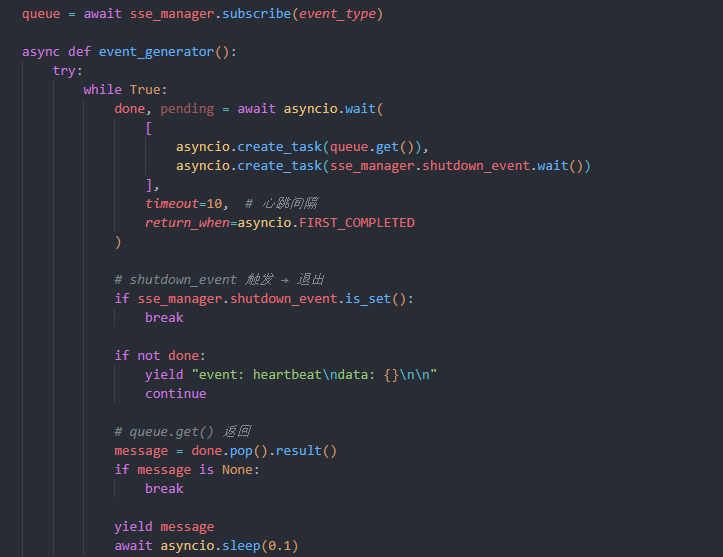
    async def event_generator():
        try:
            while True:
                done, pending = await asyncio.wait(
                    [
                        asyncio.create_task(queue.get()),
                        asyncio.create_task(sse_manager.shutdown_event.wait())
                    ],
                    timeout=10,  # 心跳间隔
                    return_when=asyncio.FIRST_COMPLETED
                )

                # shutdown_event 触发 → 退出
                if sse_manager.shutdown_event.is_set():
                    break

                if not done:
                    yield "event: heartbeat\ndata: {}\n\n"
                    continue

                # queue.get() 返回
                message = done.pop().result()
                if message is None:
                    break

                yield message
                await asyncio.sleep(0.1)
        except asyncio.CancelledError:
            # 不再抛出,直接忽略,让连接自然关闭
            # await sse_manager.unsubscribe(event_type, queue)
            pass
        finally:
            await sse_manager.unsubscribe(event_type, queue)

    # StreamingResponse 用于创建一个流式响应,event_generator 是一个异步生成器函数,负责从队列中获取消息并发送给前端
    # 流式响应是一种特殊的HTTP响应,允许服务器持续发送数据给客户端,而不需要等待所有数据准备好后一次性发送,这对于实时推送非常有用
    return StreamingResponse(
        event_generator(),
        media_type="text/event-stream",
        headers={
            "Cache-Control": "no-cache",
            "Connection": "keep-alive",
            "Access-Control-Allow-Origin": "*",   # 允许前端跨域
            "X-Accel-Buffering": "no",
        }
    )
4、前端实现代码
composables层useSSE.ts
提供前端的持续消息接收服务。
ts
export function useSSE(eventType: string, callback: (data: any) => void) {
  let eventSource: EventSource | null = null
  let lastHeartbeat = Date.now()

  const createConnection = () => {
    eventSource = new EventSource(
      `${import.meta.env.VITE_API_BASE_URL}/sse/subscribe/${eventType}`
    )

    // 正常业务事件
    eventSource.addEventListener(eventType, (event) => {
      const data = JSON.parse(event.data)
      callback(data)
    })

    // 心跳事件
    eventSource.addEventListener("heartbeat", () => {
      lastHeartbeat = Date.now()
    })

    // 服务器关闭事件
    eventSource.addEventListener('server_shutdown', () => {
      console.log('服务器即将关闭,SSE 连接主动断开')
      eventSource?.close()
    })

    // 出错时自动重连(排除正常关闭)
    eventSource.onerror = () => {
      if (eventSource?.readyState === EventSource.CLOSED) return
      eventSource?.close()
      setTimeout(createConnection, 3000)
    }
  }

  createConnection()

  // 心跳超时检测(关键)
  setInterval(() => {
    if (Date.now() - lastHeartbeat > 15000) {
      console.log("心跳超时,服务器可能已关闭,主动断开 SSE")
      eventSource?.close()
    }
  }, 5000)

  window.addEventListener('beforeunload', () => eventSource?.close())
  return eventSource
}
前段使用SSE的方法:在APP.vue下配置如下
订阅task_completed消息并实时弹出弹窗提示。
ts
<script setup lang="ts">
import { useSSE } from '@/composables/useSSE'
import { ElNotification } from 'element-plus'
import { onMounted, onBeforeUnmount } from 'vue'

let sse: EventSource | null = null

// 监听任务完成事件
onMounted(() => {
  sse = useSSE('task_completed', (data) => {
    ElNotification({
      title: '任务完成',
      message: data.message || '操作已成功',
      type: data.type || 'success',
      duration: 5000,
    })
  })
})

onBeforeUnmount(() => {
  sse?.close()
})
</script>
5、该方案的弊端
该方案可以顺利实现SSE服务前后端消息推送功能,但是会导致后端服务无法正常关闭。
在开发中一般使用如下命令启动python后端服务器
bash
uvicorn app.main:app --reload该指令让后端服务可以随着后端文件修改,按下ctrl+s后自动重启后端更新程序,同时还可以ctrl+c中止程序。
但是由于在routes层接口配置了while true的客户端连接,这会导致uvicorn一直等待连接的关闭而卡住,除非到达超时时间触发uvicorn 的强制关闭。
可以通过如下的方式配置超时参数来减少超时等待延迟
bash
uvicorn app.main:app --reload --timeout-graceful-shutdown 5但是超时时间到达后由于SSE连接被强制关闭,会导致后端出现一大片报错。
参考如下
bash
(strategy-env) PS E:\2025\机器学习\Strategy-Forge\backend> uvicorn app.main:app --reload --timeout-graceful-shutdown 30
INFO:     Will watch for changes in these directories: ['E:\\2025\\机器学习\\Strategy-Forge\\backend']
INFO:     Uvicorn running on http://127.0.0.1:8000 (Press CTRL+C to quit)
INFO:     Started reloader process [5872] using StatReload
INFO:     Started server process [20604]
INFO:     Waiting for application startup.
📋 API 文档:http://127.0.0.1:8000/docs
INFO:     Application startup complete.
INFO:     127.0.0.1:53078 - "GET /sse/subscribe/task_completed HTTP/1.1" 200 OK
INFO:     Shutting down
INFO:     Waiting for connections to close. (CTRL+C to force quit)
ERROR:    Cancel 1 running task(s), timeout graceful shutdown exceeded
INFO:     Waiting for application shutdown.
SSE shutdown 开始...
INFO:     Application shutdown complete.
INFO:     Finished server process [20604]
ERROR:    Exception in ASGI application
Traceback (most recent call last):
  File "E:\Anaconda\envs\strategy-env\Lib\site-packages\uvicorn\protocols\http\h11_impl.py", line 415, in run_asgi
    result = await app(  # type: ignore[func-returns-value]
             ^^^^^^^^^^^^^^^^^^^^^^^^^^^^^^^^^^^^^^^^^^^^^^
        self.scope, self.receive, self.send
        ^^^^^^^^^^^^^^^^^^^^^^^^^^^^^^^^^^^
    )
    ^
  File "E:\Anaconda\envs\strategy-env\Lib\site-packages\uvicorn\middleware\proxy_headers.py", line 63, in __call__
    return await self.app(scope, receive, send)
           ^^^^^^^^^^^^^^^^^^^^^^^^^^^^^^^^^^^^
  File "E:\Anaconda\envs\strategy-env\Lib\site-packages\fastapi\applications.py", line 1159, in __call__
    await super().__call__(scope, receive, send)
  File "E:\Anaconda\envs\strategy-env\Lib\site-packages\starlette\applications.py", line 90, in __call__
    await self.middleware_stack(scope, receive, send)
  File "E:\Anaconda\envs\strategy-env\Lib\site-packages\starlette\middleware\errors.py", line 164, in __call__
    await self.app(scope, receive, _send)
  File "E:\Anaconda\envs\strategy-env\Lib\site-packages\starlette\middleware\cors.py", line 96, in __call__
    await self.simple_response(scope, receive, send, request_headers=headers)
  File "E:\Anaconda\envs\strategy-env\Lib\site-packages\starlette\middleware\cors.py", line 154, in simple_response
    await self.app(scope, receive, send)
  File "E:\Anaconda\envs\strategy-env\Lib\site-packages\starlette\middleware\exceptions.py", line 63, in __call__
    await wrap_app_handling_exceptions(self.app, conn)(scope, receive, send)
  File "E:\Anaconda\envs\strategy-env\Lib\site-packages\starlette\_exception_handler.py", line 42, in wrapped_app
    await app(scope, receive, sender)
  File "E:\Anaconda\envs\strategy-env\Lib\site-packages\fastapi\middleware\asyncexitstack.py", line 18, in __call__
    await self.app(scope, receive, send)
  File "E:\Anaconda\envs\strategy-env\Lib\site-packages\starlette\routing.py", line 660, in __call__
    await self.middleware_stack(scope, receive, send)
  File "E:\Anaconda\envs\strategy-env\Lib\site-packages\starlette\routing.py", line 680, in app
    await route.handle(scope, receive, send)
  File "E:\Anaconda\envs\strategy-env\Lib\site-packages\starlette\routing.py", line 276, in handle
    await self.app(scope, receive, send)
  File "E:\Anaconda\envs\strategy-env\Lib\site-packages\fastapi\routing.py", line 134, in app
    await wrap_app_handling_exceptions(app, request)(scope, receive, send)
  File "E:\Anaconda\envs\strategy-env\Lib\site-packages\starlette\_exception_handler.py", line 42, in wrapped_app
    await app(scope, receive, sender)
  File "E:\Anaconda\envs\strategy-env\Lib\site-packages\fastapi\routing.py", line 121, in app
    await response(scope, receive, send)
  File "E:\Anaconda\envs\strategy-env\Lib\site-packages\starlette\responses.py", line 274, in __call__
    async with anyio.create_task_group() as task_group:
               ~~~~~~~~~~~~~~~~~~~~~~~^^
  File "E:\Anaconda\envs\strategy-env\Lib\site-packages\anyio\_backends\_asyncio.py", line 803, in __aexit__
    raise exc_val
  File "E:\Anaconda\envs\strategy-env\Lib\site-packages\starlette\responses.py", line 281, in __call__
    await wrap(partial(self.listen_for_disconnect, receive))
  File "E:\Anaconda\envs\strategy-env\Lib\site-packages\starlette\responses.py", line 277, in wrap
    await func()
  File "E:\Anaconda\envs\strategy-env\Lib\site-packages\starlette\responses.py", line 244, in listen_for_disconnect
    message = await receive()
              ^^^^^^^^^^^^^^^
  File "E:\Anaconda\envs\strategy-env\Lib\site-packages\uvicorn\protocols\http\h11_impl.py", line 536, in receive
    await self.message_event.wait()
  File "E:\Anaconda\envs\strategy-env\Lib\asyncio\locks.py", line 213, in wait
    await fut
asyncio.exceptions.CancelledError: Task cancelled, timeout graceful shutdown exceeded
INFO:     Stopping reloader process [5872]
一开始,我的解决方式是在程序的生命周期结束时主动触发SSE关闭。即在main.py中配置app的生命周期如下:
python
@asynccontextmanager
async def lifespan(app: FastAPI):
    print("📋 API 文档:http://127.0.0.1:8000/docs")
    yield
    # 该任务本意用来在控制面板ctrl+c关闭后端的时候主动关闭sse服务
    # 但是由于unicorn关闭会先于shutdown触发,因此总是会导致sse先被异常关闭掉
    await sse_manager.shutdown()
上述方法中yield前的程序会在后端开始生命周期时,正式运行前执行,yield后的程序则会在生命周期结束时执行,即sse_manager.shutdown()。
事实证明,该方案是不可行的,从上面的报错例子中也可以看到,先触发了ERROR,才打印出了sse_manager.shutdown()内部的print,这表示按下ctrl+c后,程序等待超时触发了强制关闭,导致了报错后,才触发了我的方法,这为时已晚。
由于上述框架中生命周期的设置,想要在FastAPI中正常关闭我的SSE似乎是不可能的了,我也尝试过通过心跳机制让前端发送断开连接,但是此时后端已经在"死亡的路上",依然无法正常关闭。
6、应该如何实现优雅的后端的消息推送
最终,只能遗憾地判断,我的SSE无法和FastAPI兼容,虽然功能得以实现,但是服务端关闭时的报错让人难以接收。
最终查询发现,其实FastAPI有提供SSE服务(居然完全不需要我自己写吗!!!)
框架官方提供的SSE应该和它的生命周期是可以兼容的,应该考虑使用该方案来实现功能的同时又能优雅地关闭服务。
同时还可以考虑用WebSocket协议来实现后端消息的推送,作为全双工的协议,其应当可以轻松实现主动断开连接防止重复等待。
7、补充
FastAPI提供的SSE文档只是对于SSE格式数据的封装,并没有提供SSE服务,依然无法改善我的问题。
后续有两个方案可以改进我的问题:
1、仅临时通讯时使用SSE,例如前端触发事件后开启SSE通讯,等待超时或者SSE正常返回完成后主动关闭SSE,这样就不会出现服务端关闭时SSE客户端持续等待的问题;
2、改为客户端主动也想服务端发送心跳包,超时则主动关闭,该修改仍然需要服务端等待一段时间。
3、换用WebSocket协议来构建长时间的前后端相互通讯通道(websocket似乎也会有类似问题,仍然需要测试)。