修改Pycharm2023.2.5连接数据库创建的SQL文件保存的默认位置
文章目录
- 修改Pycharm2023.2.5连接数据库创建的SQL文件保存的默认位置
-
- [方法 :全局搬家(把整个 PyCharm 配置 / 缓存移到 D 盘)](#方法 :全局搬家(把整个 PyCharm 配置 / 缓存移到 D 盘))
-
- [1.Help → Edit Custom Properties](#1.Help → Edit Custom Properties)
- [2.粘贴(Windows 示例):](#2.粘贴(Windows 示例):)
- [3.关闭 PyCharm,把旧目录(C 盘那堆)复制到上面新路径,再重启。](#3.关闭 PyCharm,把旧目录(C 盘那堆)复制到上面新路径,再重启。)
方法 :全局搬家(把整个 PyCharm 配置 / 缓存移到 D 盘)
C 盘紧张时用:
1.Help → Edit Custom Properties
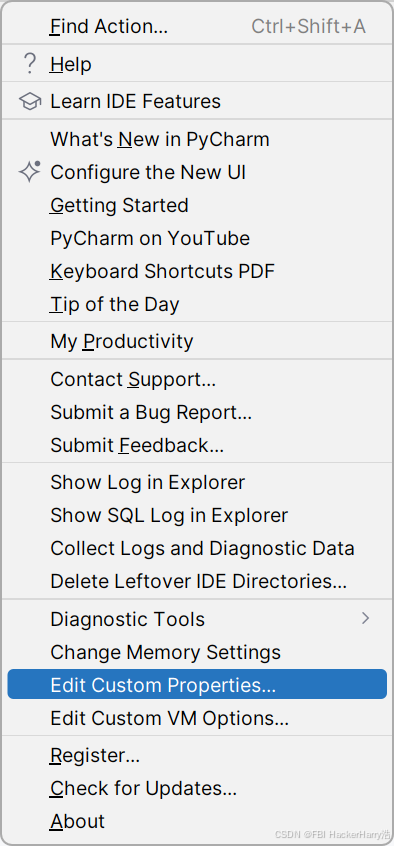
2.粘贴(Windows 示例):
bash
idea.config.path=D:/JetBrains/PyCharm2023.2/config
idea.system.path=D:/JetBrains/PyCharm2023.2/system
idea.plugins.path=D:/JetBrains/PyCharm2023.2/plugins
idea.log.path=D:/JetBrains/PyCharm2023.2/log