GoAI介绍
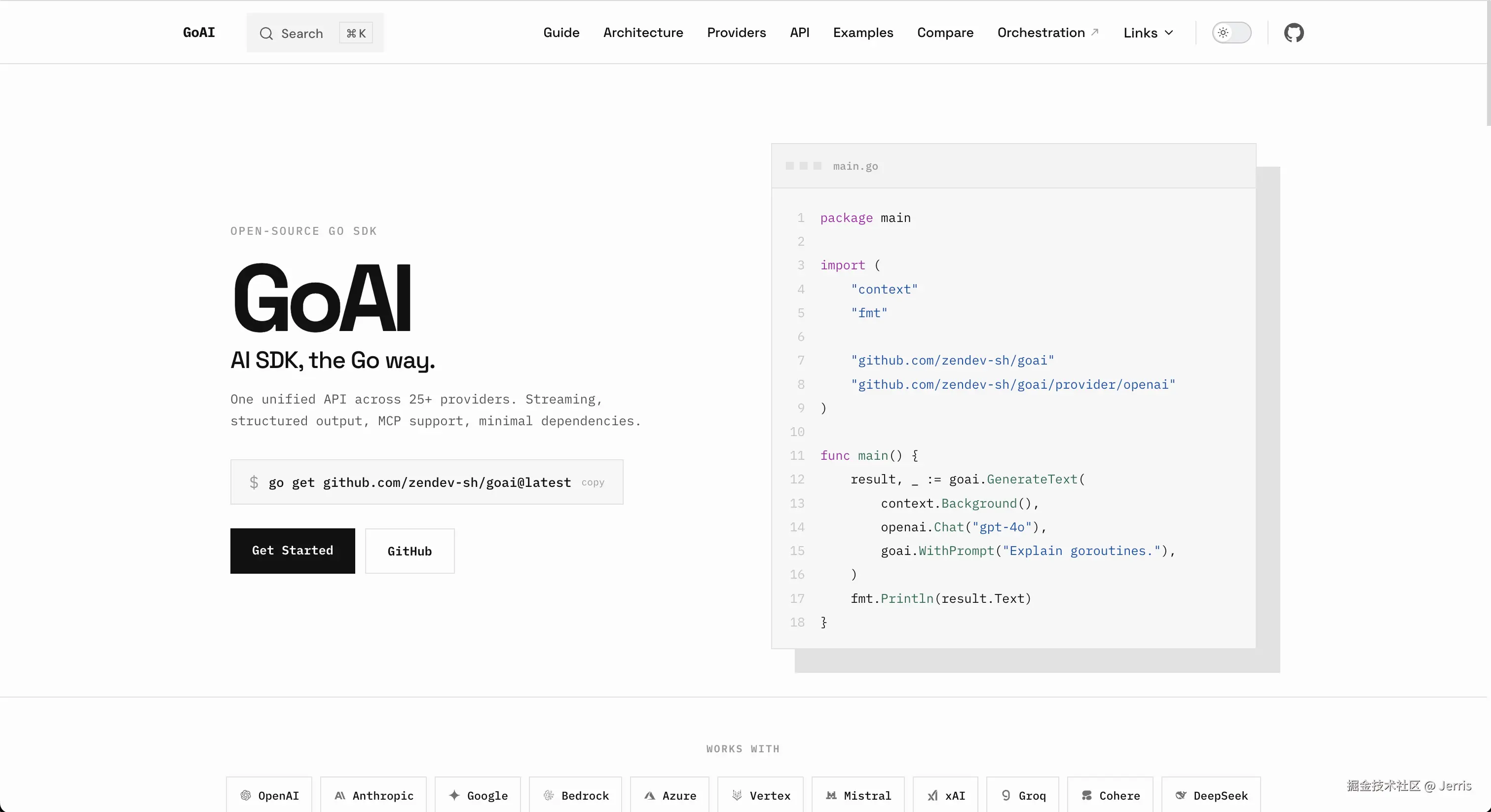
如果你的 Go 项目正在接入大模型、构建 Agent、实现 RAG,或者需要兼容 OpenAI、Claude、Gemini、DeepSeek 等多个模型平台,那么 GoAI 是一个非常值得关注的开源框架。它提供了一套统一的 API 抽象,让开发者无需关心不同模型厂商之间的接口差异,仅需更换一行代码即可切换底层模型提供商。GoAI 目前已支持 OpenAI、Anthropic、Google Gemini、DeepSeek、Groq、Ollama、Azure OpenAI、AWS Bedrock 等 25+ 主流模型平台,并内置流式输出、结构化数据生成、工具调用(Tool Calling)、MCP 协议支持、Embedding、图像生成等能力。
对于 Go 开发者而言,GoAI 最大的特点在于其"Go Native"设计理念。框架充分利用 Go 语言的泛型(Generics)、接口(Interface)和 Channel 等特性,在保证类型安全的同时提供简洁优雅的开发体验。无论是普通文本生成、实时流式对话、结构化对象输出,还是复杂的 Agent 工具调用循环,都可以通过统一的 API 快速实现。相比传统直接调用各家模型 SDK 的方式,GoAI 显著降低了 AI 应用开发的复杂度,让开发者能够将更多精力投入到业务逻辑本身。
本文将从环境搭建开始,逐步介绍 GoAI 的核心功能与最佳实践,包括大模型调用、流式输出、结构化结果生成、Embedding、Tool Calling、MCP 集成以及 Agent 开发等内容,帮助你快速掌握这一新兴的 Go AI 开发框架,并构建属于自己的智能应用。
Quick Start
首先安装依赖:
bash
go get github.com/zendev-sh/goai@latest创建第一个 AI 应用
下面的示例演示如何调用 OpenAI Compatible API 完成一次简单对话。
go
package main

import (
    "context"
    "fmt"

    "github.com/zendev-sh/goai"
    "github.com/zendev-sh/goai/provider/openai"
)

const (
    Model   = "qwen3.7-plus"
    BaseUrl = "https://dashscope.aliyuncs.com/compatible-mode/v1"
    ApiKey  = "xxxxxxxxxxxxxxxxxxxxxxxxxxxxxxxxxxxxxxxxx"
)

func main() {
    model := openai.Chat(Model, openai.WithBaseURL(BaseUrl), openai.WithAPIKey(ApiKey))

    result, err := goai.GenerateText(context.Background(), model,
       goai.WithPrompt("Say hello in one sentence."),
    )
    if err != nil {
       panic(err)
    }
    fmt.Println(result.Text)
}
流式输出
GoAI 支持使用 StreamText 函数进行流式输出:
go
package main

import (
    "context"
    "fmt"

    "github.com/zendev-sh/goai"
    "github.com/zendev-sh/goai/provider/openai"
)

const (
    ModelId = "qwen3.7-plus"
    BaseUrl = "https://dashscope.aliyuncs.com/compatible-mode/v1"
    ApiKey  = "xxxxxxxxxxxxxxxxxxxxxxxxxxxx"
)

// 你的代码使用了 github.com/zendev-sh/goai v0.8.4 库,
// 该库从某个版本开始默认使用 OpenAI 的 Responses API(/responses 端点),
// 而不是 Chat Completions API(/chat/completions 端点)。
// DashScope(阿里云百炼)的兼容模式只支持 Chat Completions API,不支持 Responses API。
// 所以你的流式请求实际上发到了 https://dashscope.aliyuncs.com/compatible-mode/v1/responses,
// 这个端点 DashScope 不支持,因此没有返回任何文本内容。
func main() {
    model := openai.Chat(ModelId, openai.WithBaseURL(BaseUrl), openai.WithAPIKey(ApiKey))
    ctx := context.Background()

    stream, err := goai.StreamText(ctx, model,
       goai.WithPrompt("帮我写一段关于AI Agent Skill的介绍,如何写Skill?"),
       goai.WithProviderOptions(map[string]any{
          "useResponsesAPI": false,
       }),
    )
    if err != nil {
       panic(err)
    }

    for text := range stream.TextStream() {
       fmt.Print(text)
    }
    fmt.Println()

    // Get the final accumulated result after streaming completes.
    result := stream.Result()
    fmt.Printf("Tokens: %d in, %d out\n", result.TotalUsage.InputTokens, result.TotalUsage.OutputTokens)
}
GoAI Agent Scaffold
GoAI Agent Scaffold 是基于 GoAI 库的一个脚手架工程,它封装了LLM 调用、RAG 检索增强、工具调用(Function Calling)、HTTP API、CLI 对话、异步任务和回调机制。
架构概览
txt
                      +---------------------+
                      |   CLI (Cobra 统一)   |
                      | chat | server |embed|
                      +----------+----------+
                                 |
             +-------------------+-------------------+
             |                                       |
+------------v-----------+               +-----------v----------+
|   HTTP Server (Gin)    |               |   Task Manager       |
|   /api/v1/chat|stream  |               |   (Worker Pool)      |
|   /api/v1/task|tools   |               |   pending→done/fail   |
+------------+-----------+               +-----------+----------+
             |                                       |
             +-------------------+-------------------+
                                 |
                       +---------v---------+
                       |   Agent Engine    |
                       | (LLM+RAG+Tool)    |
                       +---------+---------+
                                 |
           +---------------------+---------------------+
           |                     |                     |
+----------v-------+  +----------v----------+  +-------v----------+
|   LLM Adapter    |  |   RAG 检索增强      |  |  Tool Registry   |
| Mock | GoAI(OpenAI)| | Memory|Milvus|PGVec|  |  time | http_get |
+------------------+  +---------------------+  +------------------+
快速开始
前置条件
- Go 1.25+
- (可选)OpenAI API Key 或其他兼容的 LLM 服务
安装
bash
go build -o goai ./cmd/cliCLI 命令一览
bash
# 启动 HTTP 服务
./goai server
./goai server -c prod.yaml

# 交互式对话(默认流式输出)
./goai chat
./goai chat --no-stream

# 文档向量化入库
./goai embed -f docs/readme.md
./goai embed -d docs/ --chunk-size 500

# 查看帮助
./goai --help
./goai server --help
配置
所有配置通过 YAML 文件管理,支持环境变量覆盖(前缀 GOAI_,例如 GOAI_LLM_API_KEY)。
yaml
server:
  host: 0.0.0.0
  port: 8080

llm:
  provider: mock              # mock | openai | goai-openai
  api_key: ""                 # OpenAI API Key(mock 模式下无需填写)
  base_url: ""                # 自定义 API 地址(可选)
  model: mock-agent
  timeout: 30s
  max_retries: 2

rag:
  enabled: true
  vector_db: memory           # memory | milvus | pgvector
  top_k: 5
  documents:                  # 内嵌知识库文档(memory 模式)
    - id: intro
      content: "GoAI Agent Scaffold provides LLM calls, RAG..."

  # Embedding 配置(milvus / pgvector 模式需要)
  embedding:
    provider: mock            # mock | openai
    model: text-embedding-3-small
    api_key: ""
    base_url: ""

  # Milvus 连接配置
  milvus:
    address: localhost:19530
    collection: rag_documents
    dim: 1536

  # PGVector 连接配置
  pgvector:
    host: localhost
    port: 5432
    user: postgres
    password: ""
    dbname: rag
    table: documents
    dim: 1536

task:
  worker_pool_size: 5
  queue_size: 100

callback:
  timeout: 10s
接入真实 LLM
yaml
llm:
  provider: openai
  api_key: sk-xxxxx
  base_url: https://api.openai.com/v1
  model: gpt-4o-mini
api_key 可通过环境变量 GOAI_LLM_API_KEY 或 OPENAI_API_KEY 注入。
RAG 后端切换
vector_db |
检索方式 | 适用场景 |
|---|---|---|
memory(默认) |
关键词 TF 匹配,零依赖 | 开发调试、小规模文档 |
milvus |
余弦相似度向量检索 | 生产环境、大规模向量库 |
pgvector |
PostgreSQL pgvector 余弦相似度 | 已有 PG 基础设施 |
切换方式:修改 rag.vector_db 配置项,并配置对应的 embedding 和连接参数。
CLI 命令详解
goai chat --- 交互式对话
启动 REPL 对话,Agent 自动加载 RAG 知识库和工具(time、http_get),LLM 决定是否调用工具。
txt
> 现在几点了?
AI: 当前时间是 2026-06-15T10:30:00+08:00

> /exit--no-stream--- 禁用流式输出,等待完整回复后一次性显示
goai server --- HTTP API 服务
启动 Gin HTTP 服务器,提供完整的 REST API。
goai embed --- 文档向量化
将 .txt、.md 文件智能分块后嵌入向量库(支持 Milvus / PGVector)。
bash
# 单文件
goai embed -f knowledge.md

# 整个目录
goai embed -d docs/

# 自定义分块
goai embed -f doc.txt --chunk-size 500 --chunk-overlap 100
分块策略 :优先在段落边界(\n\n)切割 → 换行 → 句子结尾 → 单词边界,保证语义完整性。
API 接口
| 方法 | 路径 | 说明 |
|---|---|---|
POST |
/api/v1/chat |
同步对话 |
GET |
/api/v1/chat/stream |
流式对话(SSE) |
GET |
/api/v1/tools |
获取已注册的工具列表 |
POST |
/api/v1/task/submit |
提交异步任务 |
GET |
/api/v1/task/:task_id |
查询任务状态 |
GET |
/healthz |
健康检查 |
模块说明
Agent(internal/agent)
核心引擎,协调三者的协作流程:
用户消息 → RAG 检索上下文 → 构建 Prompt + 工具列表 →
LLM 调用(goai 自动处理工具调用循环)→ 最终回复- LLM 决定是否调用工具,goai 库内部自动执行"调用 → 执行 → 回传结果"循环
- 暴露
RAG()方法供 CLIembed命令运行时索引文档
LLM Adapter(internal/llm)
| 实现 | 说明 |
|---|---|
MockLLM |
回显用户输入,零依赖,适合开发调试 |
GoAIAdapter |
基于 github.com/zendev-sh/goai,支持 OpenAI 及兼容协议,内置 retry、token 统计、工具调用循环 |
通过 llm.New(cfg) 工厂函数切换。
RAG(internal/rag)
多后端的检索增强生成系统:
| 组件 | 说明 |
|---|---|
VectorStore 接口 |
定义 Search / AddDocuments / Close |
MemoryStore |
内存关键词 TF 匹配 |
MilvusStore |
Milvus 向量数据库,自动建库建索引 |
PGVectorStore |
PostgreSQL + pgvector,自动建表建索引 |
Embedder 接口 |
文本 → 向量转换 |
MockEmbedder |
确定性伪向量(hash),开发用 |
OpenAIEmbedder |
基于 goai 的 OpenAI Embedding API |
Service |
封装 VectorStore + Embedder,Memory 走关键词,向量后端走 Embedding+Search |
Tool Calling(internal/tool)
Tool接口 :Name()+Description()+Run()Registry:注册、查询、执行ToGoAITool():适配为 goai 原生 Tool,使 LLM 自动触发调用
内置工具:
| 工具 | 名称 | 说明 |
|---|---|---|
TimeTool |
time |
获取当前时间,支持时区 |
HTTPGetTool |
http_get |
HTTP GET 请求,返回状态码和响应体 |
异步任务(internal/task)
- 内存 channel 任务队列 + Worker Pool
- 状态流转:
pending→running→done/failed - 支持
callback_url回调通知
Callback(internal/callback)
异步任务回调 HTTP 客户端,带超时控制。
项目结构
txt
goai-agent-scaffold/
├── cmd/
│   ├── cli/
│   │   ├── main.go              # CLI 入口
│   │   └── cmd/
│   │       ├── root.go          # Cobra 根命令(配置加载)
│   │       ├── chat.go          # goai chat 交互式对话
│   │       ├── server.go        # goai server HTTP 服务
│   │       └── embed.go         # goai embed 文档向量化
│   └── server/main.go           # 独立 HTTP 入口(兼容保留)
├── configs/
│   └── config.yaml              # 默认配置
├── internal/
│   ├── agent/                   # Agent 核心引擎
│   │   ├── agent.go
│   │   └── agent_test.go
│   ├── app/                     # 应用组装(依赖注入)
│   │   └── app.go
│   ├── callback/                # 回调 HTTP 客户端
│   │   └── client.go
│   ├── config/                  # 配置加载(Viper)
│   │   └── config.go
│   ├── http/                    # Gin 路由和处理器
│   │   └── router.go
│   ├── llm/                     # LLM 适配器
│   │   ├── llm.go               # 接口定义
│   │   ├── mock.go              # Mock 实现
│   │   ├── goai.go              # GoAI OpenAI 实现
│   │   └── factory.go           # 工厂函数
│   ├── rag/                     # RAG 多后端检索
│   │   ├── rag.go               # RAG 接口 + Document 定义
│   │   ├── service.go           # 检索服务(工厂模式)
│   │   ├── vectorstore.go       # VectorStore 接口 + 工厂
│   │   ├── memory_store.go      # 内存关键词匹配
│   │   ├── milvus_store.go      # Milvus 向量检索
│   │   ├── pgvector_store.go    # PGVector 向量检索
│   │   └── embedder.go          # Embedder 接口 + Mock/OpenAI
│   ├── task/                    # 异步任务系统
│   │   ├── task.go
│   │   └── manager.go
│   └── tool/                    # 工具调用系统
│       ├── tool.go              # Tool 接口 + goai 适配
│       ├── registry.go          # 工具注册中心
│       ├── time.go              # 时间工具
│       └── http.go              # HTTP 请求工具
├── go.mod
├── go.sum
├── README.md
└── PRD.md
扩展指南
添加自定义工具
- 实现
tool.Tool接口:Name()、Description()、Run() - 在
app.New()中registry.Register(YourTool{})
Agent 会将工具暴露给 LLM,由 LLM 自主决策调用。
添加新的 RAG 后端
- 实现
rag.VectorStore接口:Search()、AddDocuments()、Close() - 在
vectorstore.go的NewVectorStore()中添加 case 分支
添加新的 Embedding 服务
- 实现
rag.Embedder接口:Embed(ctx, text) → ([]float64, error) - 在
embedder.go的NewEmbedder()中添加 case 分支
切换 LLM 提供商
修改 config.yaml 的 llm.provider:
mock--- 本地回显,无需联网openai/goai-openai--- 通过 goai 调用 OpenAI 或兼容 API
如需接入其他模型,在 llm/factory.go 中添加适配器。
源码地址
goai-agent-scaffold:基于 github.com/zendev-sh/goai 库构建的智能体脚手架工程。
学习资料
给大家推荐一个学习人工智能理论基础的网站:人工智能学习网,这里面有丰富的人工智能专业的学习资料。