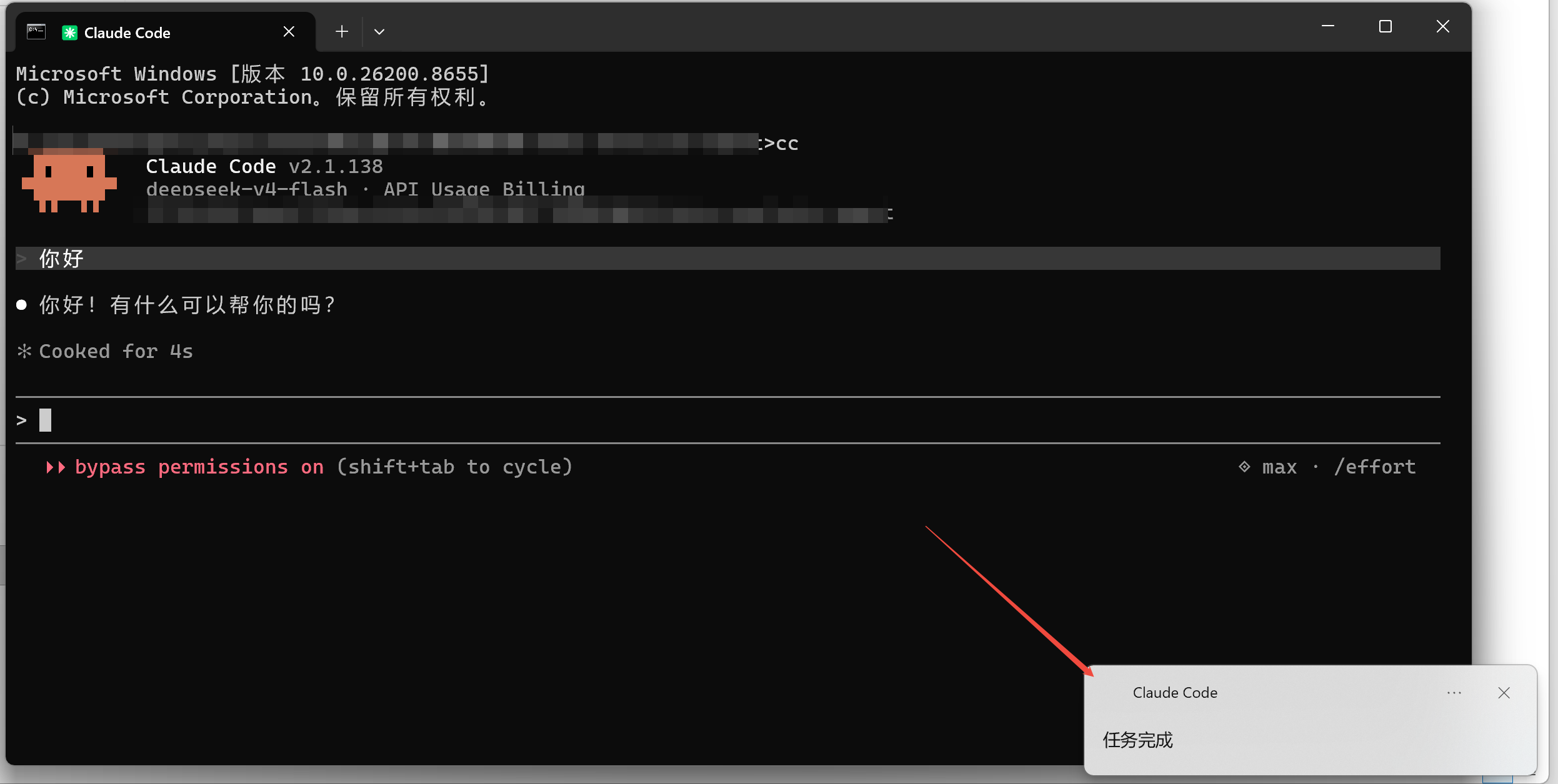
目的
windows环境下,claude code使用技巧笔记
背景
claude code完成任务,没有通知,不够友好,这里借助Hook机制实现完成通知
步骤
1、编写system-toast.sh,放到~/.claude/hooks目录下,脚本内容如下:
bash
#! /bin/bash
title="${2:-Claude Code}"
body="$1"
powershell.exe -Command "
    [Windows.UI.Notifications.ToastNotificationManager, Windows.UI.Notifications, ContentType = WindowsRuntime] | Out-Null
    \$template = [Windows.UI.Notifications.ToastNotificationManager]::GetTemplateContent([Windows.UI.Notifications.ToastTemplateType]::ToastText02)
    \$nodes = \$template.GetElementsByTagName('text')
    \$null = \$nodes.Item(0).AppendChild(\$template.CreateTextNode('$body'))
    \$toast = [Windows.UI.Notifications.ToastNotification]::new(\$template)
    [Windows.UI.Notifications.ToastNotificationManager]::CreateToastNotifier('$title').Show(\$toast)
  "
2、编辑~/.claude/settings.json,添加hooks:
json
{
  "model": "opus",
  "hooks": {
    "Stop": [
      {
        "hooks": [
          {
            "type": "command",
            "command": "~/.claude/hooks/system-toast.sh '任务完成'"
          }
        ]
      }
    ]
  },
  ...
}
3、重启claude code,发个消息验证