目录
[准备 TLS 证书](#准备 TLS 证书)
[场景 A:测试 / 内网(自签名证书,最快)](#场景 A:测试 / 内网(自签名证书,最快))
[场景 B:生产 / 公网(可信证书,推荐 cert-manager+Let's Encrypt)](#场景 B:生产 / 公网(可信证书,推荐 cert-manager+Let’s Encrypt))
[修改 Envoy Gateway,开启 HTTPS](#修改 Envoy Gateway,开启 HTTPS)
[完整 Gateway YAML(直接替换原来的)](#完整 Gateway YAML(直接替换原来的))
[配置HTTPRoute(把 HTTPS 流量导到后端)](#配置HTTPRoute(把 HTTPS 流量导到后端))
[更新 Kubernetes Secret](#更新 Kubernetes Secret)
[测试 80 自动跳转 443](#测试 80 自动跳转 443)
概述
本文介绍使用TLS证书实现Kubernetes 应用HTTPS安全访问配置实践。本文在使用Kubernetes Gateway API实现域名访问应用 基础上进行。
准备 TLS 证书
场景 A:测试 / 内网(自签名证书,最快)
# 生成 wildcard 证书(适配多个域名,比如 *.test.com,如果域名不一样,需要自行修改)
openssl req -x509 -nodes -days 3650 -newkey rsa:2048 \
  -keyout tls.key \
  -out tls.crt \
-subj "/CN=*.test.com/O=MyOrg"- 得到:
tls.crt(证书)、tls.key(私钥)
操作
[root@k8s-master01 ~]# ls
231              cri-dockerd      gateway.yaml.old      worker_fix.sh
232              envoyproxy.yaml  gatewayclass.yaml
anaconda-ks.cfg  fix-k8s-cert.sh  metallb-config.yaml
calico.yaml      gateway.yaml     nginx-httproute.yaml
[root@k8s-master01 ~]# openssl req -x509 -nodes -days 3650 -newkey rsa:2048 \
  -keyout tls.key \
  -out tls.crt \
  -subj "/CN=*.test.com/O=MyOrg"
...+........................+......+.....+......+.+..+++++++++++++++++++++++++++++++++++++++++++++++++++++++++++++++++*............+...+....+......+...+++++++++++++++++++++++++++++++++++++++++++++++++++++++++++++++++*...........+.........+............+.....+..................+...+....+...+..+....+.........+.................+.+..+......+.+....................+.+++++++++++++++++++++++++++++++++++++++++++++++++++++++++++++++++
.......+.......+++++++++++++++++++++++++++++++++++++++++++++++++++++++++++++++++*........+..........+.....+......+++++++++++++++++++++++++++++++++++++++++++++++++++++++++++++++++*.+...........+.+............+..+....+..+..................+......+.+...+.....+..........+......+........+.......+...+......+.........+..+...+............+....+..+...+.+......+..+..........+...+........+..........+.....+............+....+.........+...........+.+.........+...+..+...+...+....+........+............+....+.....+.+...........+.......+.....+..........+..+.+.....+...+....+...+..+.......+.....+...+.+.........+............+........+.............+..+.......+........+.......+......+..................+.....................+...+......+..+...+......+...+......+.......+..+...+...+.+...+...+............+..+.+...+.....+.........+.+.........+..+.............+.....+.+............+..+.......+.....+......+.......+..+......+....+......+...+..+.........+......+.......+............+...+............+...+...........+.+...........+.......+...+........+.+...+..+....+............+..+..........+++++++++++++++++++++++++++++++++++++++++++++++++++++++++++++++++
-----
[root@k8s-master01 ~]# ls
231              cri-dockerd      gateway.yaml.old      tls.crt
232              envoyproxy.yaml  gatewayclass.yaml     tls.key
anaconda-ks.cfg  fix-k8s-cert.sh  metallb-config.yaml   worker_fix.sh
calico.yaml      gateway.yaml     nginx-httproute.yaml
[root@k8s-master01 ~]#


[root@k8s-master01 ~]# cat tls.crt
-----BEGIN CERTIFICATE-----
MIIDKzCCAhOgAwIBAgIUEXrnhePzNyN2ft8z+5He+I7G4JkwDQYJKoZIhvcNAQEL
BQAwJTETMBEGA1UEAwwKKi50ZXN0LmNvbTEOMAwGA1UECgwFTXlPcmcwHhcNMjYw
NjA5MTQ0NjIyWhcNMzYwNjA2MTQ0NjIyWjAlMRMwEQYDVQQDDAoqLnRlc3QuY29t
MQ4wDAYDVQQKDAVNeU9yZzCCASIwDQYJKoZIhvcNAQEBBQADggEPADCCAQoCggEB
AK2uSjGrFJZIAy0p1/nIgkhOCLxRhMiSnWUVjnS8HYhx4GUFGZUSVMh1v33PLQoi
C9rC3iI0VdJPZTmGpeJdIVCSrRMyn4rSdkGJIdJfeAAhVwfPhQQ2bzNPNJoNsDfR
zKe8KDJG7dPzkd9RXHvoaBLlp7HnVsfQQR+QiP9iamdhBbO+RcNqIJYCRvd3iwC7
OkV3FgD3Ck6Ju3gzP3wte2nrdcnnzQLbHvTYwN+HpC90jfojRv9MujiVMOcFJN9c
XTtzEGHfc+55l7MQj+/UIpaTIrJSosd+IaA2cAAN5A4Vhx3NCot3V58j3dGhHe69
F2cmNhP+uM5/Hf5LzUDFc+0CAwEAAaNTMFEwHQYDVR0OBBYEFJxHZ9/nlEsWBWwI
0xgFlwWoKbsJMB8GA1UdIwQYMBaAFJxHZ9/nlEsWBWwI0xgFlwWoKbsJMA8GA1Ud
EwEB/wQFMAMBAf8wDQYJKoZIhvcNAQELBQADggEBAJZPn+Xz4v1t8dEin8FFT+8N
xkGMFdKwA11YrYAPNFkwUsIyTXRNnUZl/6EjTWOaaXTG57uI0SK2qb9ujRMmMQ6S
PZxviIhlTaWQ2wgm/1igdKbmUc6nv3BAXgX6E6xkXDohVJyCZyjk62uwZ5ZuZVM+
yaNdnfrmxXXJ6+l8K3WoBMUfUqKeSaiHOVw/EyA4iXSOfCU9QQLE+btKTC+UkmTw
mt/CUylDOze0fxUW0vh2rtike8ceaGXF9tHAy/3NVEvusJCfpx7CvKZAkY7F1rBe
KbB0eFKCrqRYI8HnlTSpWNlBs5wglUzbH+9OYKmAXGCbdvU0VApjfwp8bXV7tH8=
-----END CERTIFICATE-----
[root@k8s-master01 ~]# cat tls.key
-----BEGIN PRIVATE KEY-----
MIIEvgIBADANBgkqhkiG9w0BAQEFAASCBKgwggSkAgEAAoIBAQCtrkoxqxSWSAMt
Kdf5yIJITgi8UYTIkp1lFY50vB2IceBlBRmVElTIdb99zy0KIgvawt4iNFXST2U5
hqXiXSFQkq0TMp+K0nZBiSHSX3gAIVcHz4UENm8zTzSaDbA30cynvCgyRu3T85Hf
UVx76GgS5aex51bH0EEfkIj/YmpnYQWzvkXDaiCWAkb3d4sAuzpFdxYA9wpOibt4
Mz98LXtp63XJ580C2x702MDfh6QvdI36I0b/TLo4lTDnBSTfXF07cxBh33PueZez
EI/v1CKWkyKyUqLHfiGgNnAADeQOFYcdzQqLd1efI93RoR3uvRdnJjYT/rjOfx3+
S81AxXPtAgMBAAECggEAAZleE1GmGT28nF2Xb1auXckFYCVsOlevY6Xj34UVffz6
4reH3I5zDgq/CLRBGZRDyPI18Wgtri8Mr4XFaBw9SU3gucx3bSiwBmS3AaOkCfS6
yB3qsINWBac0euoXsiB9IUv/kDU/776pfsMMYDDVqO8JBxhHvVK66E6WgO/pKu0j
1NSjK091/m6513OsrE9cz4lSMUEOnJWldwZUK625I2a0xmBWwvdQNQVDt/2/IFPx
6bDUgbOpx6YX/H6XHl/qq37dV05XIEt+vmvtdD+fN4okjGJvELpBFabkBwG6IMrm
2qH2XZqw0eWdOJe0G+jEk4e53I8SuUi4LGMrcHDNMQKBgQDsz1WxnmNyVyhQAXoq
CPDmons9FlQBPh2rdw1jfSuPPiTDiE1+ItKTs5mo+PJGhZ21HPHNU14B6CPtrF48
3q4bj5Wj5oFC+5mMyM7T3XVGroREEJ3He4xNkdi6joY03wXH21efhDnKYKhmpRBr
7FwTDfmB2UV3XDdXyocsRPqWHQKBgQC7wVShYlVj9JxQfGIvdV9YgFvenLZEACqT
MP018biULI9k9xa2dgB9u5NrZ2847vBbB50z1a7DLhLr9RTnnA0E1eBhnYidAyhg
+izmmCjcs+i/MTY0JsJ/PF4wAAnkJIg3KeWYP7ua+qDyNiKH3J+FFSgZcxJkuo0P
lA1IkX6sEQKBgQC3AqTfV+DTBLiK3BllUvOZyggj9ZWGQFL9qEwYjyuS0BvpYPVC
ffbvXuVpyLqz9Z8j0PKuE7ebEaRykbtin1U+x4CF4iYTdg3811PAOG3h6g0d7RmC
iOCtMgGka3Ecex8kjUbyaGWhGYILkZVXUpr1vt8MkrU0wXejyUkd1VEzoQKBgQCS
kpjY7AUxZRJqms+jsQNf+cS+gqSfbWnPQp1J8Yxg0HCZJ3PpuTEk9rxdSoA/d/jX
d5g3kQc/g8ZtwgQx01cugTELw4mU2ZQ6MNPAqOStdx2ptGdWSzPnVF9LJZyTKBnW
xrRgKNDyadoffDd0zL0TjbKiO30OebwJf1DnZ/31oQKBgEe2oUtb39AQxIQ8ObJa
thdmYByYM16WUOtFFZGRVDfQ6kSUvHNGyuQMGd0OCyy1GAFyYLojKqwMHCG75XIf
CK/CPHZ18Um6qxXNVetz37hsfnA43BEp/GQTgQJ3vHnK3k2Y8yd90z95P9/E+WSb
7Nj6LjKnDJ43exvXYMHu8kDJ
-----END PRIVATE KEY-----
[root@k8s-master01 ~]#
场景 B:生产 / 公网(可信证书,推荐 cert-manager+Let's Encrypt)
本文使用自签名证书进行实践。
创建Secret存储K8s证书
# 名字叫 gw-tls,和后面 Gateway 对应
kubectl create secret tls gw-tls \
  --cert=tls.crt \
  --key=tls.key \
-n default检查:kubectl get secret gw-tls -o yaml,确保有 tls.crt 和 tls.key。
操作过程
创建secret
[root@k8s-master01 ~]# kubectl create secret tls gw-tls \
  --cert=tls.crt \
  --key=tls.key \
  -n default
secret/gw-tls created
[root@k8s-master01 ~]#
检查
[root@k8s-master01 ~]# kubectl get secret gw-tls -o yaml
apiVersion: v1
data:
  tls.crt: LS0tLS1CRUdJTiBDRVJUSUZJQ0FURS0tLS0tCk1JSURLekNDQWhPZ0F3SUJBZ0lVRVhybmhlUHpOeU4yZnQ4eis1SGUrSTdHNEprd0RRWUpLb1pJaHZjTkFRRUwKQlFBd0pURVRNQkVHQTFVRUF3d0tLaTUwWlhOMExtTnZiVEVPTUF3R0ExVUVDZ3dGVFhsUGNtY3dIaGNOTWpZdwpOakE1TVRRME5qSXlXaGNOTXpZd05qQTJNVFEwTmpJeVdqQWxNUk13RVFZRFZRUUREQW9xTG5SbGMzUXVZMjl0Ck1RNHdEQVlEVlFRS0RBVk5lVTl5WnpDQ0FTSXdEUVlKS29aSWh2Y05BUUVCQlFBRGdnRVBBRENDQVFvQ2dnRUIKQUsydVNqR3JGSlpJQXkwcDEvbklna2hPQ0x4UmhNaVNuV1VWam5TOEhZaHg0R1VGR1pVU1ZNaDF2MzNQTFFvaQpDOXJDM2lJMFZkSlBaVG1HcGVKZElWQ1NyUk15bjRyU2RrR0pJZEpmZUFBaFZ3ZlBoUVEyYnpOUE5Kb05zRGZSCnpLZThLREpHN2RQemtkOVJYSHZvYUJMbHA3SG5Wc2ZRUVIrUWlQOWlhbWRoQmJPK1JjTnFJSllDUnZkM2l3QzcKT2tWM0ZnRDNDazZKdTNnelAzd3RlMm5yZGNubnpRTGJIdlRZd04rSHBDOTBqZm9qUnY5TXVqaVZNT2NGSk45YwpYVHR6RUdIZmMrNTVsN01RaisvVUlwYVRJckpTb3NkK0lhQTJjQUFONUE0Vmh4M05Db3QzVjU4ajNkR2hIZTY5CkYyY21OaFArdU01L0hmNUx6VURGYyswQ0F3RUFBYU5UTUZFd0hRWURWUjBPQkJZRUZKeEhaOS9ubEVzV0JXd0kKMHhnRmx3V29LYnNKTUI4R0ExVWRJd1FZTUJhQUZKeEhaOS9ubEVzV0JXd0kweGdGbHdXb0tic0pNQThHQTFVZApFd0VCL3dRRk1BTUJBZjh3RFFZSktvWklodmNOQVFFTEJRQURnZ0VCQUpaUG4rWHo0djF0OGRFaW44RkZUKzhOCnhrR01GZEt3QTExWXJZQVBORmt3VXNJeVRYUk5uVVpsLzZFalRXT2FhWFRHNTd1STBTSzJxYjl1alJNbU1RNlMKUFp4dmlJaGxUYVdRMndnbS8xaWdkS2JtVWM2bnYzQkFYZ1g2RTZ4a1hEb2hWSnlDWnlqazYydXdaNVp1WlZNKwp5YU5kbmZybXhYWEo2K2w4SzNXb0JNVWZVcUtlU2FpSE9Wdy9FeUE0aVhTT2ZDVTlRUUxFK2J0S1RDK1VrbVR3Cm10L0NVeWxET3plMGZ4VVcwdmgycnRpa2U4Y2VhR1hGOXRIQXkvM05WRXZ1c0pDZnB4N0N2S1pBa1k3RjFyQmUKS2JCMGVGS0NycVJZSThIbmxUU3BXTmxCczV3Z2xVemJIKzlPWUttQVhHQ2JkdlUwVkFwamZ3cDhiWFY3dEg4PQotLS0tLUVORCBDRVJUSUZJQ0FURS0tLS0tCg==
  tls.key: LS0tLS1CRUdJTiBQUklWQVRFIEtFWS0tLS0tCk1JSUV2Z0lCQURBTkJna3Foa2lHOXcwQkFRRUZBQVNDQktnd2dnU2tBZ0VBQW9JQkFRQ3Rya294cXhTV1NBTXQKS2RmNXlJSklUZ2k4VVlUSWtwMWxGWTUwdkIySWNlQmxCUm1WRWxUSWRiOTl6eTBLSWd2YXd0NGlORlhTVDJVNQpocVhpWFNGUWtxMFRNcCtLMG5aQmlTSFNYM2dBSVZjSHo0VUVObTh6VHpTYURiQTMwY3ludkNneVJ1M1Q4NUhmClVWeDc2R2dTNWFleDUxYkgwRUVma0lqL1ltcG5ZUVd6dmtYRGFpQ1dBa2IzZDRzQXV6cEZkeFlBOXdwT2lidDQKTXo5OExYdHA2M1hKNTgwQzJ4NzAyTURmaDZRdmRJMzZJMGIvVExvNGxURG5CU1RmWEYwN2N4QmgzM1B1ZVplegpFSS92MUNLV2t5S3lVcUxIZmlHZ05uQUFEZVFPRlljZHpRcUxkMWVmSTkzUm9SM3V2UmRuSmpZVC9yak9meDMrClM4MUF4WFB0QWdNQkFBRUNnZ0VBQVpsZUUxR21HVDI4bkYyWGIxYXVYY2tGWUNWc09sZXZZNlhqMzRVVmZmejYKNHJlSDNJNXpEZ3EvQ0xSQkdaUkR5UEkxOFdndHJpOE1yNFhGYUJ3OVNVM2d1Y3gzYlNpd0JtUzNBYU9rQ2ZTNgp5QjNxc0lOV0JhYzBldW9Yc2lCOUlVdi9rRFUvNzc2cGZzTU1ZRERWcU84SkJ4aEh2Vks2NkU2V2dPL3BLdTBqCjFOU2pLMDkxL202NTEzT3NyRTljejRsU01VRU9uSldsZHdaVUs2MjVJMmEweG1CV3d2ZFFOUVZEdC8yL0lGUHgKNmJEVWdiT3B4NllYL0g2WEhsL3FxMzdkVjA1WElFdCt2bXZ0ZEQrZk40b2tqR0p2RUxwQkZhYmtCd0c2SU1ybQoycUgyWFpxdzBlV2RPSmUwRytqRWs0ZTUzSThTdVVpNExHTXJjSEROTVFLQmdRRHN6MVd4bm1OeVZ5aFFBWG9xCkNQRG1vbnM5RmxRQlBoMnJkdzFqZlN1UFBpVERpRTErSXRLVHM1bW8rUEpHaFoyMUhQSE5VMTRCNkNQdHJGNDgKM3E0Ymo1V2o1b0ZDKzVtTXlNN1QzWFZHcm9SRUVKM0hlNHhOa2RpNmpvWTAzd1hIMjFlZmhEbktZS2htcFJCcgo3RndURGZtQjJVVjNYRGRYeW9jc1JQcVdIUUtCZ1FDN3dWU2hZbFZqOUp4UWZHSXZkVjlZZ0Z2ZW5MWkVBQ3FUCk1QMDE4YmlVTEk5azl4YTJkZ0I5dTVOcloyODQ3dkJiQjUwejFhN0RMaExyOVJUbm5BMEUxZUJobllpZEF5aGcKK2l6bW1DamNzK2kvTVRZMEpzSi9QRjR3QUFua0pJZzNLZVdZUDd1YStxRHlOaUtIM0orRkZTZ1pjeEprdW8wUApsQTFJa1g2c0VRS0JnUUMzQXFUZlYrRFRCTGlLM0JsbFV2T1p5Z2dqOVpXR1FGTDlxRXdZanl1UzBCdnBZUFZDCmZmYnZYdVZweUxxejlaOGowUEt1RTdlYkVhUnlrYnRpbjFVK3g0Q0Y0aVlUZGczODExUEFPRzNoNmcwZDdSbUMKaU9DdE1nR2thM0VjZXg4a2pVYnlhR1doR1lJTGtaVlhVcHIxdnQ4TWtyVTB3WGVqeVVrZDFWRXpvUUtCZ1FDUwprcGpZN0FVeFpSSnFtcytqc1FOZitjUytncVNmYlduUFFwMUo4WXhnMEhDWkozUHB1VEVrOXJ4ZFNvQS9kL2pYCmQ1ZzNrUWMvZzhadHdnUXgwMWN1Z1RFTHc0bVUyWlE2TU5QQXFPU3RkeDJwdEdkV1N6UG5WRjlMSlp5VEtCblcKeHJSZ0tORHlhZG9mZkRkMHpMMFRqYktpTzMwT2Vid0pmMURuWi8zMW9RS0JnRWUyb1V0YjM5QVF4SVE4T2JKYQp0aGRtWUJ5WU0xNldVT3RGRlpHUlZEZlE2a1NVdkhOR3l1UU1HZDBPQ3l5MUdBRnlZTG9qS3F3TUhDRzc1WElmCkNLL0NQSFoxOFVtNnF4WE5WZXR6Mzdoc2ZuQTQzQkVwL0dRVGdRSjN2SG5LM2syWTh5ZDkwejk1UDkvRStXU2IKN05qNkxqS25ESjQzZXh2WFlNSHU4a0RKCi0tLS0tRU5EIFBSSVZBVEUgS0VZLS0tLS0K
kind: Secret
metadata:
  creationTimestamp: "2026-06-09T14:52:08Z"
  name: gw-tls
  namespace: default
  resourceVersion: "101393"
  uid: 9d4b7d28-f60c-467a-b3cc-0e9fa1848350
type: kubernetes.io/tls
[root@k8s-master01 ~]#
注意:secret里面的证书是把原来的证书内容进行base64编码后的内容
修改 Envoy Gateway,开启 HTTPS
原来的 Gateway 应该只有 80,需要加一个 443 监听 + TLS 终止。
完整 Gateway YAML(直接替换原来的)
gateway.yaml
vi gateway.yaml内容如下
apiVersion: gateway.networking.k8s.io/v1
kind: Gateway
metadata:
  name: nginx-gateway
spec:
  gatewayClassName: eg
  listeners:
    # 保留原来的 80 端口
    - name: http
      port: 80
      protocol: HTTP
      allowedRoutes:
        namespaces:
          from: All

    # 新增:HTTPS 443 端口(生产标准)
    - name: https
      port: 443
      protocol: HTTPS
      allowedRoutes:
        namespaces:
          from: All
      tls:
        mode: Terminate
        certificateRefs:
        - kind: Secret
name: gw-tls # 证书 secret 名字-
应用:
kubectl apply -f gateway.yaml -
检查状态:
kubectl get gateway nginx-gateway,看到有 ADDRESS有IP地址为正常。[root@k8s-master01 ~]# kubectl apply -f gateway.yaml
gateway.gateway.networking.k8s.io/nginx-gateway configured
[root@k8s-master01 ~]#
[root@k8s-master01 ~]# kubectl get gateway nginx-gateway
NAME CLASS ADDRESS PROGRAMMED AGE
nginx-gateway eg 192.168.204.210 True 30h
访问测试
http IP访问
http://192.168.204.210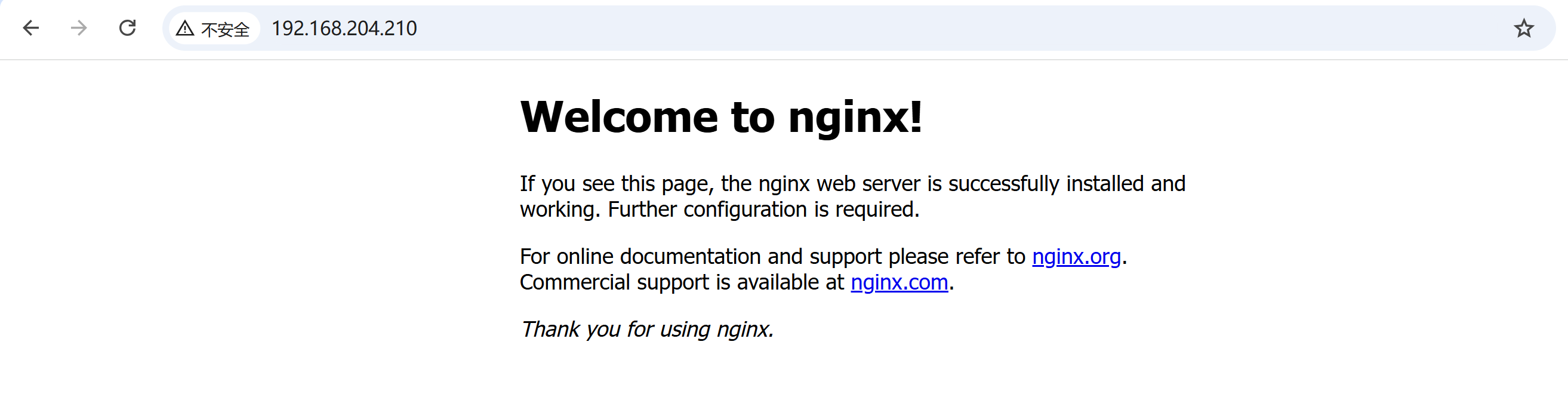
http 域名访问
http://nginx.test.com/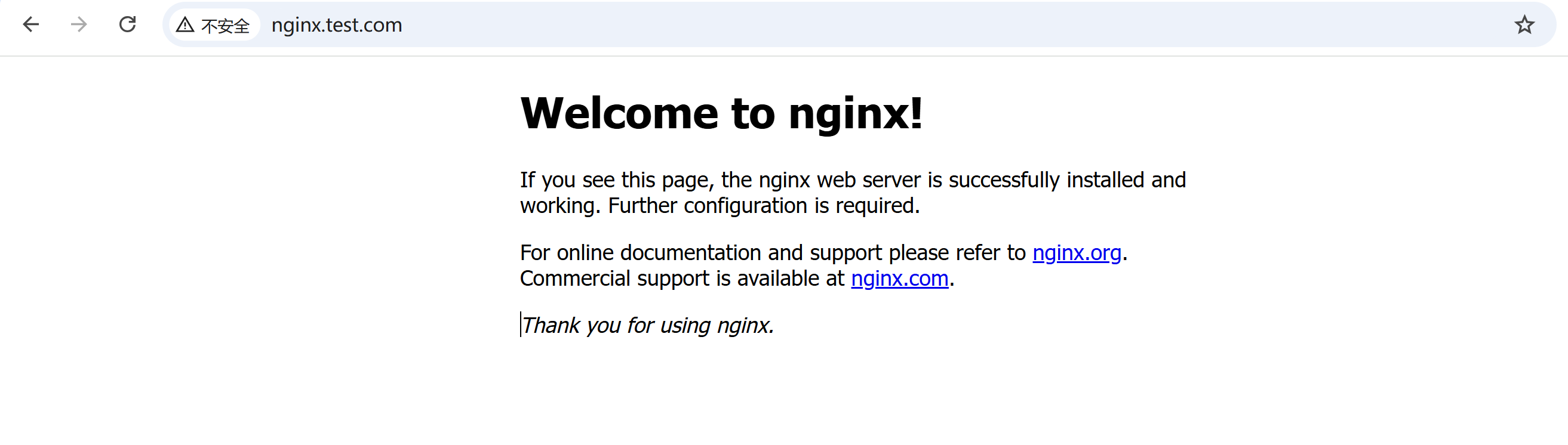
https IP访问
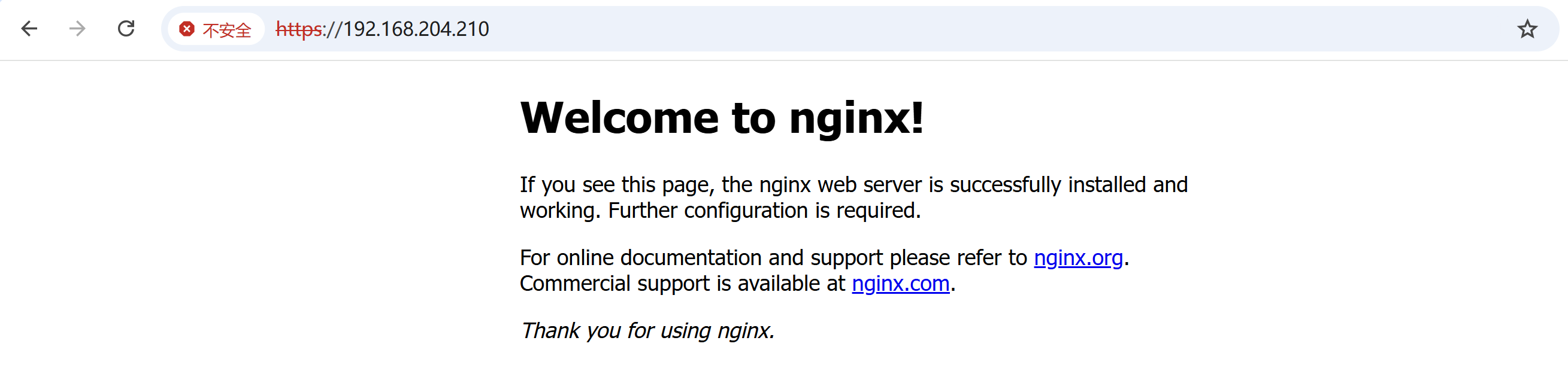
https 域名访问
https://nginx.test.com/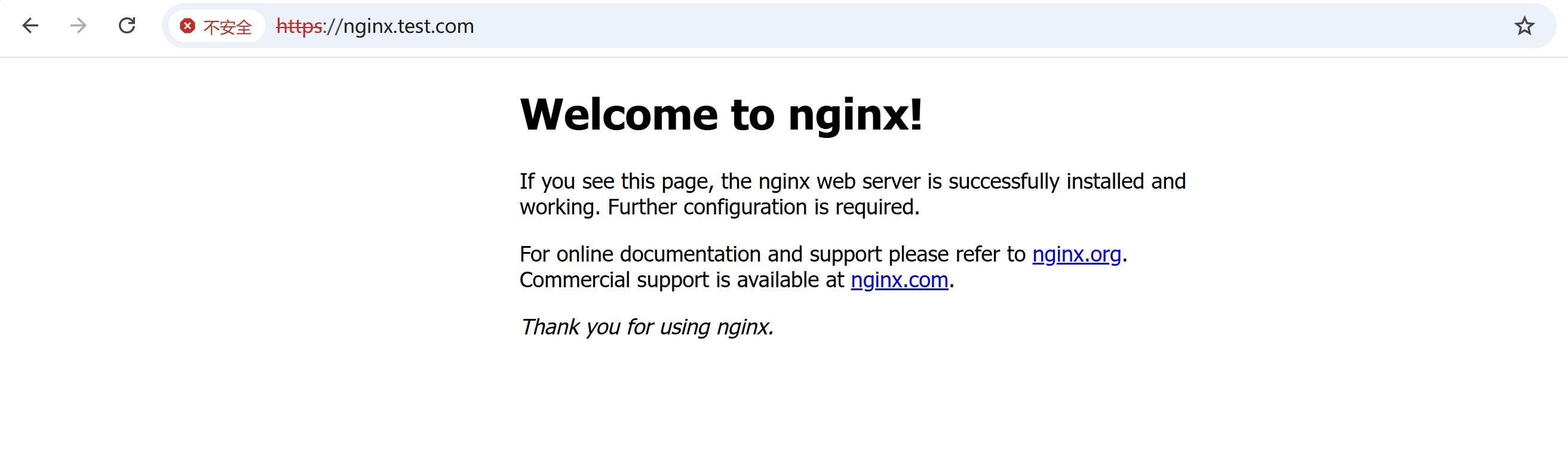
看到http和https都能访问。
配置HTTPRoute(把 HTTPS 流量导到后端)
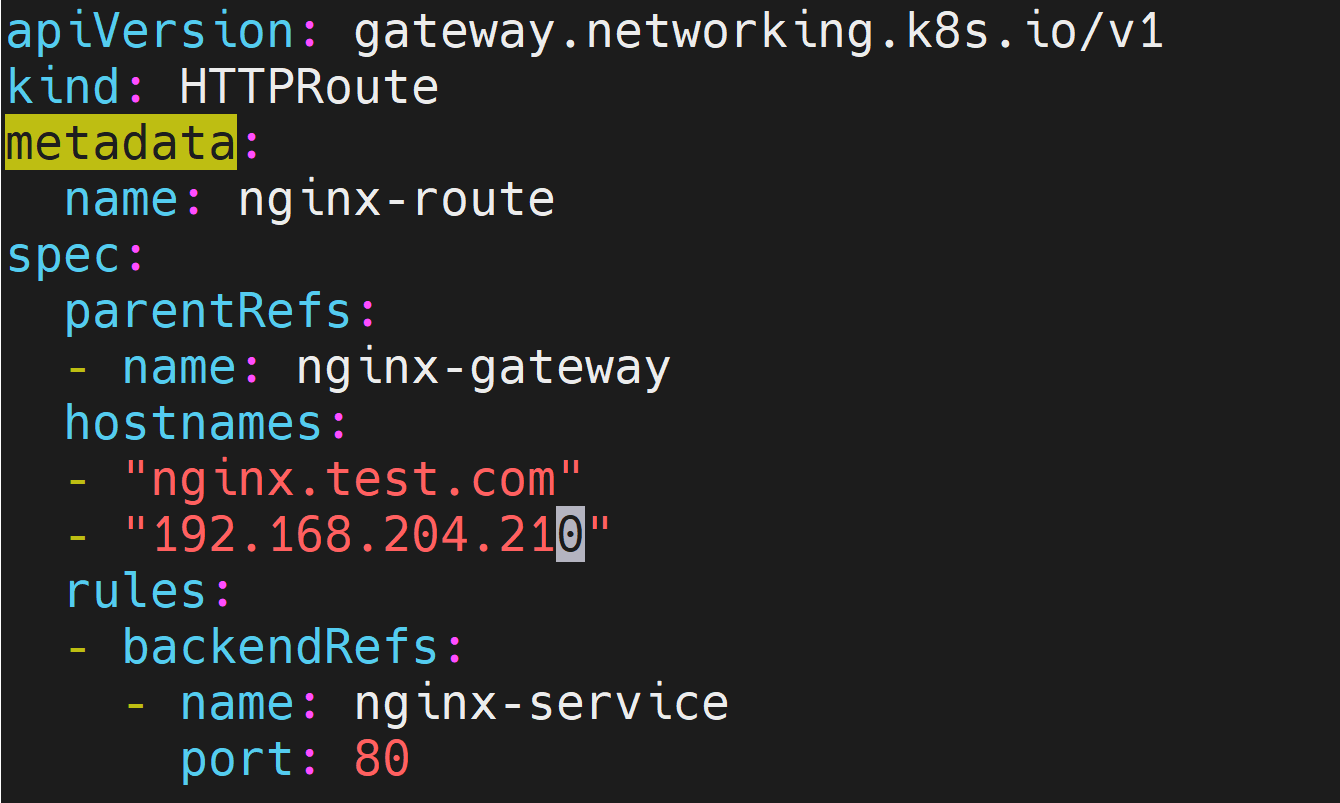
修改原来的nginx-httproute.yaml
添加在spec.parentRefs下添加
sectionName: https # 只绑定 443 那个 listener修改前
修改后
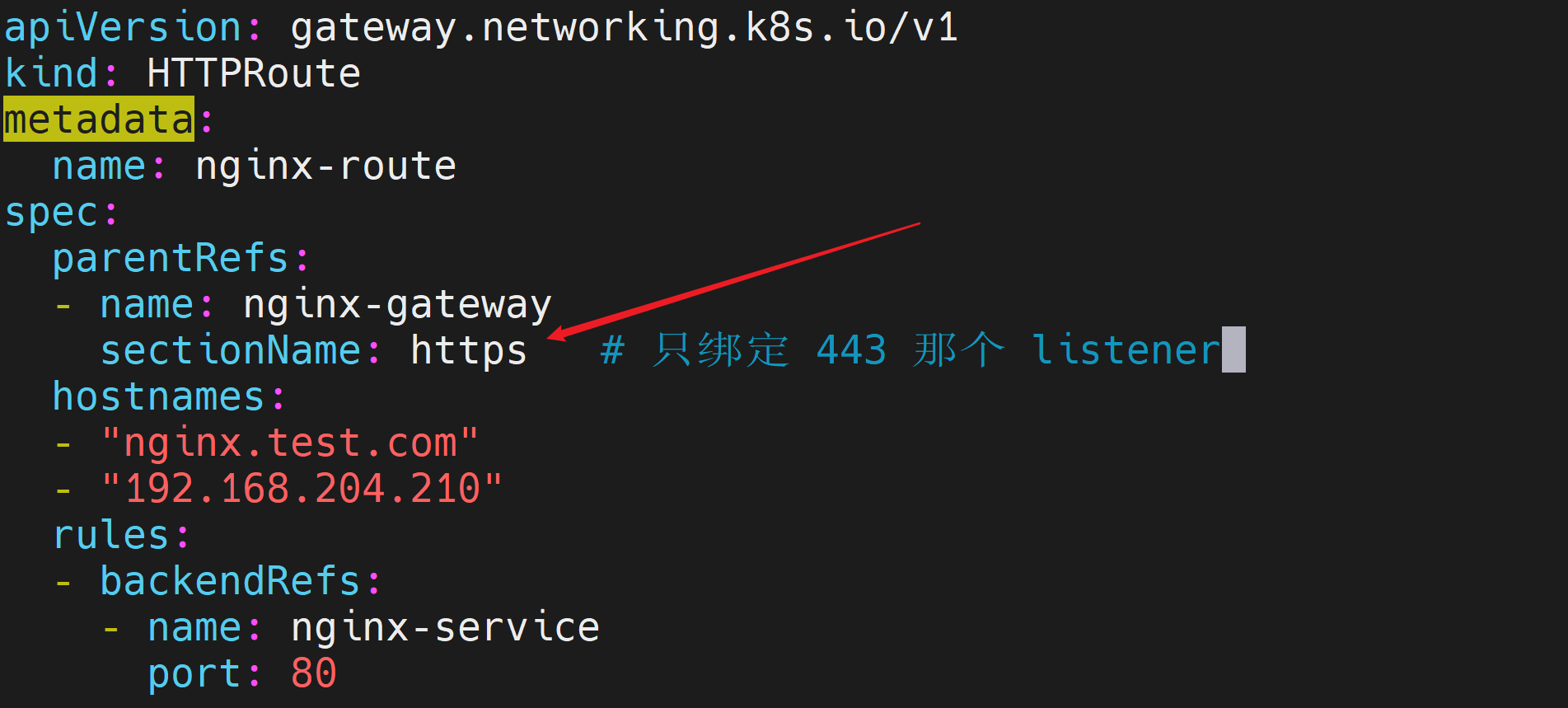
[root@k8s-master01 ~]# cat nginx-httproute.yaml
apiVersion: gateway.networking.k8s.io/v1
kind: HTTPRoute
metadata:
  name: nginx-route
spec:
  parentRefs:
  - name: nginx-gateway
    sectionName: https   # 只绑定 443 那个 listener
  hostnames:
  - "nginx.test.com"
  - "192.168.204.210"
  rules:
  - backendRefs:
    - name: nginx-service
      port: 80
应用
[root@k8s-master01 ~]# kubectl apply -f nginx-httproute.yaml
httproute.gateway.networking.k8s.io/nginx-route configured
[root@k8s-master01 ~]#
新建redirect-httproute.yaml, 让80重定向443
vi redirect-httproute.yaml内容如下
apiVersion: gateway.networking.k8s.io/v1
kind: HTTPRoute
metadata:
  name: redirect-to-https
spec:
  parentRefs:
  - name: nginx-gateway
    sectionName: http    # 只绑定 80 那个 listener
  hostnames:
  - "nginx.test.com"
  - "192.168.204.210"
  rules:
  - filters:
    - type: RequestRedirect
      requestRedirect:
        scheme: https
        statusCode: 301
应用
[root@k8s-master01 ~]# kubectl apply -f redirect-httproute.yaml
httproute.gateway.networking.k8s.io/redirect-to-https created
[root@k8s-master01 ~]#
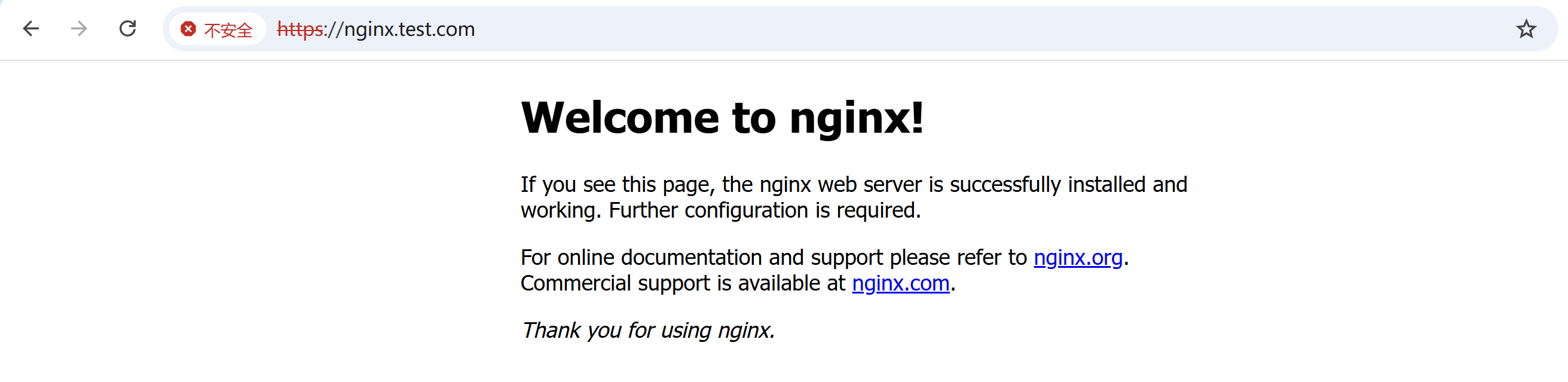
http域名访问
nginx.test.com访问后,会自动跳转到https
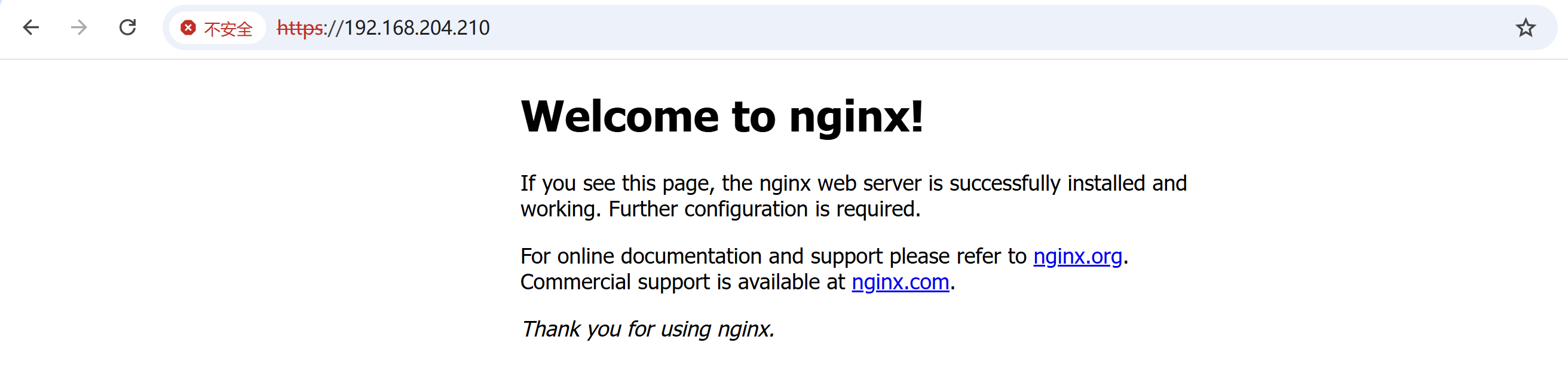
http IP访问
http://192.168.204.210/访问后,会自动跳转到https
手动管理TLS证书
重新生成证书
旧证书问题:
openssl req -x509 -nodes -days 3650 -newkey rsa:2048 \
  -keyout tls.key \
  -out tls.crt \
-subj "/CN=*.test.com/O=MyOrg"- 缺少 SAN (subjectAltName)字段,高版本浏览器直接判定证书无效,弹出「证书不安全、名称不匹配」红色警告;
- 用 IP
192.168.204.210访问时,证书里没有这个 IP,校验直接失败。
重新生成证书,添加SAN字段,支持域名、IP多种访问方式
openssl req -x509 -nodes -days 3650 -newkey rsa:2048 \
  -keyout tls.key \
  -out tls.crt \
  -subj "/CN=*.test.com/O=MyOrg" \
  -addext "subjectAltName=DNS:*.test.com,DNS:nginx.test.com,IP:192.168.204.210"
操作过程
[root@k8s-master01 ~]# ll
total 308
drwxr-xr-x  2 root root       61 Jun  3 17:05 231
drwxr-xr-x  2 root root       61 Jun  8 15:12 232
-rw-------. 1 root root     1102 Sep  9  2024 anaconda-ks.cfg
-rw-r--r--  1 root root   259962 Sep 14  2024 calico.yaml
drwxr-xr-x  2 1001 docker     25 May 14  2024 cri-dockerd
-rw-r--r--  1 root root      224 Jun  8 17:24 envoyproxy.yaml
-rwxr-xr-x  1 root root     5385 May 29 15:30 fix-k8s-cert.sh
-rw-r--r--  1 root root      574 Jun  9 23:14 gateway.yaml
-rw-r--r--  1 root root      231 Jun  8 16:24 gateway.yaml.old
-rw-r--r--  1 root root      278 Jun  8 16:28 gatewayclass.yaml
-rw-r--r--  1 root root      344 Jun  8 17:19 metallb-config.yaml
-rw-r--r--  1 root root      311 Jun  9 23:32 nginx-httproute.yaml
-rw-r--r--  1 root root      368 Jun  9 23:35 redirect-httproute.yaml
-rw-r--r--  1 root root     1159 Jun  9 22:46 tls.crt
-rw-------  1 root root     1704 Jun  9 22:46 tls.key
-rwxr-xr-x  1 root root     1208 May 29 15:34 worker_fix.sh

[root@k8s-master01 ~]# openssl req -x509 -nodes -days 3650 -newkey rsa:2048 \
  -keyout tls.key \
  -out tls.crt \
  -subj "/CN=*.test.com/O=MyOrg" \
  -addext "subjectAltName=DNS:*.test.com,DNS:nginx.test.com,IP:192.168.204.210"
..........+.....+.+...........+...+.+...+...+........+.+.....+.+..+.+..+.........+.........+....+++++++++++++++++++++++++++++++++++++++++++++++++++++++++++++++++*......+....+++++++++++++++++++++++++++++++++++++++++++++++++++++++++++++++++*................+.+..+...............+......+.........+.+......+.....+.+..............+.+..+......+.........+.......+.....+.+...+...............+...........+....+..+.......+.....+.+..+............+.+.....+......+.........+.........+.......+...+...+...+..+.............+..+.........+...+...+..........+..+.+...........+....+......+.........+........................+......+.........+..+.+.........+...+..+++++++++++++++++++++++++++++++++++++++++++++++++++++++++++++++++
......+...+++++++++++++++++++++++++++++++++++++++++++++++++++++++++++++++++*..+.+..............+.+...+.........+..+......+.........+..........+...+...+........+.+...+.....+......+......+...+.......+.....+++++++++++++++++++++++++++++++++++++++++++++++++++++++++++++++++*.+......+...........+.+..+...............+.............+..+......+......+.+............+..+....+..+.......+.....+.+.....+++++++++++++++++++++++++++++++++++++++++++++++++++++++++++++++++
-----
[root@k8s-master01 ~]# ll
total 308
drwxr-xr-x  2 root root       61 Jun  3 17:05 231
drwxr-xr-x  2 root root       61 Jun  8 15:12 232
-rw-------. 1 root root     1102 Sep  9  2024 anaconda-ks.cfg
-rw-r--r--  1 root root   259962 Sep 14  2024 calico.yaml
drwxr-xr-x  2 1001 docker     25 May 14  2024 cri-dockerd
-rw-r--r--  1 root root      224 Jun  8 17:24 envoyproxy.yaml
-rwxr-xr-x  1 root root     5385 May 29 15:30 fix-k8s-cert.sh
-rw-r--r--  1 root root      574 Jun  9 23:14 gateway.yaml
-rw-r--r--  1 root root      231 Jun  8 16:24 gateway.yaml.old
-rw-r--r--  1 root root      278 Jun  8 16:28 gatewayclass.yaml
-rw-r--r--  1 root root      344 Jun  8 17:19 metallb-config.yaml
-rw-r--r--  1 root root      311 Jun  9 23:32 nginx-httproute.yaml
-rw-r--r--  1 root root      368 Jun  9 23:35 redirect-httproute.yaml
-rw-r--r--  1 root root     1220 Jun 10 00:05 tls.crt
-rw-------  1 root root     1704 Jun 10 00:05 tls.key
-rwxr-xr-x  1 root root     1208 May 29 15:34 worker_fix.sh
[root@k8s-master01 ~]#
更新 Kubernetes Secret
更新Kubernetes Secret,并立即生效
kubectl create secret tls gw-tls \
  --cert=tls.crt \
  --key=tls.key \
  --dry-run=client -o yaml | kubectl apply -f -
操作过程
[root@k8s-master01 ~]# kubectl create secret tls gw-tls \
  --cert=tls.crt \
  --key=tls.key \
  --dry-run=client -o yaml | kubectl apply -f -
Warning: resource secrets/gw-tls is missing the kubectl.kubernetes.io/last-applied-configuration annotation which is required by kubectl apply. kubectl apply should only be used on resources created declaratively by either kubectl create --save-config or kubectl apply. The missing annotation will be patched automatically.
secret/gw-tls configured
[root@k8s-master01 ~]#
这个警告不用管,不影响使用
重启网关让证书生效
kubectl rollout restart deployment envoy-gateway -n envoy-gateway-system操作过程
[root@k8s-master01 ~]# kubectl rollout restart deployment envoy-gateway -n envoy-gateway-system
deployment.apps/envoy-gateway restarted
[root@k8s-master01 ~]#
检查状态
检查 Gateway
[root@k8s-master01 ~]# kubectl get gateway
NAME            CLASS   ADDRESS           PROGRAMMED   AGE
nginx-gateway   eg      192.168.204.210   True         31h
检查 Secret
[root@k8s-master01 ~]# kubectl get secret gw-tls
NAME     TYPE                DATA   AGE
gw-tls   kubernetes.io/tls   2      84m
测试访问
测试 80 自动跳转 443
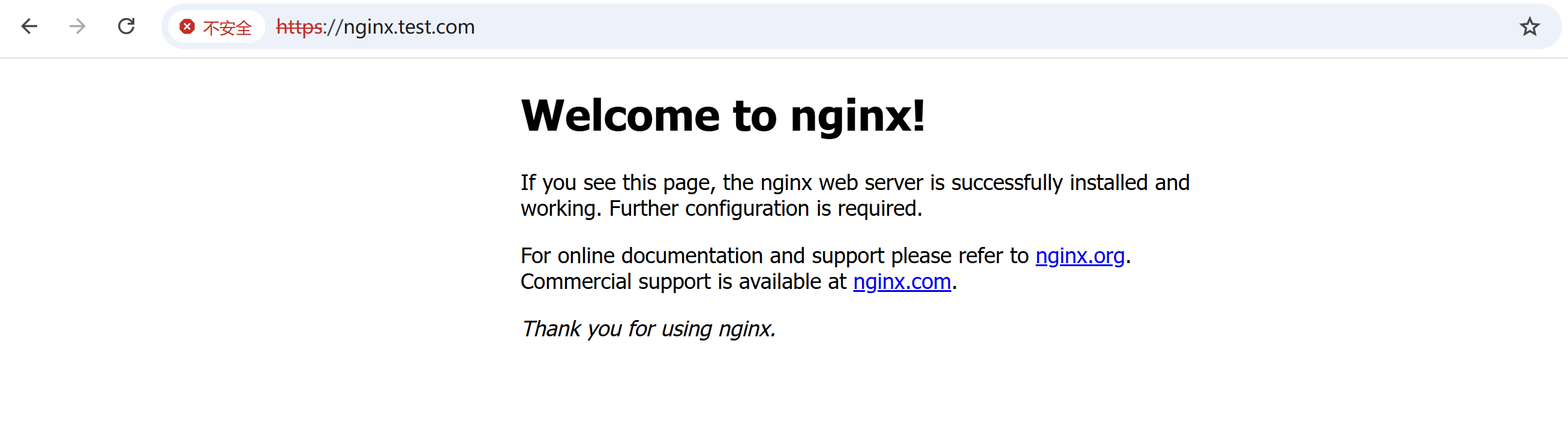
访问http域名访问,默认端口为80
nginx.test.com自动跳转到https,默认端口为443
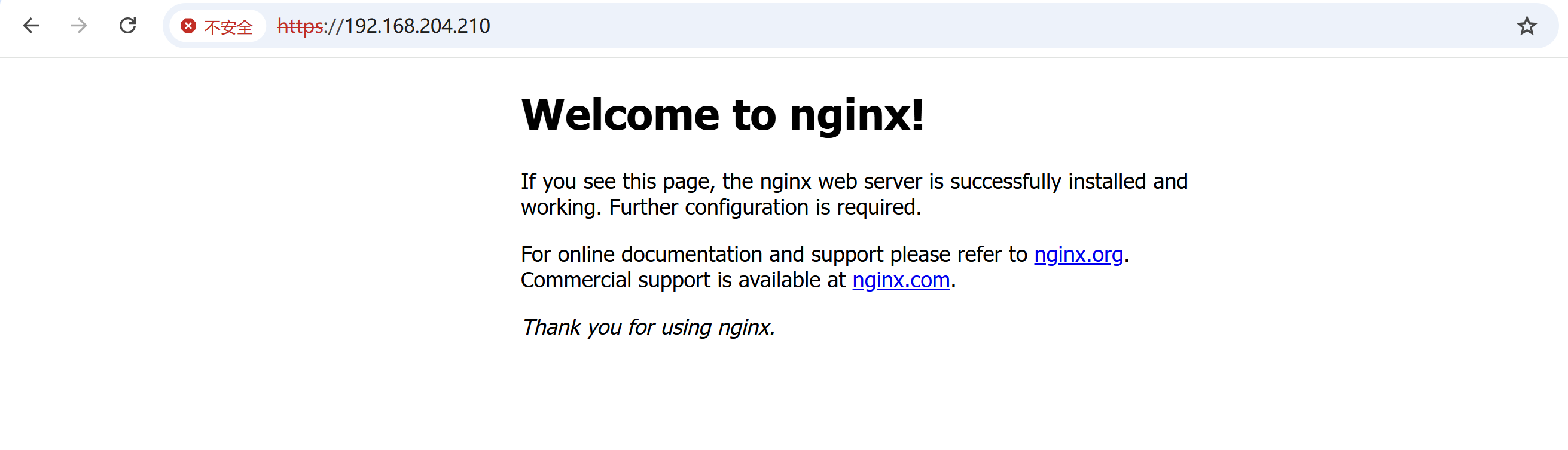
http IP访问,自动跳转到https
电脑安装根证书
为了去掉浏览器不安全警告,需要在电脑安装根证书
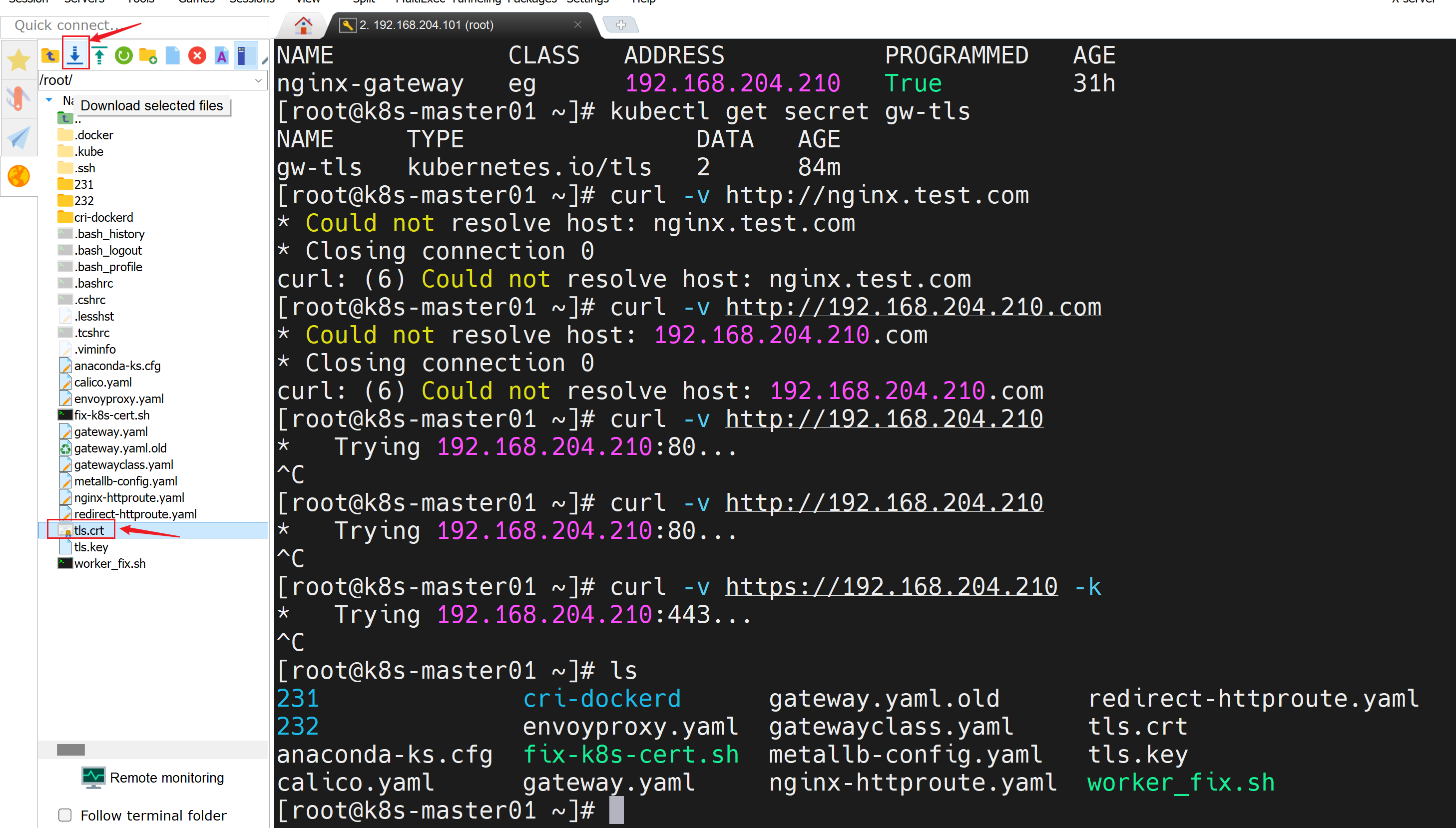
把证书下载到Windows本地
将tls.crt下载到windows
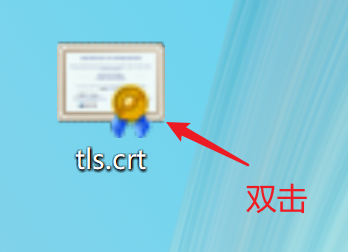
安装证书到电脑
双击 tls.crt
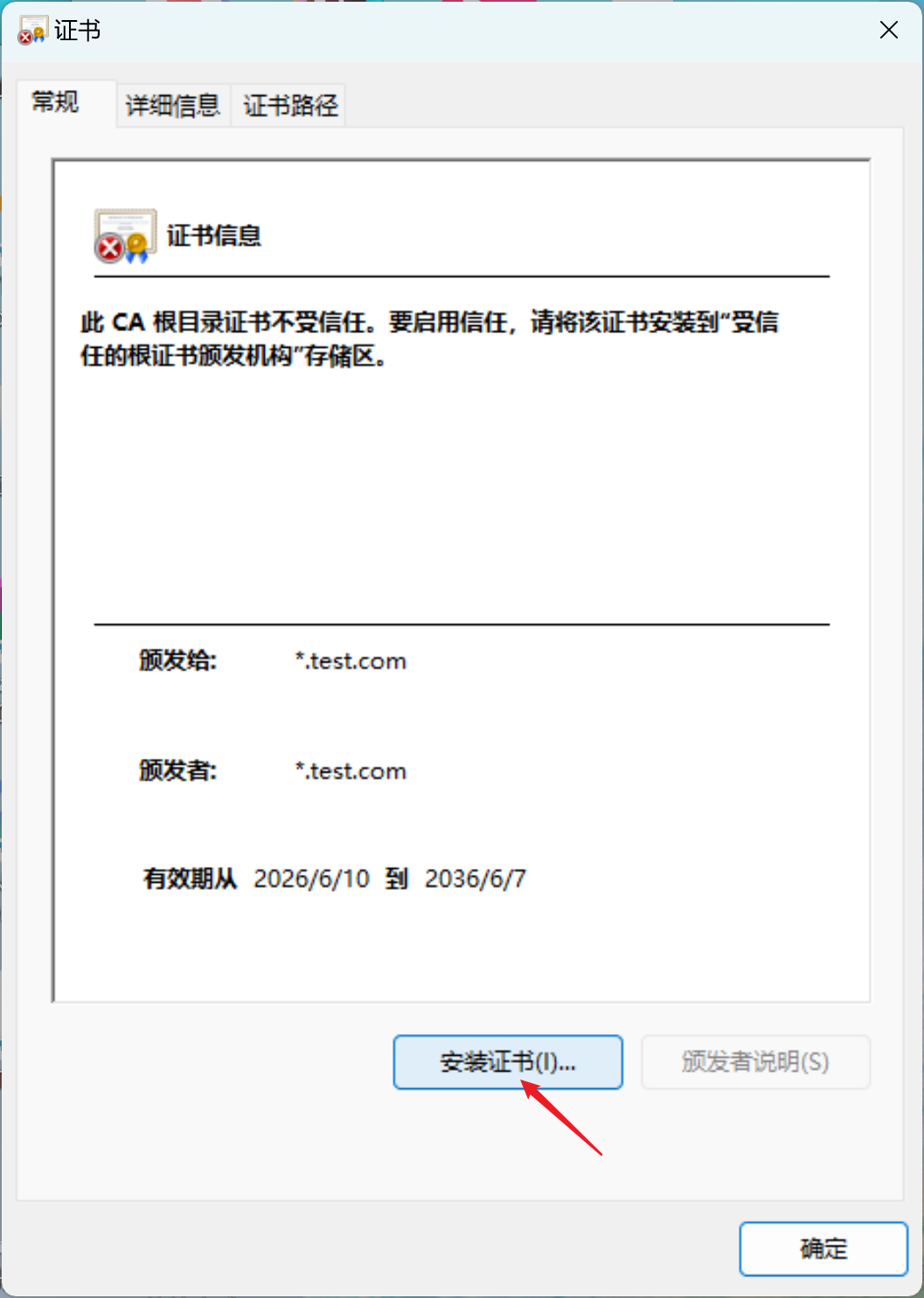
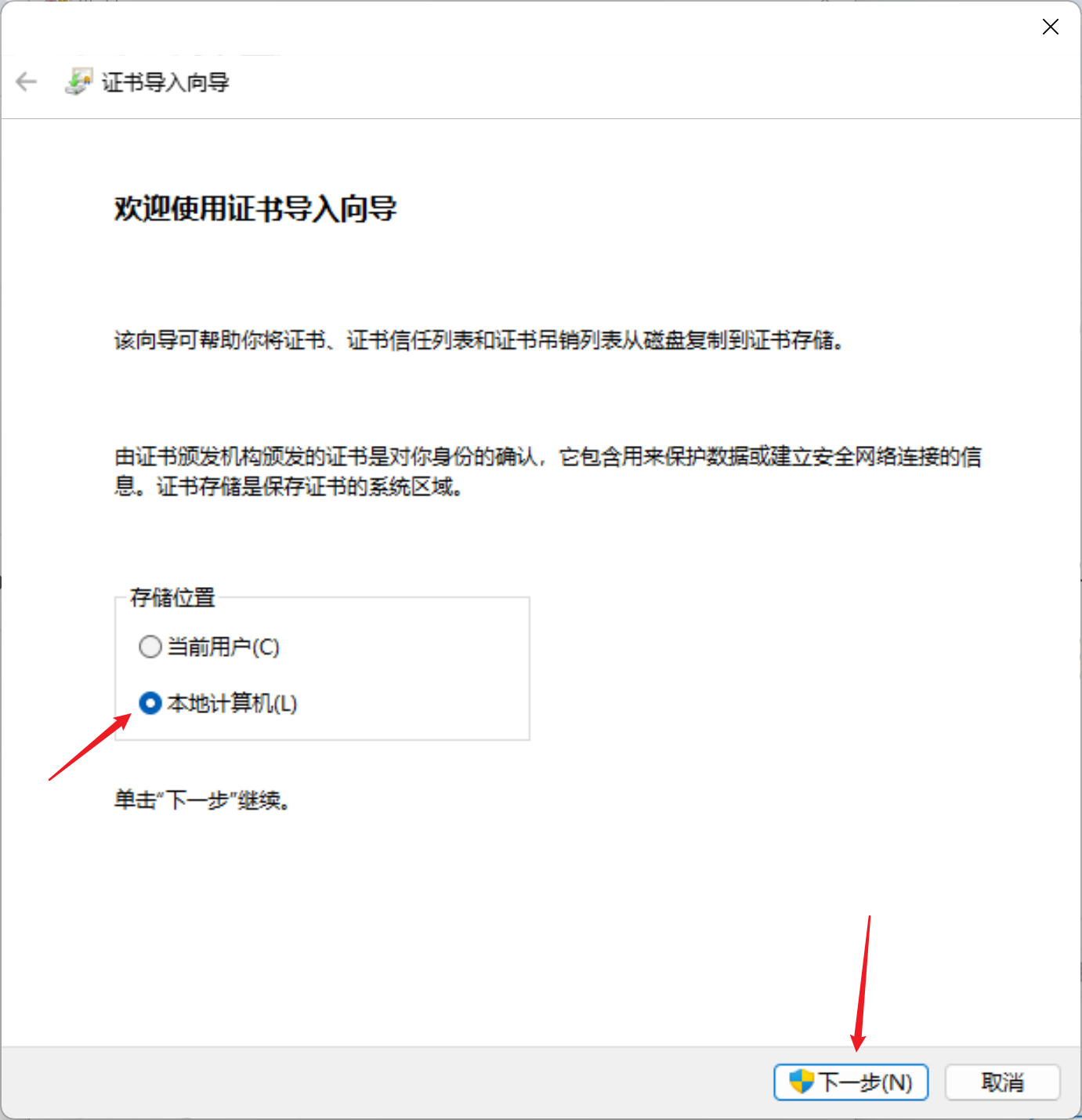
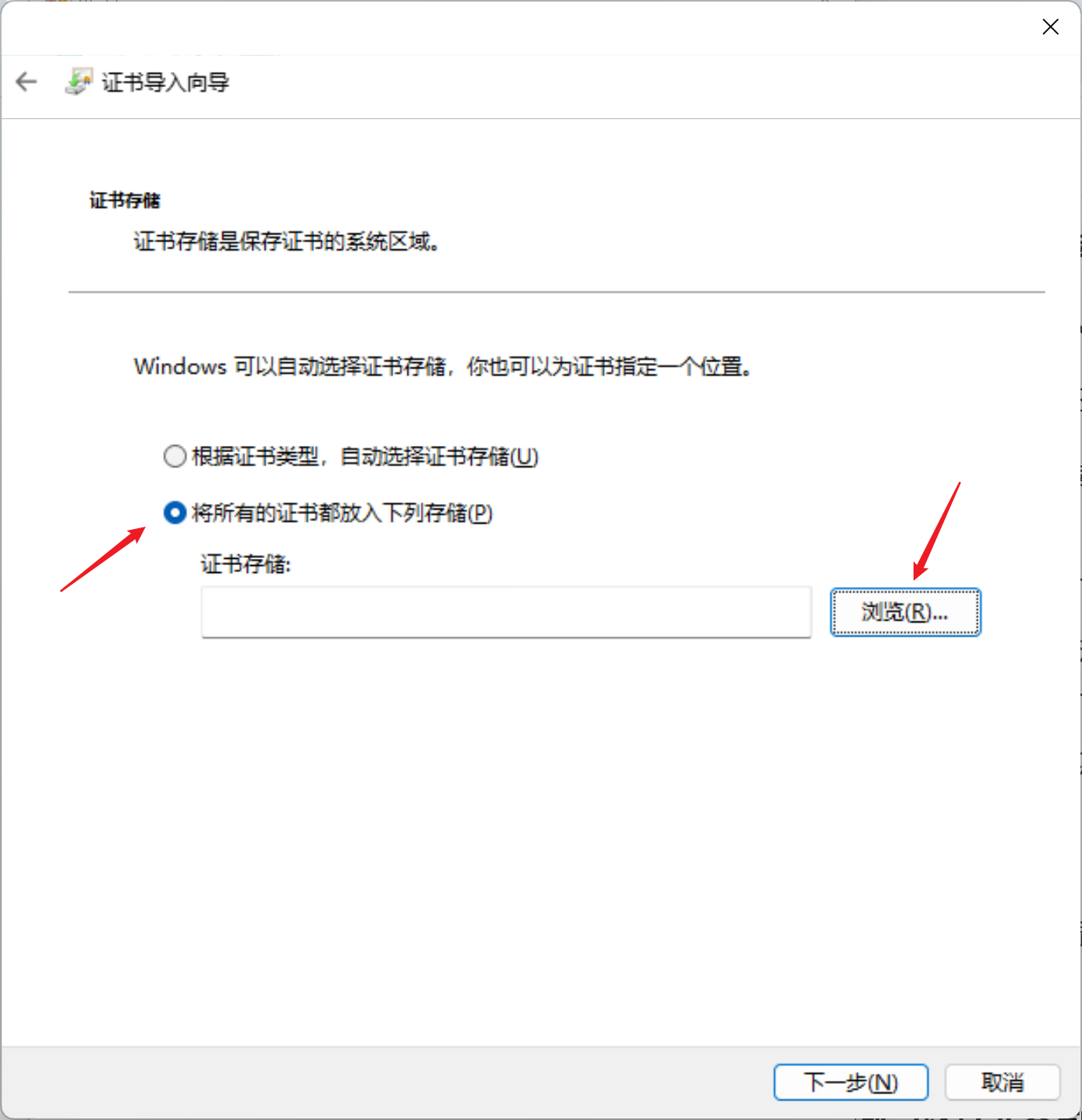
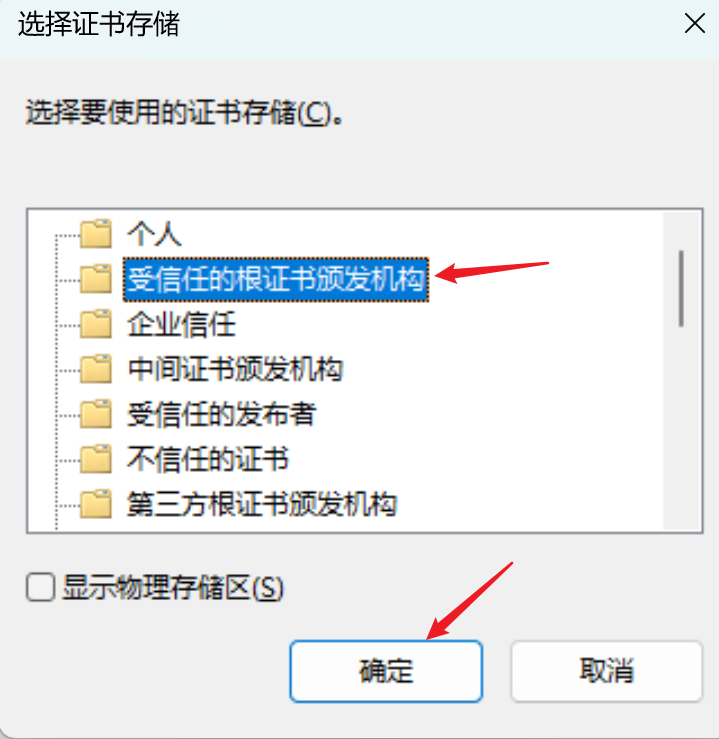
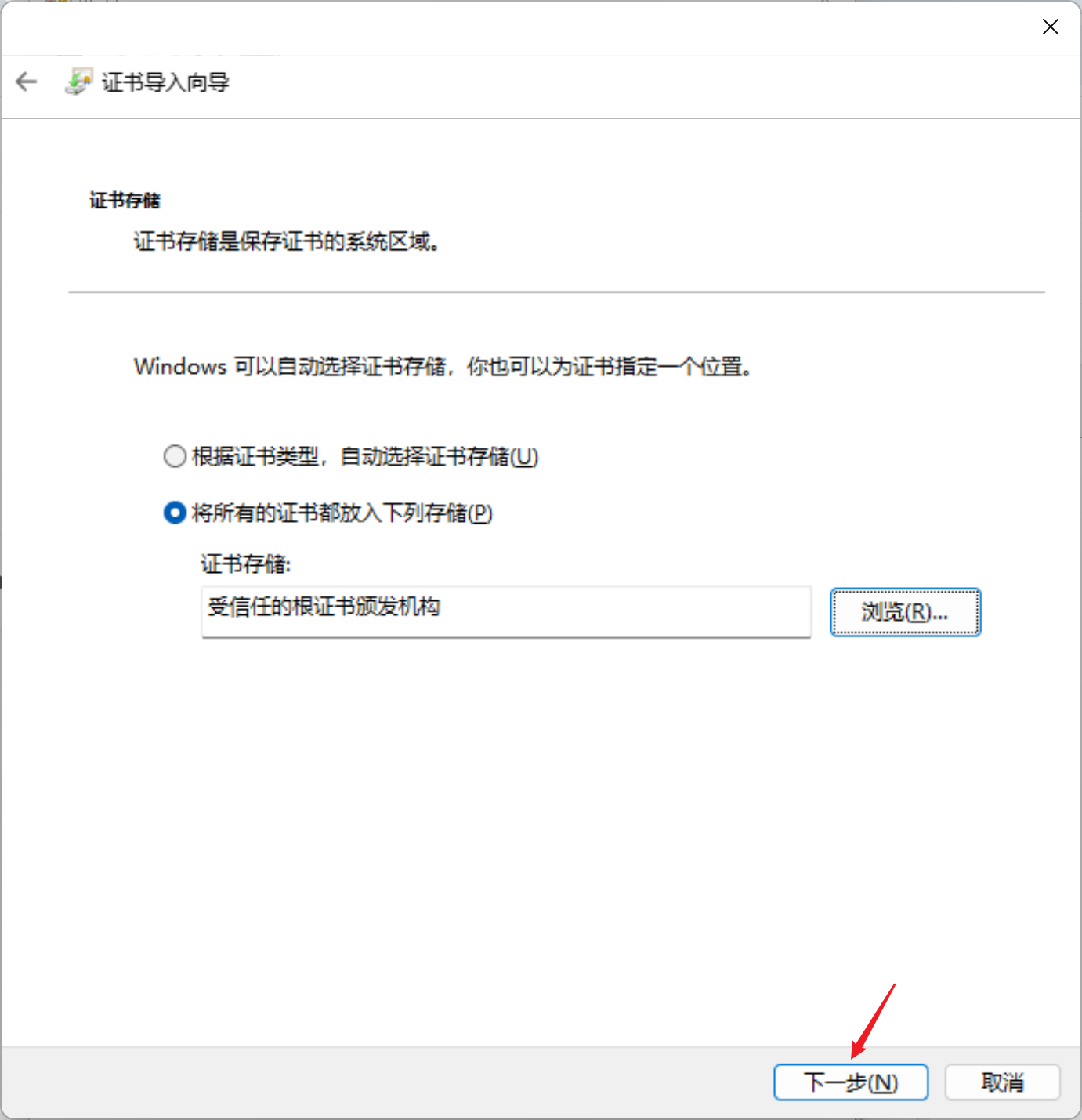
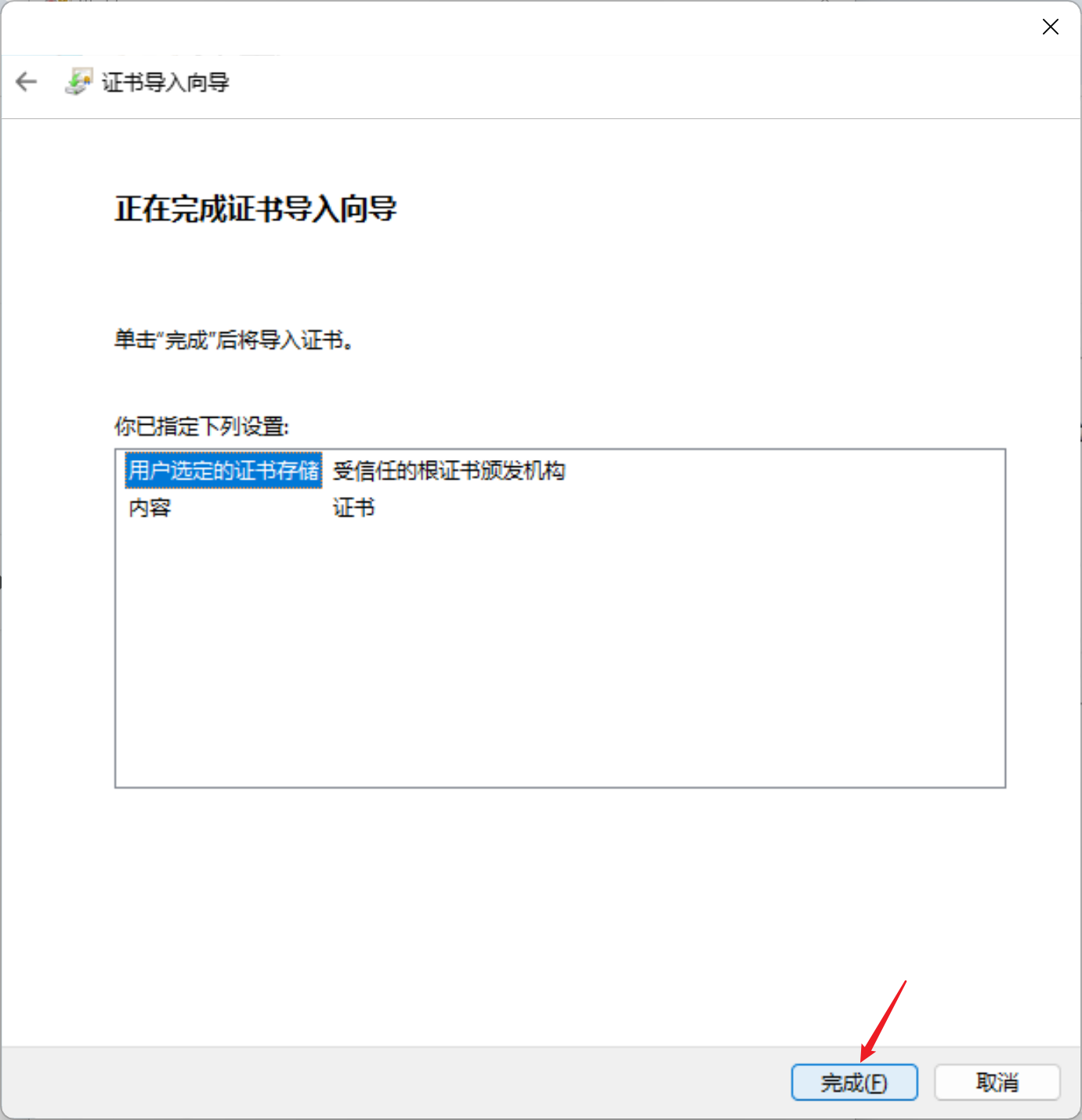
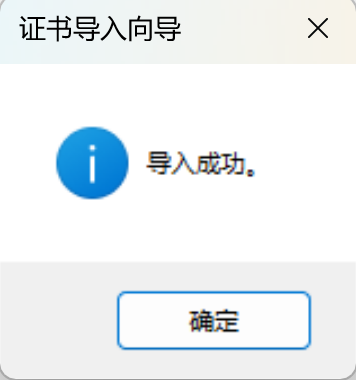
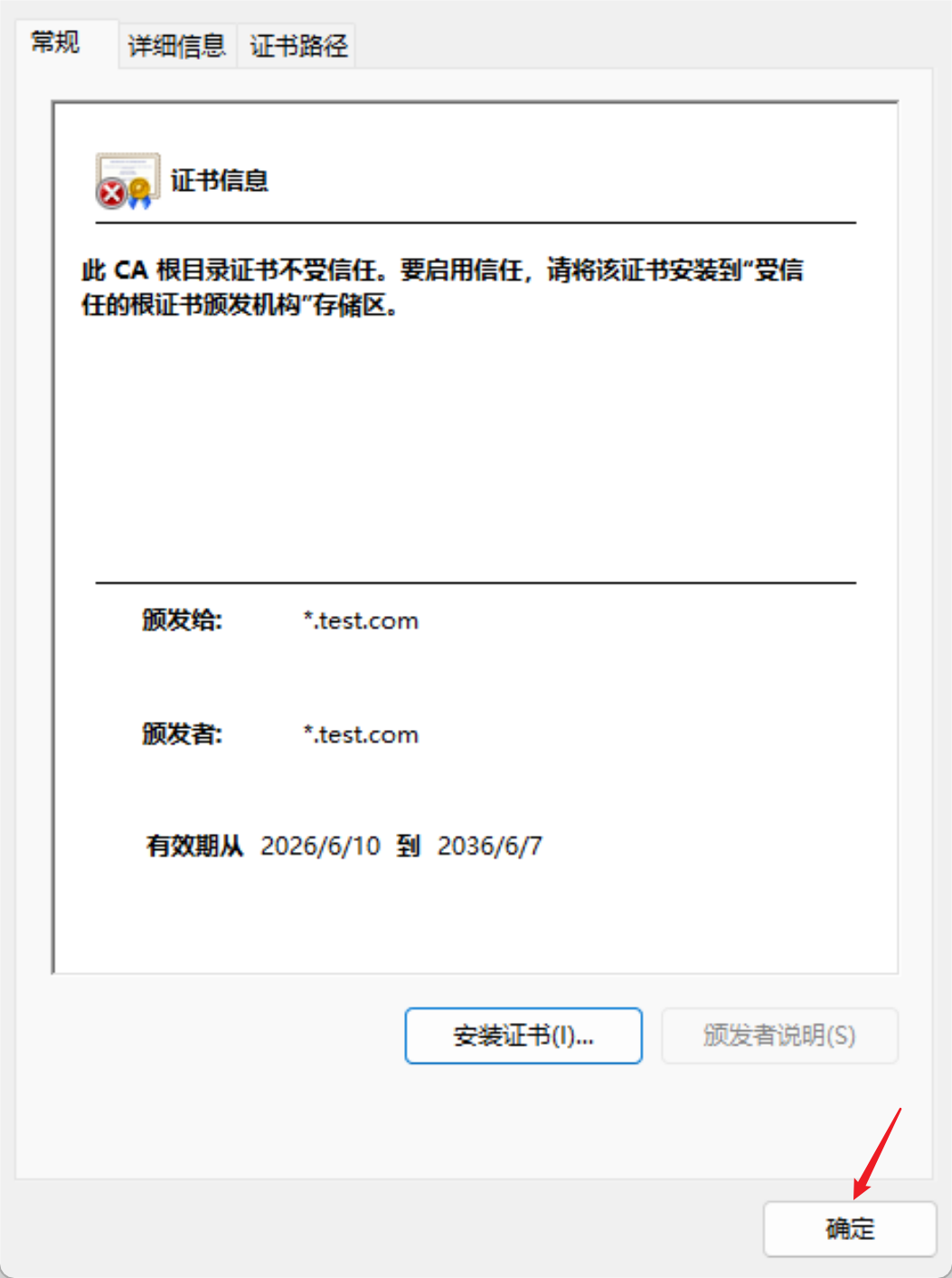
测试访问
浏览器,http域名访问
nginx.test.com自动转为https
https://nginx.test.com/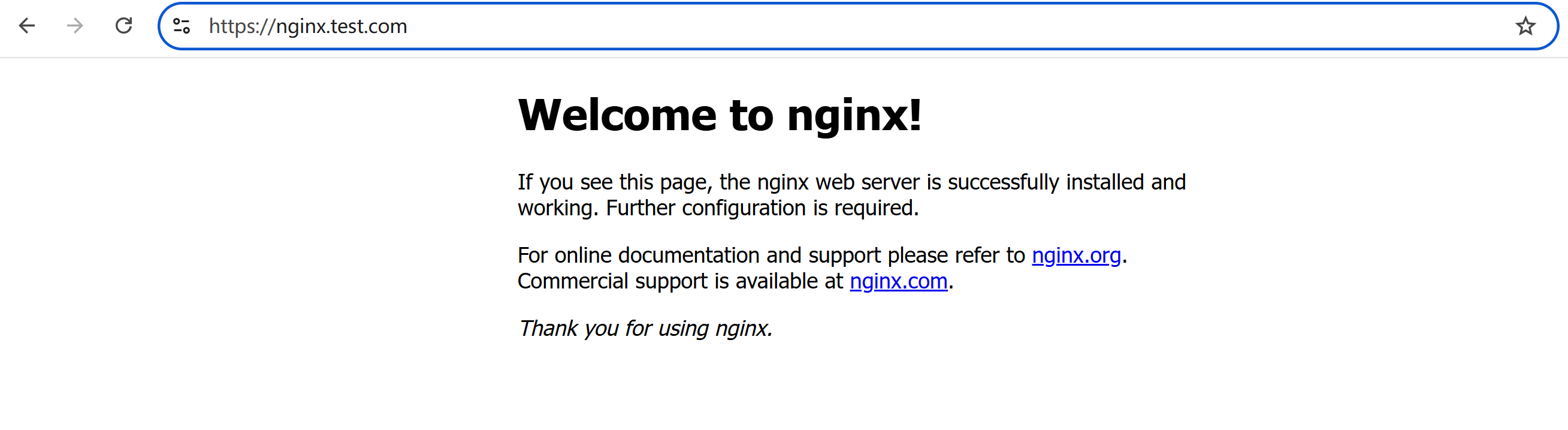
http IP访问
192.168.204.210自动跳转到https
https://192.168.204.210/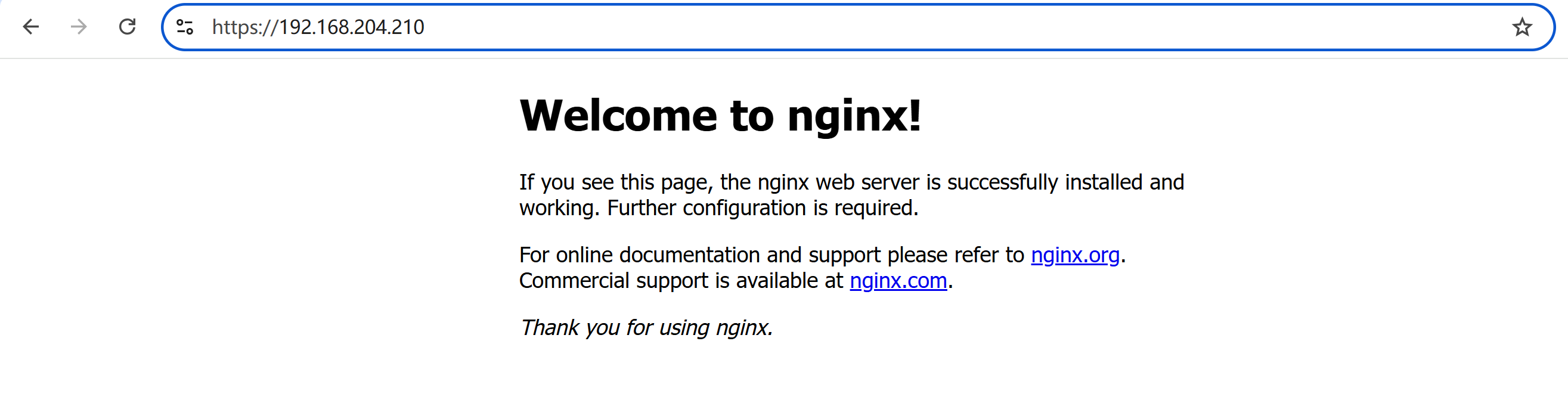
看到浏览器没有不安全的警告,说明证书正常生效
所有yaml文件内容总结如下:
[root@k8s-master01 ~]# ls
231              cri-dockerd      gateway.yaml.old      redirect-httproute.yaml
232              envoyproxy.yaml  gatewayclass.yaml     tls.crt
anaconda-ks.cfg  fix-k8s-cert.sh  metallb-config.yaml   tls.key
calico.yaml      gateway.yaml     nginx-httproute.yaml  worker_fix.sh
[root@k8s-master01 ~]# cat gatewayclass.yaml
apiVersion: gateway.networking.k8s.io/v1
kind: GatewayClass
metadata:
  name: eg
spec:
  controllerName: gateway.envoyproxy.io/gatewayclass-controller
  parametersRef:
    group: gateway.envoyproxy.io
    kind: EnvoyProxy
    name: np-config
    namespace: envoy-gateway-system
[root@k8s-master01 ~]# cat gateway.yaml
apiVersion: gateway.networking.k8s.io/v1
kind: Gateway
metadata:
  name: nginx-gateway
spec:
  gatewayClassName: eg
  listeners:
    # 保留原来的 80 端口
    - name: http
      port: 80
      protocol: HTTP
      allowedRoutes:
        namespaces:
          from: All

    # 新增:HTTPS 443 端口(生产标准)
    - name: https
      port: 443
      protocol: HTTPS
      allowedRoutes:
        namespaces:
          from: All
      tls:
        mode: Terminate
        certificateRefs:
        - kind: Secret
          name: gw-tls   # 证书 secret 名字
[root@k8s-master01 ~]# cat envoyproxy.yaml
apiVersion: gateway.envoyproxy.io/v1alpha1
kind: EnvoyProxy
metadata:
  name: np-config
  namespace: envoy-gateway-system
spec:
  provider:
    type: Kubernetes
    kubernetes:
      envoyService:
        type: LoadBalancer
[root@k8s-master01 ~]# cat nginx-httproute.yaml
apiVersion: gateway.networking.k8s.io/v1
kind: HTTPRoute
metadata:
  name: nginx-route
spec:
  parentRefs:
  - name: nginx-gateway
    sectionName: https   # 只绑定 443 那个 listener
  hostnames:
  - "nginx.test.com"
  - "192.168.204.210"
  rules:
  - backendRefs:
    - name: nginx-service
      port: 80
[root@k8s-master01 ~]# cat metallb-config.yaml
apiVersion: metallb.io/v1beta1
kind: IPAddressPool
metadata:
  name: default
  namespace: metallb-system
spec:
  addresses:
  - 192.168.204.210-192.168.204.230  # 和你集群同网段、未占用
---
apiVersion: metallb.io/v1beta1
kind: L2Advertisement
metadata:
  name: default
  namespace: metallb-system
spec:
  ipAddressPools:
  - default
[root@k8s-master01 ~]# cat redirect-httproute.yaml
apiVersion: gateway.networking.k8s.io/v1
kind: HTTPRoute
metadata:
  name: redirect-to-https
spec:
  parentRefs:
  - name: nginx-gateway
    sectionName: http    # 只绑定 80 那个 listener
  hostnames:
  - "nginx.test.com"
  - "192.168.204.210"
  rules:
  - filters:
    - type: RequestRedirect
      requestRedirect:
        scheme: https
        statusCode: 301
[root@k8s-master01 ~]#
一键部署和一键下线脚本
为了方便快速上线和下线应用,编写如下脚本
一键上线脚本:deploy-all.sh
cat > deploy-all.sh << 'EOF'
#!/bin/bash
echo -e "\n==================== 一键启动:Nginx + Envoy Gateway ====================\n"

# 检查证书文件
if [ ! -f tls.crt ] || [ ! -f tls.key ]; then
    echo "❌ 错误:缺少 tls.crt 或 tls.key,退出!"
    exit 1
fi

# 1. 先创建 Envoy Gateway 所需命名空间
echo "[1/9] 创建命名空间 envoy-gateway-system"
kubectl create namespace envoy-gateway-system --dry-run=client -o yaml | kubectl apply -f -

# 2. 部署 Nginx
echo "[2/9] 部署 Nginx Deployment"
kubectl apply -f nginx-deployment.yaml

echo "[3/9] 部署 Nginx Service"
kubectl apply -f nginx-service.yaml

# 3. 创建 TLS 证书 Secret
echo "[4/9] 创建 HTTPS 证书 Secret gw-tls"
kubectl create secret tls gw-tls --cert=tls.crt --key=tls.key --dry-run=client -o yaml | kubectl apply -f -

# 4. 网关相关资源
echo "[5/9] 部署 GatewayClass"
kubectl apply -f gatewayclass.yaml

echo "[6/9] 部署 EnvoyProxy 配置"
kubectl apply -f envoyproxy.yaml

echo "[7/9] 部署 Gateway (80 + 443)"
kubectl apply -f gateway.yaml

echo "[8/9] 部署业务 HTTPRoute"
kubectl apply -f nginx-httproute.yaml

echo "[9/9] 部署 HTTP 自动跳转 HTTPS"
kubectl apply -f redirect-httproute.yaml

echo -e "\n==================== ✅ 全部启动完成 ====================\n"
echo "=== Nginx 资源 ==="
kubectl get deploy,svc
echo -e "\n=== 网关资源 ==="
kubectl get gatewayclass,gateway,httproutes
EOF

chmod +x deploy-all.sh
执行一键上线脚本部署应用
# 执行部署脚本
[root@k8s-master01 ~]# ./deploy-all.sh

# 执行安装gateway
[root@k8s-master01 ~]# kubectl apply --server-side -f https://github.com/envoyproxy/gateway/releases/download/v1.4.0/install.yaml
customresourcedefinition.apiextensions.k8s.io/backendtlspolicies.gateway.networking.k8s.io serverside-applied
customresourcedefinition.apiextensions.k8s.io/gatewayclasses.gateway.networking.k8s.io serverside-applied
customresourcedefinition.apiextensions.k8s.io/gateways.gateway.networking.k8s.io serverside-applied
customresourcedefinition.apiextensions.k8s.io/grpcroutes.gateway.networking.k8s.io serverside-applied
customresourcedefinition.apiextensions.k8s.io/httproutes.gateway.networking.k8s.io serverside-applied
customresourcedefinition.apiextensions.k8s.io/referencegrants.gateway.networking.k8s.io serverside-applied
customresourcedefinition.apiextensions.k8s.io/tcproutes.gateway.networking.k8s.io serverside-applied
customresourcedefinition.apiextensions.k8s.io/tlsroutes.gateway.networking.k8s.io serverside-applied
customresourcedefinition.apiextensions.k8s.io/udproutes.gateway.networking.k8s.io serverside-applied
customresourcedefinition.apiextensions.k8s.io/xbackendtrafficpolicies.gateway.networking.x-k8s.io serverside-applied
customresourcedefinition.apiextensions.k8s.io/xlistenersets.gateway.networking.x-k8s.io serverside-applied
customresourcedefinition.apiextensions.k8s.io/backends.gateway.envoyproxy.io serverside-applied
customresourcedefinition.apiextensions.k8s.io/backendtrafficpolicies.gateway.envoyproxy.io serverside-applied
customresourcedefinition.apiextensions.k8s.io/clienttrafficpolicies.gateway.envoyproxy.io serverside-applied
customresourcedefinition.apiextensions.k8s.io/envoyextensionpolicies.gateway.envoyproxy.io serverside-applied
customresourcedefinition.apiextensions.k8s.io/envoypatchpolicies.gateway.envoyproxy.io serverside-applied
customresourcedefinition.apiextensions.k8s.io/envoyproxies.gateway.envoyproxy.io serverside-applied
customresourcedefinition.apiextensions.k8s.io/httproutefilters.gateway.envoyproxy.io serverside-applied
customresourcedefinition.apiextensions.k8s.io/securitypolicies.gateway.envoyproxy.io serverside-applied
namespace/envoy-gateway-system serverside-applied
serviceaccount/envoy-gateway serverside-applied
configmap/envoy-gateway-config serverside-applied
clusterrole.rbac.authorization.k8s.io/eg-gateway-helm-envoy-gateway-role serverside-applied
clusterrolebinding.rbac.authorization.k8s.io/eg-gateway-helm-envoy-gateway-rolebinding serverside-applied
role.rbac.authorization.k8s.io/eg-gateway-helm-infra-manager serverside-applied
role.rbac.authorization.k8s.io/eg-gateway-helm-leader-election-role serverside-applied
rolebinding.rbac.authorization.k8s.io/eg-gateway-helm-infra-manager serverside-applied
rolebinding.rbac.authorization.k8s.io/eg-gateway-helm-leader-election-rolebinding serverside-applied
service/envoy-gateway serverside-applied
deployment.apps/envoy-gateway serverside-applied
serviceaccount/eg-gateway-helm-certgen serverside-applied
clusterrole.rbac.authorization.k8s.io/eg-gateway-helm-certgen:envoy-gateway-system serverside-applied
clusterrolebinding.rbac.authorization.k8s.io/eg-gateway-helm-certgen:envoy-gateway-system serverside-applied
role.rbac.authorization.k8s.io/eg-gateway-helm-certgen serverside-applied
rolebinding.rbac.authorization.k8s.io/eg-gateway-helm-certgen serverside-applied
job.batch/eg-gateway-helm-certgen serverside-applied
mutatingwebhookconfiguration.admissionregistration.k8s.io/envoy-gateway-topology-injector.envoy-gateway-system serverside-applied
[root@k8s-master01 ~]#
# 等待所有pods都是Running状态,就可以访问了
[root@k8s-master01 ~]# kubectl get pods -n envoy-gateway-system
NAME                                                    READY   STATUS              RESTARTS   AGE
envoy-default-nginx-gateway-42c88ea3-68f856cd4f-z65rj   0/2     ContainerCreating   0          66s
envoy-gateway-65fc6784d4-hd4gh                          1/1     Running             0          73s
[root@k8s-master01 ~]# kubectl get pods -n envoy-gateway-system
NAME                                                    READY   STATUS    RESTARTS   AGE
envoy-default-nginx-gateway-42c88ea3-68f856cd4f-z65rj   2/2     Running   0          97s
envoy-gateway-65fc6784d4-hd4gh                          1/1     Running   0          104s
注意:如果访问不了install.yaml,可以先把install.yaml文件下载下来本地执行
[root@k8s-master01 ~]# kubectl apply --server-side -f envoyproxy/gateway/releases/download/v1.4.0/install.yaml
customresourcedefinition.apiextensions.k8s.io/backendtlspolicies.gateway.networking.k8s.io serverside-applied
customresourcedefinition.apiextensions.k8s.io/gatewayclasses.gateway.networking.k8s.io serverside-applied
customresourcedefinition.apiextensions.k8s.io/gateways.gateway.networking.k8s.io serverside-applied
customresourcedefinition.apiextensions.k8s.io/grpcroutes.gateway.networking.k8s.io serverside-applied
customresourcedefinition.apiextensions.k8s.io/httproutes.gateway.networking.k8s.io serverside-applied
customresourcedefinition.apiextensions.k8s.io/referencegrants.gateway.networking.k8s.io serverside-applied
customresourcedefinition.apiextensions.k8s.io/tcproutes.gateway.networking.k8s.io serverside-applied
customresourcedefinition.apiextensions.k8s.io/tlsroutes.gateway.networking.k8s.io serverside-applied
customresourcedefinition.apiextensions.k8s.io/udproutes.gateway.networking.k8s.io serverside-applied
customresourcedefinition.apiextensions.k8s.io/xbackendtrafficpolicies.gateway.networking.x-k8s.io serverside-applied
customresourcedefinition.apiextensions.k8s.io/xlistenersets.gateway.networking.x-k8s.io serverside-applied
customresourcedefinition.apiextensions.k8s.io/backends.gateway.envoyproxy.io serverside-applied
customresourcedefinition.apiextensions.k8s.io/backendtrafficpolicies.gateway.envoyproxy.io serverside-applied
customresourcedefinition.apiextensions.k8s.io/clienttrafficpolicies.gateway.envoyproxy.io serverside-applied
customresourcedefinition.apiextensions.k8s.io/envoyextensionpolicies.gateway.envoyproxy.io serverside-applied
customresourcedefinition.apiextensions.k8s.io/envoypatchpolicies.gateway.envoyproxy.io serverside-applied
customresourcedefinition.apiextensions.k8s.io/envoyproxies.gateway.envoyproxy.io serverside-applied
customresourcedefinition.apiextensions.k8s.io/httproutefilters.gateway.envoyproxy.io serverside-applied
customresourcedefinition.apiextensions.k8s.io/securitypolicies.gateway.envoyproxy.io serverside-applied
namespace/envoy-gateway-system serverside-applied
serviceaccount/envoy-gateway serverside-applied
configmap/envoy-gateway-config serverside-applied
clusterrole.rbac.authorization.k8s.io/eg-gateway-helm-envoy-gateway-role serverside-applied
clusterrolebinding.rbac.authorization.k8s.io/eg-gateway-helm-envoy-gateway-rolebinding serverside-applied
role.rbac.authorization.k8s.io/eg-gateway-helm-infra-manager serverside-applied
role.rbac.authorization.k8s.io/eg-gateway-helm-leader-election-role serverside-applied
rolebinding.rbac.authorization.k8s.io/eg-gateway-helm-infra-manager serverside-applied
rolebinding.rbac.authorization.k8s.io/eg-gateway-helm-leader-election-rolebinding serverside-applied
service/envoy-gateway serverside-applied
serviceaccount/eg-gateway-helm-certgen serverside-applied
clusterrole.rbac.authorization.k8s.io/eg-gateway-helm-certgen:envoy-gateway-system serverside-applied
clusterrolebinding.rbac.authorization.k8s.io/eg-gateway-helm-certgen:envoy-gateway-system serverside-applied
role.rbac.authorization.k8s.io/eg-gateway-helm-certgen serverside-applied
rolebinding.rbac.authorization.k8s.io/eg-gateway-helm-certgen serverside-applied
job.batch/eg-gateway-helm-certgen serverside-applied
mutatingwebhookconfiguration.admissionregistration.k8s.io/envoy-gateway-topology-injector.envoy-gateway-system serverside-applied
error: Apply failed with 1 conflict: conflict with "kubectl-client-side-apply" using apps/v1: .spec.template.spec.containers[name="envoy-gateway"].resources.limits.memory
Please review the fields above--they currently have other managers. Here
are the ways you can resolve this warning:
* If you intend to manage all of these fields, please re-run the apply
  command with the `--force-conflicts` flag.
* If you do not intend to manage all of the fields, please edit your
  manifest to remove references to the fields that should keep their
  current managers.
* You may co-own fields by updating your manifest to match the existing
  value; in this case, you'll become the manager if the other manager(s)
  stop managing the field (remove it from their configuration).
See https://kubernetes.io/docs/reference/using-api/server-side-apply/#conflicts
[root@k8s-master01 ~]#
过程提示错误,不影响正常使用,只是 server-side apply 字段所有权冲突,Envoy Gateway 控制器、CRD、路由 / 网关功能都能正常跑。
浏览器访问测试
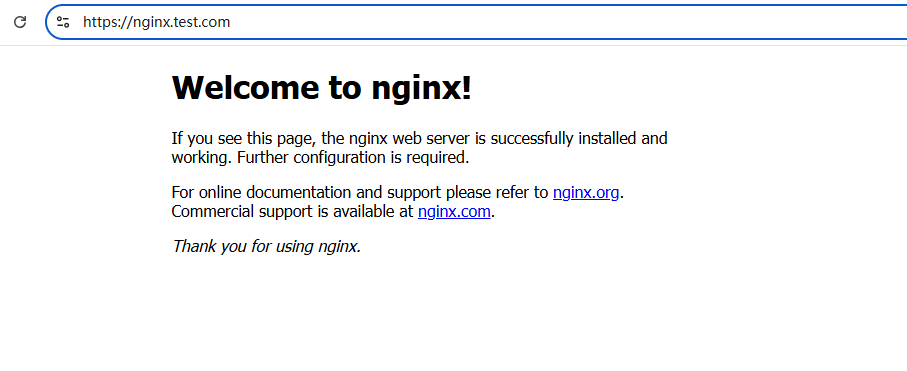
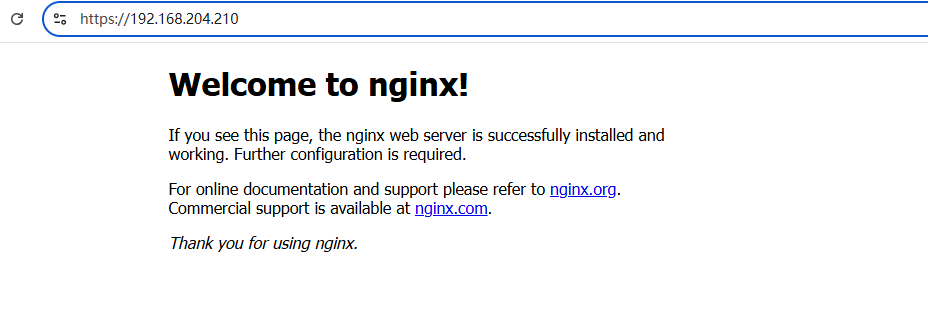
访问到内容,说明应用已经成功部署(上线)。
经验证,先执行安装gateway,再执行deploy-all.sh脚本,等到所有pods都是running也可以。
一键下线脚本:delete-all.sh
cat > delete-all.sh << 'EOF'
#!/bin/bash
echo -e "\n==================== 一键下线:全部删除 ====================\n"

echo "[1/7] 删除路由"
kubectl delete -f redirect-httproute.yaml --ignore-not-found
kubectl delete -f nginx-httproute.yaml --ignore-not-found

echo "[2/7] 删除网关"
kubectl delete -f gateway.yaml --ignore-not-found

echo "[3/7] 删除 GatewayClass & EnvoyProxy"
kubectl delete -f envoyproxy.yaml --ignore-not-found
kubectl delete -f gatewayclass.yaml --ignore-not-found

echo "[4/7] 删除证书"
kubectl delete secret gw-tls --ignore-not-found

echo "[5/7] 删除 Envoy Gateway 系统"
kubectl delete ns envoy-gateway-system --ignore-not-found

echo "[6/7] 删除 Nginx 服务"
kubectl delete svc nginx-service --ignore-not-found

echo "[7/7] 删除 Nginx 部署"
kubectl delete deploy nginx-deployment --ignore-not-found

echo -e "\n==================== ✅ 全部清理完成 ====================\n"
echo "剩余资源检查:"
kubectl get all | grep -E "nginx|envoy|gateway"
echo "无输出 = 清理干净!"
EOF

chmod +x delete-all.sh
执行一键下线脚本
[root@k8s-master01 ~]# ./delete-all.sh

==================== 一键下线:全部删除 ====================

[1/7] 删除路由
httproute.gateway.networking.k8s.io "redirect-to-https" deleted
httproute.gateway.networking.k8s.io "nginx-route" deleted
[2/7] 删除网关
gateway.gateway.networking.k8s.io "nginx-gateway" deleted
[3/7] 删除 GatewayClass & EnvoyProxy
envoyproxy.gateway.envoyproxy.io "np-config" deleted
gatewayclass.gateway.networking.k8s.io "eg" deleted
[4/7] 删除证书
secret "gw-tls" deleted
[5/7] 删除 Envoy Gateway 系统
namespace "envoy-gateway-system" deleted
[6/7] 删除 Nginx 服务
service "nginx-service" deleted
[7/7] 删除 Nginx 部署
deployment.apps "nginx-deployment" deleted

==================== ✅ 全部清理完成 ====================

剩余资源检查:
pod/nginx-deployment-75b5b48df5-jbkn9   1/1     Terminating   0          7m43s
无输出 = 清理干净!
[root@k8s-master01 ~]#
浏览器访问测试
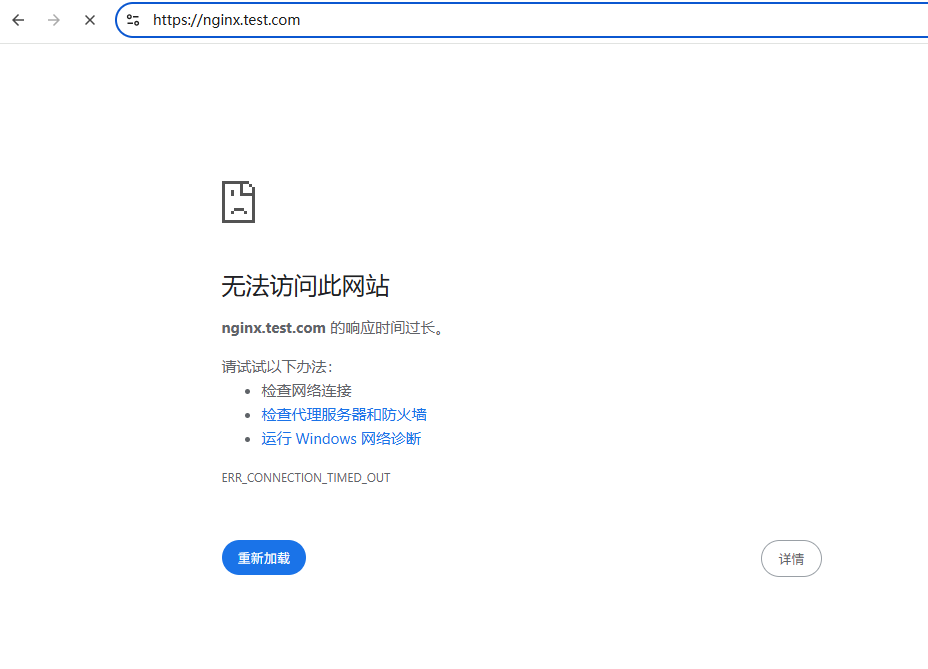
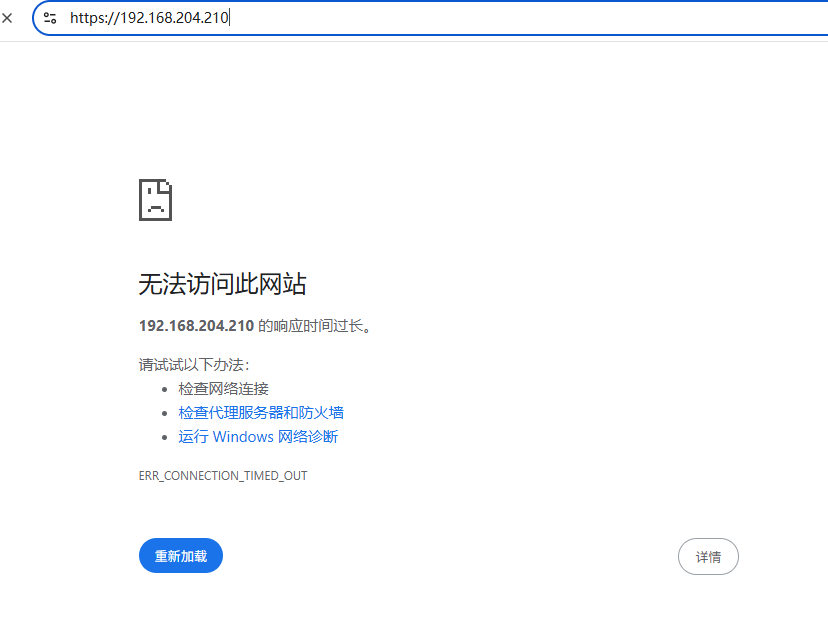
访问不到内容,说明应用已成功下线。
可做的改进:本文使用手动管理证书,可以考虑使用证书自动管理工具替换。
完成!enjoy it!