一、引言
摩斯电码(Morse Code)是一种通过短音(嘀)和长音(嗒)的组合来编码字母、数字和标点符号的信号编码系统。由塞缪尔·摩斯在 1830 年代发明,至今仍在航空、航海和业余无线电领域广泛使用。
从计算机科学的角度看,摩斯电码本质上是一种前缀码(Prefix Code)------每个字符的编码都不是其他字符编码的前缀,这保证了无歧义的解码。
二、编码表的设计
2.1 摩斯码表
A-Z 字母的摩斯码:
A .- B -... C -.-. D -... E . F ...-.
G --. H ... I ... J .--- K -.- L .-...
M -- N -. O --- P .--. Q --.- R .-.
S ... T - U ...- V ...- W .-- X -...-
Y -.-- Z --...
数字的摩斯码:
0 ----- 1 .---- 2 ...--- 3 ...-- 4 ...-
5 ... 6 -... 7 --... 8 ---... 9 ----.
2.2 编码表的数据结构
在 ArkTS 中,使用 Record<string, string> 作为编码表的类型:
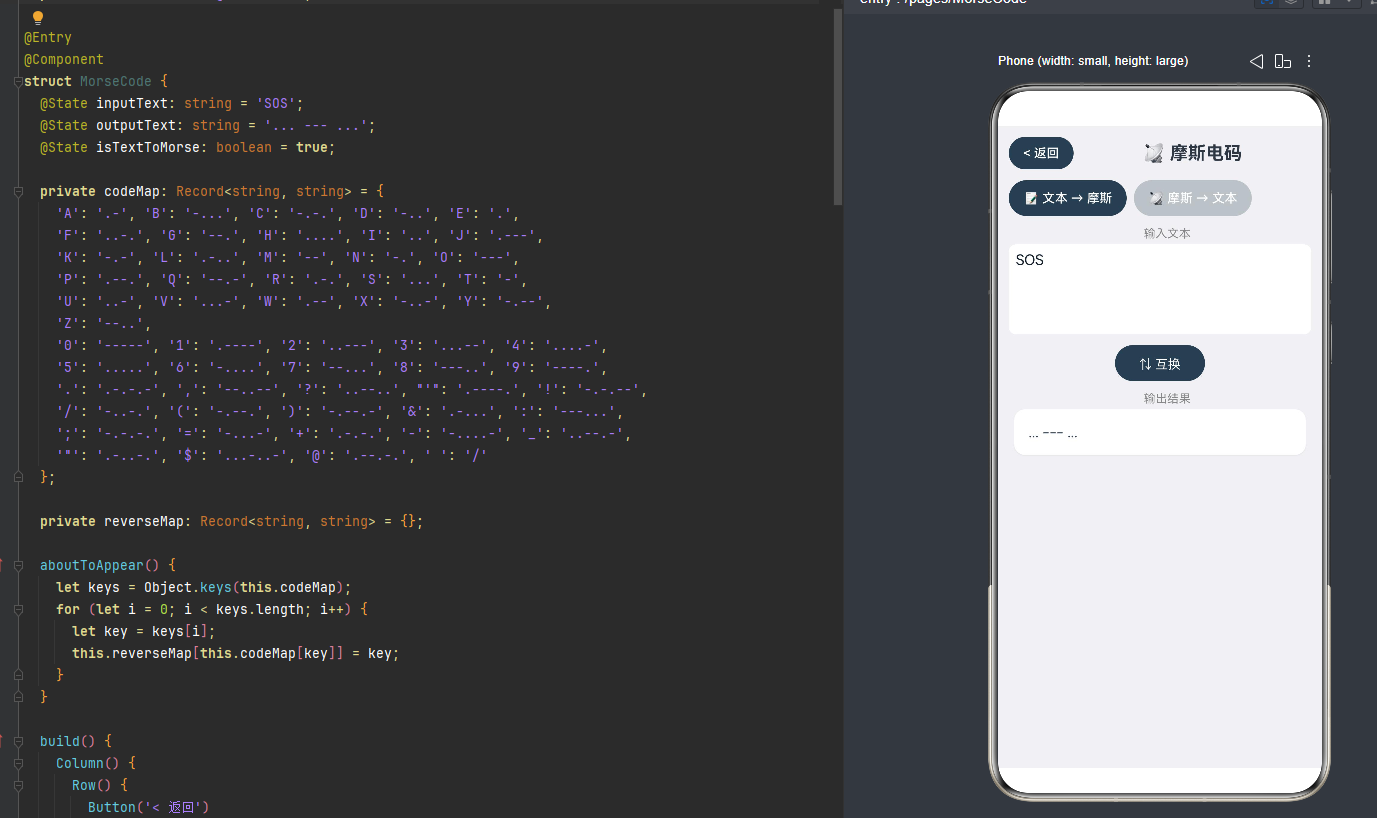
private codeMap: Record<string, string> = {
'A': '.-', 'B': '-...', 'C': '-.-.', // ...
'0': '-----', '1': '.----', // ...
};
private reverseMap: Record<string, string> = {};
2.3 反向映射的构建
由于 for...in 在 ArkTS 中不被支持,我们使用 Object.keys() 和索引循环来构建反向映射:
aboutToAppear() {
let keys = Object.keys(this.codeMap);
for (let i = 0; i < keys.length; i++) {
let key = keysi;
this.reverseMapthis.codeMap\[key] = key;
}
}
三、双向转换逻辑
3.1 文本 → 摩斯码
if (this.isTextToMorse) {
let result: string\[\] = \[\];
let txt = this.inputText.toUpperCase();
for (let i = 0; i < txt.length; i++) {
let ch = txti;
let code = this.codeMapch;
if (code) result.push(code);
else if (ch === ' ') result.push('/');
}
this.outputText = result.join(' ');
}
3.2 摩斯码 → 文本
let words = this.inputText.split('/');
let result: string\[\] = \[\];
for (let w = 0; w < words.length; w++) {
let chars = wordsw.trim().split(' ');
for (let c = 0; c < chars.length; c++) {
let ch = this.reverseMapchars\[c.trim()];
if (ch) result.push(ch);
}
result.push(' ');
}
this.outputText = result.join('').trim();
四、模式切换设计
@State isTextToMorse: boolean = true;
使用 isTextToMorse 控制转换方向。两个按钮分别对应两种模式:
Button('📝 文本 → 摩斯')
.backgroundColor(this.isTextToMorse ? '#2C3E50' : '#BDC3C7')
Button('📡 摩斯 → 文本')
.backgroundColor(!this.isTextToMorse ? '#2C3E50' : '#BDC3C7')
五、UI 设计
5.1 方向切换按钮
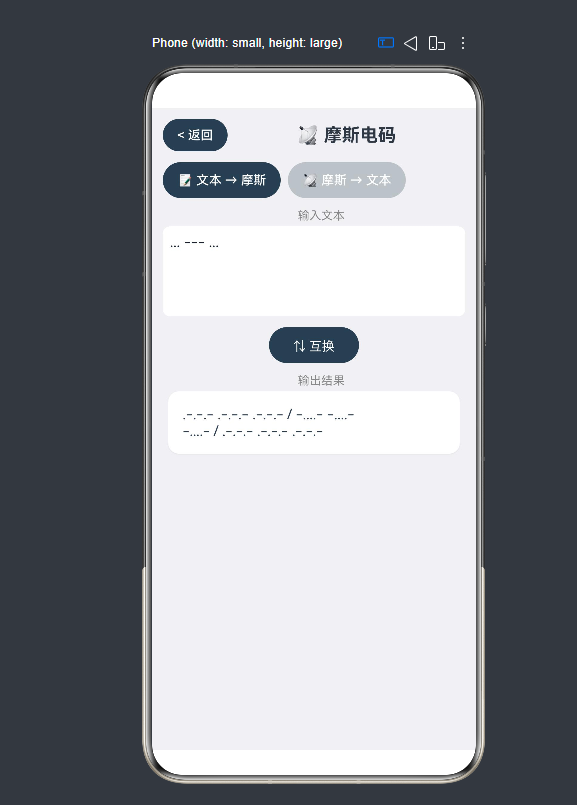
使用两个按钮切换文本→摩斯和摩斯→文本两种模式:
Button('📝 文本 → 摩斯')
.backgroundColor(this.isTextToMorse ? '#2C3E50' : '#BDC3C7')
Button('📡 摩斯 → 文本')
.backgroundColor(!this.isTextToMorse ? '#2C3E50' : '#BDC3C7')
激活的模式使用深色背景,未激活的使用灰色,用户一目了然。
5.2 互换按钮
Button('⇅ 互换')
.onClick(() => {
let tmp = this.inputText;
this.inputText = this.outputText;
this.outputText = tmp;
this.convert();
})
快速交换输入和输出,方便用户对照验证。
六、常见编码问题
6.1 大小写处理
摩斯码不区分大小写,所以输入需要统一转为大写:
let txt = this.inputText.toUpperCase();
6.2 空格处理
摩斯码中,字符之间用空格分隔,单词之间用 / 分隔。解码时需要正确处理这两种分隔符。
七、总结
摩斯电码转换器展示了一个经典的"编码表 + 双向映射"模式。无论是什么编码系统(Base64、URL编码、字符编码等),其核心都是建立一个从源符号到目标符号的映射关系,并提供正向和反向的转换函数。
在 ArkTS 的实现中,需要注意的几点:一是 Record<string, string> 作为编码表的类型;二是 for...in 不被支持,需改用 Object.keys() + 索引循环;三是双向模式切换时需正确处理状态重置。