HBuilder X 使用 uview-plus 方式
npm install uview-plus
一、在 main.js 中
bash
import App from './App'

// #ifndef VUE3
import Vue from 'vue'
import './uni.promisify.adaptor'
Vue.config.productionTip = false
App.mpType = 'app'
const app = new Vue({
	...App
})
app.$mount()
// #endif

// #ifdef VUE3
import {
	createSSRApp
} from 'vue'
// 这里中添加
import uviewPlus from 'uview-plus';
export function createApp() {
	const app = createSSRApp(App)
	// 这里使用
	app.use(uviewPlus)
	return {
		app
	}
}
// #endif
二、App.vue 中引入
bash
<style lang="scss">
  @import 'uview-plus/index.scss';
</style>
三、还有 uni.scss 中 首或者尾添加即可
@import 'uview-plus/theme.scss';
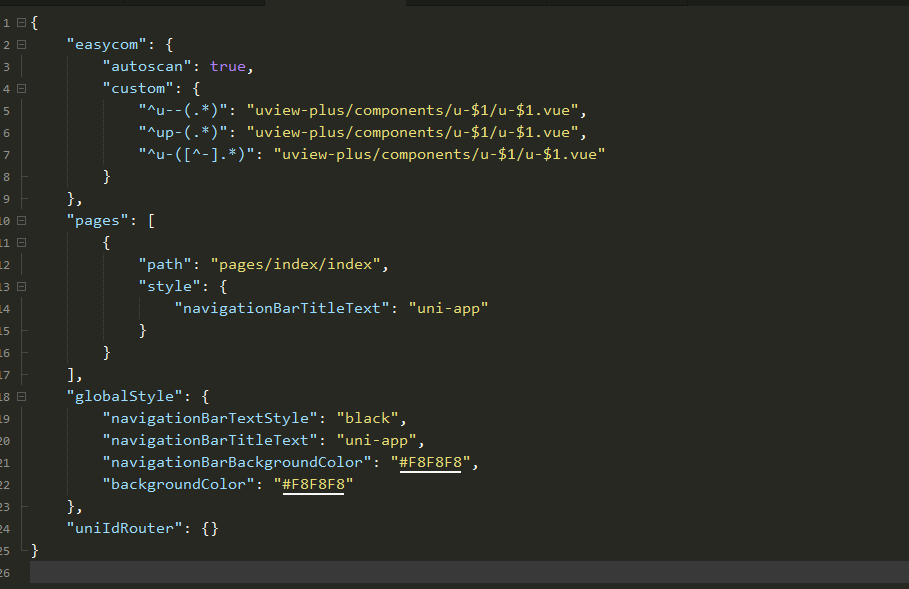
四、pages.json 中
bash
"easycom": {
	"autoscan": true,
	"custom": {
		"^u--(.*)": "uview-plus/components/u-$1/u-$1.vue",
		"^up-(.*)": "uview-plus/components/u-$1/u-$1.vue",
		"^u-([^-].*)": "uview-plus/components/u-$1/u-$1.vue"
	}
}
如下图:
然后直接引用使用即可:
bash
<view class="show-page">
	<view class="u-demo-block">
		<view class="u-demo-block__title">案例展示</view>
		<up-swiper
			imgMode="aspectFit"
			height="450"
			:list="list"
			previousMargin="30"
			nextMargin="30"
			circular
			:autoplay="false"
			radius="10"
			bgColor="linear-gradient(135deg, #2c2c2c 0%, #715946 50%, #797979 100%)"
			class="custom-swiper"
		></up-swiper>
	</view>
	<view class="btn-box">
		<up-button :customStyle="{ width: '80%' }"  class="btn-start" type="primary" @click="submitForm">开始制作</up-button>
	</view>
</view>
重启 HBuilderX(重要)
在 HBuilderX 中,修改了 pages.json 的 easycom 配置后,热更新通常不会触发重新扫描。你必须手动停止运行,并重启 HBuilderX(或者重新运行项目),组件才会被正确识别。
避坑提醒
1、确认 Vue 版本:uview-plus 是专为 Vue3 设计的。你的 main.js 中使用了 createSSRApp,说明是 Vue3,这是正确的。千万不要在 Vue2 项目中用 uview-plus。
2、不要混用:如果你之前尝试过 npm install uview-ui,请确保 node_modules 中没有残留冲突,或者干脆删掉 node_modules 重新 npm install。
3、检查组件拼写:确保你写的是 而不是 ,因为 uview-plus 的前缀是 up-