让AI"思考"一下再落子------异步交互的体验设计
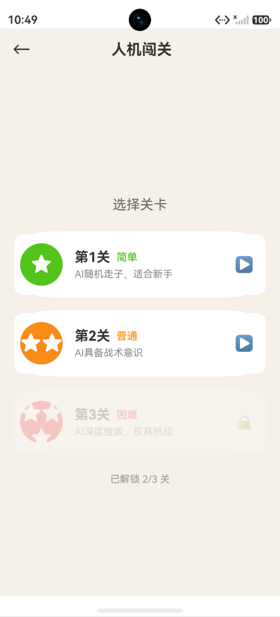
截图如下:
AI落子的时序问题
如果AI在玩家落子后立即响应,用户体验会很奇怪------感觉不像在"对战"。通过setTimeout添加延迟,让AI有"思考"的时间。
玩家落子触发AI
typescript
private onCellClick(row: number, col: number): void {
  if (this.result !== GameResult.PLAYING || this.aiThinking) return;
  if (this.currentPlayer !== BLACK) return;  // 只有玩家(黑方)能点击

  const success = this.engine.placePiece(row, col, BLACK);
  if (!success) return;

  this.refreshBoardData();

  if (this.result !== GameResult.PLAYING) {
    this.handleGameEnd();
    return;
  }

  // AI回合
  this.aiThinking = true;
  this.aiTimerId = setTimeout(() => {
    this.makeAIMove();
  }, 400);
}
aiThinking状态
typescript
@State aiThinking: boolean = false;aiThinking有双重作用:
- UI展示:显示"AI思考中..."和LoadingProgress动画
- 交互锁:AI思考时禁止玩家点击棋盘
typescript
// 交互锁
if (this.result !== GameResult.PLAYING || this.aiThinking) return;

// UI展示
Text(this.getStatusText())  // 返回 "AI思考中..."
if (this.aiThinking) {
  LoadingProgress().width(16).height(16).color('#FA8C16')
}

// 按钮状态
Button('重新开始')
  .enabled(!this.aiThinking)  // AI思考时禁用
makeAIMove实现
typescript
private makeAIMove(): void {
  this.aiTimerId = -1;  // 清除定时器ID

  if (this.result !== GameResult.PLAYING) {
    this.aiThinking = false;
    return;
  }

  // AI计算最佳落子
  const move = this.aiPlayer.getMove(this.engine.board);

  // 引擎执行落子
  this.engine.placePiece(move.row, move.col, WHITE);

  // 解除思考状态
  this.aiThinking = false;

  // 刷新UI
  this.refreshBoardData();

  // 检查游戏结束
  if (this.result !== GameResult.PLAYING) {
    this.handleGameEnd();
  }
}
setTimeout的作用
typescript
this.aiTimerId = setTimeout(() => {
  this.makeAIMove();
}, 400);400ms延迟的设计考量:
- 用户体验:给AI"思考"的感觉
- 避免UI卡顿:困难模式的Minimax搜索需要200-500ms,setTimeout让搜索在下一个事件循环中执行
- 可取消:保存timerId用于清理
定时器清理
typescript
aboutToDisappear(): void {
  if (this.aiTimerId !== -1) {
    clearTimeout(this.aiTimerId);
    this.aiTimerId = -1;
  }
}

private backToLevelSelect(): void {
  if (this.aiTimerId !== -1) {
    clearTimeout(this.aiTimerId);
    this.aiTimerId = -1;
  }
  this.inGame = false;
  // ...
}清理时机:
- 页面销毁时(aboutToDisappear)
- 返回选关时(backToLevelSelect)
为什么要清理? 如果不清理,定时器在页面销毁后仍会执行makeAIMove,可能访问已销毁的组件状态,导致错误。
AI落子的完整流程
玩家点击落子
    ↓
engine.placePiece(玩家黑棋)
    ↓
游戏结束? → 是 → handleGameEnd()
    ↓ 否
aiThinking = true
    ↓
setTimeout(400ms)
    ↓
makeAIMove()
    ↓
aiPlayer.getMove(board) → 计算最佳位置
    ↓
engine.placePiece(AI白棋)
    ↓
aiThinking = false
    ↓
refreshBoardData()
    ↓
游戏结束? → 是 → handleGameEnd()
    ↓ 否
等待玩家下一手
状态文字的变化
typescript
private getStatusText(): string {
  if (this.result === GameResult.BLACK_WIN) return '你赢了!';
  if (this.result === GameResult.WHITE_WIN) return 'AI获胜!';
  if (this.result === GameResult.DRAW) return '平局!';
  if (this.aiThinking) return 'AI思考中...';
  return '你的回合';
}
状态文字随游戏进程动态变化:
你的回合 → AI思考中... → 你的回合 → ... → 你赢了!/AI获胜!LoadingProgress组件
typescript
if (this.aiThinking) {
  LoadingProgress()
    .width(16)
    .height(16)
    .margin({ left: 8 })
    .color('#FA8C16')  // 橙色加载圈
}LoadingProgress是ArkUI内置的加载动画组件------一个旋转的圆圈,在AI思考时显示。
总结
AI异步落子的设计要点:
- setTimeout延迟:400ms模拟AI"思考"
- aiThinking状态:UI展示+交互锁双重作用
- LoadingProgress:内置加载动画
- 定时器清理:页面销毁/返回时清除
- 流程清晰:玩家落子→延迟→AI落子→刷新
这种异步设计让对战体验自然流畅,避免了"AI瞬间响应"的违和感。