鸿蒙实战:RDB 数据库设计与 DatabaseService
前言(必读)
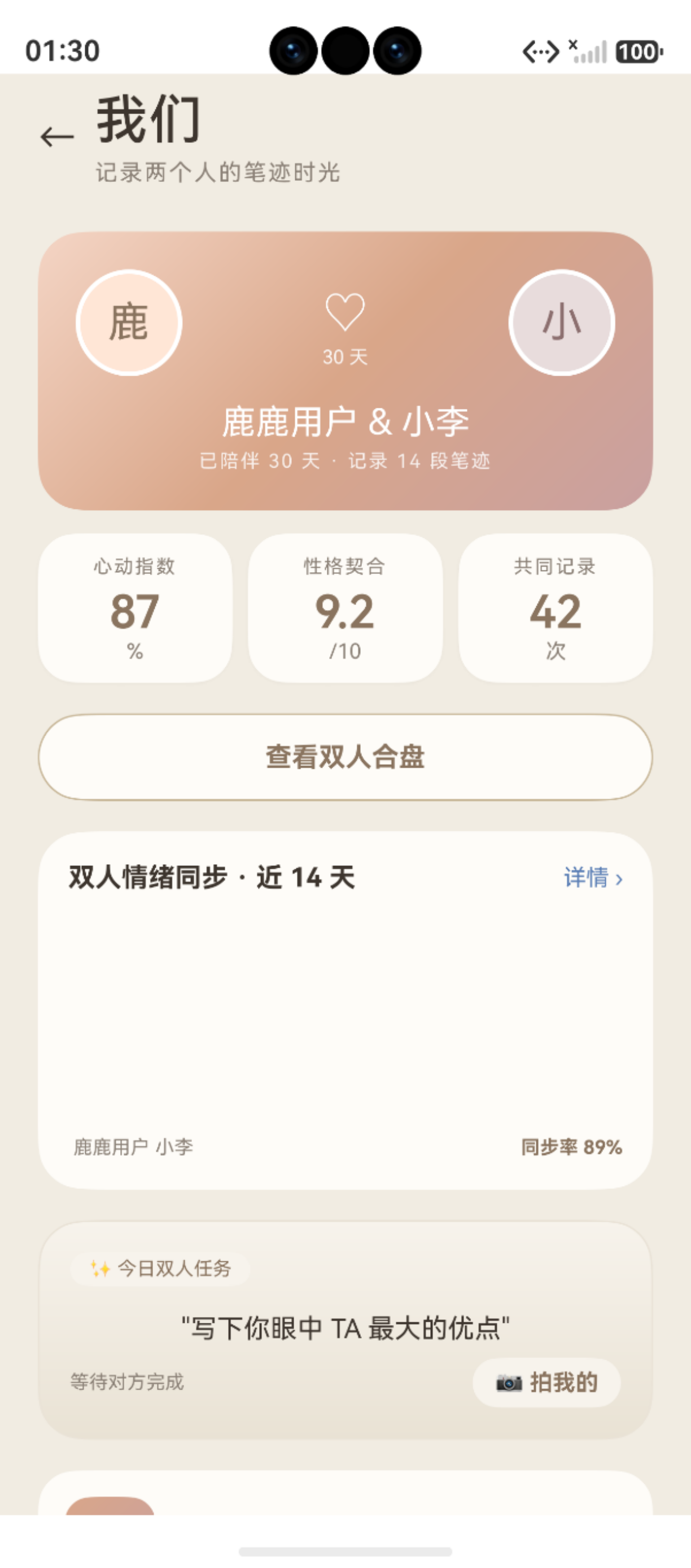
图:鸿蒙实战:RDB 数据库设计与 DatabaseService(第 83 篇) 运行效果截图(HarmonyOS NEXT)
在鸿蒙应用开发中,关系型数据库(RDB,Relational Database) 是本地持久化存储的基石。它基于 SQLite 引擎,提供完整的事务、索引、迁移能力。本文讲解本项目 RDB 的 5 表架构设计与 DatabaseService 单例实现。
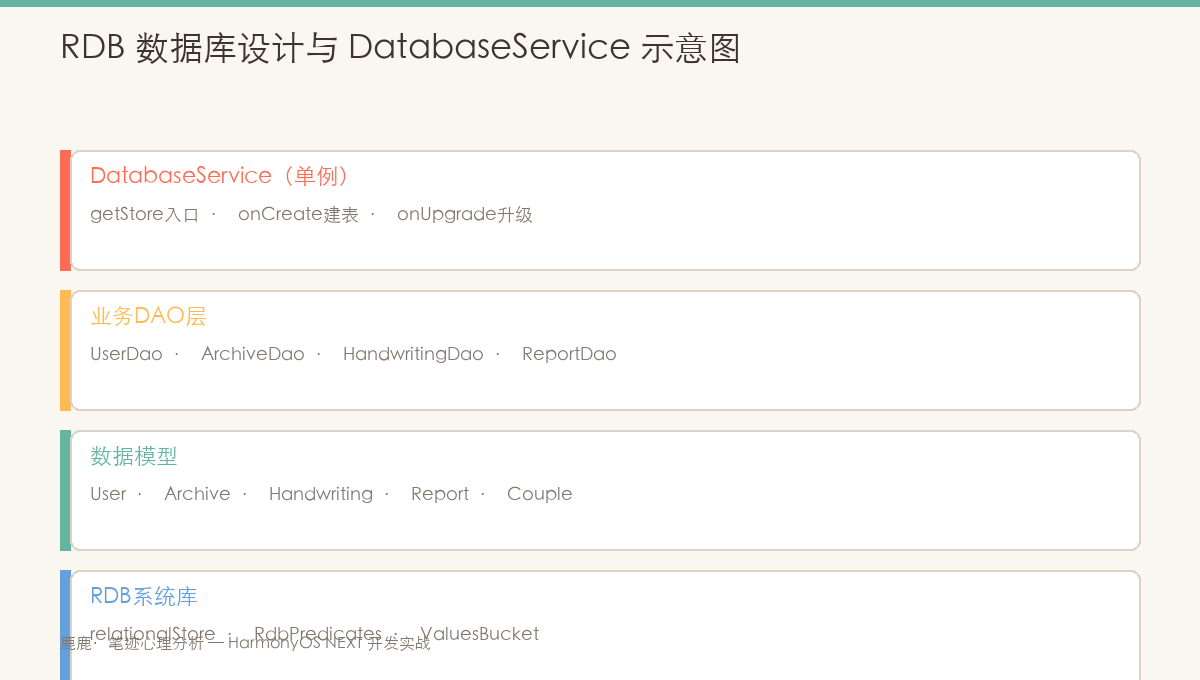
图:5 表架构 ER 图------users/archives/handwritings/reports/radar_scores 的关系设计
#mermaid-svg-YNDpyuyq7eZel7Jh{font-family:"trebuchet ms",verdana,arial,sans-serif;font-size:16px;fill:#333;}@keyframes edge-animation-frame{from{stroke-dashoffset:0;}}@keyframes dash{to{stroke-dashoffset:0;}}#mermaid-svg-YNDpyuyq7eZel7Jh .edge-animation-slow{stroke-dasharray:9,5!important;stroke-dashoffset:900;animation:dash 50s linear infinite;stroke-linecap:round;}#mermaid-svg-YNDpyuyq7eZel7Jh .edge-animation-fast{stroke-dasharray:9,5!important;stroke-dashoffset:900;animation:dash 20s linear infinite;stroke-linecap:round;}#mermaid-svg-YNDpyuyq7eZel7Jh .error-icon{fill:#552222;}#mermaid-svg-YNDpyuyq7eZel7Jh .error-text{fill:#552222;stroke:#552222;}#mermaid-svg-YNDpyuyq7eZel7Jh .edge-thickness-normal{stroke-width:1px;}#mermaid-svg-YNDpyuyq7eZel7Jh .edge-thickness-thick{stroke-width:3.5px;}#mermaid-svg-YNDpyuyq7eZel7Jh .edge-pattern-solid{stroke-dasharray:0;}#mermaid-svg-YNDpyuyq7eZel7Jh .edge-thickness-invisible{stroke-width:0;fill:none;}#mermaid-svg-YNDpyuyq7eZel7Jh .edge-pattern-dashed{stroke-dasharray:3;}#mermaid-svg-YNDpyuyq7eZel7Jh .edge-pattern-dotted{stroke-dasharray:2;}#mermaid-svg-YNDpyuyq7eZel7Jh .marker{fill:#333333;stroke:#333333;}#mermaid-svg-YNDpyuyq7eZel7Jh .marker.cross{stroke:#333333;}#mermaid-svg-YNDpyuyq7eZel7Jh svg{font-family:"trebuchet ms",verdana,arial,sans-serif;font-size:16px;}#mermaid-svg-YNDpyuyq7eZel7Jh p{margin:0;}#mermaid-svg-YNDpyuyq7eZel7Jh .label{font-family:"trebuchet ms",verdana,arial,sans-serif;color:#333;}#mermaid-svg-YNDpyuyq7eZel7Jh .cluster-label text{fill:#333;}#mermaid-svg-YNDpyuyq7eZel7Jh .cluster-label span{color:#333;}#mermaid-svg-YNDpyuyq7eZel7Jh .cluster-label span p{background-color:transparent;}#mermaid-svg-YNDpyuyq7eZel7Jh .label text,#mermaid-svg-YNDpyuyq7eZel7Jh span{fill:#333;color:#333;}#mermaid-svg-YNDpyuyq7eZel7Jh .node rect,#mermaid-svg-YNDpyuyq7eZel7Jh .node circle,#mermaid-svg-YNDpyuyq7eZel7Jh .node ellipse,#mermaid-svg-YNDpyuyq7eZel7Jh .node polygon,#mermaid-svg-YNDpyuyq7eZel7Jh .node path{fill:#ECECFF;stroke:#9370DB;stroke-width:1px;}#mermaid-svg-YNDpyuyq7eZel7Jh .rough-node .label text,#mermaid-svg-YNDpyuyq7eZel7Jh .node .label text,#mermaid-svg-YNDpyuyq7eZel7Jh .image-shape .label,#mermaid-svg-YNDpyuyq7eZel7Jh .icon-shape .label{text-anchor:middle;}#mermaid-svg-YNDpyuyq7eZel7Jh .node .katex path{fill:#000;stroke:#000;stroke-width:1px;}#mermaid-svg-YNDpyuyq7eZel7Jh .rough-node .label,#mermaid-svg-YNDpyuyq7eZel7Jh .node .label,#mermaid-svg-YNDpyuyq7eZel7Jh .image-shape .label,#mermaid-svg-YNDpyuyq7eZel7Jh .icon-shape .label{text-align:center;}#mermaid-svg-YNDpyuyq7eZel7Jh .node.clickable{cursor:pointer;}#mermaid-svg-YNDpyuyq7eZel7Jh .root .anchor path{fill:#333333!important;stroke-width:0;stroke:#333333;}#mermaid-svg-YNDpyuyq7eZel7Jh .arrowheadPath{fill:#333333;}#mermaid-svg-YNDpyuyq7eZel7Jh .edgePath .path{stroke:#333333;stroke-width:2.0px;}#mermaid-svg-YNDpyuyq7eZel7Jh .flowchart-link{stroke:#333333;fill:none;}#mermaid-svg-YNDpyuyq7eZel7Jh .edgeLabel{background-color:rgba(232,232,232, 0.8);text-align:center;}#mermaid-svg-YNDpyuyq7eZel7Jh .edgeLabel p{background-color:rgba(232,232,232, 0.8);}#mermaid-svg-YNDpyuyq7eZel7Jh .edgeLabel rect{opacity:0.5;background-color:rgba(232,232,232, 0.8);fill:rgba(232,232,232, 0.8);}#mermaid-svg-YNDpyuyq7eZel7Jh .labelBkg{background-color:rgba(232, 232, 232, 0.5);}#mermaid-svg-YNDpyuyq7eZel7Jh .cluster rect{fill:#ffffde;stroke:#aaaa33;stroke-width:1px;}#mermaid-svg-YNDpyuyq7eZel7Jh .cluster text{fill:#333;}#mermaid-svg-YNDpyuyq7eZel7Jh .cluster span{color:#333;}#mermaid-svg-YNDpyuyq7eZel7Jh div.mermaidTooltip{position:absolute;text-align:center;max-width:200px;padding:2px;font-family:"trebuchet ms",verdana,arial,sans-serif;font-size:12px;background:hsl(80, 100%, 96.2745098039%);border:1px solid #aaaa33;border-radius:2px;pointer-events:none;z-index:100;}#mermaid-svg-YNDpyuyq7eZel7Jh .flowchartTitleText{text-anchor:middle;font-size:18px;fill:#333;}#mermaid-svg-YNDpyuyq7eZel7Jh rect.text{fill:none;stroke-width:0;}#mermaid-svg-YNDpyuyq7eZel7Jh .icon-shape,#mermaid-svg-YNDpyuyq7eZel7Jh .image-shape{background-color:rgba(232,232,232, 0.8);text-align:center;}#mermaid-svg-YNDpyuyq7eZel7Jh .icon-shape p,#mermaid-svg-YNDpyuyq7eZel7Jh .image-shape p{background-color:rgba(232,232,232, 0.8);padding:2px;}#mermaid-svg-YNDpyuyq7eZel7Jh .icon-shape .label rect,#mermaid-svg-YNDpyuyq7eZel7Jh .image-shape .label rect{opacity:0.5;background-color:rgba(232,232,232, 0.8);fill:rgba(232,232,232, 0.8);}#mermaid-svg-YNDpyuyq7eZel7Jh .label-icon{display:inline-block;height:1em;overflow:visible;vertical-align:-0.125em;}#mermaid-svg-YNDpyuyq7eZel7Jh .node .label-icon path{fill:currentColor;stroke:revert;stroke-width:revert;}#mermaid-svg-YNDpyuyq7eZel7Jh :root{--mermaid-font-family:"trebuchet ms",verdana,arial,sans-serif;} 1:N
1:N
1:1
1:1
users 表
archives 档案表
handwritings 手写记录表
reports 分析报告表
radar_scores 雷达分表
DatabaseService 单例
onCreate 建表
onUpgrade 版本迁移
事务支持
索引优化
一、RDB 技术栈
1.1 引入方式
typescript
import relationalStore from '@ohos.data.relationalStore'1.2 核心 API
| API | 用途 |
|---|---|
relationalStore.getRdbStore(context, config) |
获取/创建数据库实例 |
store.executeSql(sql) |
执行建表/迁移 SQL |
store.insert(table, values) |
插入记录 |
store.query(predicates, columns) |
带条件查询 |
store.update(values, predicates) |
更新记录 |
store.delete(predicates) |
删除记录 |
store.querySql(sql, args) |
执行原生 SQL 查询 |
RdbPredicates |
构建查询条件(WHERE/ORDER BY/LIMIT) |
二、数据库配置
2.1 配置参数
typescript
const DB_CONFIG: relationalStore.StoreConfig = {
  name: 'lulu_handwriting.db',       // 数据库文件名
  securityLevel: relationalStore.SecurityLevel.S2  // 安全等级
}| 配置项 | 值 | 说明 |
|---|---|---|
name |
lulu_handwriting.db |
数据库文件名,位于应用沙箱内 |
securityLevel |
S2 |
保护个人信息(可处理非敏感的用户数据) |
2.2 安全等级说明
typescript
// HarmonyOS RDB 安全等级规范
S1: 低敏感(如天气数据)
S2: 中敏感(如用户偏好、个人笔记)← 本项目使用
S3: 高敏感(如手机号、地址)
S4: 极敏感(如支付密码、生物特征)本项目仅存储笔迹文本和特征向量,不含手机号等个人信息,S2 等级足够。
三、5 表架构
3.1 ER 关系
user (1) ──── (N) archive (1) ──── (N) handwriting (1) ──── (1) report
                                  │
                                  └── relation ── 伴侣绑定
3.2 每张表速览
| 表名 | 行数(DDL) | 核心字段 | 用途 |
|---|---|---|---|
user |
5 列 | id, open_id, name, avatar, created_at | 当前用户 |
archive |
9 列 | id, user_id, name, emoji, record_count | 档案分组 |
handwriting |
11 列 | id, archive_id, ocr_text, feature_json, energy_score | 笔迹记录 |
report |
8 列 | id, handwriting_id, personality_type, radar_json | 分析报告 |
relation |
6 列 | id, user_id, partner_archive_id, match_score | 伴侣绑定 |
3.3 建表 DDL(关键)
typescript
// user 表
CREATE TABLE IF NOT EXISTS user (
  id INTEGER PRIMARY KEY AUTOINCREMENT,
  open_id TEXT UNIQUE,
  name TEXT NOT NULL,
  avatar TEXT,
  created_at INTEGER NOT NULL
)

// archive 表 --- 按"人"分组笔迹
CREATE TABLE IF NOT EXISTS archive (
  id INTEGER PRIMARY KEY AUTOINCREMENT,
  user_id INTEGER NOT NULL,
  name TEXT NOT NULL,
  record_count INTEGER NOT NULL DEFAULT 0,  // 冗余计数
  created_at INTEGER NOT NULL
)

// handwriting 表 --- 核心数据表
CREATE TABLE IF NOT EXISTS handwriting (
  id INTEGER PRIMARY KEY AUTOINCREMENT,
  archive_id INTEGER,              // FK → archive.id
  source TEXT NOT NULL,             // 'camera'|'gallery'|'handwrite'|'demo'
  ocr_text TEXT,                    // OCR 识别文本
  feature_json TEXT,                // 6 维特征向量 JSON
  energy_score INTEGER,             // 能量值(快捷查询)
  created_at INTEGER NOT NULL
)

// report 表
CREATE TABLE IF NOT EXISTS report (
  id INTEGER PRIMARY KEY AUTOINCREMENT,
  handwriting_id INTEGER NOT NULL,  // FK → handwriting.id(1:1)
  personality_type TEXT,
  radar_json TEXT,                  // 雷达图 JSON
  tags_json TEXT,
  created_at INTEGER NOT NULL
)

// relation 表
CREATE TABLE IF NOT EXISTS relation (
  id INTEGER PRIMARY KEY AUTOINCREMENT,
  user_id INTEGER NOT NULL,
  partner_archive_id INTEGER NOT NULL,
  match_score INTEGER,
  created_at INTEGER NOT NULL
)
四、DatabaseService 单例
4.1 完整实现
typescript
export class DatabaseService {
  private static _instance: DatabaseService | null = null
  private store: relationalStore.RdbStore | null = null
  private initPromise: Promise<void> | null = null

  static getInstance(): DatabaseService {
    if (!DatabaseService._instance) {
      DatabaseService._instance = new DatabaseService()
    }
    return DatabaseService._instance
  }

  async init(context: common.UIAbilityContext): Promise<void> {
    if (this.store) return
    if (this.initPromise) return this.initPromise

    this.initPromise = (async () => {
      this.store = await relationalStore.getRdbStore(context, DB_CONFIG)
      await this.upgrade(this.store, this.store.version, DB_VERSION)
      this.store.version = DB_VERSION
    })()

    return this.initPromise
  }

  getStore(): relationalStore.RdbStore {
    if (!this.store) {
      throw new Error('DatabaseService 未初始化')
    }
    return this.store
  }

  isReady(): boolean {
    return this.store !== null
  }
}
4.2 初始化入口
typescript
// EntryAbility.ets --- 应用启动时初始化
onWindowStageCreate(windowStage: window.WindowStage): void {
  // 初始化数据库
  DatabaseService.getInstance().init(this.context)
}
4.3 DAO 中使用
typescript
// 每个 DAO 通过 DatabaseService 获取 store
private static getStore(): relationalStore.RdbStore {
  return DatabaseService.getInstance().getStore()
}
五、数据库版本升级
typescript
private async upgrade(store, fromVersion, toVersion): Promise<void> {
  // v0 → v1:建表
  if (fromVersion < 1) {
    await store.executeSql(CREATE_TABLE_USER)
    // ...
  }

  // v1 → v2:添加新列
  if (fromVersion < 2) {
    await store.executeSql(
      'ALTER TABLE handwriting ADD COLUMN device_type TEXT DEFAULT \'\''
    )
  }

  // 后续扩展:v2 → v3(预留)
  // if (fromVersion < 3) { ... }
}| 版本 | 变更内容 |
|---|---|
| v1(初始) | 5 张表 + 2 个索引 |
| v2 | handwriting 增加 device_type / word_count / write_duration |
| v3+ | 预留 |
六、索引设计
typescript
// 两个索引,覆盖主要查询场景
CREATE INDEX IF NOT EXISTS idx_handwriting_archive
  ON handwriting(archive_id, created_at DESC)
// 用途:按档案查询笔迹列表(ArchivePage / 趋势页)

CREATE INDEX IF NOT EXISTS idx_report_handwriting
  ON report(handwriting_id)
// 用途:按笔迹 ID 查询关联报告
七、安全措施
typescript
// 1. SQL 注入防护 --- 使用参数化查询
// ❌ 错误:字符串拼接
store.querySql(`SELECT * FROM user WHERE name = '${name}'`)

// ✅ 正确:参数化占位符
store.querySql('SELECT * FROM user WHERE name = ?', [name])

// 2. 异常处理 --- 所有 DAO 方法包裹 try-catch
try {
  return await store.insert(TABLE, values)
} catch (e) {
  hilog.error(0x0000, TAG, '失败: %{public}s', JSON.stringify(e))
  throw new Error('操作失败')
}

// 3. 结果集关闭 --- 避免内存泄漏
const rs = await store.query(predicates, COLS)
// ...使用 rs...
rs.close()  // ⚠️ 必须关闭
八、存储体系回顾
本项目三层存储体系:
┌──────────────────────────────────────────┐
│  AppStorage(内存)                       │
│  ─ 全局状态:userId / reportId / result   │
├──────────────────────────────────────────┤
│  RDB(磁盘·SQLite)                      │
│  ─ 持久化数据:user/archive/handwriting/  │
│    report/relation                       │
├──────────────────────────────────────────┤
│  rawfile(只读包内资源)                   │
│  ─ AI 模型文件 / 静态图片                  │
└──────────────────────────────────────────┘
九、注意事项与常见问题
9.1 开发注意事项
在正式开发前,建议按以下步骤完成环境准备与前置检查:
- 版本确认:检查 DevEco Studio 与 SDK 版本,确保满足目标 API Level 要求
- 权限声明 :在
module.json5的requestPermissions字段中提前声明所有需要的系统权限 - 设备能力检查:调用前验证设备是否支持目标能力(相机、NFC、传感器等)
- 异步封装 :所有耗时操作(数据库、文件 I/O、网络请求)统一使用
async/await处理 - 资源释放 :在组件
aboutToDisappear()生命周期钩子中及时释放系统资源,防止内存泄漏
9.2 常见错误与解决方案
常见问题快速排查表:
| 问题类型 | 排查方向 | 参考方法 |
|---|---|---|
| 应用崩溃 | 查看 hilog 错误日志 | hilog.error(TAG, "...", e.message) |
| 状态丢失 | 检查 AppStorage 键名拼写 | 统一使用常量管理键名 |
| 动画不流畅 | 避免在 animateTo 回调中执行 I/O | 动画与数据操作分离 |
总结
- ✅ RDB 引入 :
@ohos.data.relationalStore提供 SQLite 操作 - ✅ 5 表架构:user → archive → handwriting → report + relation
- ✅ DatabaseService 单例 :
initPromise防重入 +getStore()供 DAO 使用 - ✅ 版本升级:+38 从 v0 到 v2 的迁移管线
- ✅ 索引设计 :
idx_handwriting_archive和idx_report_handwriting - ✅ 安全措施:参数化查询、try-catch、ResultSet 关闭
下一篇将讲解档案 DAO ArchiveDao 实现。
📌 收藏提示:RDB 的 ResultSet 用完一定要 close(),否则会导致游标泄漏和内存增长。
如果这篇文章对你有帮助,欢迎点赞👍、收藏⭐、关注🔔,你的支持是我持续创作的动力!
相关资源:
- relationalStore getRdbStore
- AbilityKit UIAbilityContext
- hilog 日志系统
- HarmonyOS NEXT 开发指南
- 第24篇 RDB 入门与初始化
- 第25篇 数据库设计与表结构
- 第26篇 数据库版本升级策略
- 第32篇 DAO 设计模式
七、DatabaseService 深度实践
7.1 单例模式的线程安全
在多 UIAbility 场景下,DatabaseService 需保证只初始化一次:
typescript
class DatabaseService {
  private static instance: DatabaseService | null = null;
  private rdbStore: relationalStore.RdbStore | null = null;
  private initPromise: Promise<void> | null = null;  // 防并发初始化

  static getInstance(): DatabaseService {
    if (!DatabaseService.instance) {
      DatabaseService.instance = new DatabaseService();
    }
    return DatabaseService.instance;
  }

  async init(context: Context): Promise<void> {
    // 防止并发重复初始化
    if (this.initPromise) return this.initPromise;
    this.initPromise = this.doInit(context);
    return this.initPromise;
  }
}
7.2 数据库事务的使用
批量插入时使用事务提升性能(10条→1条 I/O 往返):
typescript
async batchInsert(items: HandwritingRecord[]): Promise<void> {
  const store = await this.getStore();
  await store.beginTransaction();
  try {
    for (const item of items) {
      await store.insert('handwritings', this.toValuesBucket(item));
    }
    await store.commit();
  } catch (err) {
    await store.rollBack();
    throw err;
  }
}
7.3 常用索引优化
sql
-- 按用户ID查档案(高频查询)
CREATE INDEX idx_archives_user ON archives(user_id);

-- 按档案ID查手写记录(联表查询)
CREATE INDEX idx_handwritings_archive ON handwritings(archive_id);

-- 按时间排序最新记录
CREATE INDEX idx_handwritings_created ON handwritings(created_at DESC);
工程建议 :为
DatabaseService编写单元测试时,使用内存数据库(:memory:)替代文件数据库,测试速度可提升 100 倍以上。
如果这篇文章对你有帮助,欢迎点赞👍、收藏⭐、关注🔔,你的支持是我持续创作的动力!