前言
在移动端视频应用中,"投屏到电视"已经成为用户非常熟悉的能力:打开手机上的视频,搜索同一局域网的电视盒子,点击设备即可在大屏播放。这个过程看起来简单,但背后实际上涉及设备发现、协议协商、媒体资源可访问性、播放状态同步以及连接异常处理等多个环节。
什么是DLNA
DLNA(Digital Living Network Alliance)是局域网投屏场景中常见的一套协议体系。它基于UPnP协议构建,能够在手机、电视、电视盒子、音响等设备在同一网络中自动发现彼此,并完成媒体内容的浏览、推送与播放控制。
Cling又是什么
在Android开发中,Cling是一个较为成熟的UPnP/DLNA实现库。借助Cling,我们不需要从零实现SSDP设备搜索、SOAP控制请求或设备描述解析,而是可以更专注于业务层能力,例如:
- 搜索局域网内支持投屏的电视盒子与播放器;
- 建立与MediaRenderer设备的连接;
- 将在线视频地址或本地媒体地址推送到电视端播放;
- 控制播放、暂停、停止、静音、音量与进度;
- 监听设备连接状态和播放状态;
- 处理设备断开、网络切换、转码失败等异常场景。
不过,真正接入时,最容易踩坑的往往不是"如何搜索设备",而是"为什么电视无法播放这个URL。例如,手机本地文件通常不能直接被电视访问;部分在线视频地址需要鉴权;某些电视仅支持特定编码格式;还有一些设备虽然能被发现,却并不支持AVTransport播放控制服务。
使用场景
本文将以Android项目为例,系统介绍如何基于Cling实现一套可落地的DLNA投屏能力。从初始化UPnP服务、发现设备、筛选可播放设备,到推送媒体地址、控制播放状态,以及处理常见兼容性问题,逐步搭建完整的投屏链路。
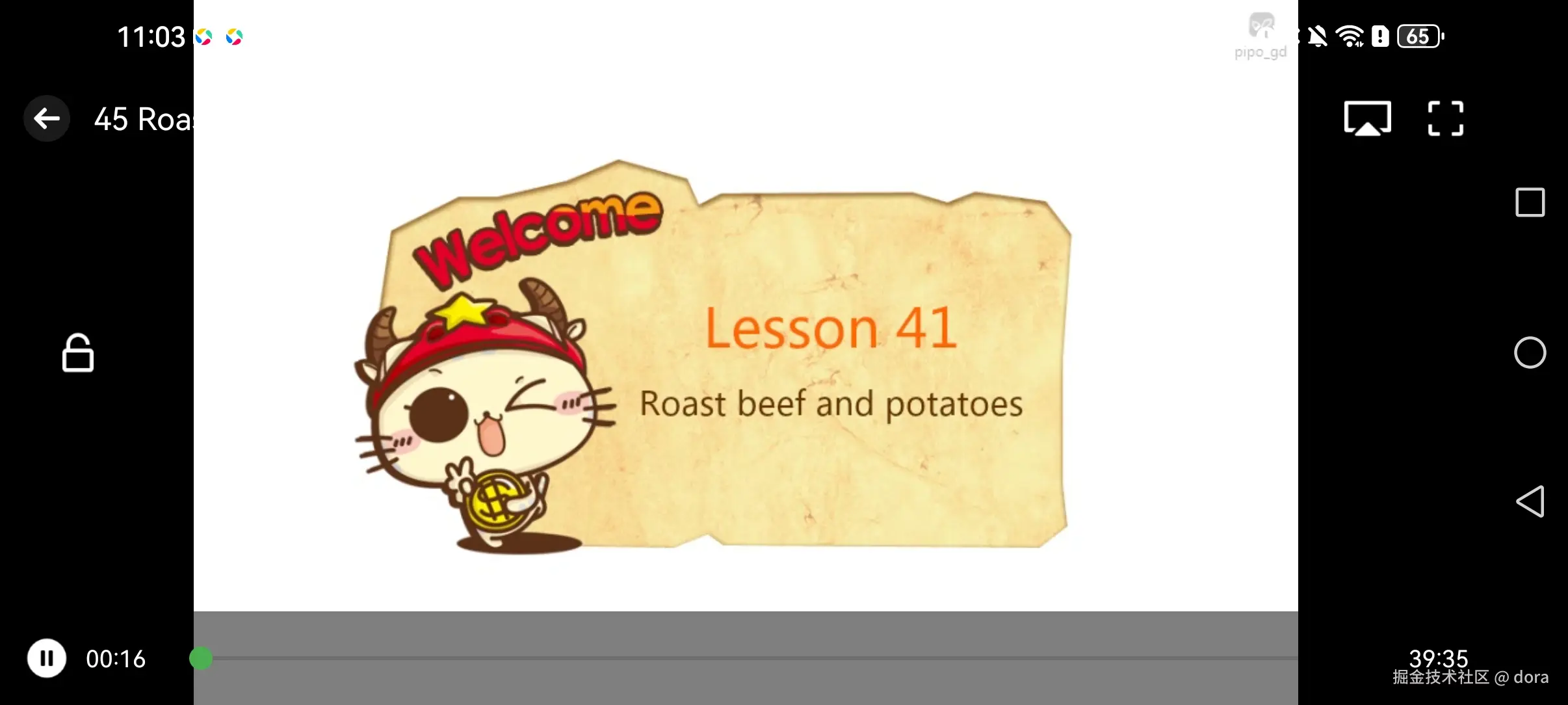
通常在播放器界面中接入投屏功能。
配置权限
首先需要在AndroidManifest.xml清单文件中配置权限。
xml
<uses-permission android:name="android.permission.INTERNET"/>
<uses-permission android:name="android.permission.ACCESS_NETWORK_STATE"/>
<uses-permission android:name="android.permission.ACCESS_WIFI_STATE"/>
<uses-permission android:name="android.permission.CHANGE_WIFI_MULTICAST_STATE"/>
<!-- Android13适配 -->
<uses-permission android:name="android.permission.NEARBY_WIFI_DEVICES"/>
创建服务
kt
package com.android.cast.dlna.dmc

import android.content.Intent
import com.android.cast.dlna.core.Logger
import org.fourthline.cling.UpnpServiceConfiguration
import org.fourthline.cling.android.AndroidUpnpServiceConfiguration
import org.fourthline.cling.android.AndroidUpnpServiceImpl
import org.fourthline.cling.model.types.ServiceType

class DLNACastService : AndroidUpnpServiceImpl() {
    private val logger = Logger.create("CastService")
    override fun onCreate() {
        logger.i("DLNACastService onCreate")
//        LoggingUtil.resetRootHandler(FixedAndroidLogHandler())
        super.onCreate()
    }

    override fun onStartCommand(intent: Intent, flags: Int, startId: Int): Int {
        logger.i("DLNACastService onStartCommand: $flags, $startId, $intent")
        return super.onStartCommand(intent, flags, startId)
    }

    override fun onDestroy() {
        logger.w("DLNACastService onDestroy")
        super.onDestroy()
    }

    override fun createConfiguration(): UpnpServiceConfiguration = object : AndroidUpnpServiceConfiguration() {
        override fun getExclusiveServiceTypes(): Array<ServiceType> = arrayOf(
            DLNACastManager.SERVICE_TYPE_AV_TRANSPORT,
            DLNACastManager.SERVICE_TYPE_RENDERING_CONTROL,
            DLNACastManager.SERVICE_TYPE_CONTENT_DIRECTORY,
            DLNACastManager.SERVICE_CONNECTION_MANAGER
        )
    }
}并在清单文件指定<service android:name="com.android.cast.dlna.dmc.DLNACastService" />
服务连接管理器
kt
package com.android.cast.dlna.dmc

import android.app.Activity
import android.app.Application
import android.app.Service
import android.content.ComponentName
import android.content.Context
import android.content.Intent
import android.content.ServiceConnection
import android.os.IBinder
import com.android.cast.dlna.core.Logger
import com.android.cast.dlna.core.http.LocalServer
import com.android.cast.dlna.dmc.control.CastControlImpl
import com.android.cast.dlna.dmc.control.DeviceControl
import com.android.cast.dlna.dmc.control.EmptyDeviceControl
import com.android.cast.dlna.dmc.control.OnDeviceControlListener
import org.fourthline.cling.android.AndroidUpnpService
import org.fourthline.cling.model.message.header.STAllHeader
import org.fourthline.cling.model.message.header.UDADeviceTypeHeader
import org.fourthline.cling.model.meta.Device
import org.fourthline.cling.model.types.DeviceType
import org.fourthline.cling.model.types.ServiceType
import org.fourthline.cling.model.types.UDADeviceType
import org.fourthline.cling.model.types.UDAServiceType

object DLNACastManager : OnDeviceRegistryListener {

    val DEVICE_TYPE_MEDIA_RENDERER = UDADeviceType("MediaRenderer")
    val DEVICE_TYPE_MEDIA_SERVER = UDADeviceType("MediaServer")

    val SERVICE_TYPE_AV_TRANSPORT: ServiceType = UDAServiceType("AVTransport")
    val SERVICE_TYPE_RENDERING_CONTROL: ServiceType = UDAServiceType("RenderingControl")
    val SERVICE_TYPE_CONTENT_DIRECTORY: ServiceType = UDAServiceType("ContentDirectory")
    val SERVICE_CONNECTION_MANAGER: ServiceType = UDAServiceType("ConnectionManager")

    private val logger = Logger.create("CastManager")
    private val deviceRegistryImpl = DeviceRegistryImpl(this)
    private var searchDeviceType: DeviceType? = null
    private var upnpService: AndroidUpnpService? = null
    private var applicationContext: Context? = null

    fun bindCastService(context: Context) {
        applicationContext = context.applicationContext
        if (context is Application || context is Activity) {
            context.bindService(Intent(context, DLNACastService::class.java), serviceConnection, Service.BIND_AUTO_CREATE)
        } else {
            logger.e("bindCastService only support Application or Activity implementation.")
        }
    }

    fun unbindCastService(context: Context) {
        if (context is Application || context is Activity) {
            context.unbindService(serviceConnection)
        } else {
            logger.e("bindCastService only support Application or Activity implementation.")
        }
    }

    private val serviceConnection: ServiceConnection = object : ServiceConnection {
        override fun onServiceConnected(componentName: ComponentName, iBinder: IBinder) {
            val upnpServiceBinder = iBinder as AndroidUpnpService
            if (upnpService !== upnpServiceBinder) {
                upnpService = upnpServiceBinder
                logger.i(String.format("onServiceConnected: [%s]", componentName.shortClassName))
                val registry = upnpServiceBinder.registry
                // add registry listener
                val collection = registry.listeners
                if (collection == null || !collection.contains(deviceRegistryImpl)) {
                    registry.addListener(deviceRegistryImpl)
                }
                search()
            }
        }

        override fun onServiceDisconnected(componentName: ComponentName) {
            logger.w(String.format("[%s] onServiceDisconnected", componentName.shortClassName))
            removeRegistryListener()
        }

        override fun onBindingDied(componentName: ComponentName) {
            logger.w(String.format("[%s] onBindingDied", componentName.shortClassName))
            removeRegistryListener()
        }

        private fun removeRegistryListener() {
            upnpService?.registry?.removeListener(deviceRegistryImpl)
            upnpService = null
        }
    }

    // -----------------------------------------------------------------------------------------
    // ---- register or unregister device listener
    // -----------------------------------------------------------------------------------------
    private val registerDeviceListeners: MutableList<OnDeviceRegistryListener> = ArrayList()

    fun registerDeviceListener(listener: OnDeviceRegistryListener?) {
        if (listener == null) return
        upnpService?.also { service ->
            service.registry.devices?.forEach { device ->
                // if some devices has been found, notify first.
                listener.onDeviceAdded(device)
            }
        }
        if (!registerDeviceListeners.contains(listener)) registerDeviceListeners.add(listener)
    }

    fun unregisterListener(listener: OnDeviceRegistryListener) {
        registerDeviceListeners.remove(listener)
    }

    override fun onDeviceAdded(device: Device<*, *, *>) {
        if (checkDeviceType(device)) {
            registerDeviceListeners.forEach { listener -> listener.onDeviceAdded(device) }
        }
    }

    override fun onDeviceRemoved(device: Device<*, *, *>) {
        // TODO:if this device is casting, disconnect first!
        // disconnectDevice(device)
        if (checkDeviceType(device)) {
            registerDeviceListeners.forEach { listener -> listener.onDeviceRemoved(device) }
        }
    }

    private fun checkDeviceType(device: Device<*, *, *>): Boolean = searchDeviceType == null || searchDeviceType == device.type

    // -----------------------------------------------------------------------------------------
    // ---- LocalServer
    // -----------------------------------------------------------------------------------------
    var localServer: LocalServer? = null
        private set

    fun startLocalHttpServer(port: Int = 8192, jetty: Boolean = true) {
        if (localServer == null) {
            applicationContext?.run {
                localServer = LocalServer(this, port, jetty)
            }
        }
        localServer?.startServer()
    }

    fun stopLocalHttpServer() {
        localServer?.stopServer()
    }

    // -----------------------------------------------------------------------------------------
    // ---- Action
    // -----------------------------------------------------------------------------------------
    fun search(type: DeviceType? = null) {
        upnpService?.get()?.also { service ->
            searchDeviceType = type
            service.registry.devices?.filter { searchDeviceType == null || searchDeviceType != it.type }?.onEach {
                // notify device removed without type check.
                registerDeviceListeners.forEach { listener -> listener.onDeviceRemoved(it) }
                service.registry.removeDevice(it.identity.udn)
            }
            // when search device, clear all founded first.
            // service.registry.removeAllRemoteDevices()

            // search the special type device
            service.controlPoint.search(type?.let { UDADeviceTypeHeader(it) } ?: STAllHeader())
        }
    }

    private val deviceControlMap = mutableMapOf<Device<*, *, *>, DeviceControl?>()

    fun connectDevice(device: Device<*, *, *>, listener: OnDeviceControlListener): DeviceControl {
        val service = upnpService?.get() ?: return EmptyDeviceControl
        var control = deviceControlMap[device]
        if (control == null) {
            val newController = CastControlImpl(service.controlPoint, device, listener)
            deviceControlMap[device] = newController
            control = newController
        }
        return control
    }

    fun disconnectDevice(device: Device<*, *, *>) {
        (deviceControlMap[device] as? CastControlImpl)?.released = true
        deviceControlMap[device] = null
    }
}
启动服务
kt
class App : Application() {

    override fun onCreate() {
        super.onCreate()
        DLNACastManager.bindCastService(this)
        // 如果要投本地视频,启动本地HTTP服务
        DLNACastManager.startLocalHttpServer()
    }

    override fun onTerminate() {
        super.onTerminate()
        DLNACastManager.unbindCastService(this)
    }
}
在Application的onCreate中bindCastService,连接上可以自动搜索。
搜索设备
也可以手动调用DLNACastManager的search()方法进行设备的搜索。
kt
override fun onResume() {
    super.onResume()
    DLNACastManager.registerDeviceListener(deviceListener)
    DLNACastManager.search(
        DLNACastManager.DEVICE_TYPE_MEDIA_RENDERER
    )
}

override fun onDestroy() {
    super.onDestroy()
    DLNACastManager.unregisterListener(deviceListener)
}搜索到设备后显示名称使用device.details.friendlyName。
连接设备
连接设备得到DeviceControl。
kt
package com.android.cast.dlna.dmc.control

import org.fourthline.cling.model.meta.Device
import org.fourthline.cling.support.avtransport.lastchange.AVTransportVariable.TransportState
import org.fourthline.cling.support.lastchange.EventedValue
import org.fourthline.cling.support.model.BrowseFlag
import org.fourthline.cling.support.model.DIDLContent
import org.fourthline.cling.support.model.MediaInfo
import org.fourthline.cling.support.model.PositionInfo
import org.fourthline.cling.support.model.TransportInfo
import org.fourthline.cling.support.renderingcontrol.lastchange.EventedValueChannelMute
import org.fourthline.cling.support.renderingcontrol.lastchange.EventedValueChannelVolume

interface DeviceControl : AvTransportServiceAction, RendererServiceAction, ContentServiceAction

object EmptyDeviceControl : DeviceControl {
    override fun setAVTransportURI(uri: String, title: String, callback: ServiceActionCallback<Unit>?) {}
    override fun setNextAVTransportURI(uri: String, title: String, callback: ServiceActionCallback<Unit>?) {}
    override fun play(speed: String, callback: ServiceActionCallback<Unit>?) {}
    override fun pause(callback: ServiceActionCallback<Unit>?) {}
    override fun stop(callback: ServiceActionCallback<Unit>?) {}
    override fun seek(millSeconds: Long, callback: ServiceActionCallback<Unit>?) {}
    override fun next(callback: ServiceActionCallback<Unit>?) {}
    override fun previous(callback: ServiceActionCallback<Unit>?) {}
    override fun getPositionInfo(callback: ServiceActionCallback<PositionInfo>?) {}
    override fun getMediaInfo(callback: ServiceActionCallback<MediaInfo>?) {}
    override fun getTransportInfo(callback: ServiceActionCallback<TransportInfo>?) {}
    override fun setVolume(volume: Int, callback: ServiceActionCallback<Unit>?) {}
    override fun getVolume(callback: ServiceActionCallback<Int>?) {}
    override fun setMute(mute: Boolean, callback: ServiceActionCallback<Unit>?) {}
    override fun getMute(callback: ServiceActionCallback<Boolean>?) {}
    override fun browse(objectId: String, flag: BrowseFlag, filter: String, firstResult: Int, maxResults: Int, callback: ServiceActionCallback<DIDLContent>?) {}
    override fun search(containerId: String, searchCriteria: String, filter: String, firstResult: Int, maxResults: Int, callback: ServiceActionCallback<DIDLContent>?) {}
}

interface OnDeviceControlListener {
    fun onConnected(device: Device<*, *, *>) {}
    fun onDisconnected(device: Device<*, *, *>) {}
    fun onEventChanged(event: EventedValue<*>) {
        when (event) {
            is TransportState -> onAvTransportStateChanged(event.value)
            is EventedValueChannelVolume -> onRendererVolumeChanged(event.value.volume)
            is EventedValueChannelMute -> onRendererVolumeMuteChanged(event.value.mute)
        }
    }

    fun onAvTransportStateChanged(state: org.fourthline.cling.support.model.TransportState) {}
    fun onRendererVolumeChanged(volume: Int) {}
    fun onRendererVolumeMuteChanged(mute: Boolean) {}
}

internal interface SubscriptionListener {
    fun failed(subscriptionId: String?) {}
    fun established(subscriptionId: String?) {}
    fun ended(subscriptionId: String?) {}
    fun onReceived(subscriptionId: String?, event: EventedValue<*>) {}
}
投屏
调用setAVTransportURI进行投屏。可以投屏远端URL,也可以启动本地服务器创建localserver投屏本地URL。
遥控器控制
完成媒体推送之后,DLNA并不会自动开始播放,后续的播放、暂停、停止、快进、音量等操作都需要通过设备提供的 AVTransport 与 RenderingControl 服务完成。因此,一个完整的投屏功能通常都会实现一套遥控器能力,与电视遥控器的操作保持一致。
Cling已经对这些标准服务进行了封装,我们只需要调用对应接口即可完成控制。
开始播放
在调用 setAVTransportURI() 设置播放地址之后,大多数设备还需要主动发送一次 Play 指令。
javascript
deviceControl.setAVTransportURI(videoUrl, "测试视频") {
    deviceControl.play("1")
}
其中 "1" 表示正常播放速度,几乎所有DLNA设备都支持。
播放器界面通常会在收到 onSuccess 回调后自动切换为投屏状态。
暂停播放
暂停播放对应DLNA标准中的 Pause 指令。
kt
playPauseButton.setOnClickListener {
    deviceControl.pause()
}
需要注意的是,并不是所有设备都支持暂停。例如某些电视直播播放器只能播放和停止,因此调用失败属于正常情况,应做好异常处理。
恢复播放
恢复播放依然使用 Play 接口。
kt
deviceControl.play("1")因此播放器一般只需要维护一个播放状态即可:
css
播放
 ↓
Pause
 ↓
暂停
 ↓
Play
 ↓
继续播放
停止播放
停止播放对应 Stop 指令。
kt
deviceControl.stop()停止之后,大部分设备会释放播放器资源。
如果用户退出投屏页面,也建议主动调用一次:
kt
override fun onDestroy() {
    deviceControl.stop()
    super.onDestroy()
}
这样能够避免电视端仍然停留在播放界面。
快进与拖动进度
DLNA通过 Seek 指令控制播放位置。
例如拖动到第5分钟:
kt
deviceControl.seek(5 * 60 * 1000L)这里使用毫秒作为单位,内部会转换为DLNA要求的 "HH:mm:ss" 格式,例如:
makefile
00:05:00播放器的进度条可以直接绑定:
kt
seekBar.setOnSeekBarChangeListener(object :
    SeekBar.OnSeekBarChangeListener {

    override fun onStopTrackingTouch(seekBar: SeekBar) {
        deviceControl.seek(seekBar.progress.toLong())
    }

    override fun onProgressChanged(
        seekBar: SeekBar,
        progress: Int,
        fromUser: Boolean
    ) {
    }

    override fun onStartTrackingTouch(seekBar: SeekBar) {
    }
})
不过需要注意,并不是所有视频都允许Seek,例如:
- HLS直播流(m3u8 Live)
- IPTV
- 网络直播
这些资源通常无法快进。
获取播放进度
播放器需要不断同步电视端的播放位置。
可以定时调用:
kt
deviceControl.getPositionInfo { position ->
    val current = position.relTimeSeconds
    val duration = position.trackDurationSeconds

    progressBar.max = duration
    progressBar.progress = current
}
一般每隔1秒查询一次即可。
kt
handler.postDelayed(object : Runnable {
    override fun run() {
        deviceControl.getPositionInfo(...)
        handler.postDelayed(this, 1000)
    }
}, 1000)
如果设备支持AVTransport事件订阅,则还可以通过事件通知更新状态,比轮询更加实时。
获取播放信息
除了播放进度,还可以查询当前媒体信息。
kt
deviceControl.getMediaInfo { info ->
    Log.d("Cast", "URI=${info.currentURI}")
}
通常用于:
- 判断当前是否仍然在播放指定视频;
- 投屏恢复;
- 多播放器同步。
获取播放状态
播放器状态可以通过 TransportInfo 获取。
kt
deviceControl.getTransportInfo {
    Log.d("Cast", it.currentTransportState.name)
}
常见状态包括:
| 状态 | 说明 |
|---|---|
| STOPPED | 已停止 |
| PLAYING | 正在播放 |
| PAUSED_PLAYBACK | 已暂停 |
| TRANSITIONING | 正在缓冲 |
| NO_MEDIA_PRESENT | 没有媒体 |
播放器UI通常就是根据这些状态切换按钮图标。
调节音量
音量控制属于 RenderingControl 服务。
kt
deviceControl.setVolume(30)获取当前音量:
kt
deviceControl.getVolume {
    volumeSeekBar.progress = it
}
DLNA标准音量范围一般是:
0 ~ 100不同品牌电视可能存在映射差异,例如电视实际只有20级音量,但会自动转换到100级。
静音控制
静音同样属于RenderingControl服务。
kt
deviceControl.setMute(true)取消静音:
kt
deviceControl.setMute(false)查询静音状态:
kt
deviceControl.getMute {
    Log.d("Cast", "mute=$it")
}
播放状态监听
相比轮询,更推荐监听设备事件。
kt
override fun onAvTransportStateChanged(
    state: TransportState
) {
    when (state) {
        TransportState.PLAYING -> {
            // 更新播放按钮
        }

        TransportState.PAUSED_PLAYBACK -> {
            // 更新暂停按钮
        }

        TransportState.STOPPED -> {
            // 投屏结束
        }

        else -> {}
    }
}
音量变化同样可以监听:
kt
override fun onRendererVolumeChanged(volume: Int) {
    volumeSeekBar.progress = volume
}
静音状态:
kotlin
override fun onRendererVolumeMuteChanged(mute: Boolean) {
    muteButton.isSelected = mute
}
由于这些事件来自电视端,因此即使用户使用电视遥控器调整了音量或暂停播放,手机界面也能够及时同步状态。
总结
遥控器控制实际上对应的是DLNA协议中的两大核心服务:AVTransport 负责媒体播放控制,包括播放、暂停、停止、快进、获取播放状态等;RenderingControl 则负责渲染相关控制,例如音量调节、静音以及其他播放参数。通过Cling对这两个服务的封装,我们无需直接处理底层SOAP请求,就能够快速实现一套完整的投屏遥控能力。
实际项目中,播放器通常会在推送媒体成功后进入投屏模式,并持续监听设备状态变化,使手机端与电视端保持同步。配合播放控制、进度同步和音量管理,基本可以实现与主流视频应用一致的投屏体验。
最后如果你对投屏功能感兴趣的话,可以下载 www.pgyer.com/englishstud... 体验投屏功能。