组件通信模式:从父子传参到跨层级状态共享
一、引言
在 HarmonyOS 多模块应用中,组件通信是一个无处不在的挑战。无论是简单的父子组件传参,还是跨模块的全局状态共享,选择合适的通信模式直接影响代码的可维护性和可测试性。
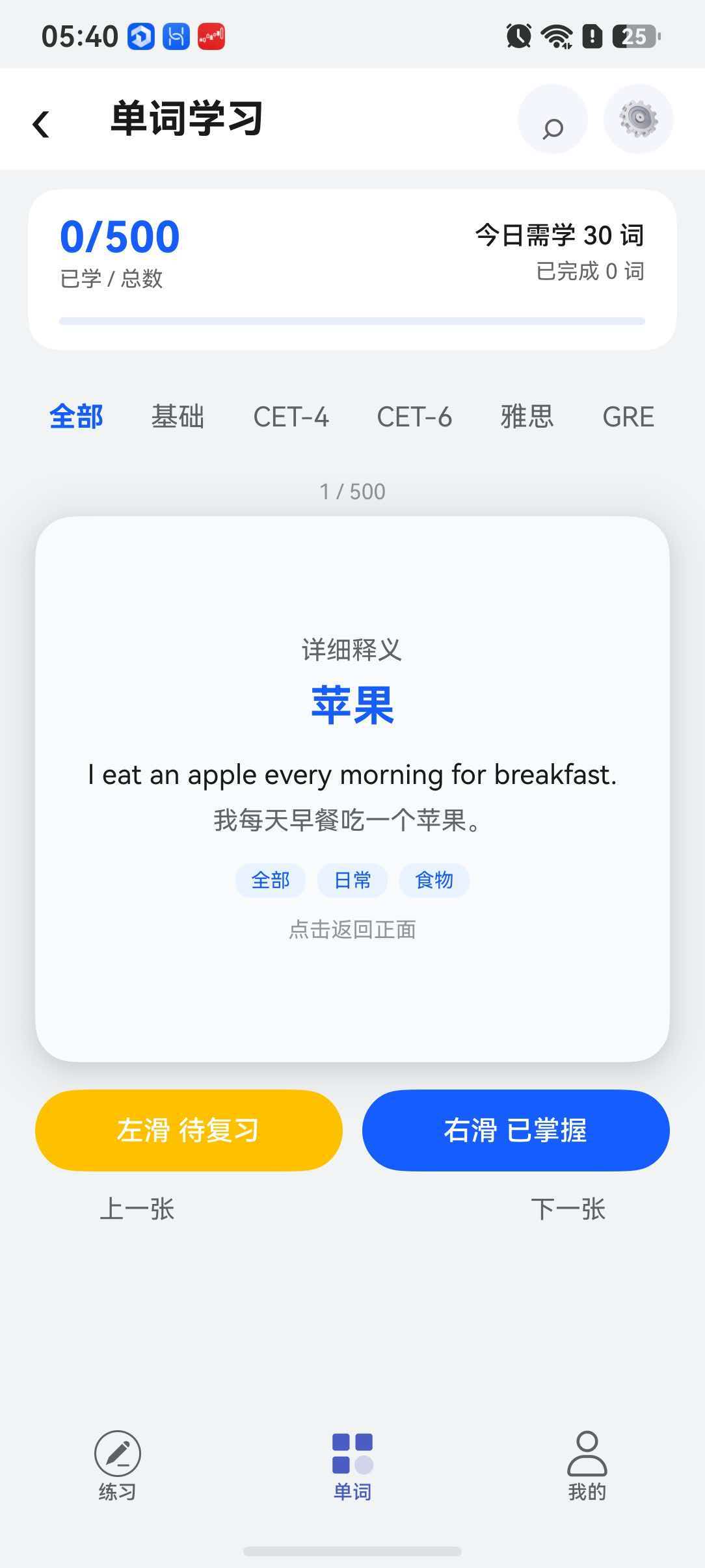
本文以一个 11 模块的英语学习 App 为案例,系统梳理三种核心通信模式:@Param + 事件回调(父子通信)、状态提升(兄弟/多层通信)、AppStorageV2(跨模块通信),并通过源码实例分析各自的适用场景和最佳实践。
二、模式一:@Param + 事件回调(父子通信)
2.1 基本原理
父子组件通信是组件化开发中最基础的通信模式。在 V2 装饰器体系中,推荐使用 @Param(父→子)和事件回调(子→父)的组合:
父组件
  ├── 通过 @Param 传递数据 → 子组件
  └── 接收子组件的回调事件 ← 子组件
2.2 实战:Tab 切换通信
在 CourseHomePage 中,Tabs 组件的 onTabBarClick 回调就是典型的事件通信:
typescript
// CourseHomePage.ets - 父组件
@Entry
@ComponentV2
export struct CourseHomePage {
  @Local currentCategory: string = 'all';
  @Local currentIndex: number = 0;

  build() {
    Tabs({ barPosition: BarPosition.Start }) {
      TabContent() { this.cardArea(); }
        .tabBar(this.tabBuilder('全部', 'all'));

      ForEach(WORD_CATEGORIES, (cat: WordCategory) => {
        TabContent() { this.cardArea(); }
          .tabBar(this.tabBuilder(cat.label, cat.key));
      }, (cat: WordCategory) => cat.key);
    }
    .onTabBarClick((index: number) => {
      // ← 事件回调:Tabs 通知父组件用户点击了哪个 Tab
      if (index === 0) {
        this.currentCategory = 'all';
      } else {
        this.currentCategory = WORD_CATEGORIES[index - 1].key;
      }
      // 重置卡片状态
      this.currentIndex = 0;
      this.isFlipped = false;
    })
  }
}
2.3 实战:@Param 子组件接收数据
在 MainPage.ets 中,ReusableFlowItem 通过 @Param 接收父组件传递的数据:
typescript
// ReusableFlowItem.ets - 子组件
@ComponentV2
struct ReusableFlowItem {
  @Param item: PracticeView = new PracticeView($r('app.media.ic_home'), '顺序练习', '1、3256');

  build() {
    Row() {
      Text(this.item.name)
      Text(this.item.describe)
      Image(this.item.imageUri)
    }
  }
}

// MainPage.ets - 父组件中创建子组件并传参
LazyForEach(this.dataSource, (practiceItem: PracticeView) => {
  GridItem() {
    ReusableFlowItem({ item: practiceItem }) // 通过 @Param 传入
  }
  .onClick(() => {
    // 父组件处理点击事件
    if (!this.logoUser.isLogin) {
      RouterModule.push({ url: RouterMap.LOGIN_PAGE });
    }
  });
});
2.4 回调函数的定义规范
typescript
// 推荐的回调函数命名规范
interface WordCardCallbacks {
  onFavorite?: (id: number, isFavorite: boolean) => void;  // 收藏事件
  onMastered?: (id: number) => void;                       // 已掌握事件
  onDelete?: (id: number) => void;                         // 删除事件
  onUpdate?: (id: number, data: Partial<WordCard>) => void; // 更新事件
}

@ComponentV2
export struct WordCardItem {
  @Param card: WordCard = new WordCard(0, '', '', '', '', '', '');
  @Param callbacks: WordCardCallbacks = {};

  build() {
    Column() {
      Text(this.card.word)
      Button('收藏').onClick(() => {
        this.callbacks.onFavorite?.(this.card.id, !this.card.isFavorite);
      })
    }
  }
}
三、模式二:状态提升(兄弟/多层通信)
3.1 什么是状态提升?
当多个兄弟组件需要共享同一份数据,或者子组件需要修改祖先组件的数据时,将共享状态提升到最近的公共父组件中管理,这就是状态提升。
3.2 实战:单词卡片页的状态提升
在 WordCardPage 中,卡片状态、翻转到计时器状态等都由父组件统一管理:
typescript
@ComponentV2
export struct WordCardPage {
  // 提升到顶层的共享状态
  @Local currentCardIndex: number = 0;
  @Local cardAngle: number = 0;
  @Local cardOffsetX: number = 0;
  @Local isAutoPlay: boolean = false;
  @Local showDetail: boolean = false;
  @Local masteredFlags: boolean[] = [];

  build() {
    Column() {
      // 子组件 1:卡片内容区域(依赖 currentCardIndex, cardAngle)
      this.cardContent();

      // 子组件 2:底部控制按钮(依赖 currentCardIndex, masteredFlags)
      this.controlButtons();

      // 子组件 3:进度信息(依赖 currentCardIndex)
      this.progressInfo();
    }
  }

  @Builder
  cardContent() {
    // 使用 this.currentCardIndex 和 this.cardAngle
  }

  @Builder
  controlButtons() {
    Button('已掌握')
      .onClick(() => {
        this.masteredFlags[this.currentCardIndex] = true;
        this.nextCard();  // 修改提升的状态
      });
  }
}
3.3 何时需要状态提升?
| 场景 | 是否推荐状态提升 | 替代方案 |
|---|---|---|
| 兄弟组件共享数据 | ✅ 推荐 | AppStorageV2(过度设计) |
| 父子组件共享(2-3 层) | ✅ 推荐 | --- |
| 多层嵌套(4 层以上) | ⚠️ 谨慎 | AppStorageV2 |
| 跨模块共享 | ❌ 不推荐 | AppStorageV2 |
四、模式三:AppStorageV2(跨模块通信)
4.1 核心概念
当需要跨模块、跨页面共享状态时,AppStorageV2 是最佳选择。它是一个全局的键值存储系统,同一进程中的所有模块都可以访问。
4.2 实战:用户信息全局共享
用户登录信息是跨模块共享的典型场景------首页、我的页面、答题页面等都需要访问。
typescript
// UserInfo.ets - 数据模型(在 login_info 模块中定义)
@ObservedV2
export class UserInfo {
  @Trace id: number = 0;
  @Trace avatar: ResourceStr = '';
  @Trace name: string = '';
  @Trace cellphone: string = '';
  @Trace isLogin: boolean = false;
}
各模块通过 AppStorageV2.connect 连接同一实例:
typescript
// 首页模块 - MainPage.ets
import { UserInfo } from 'login_info';

@ComponentV2
export struct HomePage {
  @Local logoUser: UserInfo = AppStorageV2.connect(UserInfo, () => new UserInfo())!;

  build() {
    // 使用全局用户信息
    if (!this.logoUser.isLogin) {
      Text('登录后享受更多服务');
    }
  }
}

// 我的模块 - CourseHomePage.ets
import { UserInfo } from 'login_info';

@ComponentV2
export struct CourseHomePage {
  @Local logoUser: UserInfo = AppStorageV2.connect(UserInfo, () => new UserInfo())!;

  build() {
    // 同样使用全局用户信息
    if (!this.logoUser.isLogin) {
      // 显示登录提示
    }
  }
}
4.3 实战:Sample 数据中心
AppStorageV2 不仅限于用户信息,任何需要全局唯一的业务数据都可以使用:
typescript
// SampleModel.ets - 简单数据中心
@ObservedV2
export class Sample {
  @Trace id: string = '1111';
  @Trace title: string = '英语词汇速记';
}

// 页面中连接
@Local prop: Sample = AppStorageV2.connect(Sample, () => new Sample())!;

// 在 aboutToAppear 中重新获取(确保数据最新)
aboutToAppear(): void {
  this.prop = AppStorageV2.connect(Sample, 'Sample', () => new Sample())!;
}
4.4 实战:断点模型的全局注册
BreakpointUtils 工具类中的断点模型也是通过 AppStorageV2 全局共享的:
typescript
// BreakpointUtils.ets
export class BreakpointUtils {
  private breakpointModel: BreakpointModel = new BreakpointModel();

  constructor(mainWindow: window.Window) {
    this.breakpointModel = AppStorageV2.connect(BreakpointModel, () => new BreakpointModel())!;
  }

  private updateBreakpoint: (value: number) => void = (value: number) => {
    this.breakpointModel.currentBreakpoint = this.transformBreakpointNameEnum(value);
  };
}
这样,当窗口大小变化时,只需要更新 BreakpointModel 的 currentBreakpoint 字段,所有依赖该字段的组件都会自动响应。
五、三种通信模式对比
| 维度 | @Param + 回调 | 状态提升 | AppStorageV2 |
|---|---|---|---|
| 适用层级 | 父子直连 | 兄弟/多层 | 跨模块/全局 |
| 数据流向 | 单向(父→子+回调) | 集中管理 | 全局共享 |
| 耦合度 | 低(接口清晰) | 中 | 低 |
| 调试难度 | 易 | 中 | 中 |
| 性能开销 | 低 | 低 | 中 |
| 类型安全 | ✅ | ✅ | ✅ |
| 推荐程度 | ⭐⭐⭐⭐⭐ | ⭐⭐⭐⭐ | ⭐⭐⭐⭐ |
六、如何选择通信方式?
问题:两个组件需要共享数据

1. 这两个组件是父子关系吗?
   ├── 是 → @Param + 回调 ✅
   └── 否 → 继续

2. 它们是兄弟组件或祖孙(2-3层)吗?
   ├── 是 → 状态提升 ✅
   └── 否 → 继续

3. 它们在不同模块或层级很深(4层+)吗?
   ├── 是 → AppStorageV2 ✅
   └── 否 → 结合具体场景分析
实际项目中的选择
在我们的英语学习 App 中:
| 通信场景 | 选用的方式 | 原因 |
|---|---|---|
| Tab 点击 → 父组件切换分类 | 事件回调 | 直接父子关系 |
| 功能项点击 → 父组件跳转 | 事件回调 | 直接父子关系 |
| GridItem 展示数据 | @Param 传参 | 父组件控制数据 |
| 用户登录状态 | AppStorageV2 | 跨所有模块 |
| 断点适配信息 | AppStorageV2 | 跨所有组件 |
| 卡片翻转状态 | @Local | 组件内部状态 |
七、避免 Props Drilling
7.1 什么是 Props Drilling?
当数据需要通过多层组件逐级传递时,中间组件仅仅充当"传话筒"的角色:
typescript
// ❌ Props Drilling:user 被透传了 3 层
Page -> { user }
  ├── Header -> { user }
  │     └── Avatar -> { user }  // 只有真正使用了 user
  └── Content -> { user }
        └── Card -> { user }    // 也是传话筒
7.2 解决方案
方案一:AppStorageV2 直接注入(推荐)
typescript
// Avatar 组件直接从 AppStorageV2 获取 user,跳过中间组件
@ComponentV2
struct Avatar {
  @Local user: UserInfo = AppStorageV2.connect(UserInfo, () => new UserInfo())!;

  build() {
    Image(this.user.avatar)
  }
}
方案二:状态提升 + 拆分(适用于非全局数据)
将需要传递的数据设计为组件接口,只传必要的数据,不传整个对象。
7.3 判断标准
如果一个组件传入的 @Param 有超过 50% 在自身没有使用,只是传给子组件,就说明可能存在 Props Drilling 问题。
八、最佳实践总结
- 父子直连用 @Param + 回调:最直接、最类型安全的方式
- 兄弟组件用状态提升:找最近的公共父组件管理共享状态
- 跨模块用 AppStorageV2:用户信息、断点模型等全局数据
- 避免过度提升:只在确实需要共享时才提升状态
- 避免 Props Drilling:超过 3 层透传时考虑 AppStorageV2
- 回调命名规范 :使用
on前缀,如onClick、onFavorite - 接口集中管理:将回调接口定义为独立类型,便于维护
九、总结
组件通信没有银弹。@Param + 回调 适用于直接的父子通信,状态提升适用于兄弟和短链路的祖孙通信,AppStorageV2 适用于跨模块和全局状态共享。理解这三种模式各自的适用场景,坚持"最小够用"原则,是构建可维护的 HarmonyOS 应用的关键。