鸿蒙应用开发实战【94】--- 实战多卡号场景管理最佳实践
本文是「号码助手全栈开发系列」第 94 篇,持续更新中...
前言
多卡管理是号码助手区别于普通通讯录的核心能力。用户可能有工作号、生活号、备用号等多张 SIM 卡,需要在各页面中随时切换卡号上下文。本篇讲解多卡号场景下的数据模型设计、UI 联动和数据隔离策略。
本篇涵盖:CardEntity 设计、多卡切换实现方案、按卡号筛选(chip 筛选器)、卡号颜色主题、跨页面传递选中卡号。
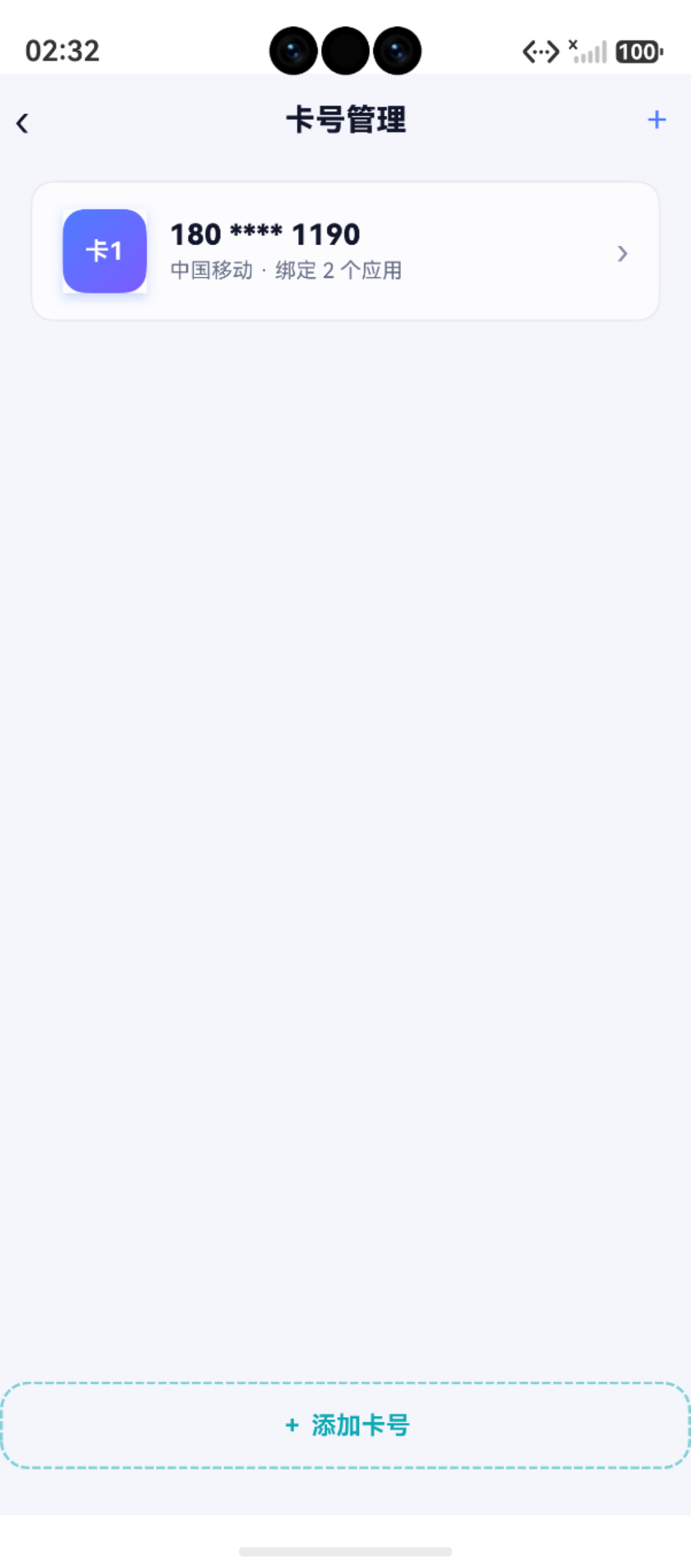
一、CardEntity 数据模型
文件 :features/data/Models.ets
typescript
export interface CardEntity {
  id?: number          // 自增主键
  label: string        // 卡号标签("工作号" / "生活号" / "卡1")
  phone_number: string // 手机号
  carrier: string      // 运营商(中国移动 / 联通 / 电信)
  remark: string       // 备注
  color: string        // 卡片颜色('blue' / 'orange' / 'green' / 'pink' / 'purple')
  sort_order: number   // 排序序号
  created_at: number   // 创建时间
  updated_at: number   // 更新时间
}设计要点:
| 字段 | 用途 | 说明 | 示例值 |
|---|---|---|---|
label |
用户给卡号起的名字 | 便于区分多张卡 | "工作号"、"卡1" |
color |
卡号主题色 | 列表/卡片中通过颜色区分不同卡号 | 'blue'、'orange' |
sort_order |
自定义排序 | 常用卡号排前面 | 0、1、2 |
id → app_bindings.card_id |
外键关联 | 一个卡号关联多个应用绑定 | 主键自增 |
二、多卡号筛选实现
2.1 首页 Chip 筛选
typescript
// HomePage.ets --- chip 切换卡号筛选
const cards = await CardDao.listAll()
// chipBar 中展示:全部 | 工作号 | 生活号 | 卡3 ...

// 筛选逻辑
private getFilteredRows(): AppRow[] {
  return this.rows.filter(r => {
    const catOk = this.filterCatIdx === 0 ||
      r.binding.category === CATEGORIES[this.filterCatIdx]
    const cardOk = this.filterCardIdx === 0 ||
      r.cardLabel === this.cards[this.filterCardIdx - 1]?.label
    const statOk = this.filterStatIdx === 0 ||
      r.binding.status === STATUS_FILTERS[this.filterStatIdx]
    return catOk && cardOk && statOk
  })
}
2.2 状态列表页 Chip 筛选
文件 :pages/StatusListPage.ets
typescript
// chip 二次筛选:分类 + 卡号
private getFilteredRows(): AppRow[] {
  const CATEGORIES = ['全部', 'APP', '网站', '小程序']
  return this.rows.filter(r => {
    const catOk = this.chipCatIdx === 0 ||
      r.binding.category === CATEGORIES[this.chipCatIdx]
    const cardOk = this.chipCardIdx === 0 ||
      r.cardLabel === this.cards[this.chipCardIdx - 1]?.label
    return catOk && cardOk
  })
}
三、首页卡片上的多卡号统计
首页统计卡片展示每个状态的汇总数据,点击后跳转到对应的 StatusListPage:
typescript
// 跳转到待换绑列表,携带 status 参数
Text(this.pendingSwitch.toString())
  .onClick(() => {
    router.pushUrl({
      url: 'pages/StatusListPage',
      params: { status: '待换绑' } as StatusRouteParams
    })
  })
在 StatusListPage 通过路由参数接收:
typescript
aboutToAppear(): void {
  const params = this.getUIContext().getRouter().getParams()
  if (params && typeof params['status'] === 'string') {
    this.statusLabel = params['status']
  }
  this.loadData()
}
四、添加应用时选择卡号
在 AddAppPage 和 PasteImportPage 中,用户需要通过 ActionMenu 选择目标卡号:
typescript
// PasteImportPage --- 选择绑定的卡号
private async pickCard(): Promise<void> {
  const buttons = this.cards.map(c => ({
    text: `${c.label} · ${c.phone_number}`,
    color: AppColors.TEXT
  }))
  const result = await promptAction.showActionMenu({
    title: '选择绑定卡号',
    buttons: buttons
  })
  this.selectedCardIndex = result.index
}
五、卡号管理页面(AddCardPage)
文件 :pages/AddCardPage.ets
typescript
async addCard() {
  const now = Date.now()
  const newCard: CardEntity = {
    label: this.label,               // 用户输入的名称
    phone_number: this.phoneNumber,  // 用户输入的号码
    carrier: this.carrier || '未识别',
    color: this.selectedColor,       // 用户选择的主题色
    remark: this.remark,
    sort_order: 0,
    created_at: now,
    updated_at: now
  }
  const id = await CardDao.create(newCard)
  if (id > 0) {
    // 刷新首页统计数据
    AppStorage.Set<number>('cardCount', await CardDao.countByStatus())
    router.back()
  }
}
六、卡号颜色主题系统
每个卡号可以设置颜色,在 UI 中以卡片颜色 AppColors 映射展示:
typescript
// AppColors.ets --- 卡号颜色映射
static cardColor(colorName: string): ResourceColor {
  const map: Record<string, ResourceColor> = {
    'blue':   '#4F7CFF',
    'orange': '#FF7A1E',
    'green':  '#3CC463',
    'pink':   '#FF6B9D',
    'purple': '#7B61FF'
  }
  return map[colorName] ?? '#4F7CFF'
}
在 CardDao 反序列化时保留颜色字符串:
typescript
private static parseRow(rs: relationalStore.ResultSet): CardEntity {
  return {
    id: rs.getLong(rs.getColumnIndex('id')),
    label: rs.getString(rs.getColumnIndex('label')),
    color: rs.getString(rs.getColumnIndex('color')) as CardColor,
    // ...
  }
}
七、跨页面当前卡号状态同步
多卡号场景下需要一种轻量级「当前选中卡号」共享机制:
方案:AppStorage + @Watch
typescript
// 全局状态
AppStorage.SetOrCreate<number>('currentCardId', 0)
AppStorage.SetOrCreate<string>('currentCardLabel', '')

// 页面监听
@StorageProp('currentCardId') currentCardId: number = 0

// 切换卡号时更新
onCardSwitch(card: CardEntity) {
  AppStorage.Set('currentCardId', card.id ?? 0)
  AppStorage.Set('currentCardLabel', card.label)
  // 重新加载该卡号下的应用列表
  this.loadBindings(card.id ?? 0)
}
八、多卡号场景性能注意事项
| 场景 | 问题 | 优化 |
|---|---|---|
| 首页加载 | CardDao.listAll() + AppBindingDao.countByStatus() |
并行 Promise.all() |
| 筛选切换 | 内存中 filter 全部数据 | 使用 getFilteredRows() 计算属性 |
| 卡号切换 | 重新加载应用列表 | 只在切换时加载,不做预加载 |
| 统计卡片 | 每次 onPageShow 都重新查询 | 配合 AppStorage 缓存统计值 |
小结
| 功能 | 实现方式 | 涉及文件 |
|---|---|---|
| 卡号模型 | CardEntity union type | Models.ets |
| 卡号 CRUD | CardDao.create / update / deleteById | CardDao.ets |
| 卡号列表 | CardDao.listAll(按 sort_order 排序) | CardDao.ets |
| 颜色映射 | AppColors.cardColor() | AppColors.ets |
| Chip 筛选 | 数组 filter(分类 + 卡号 + 状态) | HomePage.ets |
| 卡号切换 | AppStorage + @StorageProp | 全局状态共享 |
如果这篇文章对你有帮助,欢迎点赞👍、收藏⭐、关注🔔,你的支持是我持续创作的动力!
相关资源:
- 开源鸿蒙跨平台社区:https://openharmonycrossplatform.csdn.net
- HarmonyOS 官方文档:https://developer.huawei.com/consumer/cn/doc/
- HarmonyOS hilog文档:https://developer.huawei.com/consumer/cn/doc/harmonyos-references/hilog
- HarmonyOS testing:https://developer.huawei.com/consumer/cn/doc/harmonyos-guides/unit-test
- HarmonyOS 安全与权限:https://developer.huawei.com/consumer/cn/doc/harmonyos-guides/permissions-overview